
Halo HUD Mod (1.21.4, 1.20.1) – Track Health Without Looking Away

 0


Halo HUD Mod adds a small halo style indicator around the crosshair, showing player health and hunger. This allows players to quickly see the state of their character without looking down at the HUD, particularly on large monitors. The indicator automatically hides itself when the bars are full.
Features:
- Shows player health and hunger in a halo style indicator right around the crosshair.
- Automatically hides the indicator when both health and hunger bars are full.
- Helps you check character status quickly without looking away from the center of the screen, especially on large monitors.
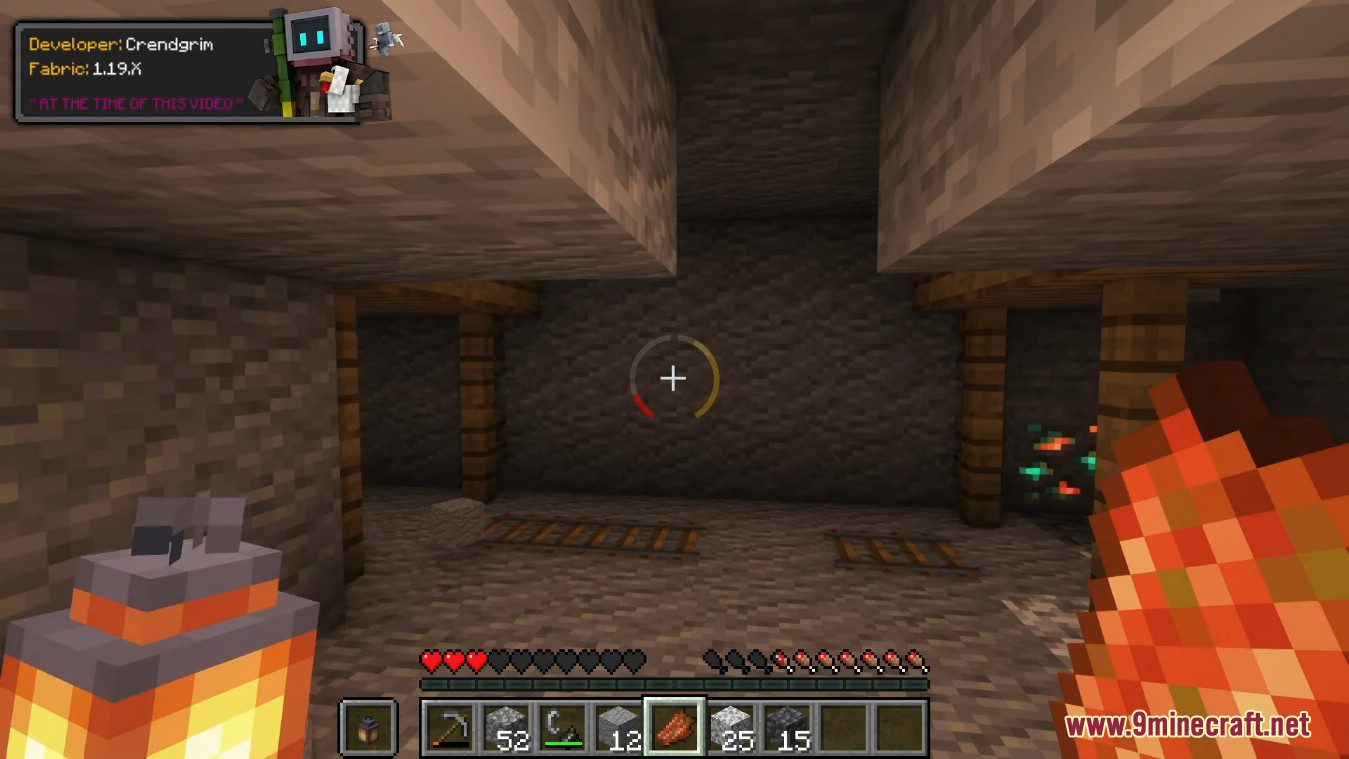
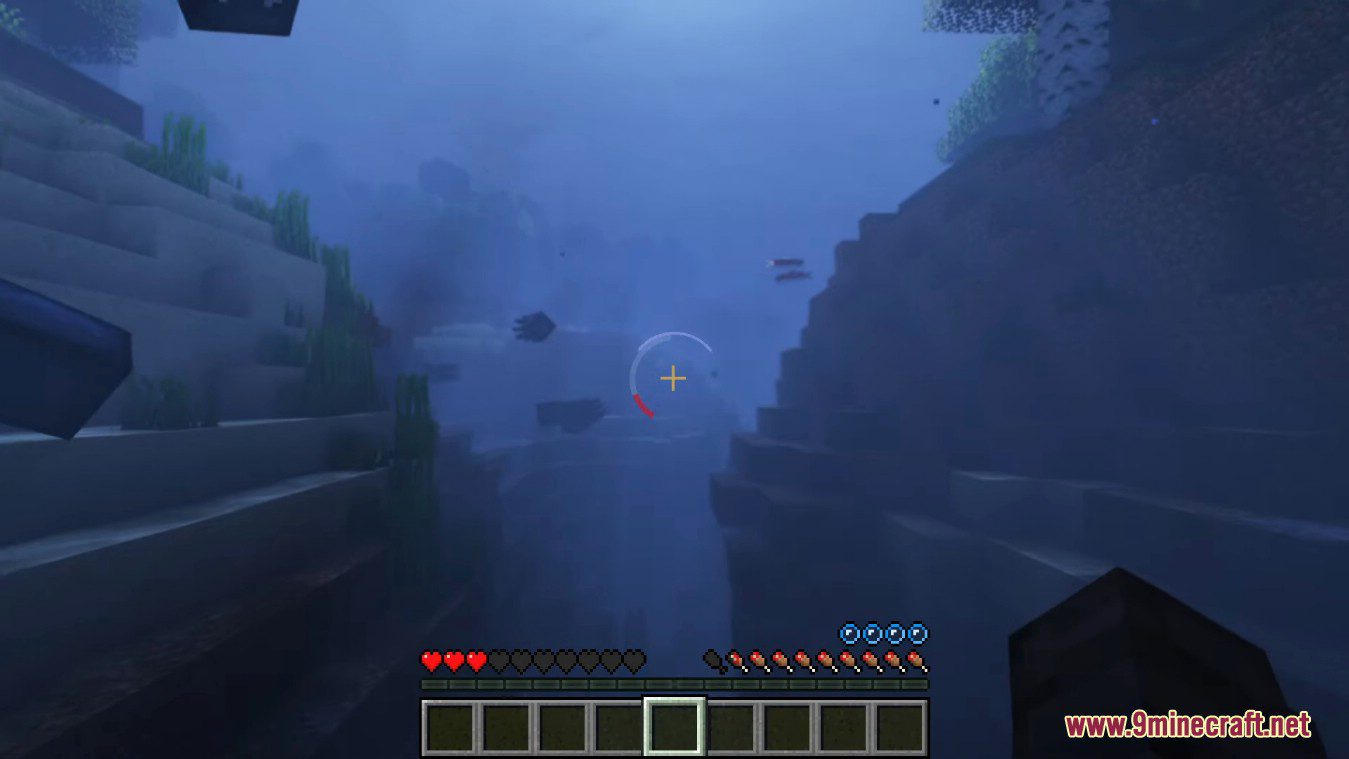
- Works smoothly during everyday gameplay actions like mining blocks, exploring caves, and swimming underwater.
Screenshots:
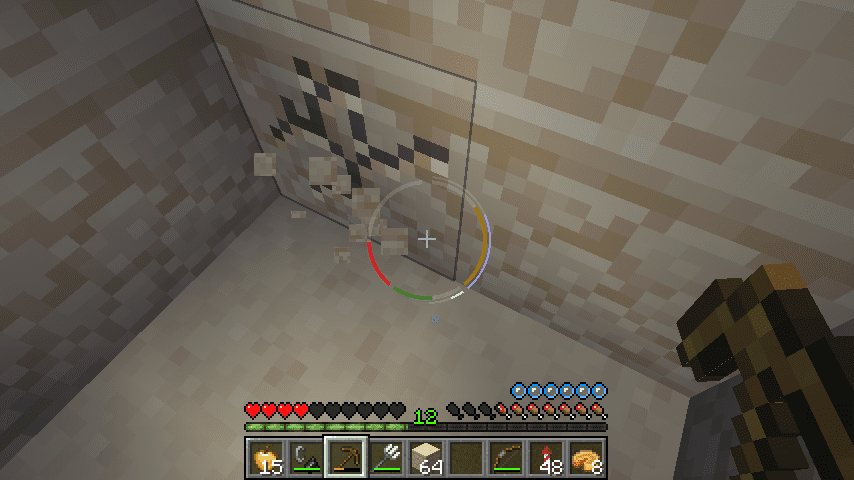
Artificially busy halo: On the left, it shows the player’s health. On the right, in brown the food/hunger bar, and in blue outside the current air. On the bottom in green the block break progress and below that the current tool’s durability.
How to Install:
New to Minecraft? Follow our step-by-step guide to install Mods on your PC.View Guide
Requirements:

Halo HUD Mod Download Links
Other version:
Show More
For Minecraft 1.20.3
Forge version: Download from Server 1 – Download from Server 2
NeoForge version: Download from Server 1 – Download from Server 2
Fabric version: Download from Server 1 – Download from Server 2
For Minecraft 1.20.5
Fabric version: Download from Server 1 – Download from Server 2
For Minecraft 1.19.2
Fabric version: Download from Server 1 – Download from Server 2
For Minecraft 1.19.3
Fabric version: Download from Server 1 – Download from Server 2
For Minecraft 1.19.4
Fabric version: Download from Server 1 – Download from Server 2
For Minecraft 1.20
Fabric version: Download from Server 1 – Download from Server 2
For Minecraft 1.20.1
Forge version: Download from Server 1 – Download from Server 2
Fabric version: Download from Server 1 – Download from Server 2
For Minecraft 1.20.2
Forge version: Download from Server 1 – Download from Server 2
Fabric version: Download from Server 1 – Download from Server 2
For Minecraft 1.20.4
Forge version: Download from Server 1 – Download from Server 2
NeoForge version: Download from Server 1 – Download from Server 2
Fabric version: Download from Server 1 – Download from Server 2
For Minecraft 1.20.6
Fabric version: Download from Server 1 – Download from Server 2
For Minecraft 1.21.1, 1.21
NeoForge version: Download from Server 1 – Download from Server 2
Fabric version: Download from Server 1 – Download from Server 2
For Minecraft 1.21.3, 1.21.2
NeoForge version: Download from Server 1 – Download from Server 2
Fabric version: Download from Server 1 – Download from Server 2
For Minecraft 1.21.4
NeoForge version: Download from Server 1 – Download from Server 2
Fabric version: Download from Server 1 – Download from Server 2
You May Also Like
Picked for this page
 Gems and Crystals Mod (26.2, 1.20.1) – Ruby, Sapphire, Emerald, Topaz, Amethyst
 Integrated Terminals Mod (26.3, 1.20.1) – Manage Integrated Dynamics Networks
 Biome Particle Weather Mod (1.21.8, 1.20.1) – Interesting Weather Effects
 Paper Doll Mod (26.3, 1.20.1) – Player Mini-Me, Mini Version of Yourself
 Tschipcraft’s More Mobs Mod (26.3, 1.20.1) – Humanoid Mobs
 Lanterns Belong on Walls Mod (26.3, 1.20.1) – New Decorative Options Using Lanterns
 Profundis Mod (1.21.4, 1.20.1) – 9 New Quality Cave Biomes
 Village Hero Plus Mod (26.1.2, 1.20.1) – Rare Loot Chances
 Longer Chat History Mod (26.3, 1.20.1) – Maximum Chat History Length Up to over 65000
 Allow Portal GUIs Mod (26.3, 1.20.1) – Access Inventory And Chat In Portals
 Companions Dogfolk Mod (1.21.11, 1.20.1) – Cute Little Helpers
 Rideable Blazes Mod (26.1.2, 1.20.1) – Ride And Shoot Fireballs
Most viewed in Mods over the last 7 days
 Ala Industrial Mod (26.3) – Run Electric Power Grids and Automated Factories
 PleasureCraft Mod (26.3, 1.21.1) – Jenny Mod Remake for Fabric
 Jennycraft Mod (26.3, 1.20.1) – Virtual Girlfriend in Minecraft
 Fapcraft Mod (26.3, 1.12.2) – Comprehensive and Detailed Content
 Jenny Mod (Fapcraft) Official Complete Guide – How to use, Tutorial
 BangCraft Mod (1.20.1) – Jenny, Ellie and Elliot
 Fabric Loader (26.3, 1.20.1) – Fabric Installer for All Minecraft Versions
 Meteor Client Mod (26.3, 1.20.1) – Xray, HUD, Fly
 The Shooting Star Demo Mod (26.3, 1.20.1) – Vaporize Terrain From Orbit
 OptiFine HD (26.3, 1.20.1) – Run Faster, FPS Boost, Shaders Support
 Aristois Client Mod (1.21.4, 1.20.1) – World Class Minecraft Utility
 Prestige Client Mod (1.21.11, 1.21.4) – Powerful Ghost Features for Crystal & Sword PvP
More from Mods
 Minecraft Java MCP Server Mod (1.21.11) – Command Your World Through External AI Tools
 Arcanism Mod (26.2) – Build Magic Factories and Program Custom Spells
 Archangel Client Mod (1.21.11) – Master Every PvP Duel with Clean Screen Stats
 Block Front Survival Patch Mod (1.21.1) – Wage Tactical Warfare in Survival
 SimpleRPGCore Mod (1.21.4, 1.21.1) – Fight with Classic RPG Stats
 Bard RPG Series Plus by Fichte Mod (1.21.1, 1.20.1) – Buff Allies in Combat
 Fabric Gui ImGui Mod (26.3, 1.21.11) – Clean Custom Menus and In-Game Control
 Multi Item Lib Mod (1.20.1) – Wield Custom Gear with Flawless Hand Animations
 Universe3090 Mod (1.20.1) – Survive Corrupted Dimensions Filled
 Wireless Automate Mod (1.21.1) – Automate Base Logistics Without Messy Pipes
 Vaskars Opus Faction War Quests & Bosses Mod (1.21.11, 1.20.1)
 Multitools and More Mod (26.3, 1.20.1) – Clear Your Hotbar and Travel

This post has no comments yet. Be the first — your comment will appear here.