
Suggestion Tweaker Mod (26.1, 1.20.1) – Never Mistype Any Command

 0


Suggestion Tweaker Mod improves how Minecraft filters and sorts command suggestions when you type in chat. Instead of strict vanilla matching, this mod offers four filtering modes and ranks results from the strictest match to the loosest. It also lets you hide identifiers that start with a chosen prefix across both file and directory names. This mod requires Cloth Config API, works with Mod Menu for extra settings like case sensitivity, and runs on both clients and servers.
Features:
- Replaces strict vanilla matching, which normally only checks the start of a suggestion or characters right after a dot or underscore.
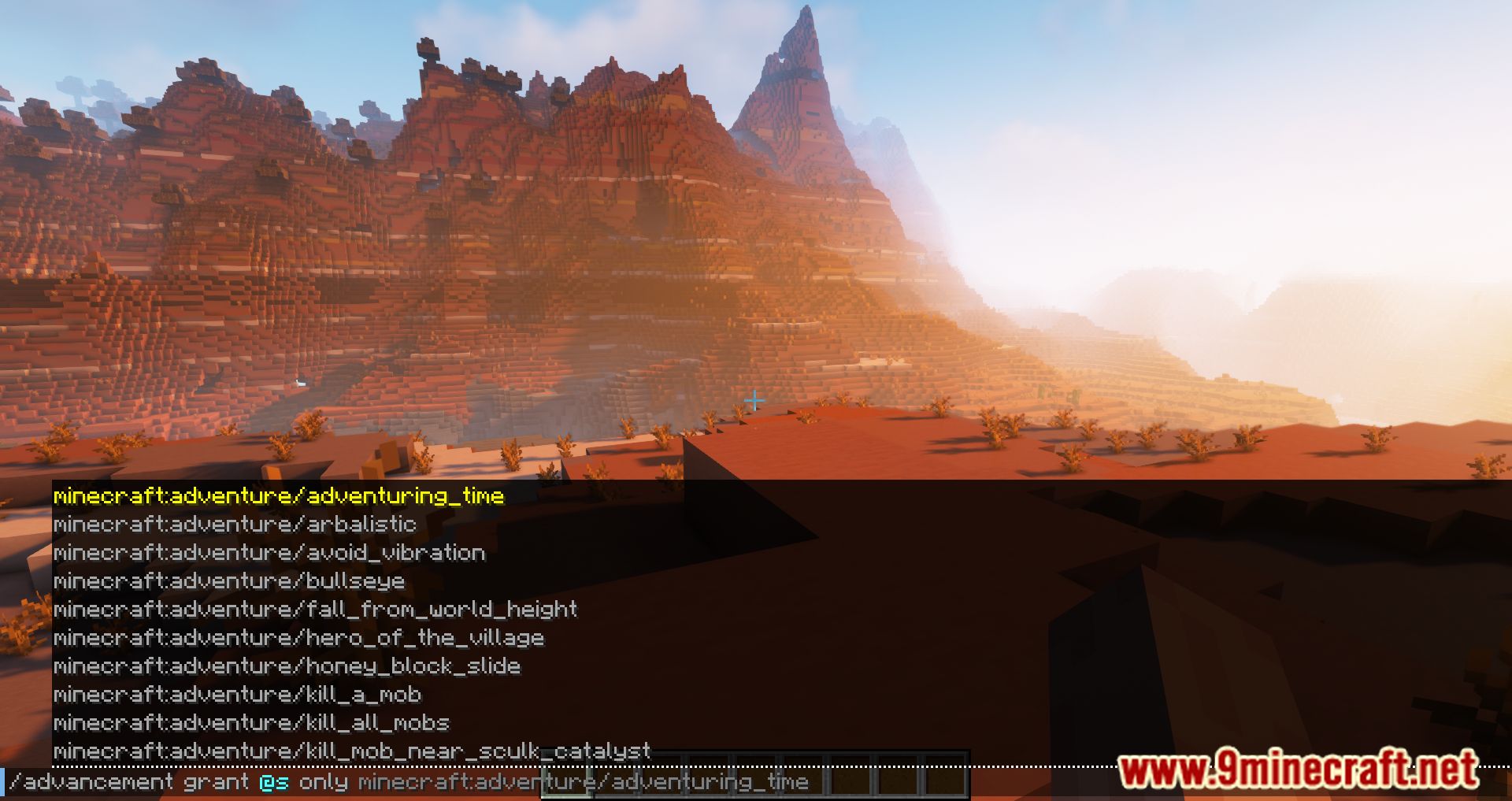
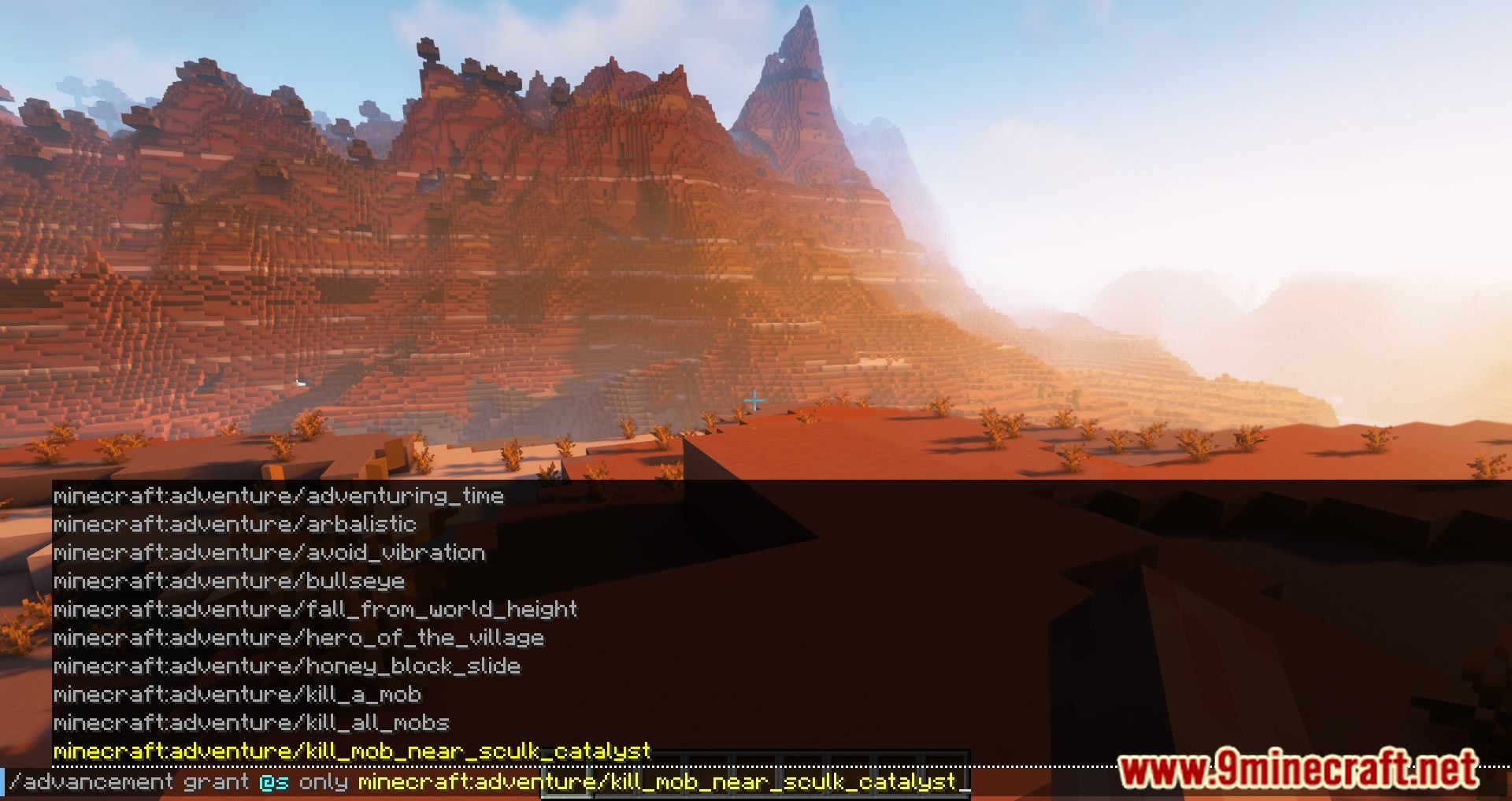
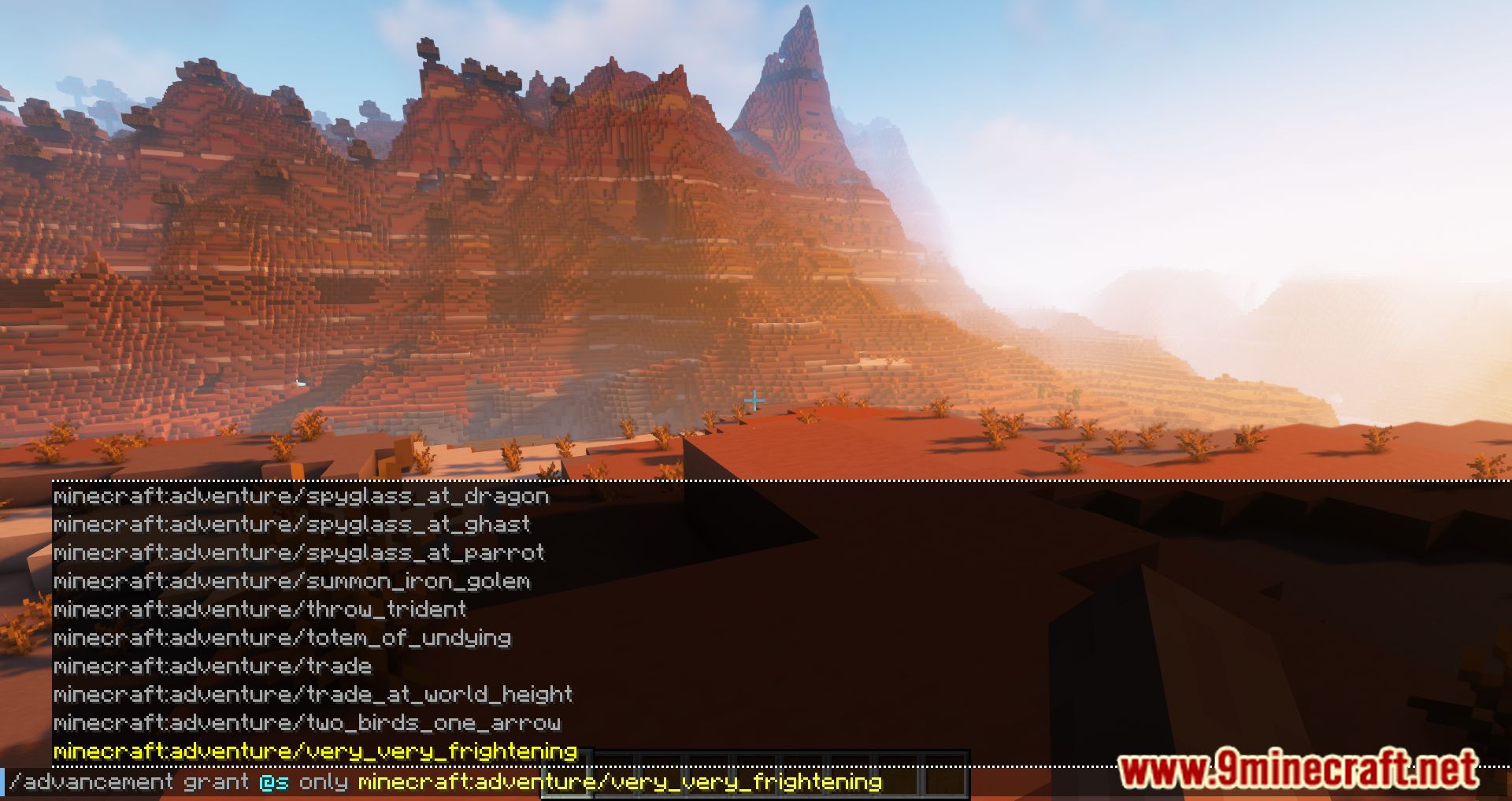
- Sorts command suggestions from the strictest match down to the loosest match instead of using plain alphabetical order.
- Hides suggestions that start with a chosen prefix in both directory and file names, such as hiding
datapack:_functionanddatapack:_directory/functionwhile still showingdatapack:directory/functionwhen the prefix is an underscore. - Applies prefix hiding to all types of identifiers, not just functions, and keeps this setting turned off by default.
- Works on both server-filtered suggestions like functions, loot tables, item modifiers, and predicates, and client-filtered suggestions like scoreboard criteria, colors, and blocks.
- Uses a built-in workaround so the client can apply the new filtering rules even on servers that do not have this mod.
- Runs on the server side to provide better command suggestions even for players who do not have this mod installed.
- Requires Cloth Config API and pairs optionally with Mod Menu to adjust settings such as case sensitivity and the active filtering mode.
Filtering Modes:
STRICT: Uses the normal vanilla matching behavior.SLIGHTLY LOOSE: Shows all suggestions that contain your typed input anywhere inside them.LOOSE: Works like the slightly loose mode, but supports multiple words separated by an underscore.VERY LOOSE: Shows all suggestions that contain every letter from your typed input.
Screenshots:
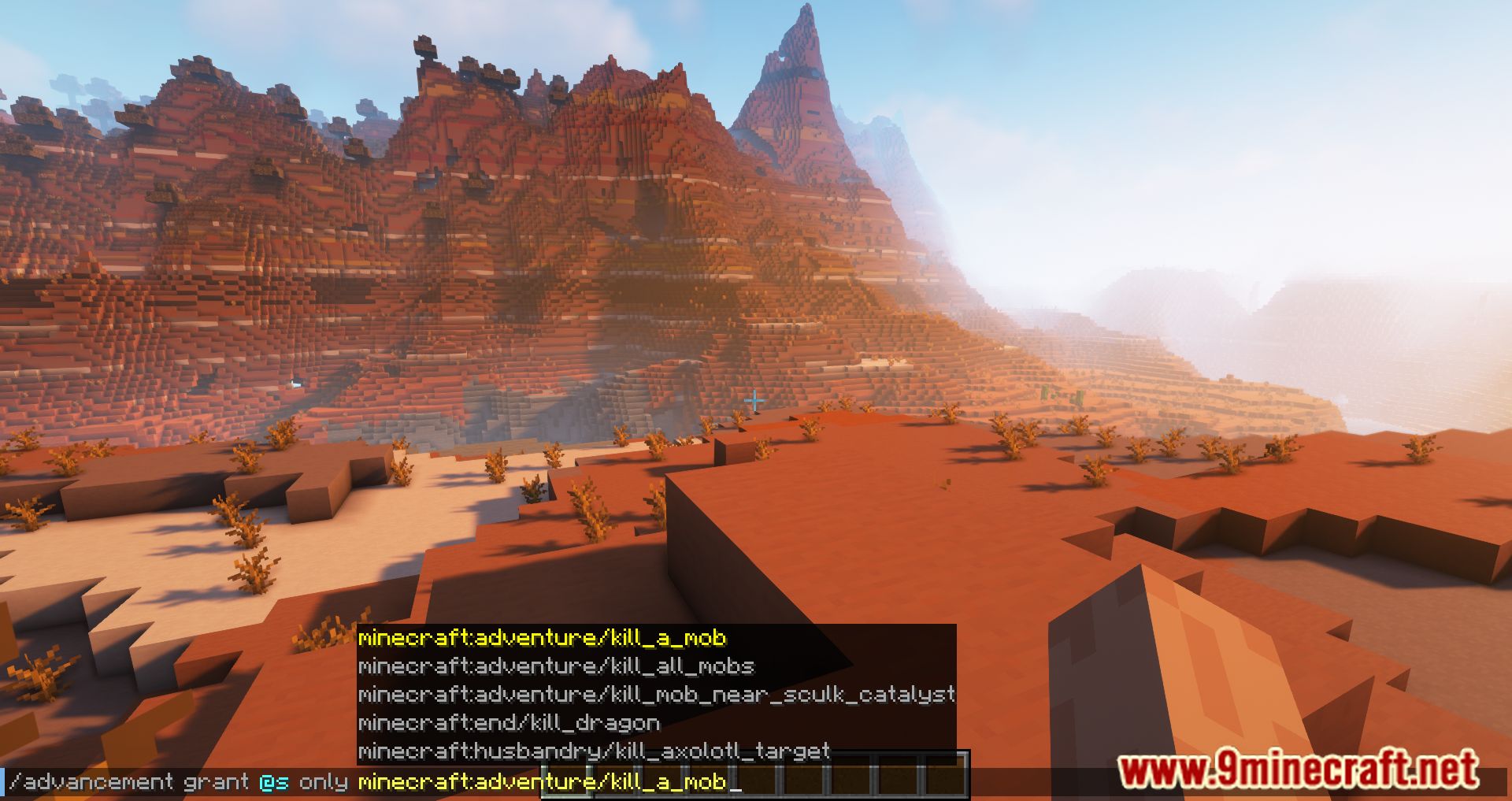
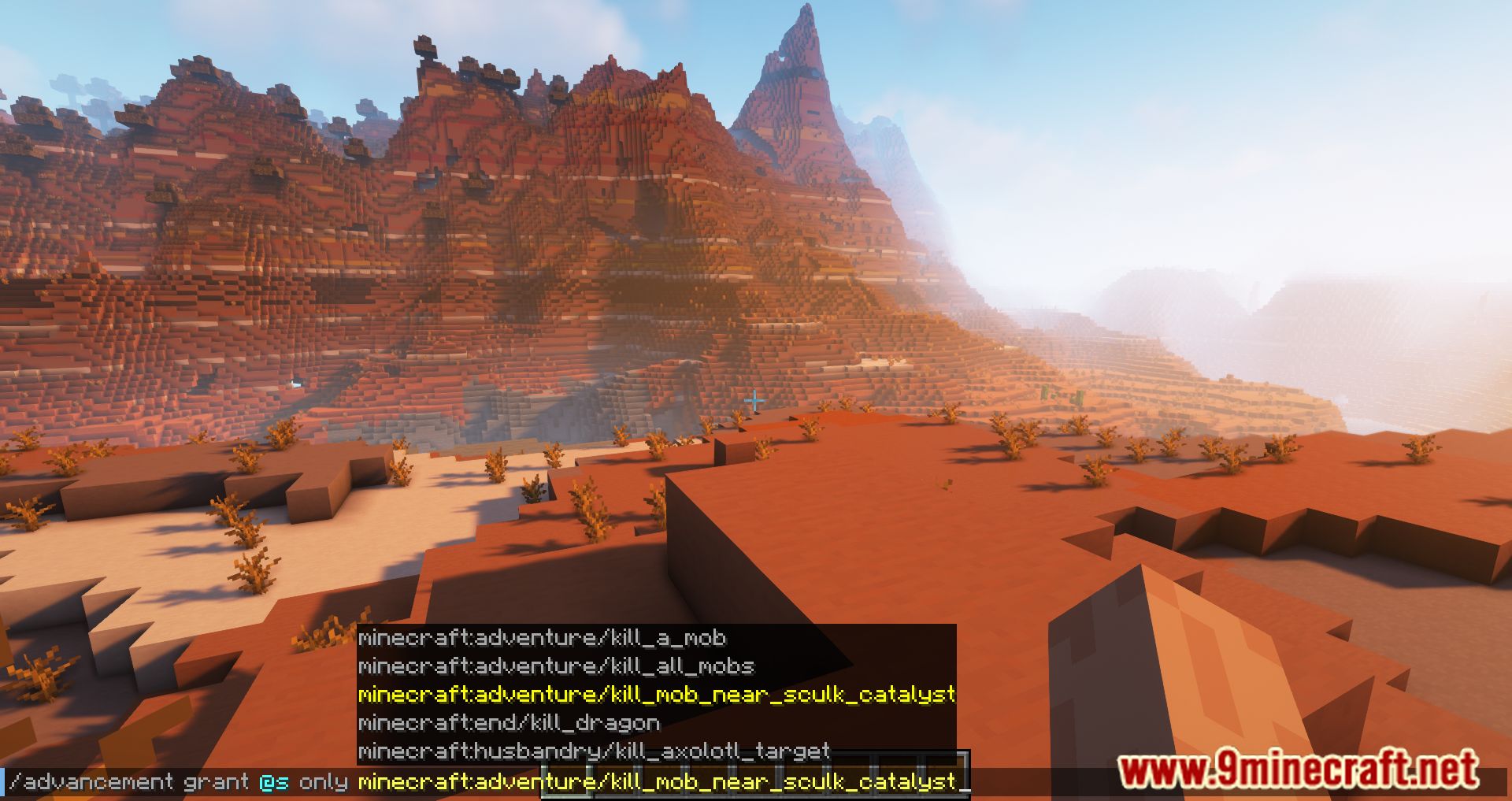
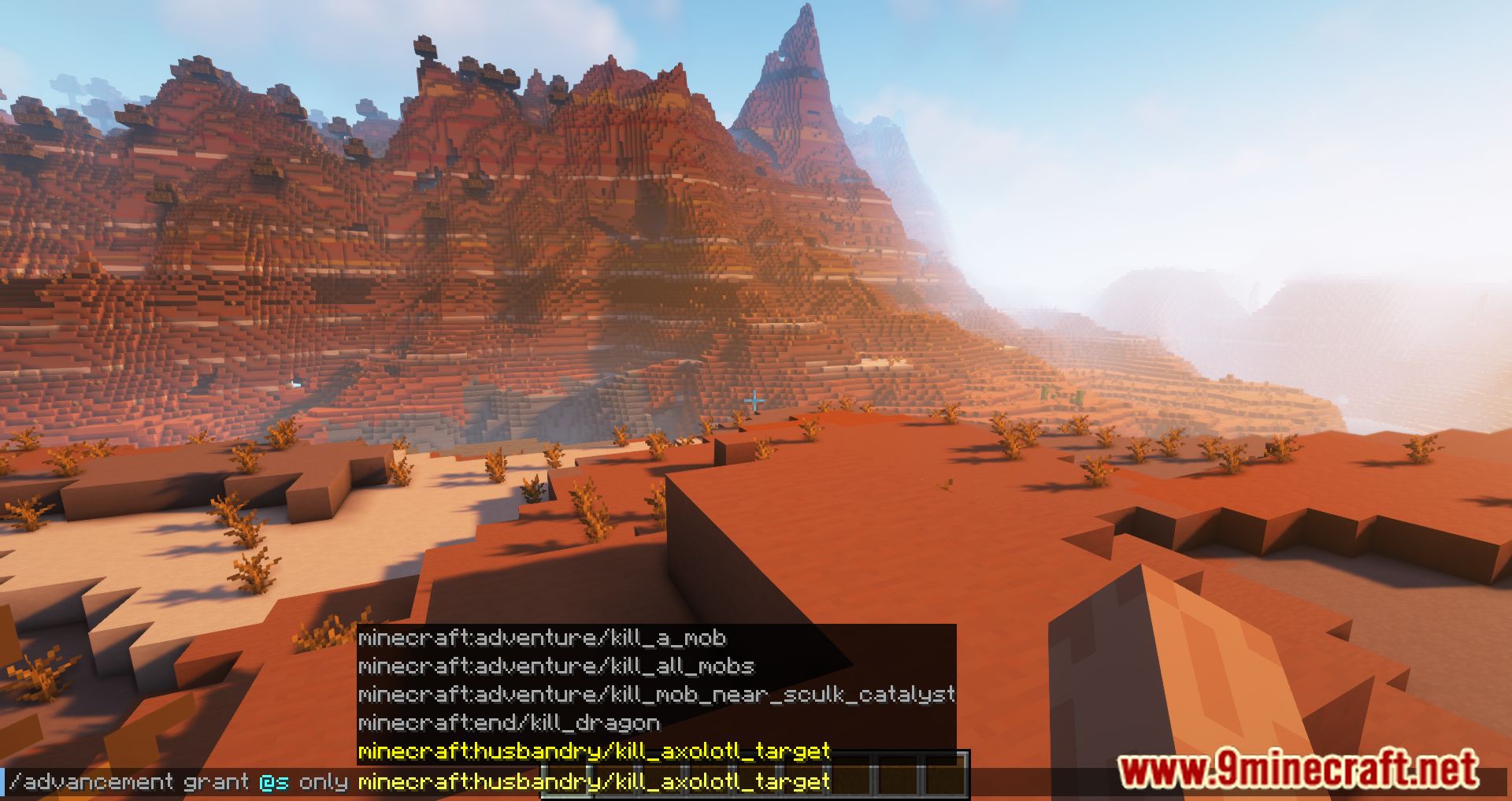
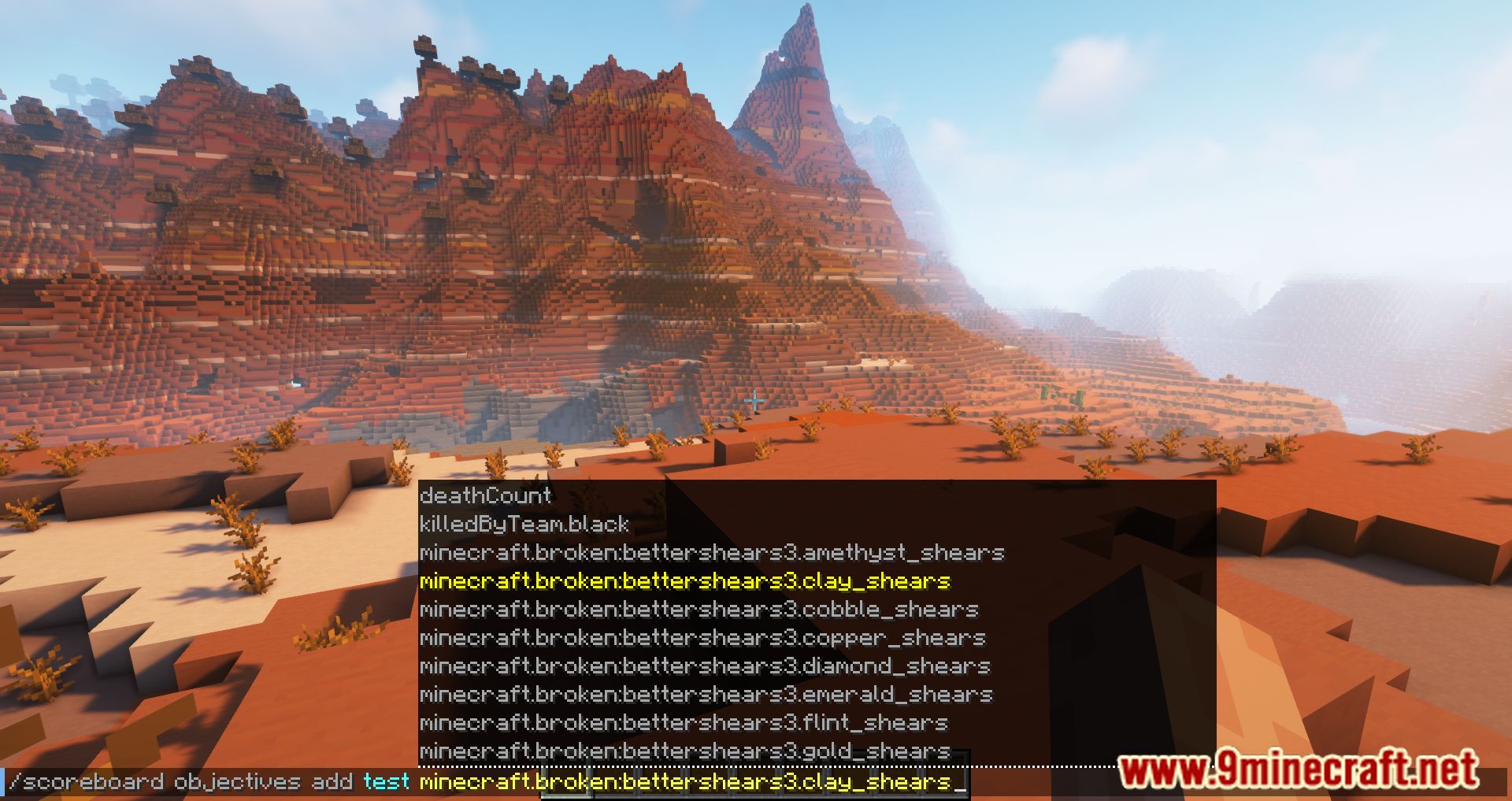
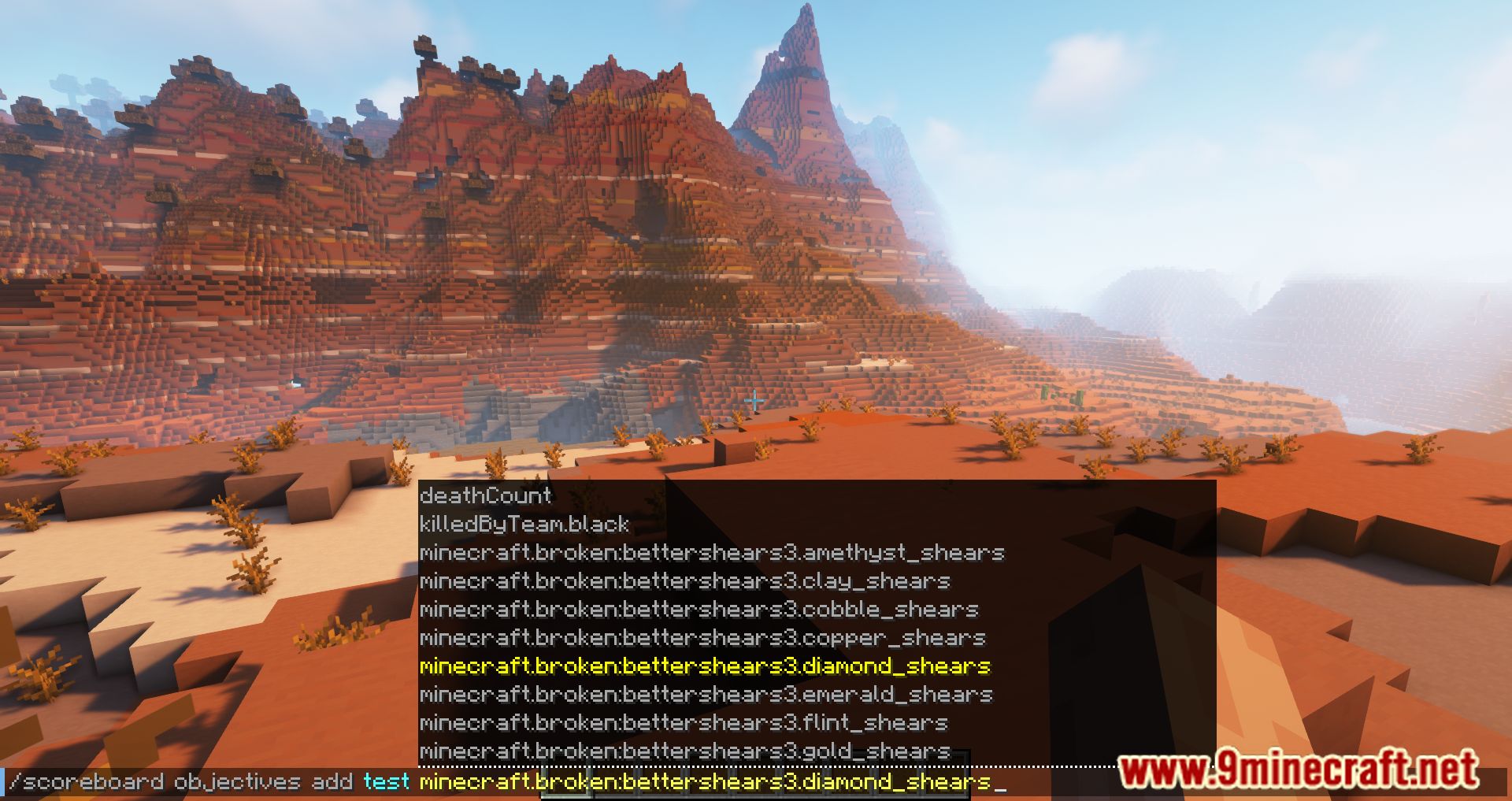
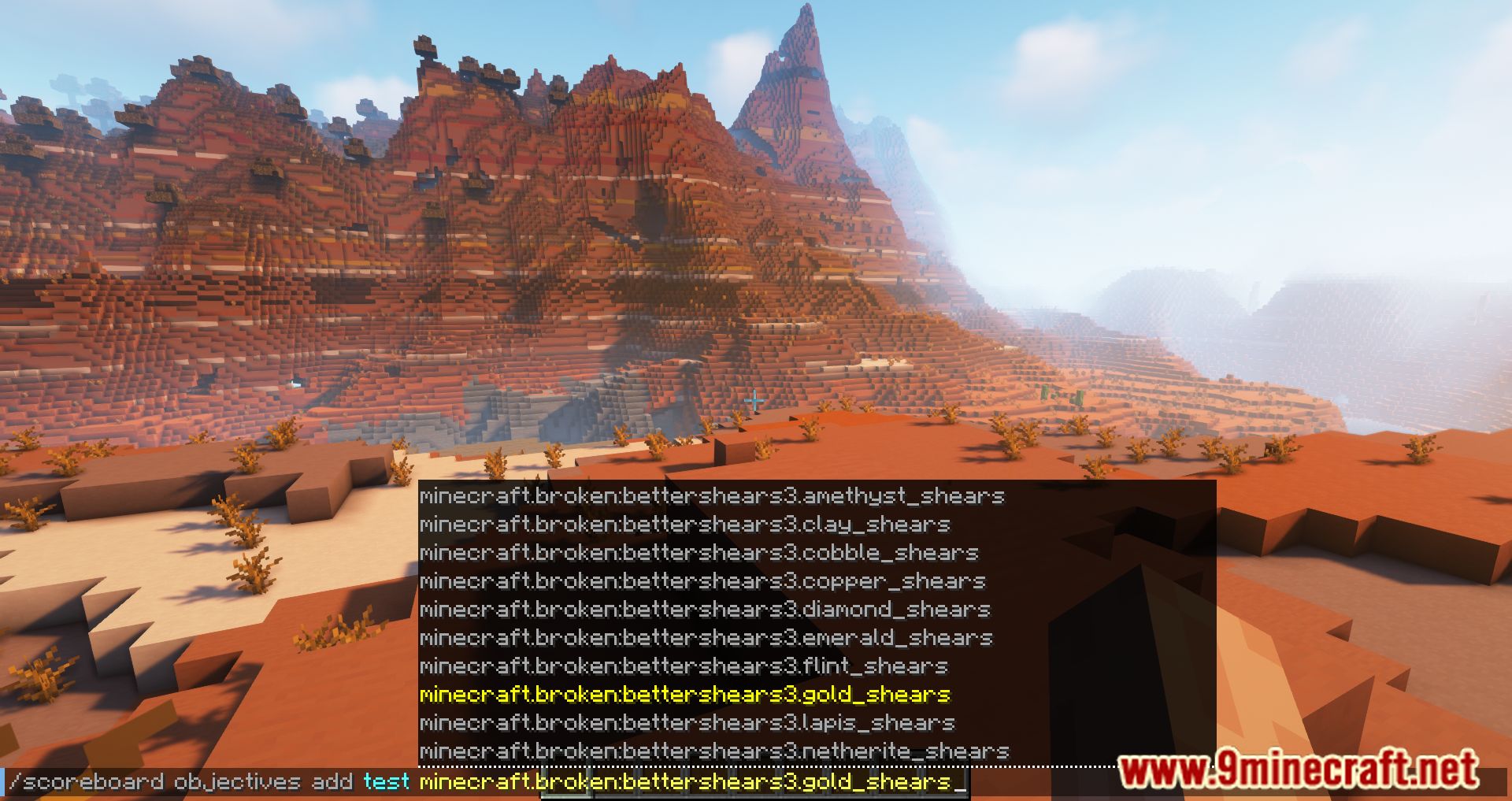
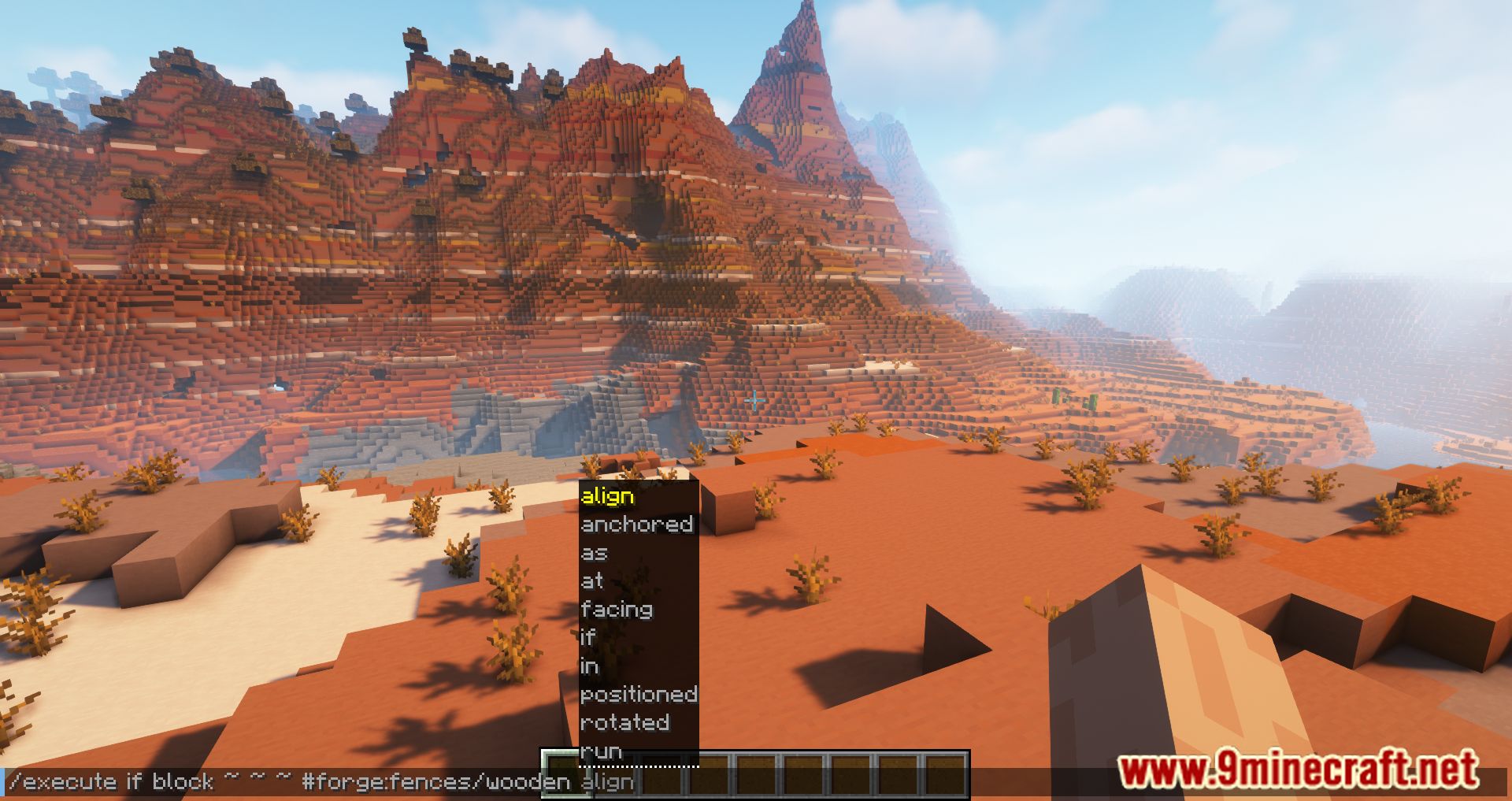
How to Install:
New to Minecraft? Follow our step-by-step guide to install Mods on your PC.View Guide
Requirements:


Suggestion Tweaker Mod Download Links
For Minecraft 1.18.2, 1.18.1
Forge Version: Download from Server 1 – Download from Server 2
Fabric Version: Download from Server 1 – Download from Server 2
For Minecraft 1.19.4, 1.19.3, 1.19.2, 1.19.1
Forge Version: Download from Server 1 – Download from Server 2
Fabric Version: Download from Server 1 – Download from Server 2
For Minecraft 1.20.1, 1.20
Forge Version: Download from Server 1 – Download from Server 2
Fabric Version: Download from Server 1 – Download from Server 2
For Minecraft 1.20.2
Forge Version: Download from Server 1 – Download from Server 2
Fabric Version: Download from Server 1 – Download from Server 2
For Minecraft 1.20.4, 1.20.3
Forge Version: Download from Server 1 – Download from Server 2
Fabric Version: Download from Server 1 – Download from Server 2
For Minecraft 1.20.6
NeoForge Version: Download from Server 1 – Download from Server 2
Fabric Version: Download from Server 1 – Download from Server 2
For Minecraft 1.21.1, 1.21
NeoForge Version: Download from Server 1 – Download from Server 2
Fabric Version: Download from Server 1 – Download from Server 2
For Minecraft 1.21.4, 1.21.3
NeoForge Version: Download from Server 1 – Download from Server 2
Fabric Version: Download from Server 1 – Download from Server 2
For Minecraft 1.21.5
Fabric Version: Download from Server 1 – Download from Server 2
For Minecraft 1.21.8, 1.21.7, 1.21.6
Fabric Version: Download from Server 1 – Download from Server 2
For Minecraft 1.21.10, 1.21.9
Fabric Version: Download from Server 1 – Download from Server 2
For Minecraft 1.21.11
Fabric Version: Download from Server 1 – Download from Server 2
For Minecraft 26.1.2
Fabric Version: Download from Server 1 – Download from Server 2
You May Also Like
Picked for this page
 Wurst Client Mod (26.3, 1.20.1) – The Best Bypass for Minecraft
 Right-Click Harvest Mod (26.3, 1.20.1) – Harvest Crops Quickly and Easily
 Elytra Chestplate Swapper Mod (26.3, 1.20.1) – Functionality to Keystroke
 Pat Pat Mod (26.3, 1.20.1) – Allows You Pat Mobs
 Advancement Screenshot Mod (26.3, 1.20.1) – Take Screenshot Every Time
 Grindstone Sharper Tools Mod (26.3, 1.20.1) – Increase The Damage of Tools
 BetterShields Mod (26.3, 1.20.1) – Fixes Shield Bugs
 Move Boats Mod (26.3, 1.20.1) – Easily Pick Up, Carry Boats Anywhere
 Smelting Sand In A Blast Furnace Mod (26.2, 1.20.1) – Faster Smelting
 Raknetify Mod (1.21.11, 1.20.1) – Improved Network Reliability
 Cinch’s Better Deepslate Mod (26.1.2, 1.20.1) – Mossy Deepslate And Tools Included
 Named Traders Mod (26.3, 1.20.1) – Name Traders To Prevent Despawning
Most viewed in Mods over the last 7 days
 Ala Industrial Mod (26.3) – Run Electric Power Grids and Automated Factories
 PleasureCraft Mod (26.3, 1.21.1) – Jenny Mod Remake for Fabric
 Jennycraft Mod (26.3, 1.20.1) – Virtual Girlfriend in Minecraft
 Fapcraft Mod (26.3, 1.12.2) – Comprehensive and Detailed Content
 Jenny Mod (Fapcraft) Official Complete Guide – How to use, Tutorial
 BangCraft Mod (1.20.1) – Jenny, Ellie and Elliot
 Fabric Loader (26.3, 1.20.1) – Fabric Installer for All Minecraft Versions
 Meteor Client Mod (26.3, 1.20.1) – Xray, HUD, Fly
 The Shooting Star Demo Mod (26.3, 1.20.1) – Vaporize Terrain From Orbit
 OptiFine HD (26.3, 1.20.1) – Run Faster, FPS Boost, Shaders Support
 Aristois Client Mod (1.21.4, 1.20.1) – World Class Minecraft Utility
 Prestige Client Mod (1.21.11, 1.21.4) – Powerful Ghost Features for Crystal & Sword PvP
More from Mods
 Beli’s SkyLyrics Mod (1.21.11) – Sing Along to Desktop Tracks Projected in the Night Sky
 Explainstone and Songmelyn Mod (1.21.1) – Broadcast Custom Music Across Your Base
 Rockstar Shaders Mod (26.3) – Cast Ray-Traced Light Across Vast Distant Horizons
 ERYDON Mod (1.20.1) – Design Grand Courtyards with Carved Marble Pillars
 Infinity Bound Mod (1.21.1) – Snap Away Enemies with Legendary Superhero Gear
 Legacy Gecko Lib Fabric Mod (1.16.5) – Power Animated Creatures in Modpacks
 The Man from the Shadow Horror Mod (1.20.1) – Fight Hallucinations to Survive
 Shade & Saturation Slider Mod (26.2, 1.21.11) – Make Every Biome Vibrant
 Cataclysm X Yung’s Better Nether Fortresses Compat Mod (1.21.1, 1.20.1)
 Patchouli 9minecraft Mod (26.3) – Read Mod Guides Without Leaving Minecraft
 Paintings ++ 9minecraft Mod (26.3) – Pick the Exact Painting You Want
 owo-lib 9minecraft Mod (26.3) – Run Your Favorite Mods Without Errors

This post has no comments yet. Be the first — your comment will appear here.