


Coordinate Saver Plugin (1.19.4, 1.18.2) – Spigot

 0
0 

Coordinate Saver Plugin is a convenient Minecraft plugin that eliminates the need to take screenshots of significant coordinates in your world. It’s effortless to use, and you can access your saved coordinates through an in-game GUI, making it an incredibly useful tool.
Features:
- Save important coordinates along with a name using a command
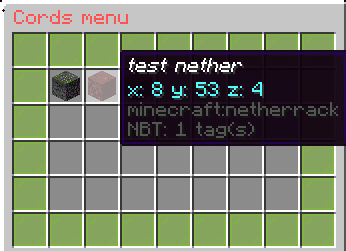
- In the GUI overworld coordinates will pop up as a grass block, nether coordinates will pop up as netherrack and end coordinates will pop up as end stone.
- View saved coordinates in a GUI
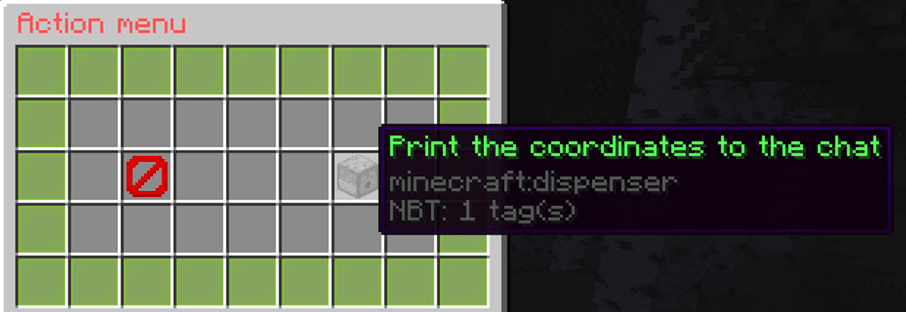
- Print the coordinates in the server chat using the GUI
- Delete coordinates using the GUI
- All coordinates are saved when the server is stopped
Commands:
- /save coordinate_name: saves current coordinates along with a name.
(You can put in multiple words as the coordinate name including spaces) - /cordsmenu: opens the GUI
- This menu will pop up when you click on a coordinate in the GUI. Here you can print the coordinates to the chat or delete the coordinate.
How to Install:
New to Minecraft? Follow our step-by-step guide to install Plugins on your PC.View Guide
Coordinate Saver Plugin Download Links
For All Versions from Minecraft Spigot 1.14 to Minecraft Spigot 1.19.4
Click to rate this post!
[Total: 0 Average: 0]
You May Also Like
















This post has no comments yet. Be the first — your comment will appear here.