


Reforging Plugin (1.20.1, 1.19.4) – Spigot

 0
0 

Reforging Plugin is a unique addition to Minecraft that allows players to modify the attributes of their items, essentially “reforging” them to create more powerful or specialized tools, weapons, and armor. This plugin adds a new layer of strategy and customization to the game, enabling players to tailor their equipment to their specific playstyle or needs.
Features:
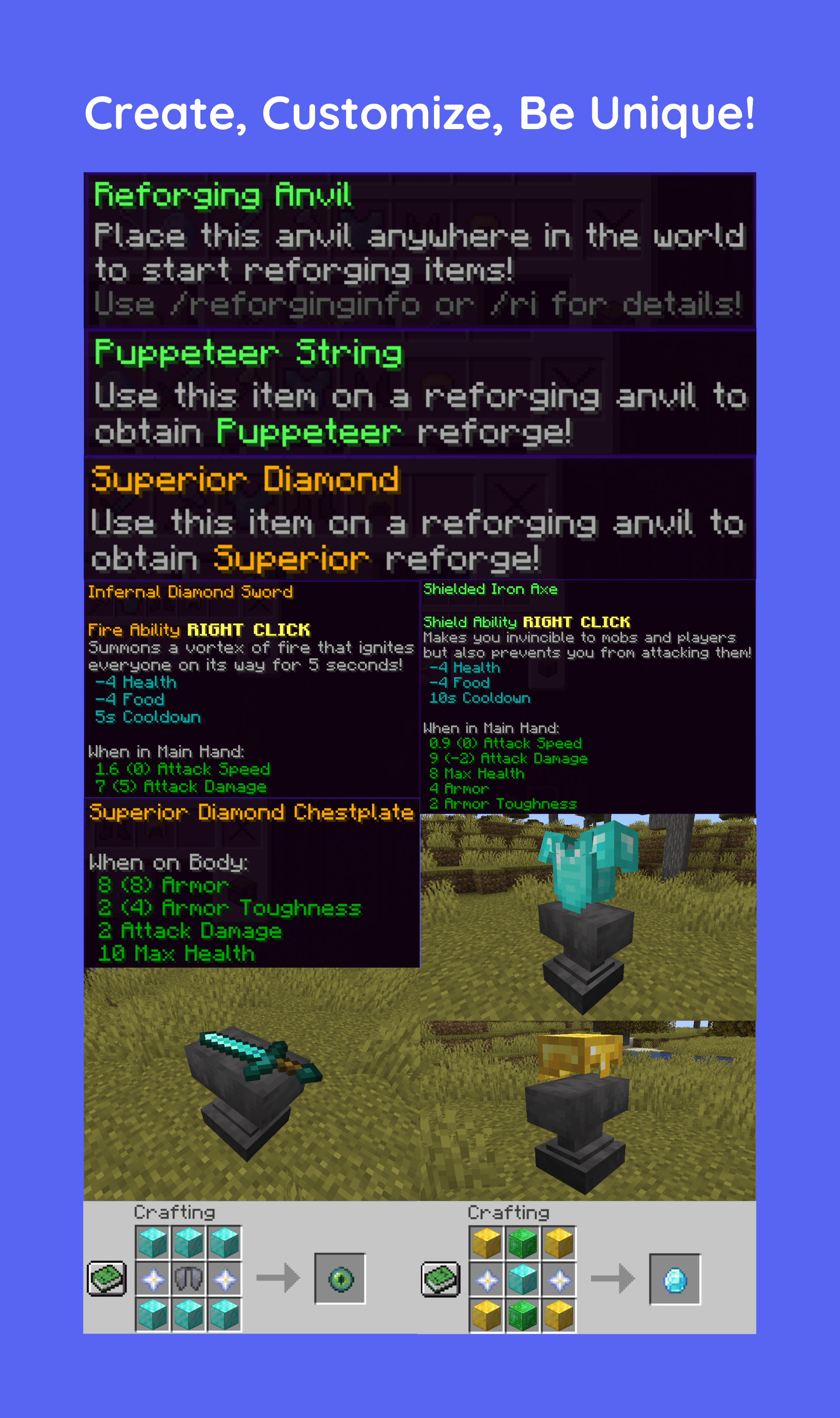
Reforging is a new mechanic for enhancing weapons with various stat boosts and unique abilities. Players can craft a special reforging anvil to apply those reforges. Some use materials of the weapon/armor as an ingredient, while others require unique stones. They provide advantages in combat with other players and mobs.
- Dash
Allows the player to start a rapid movement in the looking direction - Pawn
Allows the player to spawn entities that will attack other players but not them - Thorns
Allows the player to reflect a portion of the received damage - Rage
Allows the player to deal more damage in exchange for receiving their portion - Effect
Allows the player to add an effect on themselves - Throw
Allows the player to throw their weapon, damaging all hit entities - Fly
Allows the player to fly as if they are wearing elytra - Reveal
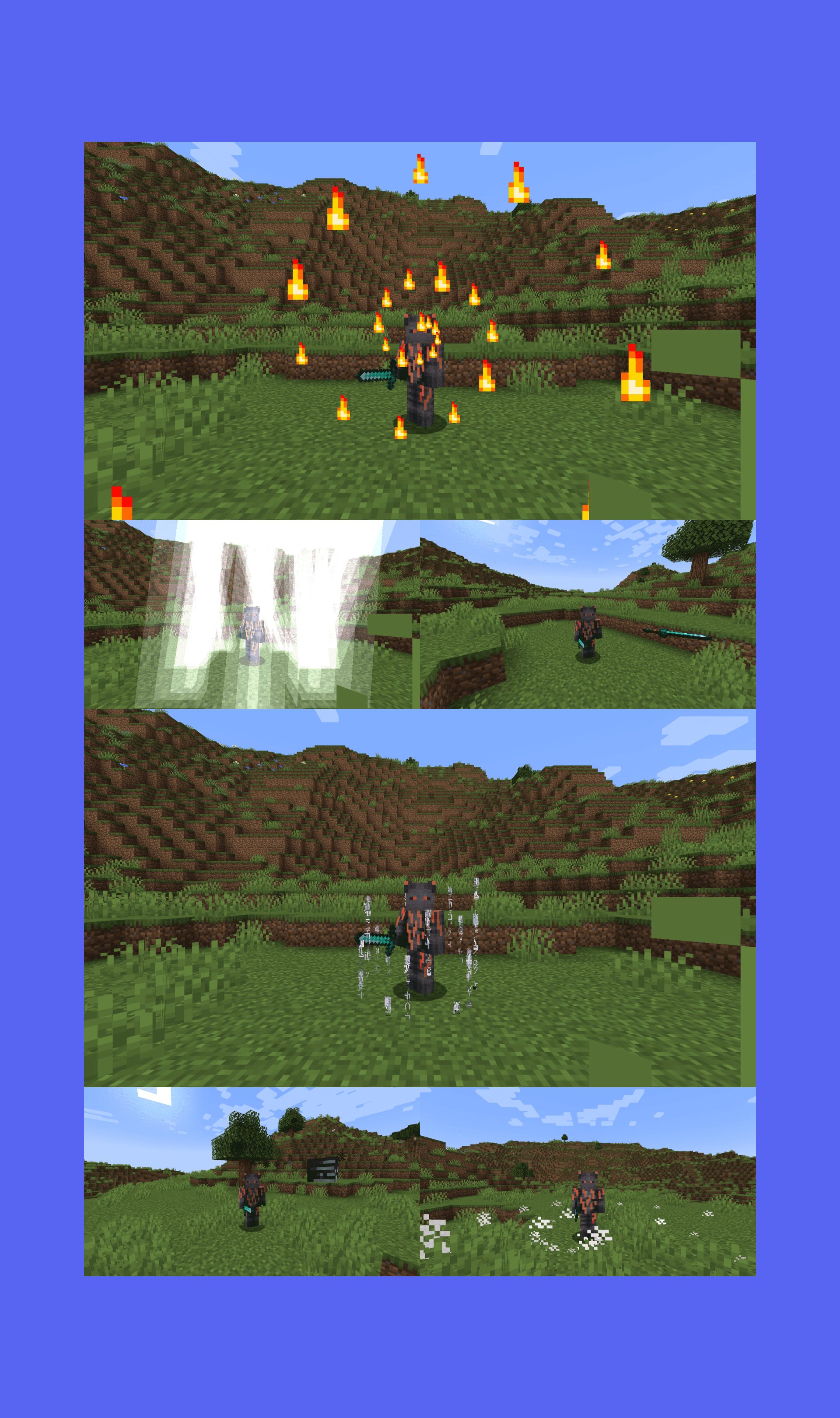
Allows the player to reveal all invisible entities within range - Fire
Allows the player to create a spiral in the looking direction (or any other shape) of fire, igniting all touching entities - Freeze
Allows the player to throw a snowball (or any other projectile), freezing the hit entity - Evoker
Allows the player to summon evoker fangs - Cocoon
Allows the player to put themselves in a block cocoon - Spectate
Allows the player briefly spectate while retaining their location - Explosion
Allows the player to create an explosion around them - Projectile
Allows the player to throw a projectile - Storm
Allows the player to strike a circle (or any other shape) of lightning bolts around them - SeismicWave
Allows the player to create a spiral (or any other shape) around them, damaging and knocking back all entities within the range - Shield
Allows the player to create a spiral (or any other shape) around them, protecting them from all entities - Teleport
Allows the player to teleport in the looking direction - Potion
Allows the player to throw a potion with a custom effect
Commands:
- /reforge: This is the primary command used to reforge an item. The player needs to hold the item in their hand and then use this command to reforge it.
- /reforge list: This command provides a list of all the possible reforges that can be applied to an item.
- /reforge info [reforge]: This command gives detailed information about a specific reforge, including what it does and which items it can be applied to.
- /reforge cost [reforge]: This command tells the player how much it will cost to apply a specific reforge to an item.
Permissions:
- reforging.use: This permission allows a player to use the /reforge command. Without this permission, a player cannot reforge items.
- reforging.list: This permission allows a player to use the /reforge list command. This lets them see all the possible reforges.
- reforging.info: This permission allows a player to use the /reforge info command. This lets them get detailed information about specific reforges.
- reforging.cost: This permission allows a player to use the /reforge cost command. This lets them see the cost of applying specific reforges.
Screenshots:
How to Install:
New to Minecraft? Follow our step-by-step guide to install Plugins on your PC.View Guide
Reforging Plugin Download Links
For All Versions from Minecraft Spigot 1.19.4 to Minecraft Spigot 1.20.1
You May Also Like
















This post has no comments yet. Be the first — your comment will appear here.