
Inventory Management Mod (26.3, 1.20.1) – Keep All Your Storage Chests Organized
 17,042
 1


Inventory Management Mod adds helpful buttons and shortcuts to your inventory and storage containers so you can organize items with one click. It gives you alphabetical and creative-menu sorting, place-all and take-all transfers, automatic stacking, per-world slot locking, hotbar row swapping across your 3 main inventory rows, and low-durability alerts with optional auto-replace. This mod also groups 29 built-in item families—such as all 16 wool colors and wood planks—together during sorting, and lets you drag buttons anywhere on screen to fit other menus. Every feature has its own toggle in the config file or ModMenu, so you can use only the tools you like. It runs on your client in singleplayer and needs both the client and server in multiplayer, while low-durability warnings work client-side on any server, including vanilla.
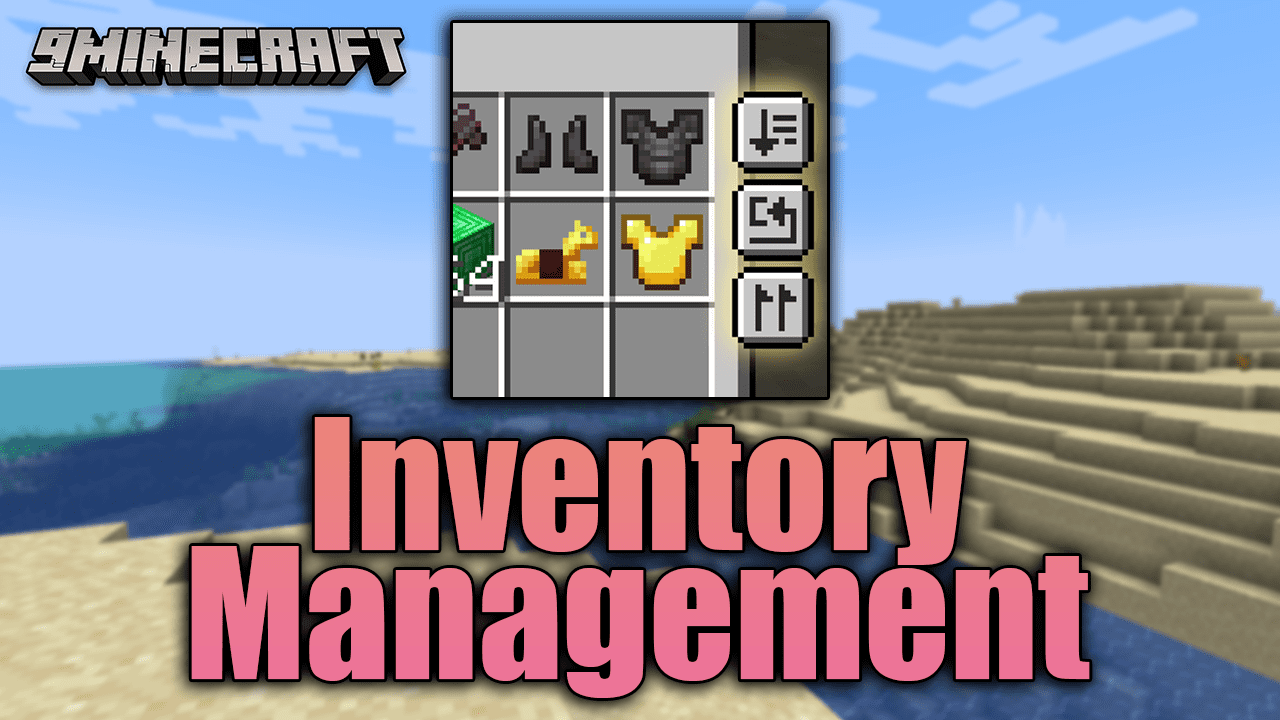
Features:
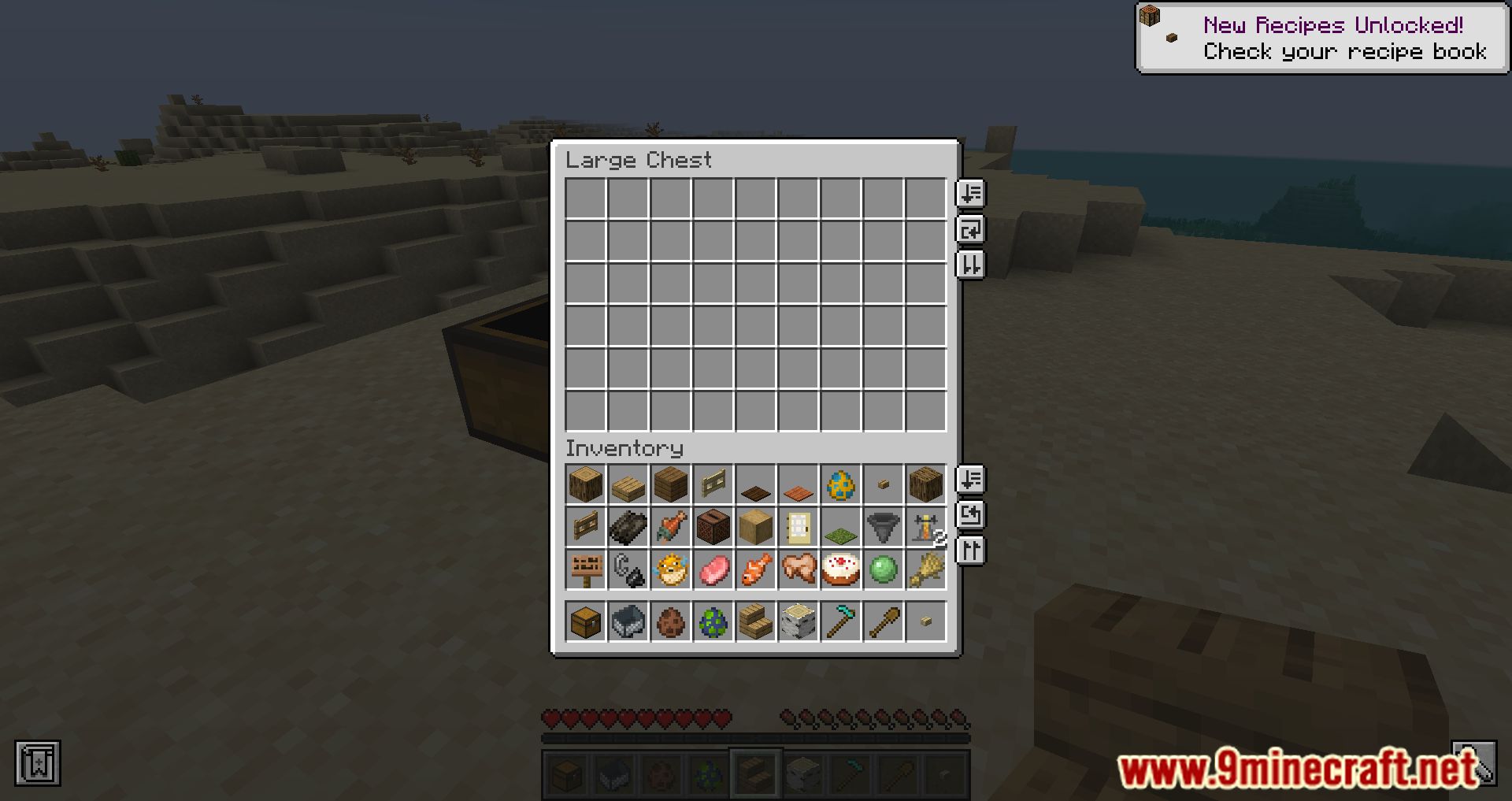
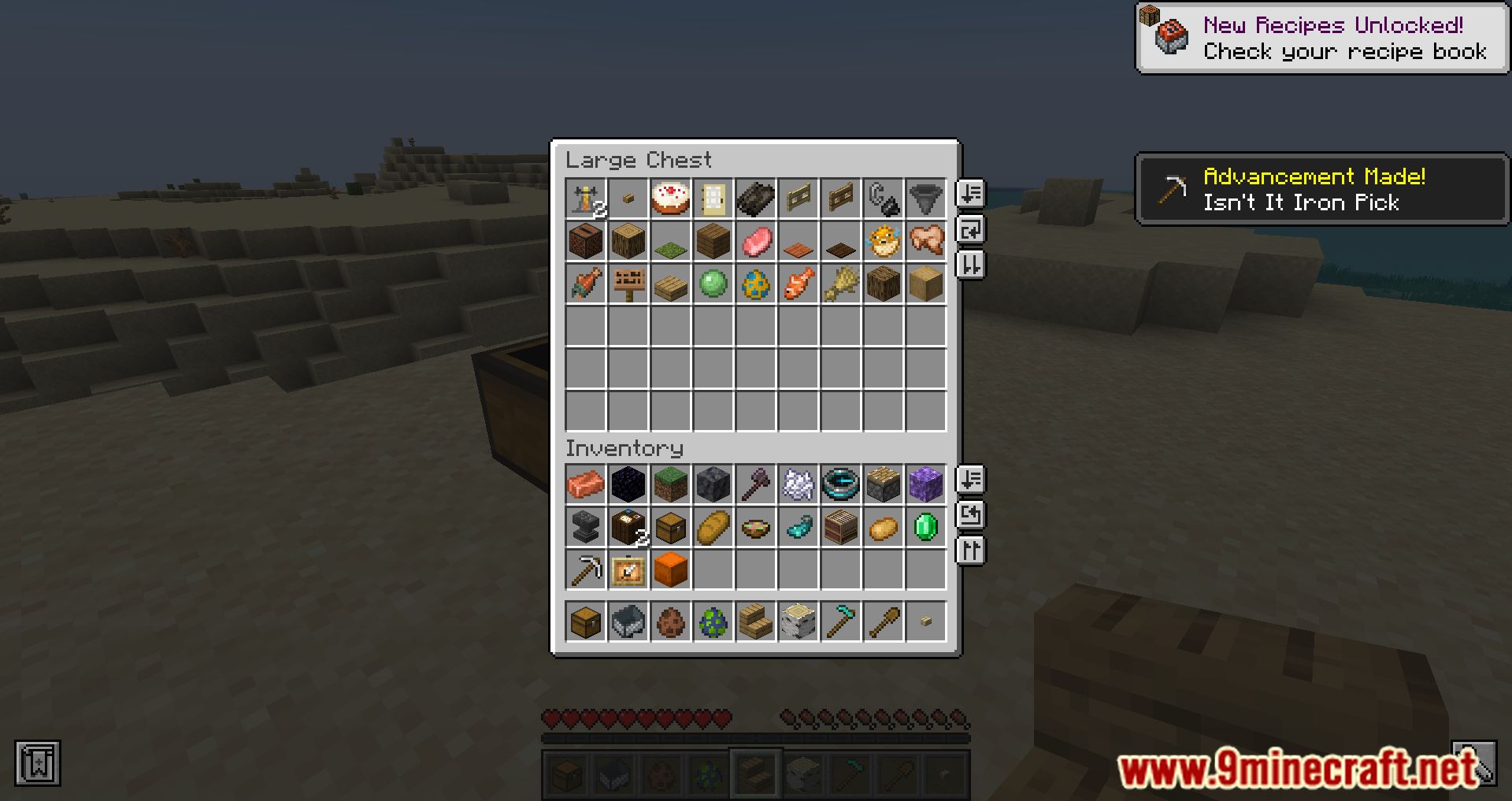
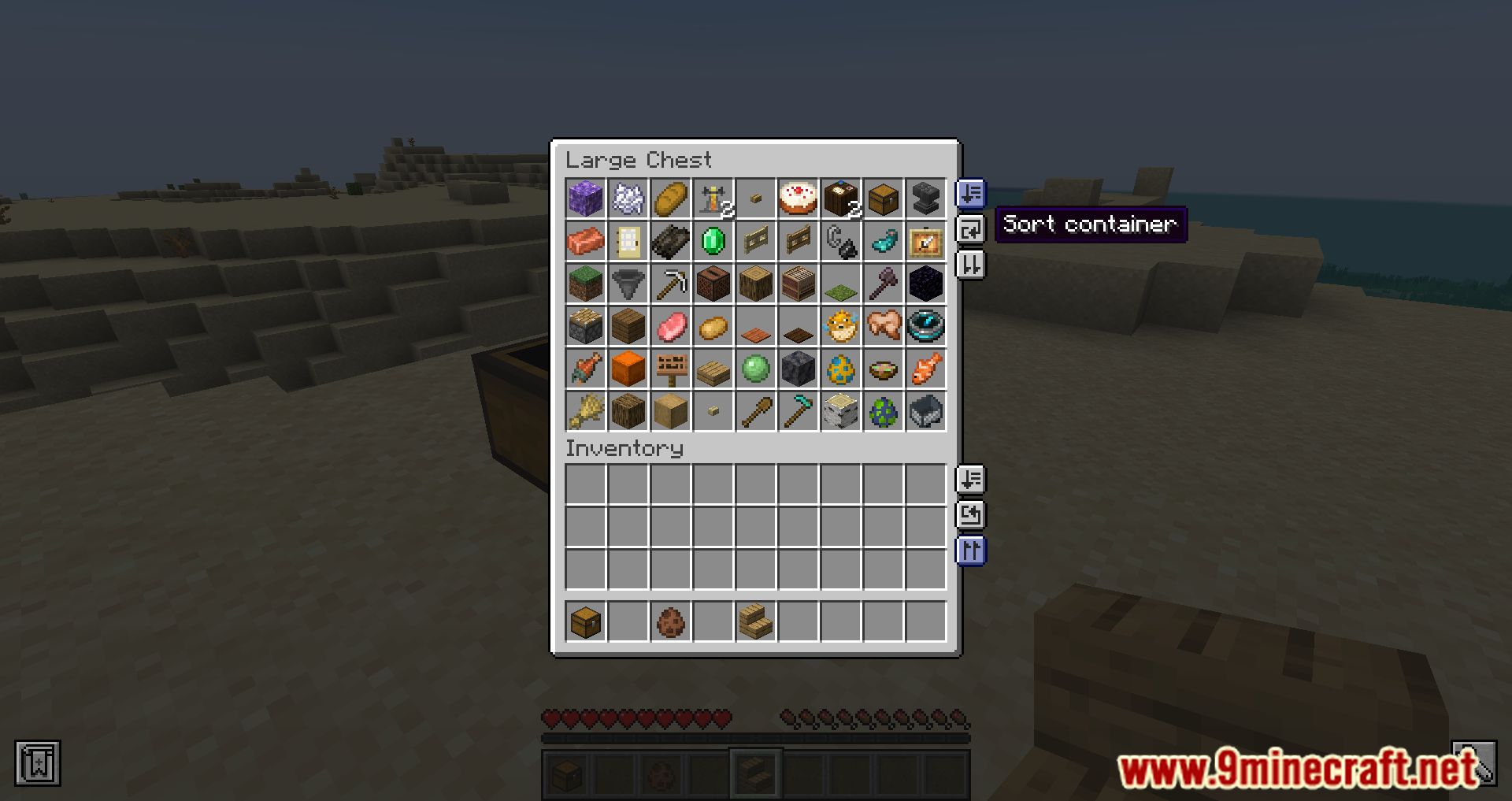
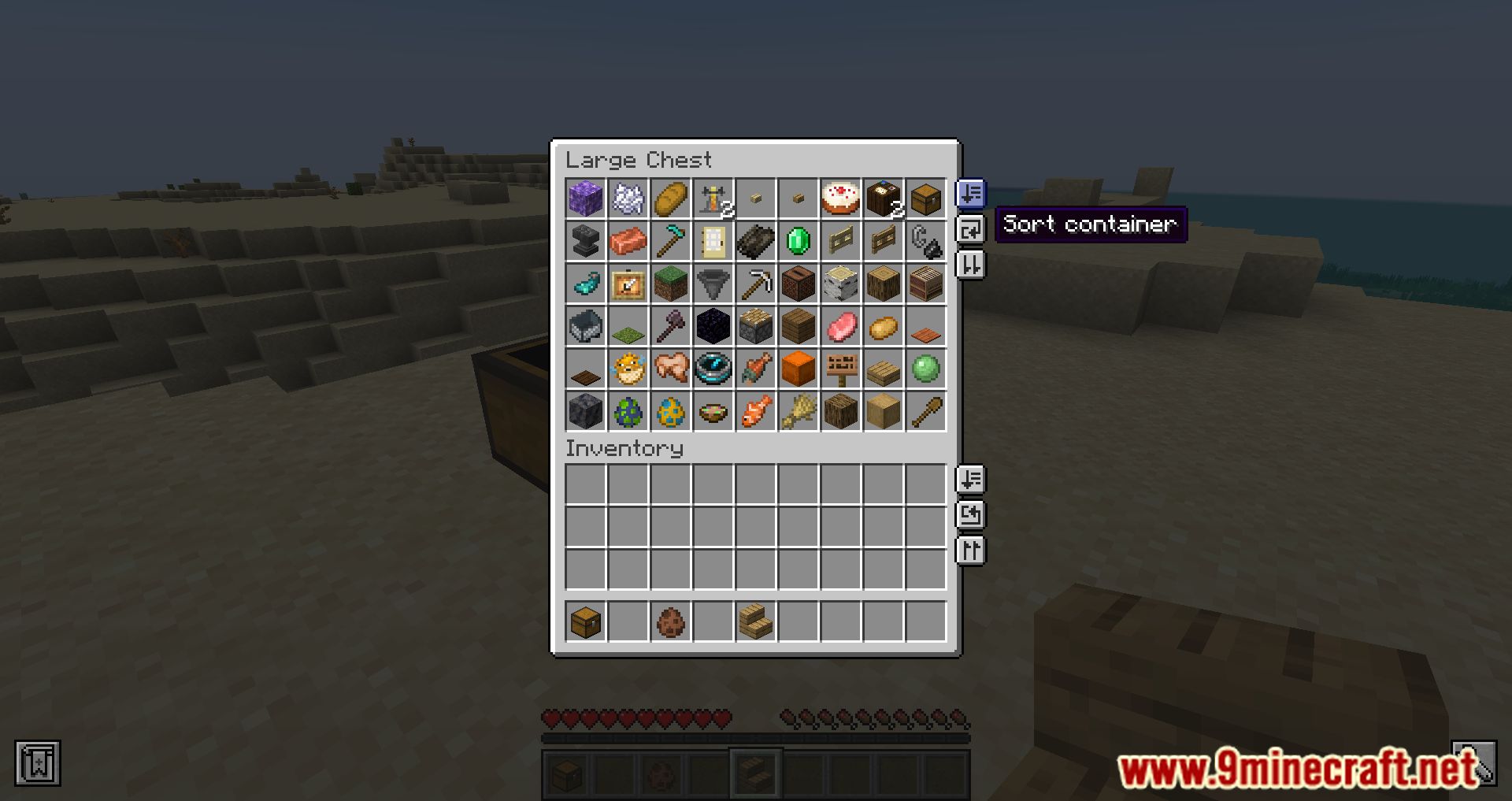
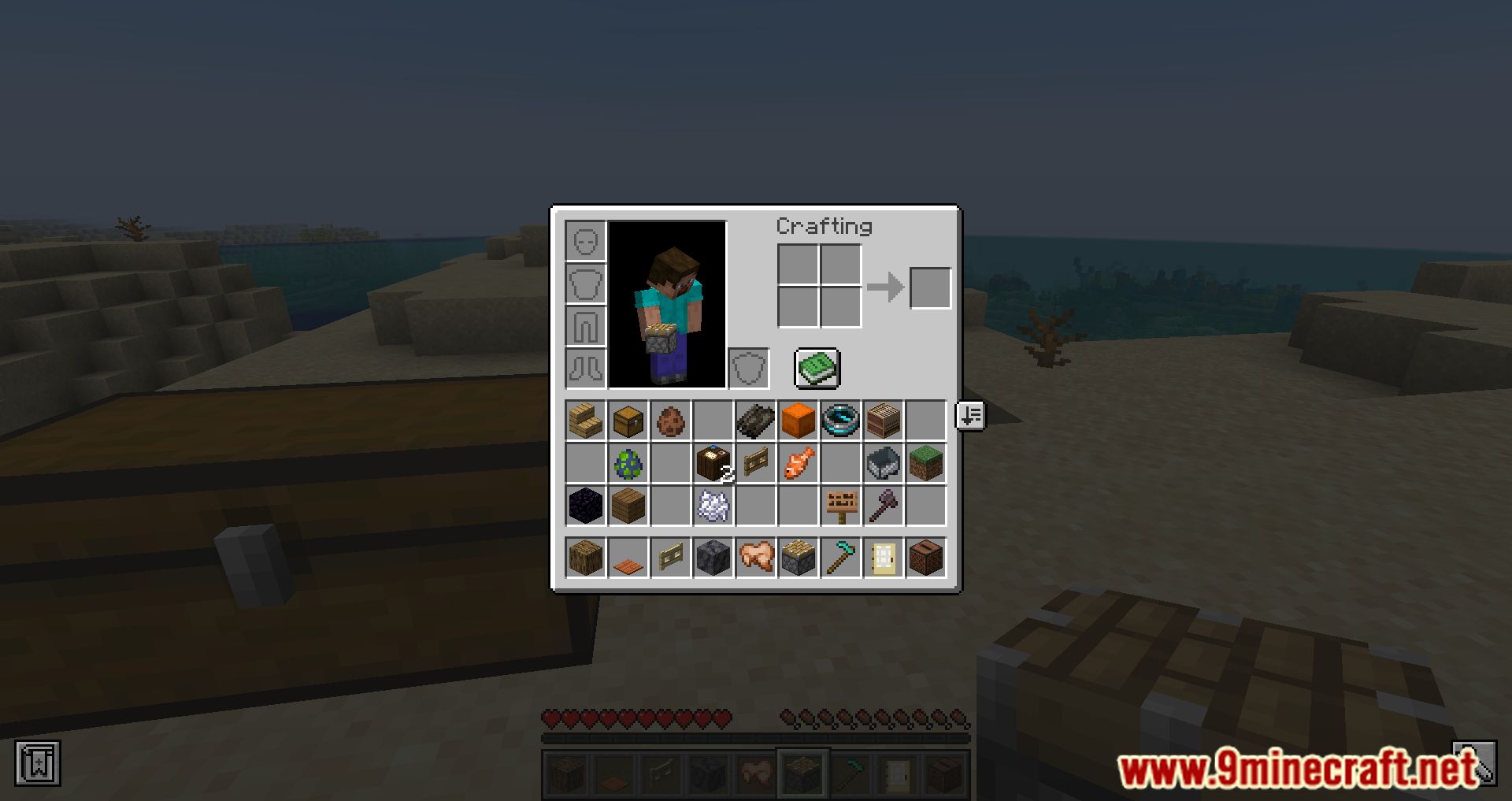
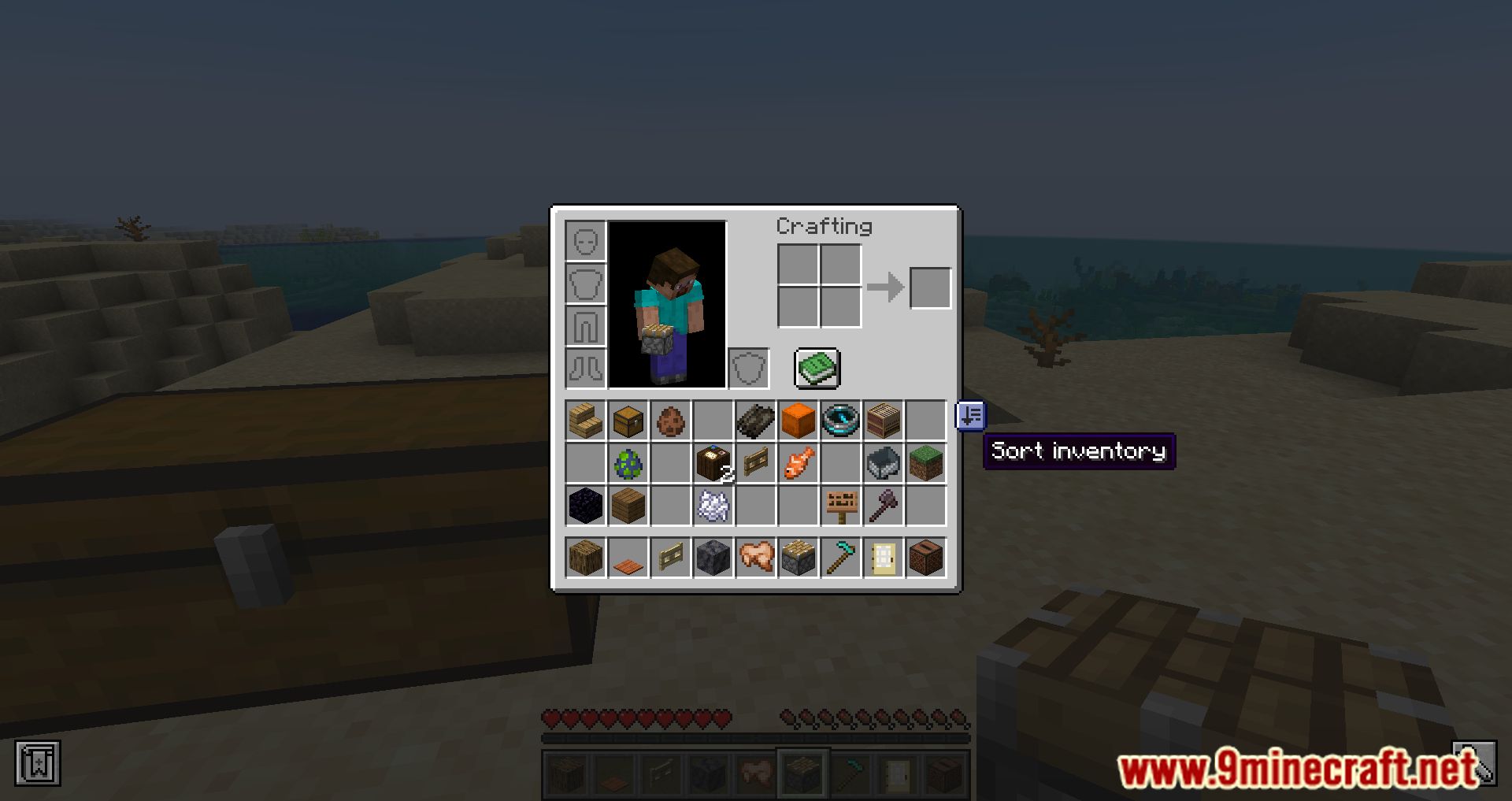
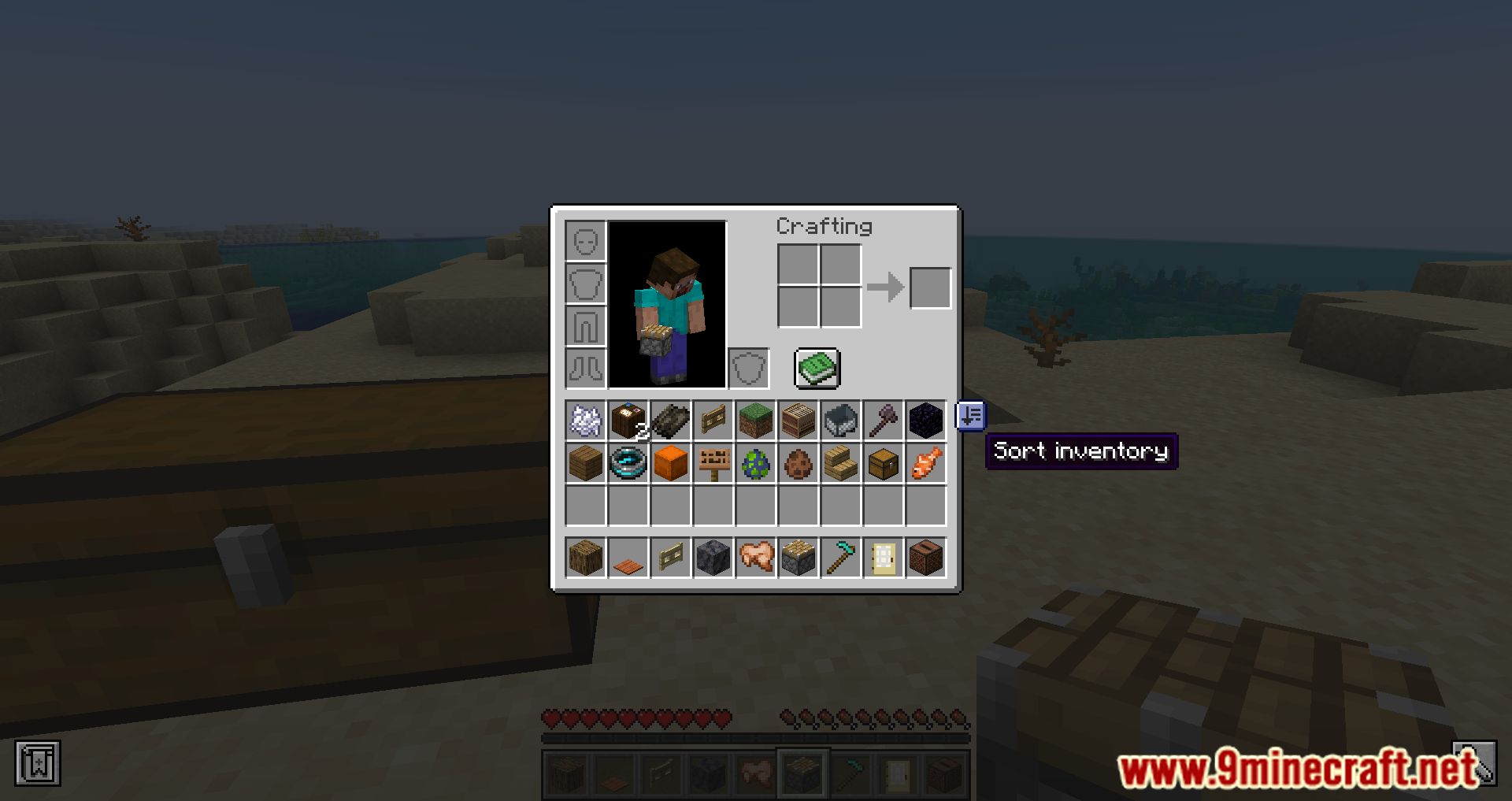
- One-Click Sorting: Adds a sort button to your player inventory and any large enough container to arrange items alphabetically (with a few manual exceptions) or in creative-menu order while leaving your hotbar untouched.
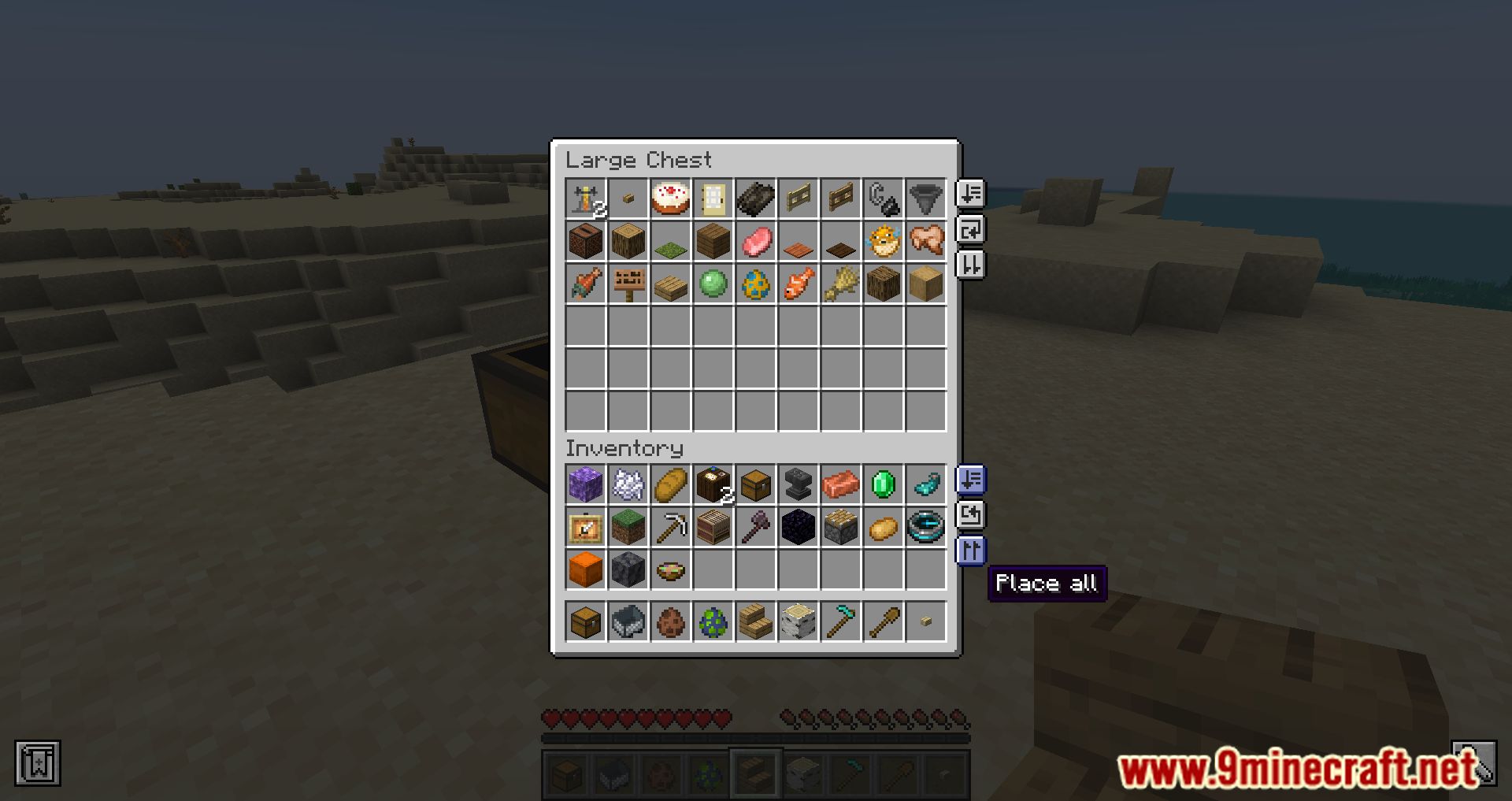
- Transfer All: Adds place-all and take-all buttons that move an entire inventory into another starting from the top-left slot until full, skipping your hotbar and worn gear.
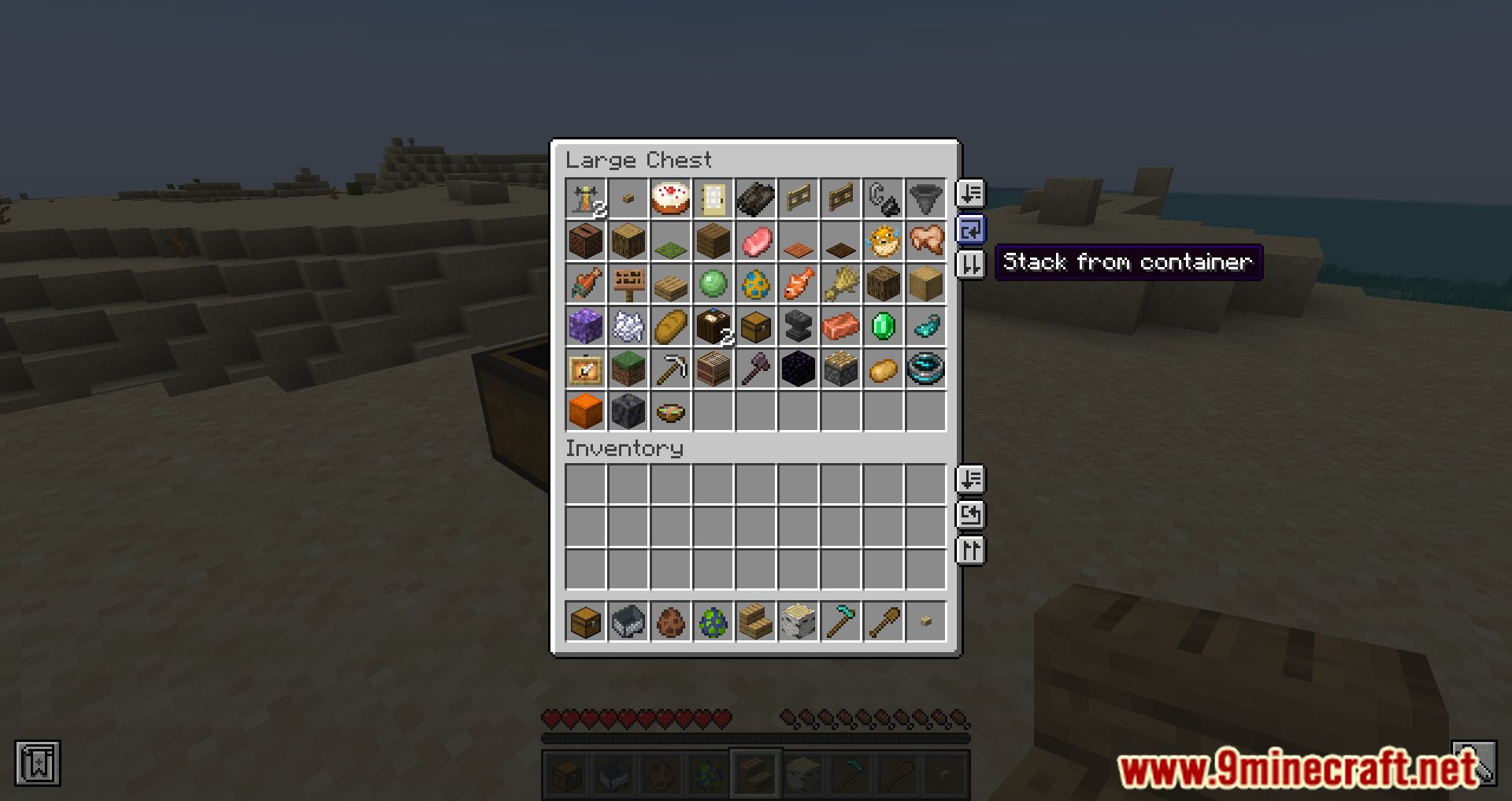
- Automatic Stacking: Adds stack buttons that move matching items from one inventory to fill up incomplete stacks in the other without moving anything else.
- Locked Slots: Lets you lock or unlock any slot in your main inventory grid with Ctrl+click (or Cmd+click on Mac) using either mouse button so sorting, auto-stacking, and transferring always skip it, even when the slot is empty.
- Hotbar Swapping: Lets you hold a hotkey and scroll to swap any of your 3 main inventory rows (9 slots each, slot for slot) into your hotbar, or press number keys 1 to 3 while holding the key to jump straight to that row.
- Durability Alerts and Auto-Replace: Watches your main hand, off-hand, and all 4 armor slots (including elytra) to show an action-bar warning with an optional anvil ping at low durability, plus optional auto-replace right before an item breaks.
- Puts container items like shulker boxes and bundles ahead of other items when alphabetical sorting is on and
sorting.containersFirstis enabled. - Saves locked main-inventory slots per world across play sessions, storing singleplayer locks inside the save folder (
<save>/config/inventorymanagement.toml) so they travel with the save and multiplayer locks per server address in your global config. - Marks locked slots with a dark background, a border under the item, and a
Locked (Ctrl+click to unlock)hover tooltip, with display modes for always shown, hidden, or only while holding the Peek locked slots hotkey. - Shows a colored tab beside the active swapped row in inventory and container menus, along with a small row-number badge (1 to 3) to the left of your hotbar on the HUD.
- Swaps hotbar rows server-side through packets and restores the previous row before swapping in a new one, with a Reset hotbar swap key that resets tracking without moving items if your bar ever falls out of sync.
- Sends a low-durability message (
<item> durability low! <remaining> of <max> remaining) once each time durability drops past two customizable percentage limits (default 10% and 5%) and optionally at 1 durability left, running client-side so it works on any server, even vanilla. - Scans your main inventory and off-hand during auto-replace to pick the matching spare with the most durability left and puts the worn-out item into the old slot so items cannot be lost or duplicated.
- Supports strict auto-replace matching (same item and enchantments) by default or relaxed similar matching (any glider, any piece for the same armor slot, or any tool sharing the pickaxe, axe, shovel, hoe, or sword tag).
- Triggers auto-replace at the last durability point through a client-to-server swap request, so multiplayer servers need this mod installed for auto-replace to work (an action that uses more than 1 durability at once can still break the item first).
- Clusters related item variants together during alphabetical sorting at the anchor item’s spot (for example, sorting all 16 wool colors where White Wool belongs) instead of scattering each variant by name.
- Checks item groups in a first-match-wins order—built-in groups first, then mod-registered groups, then datapack groups—so vanilla families stay intact.
- Supports custom datapack variant families with no coding by treating any item tag whose path starts with
grouping/as a sorting group, and includes a loader-agnostic API for other mods to add custom variant groups and sort comparators. - Lets you drag and drop buttons anywhere on screen to fit custom menus like backpack screens, nudge them one pixel at a time with the Arrow keys (or bigger steps with Shift), and reset positions with Ctrl+R (or Cmd+R on Mac).
- Lets you switch every feature and built-in item group on or off independently through
inventorymanagement.tomlor the ModMenu settings screen with hover tooltips. - Starts with all key bindings unbound by default so they never clash with your existing controls until you set them in Options and Controls.
Built-In Item Grouping Families:
- Color and dyed families include
wool,wool_carpets,beds,candles,banners,shulker_boxes,dyes,terracotta,glazed_terracotta,concrete,concrete_powder,stained_glass, andstained_glass_pane, sorted at each white variant’s spot. - Wood families include
planks,wooden_slabs,wooden_stairs,wooden_doors,wooden_trapdoors,wooden_fences,fence_gates,signs,hanging_signs,leaves,saplings, andboats. - Other built-in families include
spawn_eggs,pottery_sherds,horse_armor, andcoral.
Configuration:
modEnabled: Master switch (trueorfalse, defaulttrue) that hides all buttons and turns off every feature when disabled.hotbarSwap.enableHotbarSwap: Master switch (trueorfalse, defaulttrue) for hotbar row swapping and the HUD row badge.hotbarSwap.hotbarSwapNumberKeys: Toggle (trueorfalse, defaulttrue) that lets number keys 1 to 3 swap specific rows while holding the swap key (pressing the active row’s number again swaps back, and keys 4 to 9 are ignored while held).durability.durabilityAlertEnabled: Toggle (trueorfalse, defaulttrue) for showing low-durability action-bar alerts on tools and equipped gear; runs purely client-side on any server.durability.durabilityAlertThreshold1: First percentage limit (0to99, default10) that triggers the warning once as durability crosses downward; set to0to skip.durability.durabilityAlertThreshold2: Second percentage limit (0to99, default5) that triggers the warning once as durability crosses downward; set to0to skip.durability.durabilityAlertAtOne: Toggle (trueorfalse, defaulttrue) that also sends the alert when an item has exactly1durability point left.durability.durabilityAlertSound: Toggle (trueorfalse, defaulttrue) for playing the anvil ping sound with the action-bar message.durability.durabilityAutoReplace: Toggle (trueorfalse, defaultfalse) that swaps in a matching spare from your inventory right before a held or worn item breaks; needs this mod on the server in multiplayer.durability.durabilityAutoReplaceSimilar: Toggle (trueorfalse, defaultfalse) that relaxes auto-replace from strict (same item and enchantments) to similar (any glider, same armor slot, or same tool tag:#minecraft:pickaxes,axes,shovels,hoes, orswords).sorting.showSort: Toggle (trueorfalse, defaulttrue) for showing the sort buttons.sorting.showTransfer: Toggle (trueorfalse, defaulttrue) for showing the place-all and take-all buttons.sorting.showStack: Toggle (trueorfalse, defaulttrue) for showing the auto-stack buttons.sorting.sortMode: Sets item order to"alphabetical"(by name, default) or"creative"(creative-menu order).sorting.containersFirst: Toggle (trueorfalse, defaultfalse) that puts container items like shulker boxes and bundles ahead of other items when sorting inalphabeticalmode.sorting.defaultPosition: Sets a custom default button offset using the format"(<Integer>,<Integer>)".sorting.screenPositions: Stores per-screen button offsets using the format{"ID": "(<Integer>,<Integer>)"}; best changed through the in-game button position editor.sorting.enableSlotLocking: Master toggle (trueorfalse, defaulttrue) for locking main-inventory slots; turning it off hides markers and stops skipping locked slots while remembering your locks for later.sorting.lockedSlotDisplay: Sets when locked-slot borders and dark backgrounds appear:"shown"(always, default),"hidden"(never), or"hotkey"(only while holding the Peek locked slots key).lockedPlayerSlots/sorting.serverLockedPlayerSlots: Stores locked main-inventory slot numbers per world (default empty), saved inside<save>/config/inventorymanagement.tomlfor singleplayer and per server address in your global config for multiplayer.grouping.itemGrouping: Master toggle (trueorfalse, defaulttrue) for clustering related item families together during alphabetical sorting.grouping.dynamicGroups: Master switch (trueorfalse, defaulttrue) for datapack-defined grouping families.grouping.disabledDynamicGroups: List of full tag IDs (["<tag id>", ...], default empty) to turn off specific datapack grouping families in the config file.grouping.<family>: Individual toggle (trueorfalse, defaulttrue) for each of the 29 built-in variant families; turn one off to sort that family by plain name instead.
How to Use:
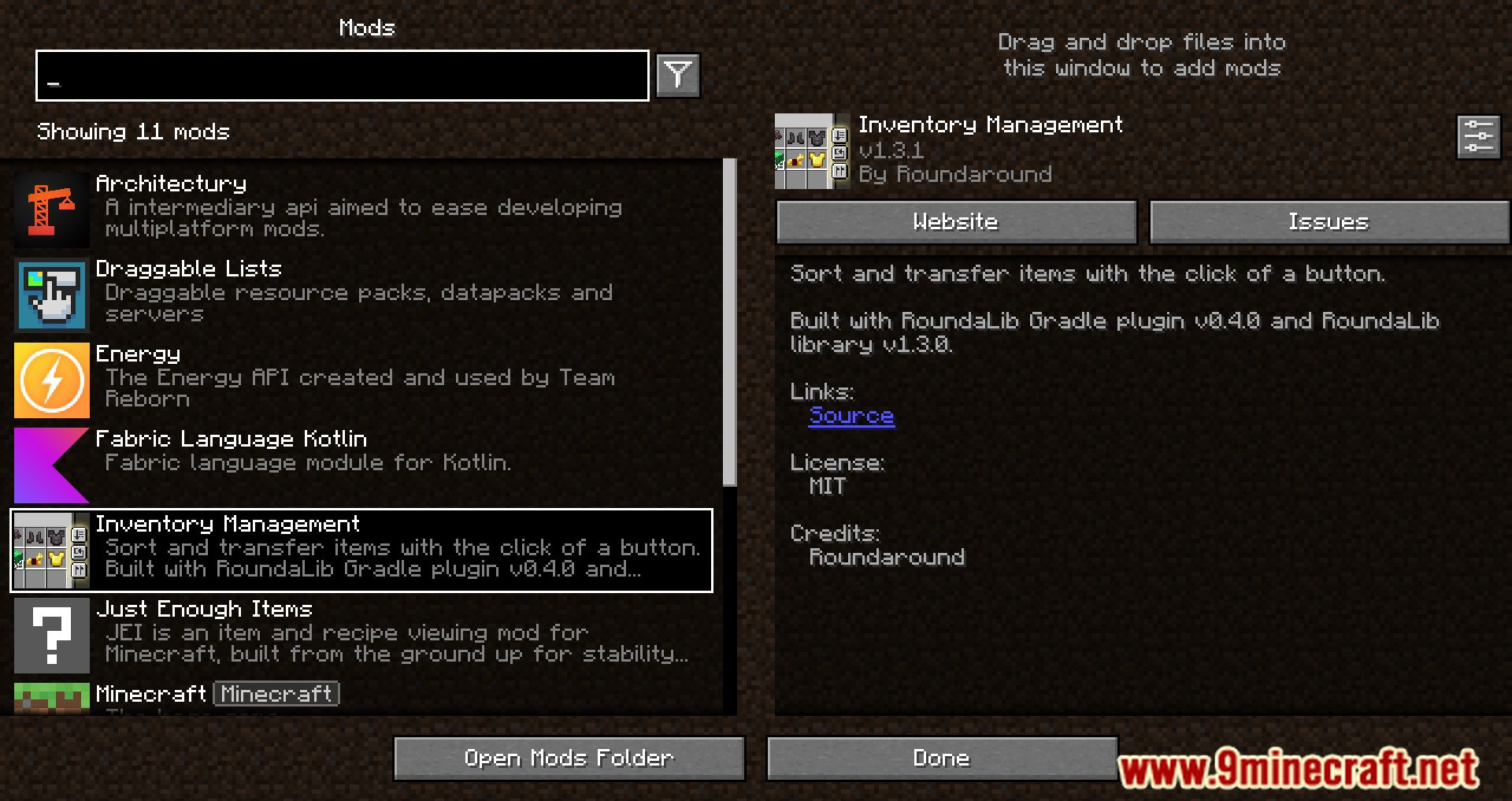
- Open Options, go to Controls, and scroll to the Inventory Management section to set keys for Hotbar swap (hold), Reset hotbar swap, Peek locked slots, and the button position editors, since every key binding starts unbound by default.
- Open your player inventory or any large enough container to view the sort, transfer-all, and auto-stack buttons next to the item grid.
- Click the sort button to organize items right away in alphabetical or creative-menu order; your hotbar stays untouched.
- Click the place-all or take-all button to move a whole inventory into the other starting from the top-left slot until full, leaving your hotbar and equipped gear alone.
- Click the auto-stack button to top up matching partial stacks in the other inventory without moving any other items.
- Hold Ctrl (or Cmd on Mac) and click any slot in your main inventory grid with either mouse button to lock it so sorting, auto-stacking, and transferring skip it; click the same way again to unlock it.
- Hold your Hotbar swap key and scroll the mouse wheel to swap your 3 main inventory rows into your hotbar one by one (normal, row 1, row 2, row 3, and back to normal), or press 1, 2, or 3 while holding the key to jump straight to that row and press the same number again to swap it back.
- Scroll back to normal before quitting or changing a swapped hotbar; if your bar ever gets out of sync, press your Reset hotbar swap key to reset tracking without moving items, or pick the displaced row and scroll back to normal to move your items back home.
- Hold Ctrl (or Cmd on Mac) and click any button from this mod (or press your button position editor key) to open the per-screen position editor, then drag buttons into place with your mouse, tap the Arrow keys to nudge them by one pixel (hold Shift for bigger jumps), or press Ctrl+R (or Cmd+R) to reset them to default.
- Watch your action bar and listen for the anvil ping when held tools or worn armor drop past 10%, 5%, or 1 durability left; turn on
durability.durabilityAutoReplaceif you want a matching spare from your inventory to swap in right before an item breaks. - Edit
inventorymanagement.tomlinside your config folder, or open the settings in ModMenu, to toggle features, changesorting.sortMode, adjustsorting.lockedSlotDisplay, or switch individual item grouping families on and off.
Screenshots:
How to Install:
New to Minecraft? Follow our step-by-step guide to install Mods on your PC.View Guide
Requirements:




Inventory Management Mod Download Links
For Minecraft 26.3
For Minecraft 26.2
For Minecraft 26.1.2, 26.1.1, 26.1
For Minecraft 1.21.11
For Minecraft 1.21.10, 1.21.9
For Minecraft 1.21.8, 1.21.7, 1.21.6
For Minecraft 1.21.5
For Minecraft 1.21.4
For Minecraft 1.21.3, 1.21.2
For Minecraft 1.21.1, 1.21
For Minecraft 1.20.6
For Minecraft 1.20.4
For Minecraft 1.20.2
For Minecraft 1.20.1, 1.20
For Minecraft 1.19.4
For Minecraft 1.19.3
For Minecraft 1.19.2, 1.19.1, 1.19
For Minecraft 1.18.2

1 Comment
What do you think?
Your opinion means a lot - we'd love to hear from you.
You May Also Like
Picked for this page
 Capes Mod (26.3, 1.20.1) – Wear any Cape You Wish In-Game
 Cosmetic Armor Reworked Mod (1.21.11, 1.20.1) – Your Style with Max Armor
 Crystals Overhauled Mod (26.3, 1.20.1) – A Minecraft Mod Revolution
 Mob Lassos Mod (26.3, 1.20.1) – Gotta Catch ‘Em All
 Custom Portals Mod (26.2, 1.20.1) – Fast Travel Between Locations
 Compact Storage Mod (26.2, 1.20.1) – Carry Everything You Find
 Vault Patcher Mod (26.2, 1.20.1) – Coverts Hard Coded Strings Into Localization Strings
 MAtmos Ambient Sound Mod (26.3, 1.20.1) – Adjusts Sounds Based On The Environment
 Pickup Notifications Mod (26.3, 1.20.1) – Pickup Alerts For Items
 Cliff Tree Mod (26.2, 1.20.1) – Transform Your Minecraft Landscape
 Builder’s Palette Mod (26.2, 1.20.1) – Unlock New Texture Styles
 Snowball and Egg Knockback Mod (26.3, 1.20.1) – Knockback Effect For More Projectiles
Most viewed in Mods over the last 7 days
 Ala Industrial Mod (26.3) – Run Electric Power Grids and Automated Factories
 PleasureCraft Mod (26.3, 1.21.1) – Jenny Mod Remake for Fabric
 Jennycraft Mod (26.3, 1.20.1) – Virtual Girlfriend in Minecraft
 Fapcraft Mod (26.3, 1.12.2) – Comprehensive and Detailed Content
 Jenny Mod (Fapcraft) Official Complete Guide – How to use, Tutorial
 BangCraft Mod (1.20.1) – Jenny, Ellie and Elliot
 Fabric Loader (26.3, 1.20.1) – Fabric Installer for All Minecraft Versions
 The Shooting Star Demo Mod (26.3, 1.20.1) – Vaporize Terrain From Orbit
 Meteor Client Mod (26.3, 1.20.1) – Xray, HUD, Fly
 OptiFine HD (26.3, 1.20.1) – Run Faster, FPS Boost, Shaders Support
 Aristois Client Mod (1.21.4, 1.20.1) – World Class Minecraft Utility
 Prestige Client Mod (1.21.11, 1.21.4) – Powerful Ghost Features for Crystal & Sword PvP
More from Mods
 Beli’s SkyLyrics Mod (1.21.11) – Sing Along to Desktop Tracks Projected in the Night Sky
 Explainstone and Songmelyn Mod (1.21.1) – Broadcast Custom Music Across Your Base
 Rockstar Shaders Mod (26.3) – Cast Ray-Traced Light Across Vast Distant Horizons
 ERYDON Mod (1.20.1) – Design Grand Courtyards with Carved Marble Pillars
 Infinity Bound Mod (1.21.1) – Snap Away Enemies with Legendary Superhero Gear
 Legacy Gecko Lib Fabric Mod (1.16.5) – Power Animated Creatures in Modpacks
 The Man from the Shadow Horror Mod (1.20.1) – Fight Hallucinations to Survive
 Shade & Saturation Slider Mod (26.2, 1.21.11) – Make Every Biome Vibrant
 Cataclysm X Yung’s Better Nether Fortresses Compat Mod (1.21.1, 1.20.1)
 Patchouli 9minecraft Mod (26.3) – Read Mod Guides Without Leaving Minecraft
 Paintings ++ 9minecraft Mod (26.3) – Pick the Exact Painting You Want
 owo-lib 9minecraft Mod (26.3) – Run Your Favorite Mods Without Errors

whong forge tag