
Create: Molten Vents Mod (1.21.8, 1.20.1) – Endless Orestone Farming
 3,140
 0


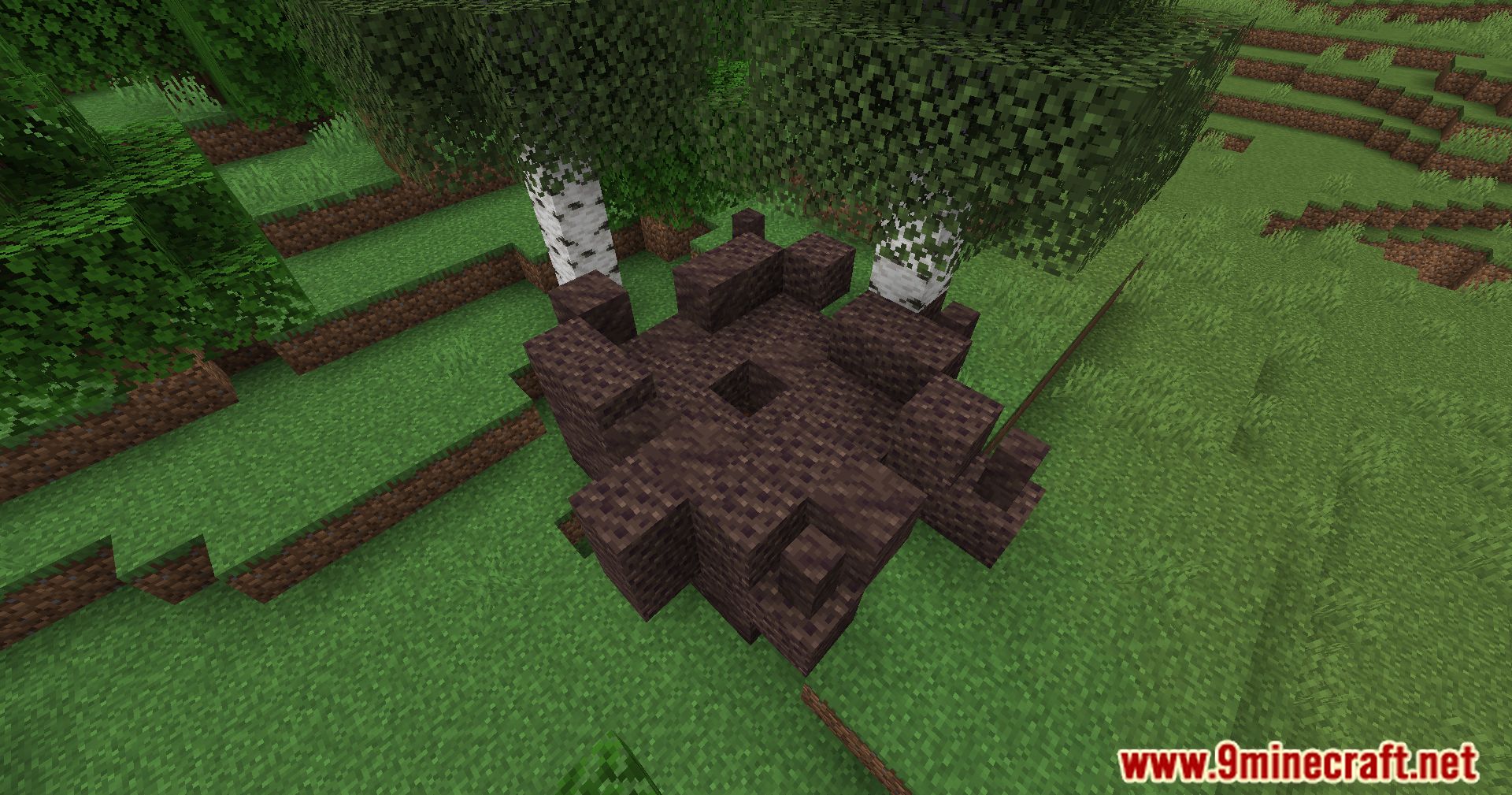
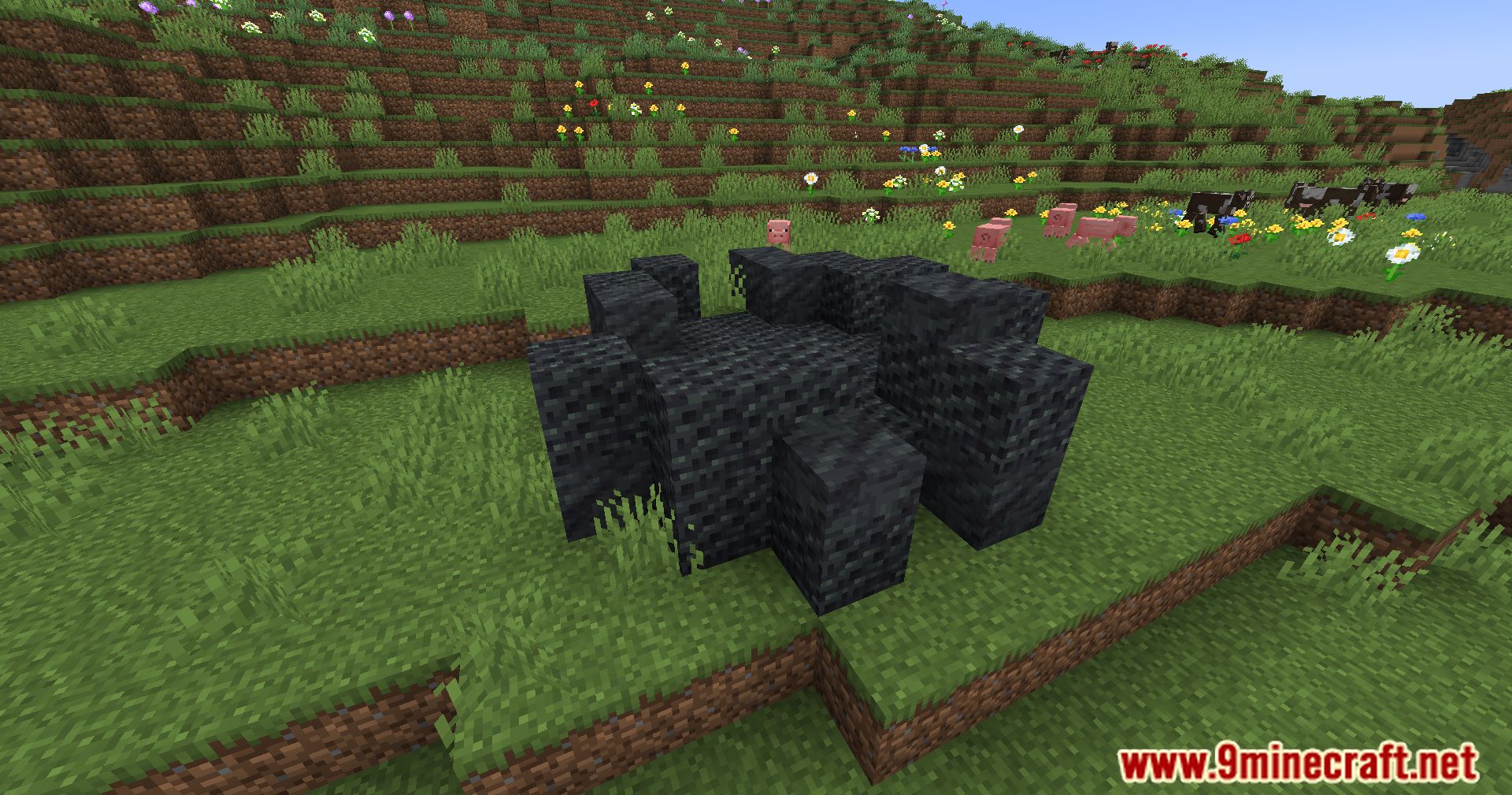
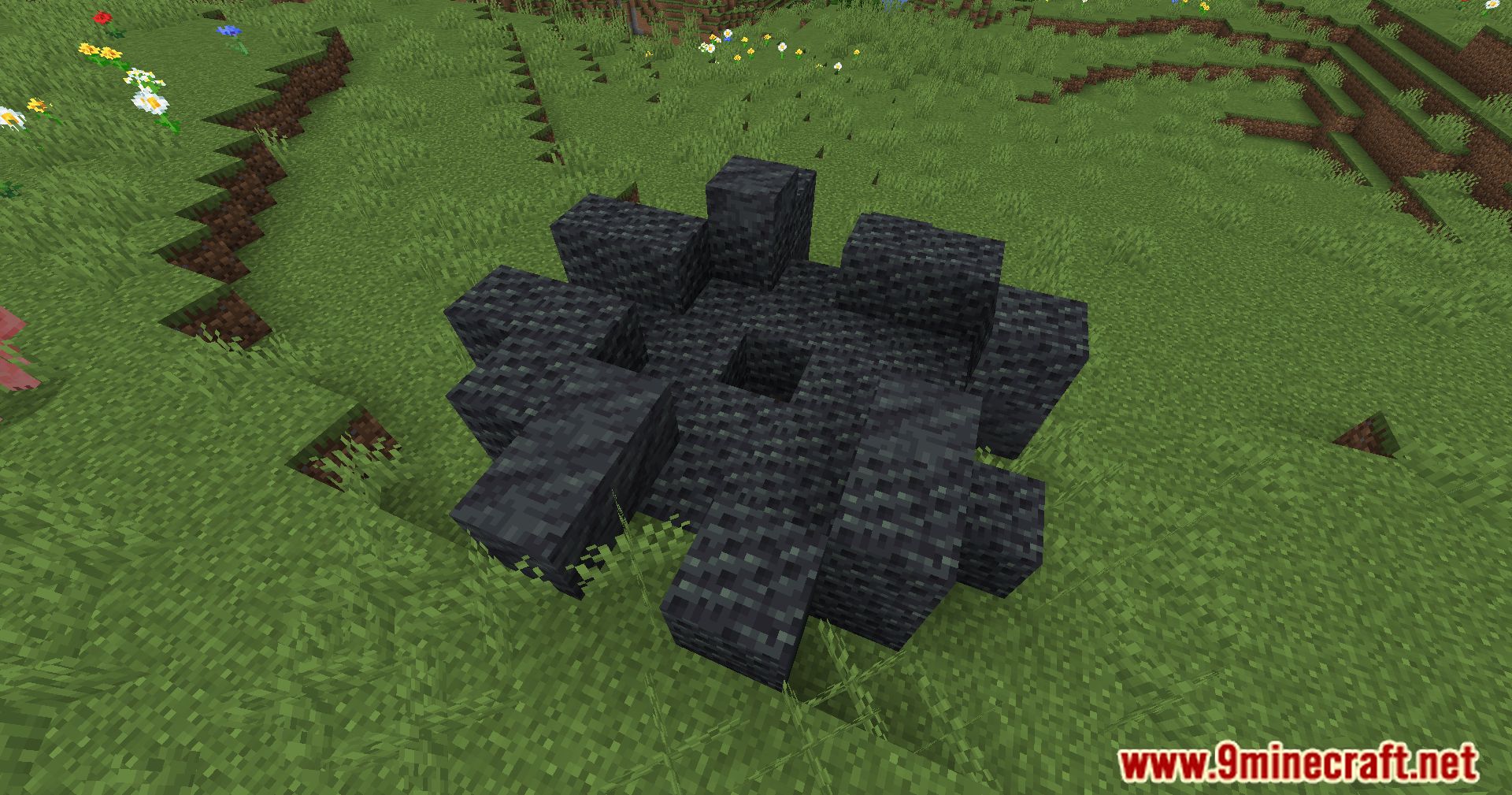
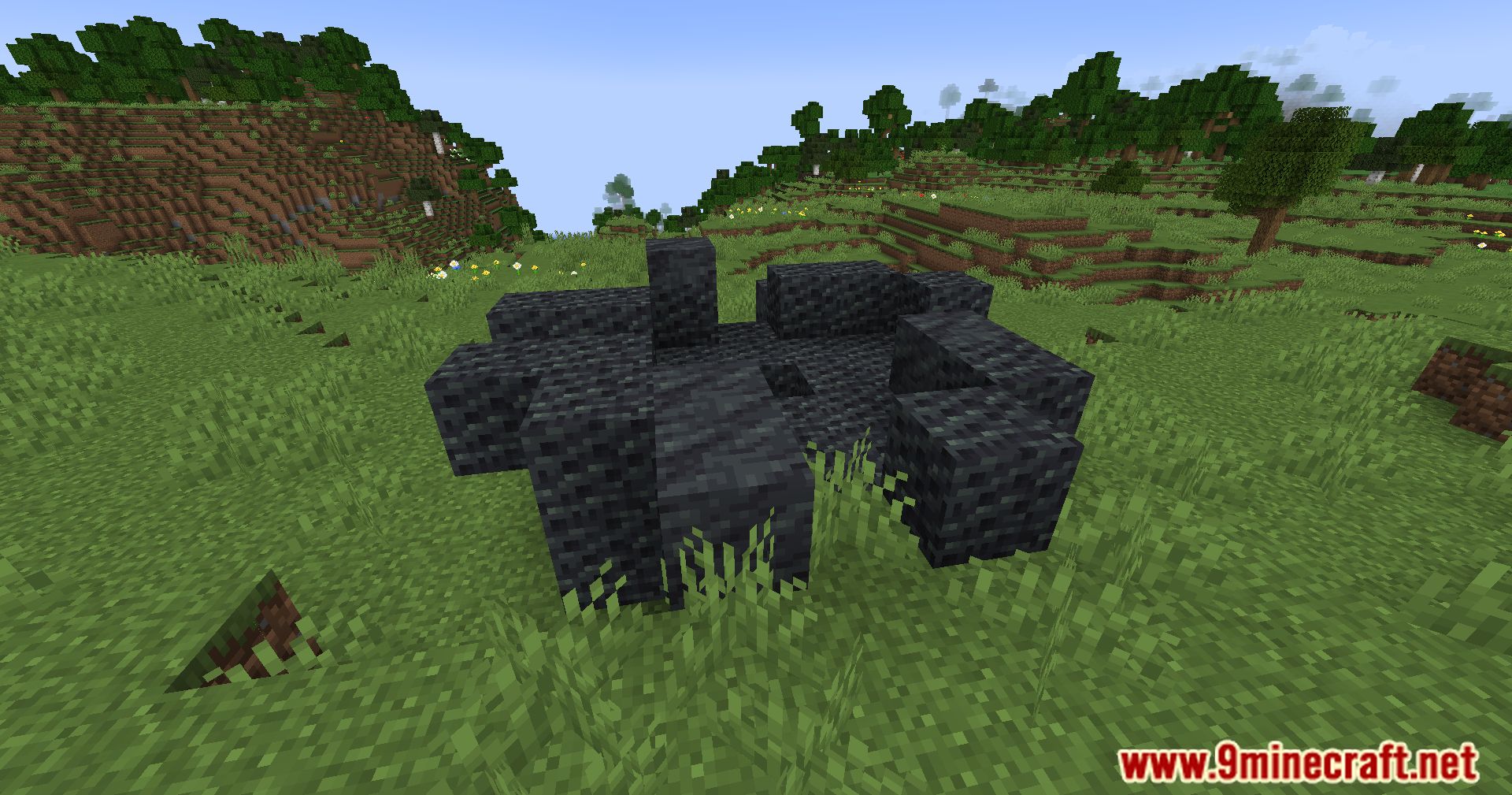
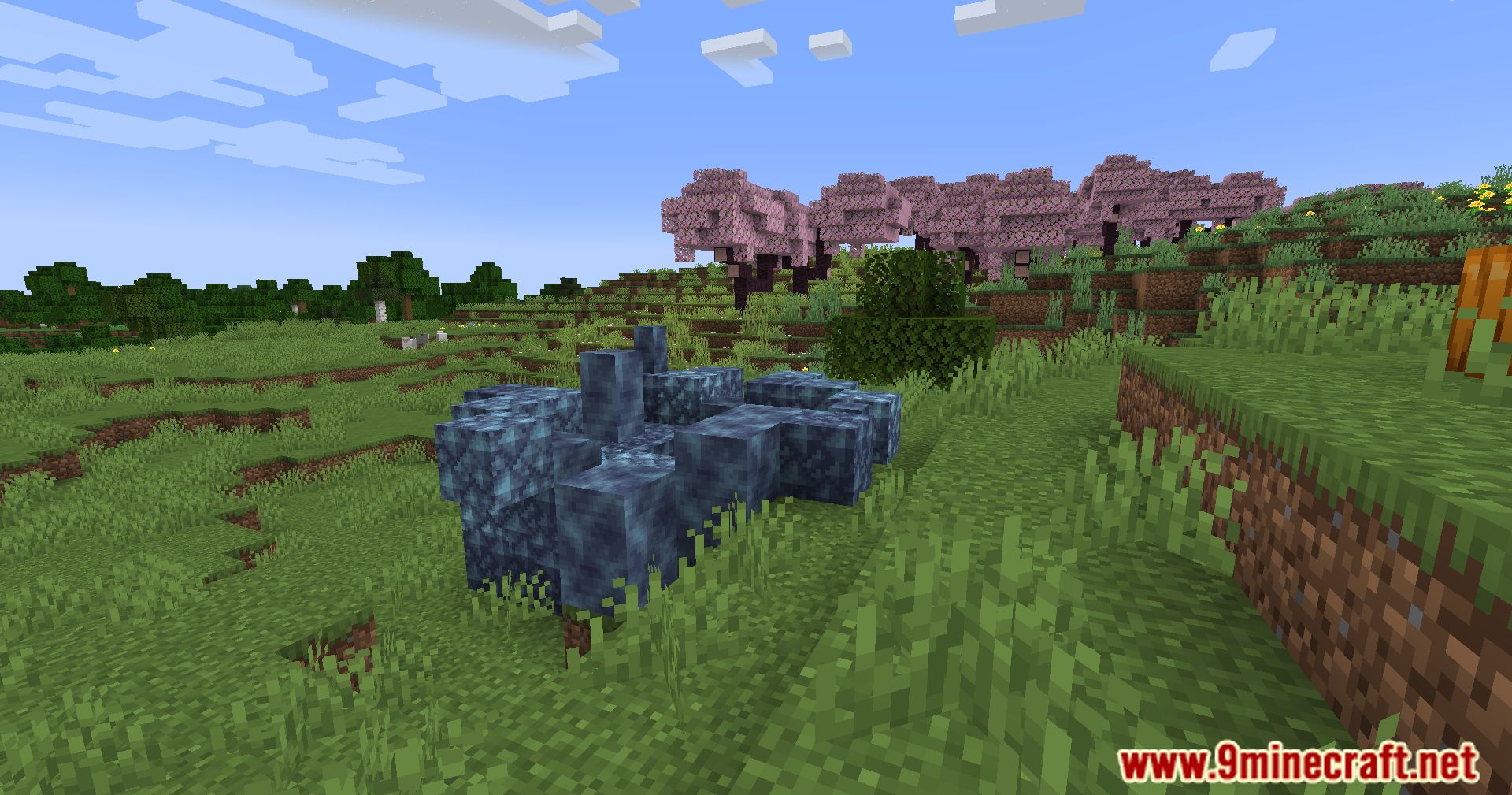
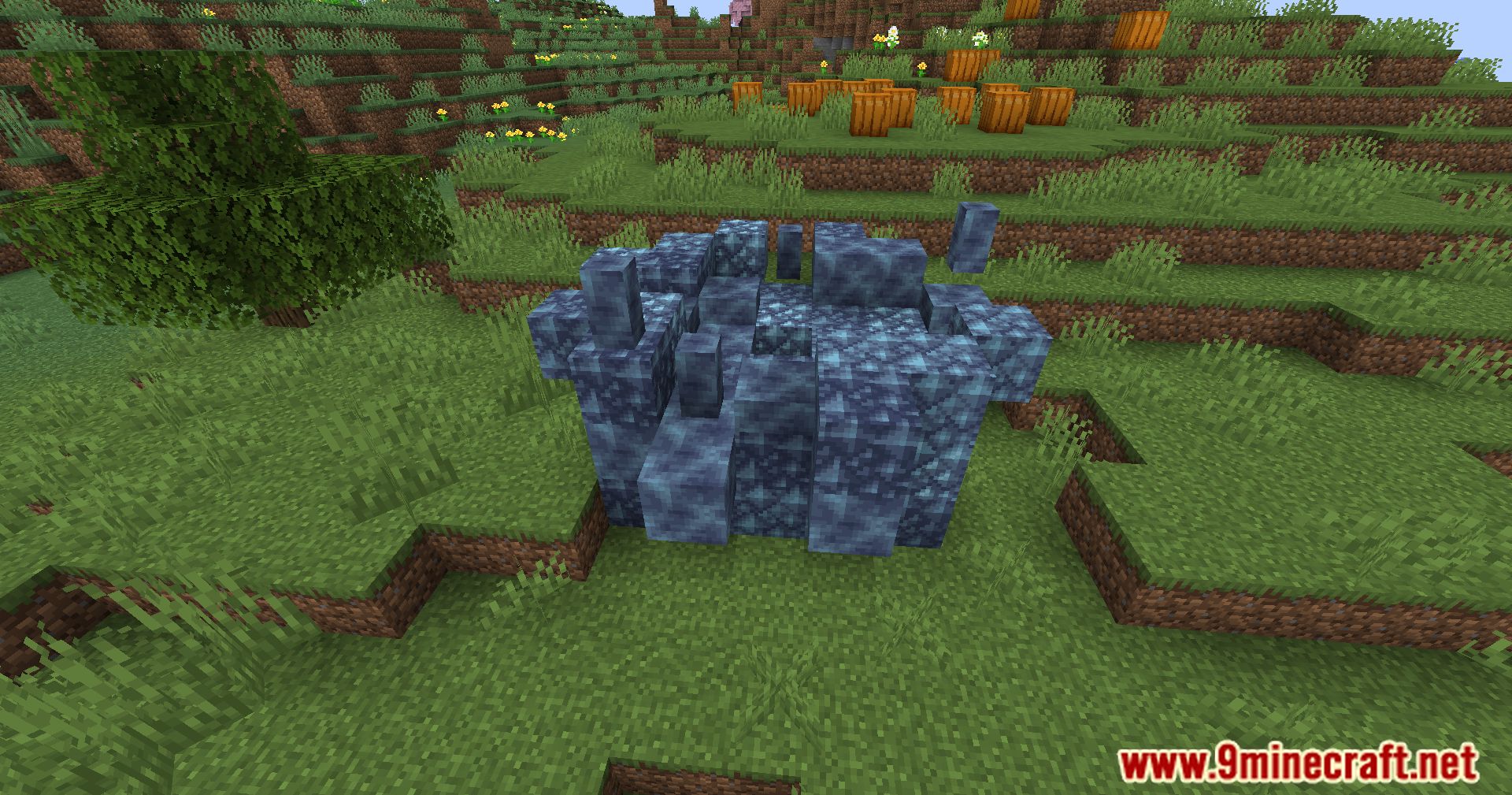
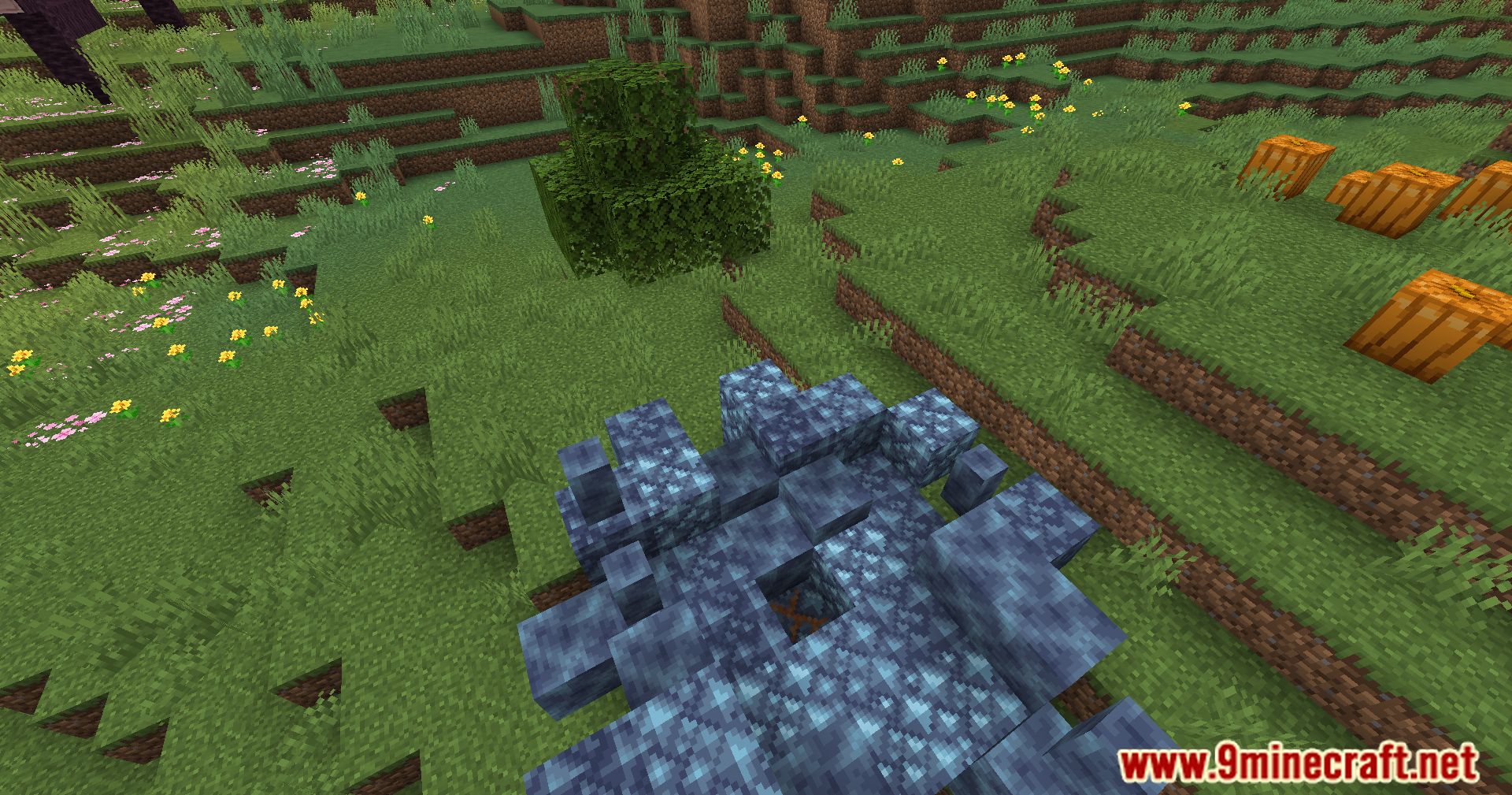
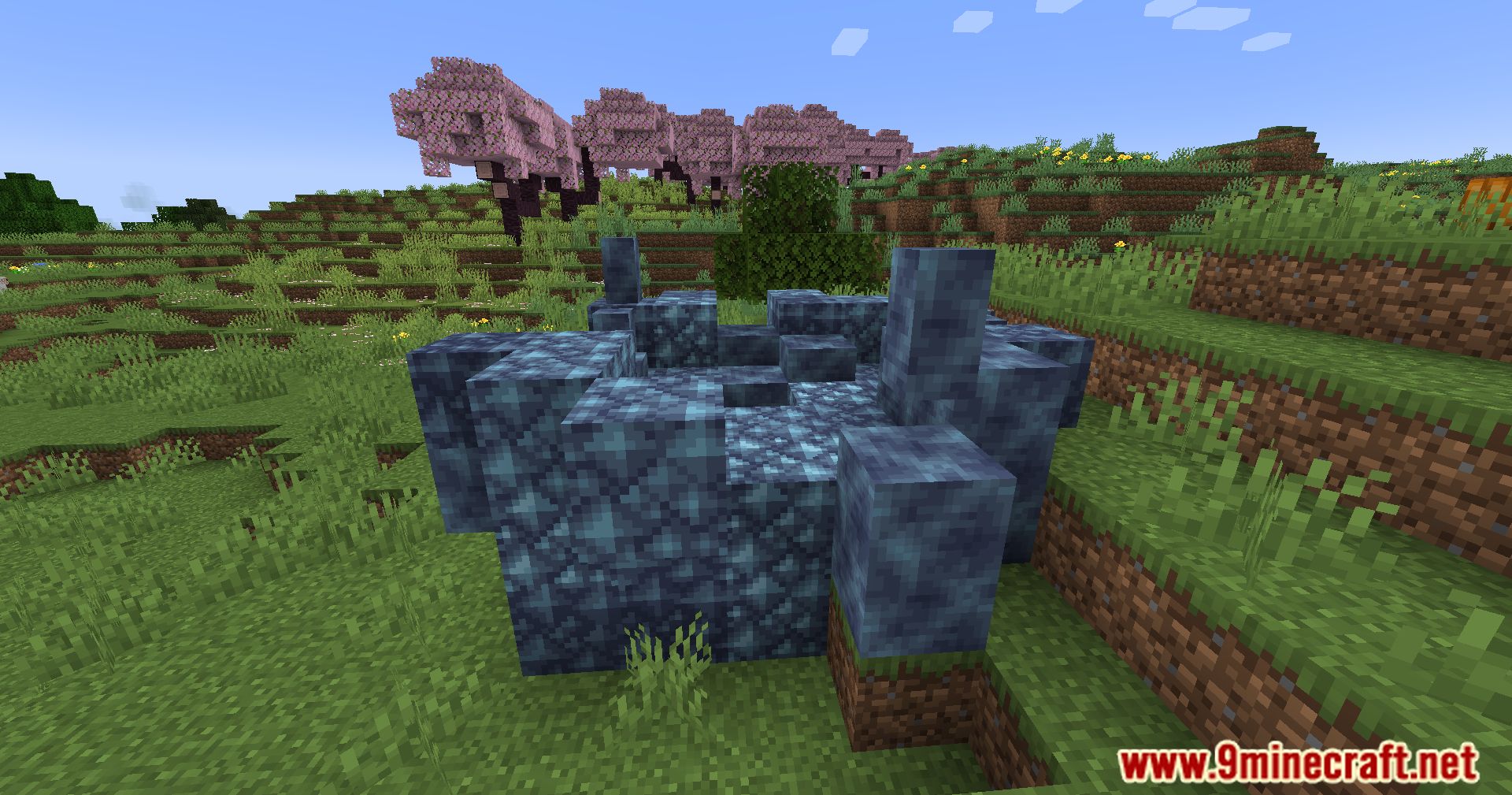
Create: Molten Vents Mod adds a renewable orestone system for Create so you can farm orestones and the resources you get from processing them. It spawns six default vents on the surface and underwater: Veridium, Asurine, Crimsite, Ochrum, Scorchia, and Scoria. You dig into a vent to uncover its dormant block, set off an explosion to activate it, and pour lava over it to turn that lava into matching orestones. You can automate lava pouring for steady production and add custom blocks or vent structures using config files and datapacks. This mod works in any modpack.
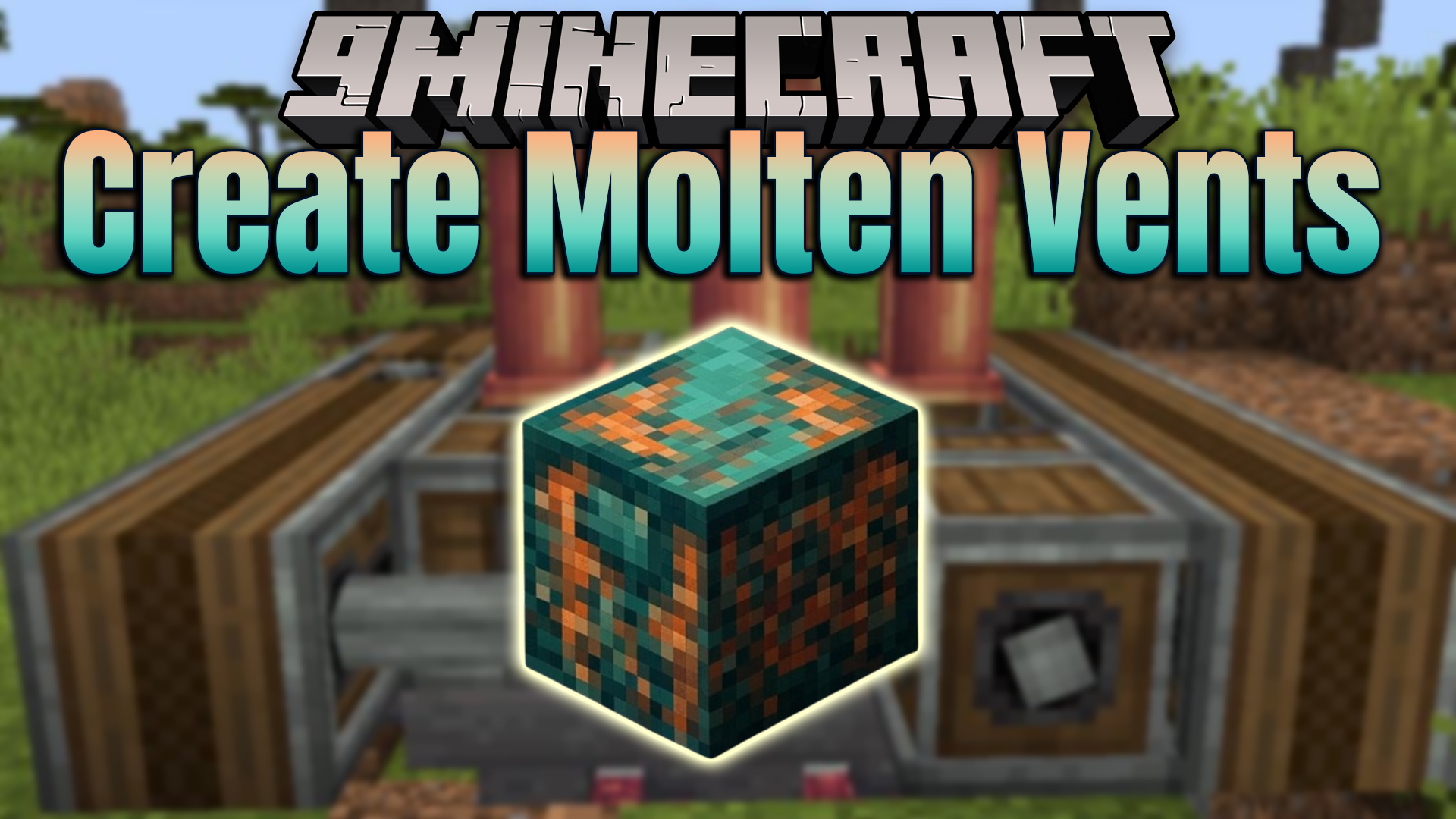
Features:
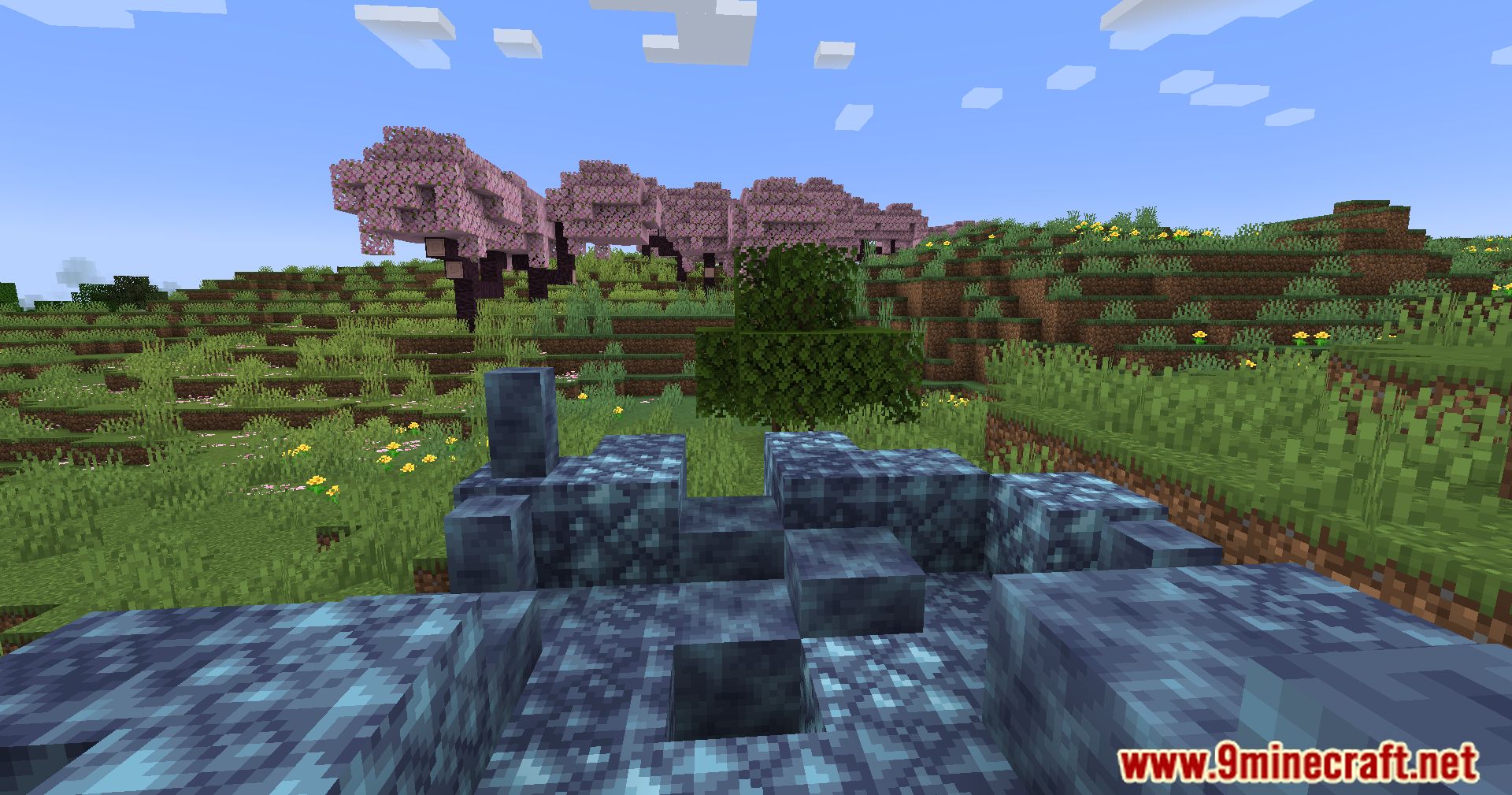
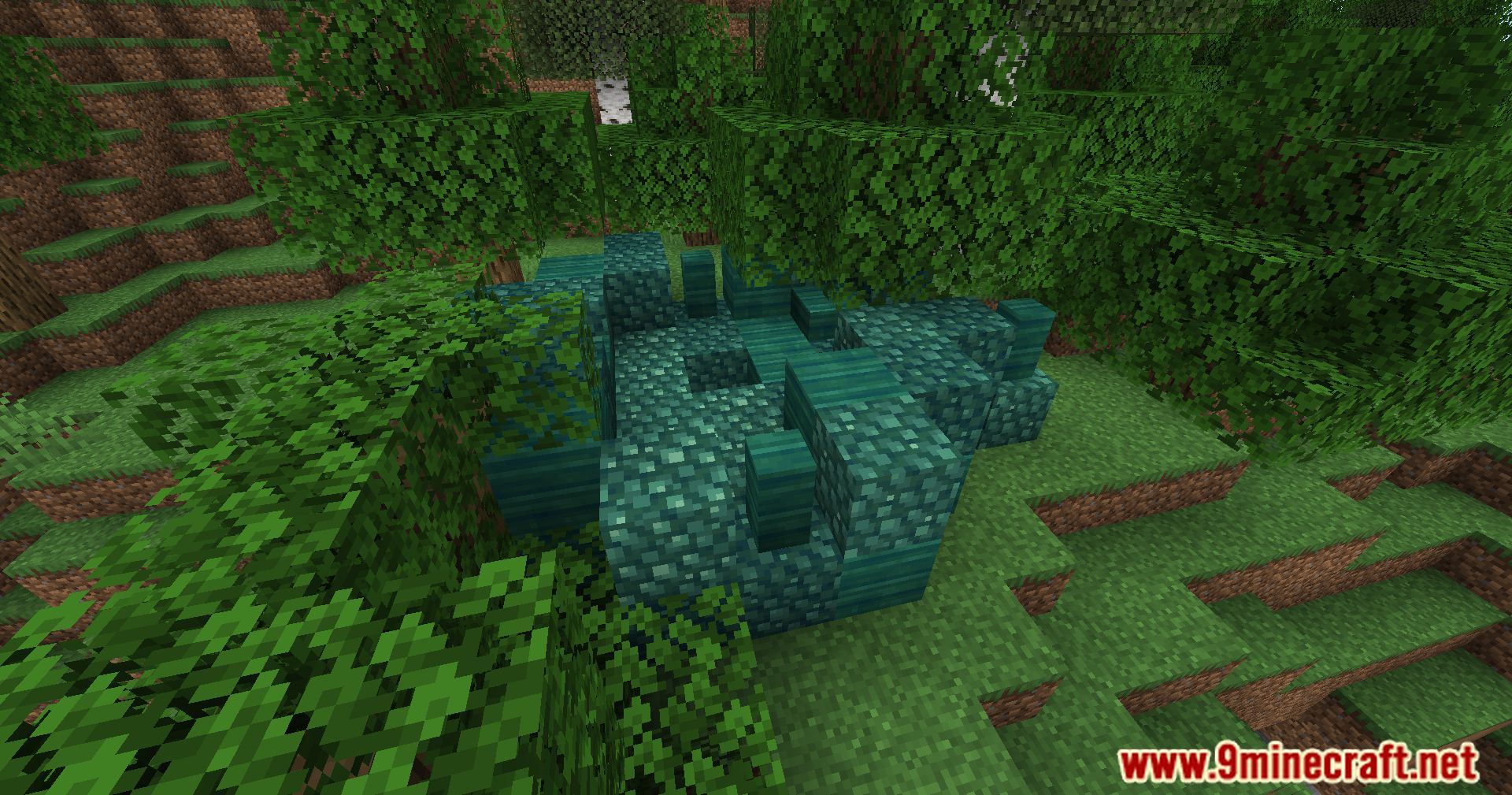
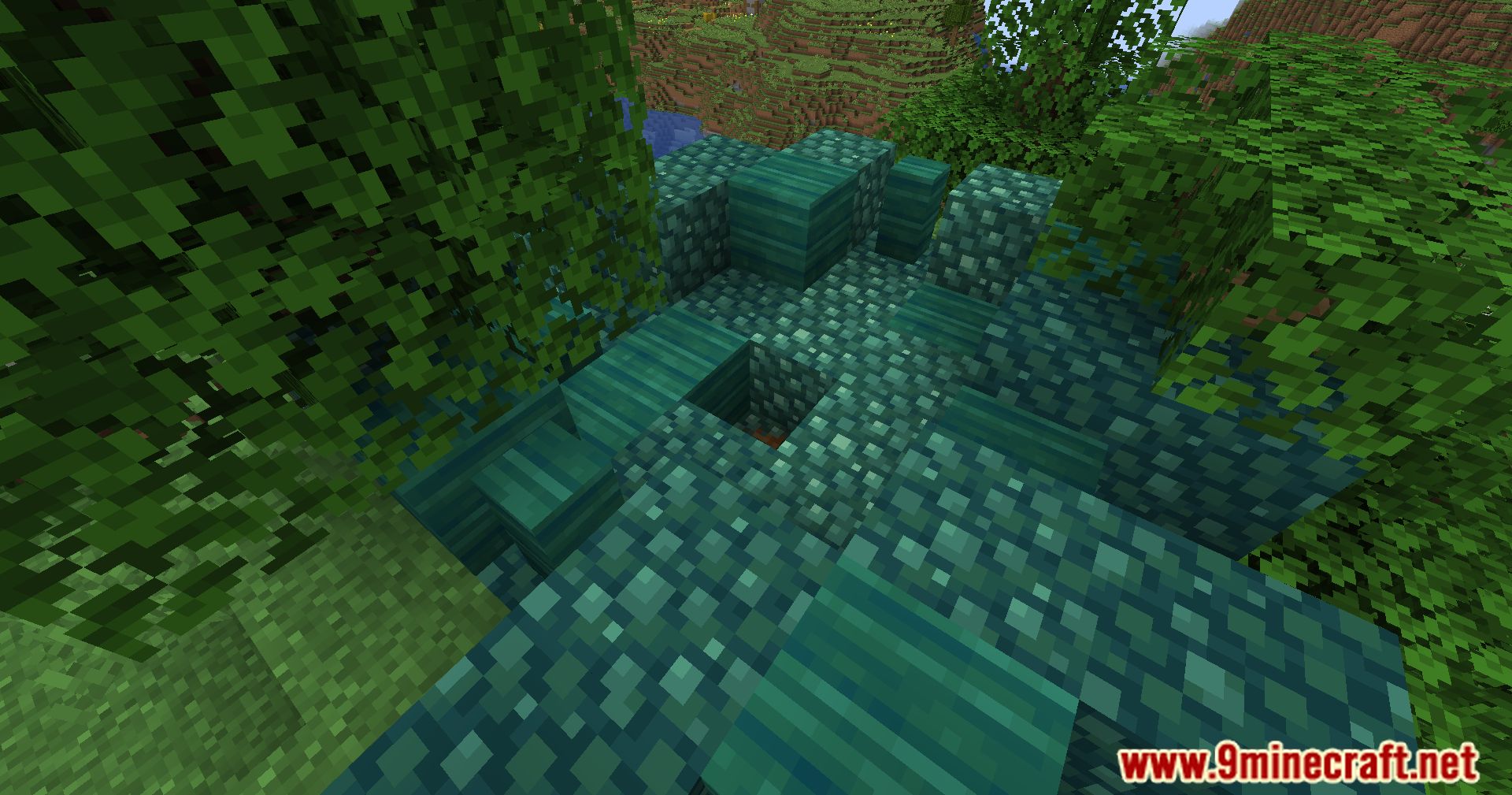
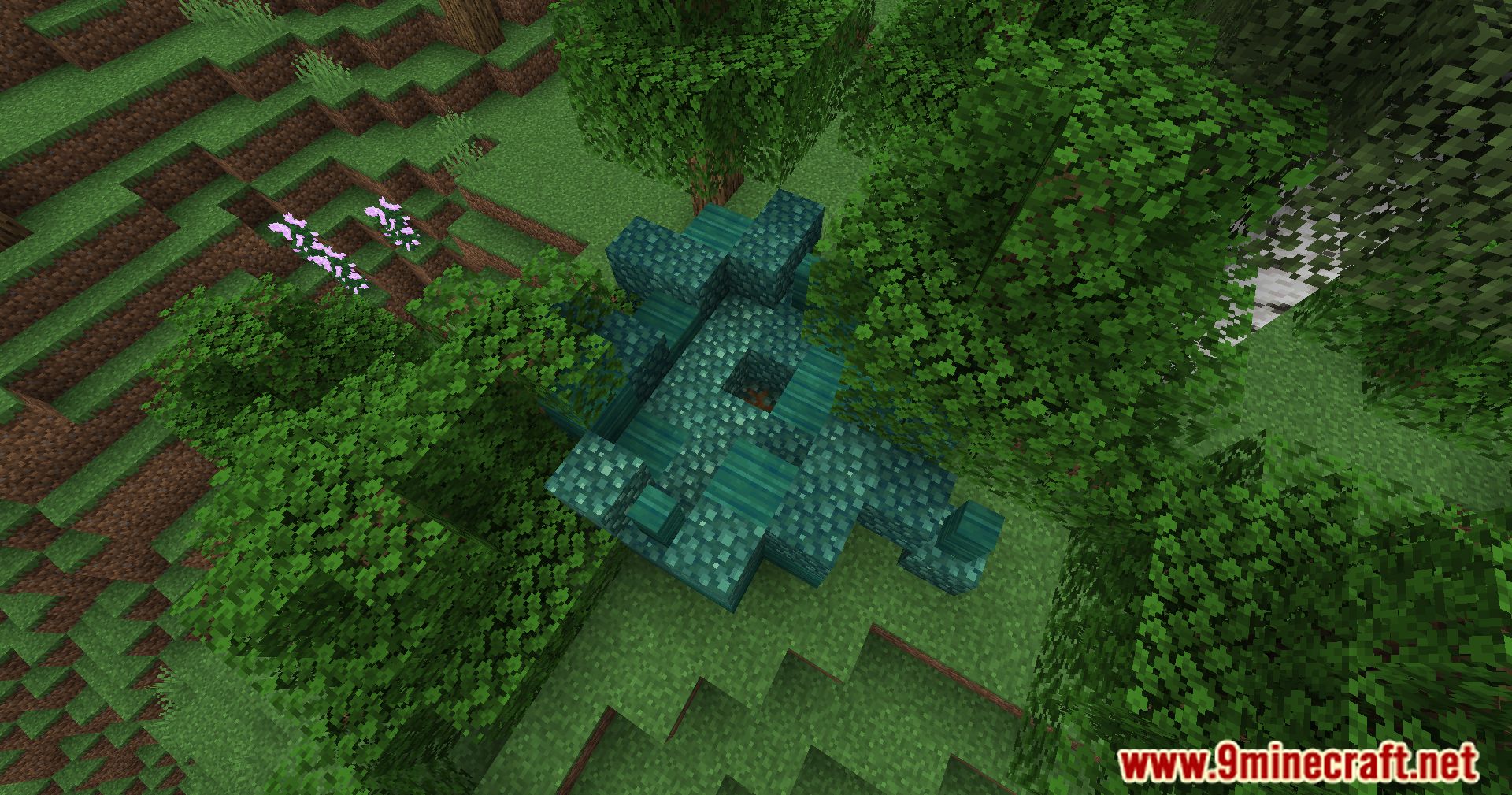
- Spawns natural vents anywhere on the surface and underwater, with underwater spots making them easier to find and spawn settings you can adjust in the config.
- Uses dormant and active states for every vent, starting with a dormant orestone block with magma on it hidden inside the structure.
- Lets you wake up a dormant vent using any explosion, making the magma inside shine brighter once active.
- Turns lava poured onto an active vent into the matching Create orestone, whether you pour it by hand or set up an automated system.
- Gives you an endless supply of orestones to use as building blocks or process into useful resources.
- Supports custom molten blocks through a config JSON list paired with conductive and convertible block rules in NeoForge config folders or Forge datapacks.
- Lets you set custom display names, blockstates, models, and textures for custom dormant and active blocks with an optional resource pack.
- Supports custom vent world generation by adding configured feature, placed feature, and Forge biome modifier JSON files in a datapack.
- Works in any modpack without restrictions.
Default Vents:
- Veridium Vent: Converts lava into Veridium orestone.
- Asurine Vent: Converts lava into Asurine orestone.
- Crimsite Vent: Converts lava into Crimsite orestone.
- Ochrum Vent: Converts lava into Ochrum orestone.
- Scorchia Vent: Converts lava into Scorchia orestone.
- Scoria Vent: Converts lava into Scoria orestone.
Configuration:
- Vent spawn settings: Configurable to adjust how vents generate on the surface and underwater.
config/*.json: Generated JSON file in the config folder that lists all registered molten block names inside thevaluesarray.config/molten_vents/conductive(NeoForge): Holds files listing which blocks a vent can convert through; each file must include the active molten vent block at minimum.config/molten_vents/convertible(NeoForge): Holds files listing which blocks a vent converts into the target block, such as turning lava into Asurine.data/molten_vents/molten_vents/blocks/conductive/exampleblock.json(Forge): Datapack file listing conductive blocks for a custom molten block, including the target block and its dormant and active vent blocks.data/molten_vents/molten_vents/blocks/convertible/exampleblock.json(Forge): Datapack file listing which source blocks, such asminecraft:lava, convert into the custom block.molten_vents.active_molten_exampleblockandmolten_vents.dormant_molten_exampleblock: Optional resource pack keys for adding name translations, blockstates, models, and textures for custom vent blocks.data/yourdatapackname/worldgen/configured_feature/examplevent.jsonanddata/yourdatapackname/worldgen/placed_feature/examplevent.json: Datapack files for defining custom vent world generation features.data/yourdatapackname/forge/biome_modifier/add_vents.json: Forge biome modifier file that adds your custom placed vent feature to biomes.
Custom molten block list example (config folder JSON):
{"values":["asurine","veridium","crimsite","ochrum","scorchia","scoria","exampleblock"]}Forge conductive datapack JSON example:
{
  "replace": false,
  "values": [
    "examplemodthataddsblock:exampleblock",
    "molten_vents:dormant_molten_exampleblock",
    "molten_vents:active_molten_exampleblock"
  ]
}
Forge convertible datapack JSON example:
{
  "replace": false,
  "values": [
    "minecraft:lava"
  ]
}
How to Use:
Finding and Activating Vents:
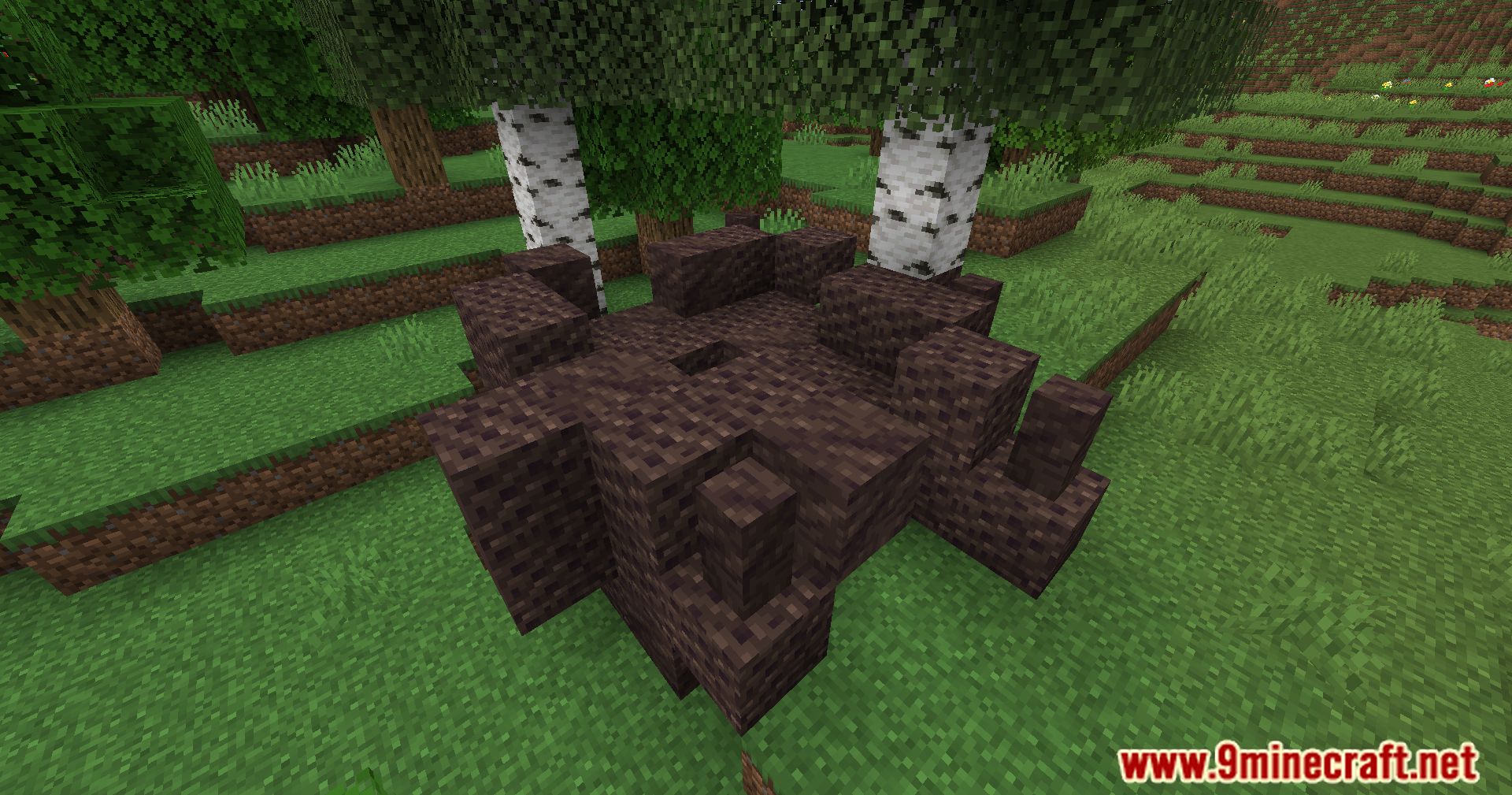
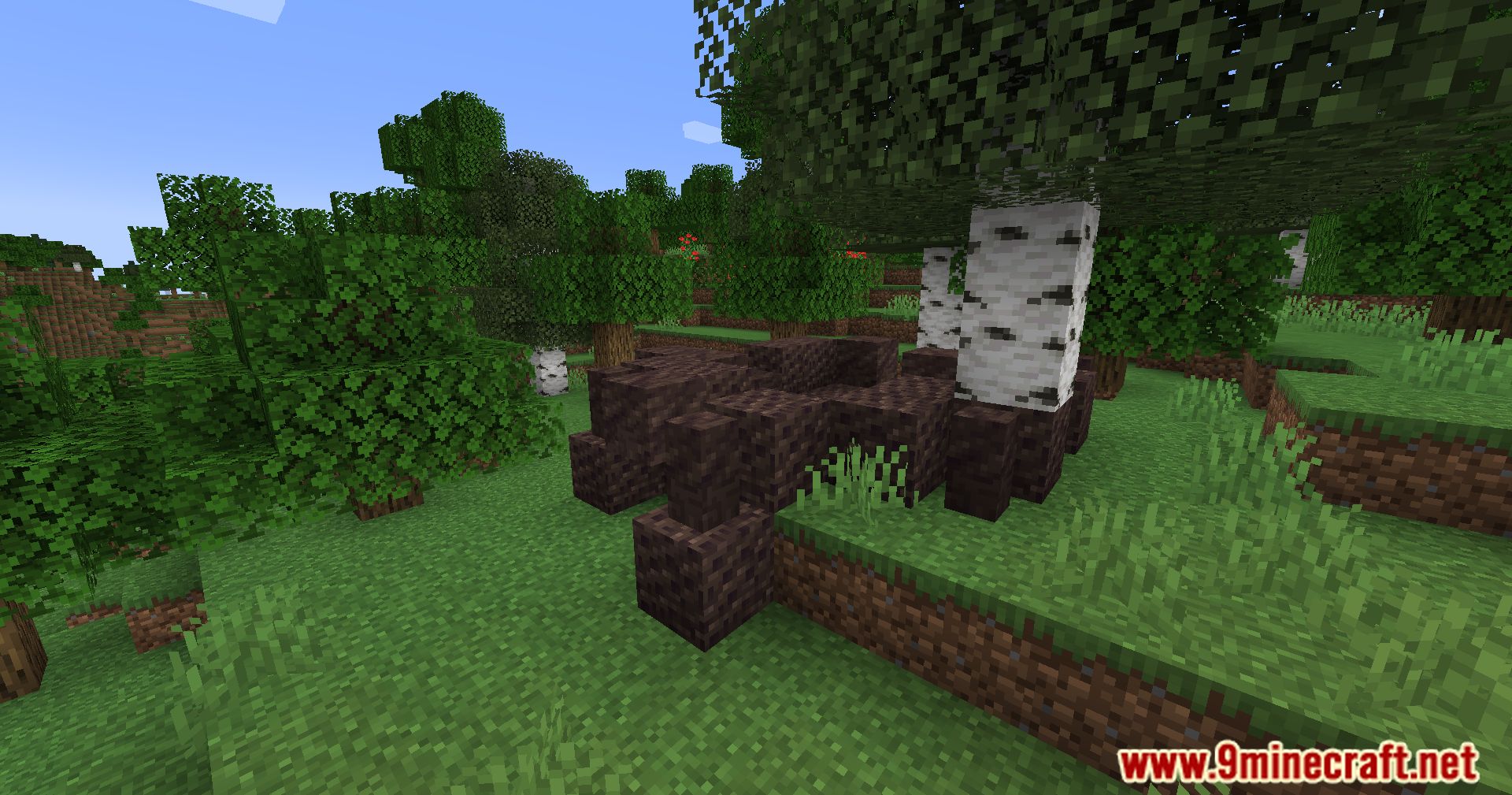
- Explore the surface or search underwater to locate a vent; vents spawn anywhere on the surface, though underwater vents are easier to spot.
- Dig out the blocks inside the vent until you find a block that matches the vent’s orestone with magma on it; this is the dormant orestone.
- Set off an explosion on the dormant orestone using any method to wake it up.
- Watch the magma inside the block glow brighter to confirm the dormant molten vent is now an active molten vent.
- Pour lava onto the active molten vent by hand or with an automated setup, and the lava turns into the matching orestone.
- Mine the newly formed orestones to build with them or process them into useful resources.
Adding a Custom Molten Block:
- Open the generated
.jsonlist file in your config folder and add your custom block name to thevaluesarray. - On NeoForge, copy an existing file inside
config/molten_vents/conductiveandconfig/molten_vents/convertible, rename both files to match your custom block, and edit their values so the conductive file includes at least the active molten vent and the convertible file lists the blocks to convert. - On Forge, create a datapack with
data/molten_vents/molten_vents/blocks/conductive/exampleblock.jsonanddata/molten_vents/molten_vents/blocks/convertible/exampleblock.jsonto define the conductive and convertible blocks. - Optionally create a resource pack that supplies name translations, blockstates, models, and textures for
molten_vents.active_molten_exampleblockandmolten_vents.dormant_molten_exampleblock.
Creating a Custom Vent Feature:
- Copy and adapt the base mod’s configured and placed feature JSON files into
data/yourdatapackname/worldgen/configured_feature/examplevent.jsonanddata/yourdatapackname/worldgen/placed_feature/examplevent.jsoninside your datapack. - Register your placed feature in
data/yourdatapackname/forge/biome_modifier/add_vents.jsonso the custom vent generates in biomes.
Screenshots:
How to Install:
New to Minecraft? Follow our step-by-step guide to install Mods on your PC.View Guide
Requirements:

Create: Molten Vents Mod Download Links
For Minecraft 1.21.8, 1.21.7, 1.21.6
NeoForge Version: Download from Server 1 – Download from Server 2
For Minecraft 1.21.5
NeoForge Version: Download from Server 1 – Download from Server 2
For Minecraft 1.21.4, 1.21.3
NeoForge Version: Download from Server 1 – Download from Server 2
For Minecraft 1.21.1, 1.21
NeoForge Version: Download from Server 1 – Download from Server 2
For Minecraft 1.20.2
Forge Version: Download from Server 1 – Download from Server 2
For Minecraft 1.20.1, 1.20
Forge Version: Download from Server 1 – Download from Server 2
For Minecraft 1.19.2
Forge Version: Download from Server 1 – Download from Server 2
For Minecraft 1.18.2
Forge Version: Download from Server 1 – Download from Server 2
You May Also Like
Picked for this page
 Mouse Wheelie Mod (26.2, 1.20.1) – Great Replacement for Inventory Tweaks
 Potion Rings Mod (26.3, 1.21.1) – Simple Bauble Rings with Potion Effects
 Name Tag Tweaks Mod (26.3, 1.20.1) – Craftable & Retrievable NameTag
 Conduits Prevent Drowned Mod (26.3, 1.20.1) – Peaceful Underwater Cities
 Auto Fishing Mod (1.21.10, 1.20.1) – AFK Fishing Mechanic
 Ore Vein Miner Mod (26.3, 1.20.1) – Automatically Destroy Ores
 Happy Go Lucky Mod (26.3, 1.20.1) – Random Adventures Await
 Super Simple Home Mod (1.21.11, 1.20.6) – Simple Home Teleportation Commands
 Decorative Wooden Lattices Mod (26.2, 1.20.1) – A Wide Variety of 90 Different Wooden Lattice Models
 Hopper The Hedgehog Mod (26.3, 1.20.1) – Speeds Up Item Transfer
 Re-Dye Terracotta Mod (26.3, 1.20.1) – Change Terracotta Color With Ease
 Inventory Interactions Mod (26.3, 1.20.1) – Right Click Repairs And More
Most viewed in Mods over the last 7 days
 Ala Industrial Mod (26.3) – Run Electric Power Grids and Automated Factories
 PleasureCraft Mod (26.3, 1.21.1) – Jenny Mod Remake for Fabric
 Jennycraft Mod (26.3, 1.20.1) – Virtual Girlfriend in Minecraft
 Fapcraft Mod (26.3, 1.12.2) – Comprehensive and Detailed Content
 Jenny Mod (Fapcraft) Official Complete Guide – How to use, Tutorial
 BangCraft Mod (1.20.1) – Jenny, Ellie and Elliot
 Fabric Loader (26.3, 1.20.1) – Fabric Installer for All Minecraft Versions
 The Shooting Star Demo Mod (26.3, 1.20.1) – Vaporize Terrain From Orbit
 Meteor Client Mod (26.3, 1.20.1) – Xray, HUD, Fly
 OptiFine HD (26.3, 1.20.1) – Run Faster, FPS Boost, Shaders Support
 Aristois Client Mod (1.21.4, 1.20.1) – World Class Minecraft Utility
 Prestige Client Mod (1.21.11, 1.21.4) – Powerful Ghost Features for Crystal & Sword PvP
More from Mods
 Block Front Survival Patch Mod (1.21.1) – Wage Tactical Warfare in Survival
 Better Enchantment Bookshelf Placement Mod (26.2, 1.20.1)
 SimpleRPGCore Mod (1.21.4, 1.21.1) – Fight with Classic RPG Stats
 Bard RPG Series Plus by Fichte Mod (1.21.1, 1.20.1) – Buff Allies in Combat
 Fabric Gui ImGui Mod (26.3, 1.21.11) – Clean Custom Menus and In-Game Control
 Multi Item Lib Mod (1.20.1) – Wield Custom Gear with Flawless Hand Animations
 Universe3090 Mod (1.20.1) – Survive Corrupted Dimensions Filled
 Wireless Automate Mod (1.21.1) – Automate Base Logistics Without Messy Pipes
 Vaskars Opus Faction War Quests & Bosses Mod (1.21.11, 1.20.1)
 Multitools and More Mod (26.3, 1.20.1) – Clear Your Hotbar and Travel
 Luxium Let There Be Light Mod (1.20.1) – Stunning Lighting on Low-End Computers
 Soulscraft Tarnished Legacy Mod (1.21.1) – Hunt Relics to Forge Dark Fantasy

This post has no comments yet. Be the first — your comment will appear here.