
Claim Chunk Mod (1.21.8, 1.20.1) – Protect Your Land From Griefers

 0


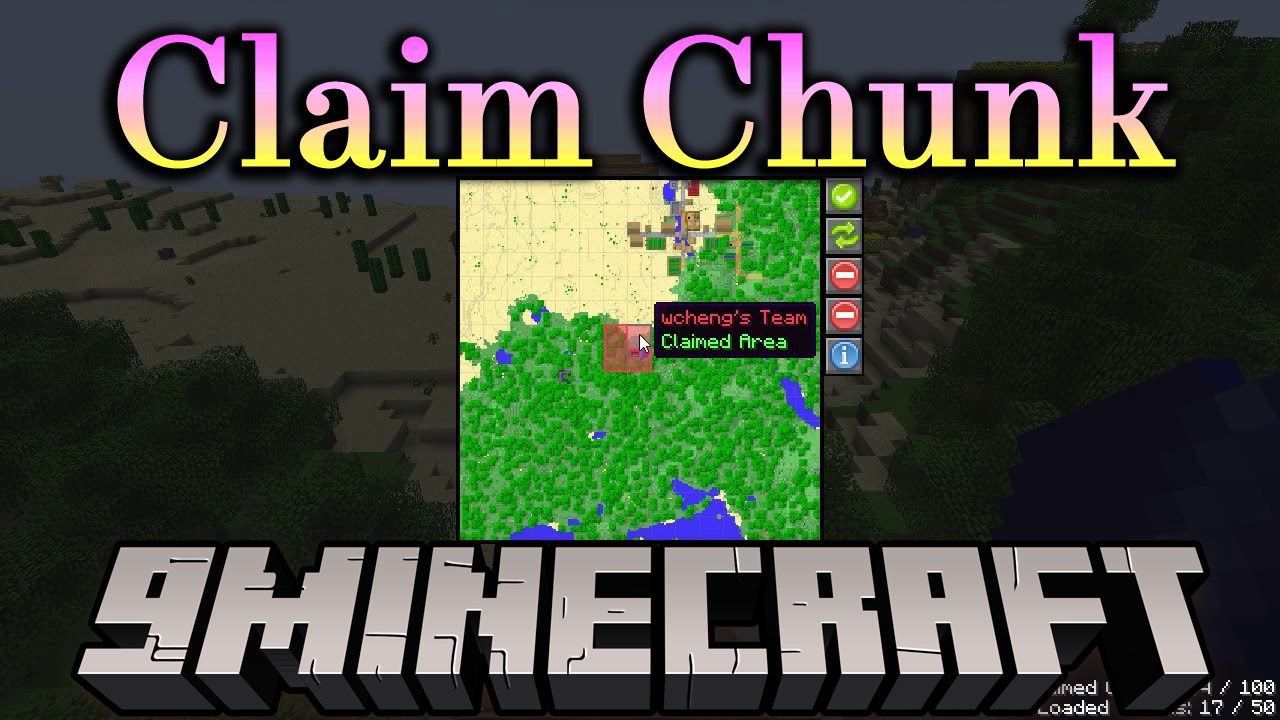
Claim Chunk Mod lets you claim chunks of land to create a safe zone for your builds and items. By default, other players cannot break blocks, place blocks, blow things up, or open your chests and doors inside a claimed chunk. You can craft a claim block with one sign and eight redstone dust, set separate Access and Modify permissions for each chunk, and copy those settings to other claim blocks with paper. Each player can claim up to 4 chunks by default, while server operators can adjust the limit from 0 to 250 chunks and keep a 10-chunk safe zone around world spawn. This mod also adds chat commands, a full config file for block and dimension rules, and built-in options for multiplayer servers and automation mods.
Features:
- Chunk Protection: Locks your claimed chunk so other players cannot break blocks, place blocks, blow up blocks, open chests, or use doors by default.
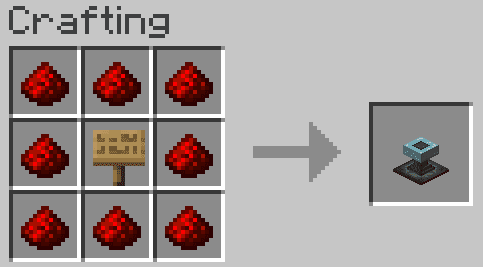
- Craftable Claim Block: Adds a claim block crafted with one sign in the center surrounded by eight redstone dust to protect the chunk where you place it.
- Paper Setting Copy: Lets you click a claim block with Minecraft paper to copy its settings, apply them to other claim blocks, and shift-click while looking up to clear the paper.
- Server operators at level 3 or 4 in Creative mode can bypass any claim.
- Players can claim from 0 to 250 chunks based on server settings, with a default limit of 4 chunks per player.
- New claims require a minimum distance from world spawn, which is 10 chunks (160 meters) by default.
- You can check chunk borders with F3 + G when the
reducedDebugInfogamerule is false, or checkChunk-relative: x y zon the F3 debug screen to stay in the same chunk while x and z change in order.
Permissions System:
- Sets permissions separately for each chunk, so you can keep one chunk private while sharing another as a common area.
- Lets players listed in Access (separated by commas) use doors, chests, buttons, and interact with mobs inside your claim.
- Supports the wildcard symbol (
*) in Access so all players can use doors, chests, and buttons in that chunk. - Lets players listed in Modify break blocks, attack non-hostile mobs, and use everything allowed in Access.
- Supports fake player names for automation mods so machines can change blocks inside claims, though fake players cannot tell who owns the machine. Supported names include
Deployer,Plough, andConverter(Create),[IF](Industrial Foregoing), and[Modular Routers](Modular Routers).
Working With Other Mods:
- Add
"waystones:*-warp_plate"toBypassBlocksin the config to let players use Waystones warp plates inside claims. - Add
"lootr:*-trophy"toBypassBlocksto let players use Lootr trophies inside claims. - Add
"corpse:corpse"toBypassEntitiesso players can open corpses from the Corpse mod inside claims. - Set
sneak_pickuptotrueinserverconfig/gravestone-server.tomlwhen playing with GraveStone. - Sneak to pick up graves with Corail Tombstone, or add
"tombstone:grave_simple","tombstone:grave_normal","tombstone:grave_cross","tombstone:tombstone","tombstone:subaraki_grave", and"tombstone:grave_original"toBypassBlocks.
LAN and Dedicated Servers:
- Opening a LAN world with cheats turned on makes all players level 4 operators, so a local dedicated server works better if you want limited cheats.
- Dedicated server
spawn-protectioncan stop normal players from using blocks near spawn while operators are not affected. - Setting
spawn-protectionto0lets an operator place claims over the spawn area instead, using*in Access or adding blocks like waystones toBypassBlocksso everyone can interact with them.
Commands:
/claims: shows the locations of your own claim chunk blocks (usable by any player)./claims <player>: shows the locations of another player’s claim chunk blocks (level 3 or 4 operator in Creative mode)./claims <player> remove: removes another player’s claim chunk blocks (level 3 or 4 operator in Creative mode)./claims <player> check: checks another player’s claim chunk blocks (level 3 or 4 operator in Creative mode)./config showfile cc COMMON: shows a clickable link in chat to open and edit thecc-common.tomlconfig file (you may need to restart the game for changes to work).
Configuration:
You can edit the cc-common.toml file in the config folder using these options:
ChunksFromSpawn: sets the minimum number of chunks from world spawn before players can claim land (range: -1 to 5000, default: 10).ClaimLimit: sets the maximum number of chunks each player can claim (range: 0 to 250, default: 4).AddOwner: adds the owner’s name to some messages (default:true).MobDestroy: lets mob explosions break blocks based on the mob’s target (default:true).BypassBlocks: lists blocks that bypass claims when right-clicked (default:["minecraft:ender_chest", "minecraft:vault"]).BypassEntities: lists mobs and other objects that bypass claims when right-clicked (default:[""]).IncludeDims: lists dimensions where claiming is allowed (default:["*"]).ExcludeDims: lists dimensions where claiming is blocked (default:[""]).PvpMode: lets explosions caused by any player break blocks inside claims (default:false).ReportBucket: reports when someone places fluid from a bucket (default:false).
How to Use:
- Craft a claim block by placing one sign in the center of the crafting table and putting eight redstone dust around it.
- Walk at least 10 chunks (160 meters) away from world spawn by default so the area allows new claims.
- Press F3 + G to show chunk borders when
reducedDebugInfois false, or press F3 and checkChunk-relative: x y zto confirm you stay in the same chunk while x and z change in order. - Place the claim block on the ground inside that chunk to protect it from block breaking, block placing, explosions, and unauthorized chest or door use.
- Open the claim block menu and type player names separated by commas in Access (or type
*for everyone) so those players can use doors, chests, buttons, and interact with mobs. - Type trusted player names or automation fake player names (such as
Deployer,Plough,Converter,[IF], or[Modular Routers]) in Modify to allow breaking blocks, attacking non-hostile mobs, and using items in that chunk. - Click a claim block while holding Minecraft paper to copy its settings, then click another claim block with that paper to apply the same settings.
- Hold Shift and click while looking up with the paper to clear its saved settings.
- Type
/claimsin chat to see the locations of all your claim chunk blocks. - Switch to Creative mode as a level 3 or 4 server operator to bypass claims, or run
/claims <player>,/claims <player> check, or/claims <player> removeto view, check, or remove another player’s claims.
Crafting Recipes:
Screenshots:
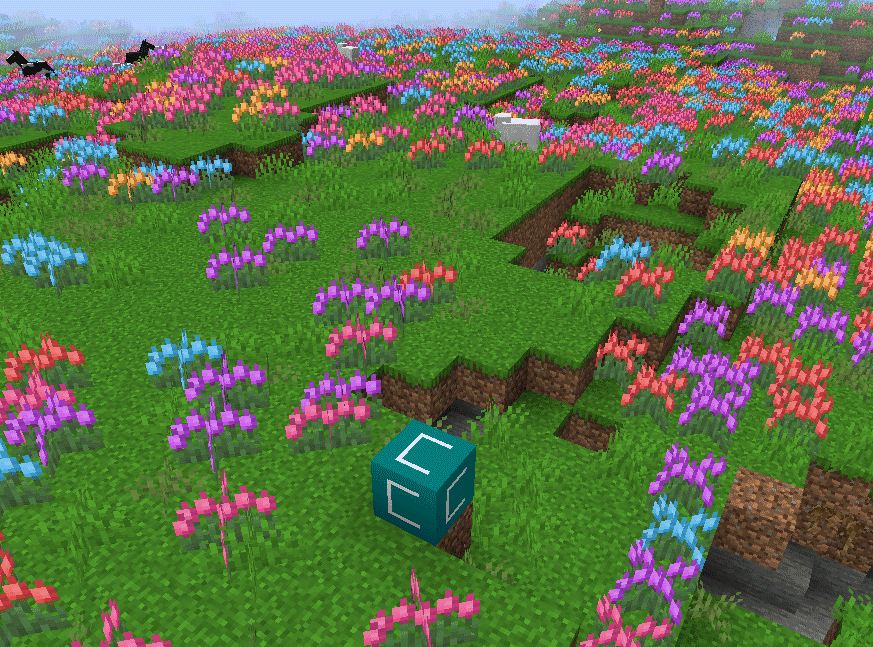
Here is what a claim chunk looks like.
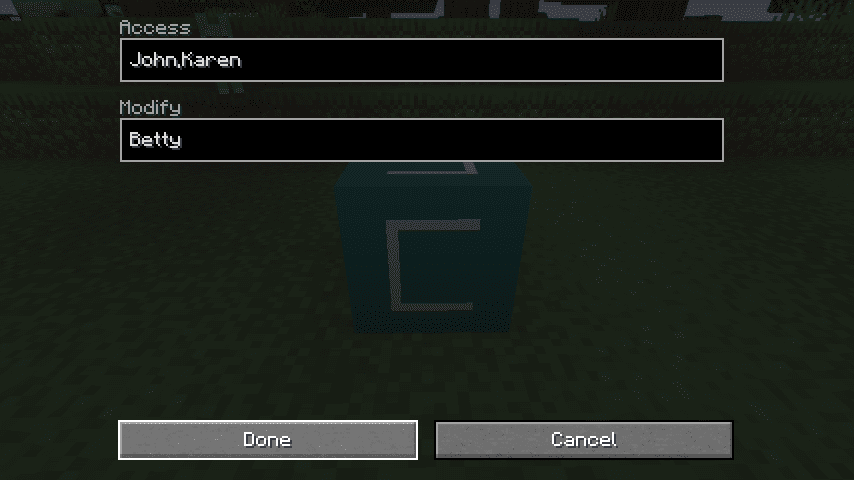
You can type a list of players names who can use things in your chunk and who can break blocks. This can be different in each chunk.
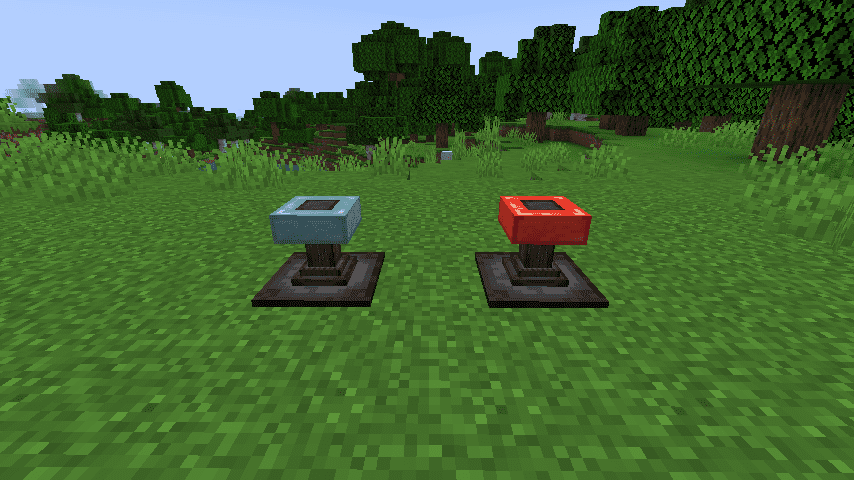
Here are the new enabled and disabled claim block
How to Install:
New to Minecraft? Follow our step-by-step guide to install Mods on your PC.View Guide
Claim Chunk Mod Download Links
For Minecraft 1.16.5
Forge version: Download from Server 1
For Minecraft 1.17.1
Forge version: Download from Server 1
For Minecraft 1.18.2, 1.18.1
Forge version: Download from Server 1 – Download from Server 2
For Minecraft 1.19.2, 1.19.1, 1.19
Forge version: Download from Server 1 – Download from Server 2
For Minecraft 1.19.3
Forge version: Download from Server 1
For Minecraft 1.19.4
Forge version: Download from Server 1 – Download from Server 2
For Minecraft 1.20.1, 1.20
Forge version: Download from Server 1 – Download from Server 2
For Minecraft 1.20.2
Forge version: Download from Server 1 – Download from Server 2
For Minecraft 1.20.4
Forge version: Download from Server 1 – Download from Server 2
For Minecraft 1.20.6
Forge version: Download from Server 1
For Minecraft 1.21.1, 1.21
Forge version: Download from Server 1 – Download from Server 2
For Minecraft 1.21.4, 1.21.3
Forge version: Download from Server 1 – Download from Server 2
For Minecraft 1.21.5
Forge version: Download from Server 1 – Download from Server 2
For Minecraft 1.21.8, 1.21.7, 1.21.6
Forge version: Download from Server 1 – Download from Server 2
You May Also Like
Picked for this page
 TL Skin and Cape Mod (26.3, 1.20.1) – TLSkinCape Mod by Tlauncher
 Lootr Mod (26.3, 1.20.1) – Nobody Misses Out on Loot
 Hunter’s Return Mod (26.3, 1.20.1) – Meet the Boomerang Illager
 Towers of the Wild Modded Mod (26.2, 1.20.1) – Multiple Dimensions & Planets
 BedrockIfy Mod (26.2, 1.20.1) – The Game-Changer Every Minecraft Player Needs
 Rally Health Mod (26.1.2, 1.20.1) – Rally System from Bloodborne Game
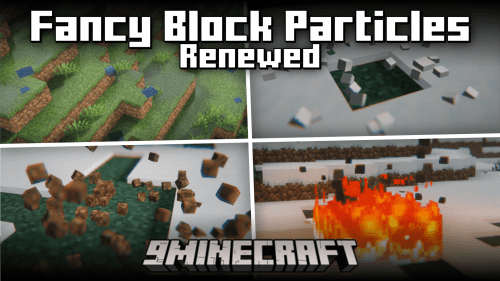 Fancy Block Particles Renewed Mod (26.1.2, 1.20.1) – 3D Digging Particles
 Fast IP Ping Mod (26.3, 1.20.1) – Fix Slow Server Ping Times
 BlossomLib Mod (26.3, 1.20.1) – Library for Blossom-Series Mods
 Moderner Beta Mod (26.3, 1.20.1) – Rediscover Classic Minecraft Landscapes
 Faster Crouching Mod (26.3, 1.20.1) – Sprint while Crouching
 Attack Through Grass Mod (26.3, 1.20.1) – Fight Mobs Hiding In Grass And Cobwebs
Most viewed in Mods over the last 7 days
 Ala Industrial Mod (26.3) – Run Electric Power Grids and Automated Factories
 PleasureCraft Mod (26.3, 1.21.1) – Jenny Mod Remake for Fabric
 Jennycraft Mod (26.3, 1.20.1) – Virtual Girlfriend in Minecraft
 Fapcraft Mod (26.3, 1.12.2) – Comprehensive and Detailed Content
 Jenny Mod (Fapcraft) Official Complete Guide – How to use, Tutorial
 BangCraft Mod (1.20.1) – Jenny, Ellie and Elliot
 Fabric Loader (26.3, 1.20.1) – Fabric Installer for All Minecraft Versions
 The Shooting Star Demo Mod (26.3, 1.20.1) – Vaporize Terrain From Orbit
 Meteor Client Mod (26.3, 1.20.1) – Xray, HUD, Fly
 OptiFine HD (26.3, 1.20.1) – Run Faster, FPS Boost, Shaders Support
 Aristois Client Mod (1.21.4, 1.20.1) – World Class Minecraft Utility
 Prestige Client Mod (1.21.11, 1.21.4) – Powerful Ghost Features for Crystal & Sword PvP
More from Mods
 Arcanism Mod (26.2) – Build Magic Factories and Program Custom Spells
 Archangel Client Mod (1.21.11) – Master Every PvP Duel with Clean Screen Stats
 Block Front Survival Patch Mod (1.21.1) – Wage Tactical Warfare in Survival
 Better Enchantment Bookshelf Placement Mod (26.2, 1.20.1)
 SimpleRPGCore Mod (1.21.4, 1.21.1) – Fight with Classic RPG Stats
 Bard RPG Series Plus by Fichte Mod (1.21.1, 1.20.1) – Buff Allies in Combat
 Fabric Gui ImGui Mod (26.3, 1.21.11) – Clean Custom Menus and In-Game Control
 Multi Item Lib Mod (1.20.1) – Wield Custom Gear with Flawless Hand Animations
 Universe3090 Mod (1.20.1) – Survive Corrupted Dimensions Filled
 Wireless Automate Mod (1.21.1) – Automate Base Logistics Without Messy Pipes
 Vaskars Opus Faction War Quests & Bosses Mod (1.21.11, 1.20.1)
 Multitools and More Mod (26.3, 1.20.1) – Clear Your Hotbar and Travel

This post has no comments yet. Be the first — your comment will appear here.