
Sky GUIs Mod (1.21.1, 1.20.1) – Run Skyblock Island Teams

 0


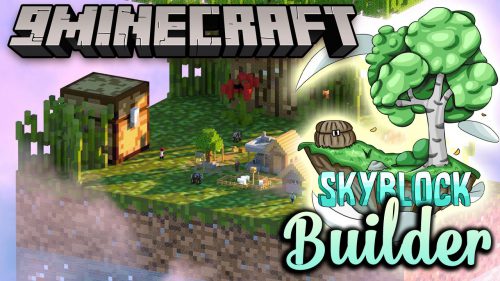
Sky GUIs Mod adds menu screens for Skyblock Builder to make team management simpler. This addon gives you screens to create a team, manage your own team, and view all teams in one place. You open the main screen with a single key press and reach every other menu from there. It works with Skyblock Builder and fits into any Forge modpack.

Features:
- Adds menu screens that simplify how you use Skyblock Builder.
- Lets you create a new team right from an in-game menu.
- Gives you a screen to manage your own team.
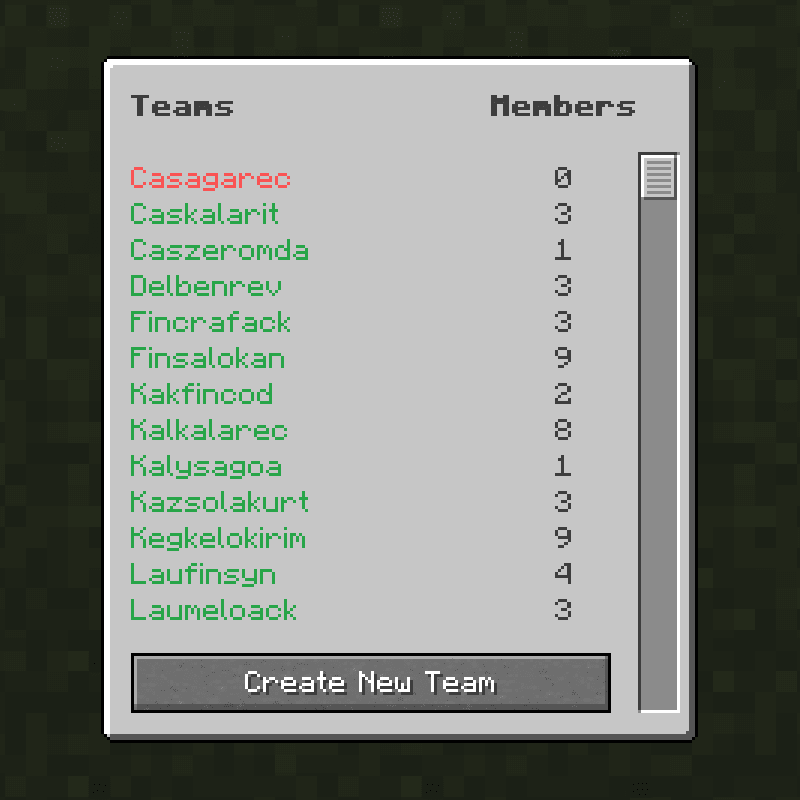
- Shows a list of all teams and their members on one screen.
- Opens the base menu when you press the L key by default so you can reach every other screen from one place.
How to Use:
- Press the L key (default) to open the base menu screen.
- Select a screen from the base menu to navigate to the other screens in this addon.
- Use the screens to create a new team, manage your own team, or view all teams and their members.
Screenshots:
How to Install:
New to Minecraft? Follow our step-by-step guide to install Mods on your PC.View Guide
Requirements:
Sky GUIs Mod Download Links
For Minecraft 1.21.1, 1.21
NeoForge version: Download from Server 1 – Download from Server 2
For Minecraft 1.20.1, 1.20
Forge version: Download from Server 1 – Download from Server 2
For Minecraft 1.19.2, 1.19.1
Forge version: Download from Server 1 – Download from Server 2
For Minecraft 1.18.2
Forge version: Download from Server 1 – Download from Server 2
Click to rate this post!
[Total: 1 Average: 5]
You May Also Like
Picked for this page
 Crystals Overhauled Mod (26.3, 1.20.1) – A Minecraft Mod Revolution
 Inventory Management Mod (26.3, 1.20.1) – Sorting, Transferring, Stacking
 Village Artifacts Mod (1.21.1, 1.20.1) – Upgrade, Transform, Manipulate Villagers
 Mob Lassos Mod (26.3, 1.20.1) – Gotta Catch ‘Em All
 Endertech Infinity Mod (1.21.1, 1.20.1) – Adventure into a New End
 Tons Of Enchants Mod (1.21.1, 1.20.1) – Adds Tons More Enchantments To The Game
 Pick Block Pro Mod (1.21.3, 1.20.1) – Creative Builder Utility Mod
 Death Quotes Mod (26.2, 1.20.1) – Comfort After Death
 TCT Core Mod (26.3, 1.20.1) – Centralized Menu for Managing and Configuring Mods
 Durt’s Nether Dungeons Mod (1.20.1) – Revitalize Your Nether Adventures
 Spell Checker Mod (26.2, 1.20.1) – Communicate Clearly
 Wither Cage Fix Mod (26.3, 1.20.1) – Fixes Wither Memory Bug
Most viewed in Mods over the last 7 days
 Ala Industrial Mod (26.3) – Run Electric Power Grids and Automated Factories
 PleasureCraft Mod (26.3, 1.21.1) – Jenny Mod Remake for Fabric
 Jennycraft Mod (26.3, 1.20.1) – Virtual Girlfriend in Minecraft
 Fapcraft Mod (26.3, 1.12.2) – Comprehensive and Detailed Content
 Jenny Mod (Fapcraft) Official Complete Guide – How to use, Tutorial
 BangCraft Mod (1.20.1) – Jenny, Ellie and Elliot
 Fabric Loader (26.3, 1.20.1) – Fabric Installer for All Minecraft Versions
 Meteor Client Mod (26.3, 1.20.1) – Xray, HUD, Fly
 OptiFine HD (26.3, 1.20.1) – Run Faster, FPS Boost, Shaders Support
 The Shooting Star Demo Mod (26.3, 1.20.1) – Vaporize Terrain From Orbit
 Aristois Client Mod (1.21.4, 1.20.1) – World Class Minecraft Utility
 SchnurriTV Mod (1.12.2) – Characters and Features
More from Mods
 NovaUtils Mod (26.1.2) – Locate Buried Ores and Inspect Chests Through Walls
 In-Game Account Switcher with Cookies Mod (1.21.11) – Swap Your Alts Without Relaunching
 CrewX Mod (1.8.9) – Dominate Competitive Server Matches Without Lag
 Vanilla Refit Mod (1.21.1) – Build Thinner Walls with Vertical Slabs
 IZeMod Mod (26.2) – Helpful Survival Tools for Everyday Fabric Adventures
 SkullLIB Mod (1.20.1) – Bring Prehistoric Beasts and New Animals to Your World
 EasyGui Mod (1.21.11, 1.21.1) – Build Custom Screen Menus and Animated HUD
 Legacy Wavey Capes Mod (1.8.9) – Watch Your Cape Flow Naturally While Sprinting
 Warrior Cats Events Mod (1.21.1, 1.20.1) – Live As a Wild Clan Cat
 Apex Enchantment Freedom Mod (26.3) – Stack Conflicting Enchantments
 Tensura GUI Mod (1.21.1) – Track Your Fantasy Skills and Race Evolutions
 Remnants Roguelite Dungeons Mod (26.3, 1.20.1) – Risk It All in Procedural

This post has no comments yet. Be the first — your comment will appear here.