
Vote Command Mod (26.3, 1.20.1) – Share Server Links and Voting Rewards

 0


Vote Command Mod adds a simple informational command to help players find where to vote for servers. It helps server owners increase their position in public server lists by making voting instructions easy to access. The mod requires Collective to run properly on servers.

Features:
- Adds a configurable
/votecommand for players in the game. - Displays custom informational text or specific links when the command is used.
- Allows server owners to change the message easily through the config file.
- Helps increase server visibility and positions on server lists.
- Requires the Collective library mod to function correctly.
Commands:
/vote: Sends the configured vote message and links to the player.
How to Use:
- Join a server that has the mod installed.
- Type
/votein the chat window. - Read the displayed message to see voting links and instructions.
Configuration:
voteCommandMessage: Sets the default text sent to players when they use the vote command.
Screenshots:
The mod list is viewed using the Mod Menu mod. The Vote Command mod is selected. Press the Config button on the lower-left side of the screen.

The config options contain a text box where you can add the text to be displayed when the /vote command is used.

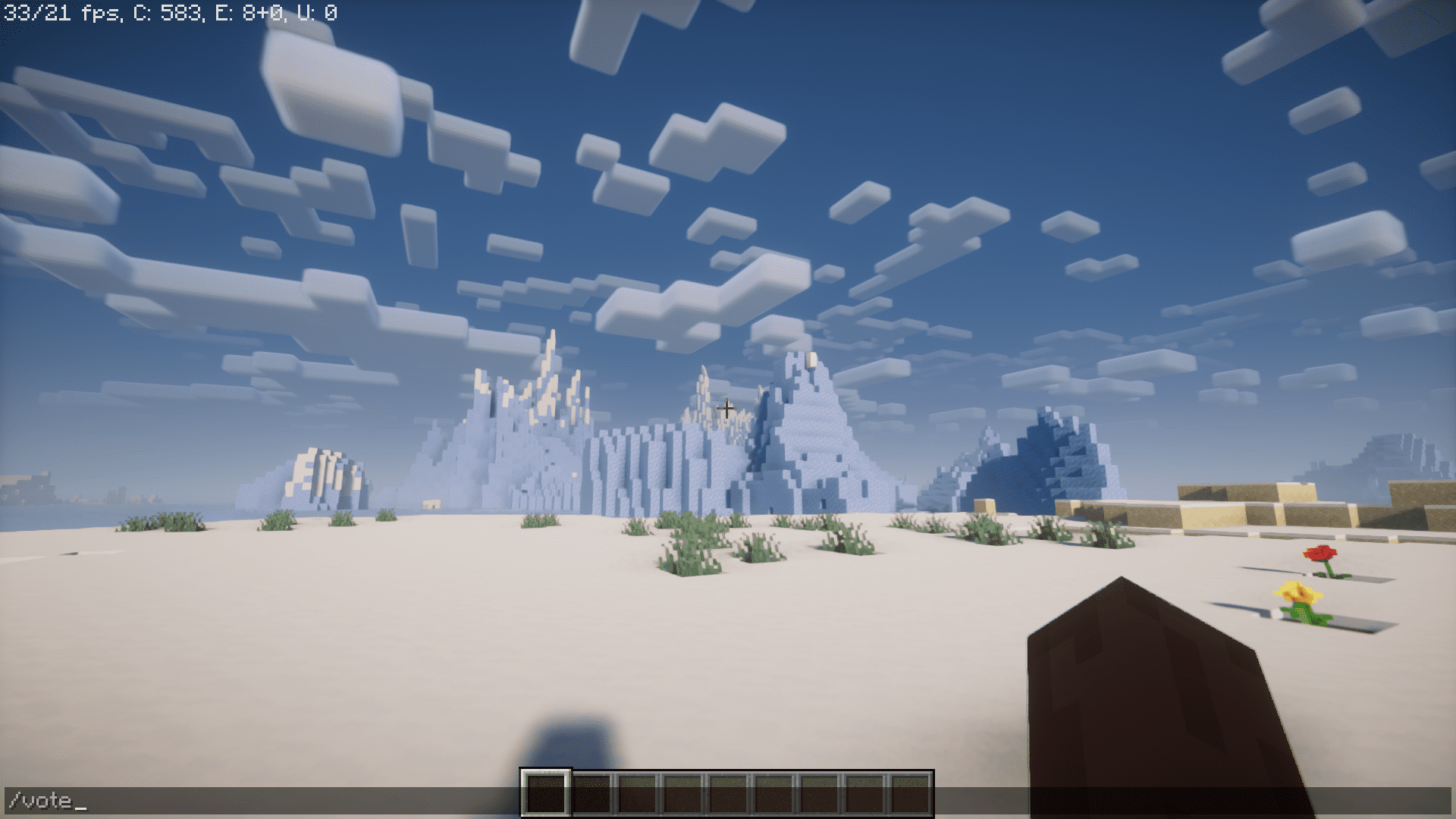
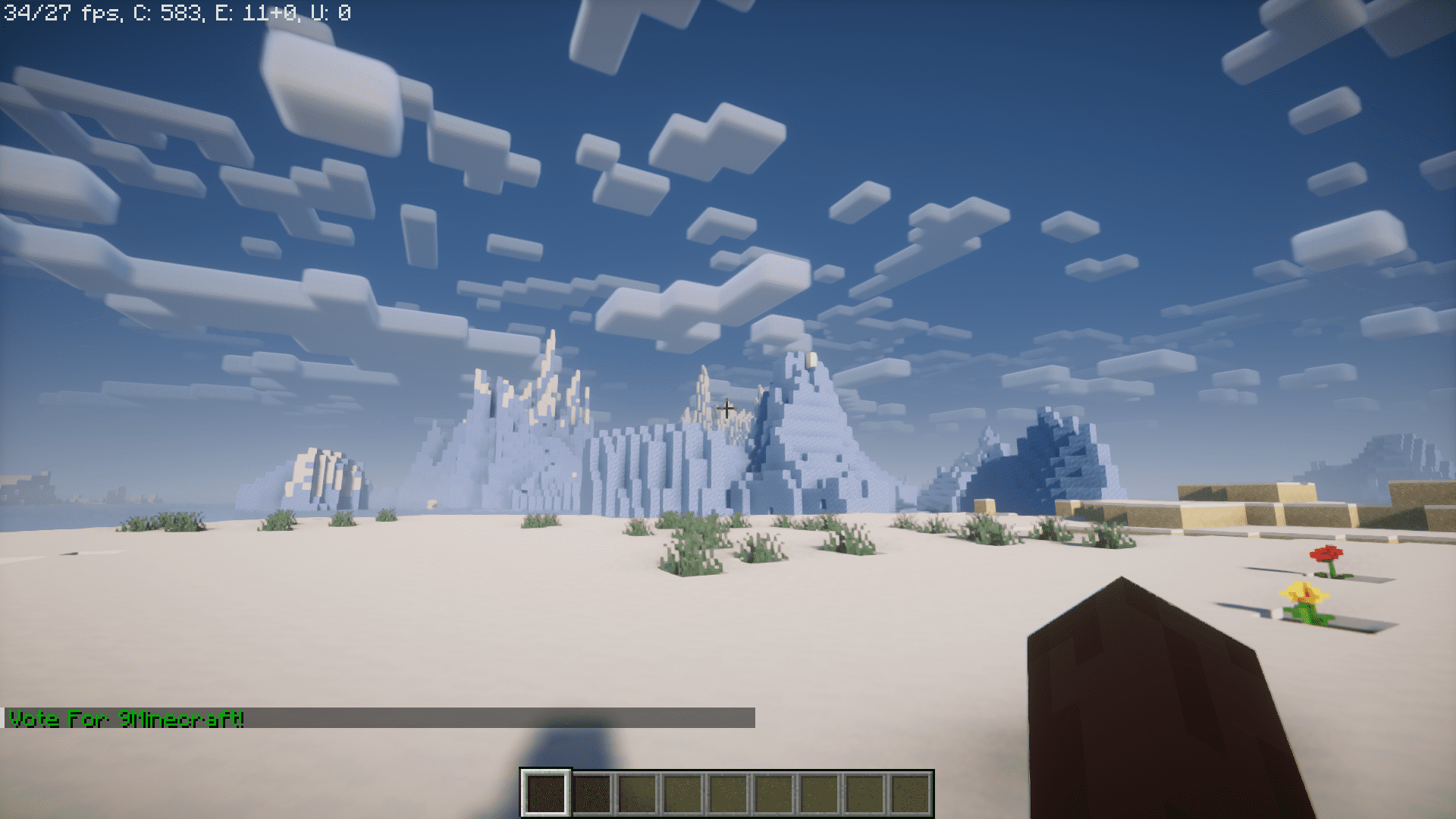
Using the command in-game.
The desired result is shown.
How to Install:
New to Minecraft? Follow our step-by-step guide to install Mods on your PC.View Guide
Requirements:






Vote Command Mod Download Links
For Minecraft 26.3
For Minecraft 26.2
For Minecraft 26.1.2, 26.1.1, 26.1
For Minecraft
1.21.11,
1.21.10,
1.21.9
All Versions Covered
1.21.11
1.21.10
1.21.9
1.21.8
1.21.7
1.21.6
1.21.5
1.21.4
1.21.1
1.21
All Versions Covered
1.21.11
1.21.10
1.21.9
1.21.8
1.21.7
1.21.6
1.21.5
1.21.4
1.21.1
1.21
For Minecraft 1.21.10, 1.21.9
For Minecraft 1.21.8, 1.21.7, 1.21.6
For Minecraft 1.21.5
For Minecraft 1.21.4
For Minecraft 1.21.3, 1.21.2
For Minecraft 1.21.1, 1.21
For Minecraft 1.20.6
For Minecraft 1.20.4
For Minecraft 1.20.2
For Minecraft 1.20.1, 1.20
For Minecraft 1.19.2
For Minecraft 1.18.2
For Minecraft 1.16.5
For Minecraft 1.12.2
Click to rate this post!
[Total: 0 Average: 0]
You May Also Like
Picked for this page
 Tree Harvester Mod (26.3, 1.20.1) – Auto-Planting Tree Chopper
 Jade Mod (26.3, 1.20.1) – Hwyla/WAILA Fork
 JourneyMap Integration Mod (26.1, 1.20.1) – JourneyMap More Useful
 Auth Me Mod (26.3, 1.20.1) – Re-login Inside The Game
 Ctrl Q Mod (26.1, 1.20.1) – Take Control Of Your Inventory
 Skin Overrides Mod (26.3, 1.20.1) – Instantly Change Skins and Capes on Screen
 Entity View Distance Mod (26.3, 1.20.1) – Control How Far Away You Can See Entities
 Reimagined Intro Mod (26.3, 1.20.1) – Animation When Loading Logo
 XXL Packets Mod (26.3, 1.20.1) – Raising The Packet Size Limit
 Audio Hotkeys Mod (26.3, 1.20.1) – Easily Tweak the Volume
 Erdemstandis Fullbright Mod (26.2, 1.20.1) – Mine Deep Underground Without Darkness
 Carpet Org Addition Mod (26.3, 1.20.1) – Modular Tweaks For Minecraft
Most viewed in Mods over the last 7 days
 Ala Industrial Mod (26.3) – Run Electric Power Grids and Automated Factories
 PleasureCraft Mod (26.3, 1.21.1) – Jenny Mod Remake for Fabric
 Jennycraft Mod (26.3, 1.20.1) – Virtual Girlfriend in Minecraft
 Fapcraft Mod (26.3, 1.12.2) – Comprehensive and Detailed Content
 Jenny Mod (Fapcraft) Official Complete Guide – How to use, Tutorial
 BangCraft Mod (1.20.1) – Jenny, Ellie and Elliot
 Fabric Loader (26.3, 1.20.1) – Fabric Installer for All Minecraft Versions
 Meteor Client Mod (26.3, 1.20.1) – Xray, HUD, Fly
 The Shooting Star Demo Mod (26.3, 1.20.1) – Vaporize Terrain From Orbit
 OptiFine HD (26.3, 1.20.1) – Run Faster, FPS Boost, Shaders Support
 Aristois Client Mod (1.21.4, 1.20.1) – World Class Minecraft Utility
 SchnurriTV Mod (1.12.2) – Characters and Features
More from Mods
 Ore Excavation 9minecraft Mod (26.3) – Mine Ores and Chop Trees in a Single Swing
 Dirigo Mod (26.1.2, 1.21.1) – Walk Across Nether Lava Seas and Automate Animal
 HandLib Mod (26.3, 1.21.1) – Keep Your Multiplayer World Stable
 Happy Ghasts Boost Mod (26.1.2, 1.20.1) – Fly Across Vast Distances at Top Speed
 LiquidBounce Client Mod (26.3, 1.20.1) – LiquidLauncher, A Free Client
 Create Hand Made Mod (1.21.1) – Craft Create Recipes By Hand in Your Workshop
 Seed Map for Xaero Mod (26.1) – See Rare Biomes and Dungeons Before You Travel
 MCPersist Mod (26.3) – Keep Your World Online for Friends Even After Logging Off
 Minecraft Java MCP Server Mod (1.21.11) – Command Your World Through External AI Tools
 Arcanism Mod (26.2) – Build Magic Factories and Program Custom Spells
 Archangel Client Mod (1.21.11) – Master Every PvP Duel with Clean Screen Stats
 Block Front Survival Patch Mod (1.21.1) – Wage Tactical Warfare in Survival

This post has no comments yet. Be the first — your comment will appear here.