
More Decorative Blocks Mod (26.3, 1.20.1) – Build Custom Structures
 4,444
 0


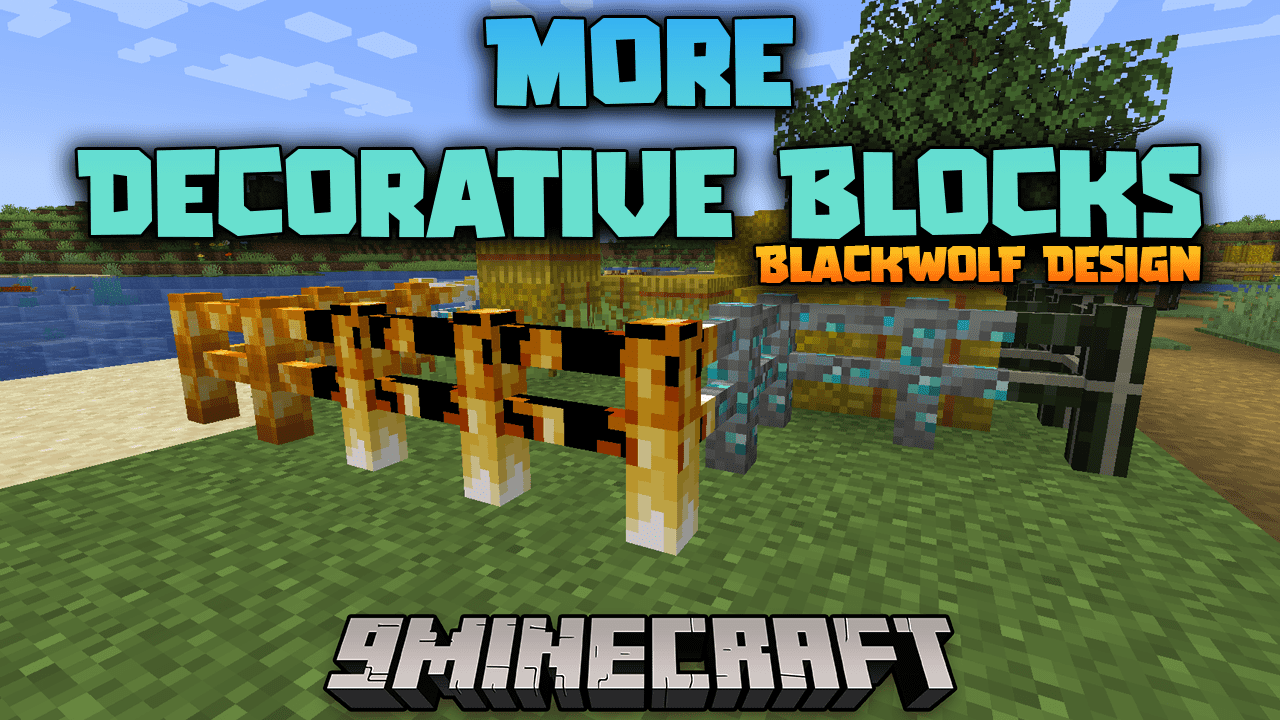
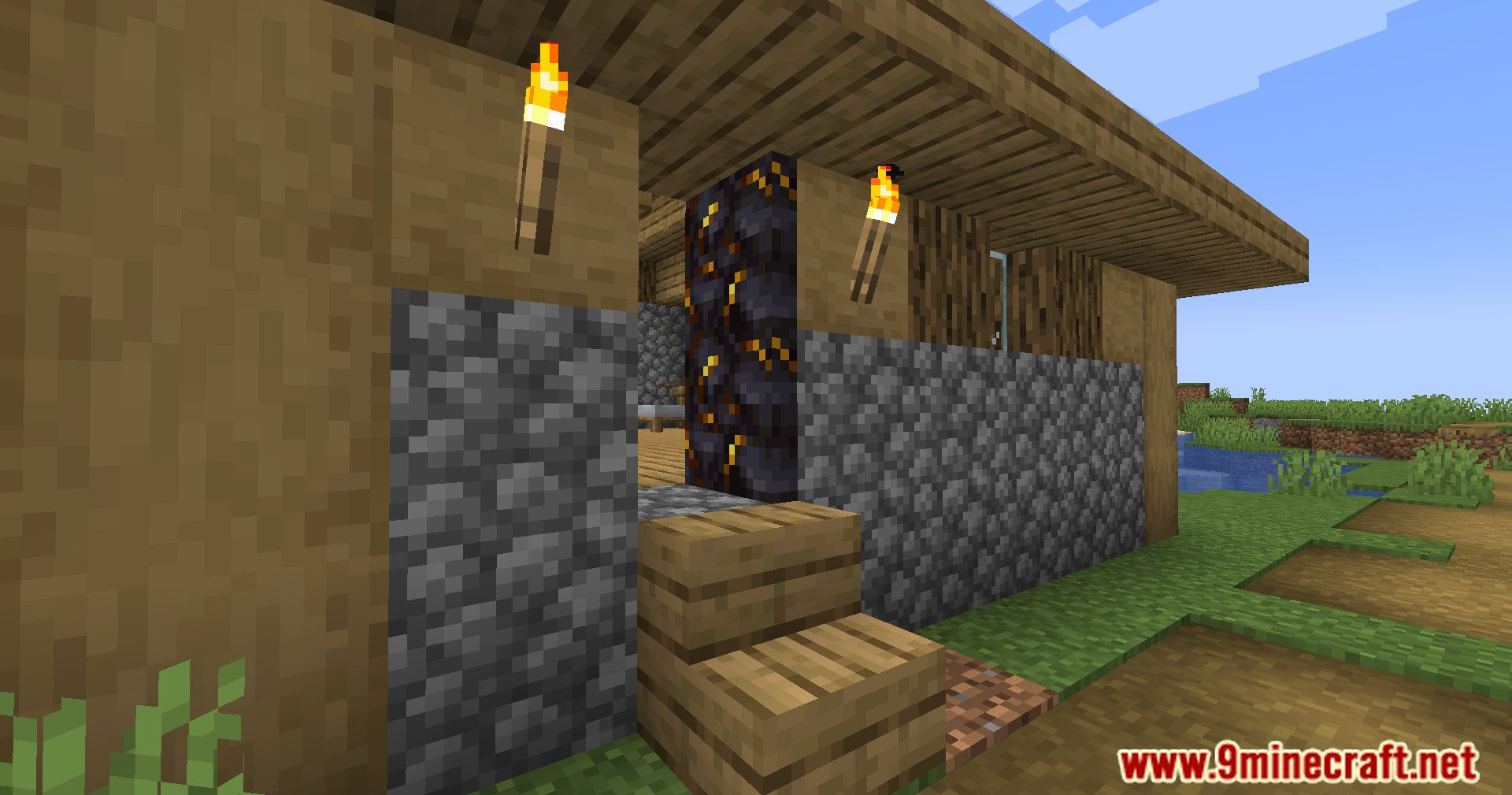
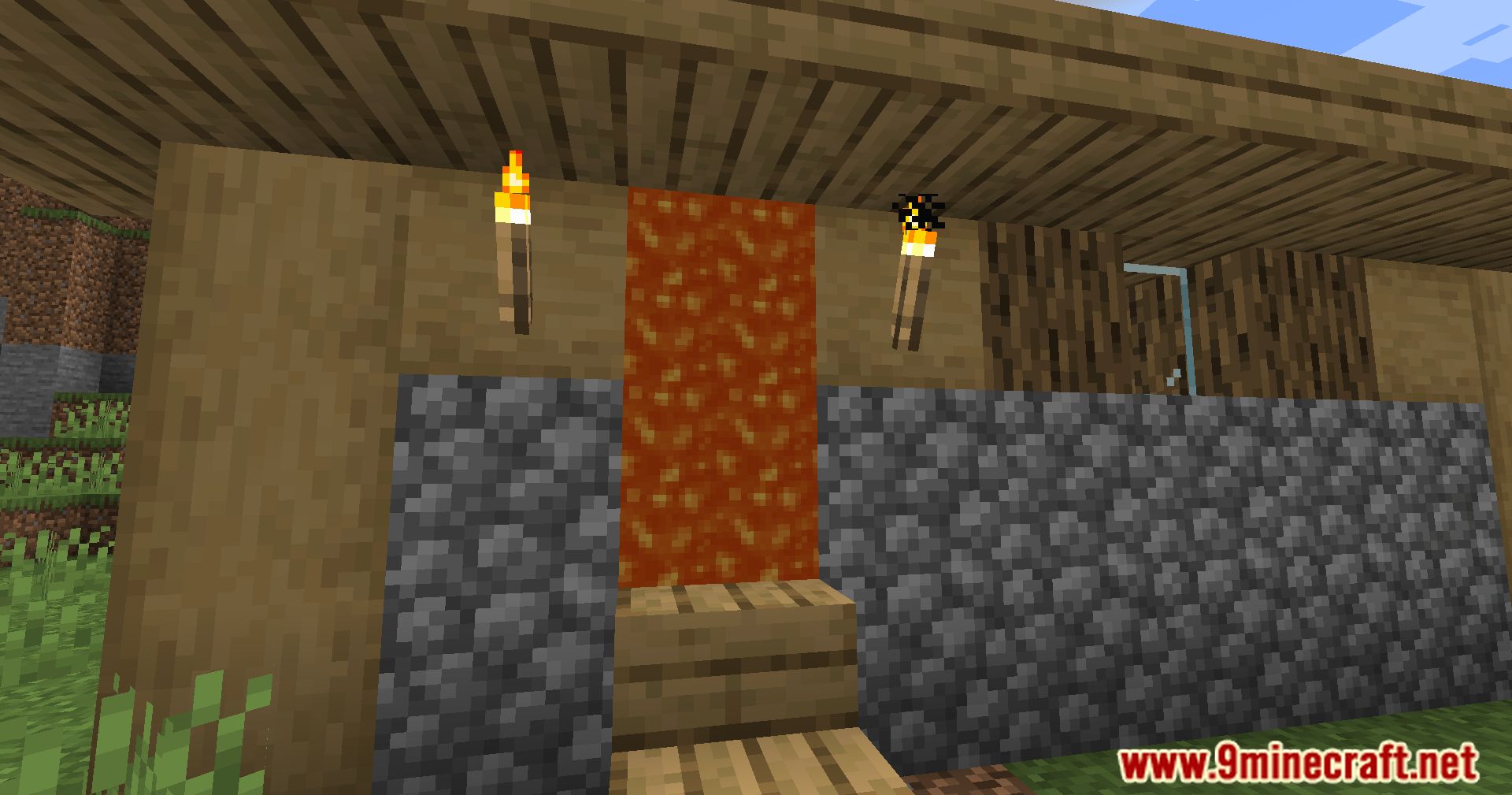
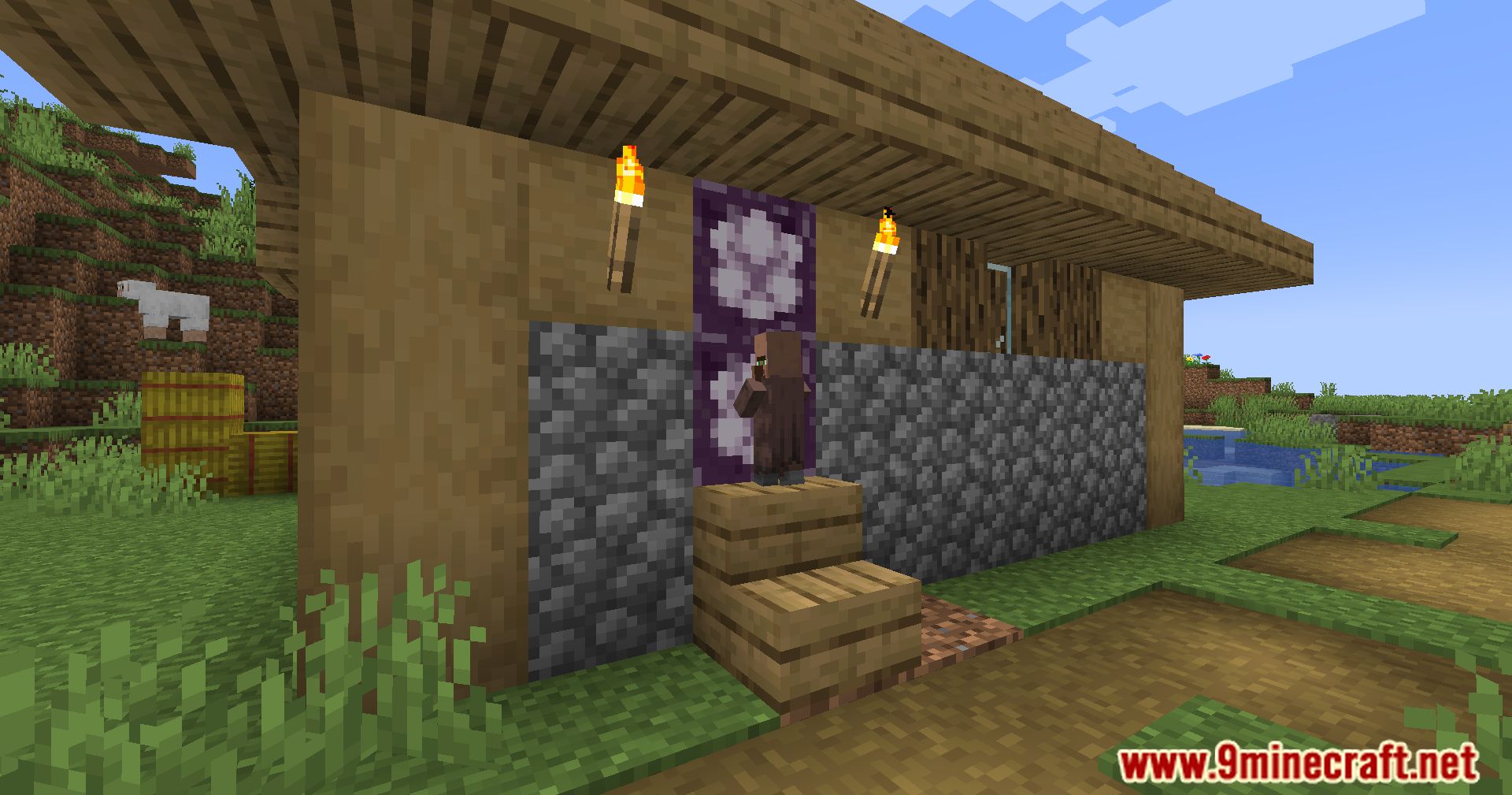
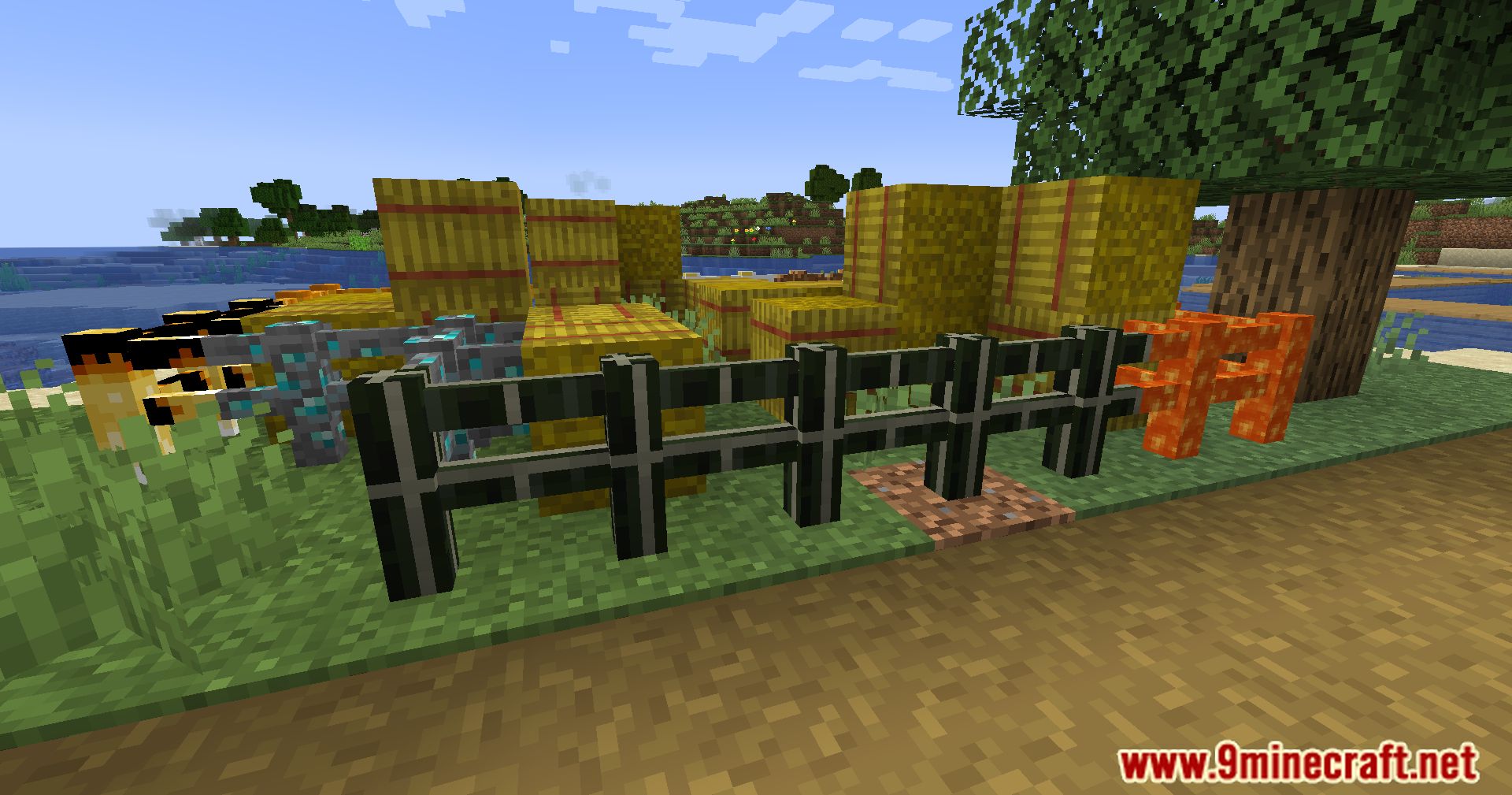
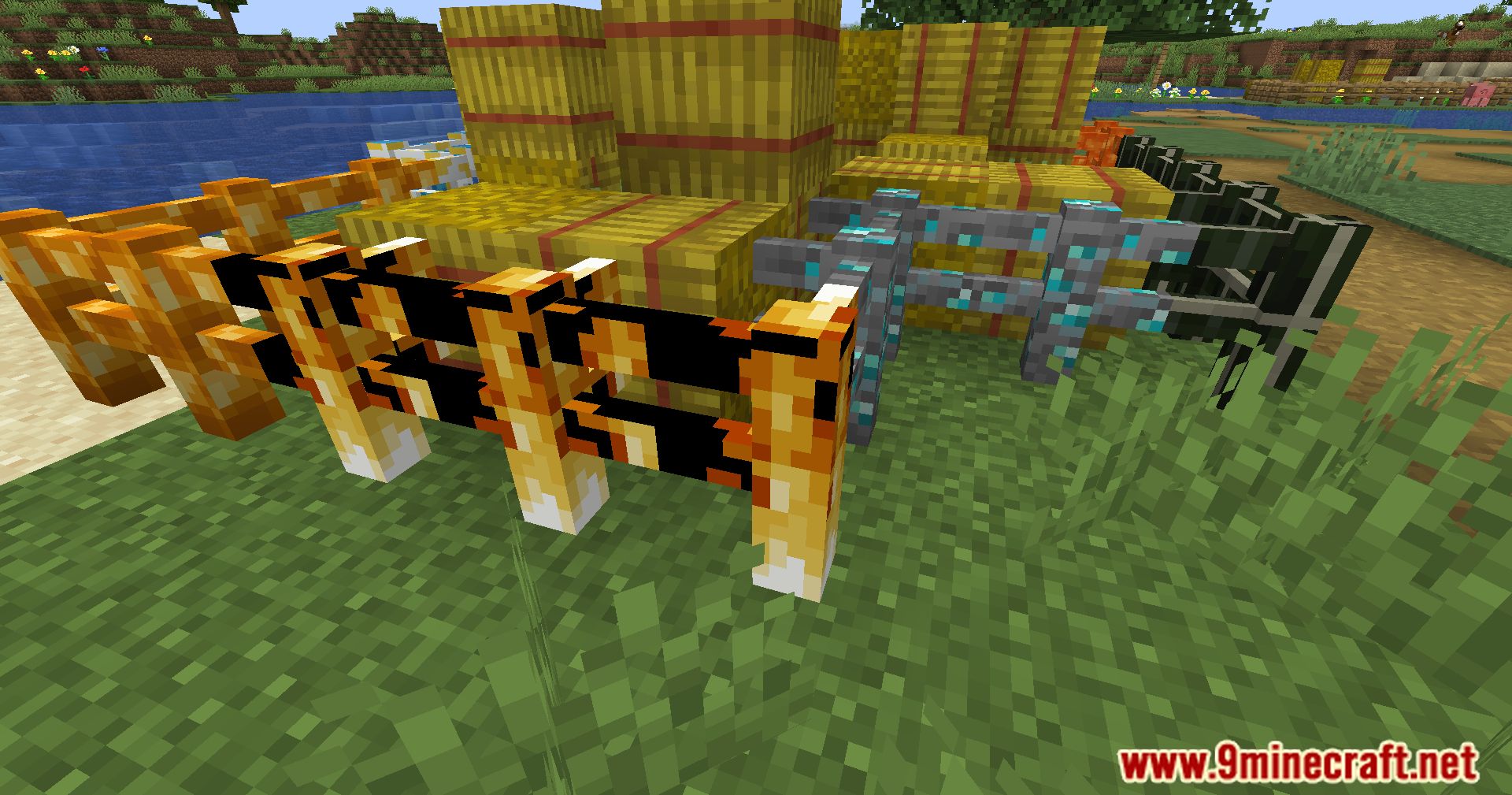
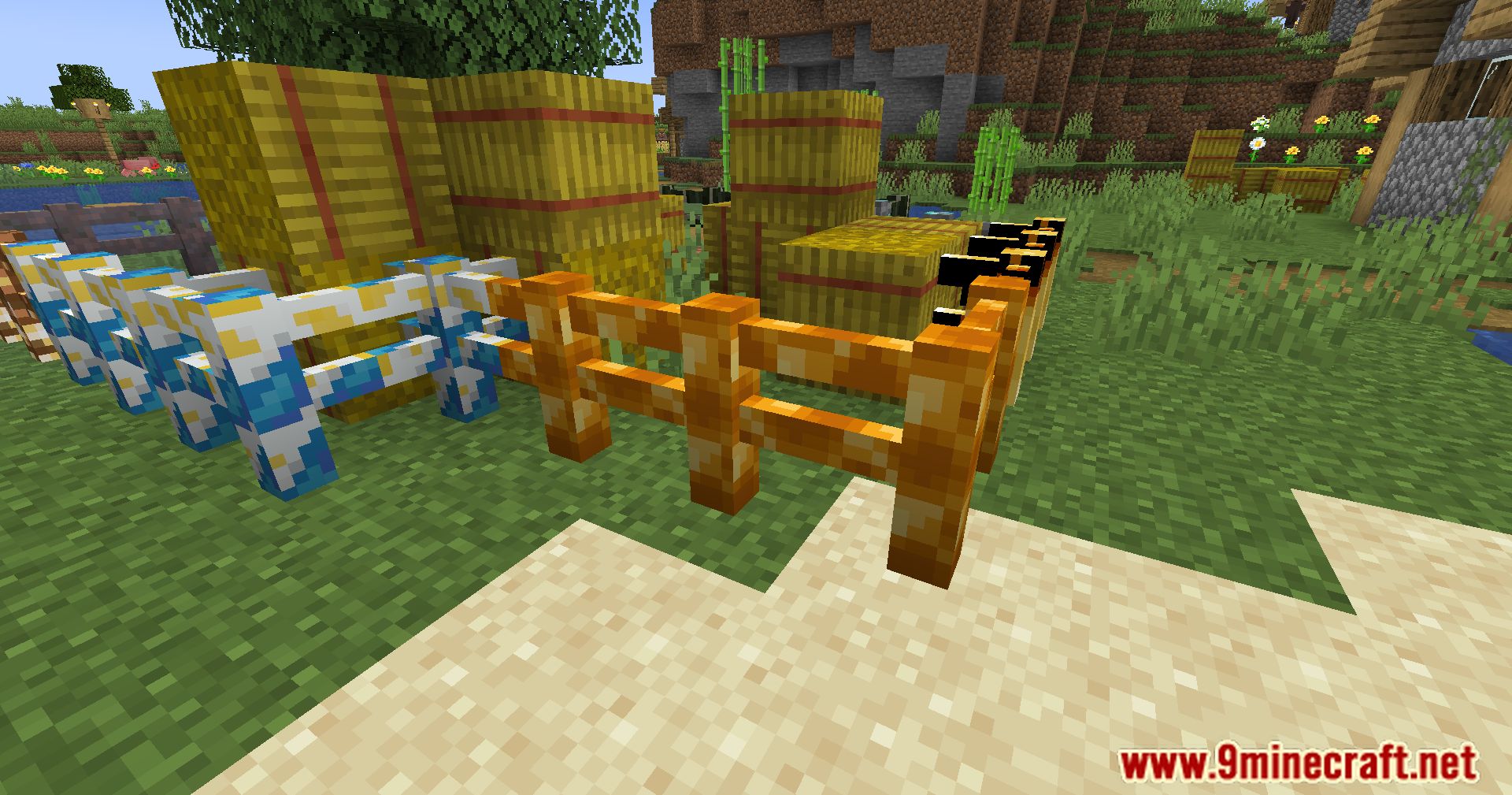
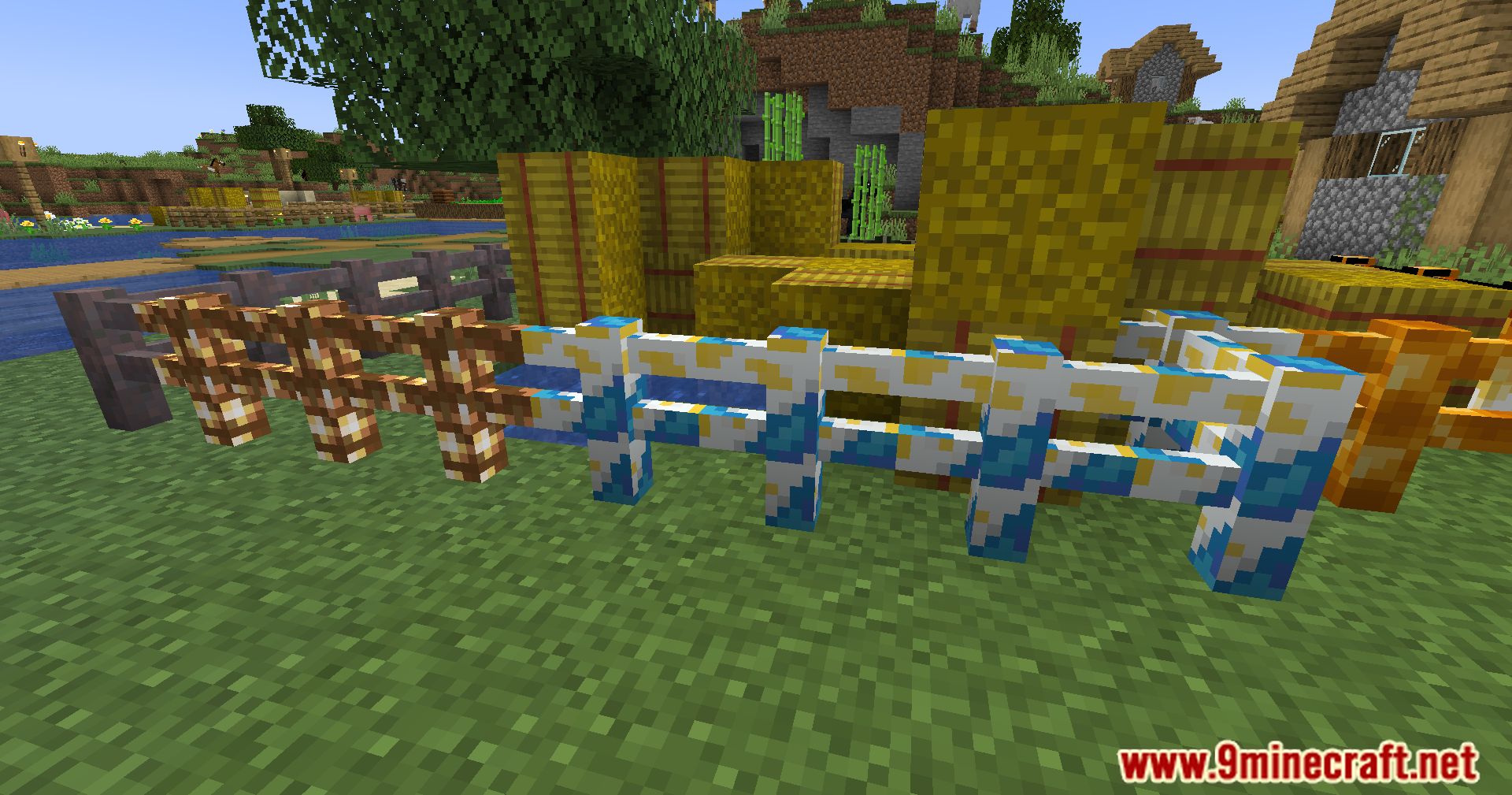
More Decorative Blocks Mod adds hundreds of new decorative blocks across many categories to the game. It extracts textures straight from standard vanilla Minecraft blocks so resource packs can override them easily. Players craft category-specific frames first and combine them with any block to build custom pieces. Certain custom blocks even emit light just like their standard game versions.
Features:
- Adds around 280 new blocks across multiple categories including buttons, carpets, doors, fences, gates, pressure plates, slabs, vertical slabs, stairs, trapdoors, and walls.
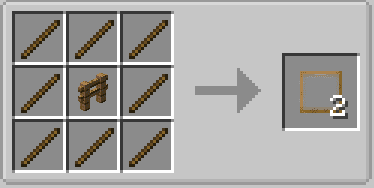
- Requires crafting a specific category frame before making custom decorative blocks.
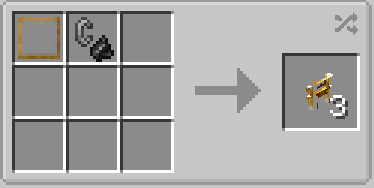
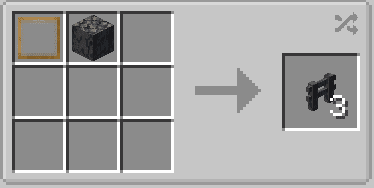
- Allows players to use any vanilla block inside the frame recipe to create unique designs.
- Extracts textures from standard blocks to keep full compatibility with all resource packs.
- Includes light-emitting blocks that shine just like their vanilla counterparts.
How to Use:
- Make sure the required library is installed for the game to launch properly.
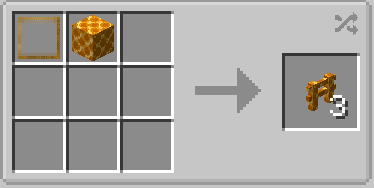
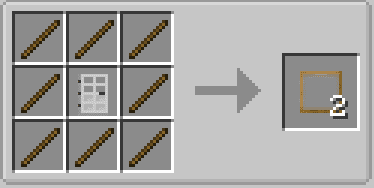
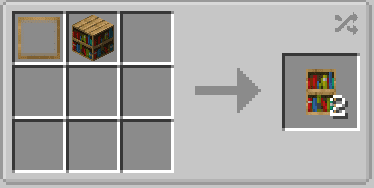
- Craft a specific frame using standard vanilla blocks from the category you want.
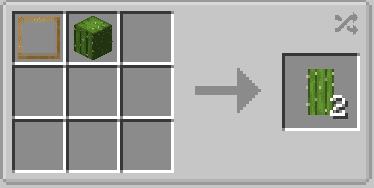
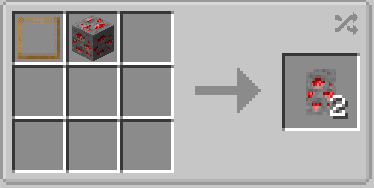
- Combine the frame with any block whose texture you want to use.
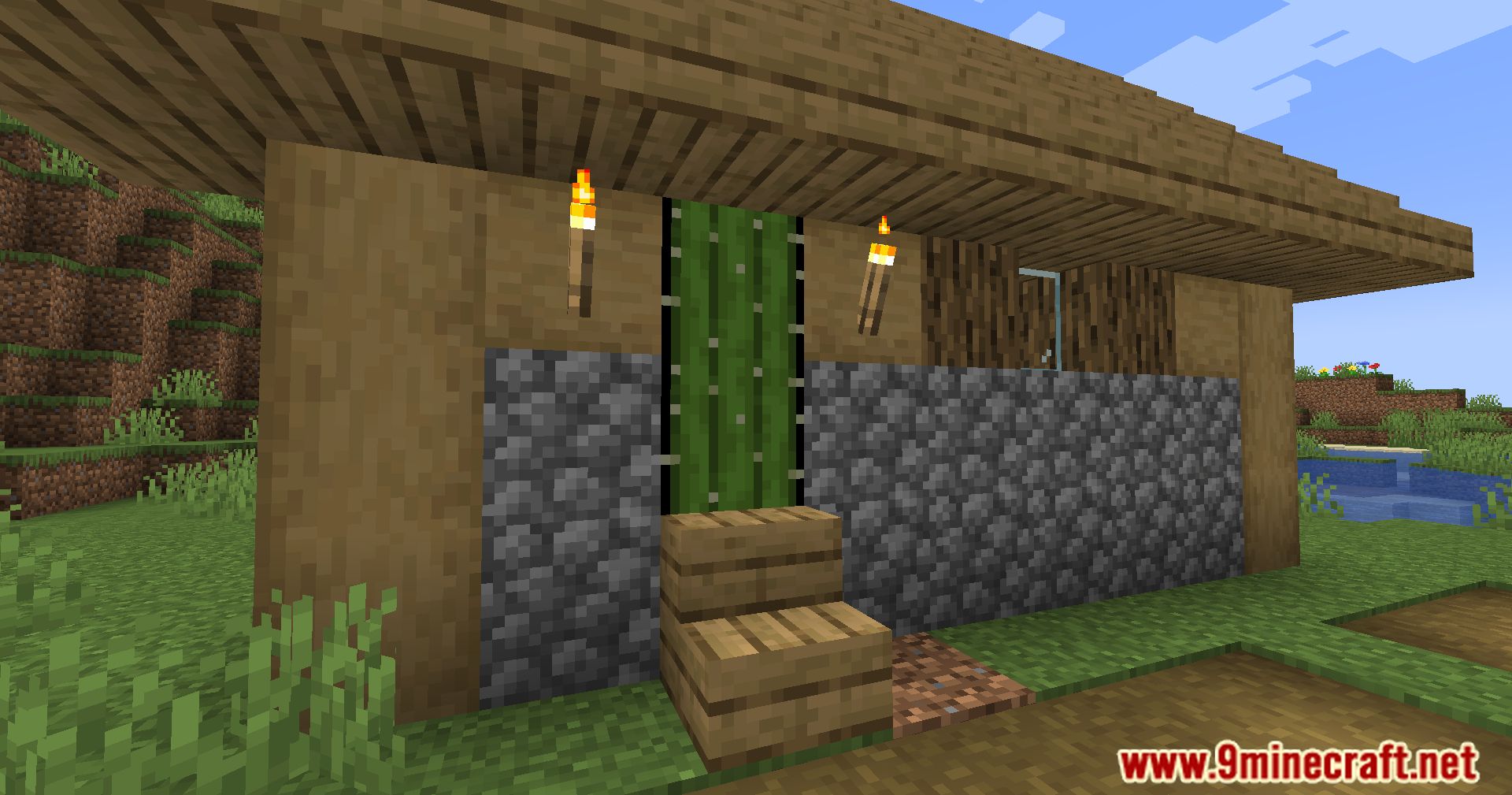
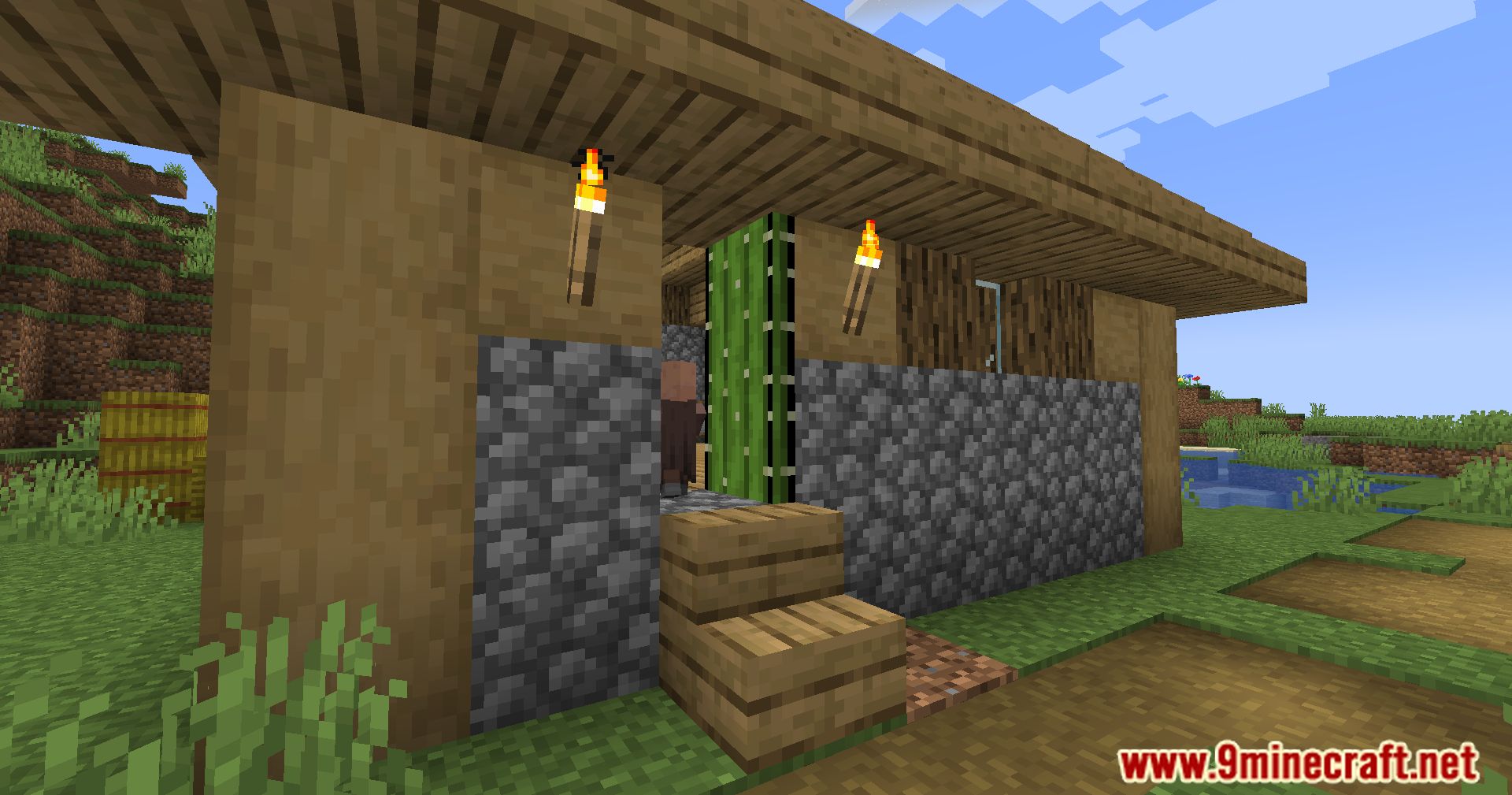
- Place your new decorative blocks anywhere in your world to build custom structures.
Crafting Recipes:
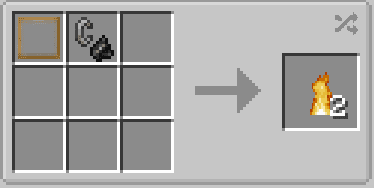
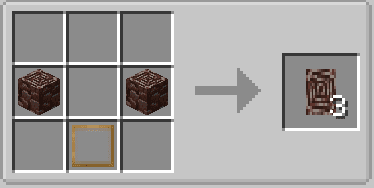
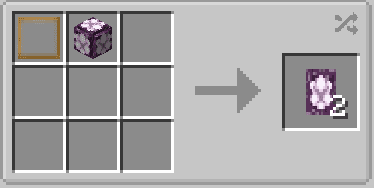
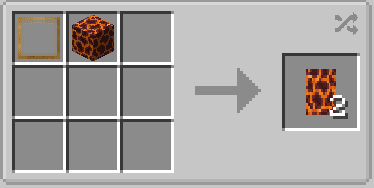
Screenshots:
How to Install:
New to Minecraft? Follow our step-by-step guide to install Mods on your PC.View Guide
Requirements:



More Decorative Blocks Mod Download Links
For Minecraft 26.3
For Minecraft 26.1.2, 26.1.1, 26.1
For Minecraft 1.21.11
For Minecraft 1.21.10, 1.21.9
For Minecraft 1.21.8, 1.21.7, 1.21.6
For Minecraft 1.21.5
For Minecraft 1.21.4
For Minecraft 1.21.3, 1.21.2
For Minecraft 1.21.1, 1.21
For Minecraft 1.20.4
For Minecraft 1.20.2
For Minecraft 1.20.1, 1.20
For Minecraft 1.20
For Minecraft 1.19.4
For Minecraft 1.19.3
For Minecraft 1.19.2
Click to rate this post!
[Total: 0 Average: 0]
QUICK MINECRAFT SURVEY · ONE TAP
Mods & Modpacks
Who do you usually play modded Minecraft with?
46 responses · See the full results →
You May Also Like
Picked for this page
 Bridging Mod (26.3, 1.20.1) – Build Bridges Over the Void
 JCraft Eyes of Ender Mod (1.20.1, 1.19.2) – Stands and Abilities from JoJo’s Bizarre
 Structured Crafting Mod (26.3, 1.20.1) – Automatically Craft Stuff
 Scarecrow’s Territory Mod (26.3, 1.20.1) – Always-Active Spawners
 Chat Heads Mod (26.3, 1.20.1) – See Who are You Chatting With
 Easy Diamond Mod (26.3, 1.20.1) – Easy Way to Craft Diamonds
 Horse Statistics Mod (26.3, 1.20.1) – Attribute Display, Taming Assistance
 Modular Force Fields Systems Mod (1.21.11, 1.20.1) – MFFS, Protect Your Base
 GuideME Mod (26.3, 1.20.1) – In Game Mod Guides
 Modflared Mod (26.3, 1.20.1) – Automatically Connect
 Adaptive View Mod (26.3, 1.20.1) – Smarter Server Performance
 Current Game Music Track Mod (26.3, 1.20.1) – Identify In-Game Music
Most viewed in Mods over the last 7 days
 Ala Industrial Mod (26.3) – Run Electric Power Grids and Automated Factories
 PleasureCraft Mod (26.3, 1.21.1) – Jenny Mod Remake for Fabric
 Jennycraft Mod (26.3, 1.20.1) – Virtual Girlfriend in Minecraft
 Fapcraft Mod (26.3, 1.12.2) – Comprehensive and Detailed Content
 Jenny Mod (Fapcraft) Official Complete Guide – How to use, Tutorial
 BangCraft Mod (1.20.1) – Jenny, Ellie and Elliot
 Fabric Loader (26.3, 1.20.1) – Fabric Installer for All Minecraft Versions
 Meteor Client Mod (26.3, 1.20.1) – Xray, HUD, Fly
 The Shooting Star Demo Mod (26.3, 1.20.1) – Vaporize Terrain From Orbit
 OptiFine HD (26.3, 1.20.1) – Run Faster, FPS Boost, Shaders Support
 Aristois Client Mod (1.21.4, 1.20.1) – World Class Minecraft Utility
 Prestige Client Mod (1.21.11, 1.21.4) – Powerful Ghost Features for Crystal & Sword PvP
More from Mods
 Shield System Mod (1.21.1) – Tank Heavy Monster Hits Without Losing Hearts
 Shin’s Tensura Race Models Mod (1.19.2) – Play As Unique 3D Anime Race
 Offgrid Mod (26.3, 1.20.1) – Furnish Compact Interiors Without Strict Grid
 Tempest Almanac Iron’s Spells ‘n Spellbooks Mod (1.21.1, 1.20.1)
 Chat Guides Mod (26.3, 1.21.11) – Never Memorize Complex Server Commands Again
 TRMT Reimagined the Roads More Travelled Mod (26.3, 1.20.1)
 Morrowless Mod (1.21.1) – Defend Your Shelter From Nightmare Creatures
 THE SLOPSTROSITY Mod (1.21.1) – Battle a Ridiculous Slime Boss
 Decoween Mod (1.21.1, 1.20.1) – Transform Ordinary Survival Bases
 Simply Light 9minecraft Mod (26.3) – Decorate Builds Without Torches
 Alex’s Caves Continued Mod (26.3, 1.20.1) – Conquer Six Massive Underground
 Anvil Uses Mod (26.3, 1.20.1) – Track Item Anvil Usage

This post has no comments yet. Be the first — your comment will appear here.