
HotbarCycle Mod (26.3, 1.20.1) – Swap Hotbar Items Instantly

 0


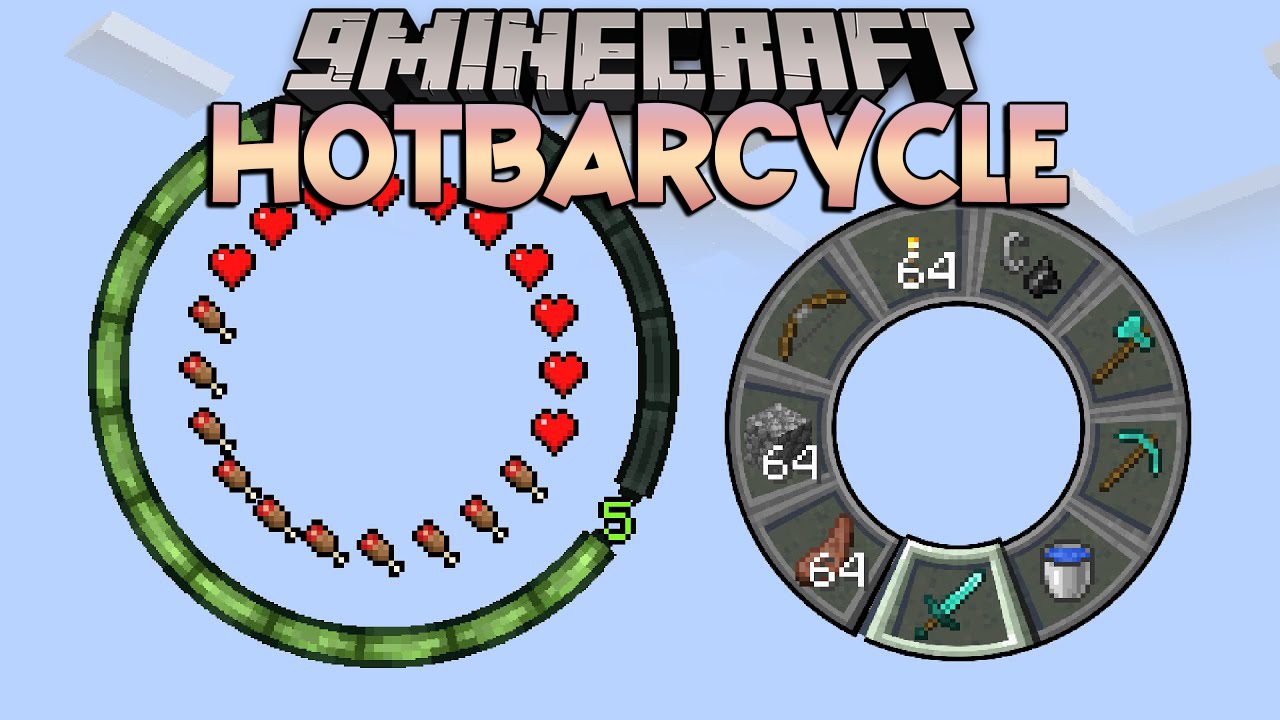
HotbarCycle Mod brings Stardew Valley-inspired hotbar swapping to the game, letting you navigate your inventory without opening it. It works entirely on the client side, meaning you can use it on any multiplayer server you join without requiring the server to have it installed.
Features:
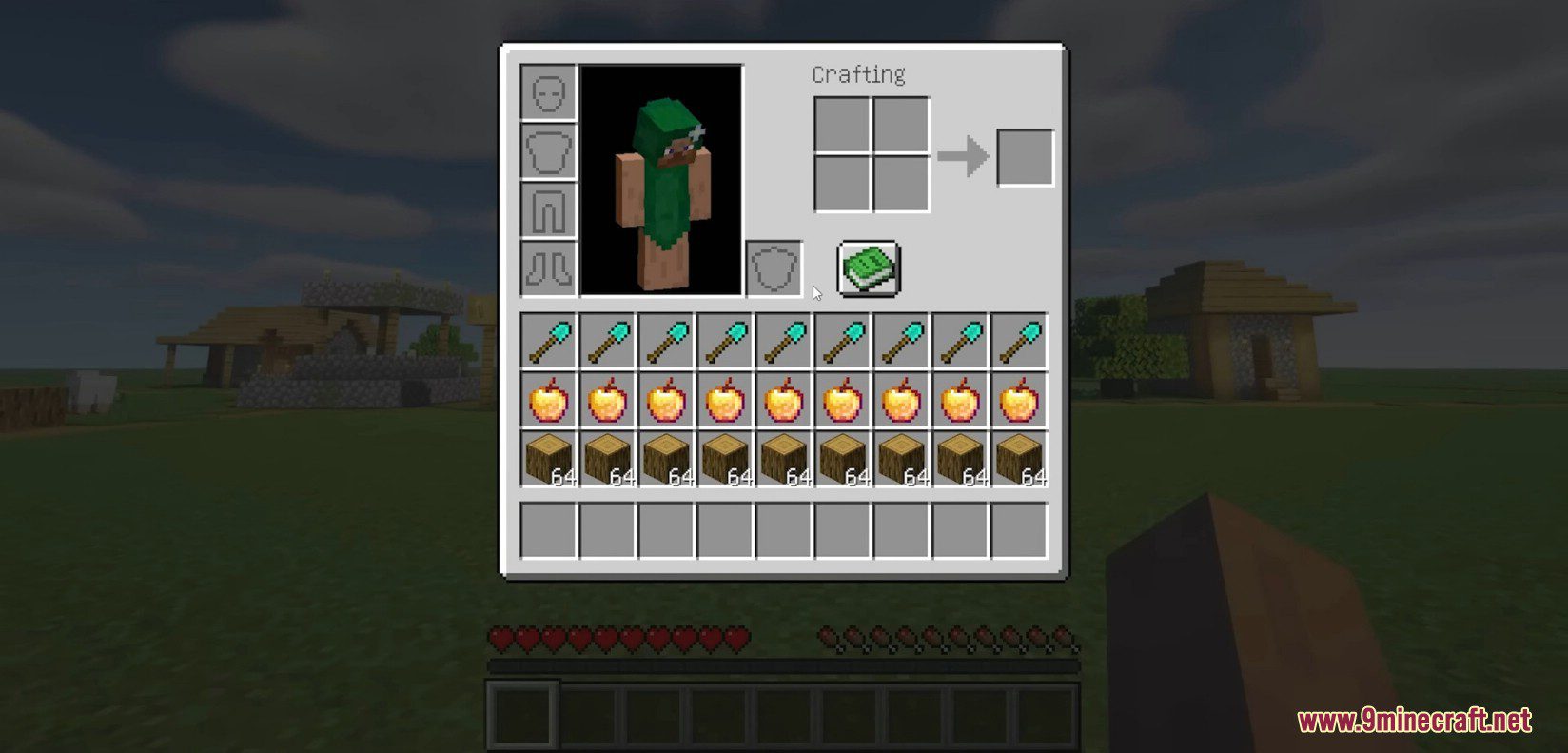
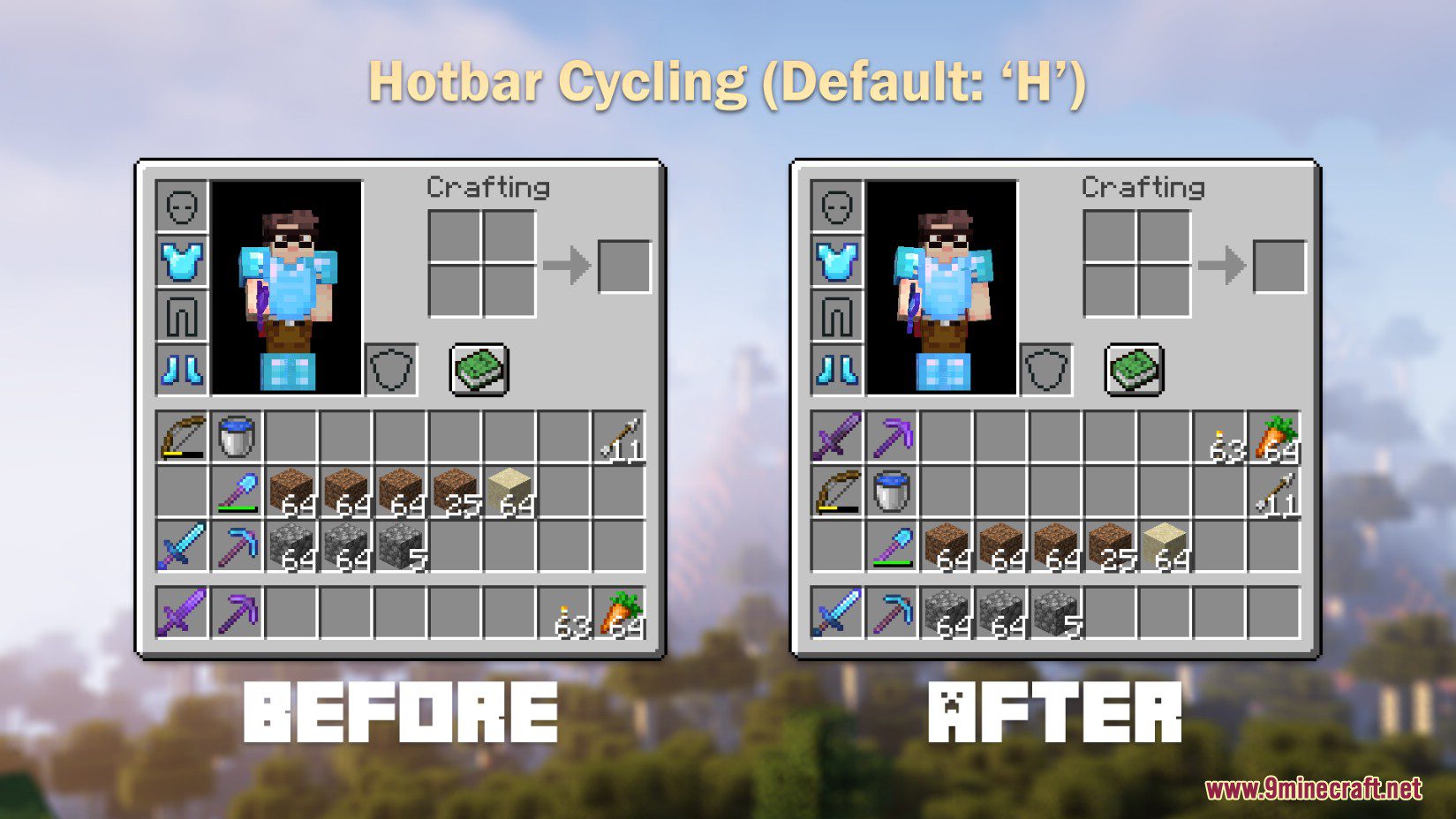
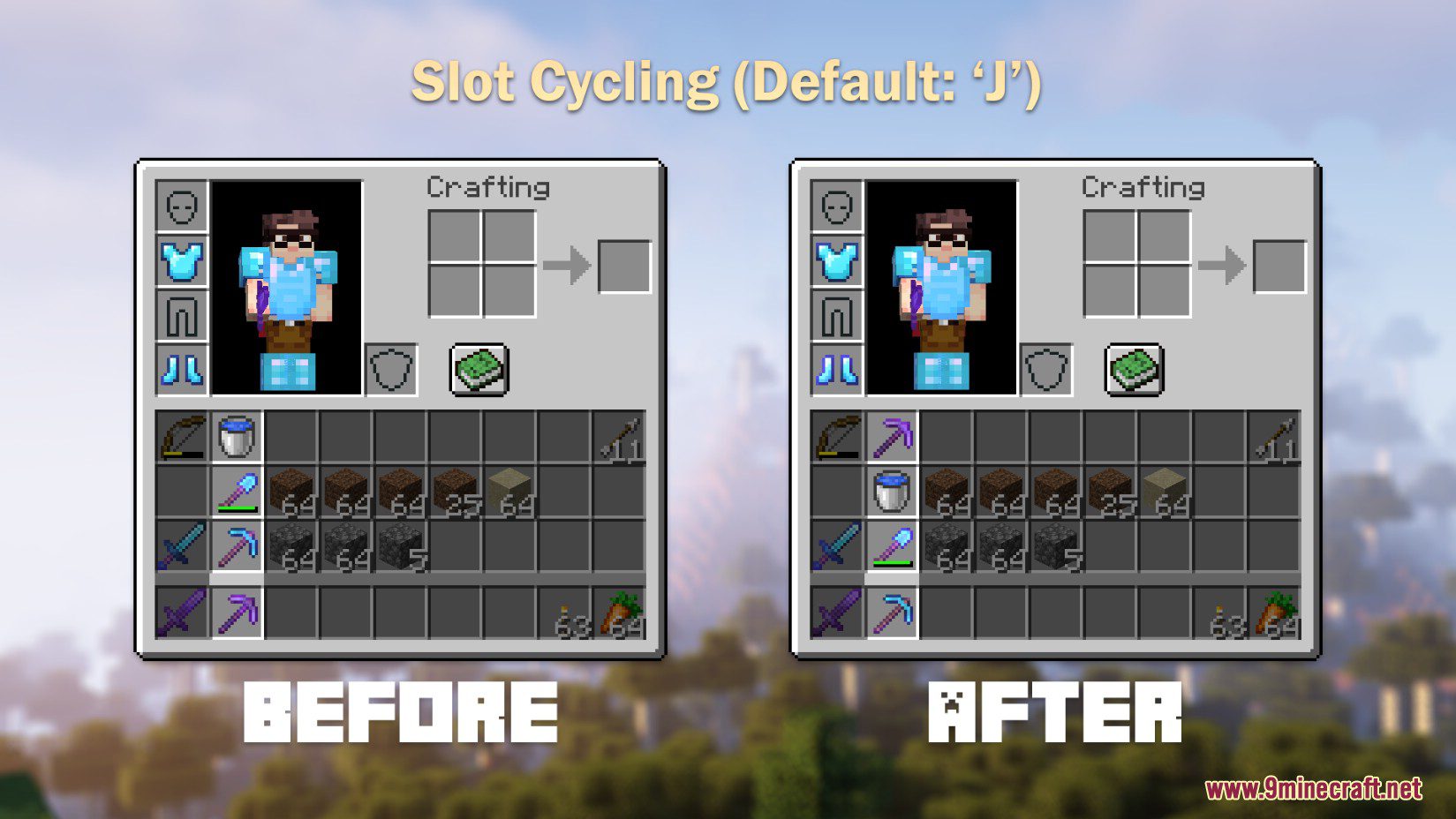
- Adds two new keybinds, including Swap Hotbar (default ‘H’) to shift all inventory rows downwards and Swap Slot (default ‘J’) to shift a single column of the selected hotbar slot downwards.
- Includes a Hold-and-Scroll mode that lets you hold the assigned button and use your mouse scroll-wheel to cycle through items quickly.
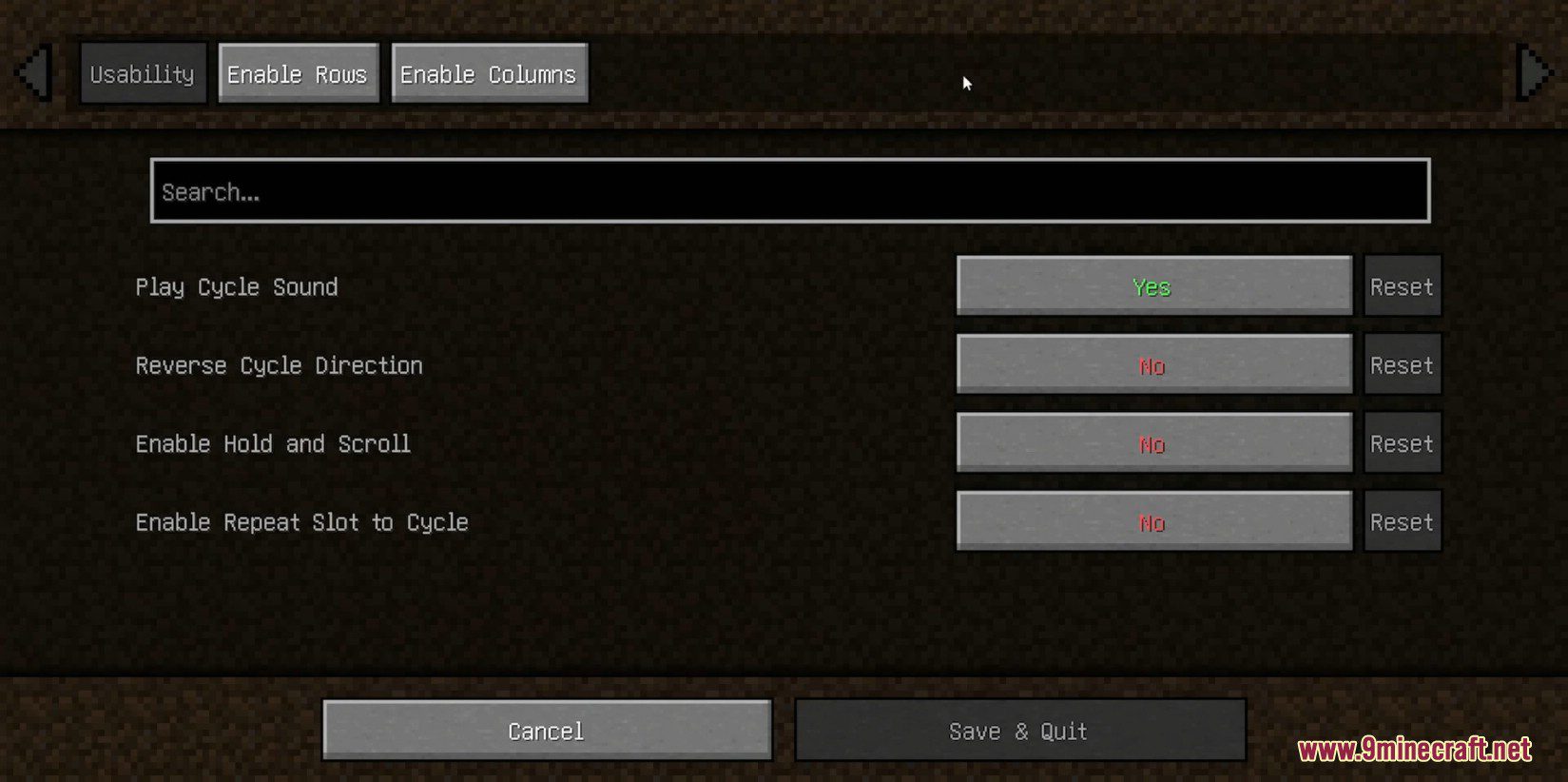
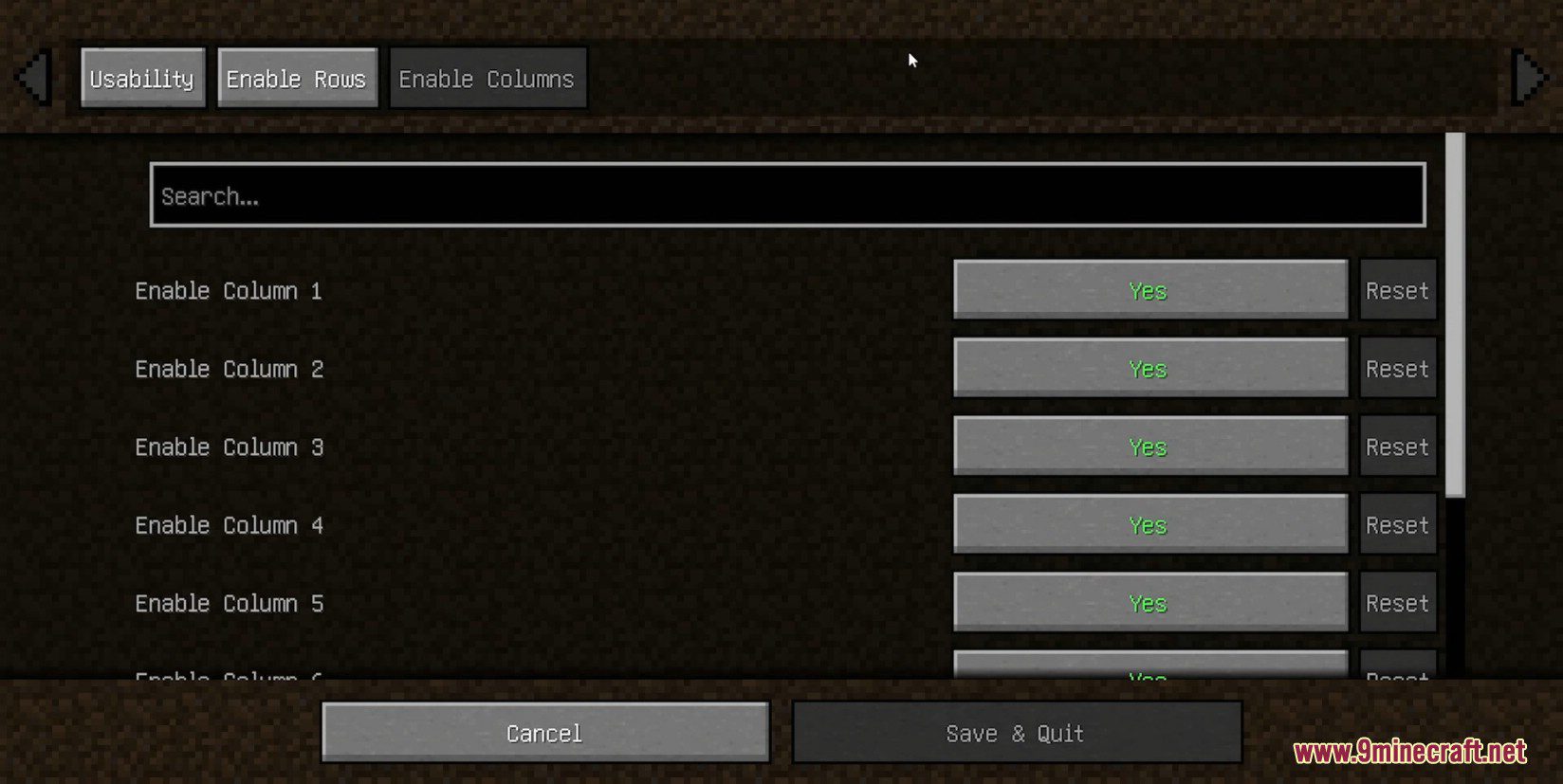
- Provides configuration options to reverse the cycle order, enable sound effects, and toggle individual rows or columns for cycling through settings menus.
How to Use:
- Press the H key to shift your inventory rows downwards and cycle through your stored items.
- Press the J key to shift a single column of your active hotbar slot.
- Hold the assigned button and spin your mouse scroll-wheel to cycle items using the Hold-and-Scroll mode.
Screenshots:
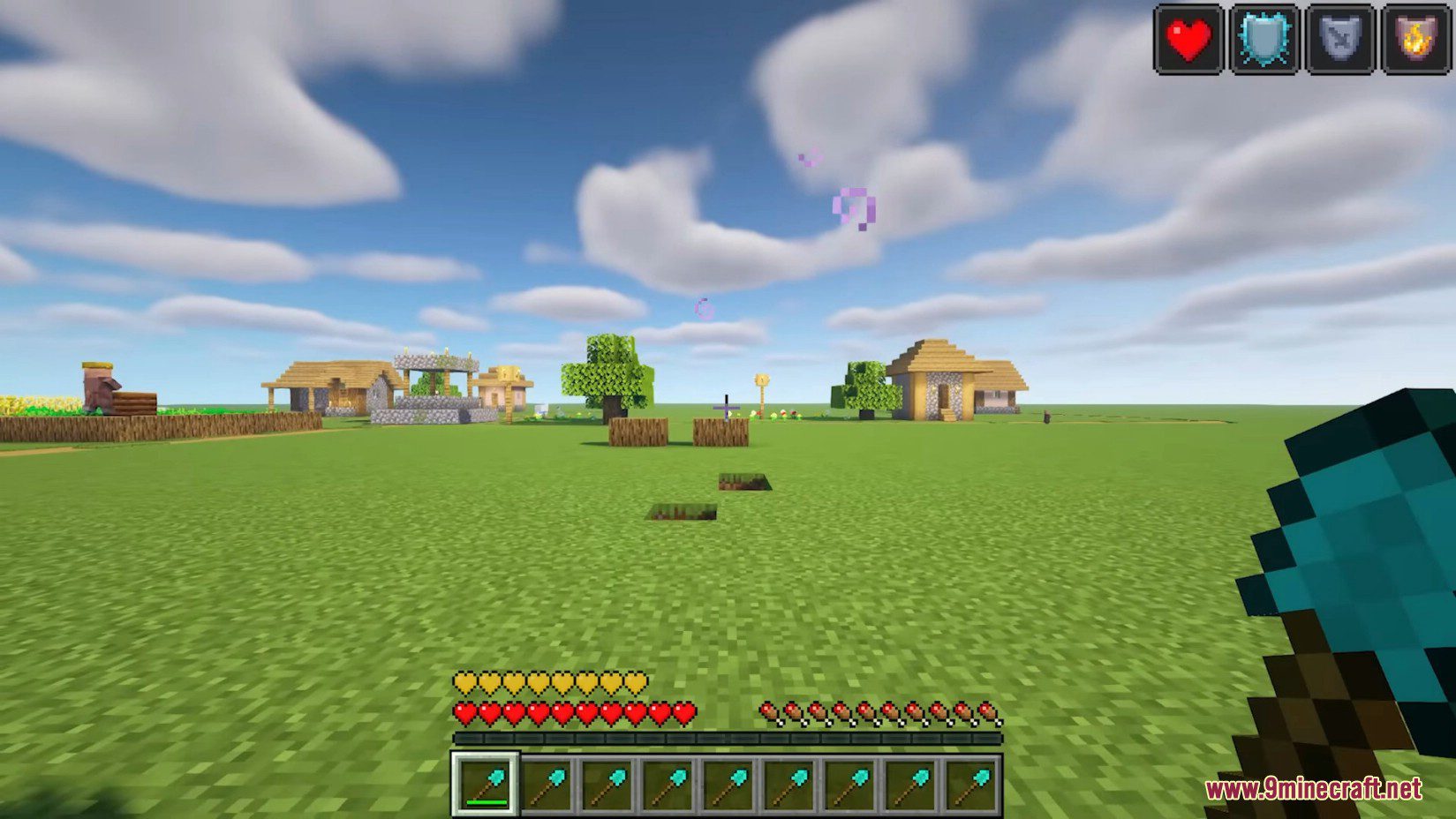
How to Install:
New to Minecraft? Follow our step-by-step guide to install Mods on your PC.View Guide
Requirements:

HotbarCycle Mod Download Links
For Minecraft 26.3
For Minecraft
26.2,
26.1.2,
26.1.1
All Versions Covered
26.2
26.1.2
26.1.1
26.1
All Versions Covered
26.2
26.1.2
26.1.1
26.1
For Minecraft
1.21.11,
1.21.10,
1.21.9
All Versions Covered
1.21.11
1.21.10
1.21.9
1.21.8
1.21.7
1.21.6
1.21.5
1.21.4
1.21.1
1.21
All Versions Covered
1.21.11
1.21.10
1.21.9
1.21.8
1.21.7
1.21.6
1.21.5
1.21.4
1.21.1
1.21
For Minecraft 1.20.1, 1.20
For Minecraft 1.19.4
For Minecraft 1.19.3
For Minecraft 1.19.2, 1.19.1, 1.19
For Minecraft 1.18.2, 1.18.1, 1.18
For Minecraft 1.18.1
Click to rate this post!
[Total: 0 Average: 0]
You May Also Like
Picked for this page
 Minecraft Comes Alive Reborn Mod (26.2, 1.20.1) – Start Your Own Little Family
 Stone Chest Mod (26.2, 1.20.1) – Stone Variations Vanilla Chests
 Pick Up Notifier Mod (26.3, 1.20.1) – Display for the Items Picked
 Better Biome Blend Mod (26.3, 1.20.1) – Improve Biome Color Blending
 Chunks Fade In Mod (26.3, 1.20.1) – Smooth Chunk Loading
 Reborn Core Mod (26.3, 1.20.1) – Library for Some Tech Mods
 Ocean Lily Pad Village Mod (26.3, 1.20.1) – Floating Ocean Settlements
 Discord-MC-Chat Mod (26.3, 1.20.1) – Discord Minecraft Integration
 Resource Pack Cached Mod (26.3, 1.20.1) – Log Back Into Servers Instantly
 Classic Farlands Mod (26.3, 1.21.1) – Bring Back the Famous Broken Terrain
 MaLiLib API Mod (26.3, 1.20.1) – Run Big Mod Option Menus Without Crashing
 Realm RPG Treasure Balloons Mod (1.21.8, 1.20.1) – Shoot Down Flying Loot Balloons
Most viewed in Mods over the last 7 days
 Ala Industrial Mod (26.3) – Run Electric Power Grids and Automated Factories
 PleasureCraft Mod (26.3, 1.21.1) – Jenny Mod Remake for Fabric
 Jennycraft Mod (26.3, 1.20.1) – Virtual Girlfriend in Minecraft
 Fapcraft Mod (26.3, 1.12.2) – Comprehensive and Detailed Content
 Jenny Mod (Fapcraft) Official Complete Guide – How to use, Tutorial
 BangCraft Mod (1.20.1) – Jenny, Ellie and Elliot
 Fabric Loader (26.3, 1.20.1) – Fabric Installer for All Minecraft Versions
 Meteor Client Mod (26.3, 1.20.1) – Xray, HUD, Fly
 The Shooting Star Demo Mod (26.3, 1.20.1) – Vaporize Terrain From Orbit
 OptiFine HD (26.3, 1.20.1) – Run Faster, FPS Boost, Shaders Support
 Aristois Client Mod (1.21.4, 1.20.1) – World Class Minecraft Utility
 Prestige Client Mod (1.21.11, 1.21.4) – Powerful Ghost Features for Crystal & Sword PvP
More from Mods
 Huge Structure Blocks Mod (26.3, 1.20.1) – Pushing Limits With Huge Structure Blocks Mod
 Rctapi Fix Mod (1.21.1) – Fight Cobblemon Trainers Without Any Server Crashes
 Better Title Screen Mod (26.3, 1.20.1) – Adding Custom Text Messages
 Log Cleaner Mod (26.3, 1.20.1) – Cleans Old and Unused Log Files
 Brick Variety Mod (26.3, 1.20.1) – More Brick Variants
 Fast Xp Mod (26.3, 1.21.1) – Faster XP Bottle Usage
 Cherry Villages Mot’s Structures Mod (26.3, 1.21.11) – Find Fresh Settlements
 XinexLib Mod (1.21.1) – Keep Your Ultreon Studios Mods Running
 Libvulpes – Fixed Mod (1.12.2) – Launch Rockets with Fewer Bugs
 Freelook Perspective Mod (26.3, 1.21.1) – Watch Your Back While Sprinting
 FAUNA Engine Mod (1.21.1, 1.20.1) – Powering Legendary Dragons
 Avali Nexus Mod (26.3) – Settle Frozen Frontiers with High-Tech Bird Tribes

This post has no comments yet. Be the first — your comment will appear here.