
Waila Features Mod (1.10.2, 1.7.10) – Find Matching Building Blocks Fast
 2,169
 0


Waila Features Mod extends WAILA with extra tooltip details and search filters for Not Enough Items (NEI). It lets you view mod credit info inside your inventory or right on the WAILA tooltip as you play. This mod also adds 18 color filters and 34 material filters so you can find blocks and items faster. You can turn on fuzzy mode to group similar colors together, or use debug mode to hide results from other filters. Every feature can be turned off in the config file, and you can set a custom prefix for both filters.

Features:
- Tooltip Info: Hold Shift while hovering over an item in your inventory or looking at a block with WAILA to see mod credit info.
- NEI Color Filter: Adds a color filter to Not Enough Items so you can search blocks and items by color.
- NEI Material Filter: Adds a material filter to Not Enough Items so you can search blocks by material type.
- Lets you turn off any feature on its own in the config file.
- Allows you to set a custom prefix for both the color filter and the material filter.
- Includes fuzzy mode to widen color searches so similar shades appear together in your results.
- Includes debug mode so NEI only shows items that match your active filter and hides results from other filters.
Supported NEI Colors:
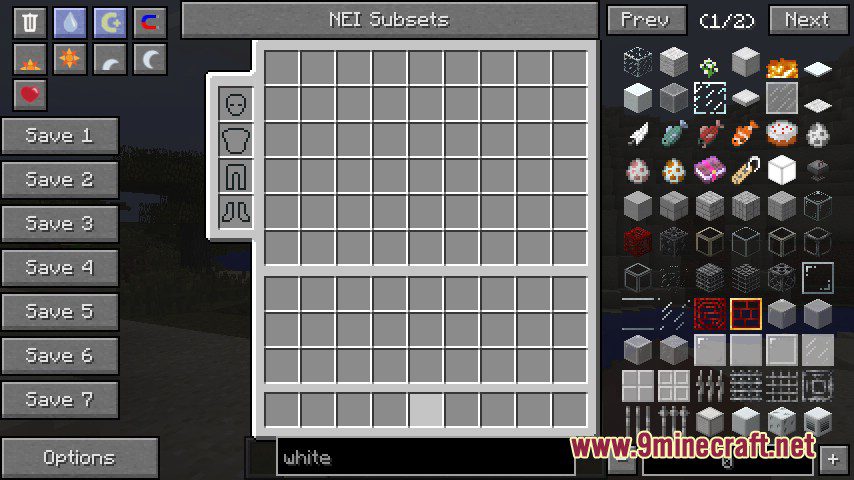
- White (also catches light grays in fuzzy mode)
- Black
- Green
- Lime (grouped under green in fuzzy mode)
- Red
- Maroon (grouped under red in fuzzy mode)
- Navy (grouped under blue in fuzzy mode)
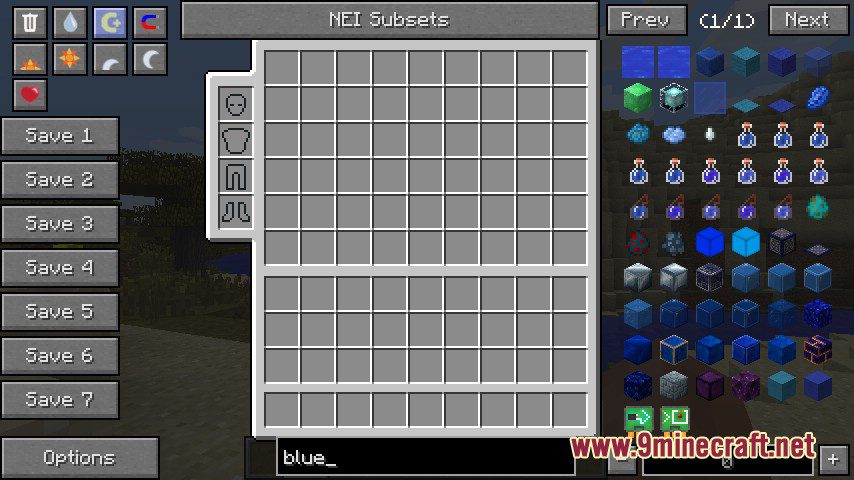
- Blue (includes navy and teal in fuzzy mode)
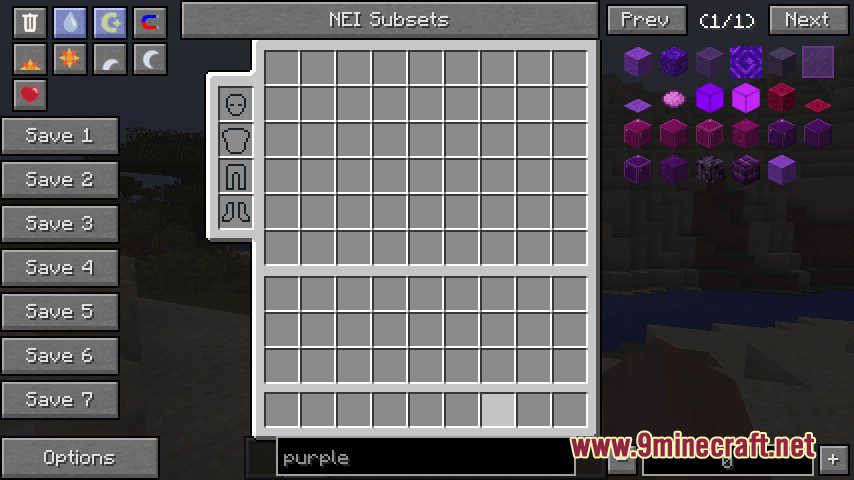
- Magenta (grouped under purple in fuzzy mode)
- Teal (grouped under blue in fuzzy mode)
- Orange
- Yellow
- Purple (includes magenta in fuzzy mode)
- Cyan
- Pink
- Brown
- Gray
- LightGray (grouped under gray in fuzzy mode)
Supported NEI Materials:
- Air
- Grass
- Ground
- Wood
- Rock
- Iron
- Anvil
- Water
- Lava
- Leaves
- Plants
- Vine
- Sponge
- Cloth
- Fire
- Sand
- Circuits
- Carpet
- Glass
- RedstoneLight
- Tnt
- Coral
- Ice
- PackedIce
- Snow
- CraftedSnow
- Cactus
- Clay
- Gourd
- DragonEgg
- Portal
- Cake
- Web
- Piston
How to Use:
- Hold Shift while looking at a block or hovering over an item in your inventory; mod credit info appears in the WAILA tooltip or item tooltip.
- Type one of the 18 supported color names (such as red, blue, or white) into the Not Enough Items (NEI) search bar to show blocks and items of that color.
- Type one of the 34 supported material names (such as wood, rock, or glass) into the NEI search bar to filter blocks by their material type.
- Open the config file to turn off any feature you do not want or to set a custom prefix for the color and material filters.
- Turn on fuzzy mode in the settings to match broader color groups together, or turn on debug mode so NEI only shows results from your active filter.
Screenshots:
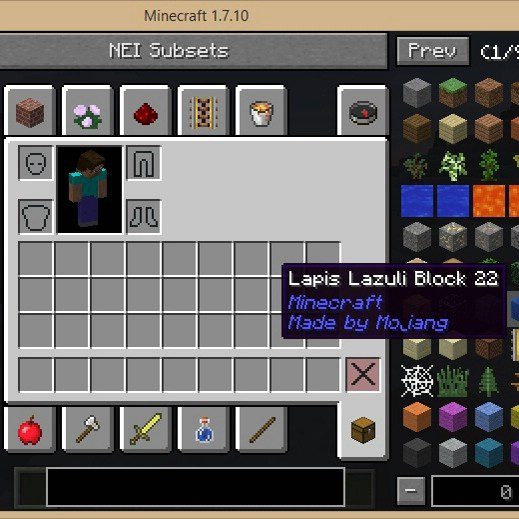
The settings used are fuzzy and debug mode. Debug means that NEI will only show the results fitting my filter so no results from other filters. Fuzzy mode makes it so that the colour has to be a bit less specific.
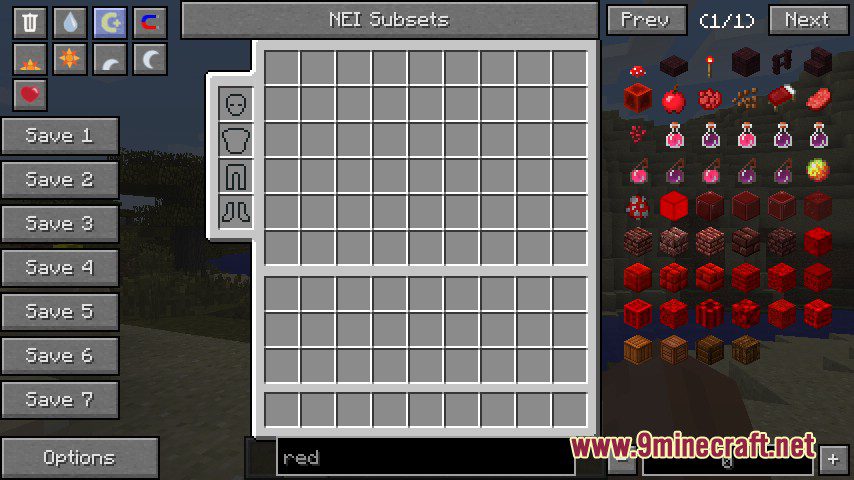
Same settings but using a more specific colour. Maroon is a subset of red when fuzzy is activated
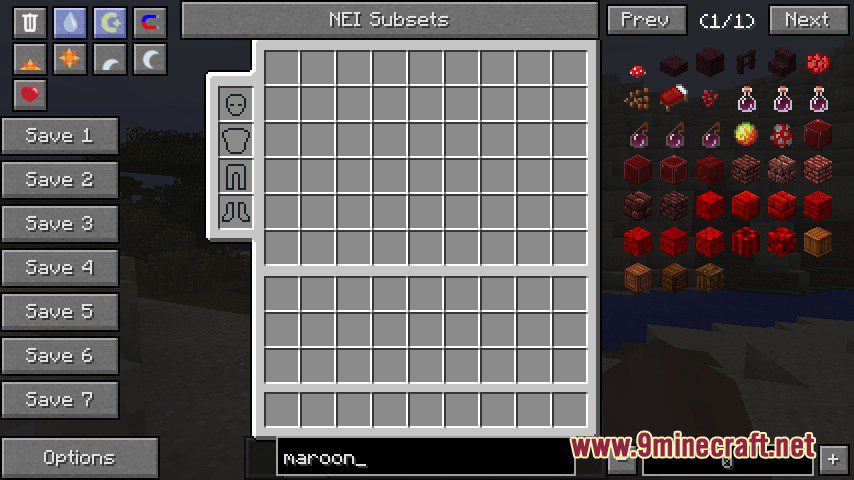
Also fuzzy so it will show magenta as well
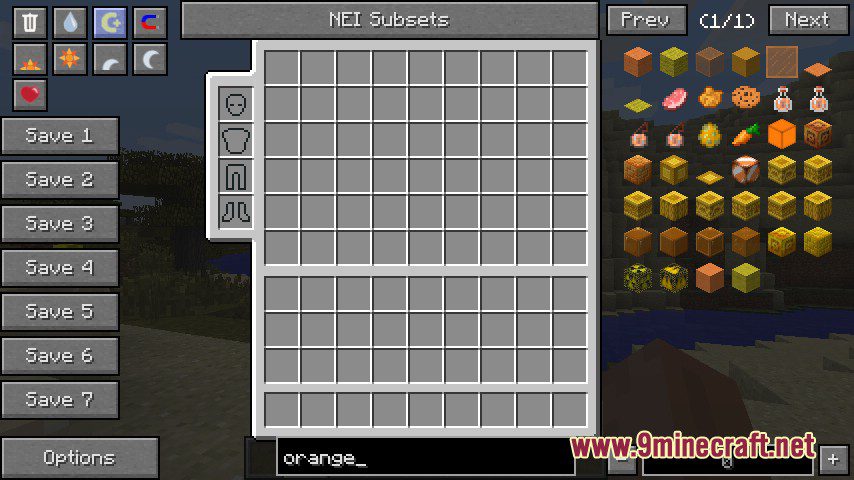
White seems to catch a lot of very light grays
Blue in fuzzy mode thus being a collection of navy, blue and teal. For some reason there are some green blocks in there (the emerald)
How to Install:
New to Minecraft? Follow our step-by-step guide to install Mods on your PC.View Guide
Waila Features Mod Download Links
For Minecraft 1.10.2
Forge version: Download from Server 1 – Download from Server 2
For Minecraft 1.9.4
Forge version: Download from Server 1
For Minecraft 1.7.10
Forge version: Download from Server 1 – Download from Server 2
Which item and recipe viewer mod do you prefer to have in your game?
22 responses · See the full results →
You May Also Like
Picked for this page
 Just Mob Heads Mod (26.3, 1.20.1) – Mobs Drop Their Head on Death
 Falling Leaves Mod (26.3, 1.20.1) – Visually Appealing Addition
 Incendium Mod (26.3, 1.20.1) – A New and Massive Nether
 Wavey Capes Mod (26.3, 1.20.1) – A Flowing Cape As You Move
 Bad Mobs Mod (1.21.1, 1.20.1) – Banning Mob Spawning
 FastLeafDecay Mod (1.21.10, 1.20.1) – No More Floating Treetops
 Enhanced AI Mod (1.21.1, 1.20.1) – Mobs Will Now Hunt You Down
 Abnormals Delight Mod (1.21.1, 1.20.1) – Delicious Cuisine
 Snuffles Mod (26.3, 1.20.1) – Frosty Fluffy Snow Creatures
 LMFT Mod (1.21.11, 1.20.1) – Load My F***ing Tags
 EasyLAN Mod (1.21.11, 1.20.1) – Easier LAN Server Configuration Menu
 Wool Pressure Plates Mod (1.21.11, 1.20.1) – Silent Pressure Plates Made of Wool
Most viewed in Mods over the last 7 days
 Ala Industrial Mod (26.3) – Run Electric Power Grids and Automated Factories
 PleasureCraft Mod (26.3, 1.21.1) – Jenny Mod Remake for Fabric
 Jennycraft Mod (26.3, 1.20.1) – Virtual Girlfriend in Minecraft
 Fapcraft Mod (26.3, 1.12.2) – Comprehensive and Detailed Content
 Jenny Mod (Fapcraft) Official Complete Guide – How to use, Tutorial
 BangCraft Mod (1.20.1) – Jenny, Ellie and Elliot
 Fabric Loader (26.3, 1.20.1) – Fabric Installer for All Minecraft Versions
 The Shooting Star Demo Mod (26.3, 1.20.1) – Vaporize Terrain From Orbit
 Meteor Client Mod (26.3, 1.20.1) – Xray, HUD, Fly
 OptiFine HD (26.3, 1.20.1) – Run Faster, FPS Boost, Shaders Support
 Aristois Client Mod (1.21.4, 1.20.1) – World Class Minecraft Utility
 Prestige Client Mod (1.21.11, 1.21.4) – Powerful Ghost Features for Crystal & Sword PvP
More from Mods
 The Graveyard Mod (26.3, 1.20.1) – Cemeteries in Minecraft
 Enhanced Overlay Mod (26.3, 1.21.11) – Remove Screen Clutter
 Flint Mod (1.21.11) – Run DiamondFire Community Addons Without Crashing
 Not Just Sandwich Mod (26.3, 1.20.1) – Edibles, Sandwiches
 Waddles Mod (26.3, 1.20.1) – Make Icy Biomes Feel Alive
 Artemis’ Thin Logs Mod (26.3, 1.20.1) – Build Custom Trees and Detailed Wood
 Asterion Mod (26.3, 1.20.1) – Survive Ancient Mazes and Slay the Legendary Minotaur
 Passthrough Signs Mod (26.3, 1.20.1) – Right-Click Through Wall Signs
 Packing Tape Mod (26.3, 1.20.1) – Move Chests, Machines
 No XP Anvils Mod (26.3, 1.20.1) – Repair And Enchant Without XP
 Naruto Shippuden Mod (26.3, 1.16.5) – Immerse Yourself in The World of Ninja
 Araxer’s Bestiary Mod (26.3, 1.20.1) – Build an In-Game Encyclopedia of Every Mob

This post has no comments yet. Be the first — your comment will appear here.