
Small Ships Mod (1.21.4, 1.20.1) – Command Your Own Wooden Fleet
 23,301
 0


Small Ships Mod adds seven medieval-style ships to Minecraft for ocean travel, trading, and sea battles. This mod brings the Cog, Brigg, Galley, Drakkar, Caravel, Dhow, and Galleon, plus a Dockyard, three ship upgrades, ground cannons, and four types of cannon ammo. You build and customize ships at the Dockyard using nine wood types, dyed sails, banners, and shields. Wind, biome temperature, cargo weight, and mounted cannons all change how fast your ship sails. Multiple players and mobs can walk on deck, fire cannons, ram enemy ships, and fix damaged hulls or sails at sea. Server configs sync to all players in multiplayer, and datapacks or addon mods can add custom ships and Dockyard recipes.
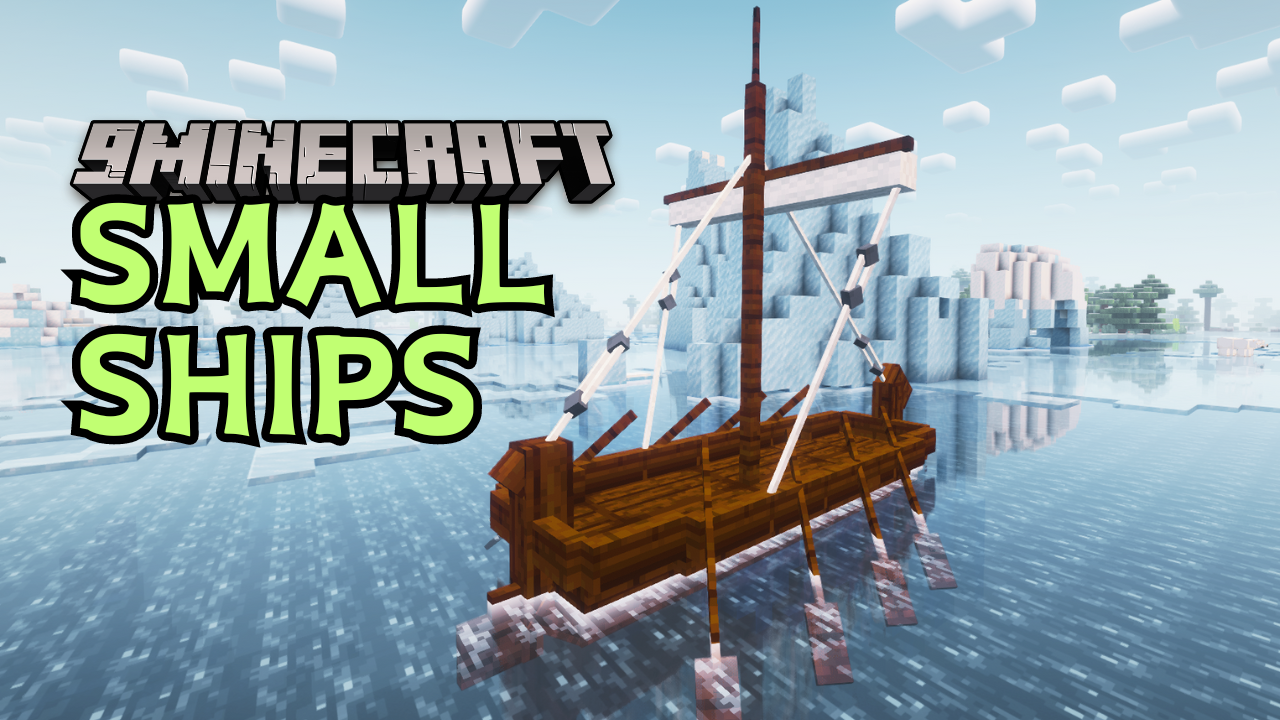
Small Ships Mod – Video Showcase
Features:
- Dockyard Building and Modifying: Builds all seven ships at a Dockyard using materials from your inventory and nine wood types (any planks work and only change how the ship looks). Within 16 blocks, the Dockyard also adds or removes upgrades, mounts or removes cannons, hangs shields on a Drakkar, changes sail colors and banners, renames ships, and repairs hulls and sails to full.
- Dynamic Wind System: Shifts wind direction and strength every few minutes, growing stronger during rain and thunder. White lines on the water and the mast banner show wind direction, oars ignore the wind, sails close when nobody is at the helm, and ships never pass their top speed.
- Biome and Weight Speed Effects: Makes cold-water ships sail 20% faster in cold biomes and 20% slower in warm biomes, while warm-water ships do the opposite, and both run 5% slower in neutral biomes. Each mounted cannon cuts speed by 2.5% (except on the Galleon), cargo slows ships by up to 10% (except on the Dhow), torn sails cut speed by 25%, and destroyed sails give no sail speed.
- Ship Cannons and Sea Combat: Mounts Ship Cannons at the Dockyard using one Ship Cannon item each (each cannon can take up one seat). The helm aims and fires all unmanned cannons on the side you look at, while gunners fire only their own cannon; aiming puts the camera on the barrel with a shot guide and HUD ammo counter, pulls ammo from the ship inventory first and then the shooter, reloads in about 4 seconds, hurts hulls or sails depending on where shots hit, scatters wood debris and sail shreds, creates small explosions on land, and stops passengers from hurting their own ship.
- Ramming and Permanent Sinking: Deals damage to both ships and crews when ships hit each other at 20 km/h or faster, with higher speed hitting harder and smaller ships taking more damage and knockback. Crashing into land at high speed hurts your ship, sailing ships push and hurt mobs in their way, and a ship at 0 hull HP sinks permanently (throwing the crew into the water, and dropping cargo and cannons when the wreck despawns after 15 minutes).
- Stops you from crafting ships at a crafting table and blocks boarding while the Dockyard is working; every job takes time in Survival, while Creative mode is free and instant.
- Shows each ship’s stats and wind profile in the Dockyard before you build, and warns you if the water is too shallow or too narrow.
- Gives back 100% of removed cannons, shields, and banners at the Dockyard, and returns 30% of the materials from removed upgrades.
- Lets you place a Ship Cannon item on the ground as a movable Ground Cannon that shoots ammo from your inventory.
- Allows sea repairs up to 66% hull HP using an iron nugget while carrying planks, and sail patching up to 33% using string while carrying an iron nugget; full Dockyard repairs cost 4 planks and 1 iron nugget per 10 hull HP plus 1 wool per 5 sail HP, and ships never heal on their own.
- Supports hoppers for loading items into and pulling items out of ship inventories, shows speed and damage inside the inventory screen, and lets you remove cannons, banners, and shields there by clicking and holding.
- Lets you dye sails, place banners on the mast (removed with shears) or as sail patterns at the Dockyard, hang shields on a Drakkar (including banner shields and Epic Knights shields, removed with an axe), and rename ships with a nametag.
- Allows leashing a ship with a lead to pull it or tie it to a fence, keeping a leashed ship from sailing away.
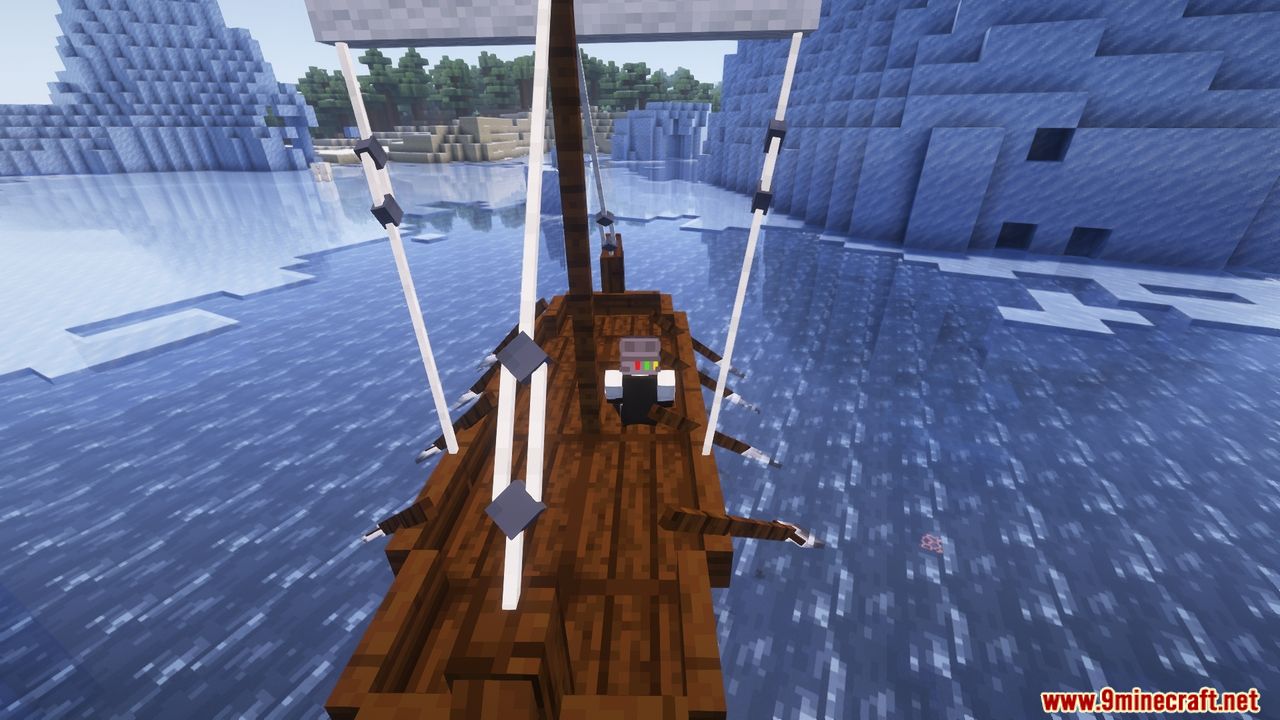
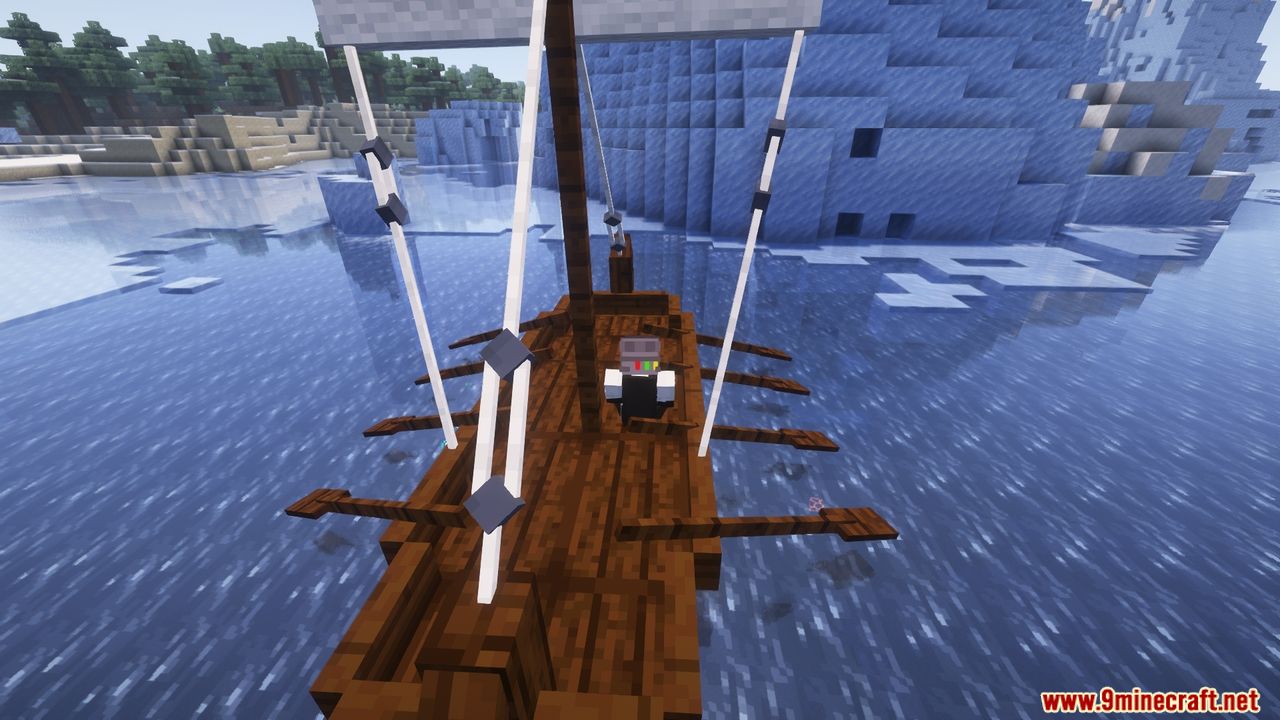
- Gives every ship walkable decks, lets mobs ride as passengers (NPCs standing on deck step off onto nearby land when the ship stops), breaks lily pads, ignores bubble columns, makes water animals swim away, and slows vanilla boats by 75% by default.
- Supports datapacks for custom Dockyard recipes using
data/<namespace>/dockyard_recipes/<ship>.json(withbuild_timein ticks) and lets addon mods register new ships that appear in the Dockyard.
Ships:
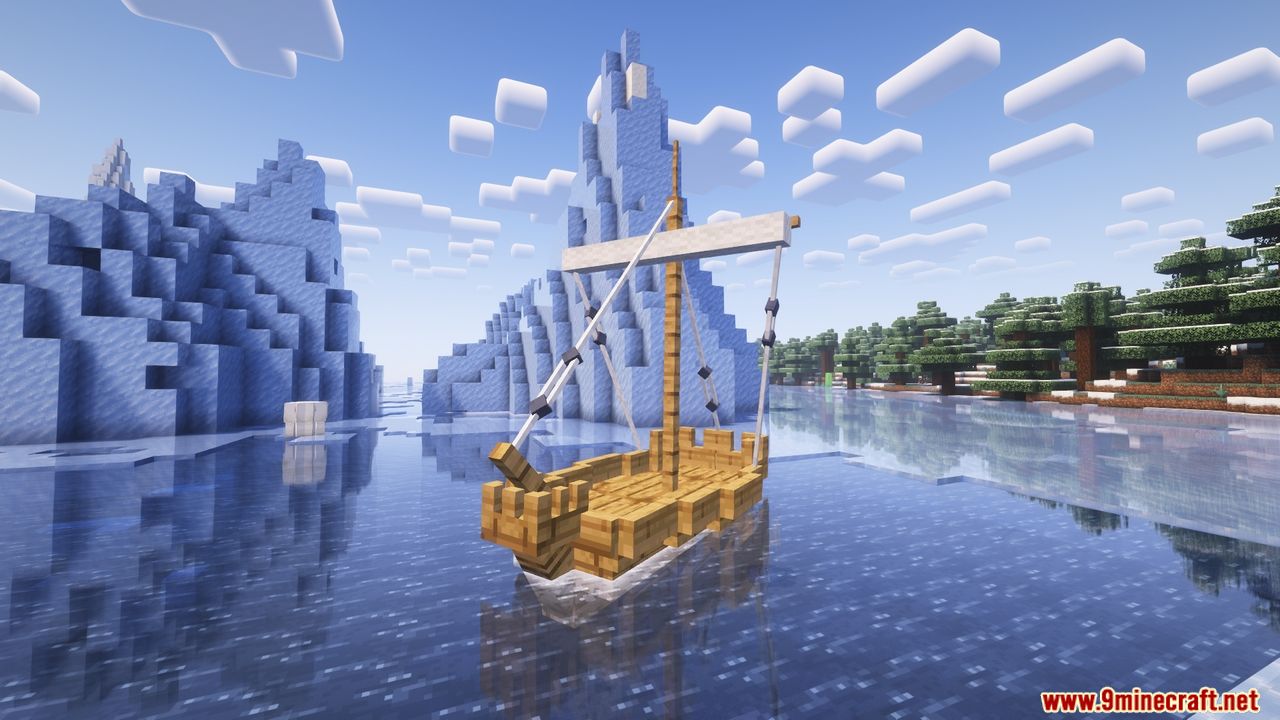
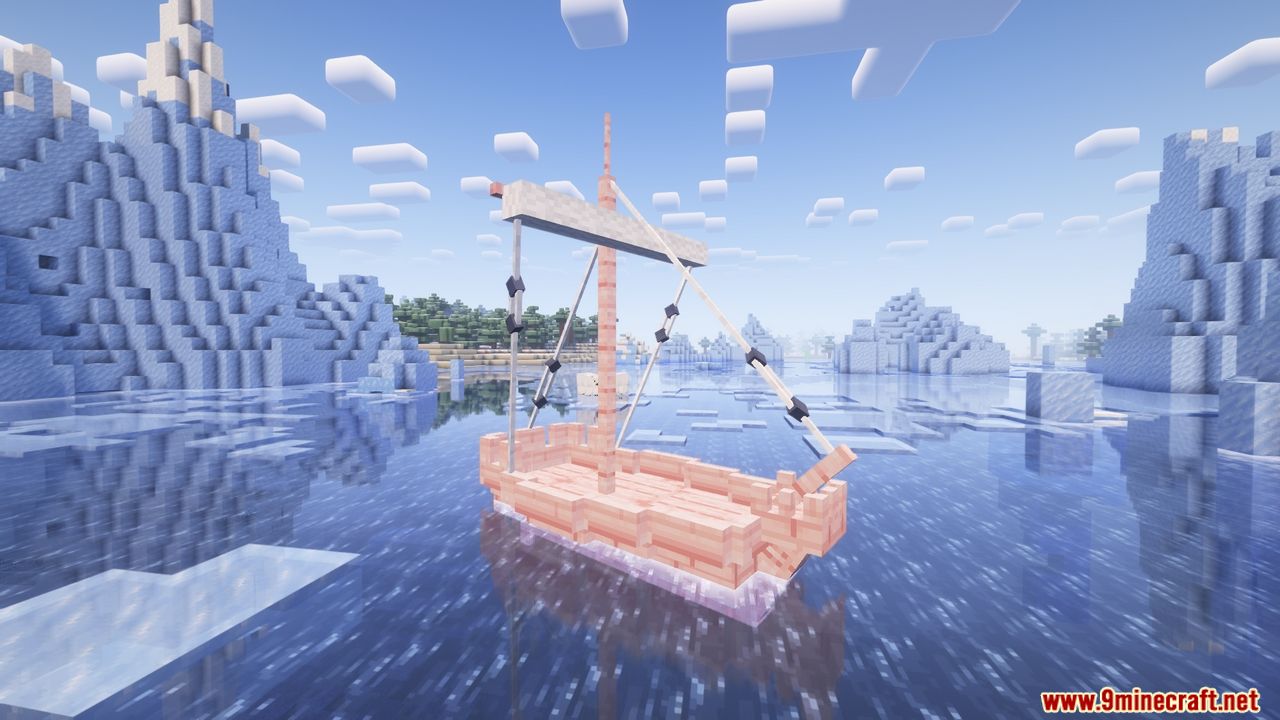
- Cog: One-masted cold-water trade ship with 400 hull HP, 27 km/h speed, 4.0 turning, 108 slots, up to 4 cannons (2 per side), and 11 seats. Sails best with tail wind (-70% head, +10% side, +50% tail) and costs 192 planks, 24 white wool, 12 string, 48 iron nuggets, and 3:00 min to build.
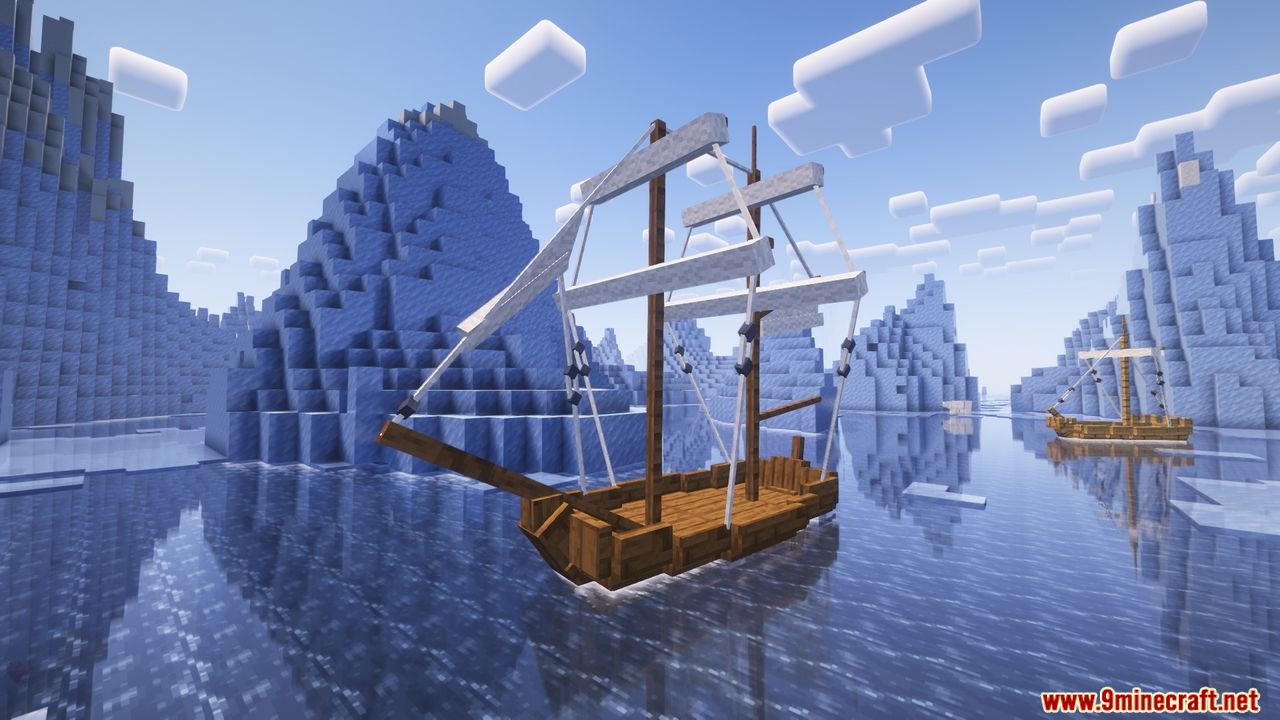
- Brigg: Two-masted cold-water trade ship with 500 hull HP, 30 km/h speed, 3.0 turning, 162 slots, up to 6 cannons (3 per side), and 17 seats. Sails best with tail wind (-75% head, +20% side, +40% tail) and costs 240 planks, 48 white wool, 24 string, 8 iron ingots, and 3:30 min to build.
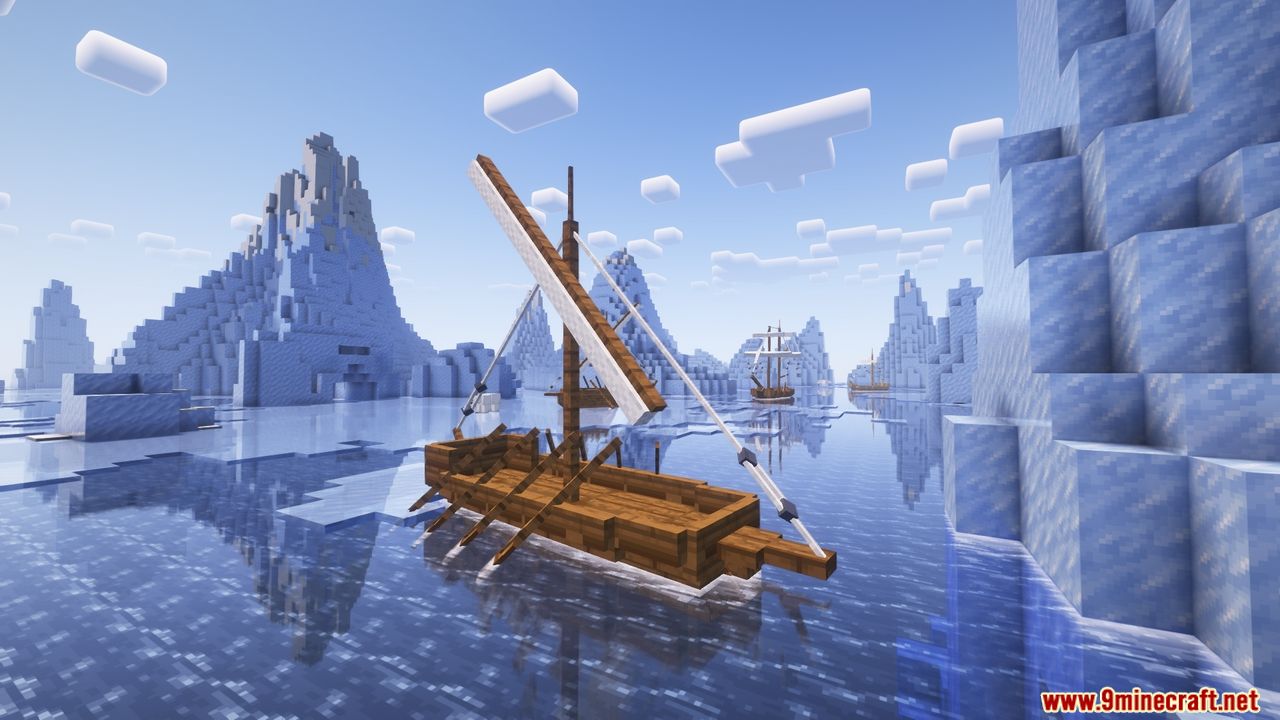
- Galley: Warm-water warship with one sail and oars, 200 hull HP, 35 km/h speed, 5.0 turning, 54 slots, up to 2 cannons (1 per side), and 12 seats. Reaches 85% speed with oars in any wind, takes no hull damage when ramming another ship, sails best with side wind (-30% head, +40% side, 0% tail), and costs 96 planks, 24 white wool, 12 string, 18 iron nuggets, and 2:00 min to build.
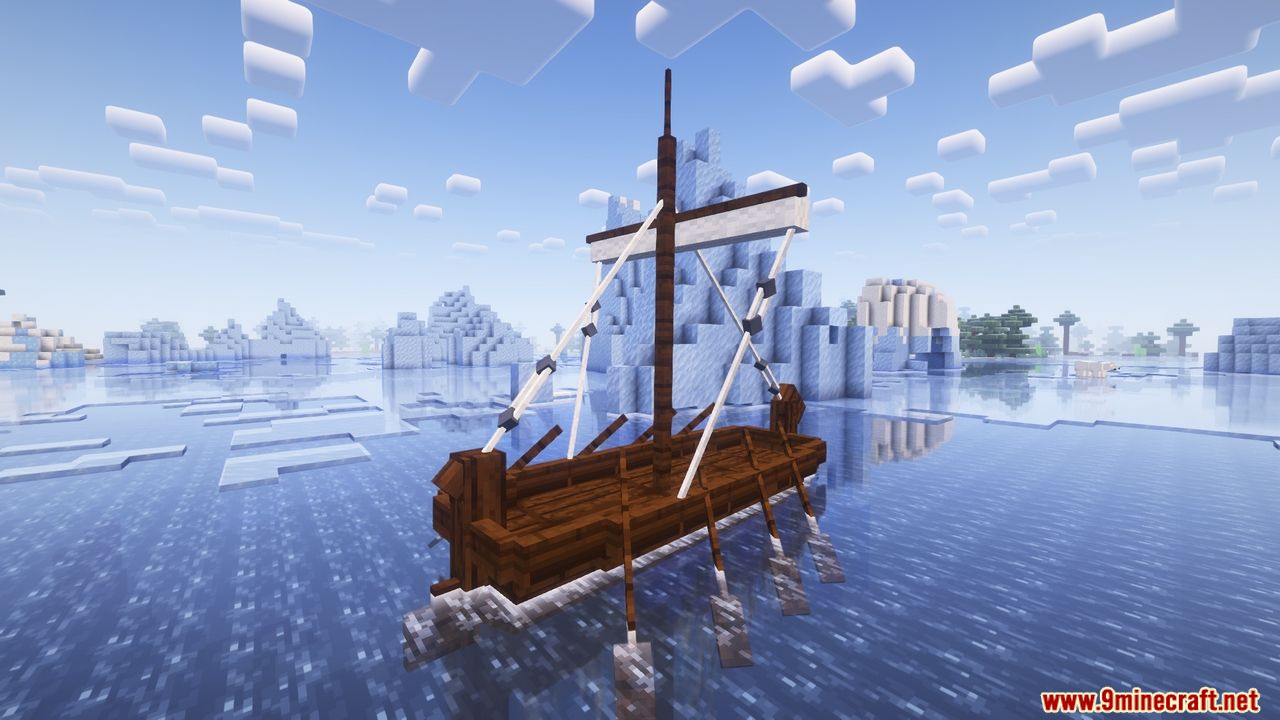
- Drakkar: Cold-water Viking ship with one sail and oars, 200 hull HP, 28 km/h speed, 5.0 turning, 54 slots, 0 cannons, and 15 seats. Reaches 75% speed with oars in any wind, breaks ice, holds up to 10 shields (5 per side, each cutting damage by 3%), sails best with tail wind (-70% head, +10% side, +40% tail), and costs 96 planks, 24 white wool, 12 string, 36 iron nuggets, and 2:00 min to build.
- Caravel: Two-masted ship that keeps the same speed in every biome, with 250 hull HP, 32 km/h speed, 4.75 turning, 81 slots, up to 4 cannons (2 per side), and 10 seats. Sails against the wind and works best with head or side wind (+10% head, +15% side, -20% tail); costs 120 planks, 48 white wool, 24 string, 30 iron nuggets, and 2:15 min to build.
- Dhow: Two-masted warm-water trade ship with 200 hull HP, 32 km/h speed, 4.5 turning, 135 slots, up to 4 cannons (2 per side), and 12 seats. Cargo never slows it down, it sails best with side wind (-40% head, +20% side, 0% tail), and it costs 96 planks, 48 white wool, 48 string, no iron, and 2:00 min to build.
- Galleon: Largest three-masted ship that keeps the same speed in every biome, with 700 hull HP, 25 km/h speed, 1.5 turning, 216 slots, up to 10 cannons (5 per side), and 34 seats. Mounted cannons never slow it down, it sails best with tail wind (-100% head, -20% side, +50% tail), and it costs 336 planks, 72 white wool, 36 string, 12 iron ingots, and 4:30 min to build.
Cannon Ammo:
- Cannon Ball: Standard shot that works best against hulls, crafted with gunpowder in the center and 4 iron nuggets on the sides (gives 2).
- Chained Shot: Deals heavy sail damage with 25% less range and damage, crafted with a chain in the center and 4 Cannon Balls in the corners (gives 2).
- Grape Shot: Short-range shot built for hitting enemy crews, crafted with gunpowder in the center and 8 iron nuggets around it.
- Fine-Grain Powder: Used up when firing to give 50% extra range.
Ship Upgrades:
- Iron Scantlings: Adds +100% hull HP. Needs 4 on a Cog, 12 on a Brigg, 5 on a Galley, Drakkar, or Caravel, 3 on a Dhow, and 16 on a Galleon.
- Copper Plating: Adds +20% turning speed. Needs 4 on a Cog, Galley, or Caravel, 8 on a Brigg, 5 on a Drakkar, 3 on a Dhow, and 12 on a Galleon.
- Cotton Sails: Adds +10% sailing speed. Needs 1 on a Cog, Galley, or Drakkar, 4 on a Brigg, 2 on a Caravel or Dhow, and 8 on a Galleon.
Commands:
/smallships wind: shows the current wind direction and strength./smallships wind setDirection <0-360>: sets the wind direction in degrees (0 is north, moving clockwise). Needs OP./smallships wind setStrength <0-1>: sets the wind strength between 0 and 1. Needs OP.
Configuration:
smallships-server.toml: stored in the world’sserverconfigfolder and synced to all clients. Lets you change each ship’s hull HP, speed, turning, acceleration, inventory size, and water type (applied to existing ships), plus upgrade rules, wind timing and storm strength, combat and shield damage, speed modifiers, vanilla boat speed, and sunken ship despawn time.dockyardBuildableShips: server config list that controls which ships can be built at the Dockyard (leave empty to allow all ships).mountBlackList: server config list of mobs that cannot board ships.driverEntities: server config list of non-player mobs allowed to take the helm (default:recruits:captain).smallships-client.toml: stored in theconfigfolder. Lets you pick the speed unit (km/h, m/s, knots, or mph), set camera options (auto third person, ship centering, zoom distance), toggle wind particles, banner motion, and the Creative tab.updateCheckerEnable: available in both server and client configs to toggle update chat notices.
How to Use:
- Craft a Dockyard and place it next to water that is wide and deep enough for your chosen ship; bigger ships need deeper water.
- Right-click the Dockyard, pick a ship and one of the 9 wood types, and click “Build ship”; the items leave your inventory and the finished ship appears in nearby water once the timer ends (free and instant in Creative mode).
- Keep a ship within 16 blocks of a Dockyard and open its menu to add or remove upgrades, mount or remove cannons, hang shields on a Drakkar, change sail colors or banners, rename the ship, or repair the hull and sails to full.
- Right-click a finished ship to board it; the first player gets the helm, other players take the nearest open seat, and your seat keys appear on screen.
- At the helm, press R (changeable in options) to open or close the sail, press W and S to adjust the sail across 4 steps or move slowly with the sail closed, press A and D to steer, and press W to row on a Galley or Drakkar.
- Press E (your inventory key) at the helm to open the ship inventory and check speed or damage, crouch + right-click from outside to open the inventory, or scroll the Mouse wheel to change third-person camera distance.
- To shoot cannons from the helm, hold the Right mouse button to aim all unmanned cannons on the side you look at, hold the Right mouse button and scroll the Mouse wheel to switch ammo, and press Space to fire.
- Right-click a mounted cannon to sit as a gunner, hold the Right mouse button to aim that cannon, use Right mouse button + Mouse wheel to switch ammo, and press Space to shoot.
- Right-click another spot on the ship with an empty hand to switch seats, right-click a mob while seated to bring it on board, or right-click a mob on the ship to let it off.
- Customize or leash a ship directly by right-clicking it with dye to color sails, a banner to place on the mast (remove with shears), a shield on a Drakkar (remove with an axe), a nametag to rename it, or a lead to pull it and tie it to a fence.
- Fix damage away from the Dockyard by right-clicking with an iron nugget while carrying planks to repair up to 66% hull HP, or right-clicking with string while carrying an iron nugget to patch up to 33% sail HP.
- To use a Ground Cannon, place a Ship Cannon item on the ground, right-click it, move with W and S, turn with A and D, hold the Right mouse button to aim (double right-click to face the barrel forward again), and press Space to fire using ammo from your inventory.
Crafting Recipes:
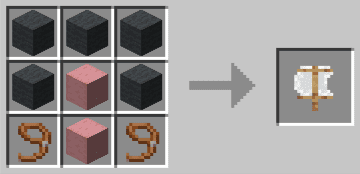
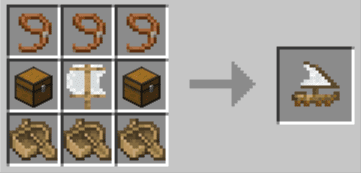
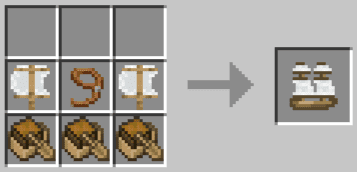
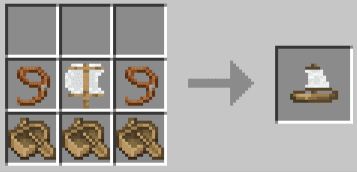
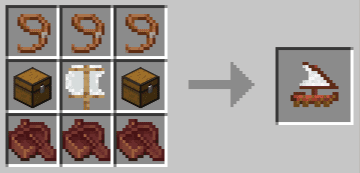
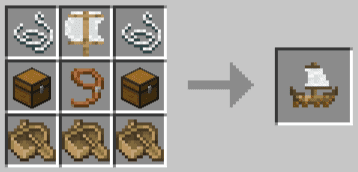
Screenshots:
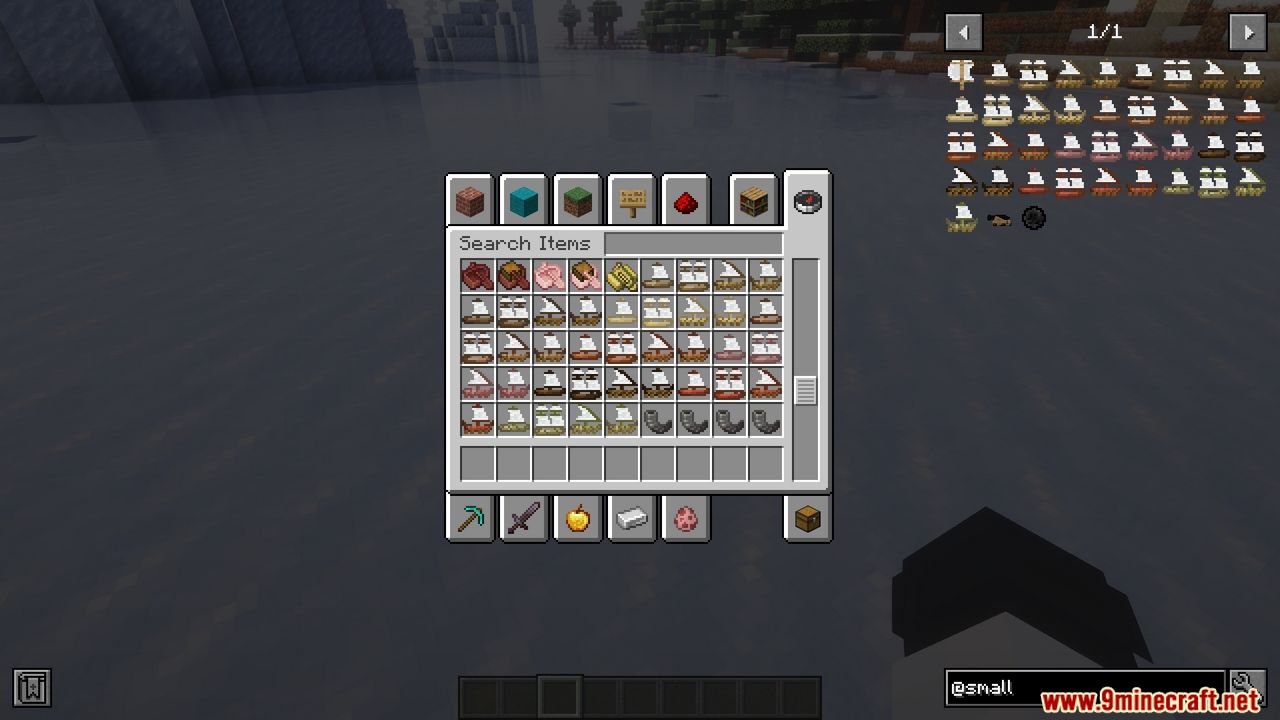
How to Install:
New to Minecraft? Follow our step-by-step guide to install Mods on your PC.View Guide
Requirements:

Small Ships Mod Download Links
For Minecraft 1.18.2
Forge Version: Download from Server 1 – Download from Server 2
Fabric Version: Download from Server 1 – Download from Server 2
For Minecraft 1.19.2
Forge Version: Download from Server 1 – Download from Server 2
Fabric Version: Download from Server 1 – Download from Server 2
For Minecraft 1.19.4
Forge Version: Download from Server 1 – Download from Server 2
Fabric Version: Download from Server 1 – Download from Server 2
For Minecraft 1.20.1, 1.20
Forge Version: Download from Server 1 – Download from Server 2
Fabric Version: Download from Server 1 – Download from Server 2
For Minecraft 1.20.4
Forge Version: Download from Server 1 – Download from Server 2
Fabric Version: Download from Server 1 – Download from Server 2
NeoForge Version: Download from Server 1 – Download from Server 2
For Minecraft 1.20.6
Forge Version: Download from Server 1 – Download from Server 2
Fabric Version: Download from Server 1 – Download from Server 2
NeoForge Version: Download from Server 1 – Download from Server 2
For Minecraft 1.21.1, 1.21
Forge Version: Download from Server 1 – Download from Server 2
Fabric Version: Download from Server 1 – Download from Server 2
NeoForge Version: Download from Server 1 – Download from Server 2
For Minecraft 1.21.4
Forge Version: Download from Server 1 – Download from Server 2
Fabric Version: Download from Server 1 – Download from Server 2
NeoForge Version: Download from Server 1 – Download from Server 2
What is your biggest frustration when playing with mods?
11 responses · See the full results →
You May Also Like
Picked for this page
 Mod Menu Mod (26.3, 1.20.1) – Tweak Mod Settings In-Game
 Do A Barrel Roll Mod (26.3, 1.20.1) – Elytra Flight To Be More Fun
 RFTools Storage Mod (1.21.1, 1.20.1) – Remote Storage, Storage Scanner
 Bag of Yurting Mod (26.1.2, 1.20.1) – Store Your Favorite Yurts
 Gateways to Eternity Mod (26.1.2, 1.20.1) – Challenging Portals
 Zombie Hardcore Mod (1.21.11, 1.20.1) – Forts Won’t Save You
 Beginner Survival House Mod (26.3, 1.20.1) – Stay Safe On Your First Nights
 Echo Chest Mod (26.3, 1.20.1) – Collect Everything Dropped Nearby
 Optimal Aim Mod (26.3, 1.20.1) – Renders a Configurable Cube for Aiming
 Sapling Tweaks Mod (26.3, 1.20.1) – Enhances Sapling Interactions
 Flan Mod (26.3, 1.20.1) – Claim Land Using Commands, Menus, or Tools
 Flame Sweeping Mod (1.20.6, 1.20.1) – Set Entire Hordes of Mobs on Fire
Most viewed in Mods over the last 7 days
 Ala Industrial Mod (26.3) – Run Electric Power Grids and Automated Factories
 PleasureCraft Mod (26.3, 1.21.1) – Jenny Mod Remake for Fabric
 Jennycraft Mod (26.3, 1.20.1) – Virtual Girlfriend in Minecraft
 Fapcraft Mod (26.3, 1.12.2) – Comprehensive and Detailed Content
 Jenny Mod (Fapcraft) Official Complete Guide – How to use, Tutorial
 BangCraft Mod (1.20.1) – Jenny, Ellie and Elliot
 Fabric Loader (26.3, 1.20.1) – Fabric Installer for All Minecraft Versions
 The Shooting Star Demo Mod (26.3, 1.20.1) – Vaporize Terrain From Orbit
 Meteor Client Mod (26.3, 1.20.1) – Xray, HUD, Fly
 OptiFine HD (26.3, 1.20.1) – Run Faster, FPS Boost, Shaders Support
 Aristois Client Mod (1.21.4, 1.20.1) – World Class Minecraft Utility
 Prestige Client Mod (1.21.11, 1.21.4) – Powerful Ghost Features for Crystal & Sword PvP
More from Mods
 Ender Storage 9minecraft Mod (26.3, 26.2) – Send Loot Back Home From Any Dimension
 Snad 9minecraft Mod (26.3, 26.2) – Build Faster Sugar Cane and Nether Wart Farms
 Together Forever Unofficial Mod (1.12.2) – Share Team Advancements
 GroovyDuvet Mod (1.21.11, 1.20.1) – Run Groovy Scripted Addons Without Game
 Swing Through Grass 9minecraft Mod (26.3, 26.2) – Fight Mobs Without Breaking Tall Grass
 Improved Boss Bars 9minecraft Mod (26.3) – Unique Health Bars for Every Boss Fight
 Cozy’s Improved Wolves Mod (26.3, 1.20.1) – Bond with Loyal Dogs That Never Die
 Rctapi Fix Mod (1.21.1) – Fight Cobblemon Trainers Without Any Server Crashes
 XinexLib Mod (1.21.1) – Keep Your Ultreon Studios Mods Running
 Libvulpes – Fixed Mod (1.12.2) – Launch Rockets with Fewer Bugs
 Freelook Perspective Mod (26.3, 1.21.1) – Watch Your Back While Sprinting
 FAUNA Engine Mod (1.21.1, 1.20.1) – Powering Legendary Dragons

This post has no comments yet. Be the first — your comment will appear here.