
SomeOrdinaryTweaks Mod (1.21.11, 1.20.1) – Clean Up Your Screen and Customise
 985
 0


SomeOrdinaryTweaks Mod brings a wide range of user interface, heads-up display, and rendering adjustments to the game. It lets you turn off specific notifications, clean up the screen, and add helpful convenience features. Every single feature can be turned on or off to give you full control over your settings.

Features:
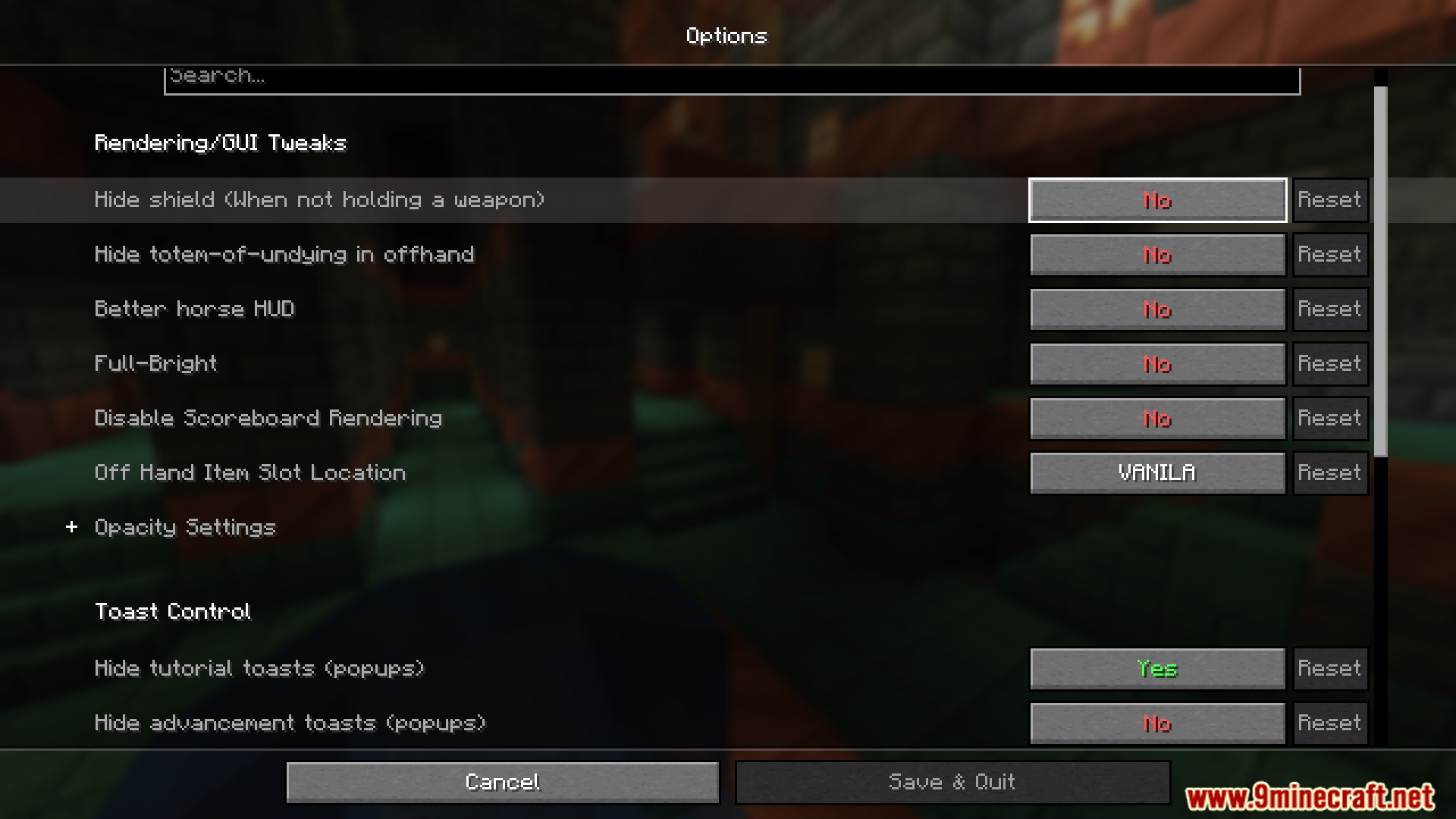
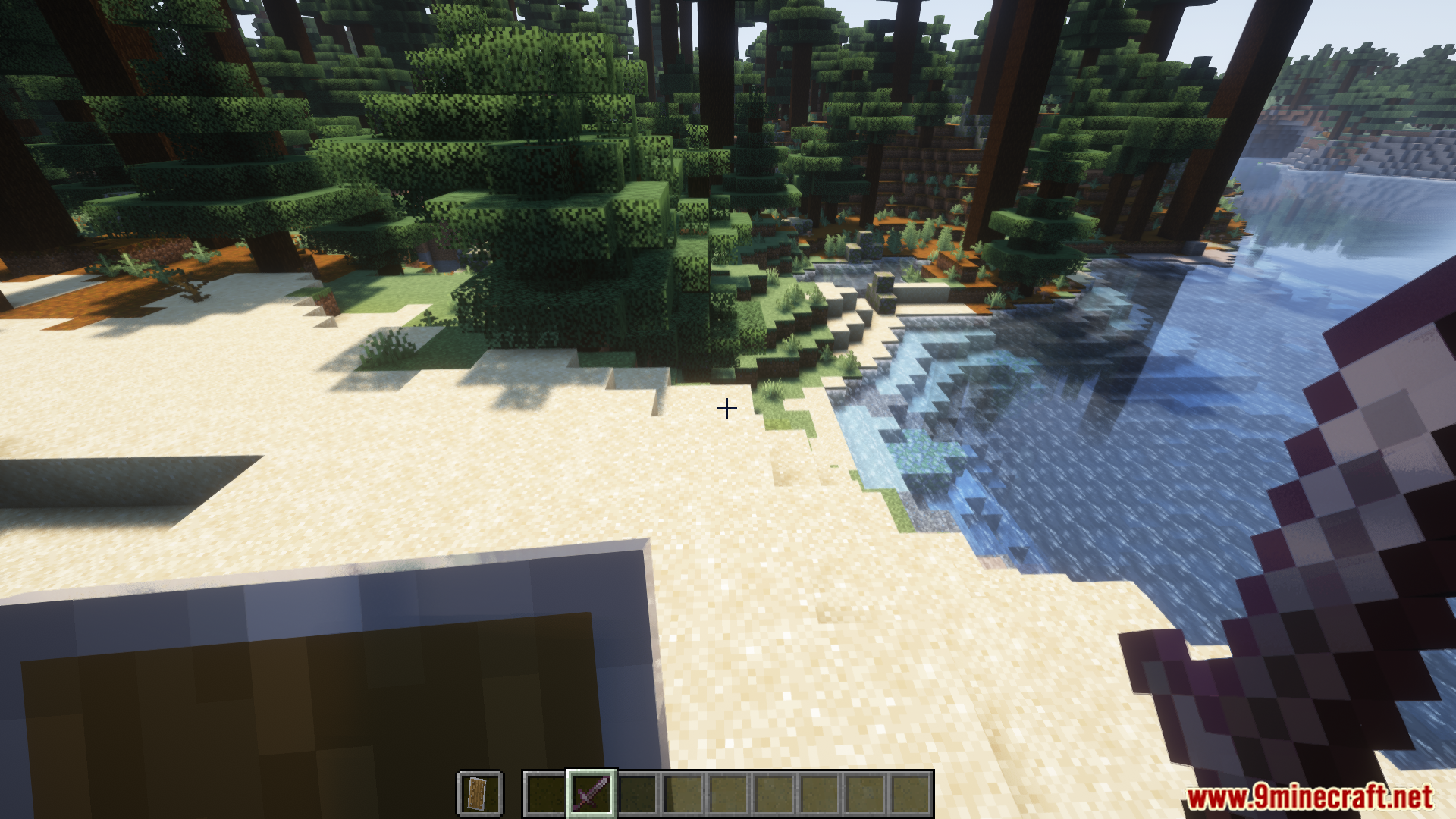
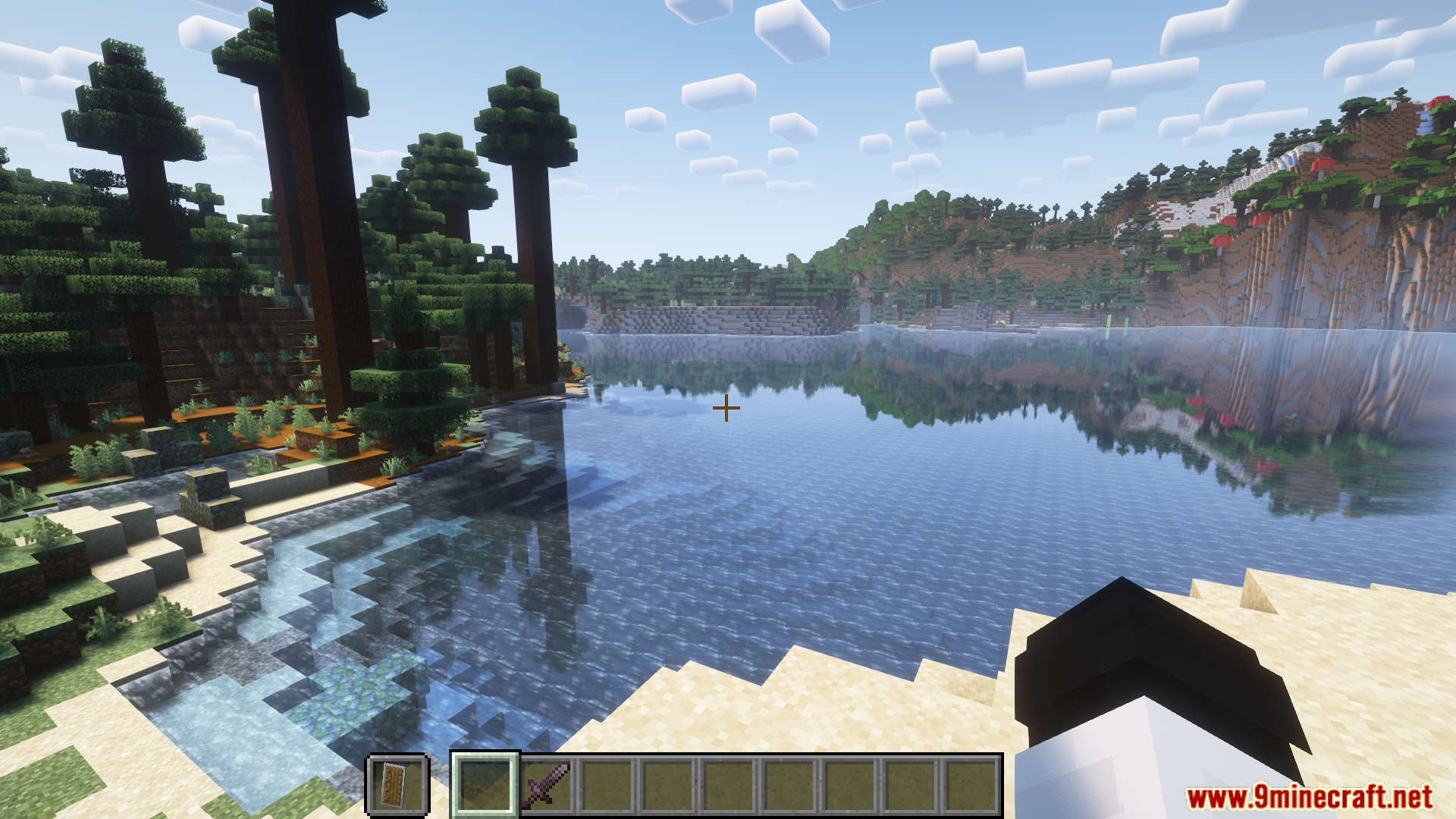
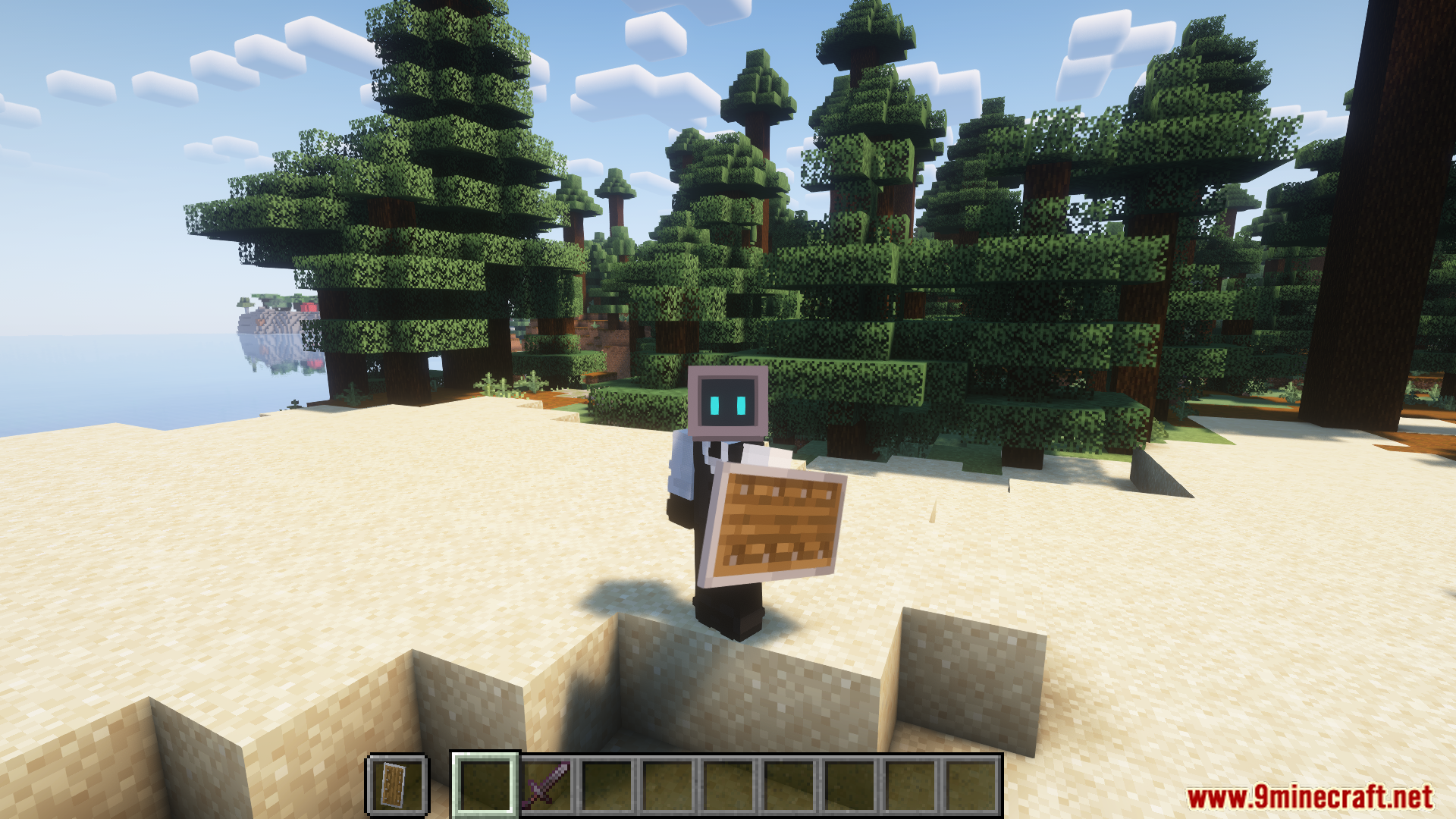
- Hides the shield model when a weapon is held in the main hand slot.
- Hides the Totem of Undying when it is held in the off-hand slot.
- Displays the jump-meter of a rideable mount only when relevant.
- Hides side scoreboards in version 1.19.x and newer.
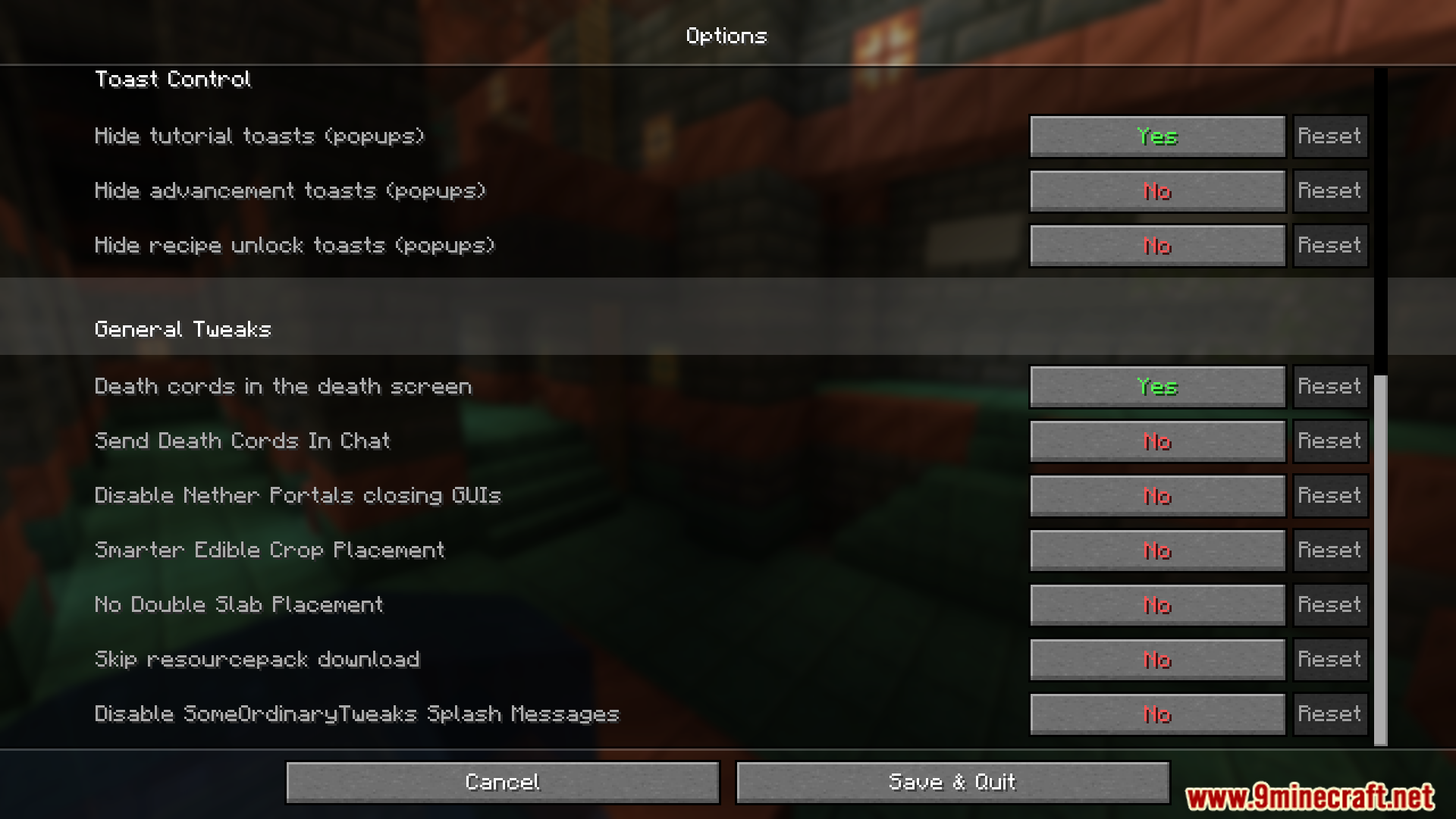
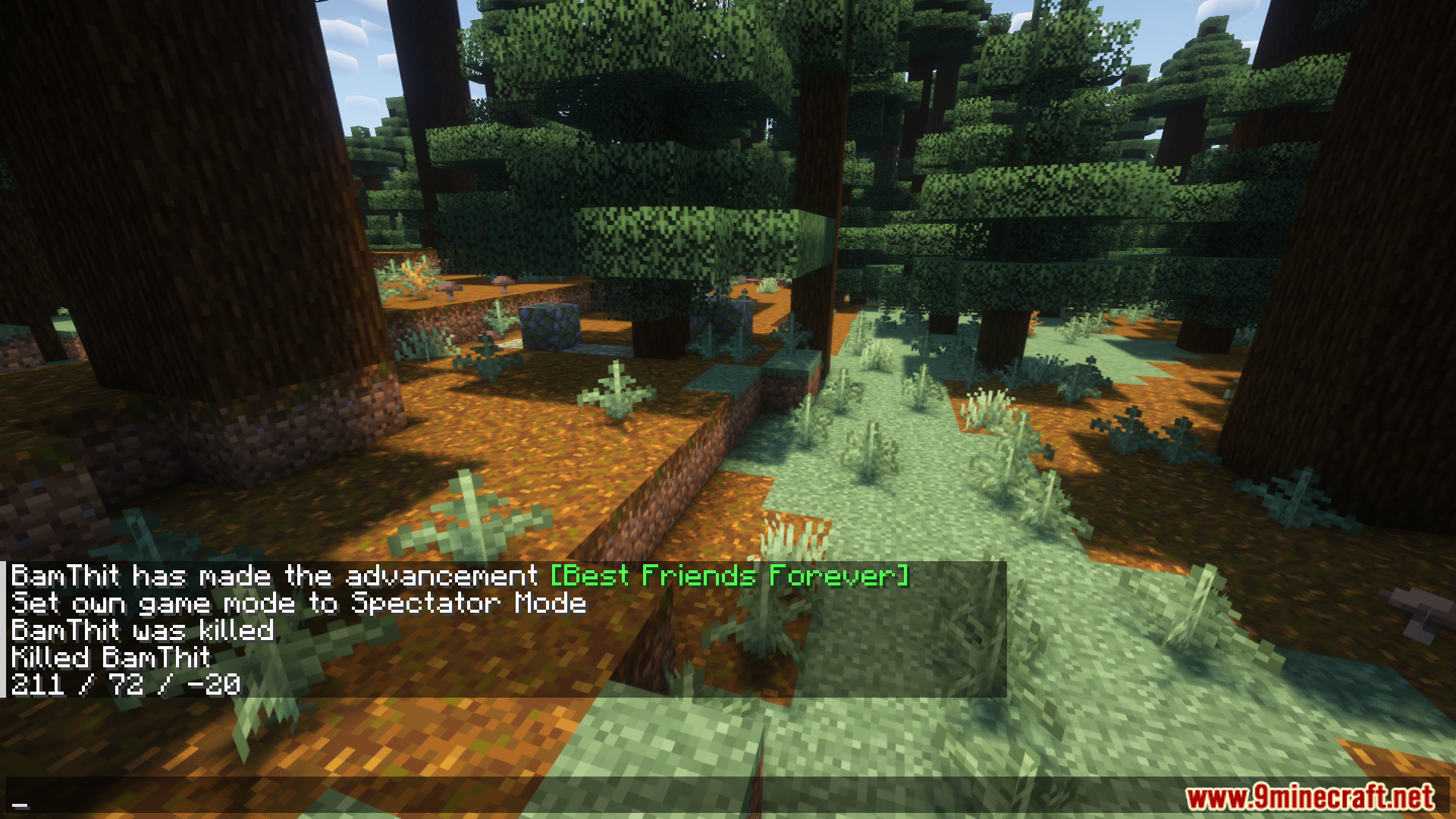
- Turns off advancement, tutorial, and recipe pop-up notifications.
- Skips mandatory resource pack downloads when joining servers.
- Keeps inventories and chat screens open while inside nether portals.
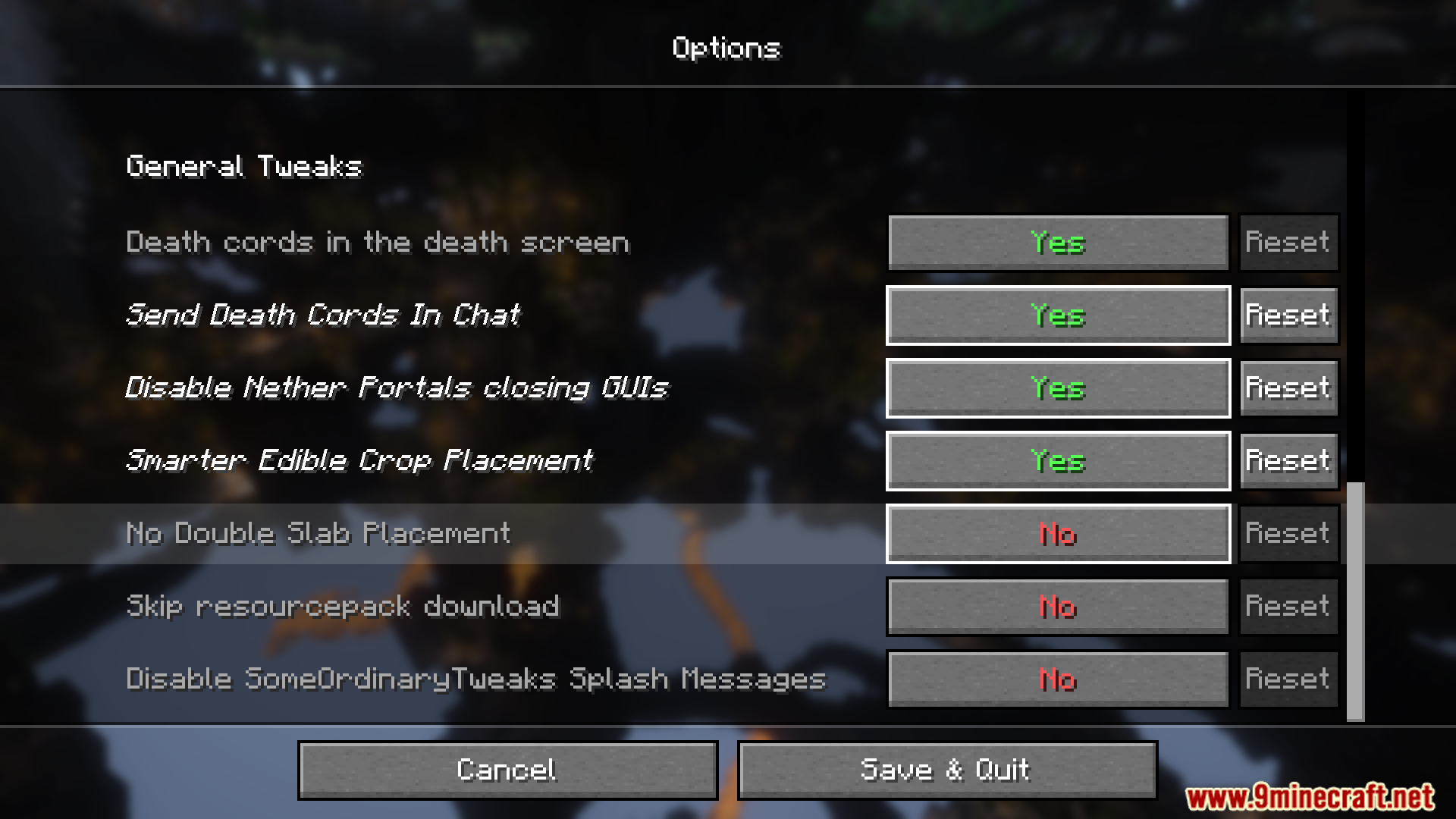
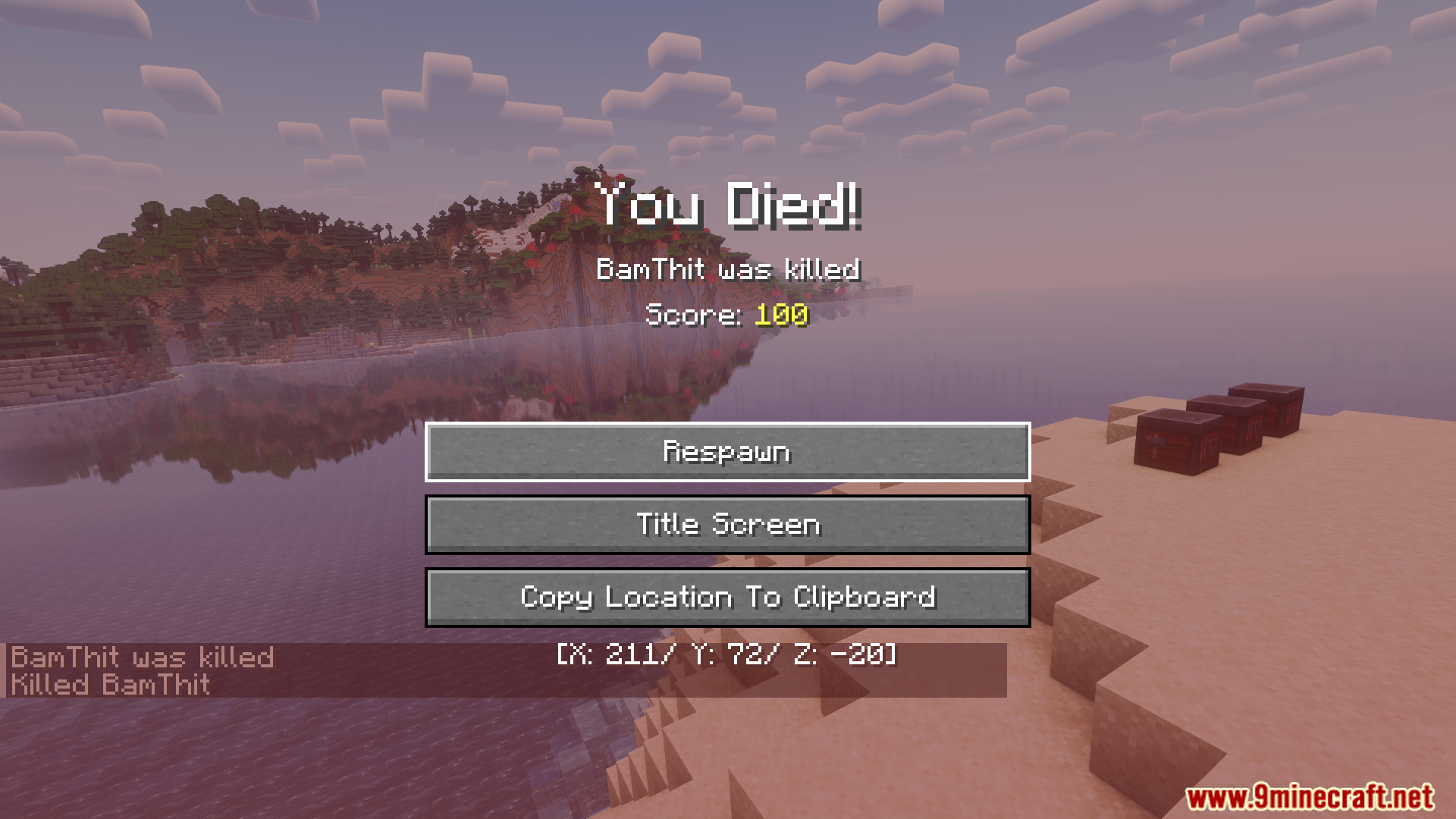
- Shows your exact death coordinates on the death screen with a copy button.
- Sends your death coordinates directly to your local chat after respawning.
- Prevents accidental placement of edible crops unless you hold the shift key.
- Maximizes gamma for better visibility in dark areas in version 1.19 and newer.
- Changes the off-hand item slot position to the left side, right side, or default vanilla spot.
- Prevents placing a slab if it creates a double slab.
How to Use:
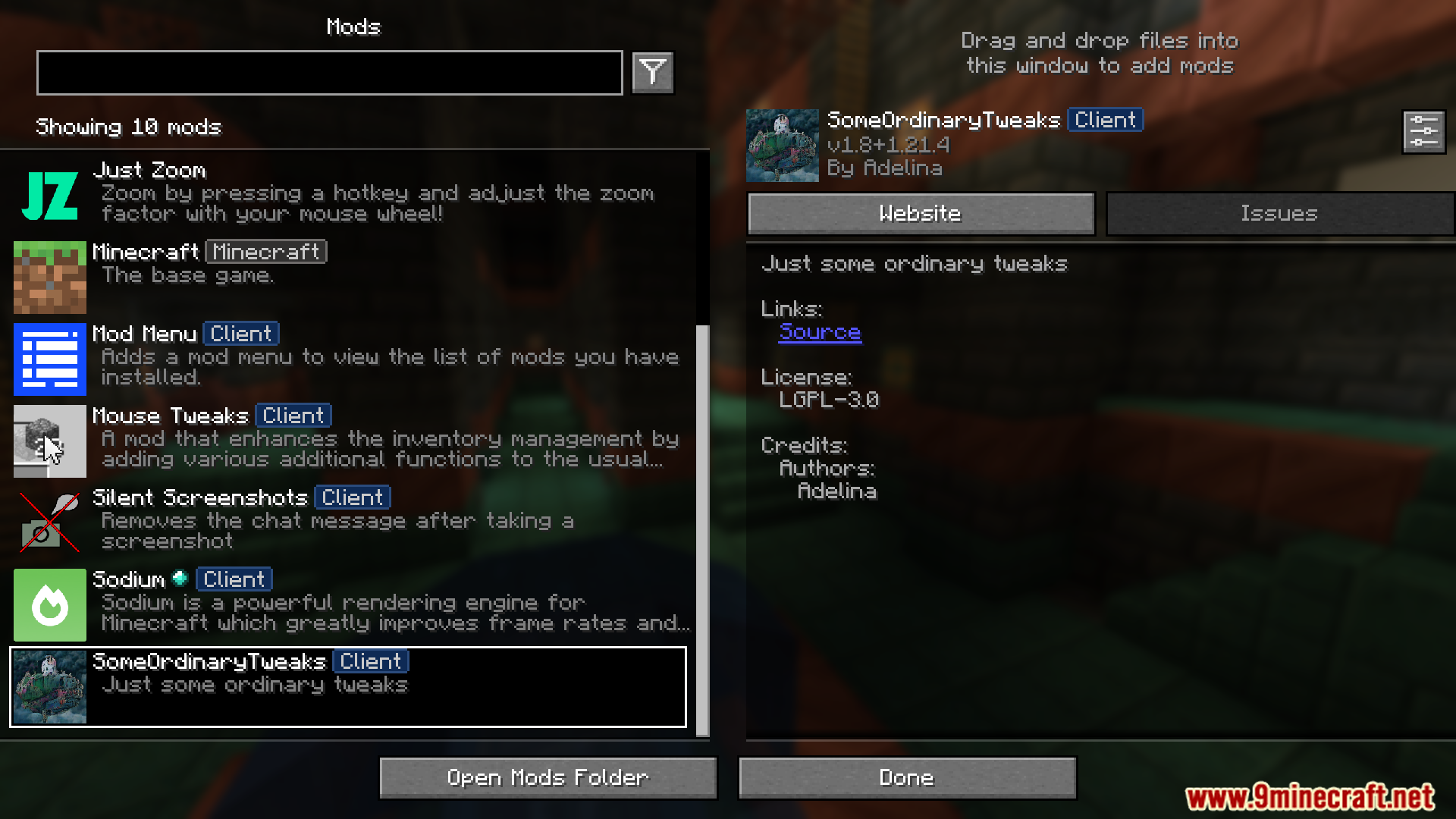
- Open the game and click the Mods button provided by Mod Menu.
- Scroll down the list and find the mod name.
- Click on the mod and select the configure icon to open the configuration screen.
- Toggle any of the settings on or off to customize your game experience.
Screenshots:
How to Install:
New to Minecraft? Follow our step-by-step guide to install Mods on your PC.View Guide
Requirements:


SomeOrdinaryTweaks Mod Download Links
For Minecraft 1.17.1
Fabric Version: Download from Server 1 – Download from Server 2
For Minecraft 1.19.2
Forge/Quilt Version: Download from Server 1 – Download from Server 2
Fabric/QuiltVersion: Download from Server 1 – Download from Server 2
For Minecraft 1.19.3
Fabric/Quilt Version: Download from Server 1 – Download from Server 2
For Minecraft 1.19.4
Fabric/Quilt Version: Download from Server 1 – Download from Server 2
For Minecraft 1.20.1
Fabric/Quilt Version: Download from Server 1 – Download from Server 2
For Minecraft 1.20.2
Fabric/Quilt Version: Download from Server 1 – Download from Server 2
For Minecraft 1.21.4, 1.21.3, 1.21.1
Fabric Version: Download from Server 1 – Download from Server 2
For Minecraft 1.21.5
Fabric/Quilt Version: Download from Server 1 – Download from Server 2
For Minecraft 1.21.8, 1.21.7, 1.21.6
Fabric/Quilt Version: Download from Server 1 – Download from Server 2
For Minecraft 1.21.10
Fabric/Quilt Version: Download from Server 1 – Download from Server 2
For Minecraft 1.21.11
Fabric/Quilt Version: Download from Server 1 – Download from Server 2
Have you ever created your own Minecraft mod or modpack, even a simple one?
2 responses · See the full results →
You May Also Like
Picked for this page
 Tschipcraft’s More Mobs Mod (26.3, 1.20.1) – Humanoid Mobs
 Player Finder Mod (26.1.2, 1.20.1) – Command To Locate Players
 ServerCore Mod (26.3, 1.20.1) – Optimize Your Minecraft Servers
 Better Compatibility Checker Mod (26.3, 1.20.1) – Version Matching
 Time Changer Mod (26.1, 1.20.1) – Control Your Day
 Connected Doors Mod (26.1, 1.20.1) – Open and Close Double Doors Together
 Wooden Bucket Mod (26.3, 1.20.1) – A Wooden Bucket
 Infinity And Mending Mod (26.3, 1.20.1) – Combine Mending + Infinity on One Bow
 Random Item Mod (26.3, 1.20.1) – Giving Players A Random Item with A Cooldown
 Ceramic Bucket Mod (26.3, 1.20.1) – Early-Game Bucket Crafting
 Mrmelon54’s Clock HUD Mod (1.21.11, 1.20.1) – Time Tracker For Minecraft
 Campfire Resting Mod (1.21.11, 1.20.1) – Change The Time Of Day
Most viewed in Mods over the last 7 days
 Ala Industrial Mod (26.3) – Run Electric Power Grids and Automated Factories
 PleasureCraft Mod (26.3, 1.21.1) – Jenny Mod Remake for Fabric
 Jennycraft Mod (26.3, 1.20.1) – Virtual Girlfriend in Minecraft
 Fapcraft Mod (26.3, 1.12.2) – Comprehensive and Detailed Content
 Jenny Mod (Fapcraft) Official Complete Guide – How to use, Tutorial
 BangCraft Mod (1.20.1) – Jenny, Ellie and Elliot
 Fabric Loader (26.3, 1.20.1) – Fabric Installer for All Minecraft Versions
 The Shooting Star Demo Mod (26.3, 1.20.1) – Vaporize Terrain From Orbit
 Meteor Client Mod (26.3, 1.20.1) – Xray, HUD, Fly
 OptiFine HD (26.3, 1.20.1) – Run Faster, FPS Boost, Shaders Support
 Aristois Client Mod (1.21.4, 1.20.1) – World Class Minecraft Utility
 Prestige Client Mod (1.21.11, 1.21.4) – Powerful Ghost Features for Crystal & Sword PvP
More from Mods
 Chat Guides Mod (26.3, 1.21.11) – Never Memorize Complex Server Commands Again
 TRMT Reimagined the Roads More Travelled Mod (26.3, 1.20.1)
 Morrowless Mod (1.21.1) – Defend Your Shelter From Nightmare Creatures
 THE SLOPSTROSITY Mod (1.21.1) – Battle a Ridiculous Slime Boss
 Decoween Mod (1.21.1, 1.20.1) – Transform Ordinary Survival Bases
 Simply Light 9minecraft Mod (26.3) – Decorate Builds Without Torches
 Alex’s Caves Continued Mod (26.3, 1.20.1) – Conquer Six Massive Underground
 Anvil Uses Mod (26.3, 1.20.1) – Track Item Anvil Usage
 Animal Info Mod (26.3, 1.21.11) – Quick Stats For Your Animals
 Timber Tales Dynamic Tree System Mod (26.3, 1.20.1) – Watch Entire Trees Topple
 Gabou’s Libs Mod (26.3, 1.20.1) – Keep Custom Weather and Survival Mods Stable
 /Sit Mod (26.3, 1.21.1) – Make The Player Sit Down

This post has no comments yet. Be the first — your comment will appear here.