
Think Before Drop Mod (1.21.8, 1.20.1) – Keep Prized Gear Safe From Misclicks

 0


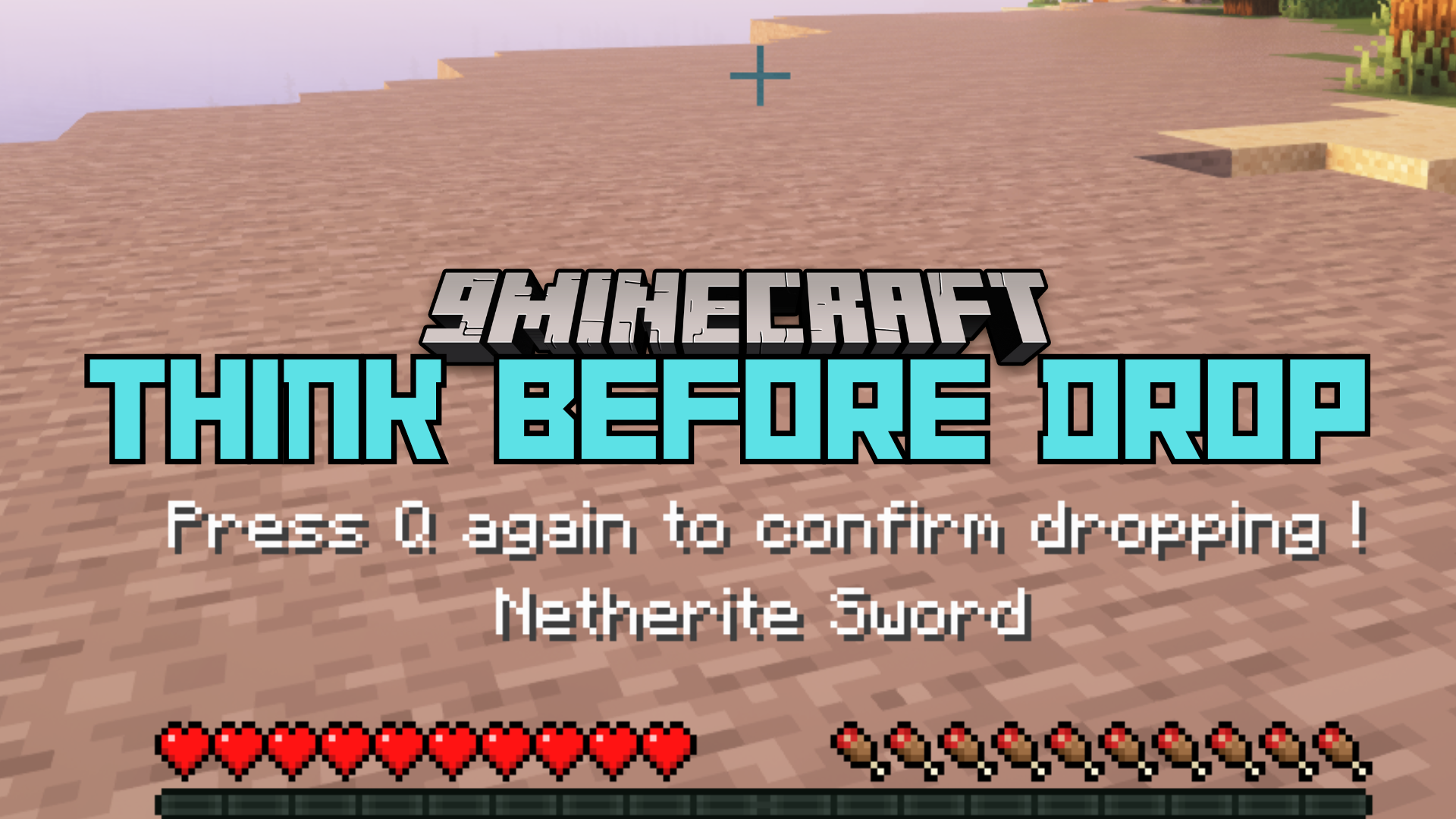
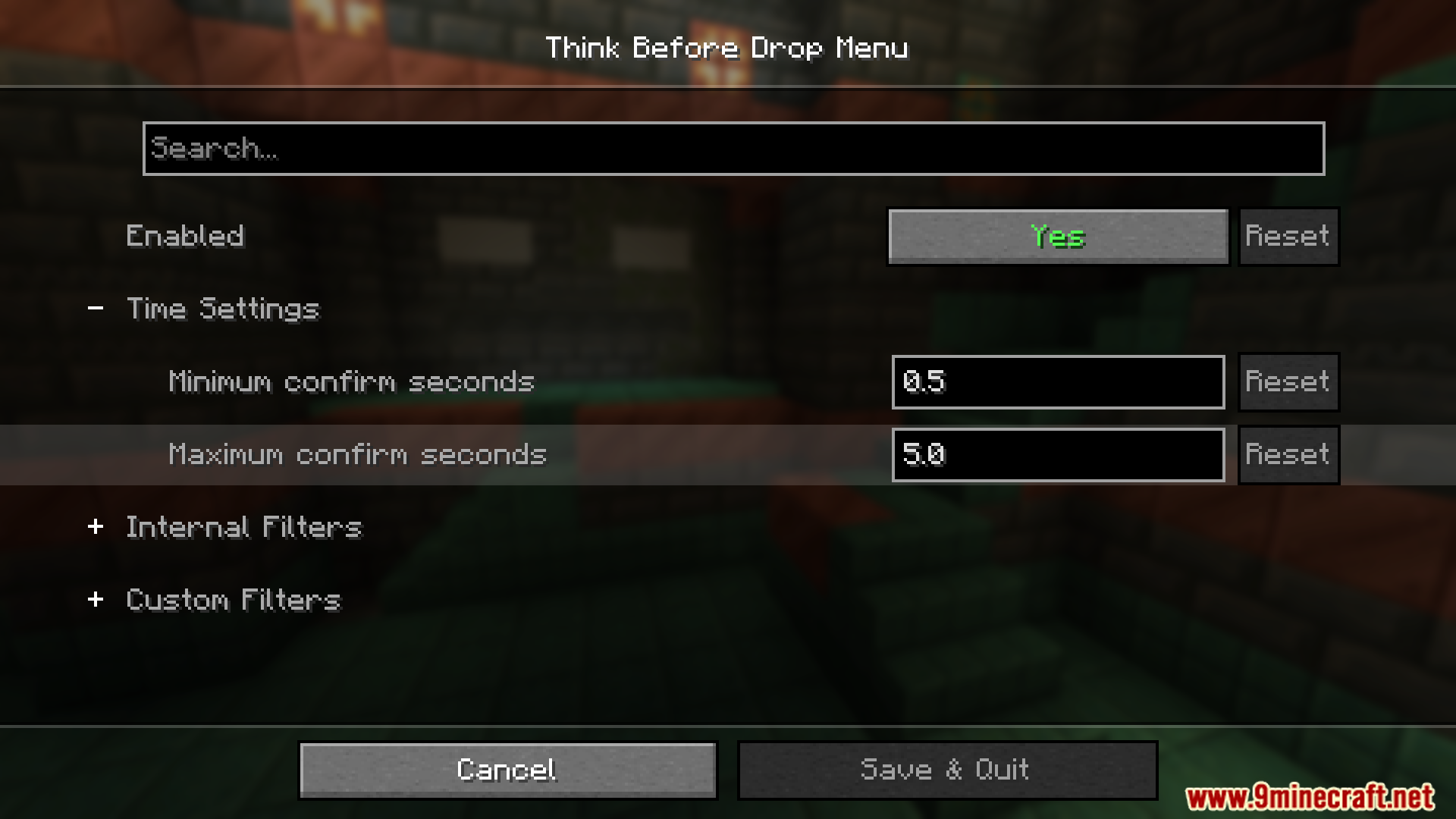
Think Before Drop Mod stops you from tossing rare items onto the ground by mistake. When you press Q to drop a protected item, the mod cancels the drop and asks you to press Q a second time to confirm. You can open the in-game config menu to pick which items or armor pieces stay protected and adjust the confirmation timer from its default 0.5 to 5 seconds. It gives you a simple safety check so you keep your best gear safe while playing.
Features:
- Double-Press Drop Confirmation: Blocks a protected item from dropping on the first press of Q and requires a second press to confirm.
- Adjustable Timer: Lets you set how long you have to confirm a drop in the config menu, with a default window of 0.5 to 5 seconds.
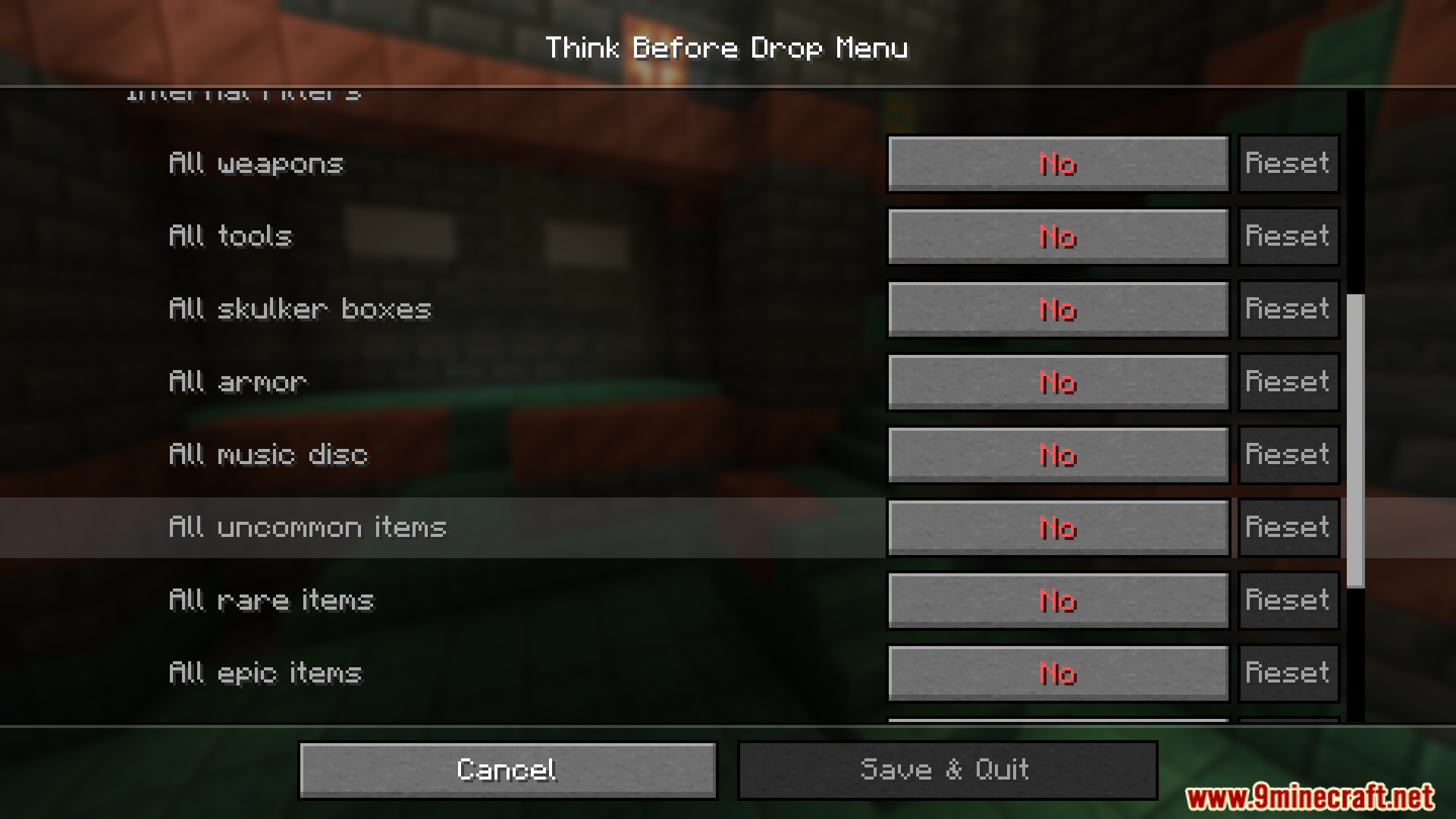
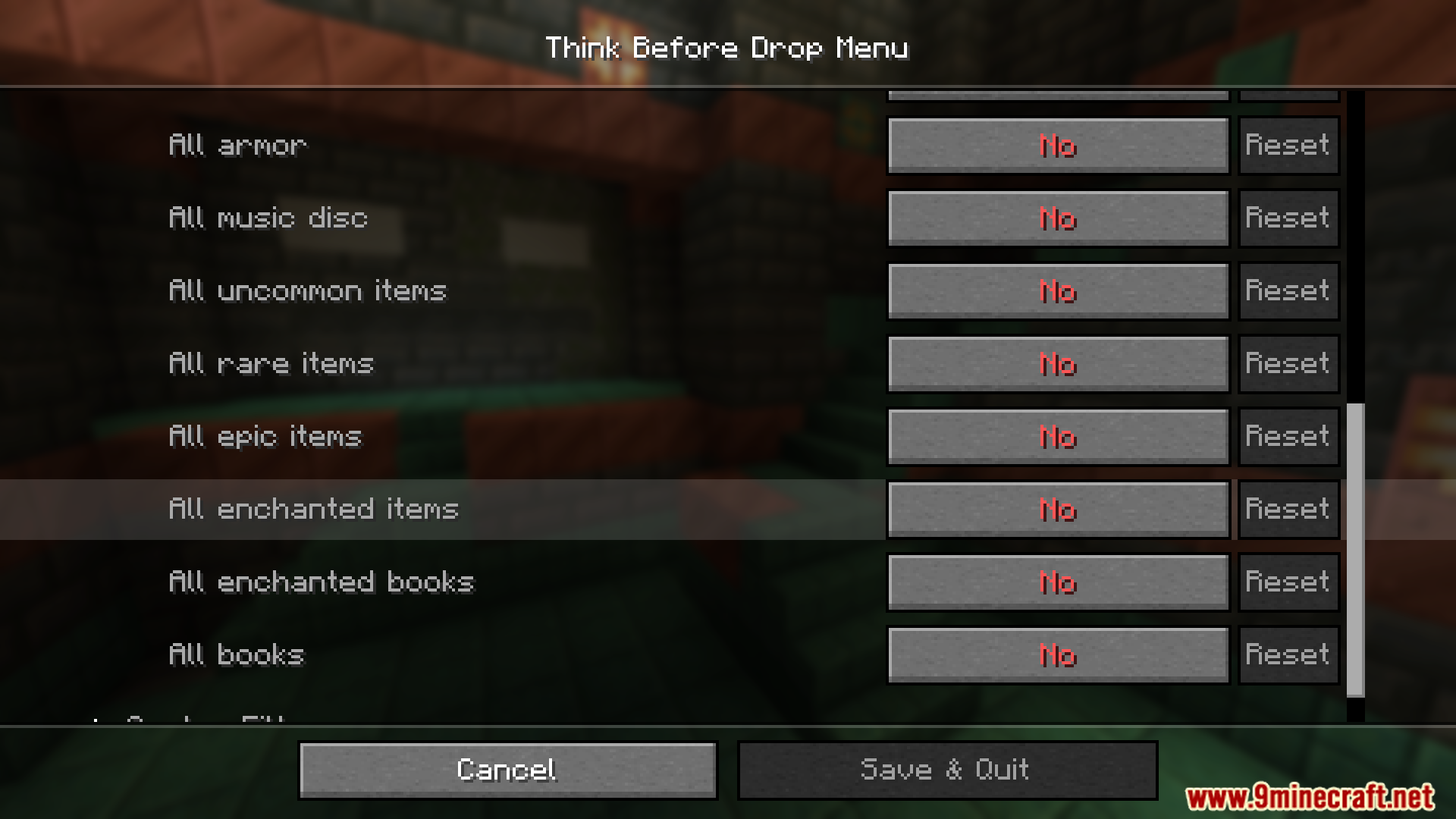
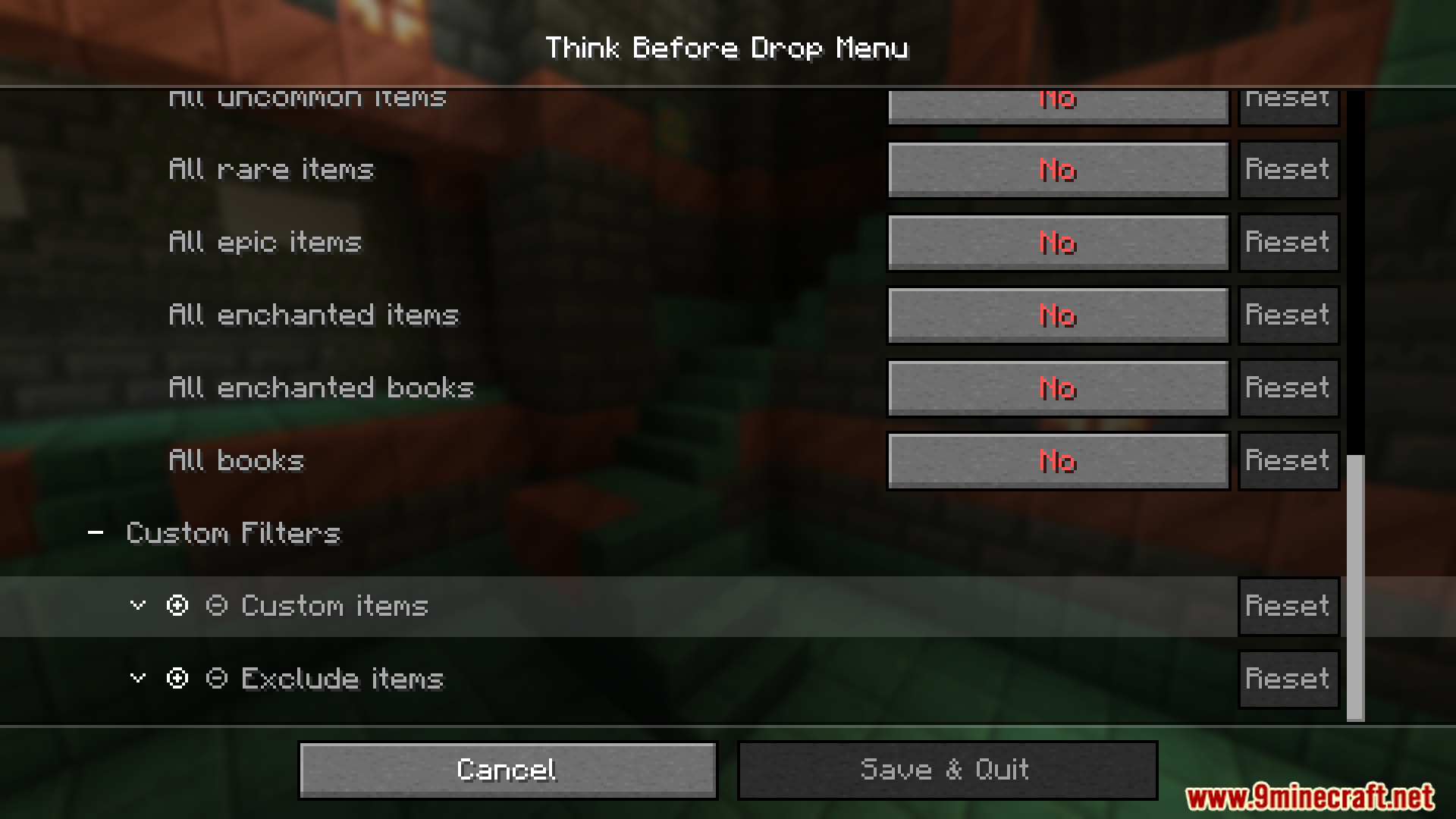
- Custom Item Filters: Lets you toggle protection for armor and rare items, or choose specific items to protect or exclude.
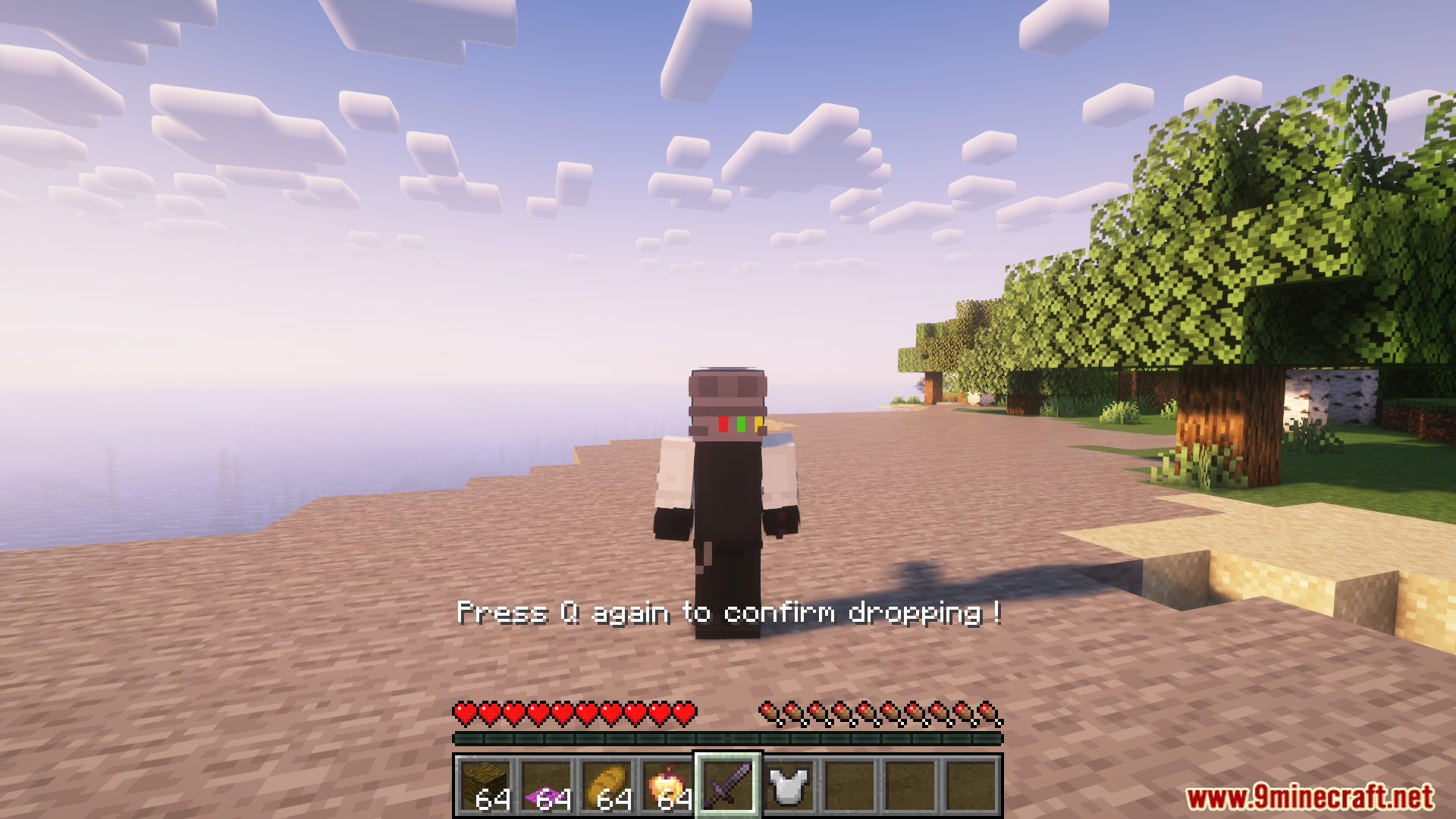
- Shows an on-screen message asking you to confirm whenever you try to drop a protected item.
- Leaves unprotected items alone so everyday blocks and items drop right away as normal.
How to Use:
- Hold a protected item in your hand and press Q; the drop is canceled and a confirmation message pops up on your screen.
- Press Q a second time within the time limit (0.5 to 5 seconds by default) to confirm and drop the item onto the ground.
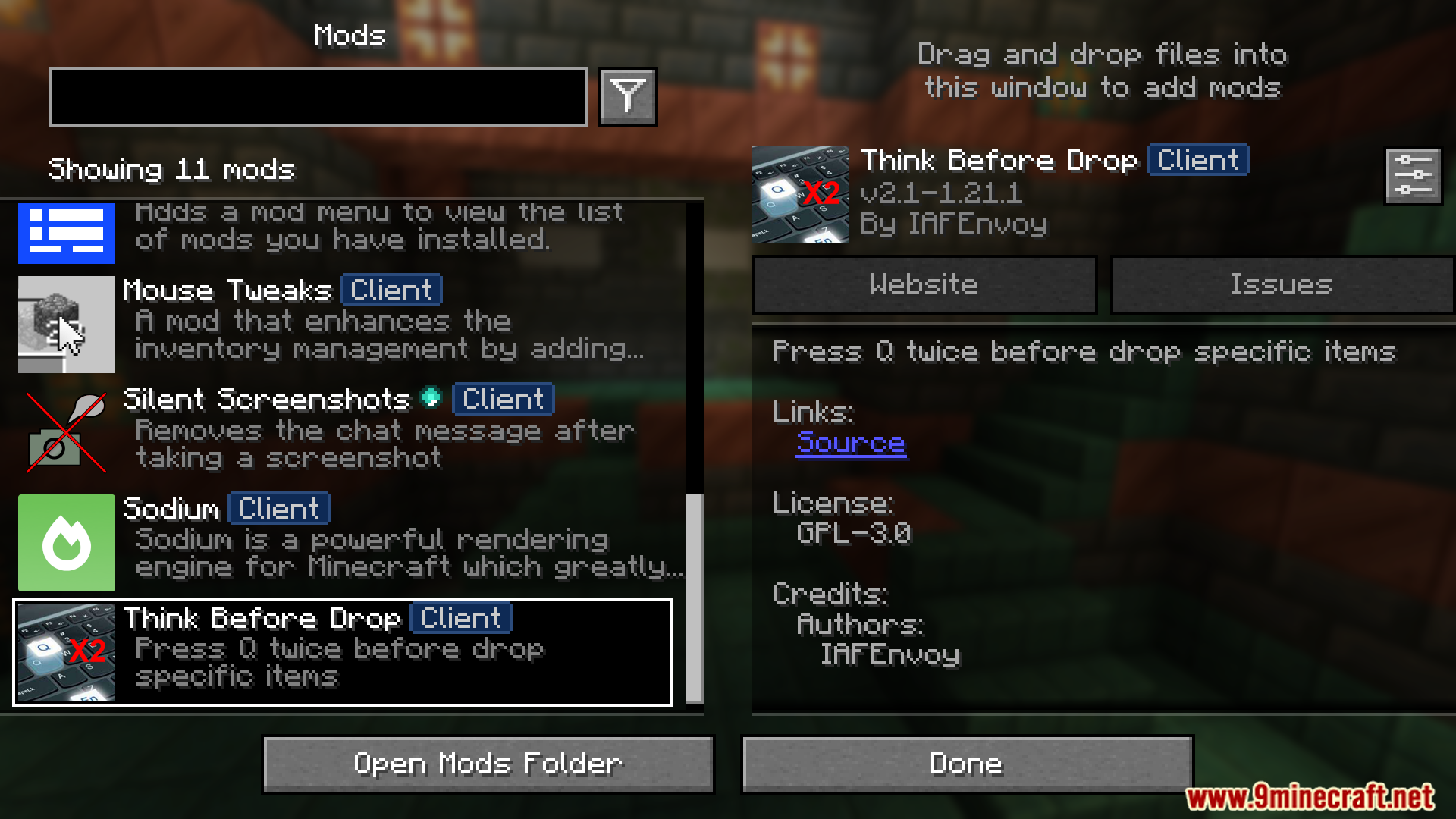
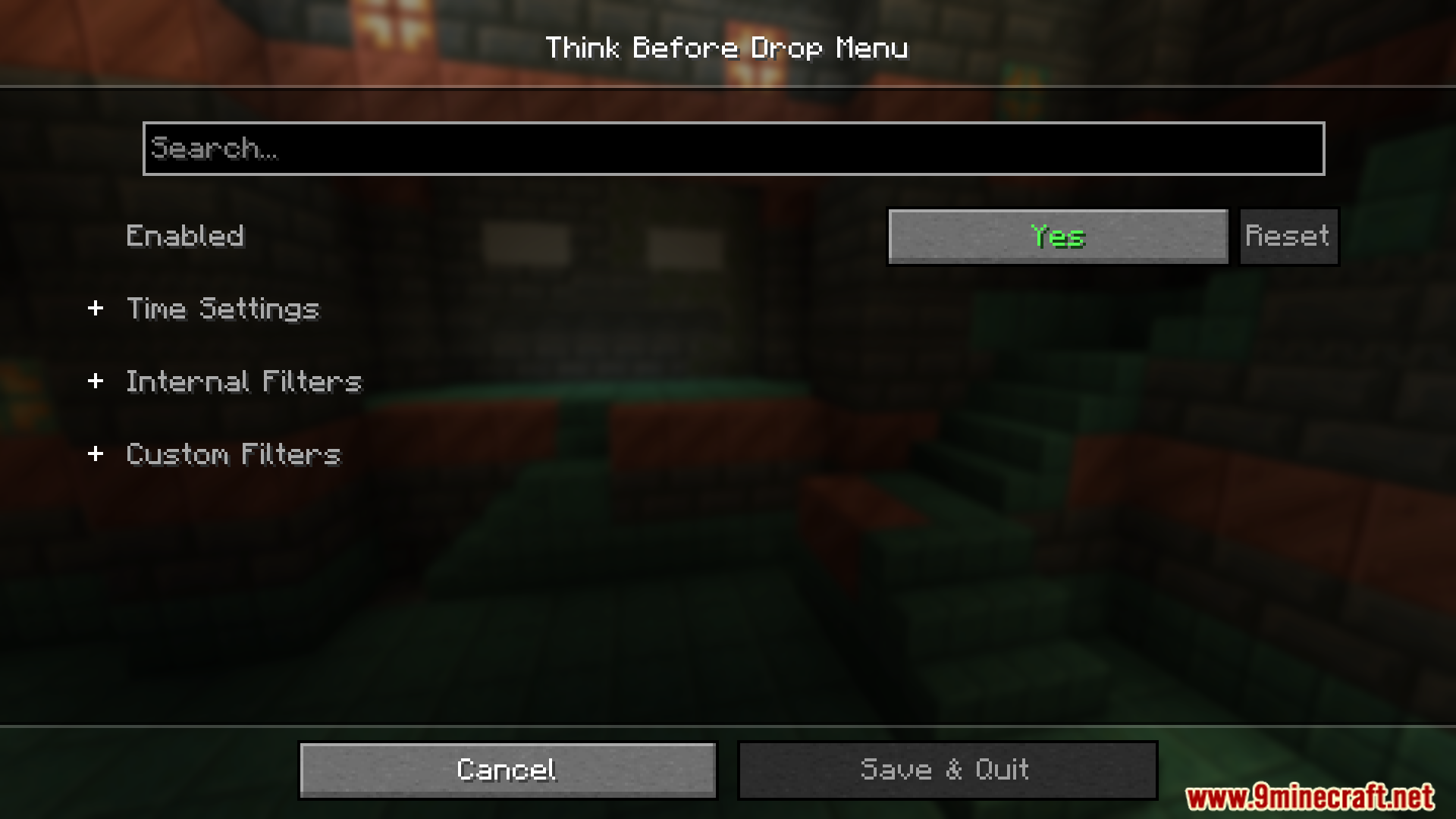
- Open the config menu through ModMenu to adjust the confirmation time limit.
- Use the filter settings in the config menu to toggle protection for armor and rare items or select specific items to protect or exclude.
Screenshots:
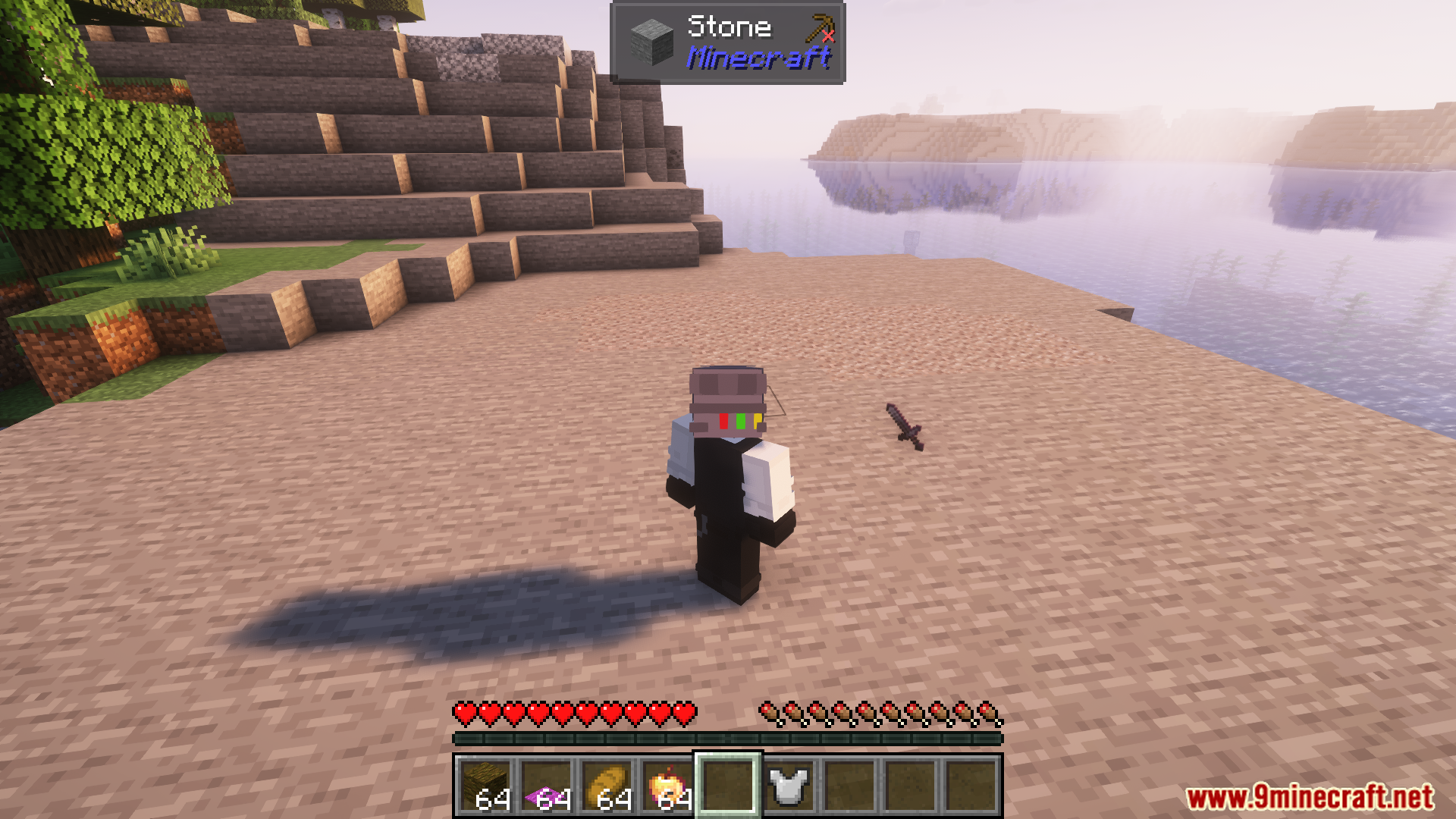
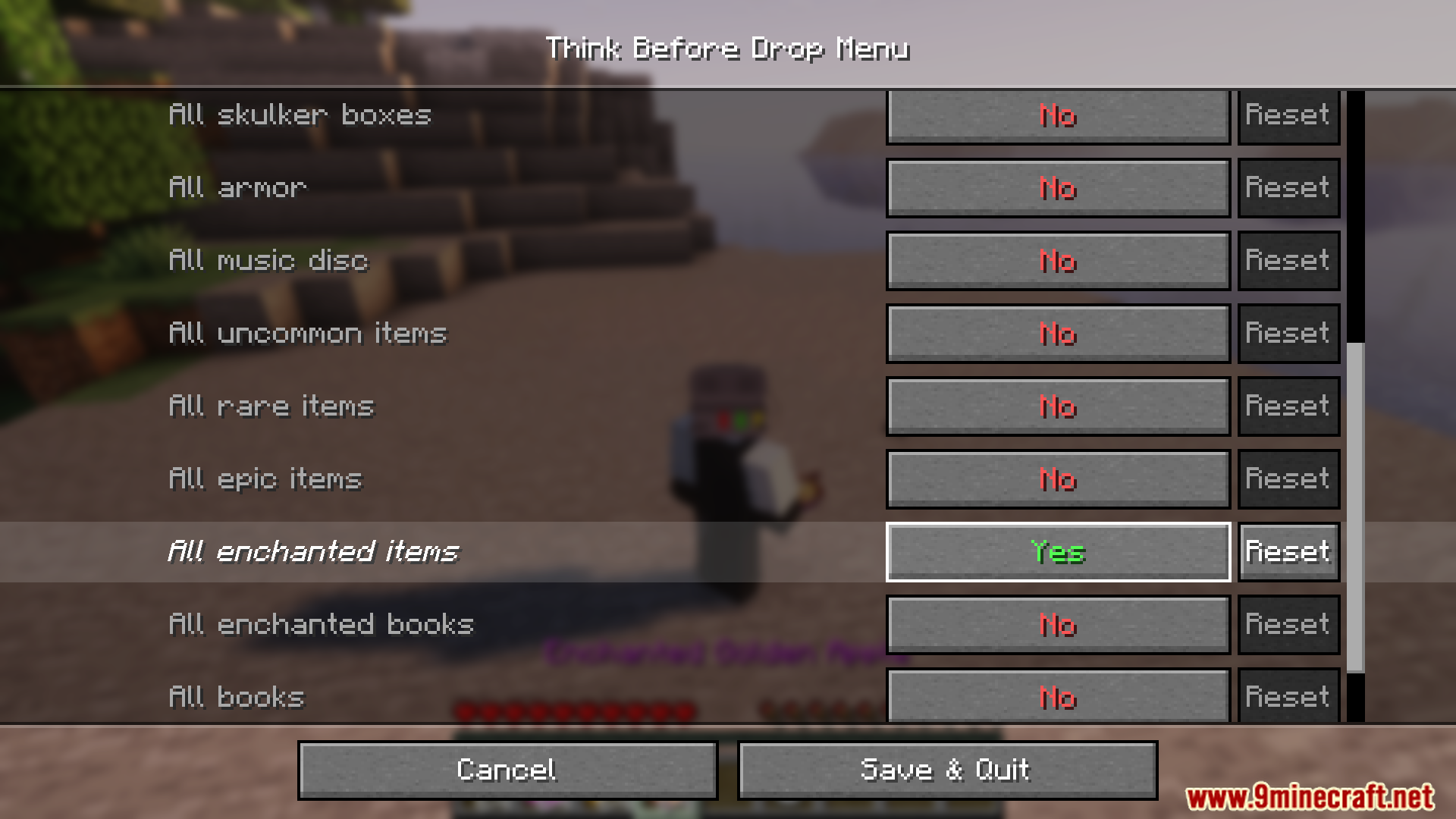
How to Install:
New to Minecraft? Follow our step-by-step guide to install Mods on your PC.View Guide



Think Before Drop Mod Download Links
For Minecraft 1.21.8, 1.21.7, 1.21.6
Fabric Version: Download from Server 1 – Download from Server 2
NeoForge Version: Download from Server 1 – Download from Server 2
For Minecraft 1.21.4, 1.21.3
Fabric Version: Download from Server 1 – Download from Server 2
NeoForge Version: Download from Server 1 – Download from Server 2
For Minecraft 1.21.1, 1.21
Fabric Version: Download from Server 1 – Download from Server 2
NeoForge Version: Download from Server 1 – Download from Server 2
For Minecraft 1.20.6, 1.20.4, 1.20.2, 1.20.1
Fabric Version: Download from Server 1 – Download from Server 2
For Minecraft 1.20.1
Forge/NeoForge Version: Download from Server 1 – Download from Server 2
For Minecraft 1.19.4, 1.19.3, 1.19.2
Forge Version: Download from Server 1 – Download from Server 2
Fabric Version: Download from Server 1 – Download from Server 2
For Minecraft 1.18.2
Forge Version: Download from Server 1 – Download from Server 2
Fabric Version: Download from Server 1 – Download from Server 2
For Minecraft 1.17.1
Fabric Version: Download from Server 1 – Download from Server 2
For Minecraft 1.16.5
Forge Version: Download from Server 1 – Download from Server 2
Fabric Version: Download from Server 1 – Download from Server 2
You May Also Like
Picked for this page
 Dynamic Trees Mod (26.1.2, 1.20.1) – Change the Natural Growth of Trees
 Mouse Wheelie Mod (26.2, 1.20.1) – Great Replacement for Inventory Tweaks
 Extended Bone Meal Mod (26.3, 1.20.1) – Instant Grow Crops
 Cascades Mod (26.3, 1.20.1) – Better Terrain Generation & New Biomes
 Syncmatica Mod (26.3, 1.20.1) – Server-Wide Shared Litematics
 Factory API Mod (26.1.2, 1.20.1) – Library for Wilyicaro’s Mods
 Dynamic Fullbright Mod (26.3, 1.20.1) – Dynamic Lighting Adjustment
 Block Meter Mod (26.2, 1.20.1) – Visual Distance Measurement
 Chance Globe Mod (26.3, 1.20.1) – Spawns a Random Block or Item
 Spider Pig Mod (26.3, 1.20.1) – Transform Spiders Into Playful Pigs
 iCommon API Mod (26.1.2, 1.20.1) – Library for Isaiah’s Mods
 Sodium Chinese Localization Mod (26.3, 1.20.1) – Sodium Translation
Most viewed in Mods over the last 7 days
 Ala Industrial Mod (26.3) – Run Electric Power Grids and Automated Factories
 PleasureCraft Mod (26.3, 1.21.1) – Jenny Mod Remake for Fabric
 Jennycraft Mod (26.3, 1.20.1) – Virtual Girlfriend in Minecraft
 Fapcraft Mod (26.3, 1.12.2) – Comprehensive and Detailed Content
 Jenny Mod (Fapcraft) Official Complete Guide – How to use, Tutorial
 BangCraft Mod (1.20.1) – Jenny, Ellie and Elliot
 Fabric Loader (26.3, 1.20.1) – Fabric Installer for All Minecraft Versions
 The Shooting Star Demo Mod (26.3, 1.20.1) – Vaporize Terrain From Orbit
 Meteor Client Mod (26.3, 1.20.1) – Xray, HUD, Fly
 OptiFine HD (26.3, 1.20.1) – Run Faster, FPS Boost, Shaders Support
 Aristois Client Mod (1.21.4, 1.20.1) – World Class Minecraft Utility
 Prestige Client Mod (1.21.11, 1.21.4) – Powerful Ghost Features for Crystal & Sword PvP
More from Mods
 Together Forever Unofficial Mod (1.12.2) – Share Team Advancements
 GroovyDuvet Mod (1.21.11, 1.20.1) – Run Groovy Scripted Addons Without Game
 Swing Through Grass 9minecraft Mod (26.3, 26.2) – Fight Mobs Without Breaking Tall Grass
 Improved Boss Bars 9minecraft Mod (26.3) – Unique Health Bars for Every Boss Fight
 Cozy’s Improved Wolves Mod (26.3, 1.20.1) – Bond with Loyal Dogs That Never Die
 Cuisine Craft Mod (1.21.11, 1.20.1) – Cook Restaurant Dishes with Fresh Farm
 XinexLib Mod (1.21.1) – Keep Your Ultreon Studios Mods Running
 Libvulpes – Fixed Mod (1.12.2) – Launch Rockets with Fewer Bugs
 Freelook Perspective Mod (26.3, 1.21.1) – Watch Your Back While Sprinting
 FAUNA Engine Mod (1.21.1, 1.20.1) – Powering Legendary Dragons
 Avali Nexus Mod (26.3) – Settle Frozen Frontiers with High-Tech Bird Tribes
 Orient’s Hotpot Chronicles Mod (1.20.1) – Boil Fresh Hotpot Meals Over Open Flames

This post has no comments yet. Be the first — your comment will appear here.