
Player Finder Mod (26.1.2, 1.20.1) – Track Down Friends Anywhere in Multiplayer
 8,977
 0


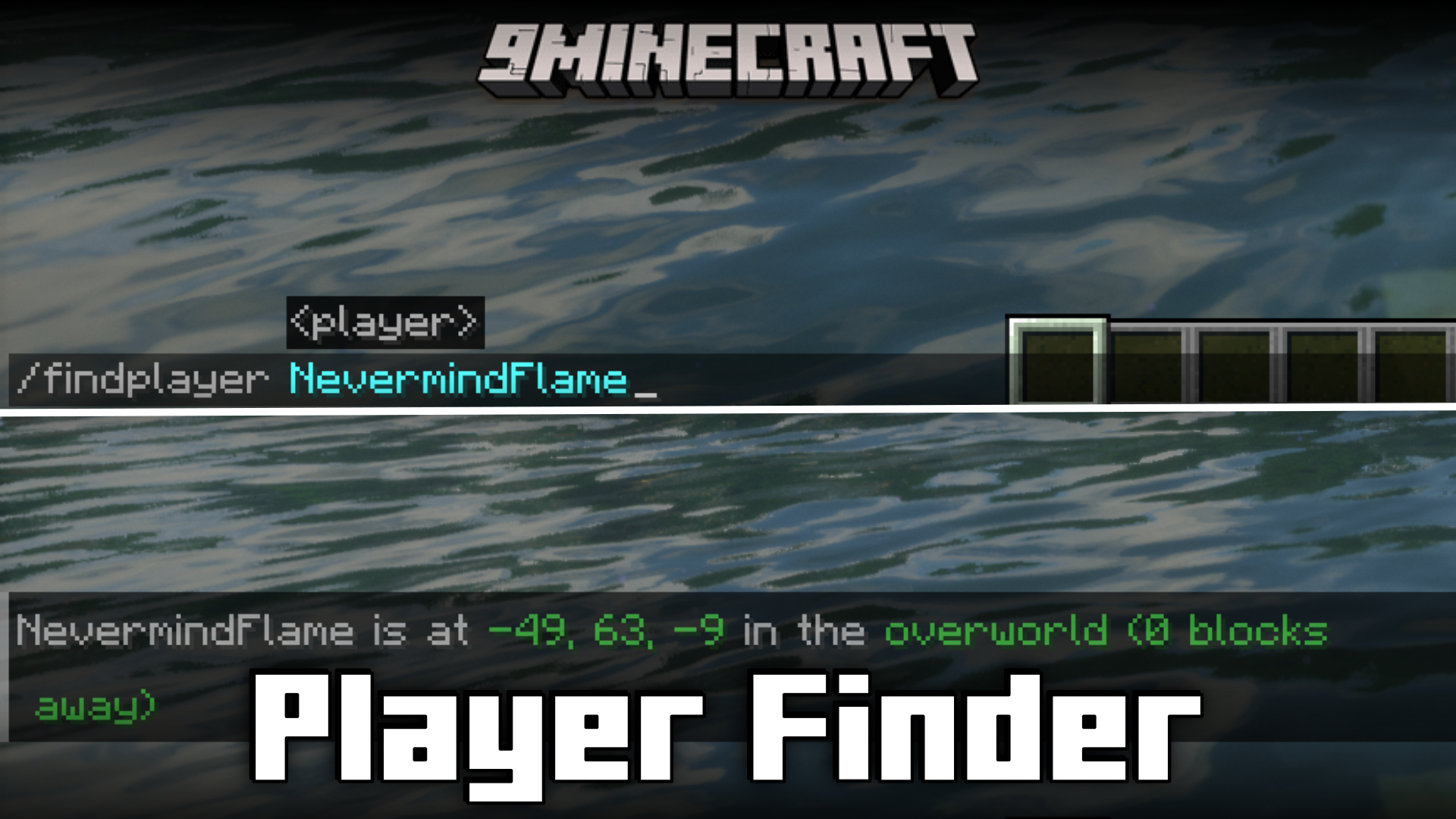
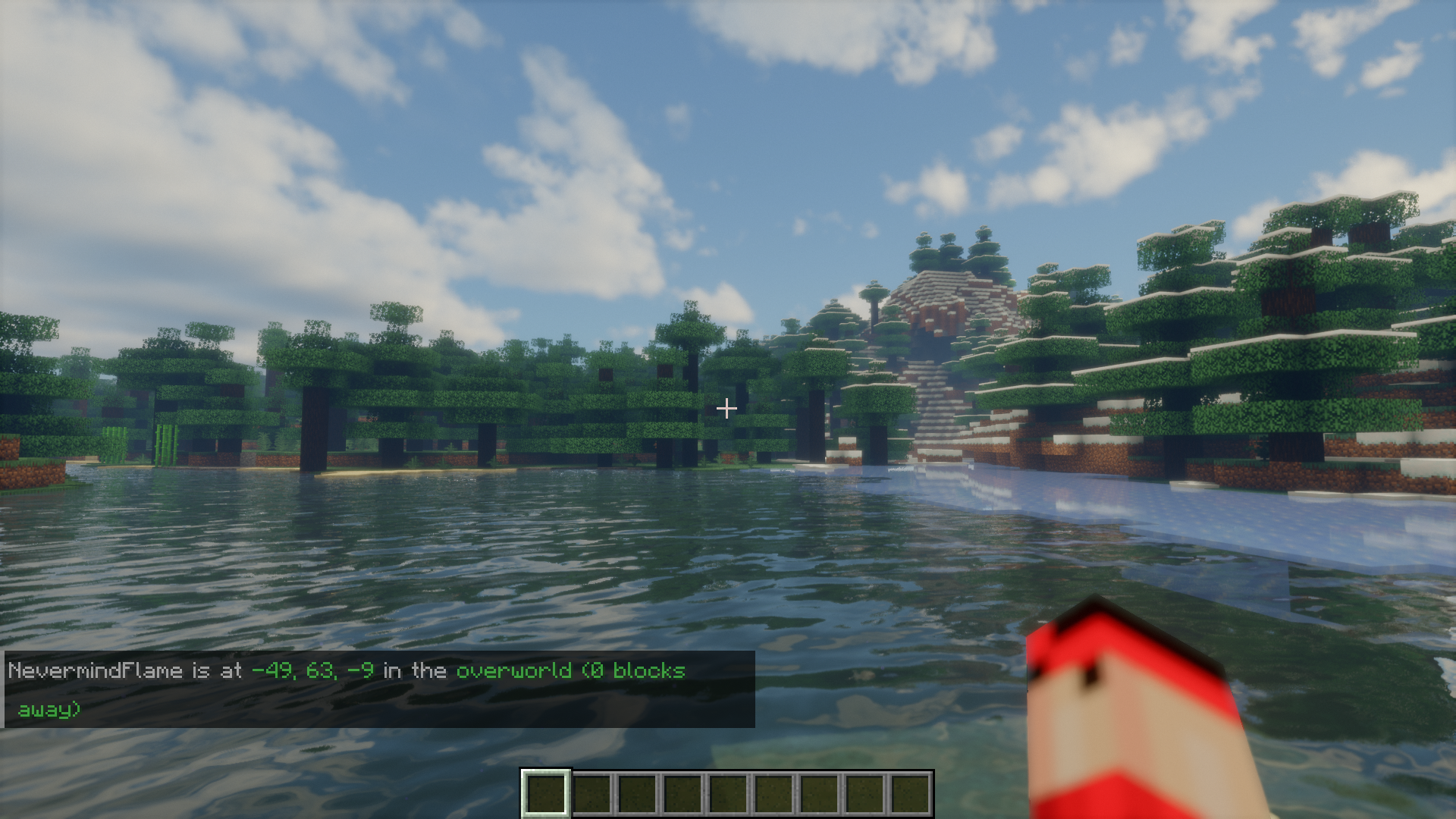
Player Finder Mod adds a simple command to help you locate other players on a multiplayer server. It gives you exact coordinates, current dimensions, and the precise block distance to any player in your world. The mod runs on the server side and includes handy features like name autocomplete so you can easily find your friends.
Features:
- Player Location Command: Adds a dedicated command to find the coordinates, dimension, and distance of any player on the server.
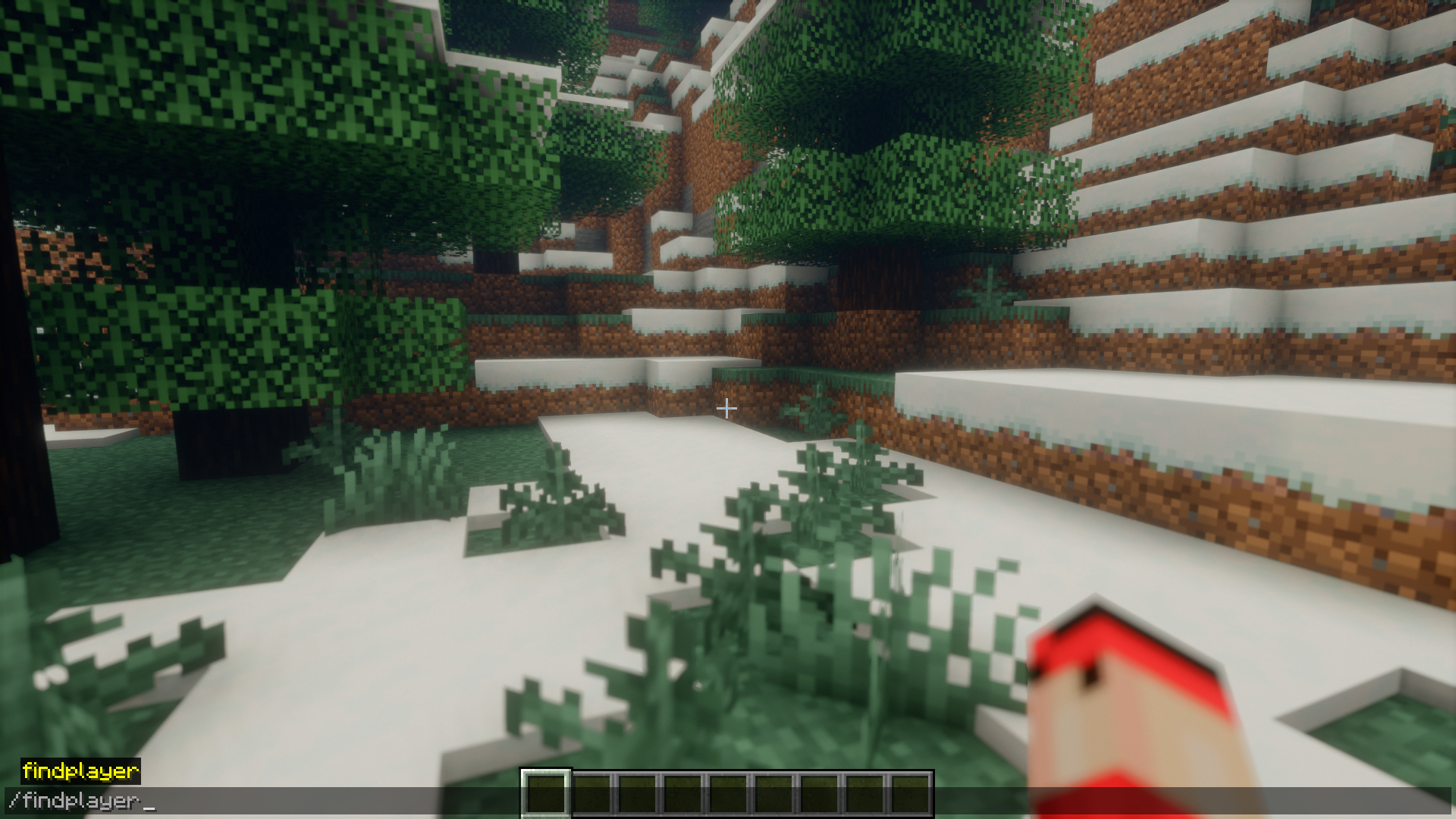
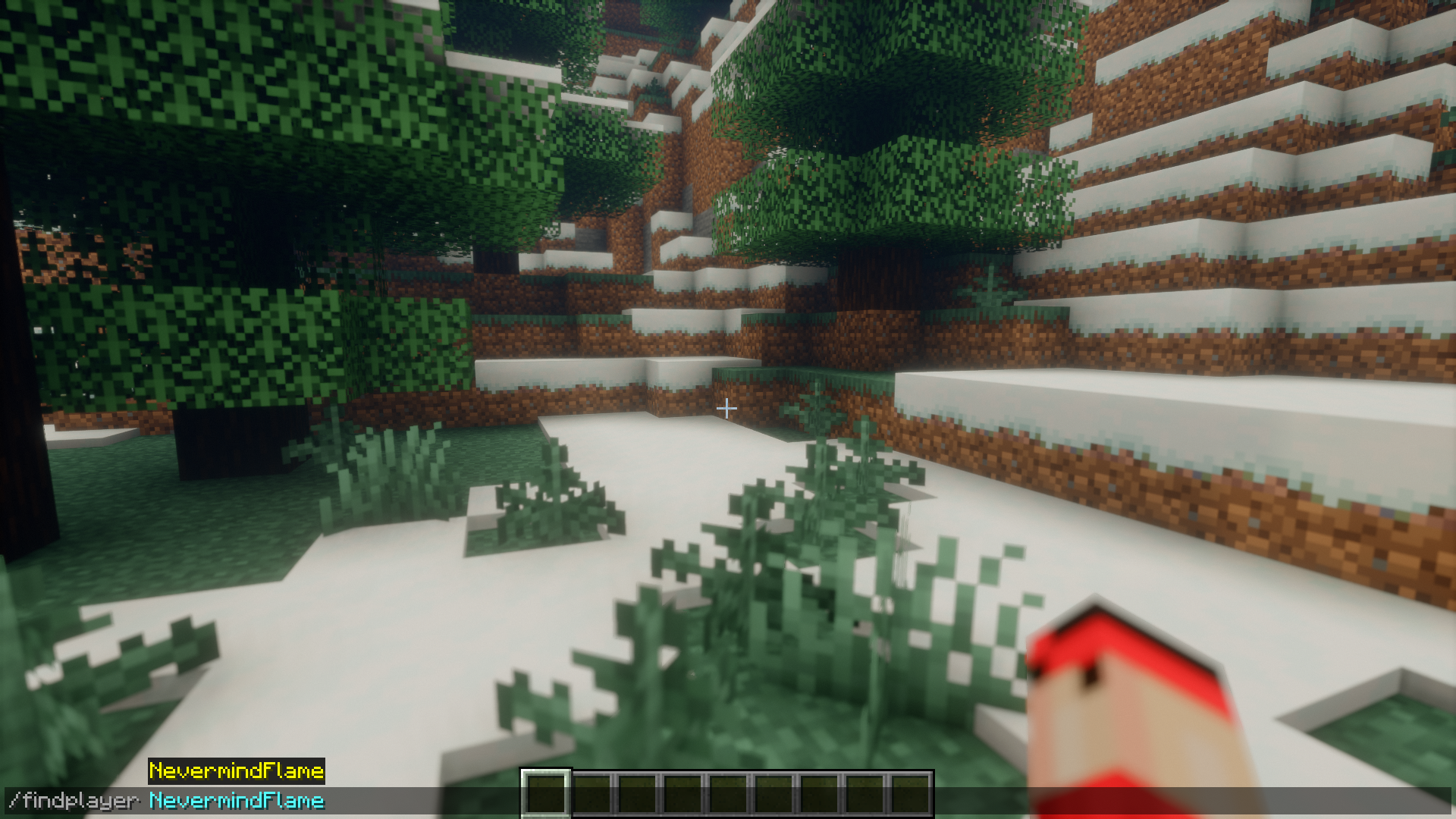
- Supports autocomplete with a dropdown menu of player names so you do not have to type full names manually.
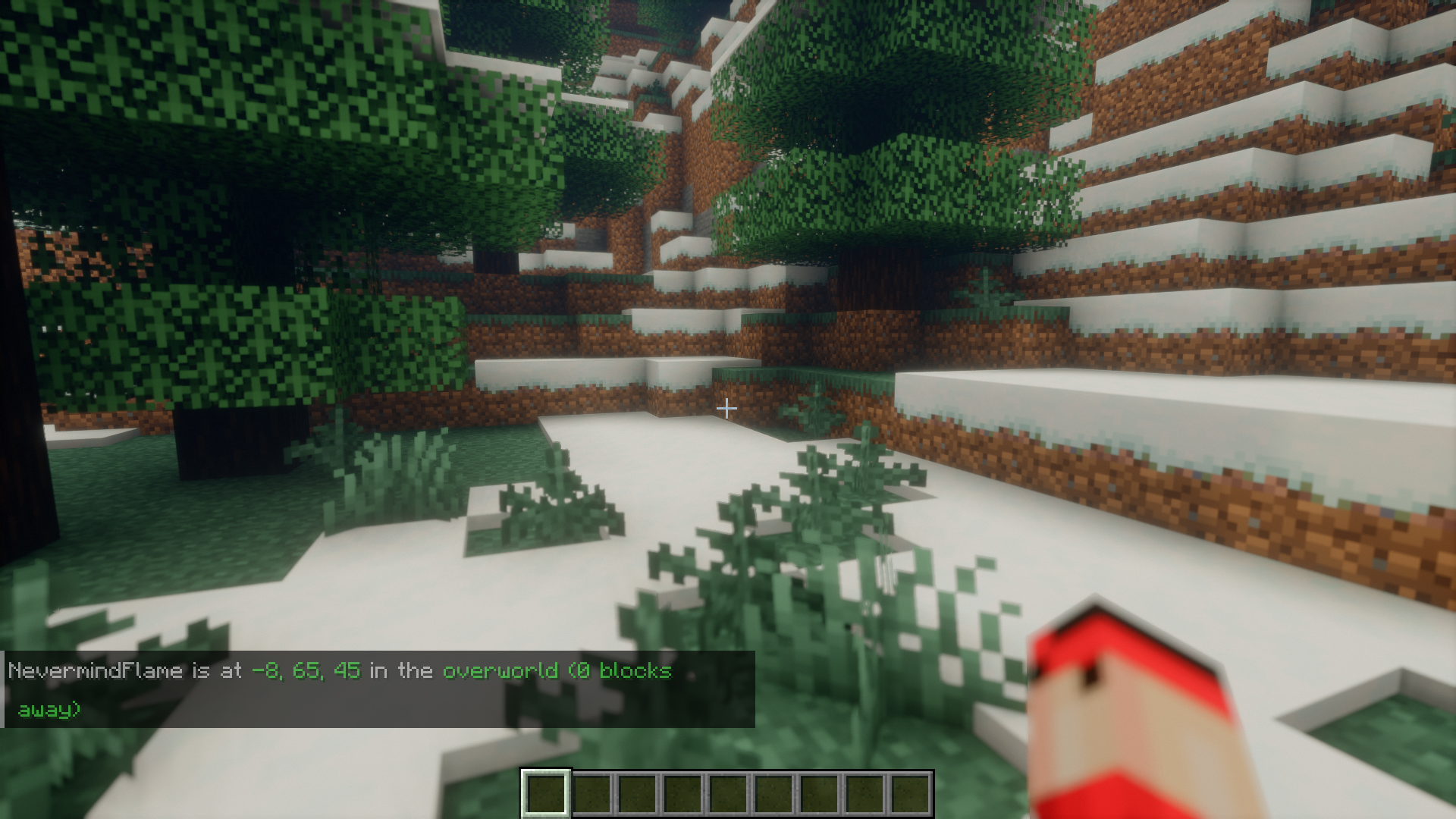
- Shows color-coded coordinates that change depending on the dimension the target player currently occupies.
- Displays the exact distance in blocks between you and the target player.
- Runs on the server side, meaning clients do not need to install it unless hosting an Open to LAN game.
Commands:
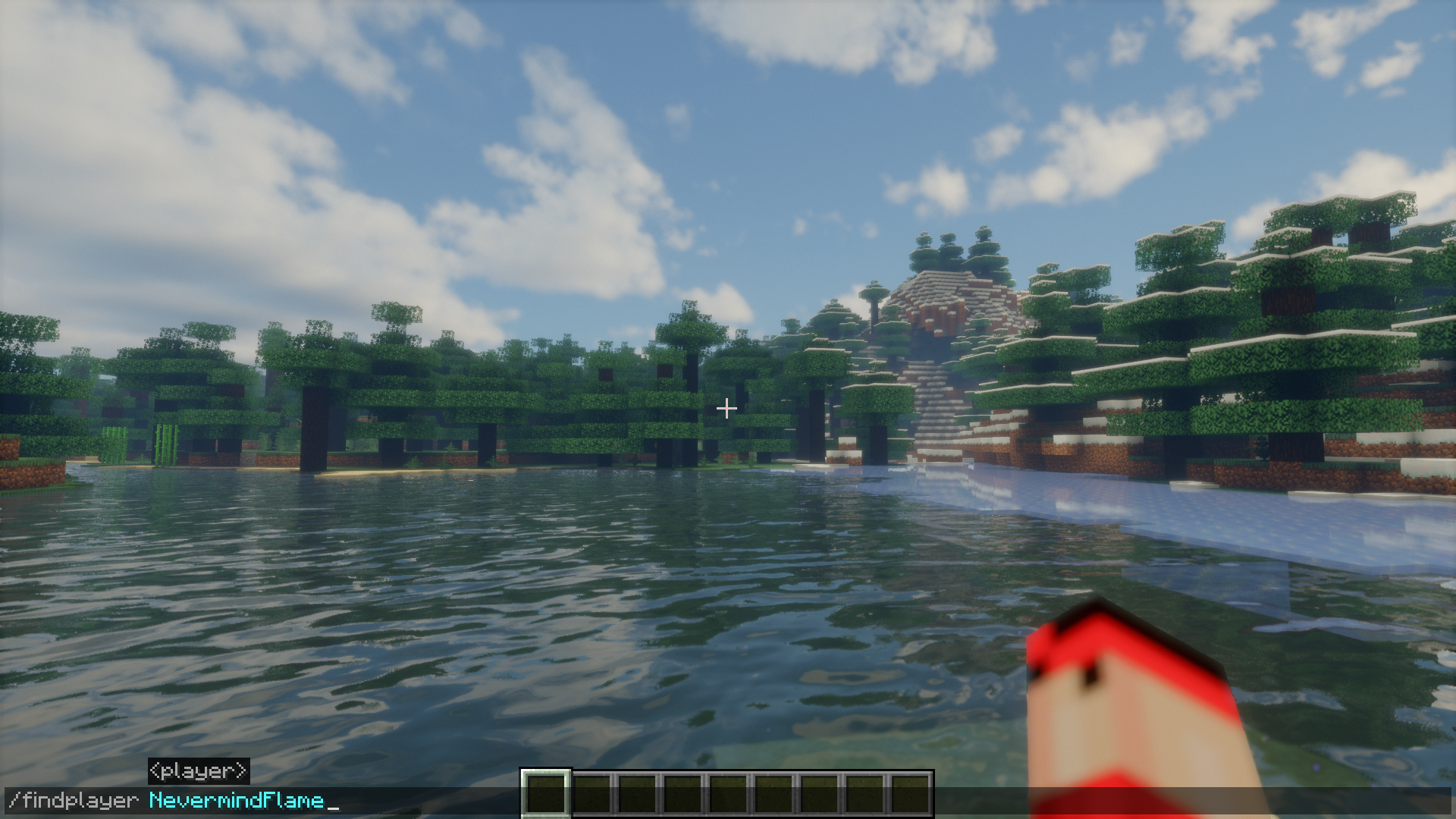
/findplayer <player>: Locates the specified player and displays their coordinates, dimension, and distance.
How to Use:
- Open your chat window in the game.
- Type
/findplayerfollowed by the name of the player you want to locate. - Use the autocomplete dropdown menu to select the player name quickly without typing it out entirely.
- Press Enter to view the target player’s exact coordinates, dimension, and distance in blocks.
Screenshots:
How to Install:
New to Minecraft? Follow our step-by-step guide to install Mods on your PC.View Guide


Player Finder Mod Download Links
For Minecraft 26.1.2, 26.1.1, 26.1
For Minecraft 1.21.11
For Minecraft 1.21.10, 1.21.9
For Minecraft
1.21.8,
1.21.7,
1.21.6
All Versions Covered
1.21.8
1.21.7
1.21.6
1.21.5
1.21.4
All Versions Covered
1.21.8
1.21.7
1.21.6
1.21.5
1.21.4
For Minecraft 1.21.3, 1.21.2
For Minecraft 1.20.6, 1.20.4
For Minecraft
1.20.3,
1.20.2,
1.20.1
All Versions Covered
1.20.3
1.20.2
1.20.1
1.20
All Versions Covered
1.20.3
1.20.2
1.20.1
1.20
Click to rate this post!
[Total: 4 Average: 2]
You May Also Like
Picked for this page
 Dynamic Trees Mod (26.1.2, 1.20.1) – Change the Natural Growth of Trees
 Blockus Mod (26.3, 1.20.1) – Lots of New Decorative Blocks
 Bactro Mod (26.3, 1.20.1) – QoL Utilities
 Bedrock Crafter Mod (26.3, 1.20.1) – Craft Bedrock and Building Blocks
 Enhanced Quarries Mod (26.3, 1.20.1) – Automate Mining With Precision
 Inventive Inventory Mod (26.3, 1.20.1) – Inventory Management
 No LAN Cheating Mod (26.3, 1.20.1) – Disallow Players From Using Cheats
 Better Conduit Placement Mod (26.3, 1.20.1) – Placing Conduit Prismarine Blocks Easier
 Item Transform Helper Mod (26.3, 1.20.1) – Set Size & Location Of Items
 Custom Time Cycle Mod (26.3, 1.20.1) – Configure Day & Night Duration
 Cycle Title Screen Splash Mod (26.3, 1.20.1) – Configurable Splash Text
 Hungrier Mod (1.21.11, 1.20.6) – Eat Even When You Are Full
Most viewed in Mods over the last 7 days
 Ala Industrial Mod (26.3) – Run Electric Power Grids and Automated Factories
 PleasureCraft Mod (26.3, 1.21.1) – Jenny Mod Remake for Fabric
 Jennycraft Mod (26.3, 1.20.1) – Virtual Girlfriend in Minecraft
 Fapcraft Mod (26.3, 1.12.2) – Comprehensive and Detailed Content
 Jenny Mod (Fapcraft) Official Complete Guide – How to use, Tutorial
 BangCraft Mod (1.20.1) – Jenny, Ellie and Elliot
 Fabric Loader (26.3, 1.20.1) – Fabric Installer for All Minecraft Versions
 The Shooting Star Demo Mod (26.3, 1.20.1) – Vaporize Terrain From Orbit
 Meteor Client Mod (26.3, 1.20.1) – Xray, HUD, Fly
 OptiFine HD (26.3, 1.20.1) – Run Faster, FPS Boost, Shaders Support
 Aristois Client Mod (1.21.4, 1.20.1) – World Class Minecraft Utility
 Prestige Client Mod (1.21.11, 1.21.4) – Powerful Ghost Features for Crystal & Sword PvP
More from Mods
 Swing Through Grass 9minecraft Mod (26.3, 26.2) – Fight Mobs Without Breaking Tall Grass
 Improved Boss Bars 9minecraft Mod (26.3) – Unique Health Bars for Every Boss Fight
 Cozy’s Improved Wolves Mod (26.3, 1.20.1) – Bond with Loyal Dogs That Never Die
 Cuisine Craft Mod (1.21.11, 1.20.1) – Cook Restaurant Dishes with Fresh Farm
 Nekoro Coins Mod (1.21.1, 1.20.1) – Trade Physical Currency Across Player
 Create Beyond Limits Mod (1.21.1, 1.20.1) – Build Smarter Factories
 Freelook Perspective Mod (26.3, 1.21.1) – Watch Your Back While Sprinting
 FAUNA Engine Mod (1.21.1, 1.20.1) – Powering Legendary Dragons
 Avali Nexus Mod (26.3) – Settle Frozen Frontiers with High-Tech Bird Tribes
 Orient’s Hotpot Chronicles Mod (1.20.1) – Boil Fresh Hotpot Meals Over Open Flames
 Far Lands Traveler Mod (26.1.2) – Survive the Long Trek to the Edge of the World
 Beli’s SkyLyrics Mod (1.21.11) – Sing Along to Desktop Tracks Projected in the Night Sky

This post has no comments yet. Be the first — your comment will appear here.