


RarityCore Mod (26.1.2, 1.20.1) – Find Rare Loot Instantly with Color Coded Item Backgrounds

 0
0 

🌐 Good news — we've translated this article into other languages!
Or pick the one you like:
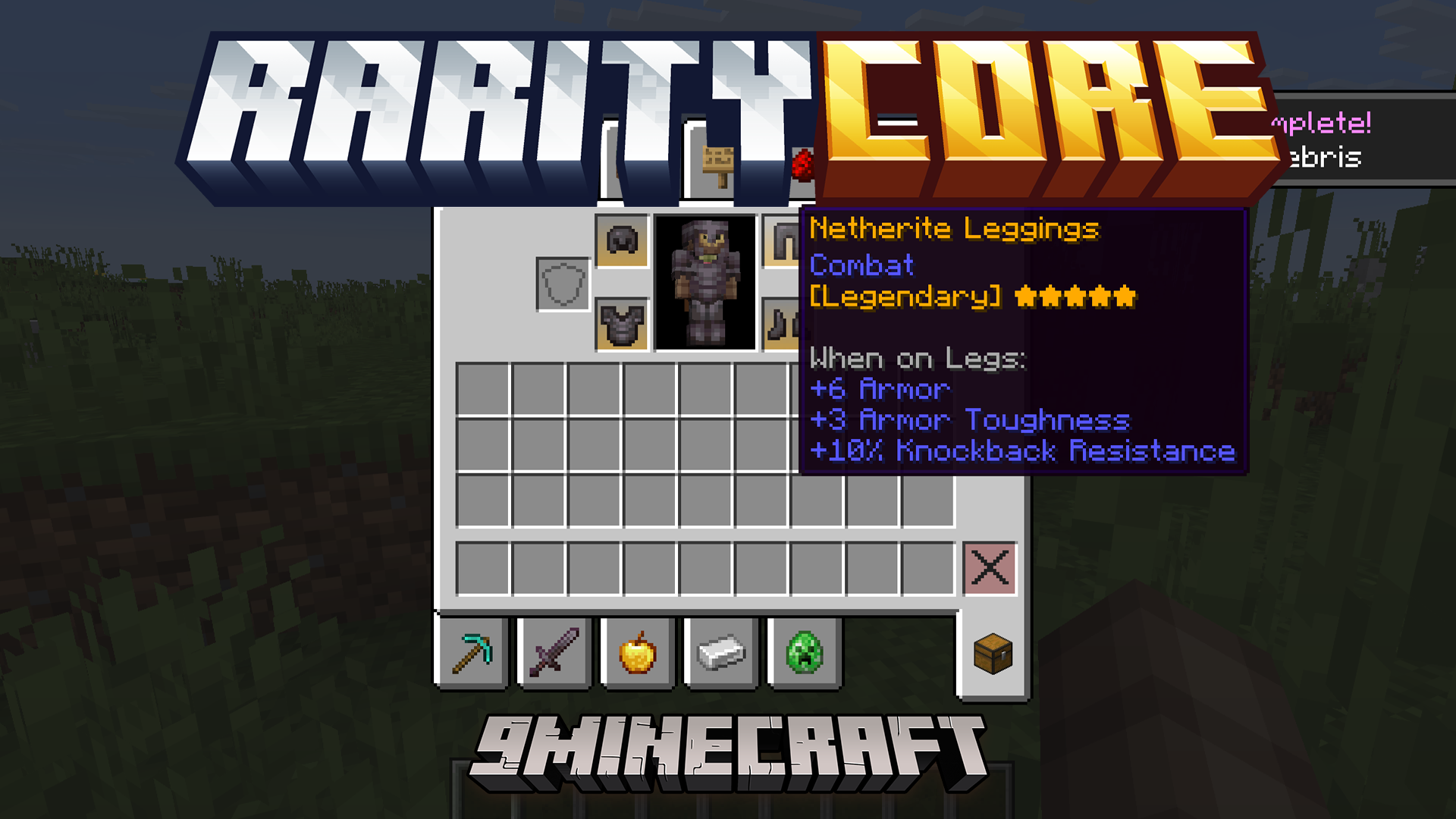
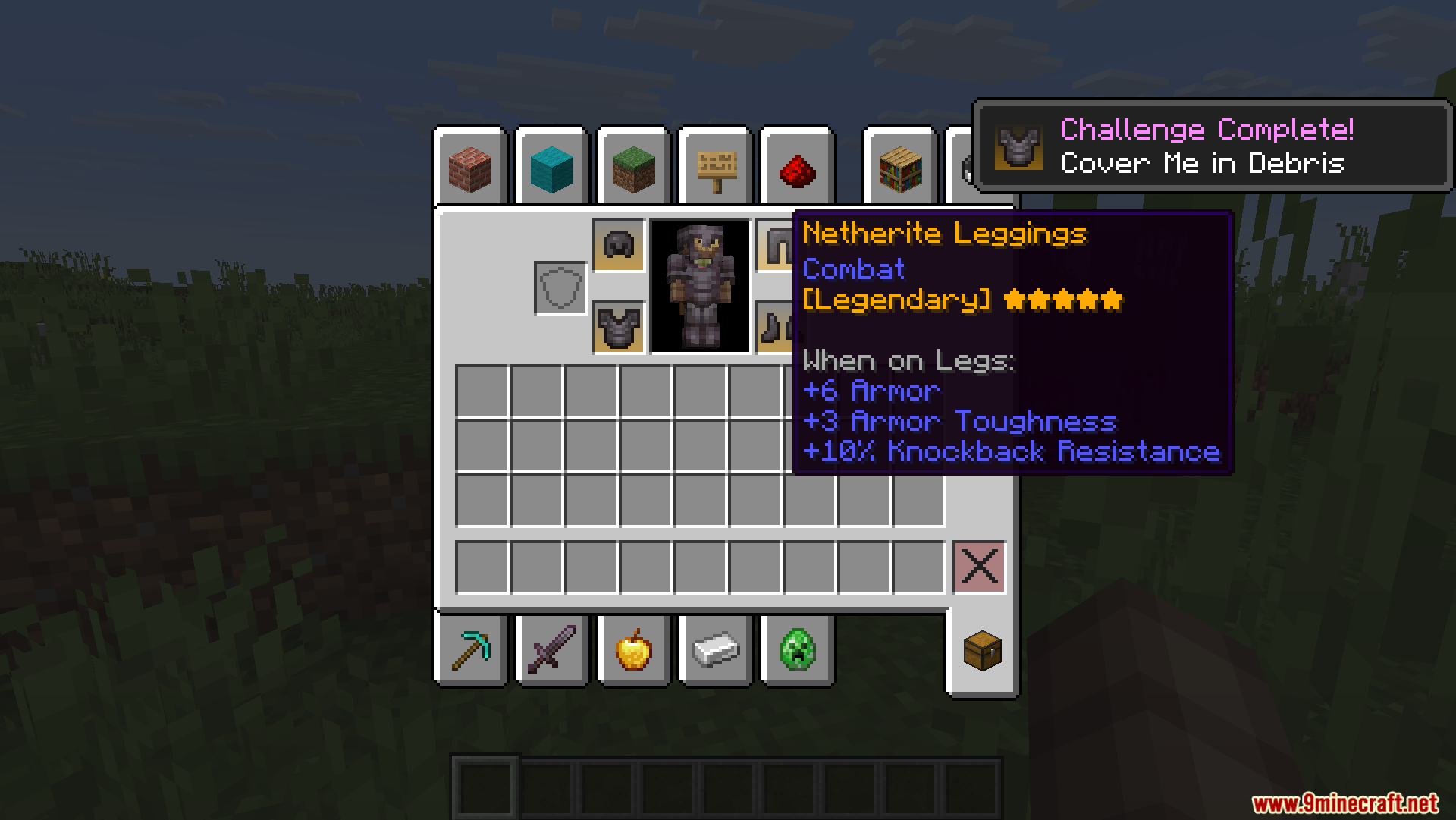
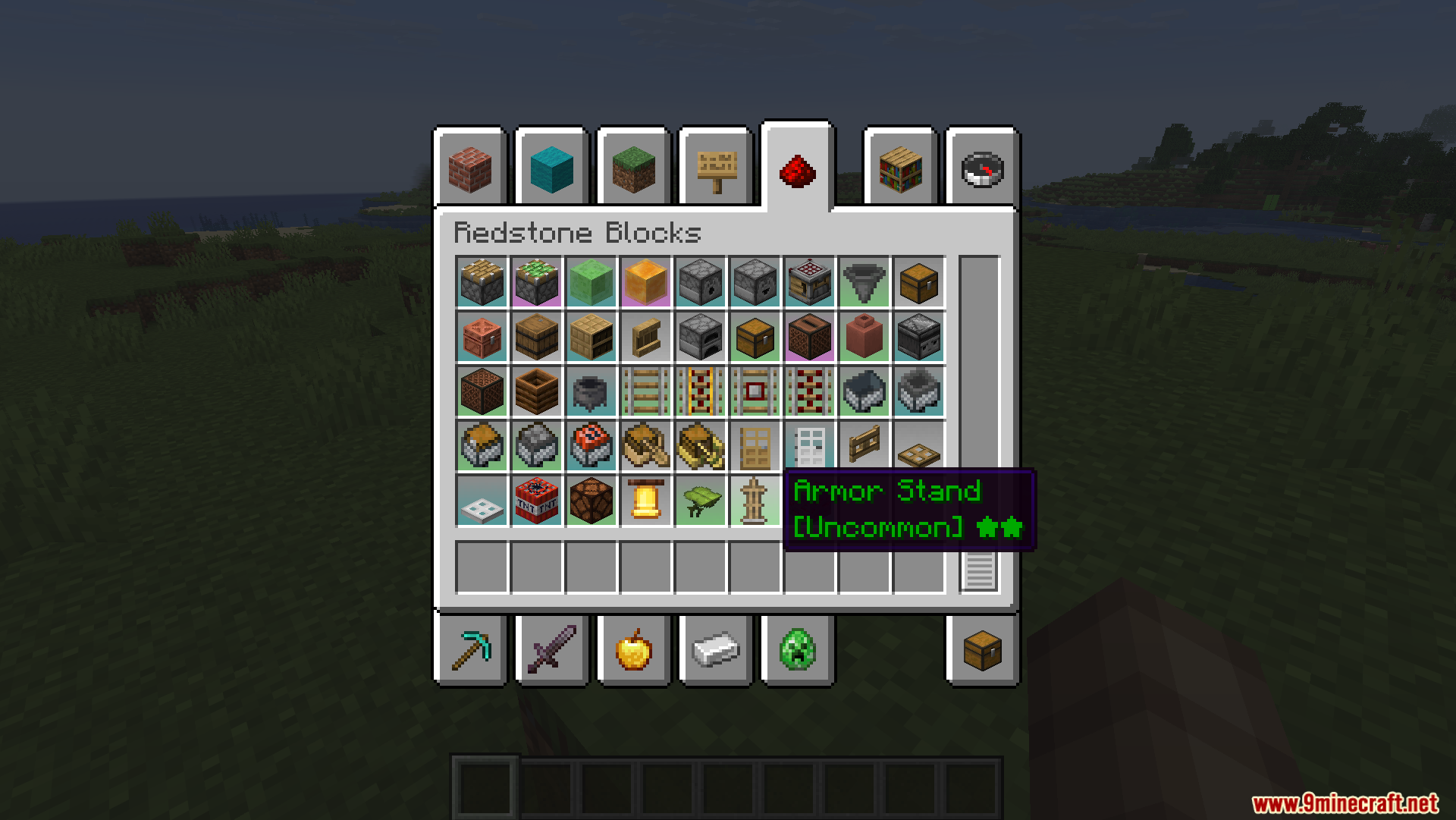
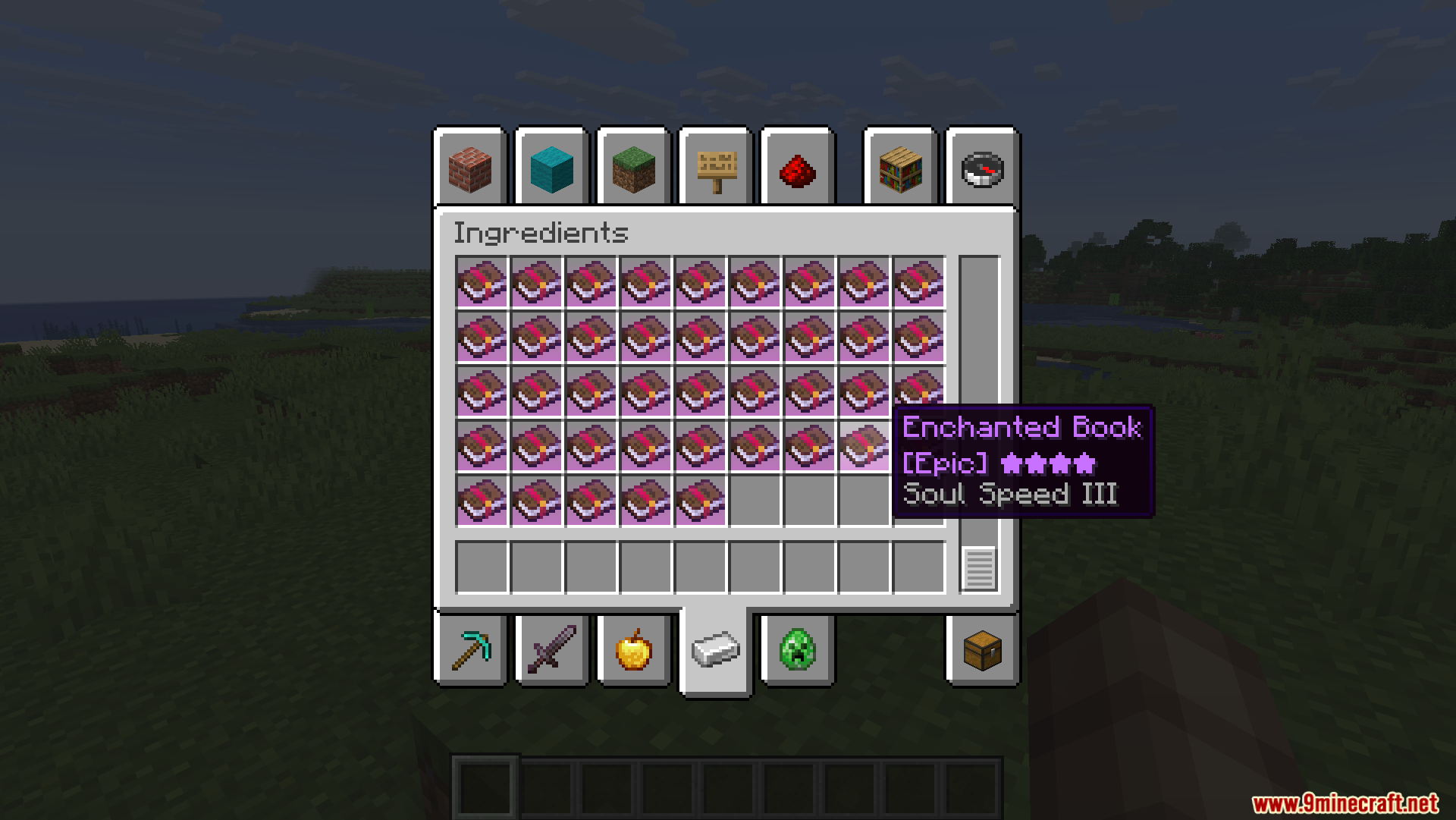
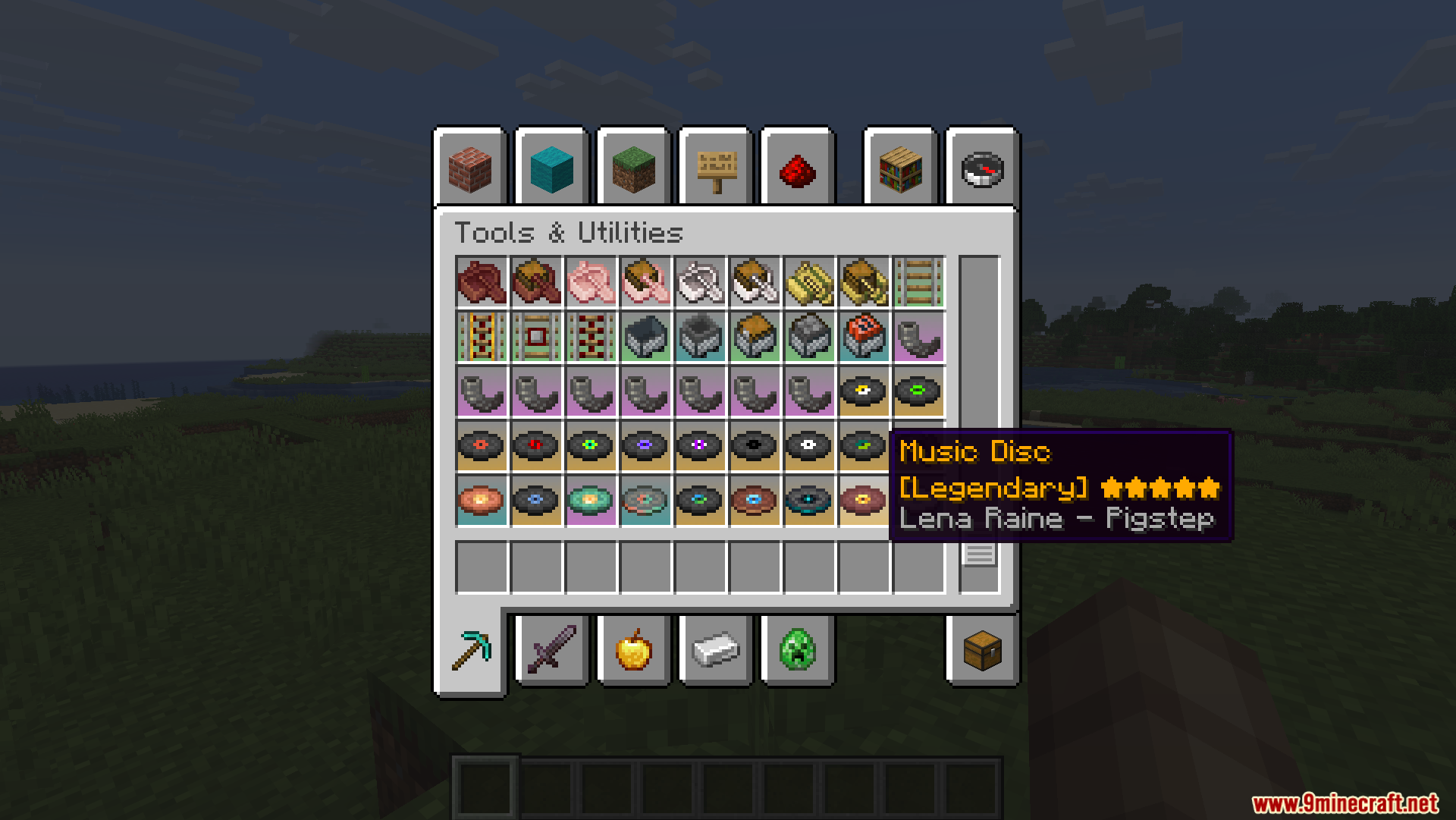
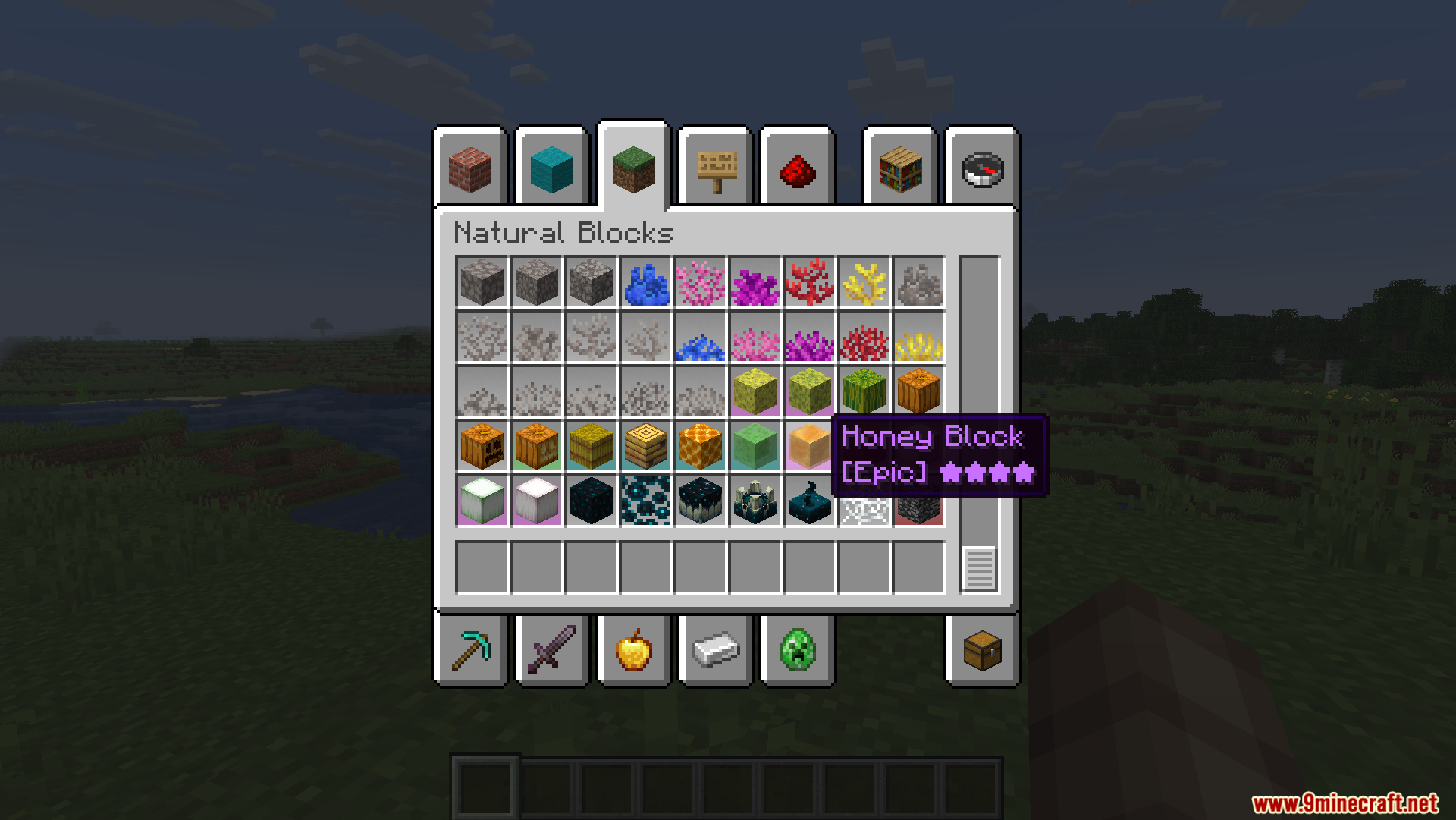
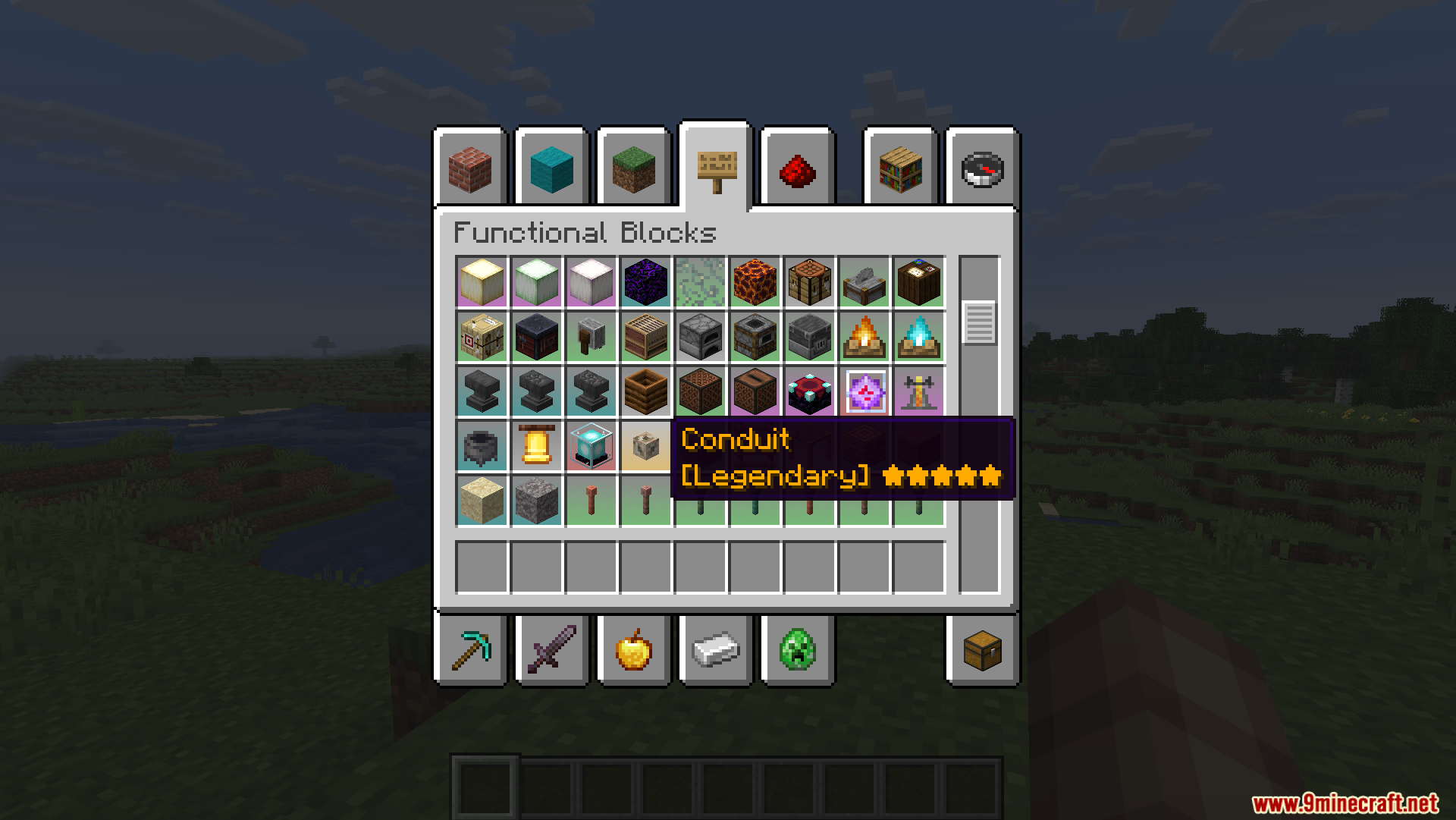
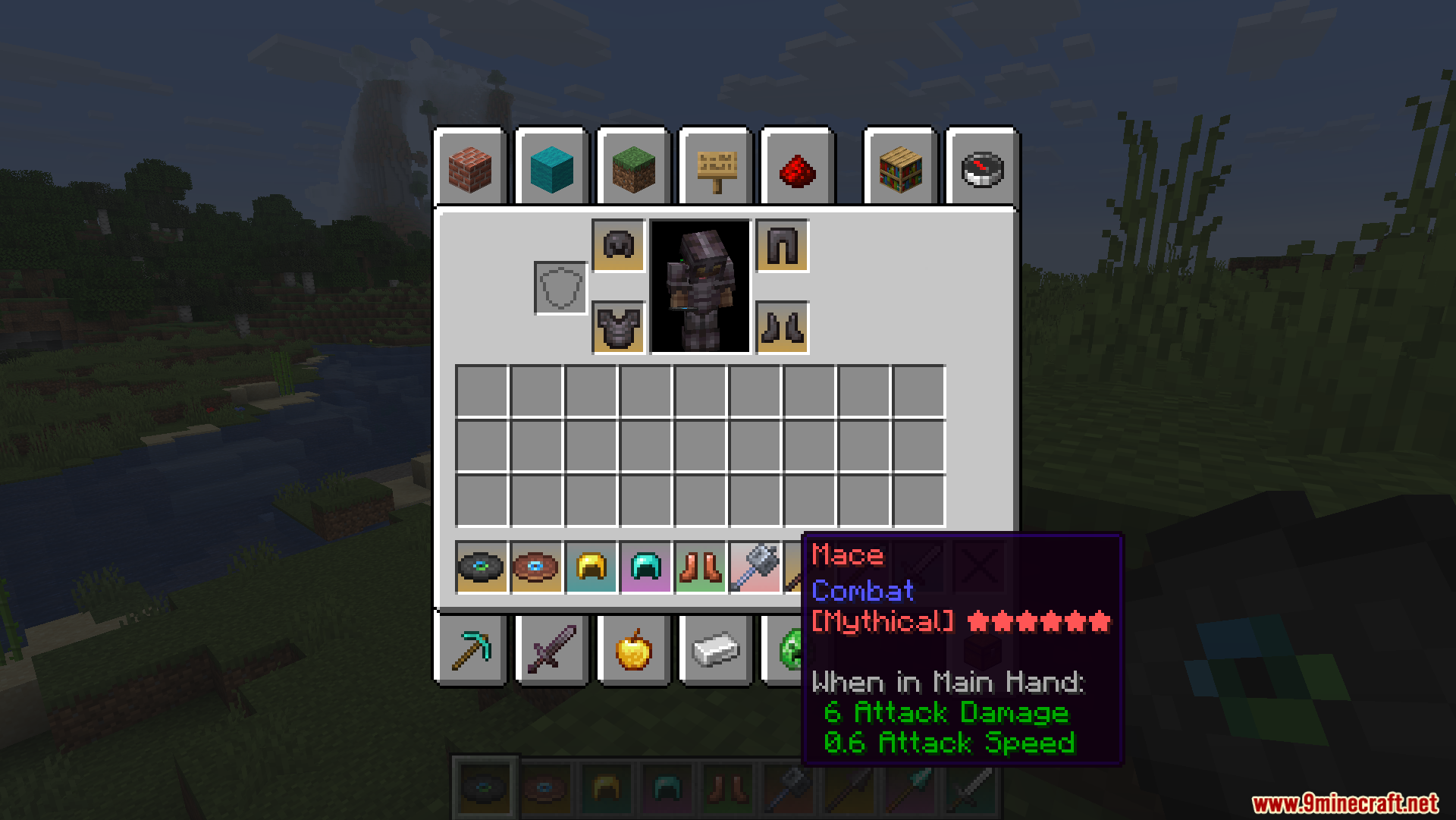
RarityCore Mod adds a colorful background system to your inventory so you can easily spot your best items. It gives every item a specific color based on how hard it is to get, like gray for basic blocks and gold for rare treasures. This system calculates the value of items automatically by looking at their crafting recipes. You do not need to set up anything manually for most items to get their new colors. It works right away to make sorting through your chests much faster and visually clear.
Features:
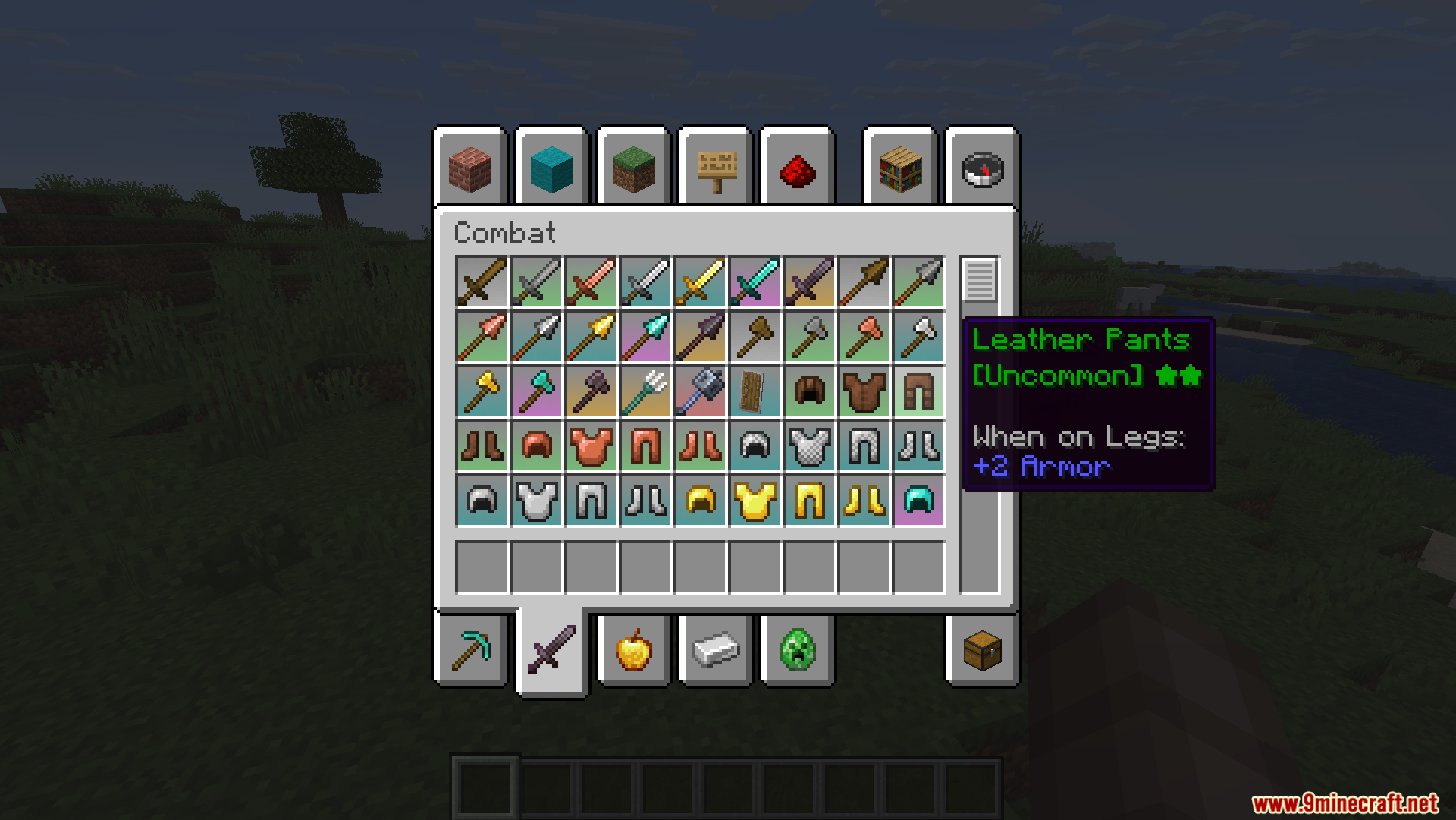
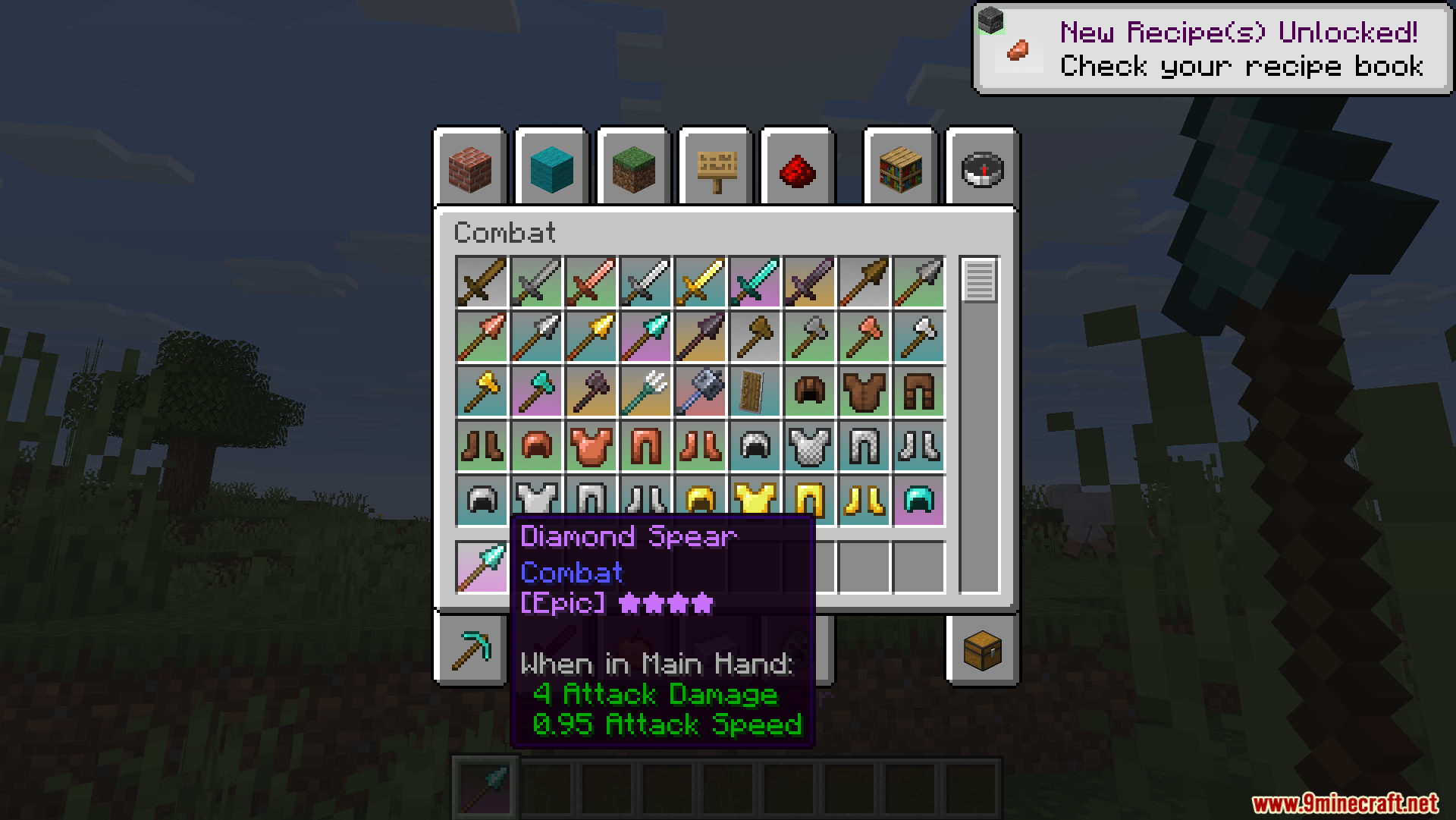
- Color-Coded Inventory: Adds unique colored backgrounds to items in your inventory, ranging from basic gray to legendary gold across seven levels.
- Smart Auto-Sorting: Calculates how rare an item is automatically by looking at its crafting recipe.
- Puts a special pop-up message on your screen when you look at items of different values.
- Works right out of the box with over 70 other mods without needing extra setup.
- Lets you change the background colors, text colors, and tooltips exactly how you want them.
- Allows you to change the rarity level of any item with just a few simple clicks while in the creative menu.
- Supports advanced item data to give different colors to items that share the same name but have different stats, like custom weapons.
Mod Compatibility & Fixes:
- Connects with Apotheosis to use its special weapon and gem quality levels instead of the default colors.
- Shows colored backgrounds inside digital storage screens like Refined Storage and Elegant Backpacks.
- Requires you to turn off the HUD batching setting if you use ImmediatelyFast, which fixes missing textures on your hotbar.
- Needs the batch processing feature turned off in EMI so backgrounds show up properly in the recipe tabs.
Screenshots:
How to Install:
New to Minecraft? Follow our step-by-step guide to install Mods on your PC.View Guide
Requirements:


RarityCore Mod Download Links
For Minecraft 26.1.2, 26.1.1, 26.1
For Minecraft 1.21.11
For Minecraft 1.21.1, 1.21
For Minecraft 1.20.1, 1.20
Click to rate this post!
[Total: 0 Average: 0]
You May Also Like











This post has no comments yet. Be the first — your comment will appear here.