


Feesh Mod (26.2, 1.21.11) – Never Miss a Rare Catch in Hypixel Skyblock Fishing

 0
0 

Feesh Mod brings helpful tools to your Hypixel Skyblock fishing trips. This mod adds trackers, alerts, and chat features so you always know what happens on your screen. It tracks your profits, counts the sea creatures you catch, and warns you when important events happen. You get a cleaner chat box and useful timers right on your screen.
Features:
- Adds custom sound alerts when you catch sea creatures or find rare drops.
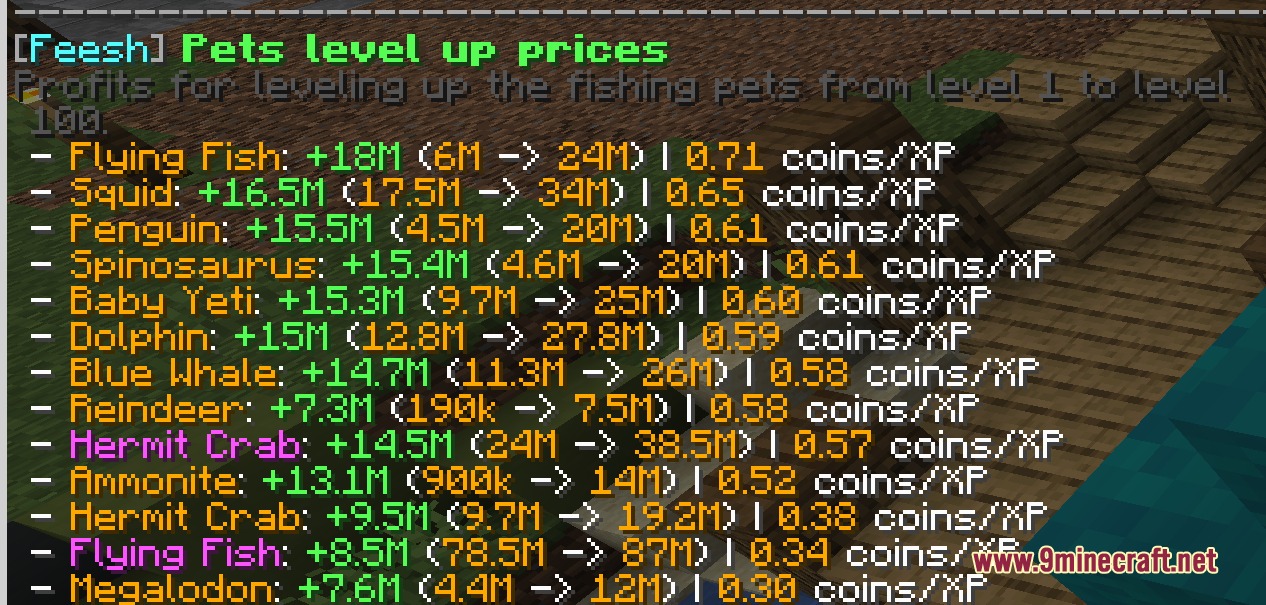
- Lets you track how many coins you make per hour while fishing.
- Shows the health of nearby rare sea creatures directly on your screen.
- Warns you if you start fishing without your fishing armor or bait.
- Shortens long double hook and catch messages so your chat stays clean.
- Shares your rare catches and hotspot locations with your party automatically.
- Displays a hook timer that tells you exactly when a fish arrives.
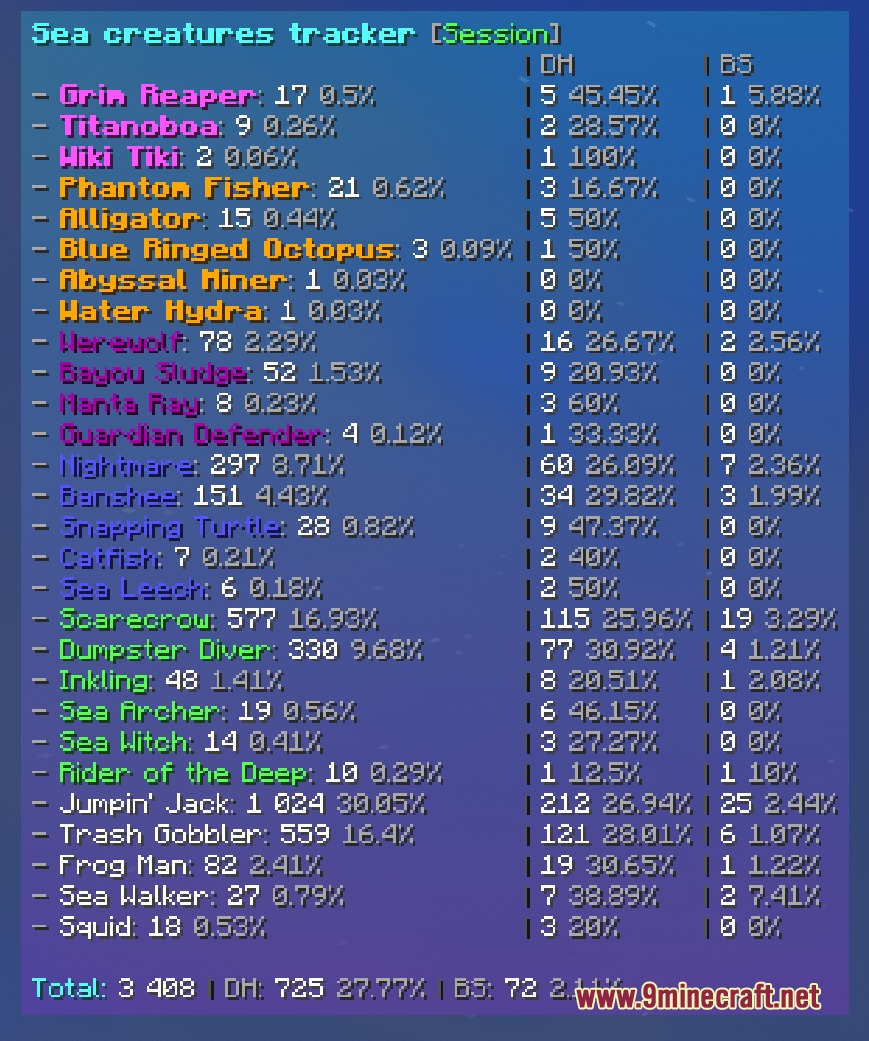
- Counts the sea creatures around you and shows how long they have been alive.
Alerts:
- Tells you when a Reindrake spawns in the lobby.
- Warns you when your deployable items or consumables are about to expire.
- Lets you know when a Golden Fish spawns or when your weather event ends soon.
- Warns you when you run out of air in specific underwater zones.
Location Trackers:
- Tracks shark catches during the Fishing Festival.
- Counts Yeti and Reindrake catches at Jerry’s Workshop.
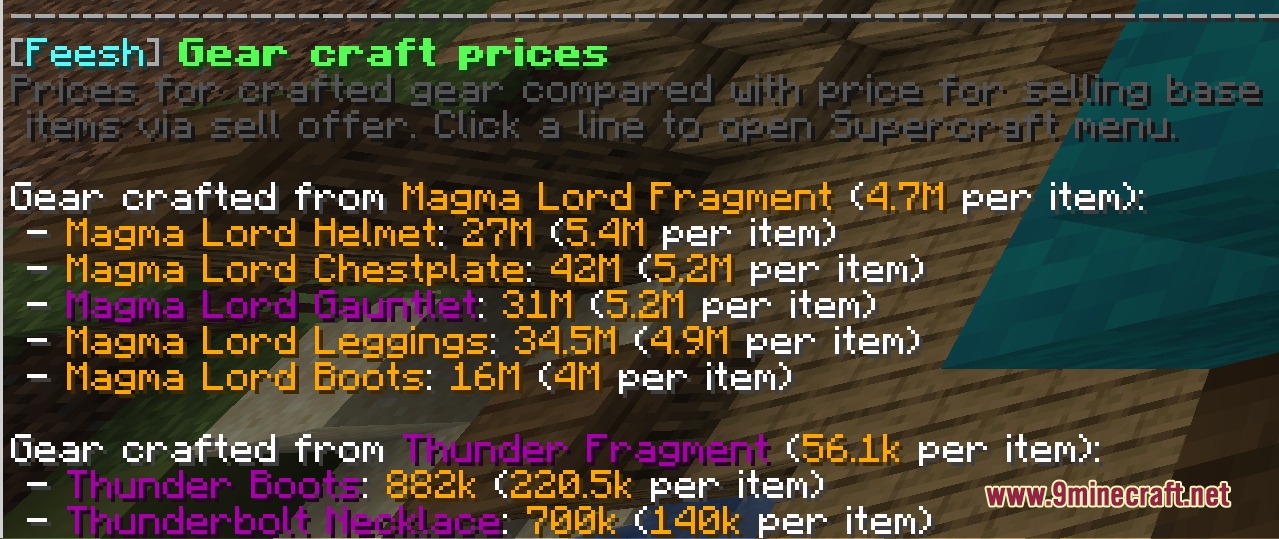
- Shows your Magma Core drops and profits in the Crystal Hollows.
- Tracks specific catches in places like the Crimson Isle, Galatea, and Lotus Atoll.
Commands:
/feesh: opens the main setup menu for the mod./feeshMoveAllGuis: lets you change the position, scale, and alignment of your screen overlays.
How to Use:
- Join the Hypixel server and travel to Skyblock.
- Type /feesh in the chat to open the main menu and turn on the alerts you want.
- Type /feeshMoveAllGuis to drag and drop the trackers where they look best on your screen.
- Start fishing to see your stats, profits, and timers update in real time.
Screenshots:
How to Install:
New to Minecraft? Follow our step-by-step guide to install Mods on your PC.View Guide



Feesh Mod Download Links
For Minecraft 26.2
For Minecraft 26.1.2, 26.1.1, 26.1
For Minecraft 1.21.11
For Minecraft 1.21.10, 1.21.9
Click to rate this post!
[Total: 0 Average: 0]
You May Also Like





This post has no comments yet. Be the first — your comment will appear here.