


Music and Melody Mod (26.2, 1.21.1) – Create Custom Music Playlists

 0
0 

🌐 Good news — we've translated this article into other languages!
Or pick the one you like:
Music and Melody Mod overhauls the music you hear while playing Minecraft. It adds a brand-new system with albums, custom playlists, and special events to change what songs play in different areas. You can easily turn off tracks you do not like or add your own music files directly into the game. This mod also fixes annoying bugs with the vanilla music system so songs feel balanced and stop overlapping.

Features:
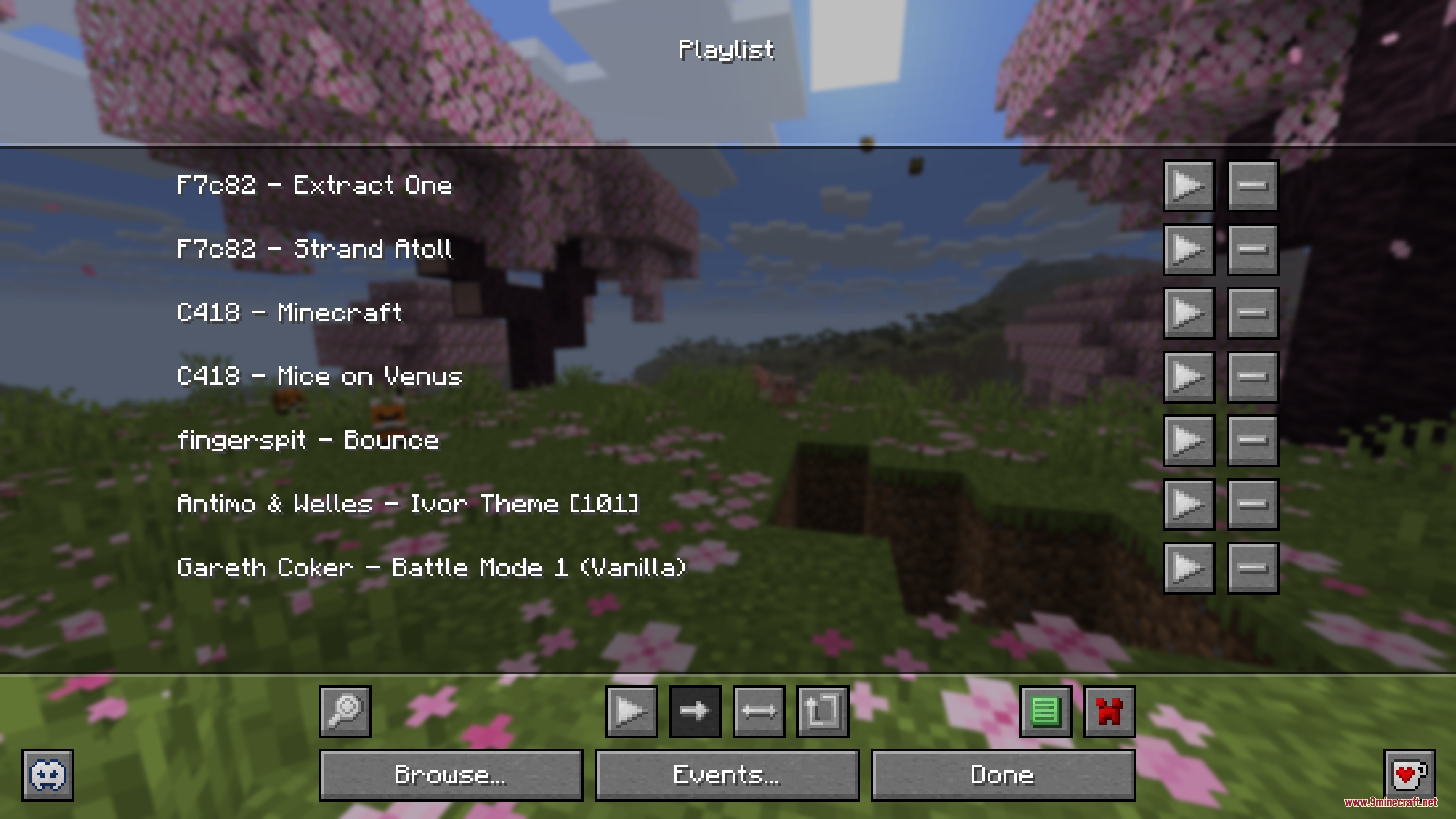
- Custom Playlists: Press a button to open your personal music player where you can queue, shuffle, and loop your favorite songs.
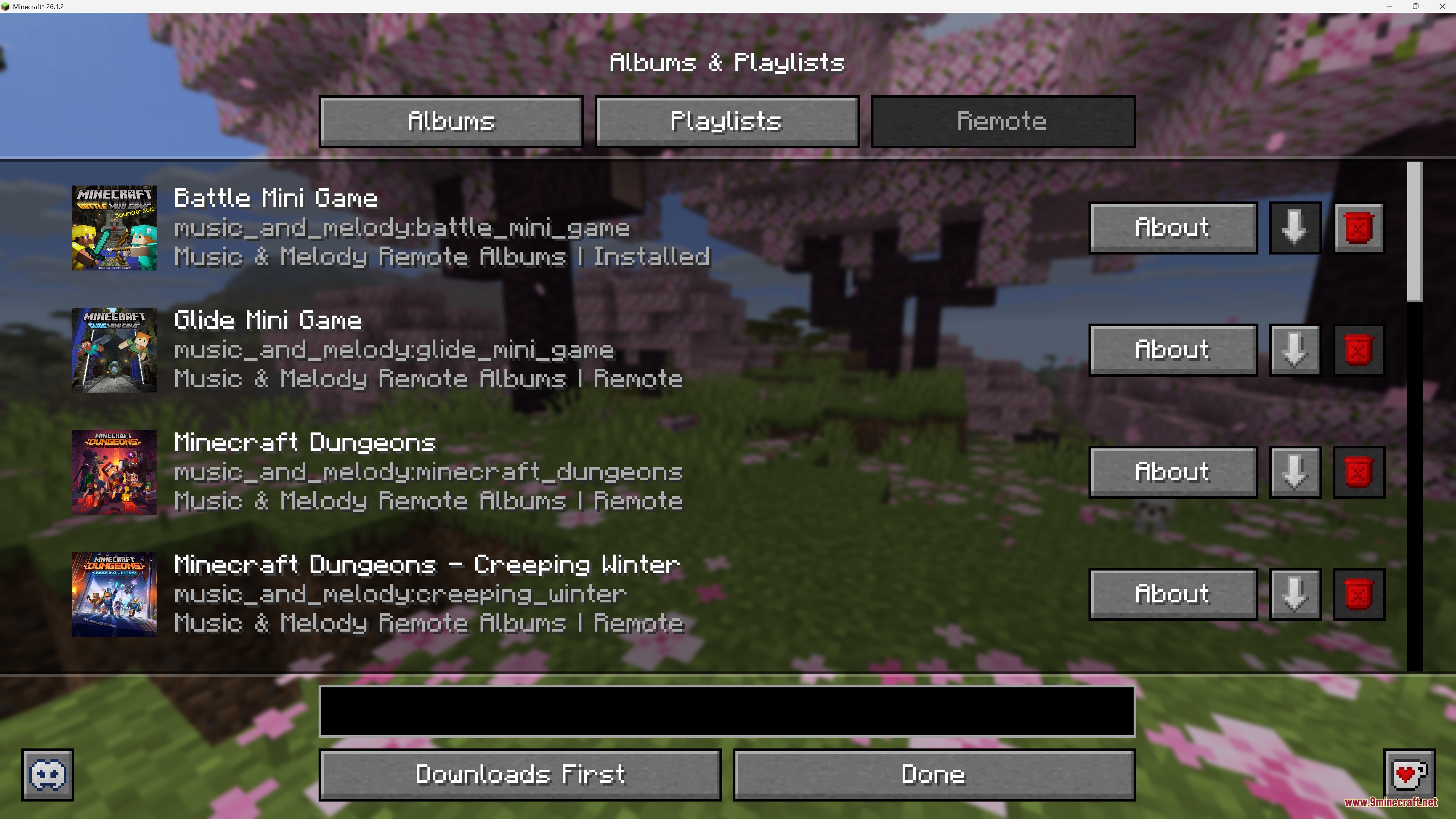
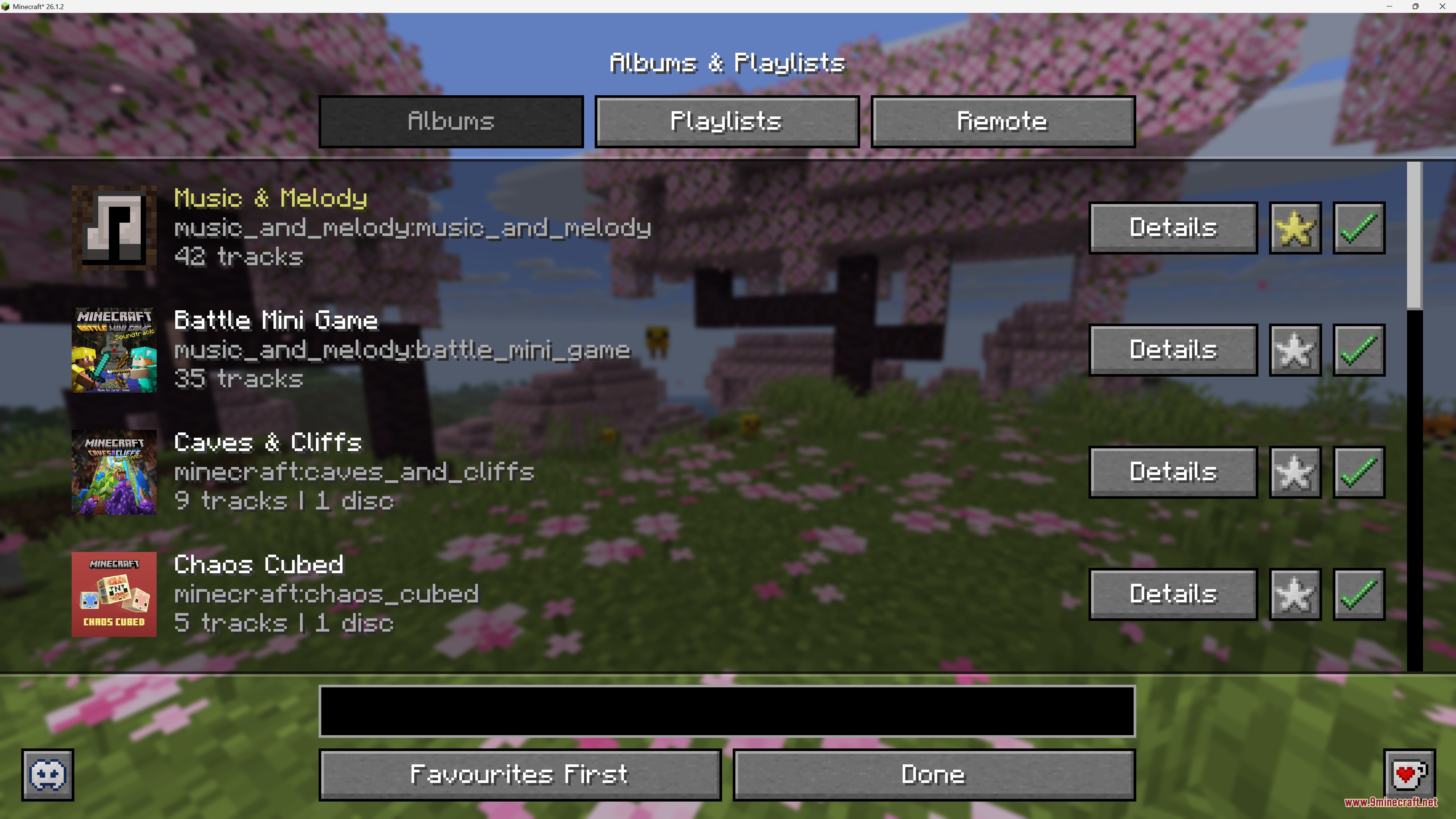
- Music Albums: Browse through all vanilla and modded music collections in a new menu.
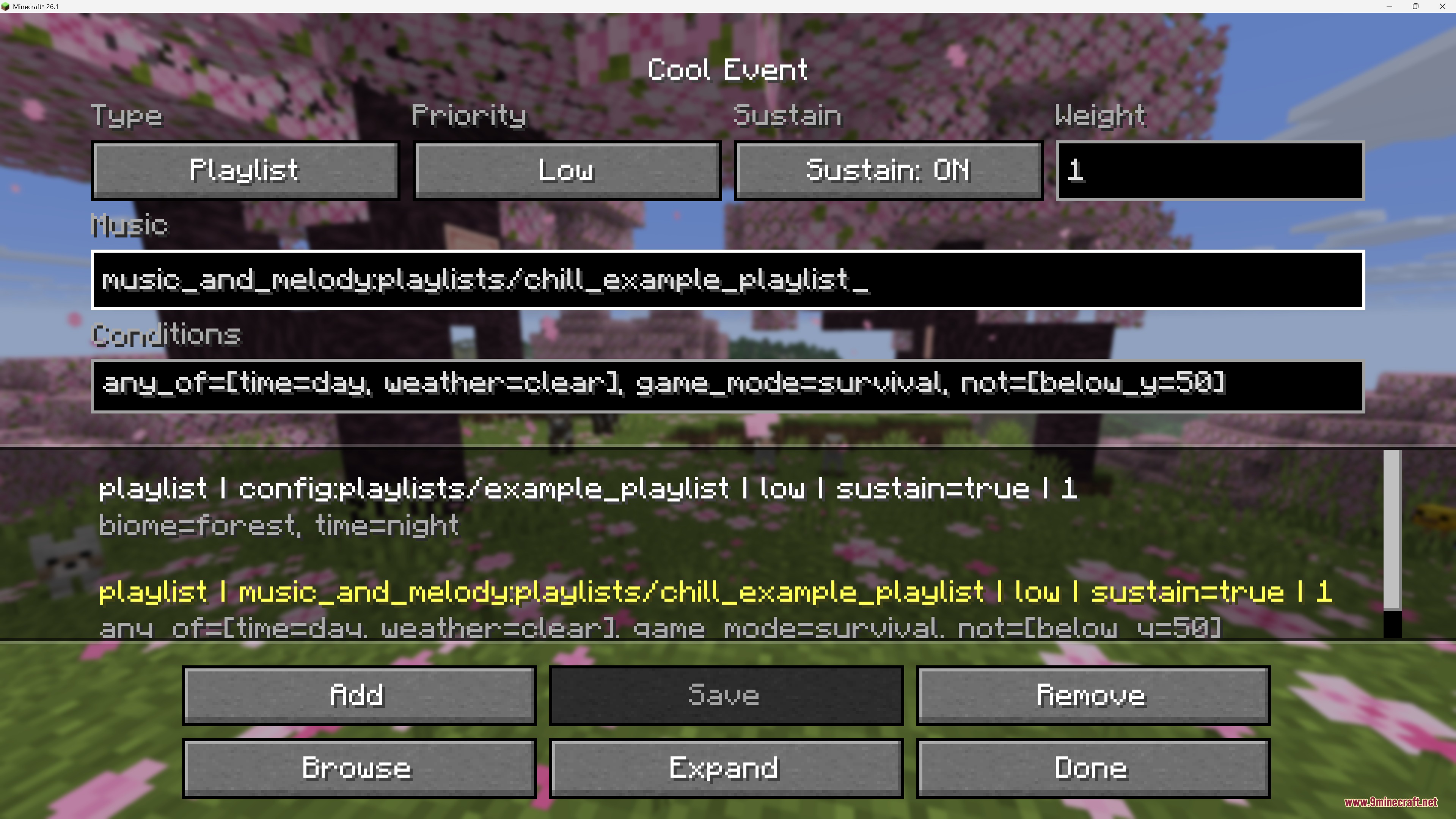
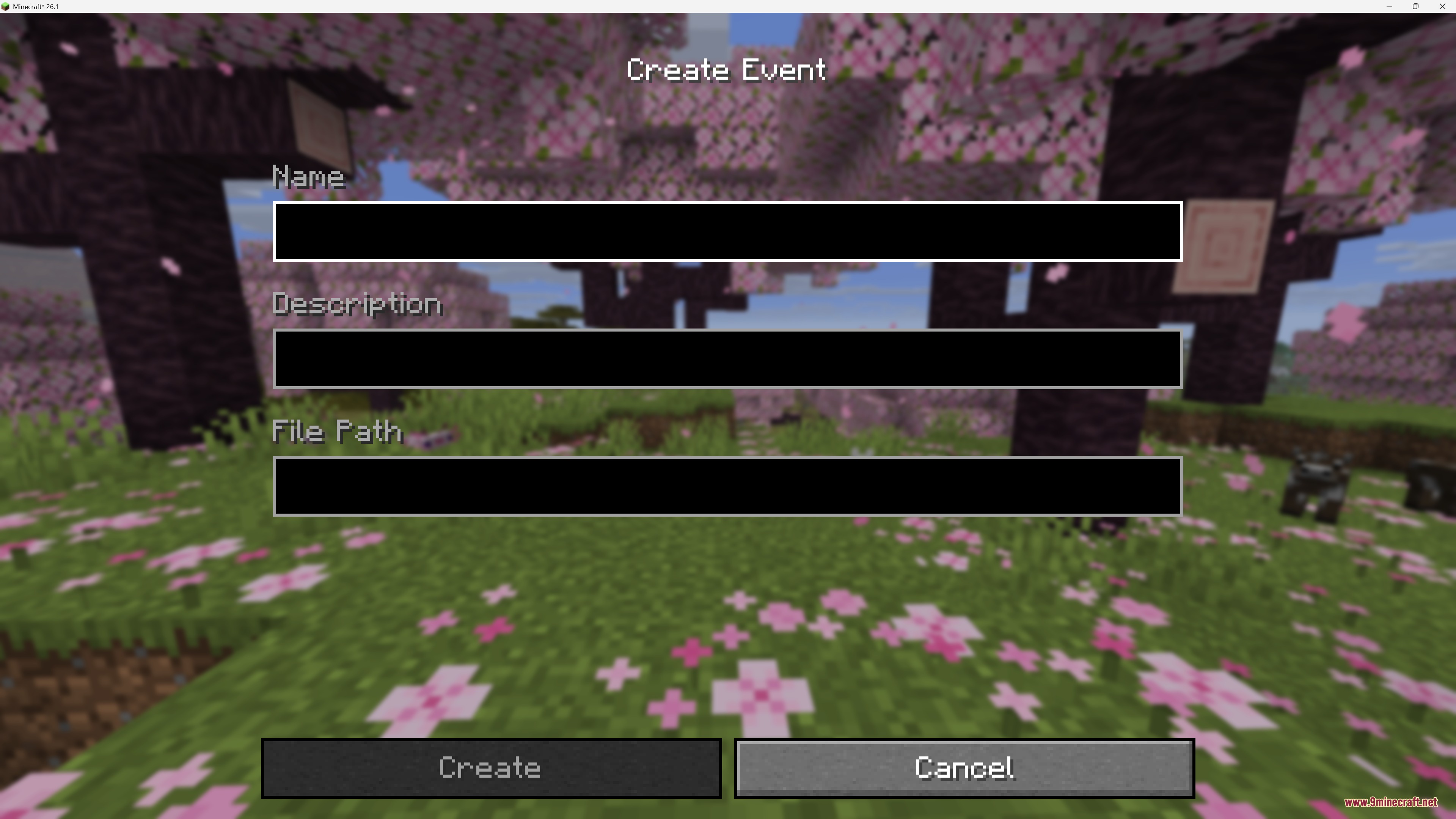
- Custom Events: Set specific songs to play only when you are in certain biomes, fighting a boss, or exploring structures.
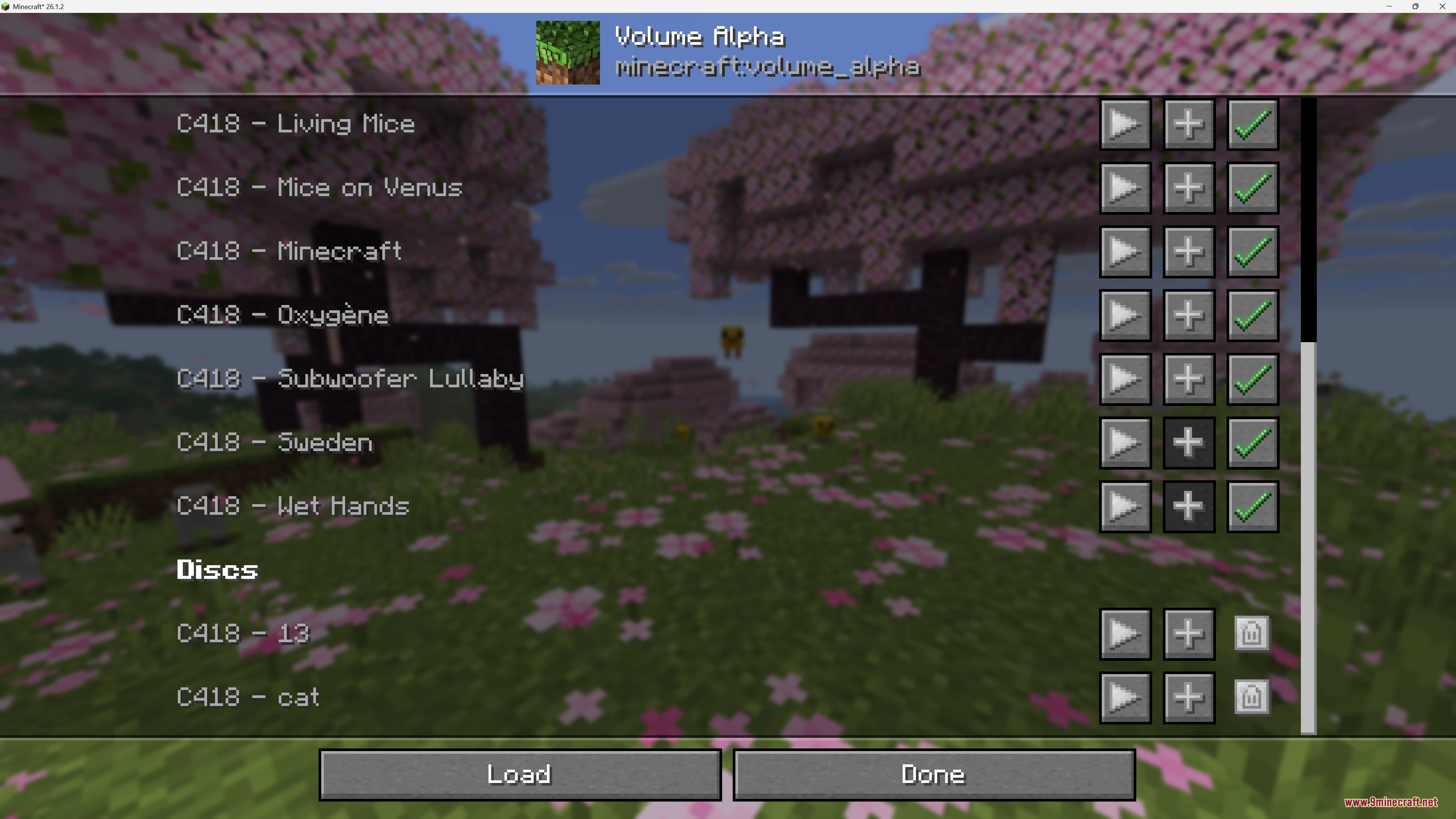
- You can disable any track you do not want to hear while playing.
- Players can add their own custom .ogg music files into the config folder to listen to them in-game.
- Fixes a vanilla bug where Creative mode music fails to play in the Overworld.
- Ensures underwater music plays correctly in all rivers and oceans.
- Background music automatically fades out when you put a music disc into a Jukebox.
- Rebalances the vanilla music pools so common tracks play less often and rare tracks play more often.
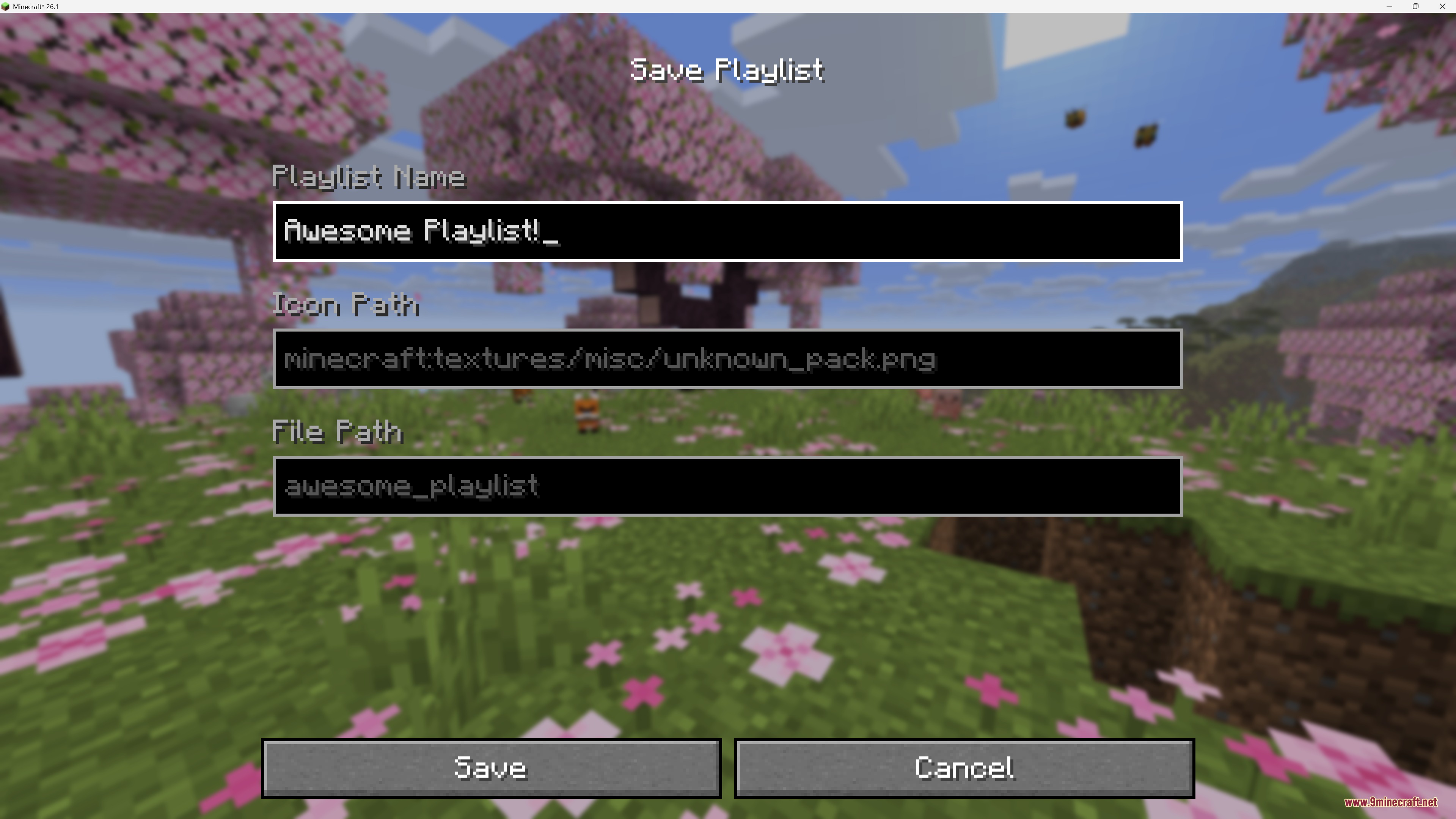
- Lets you save your favorite playlists and share them with friends.
Built-in Music Events:
- Stronghold music plays when you explore the underground maze.
- Ancient City music sets a spooky mood in the deep dark.
- Wither music triggers during the boss fight.
- Snowy music plays when you enter cold biomes.
- Dark Forest music adds atmosphere to the woods.
- Savanna music plays in dry, warm areas.
Configuration:
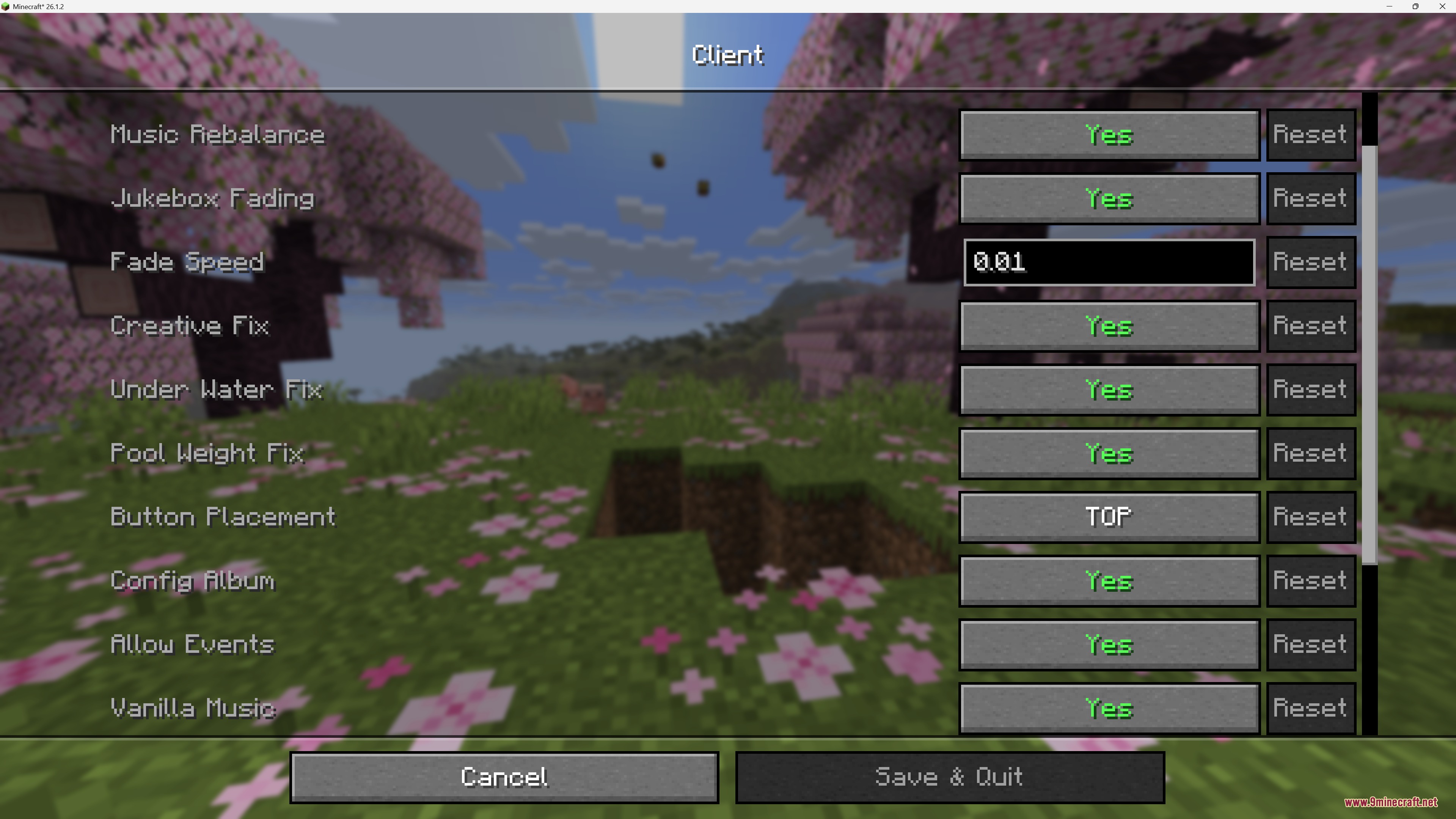
config/music_and_melody/client.json5: changes client-side settings like fade speed and button placement.config/music_and_melody/server.json5: changes optional server features like counting disc uses.config/music_and_melody/album: drop your custom .ogg music files in this folder to add them to the game.
How to Use:
- Press the H key to open your current playlist.
- Use the playlist screen to play, loop, or shuffle your queued songs.
- Open the sound settings or mod config screen to access the Albums menu.
- Click on any album to browse tracks, play them directly, or add them to your queue.
- Open the Events menu to change which songs play during specific moments like boss fights or biome exploration.
Screenshots:
How to Install:
New to Minecraft? Follow our step-by-step guide to install Mods on your PC.View Guide
Requirements:




Music and Melody Mod Download Links
For Minecraft 26.2
For Minecraft 26.1.2, 26.1.1, 26.1
For Minecraft 1.21.11
For Minecraft 1.21.1, 1.21
Click to rate this post!
[Total: 0 Average: 0]
You May Also Like










This post has no comments yet. Be the first — your comment will appear here.