
Camera Utils Mod (26.3, 1.20.1) – Inspect Huge Builds From Any Distance

 0


Camera Utils Mod gives you extra camera tools to control how you look around in Minecraft. It includes dynamic zoom, a detached camera mode, third-person zoom up to 100 blocks away, two custom third-person views, cinematic camera controls, and movement smoothing. Every camera option has a built-in settings menu so you can tweak or reset values whenever you want. This client-side mod works on Fabric, but it is not compatible with OptiFine.

Camera Utils Mod – Video Showcase
Features:
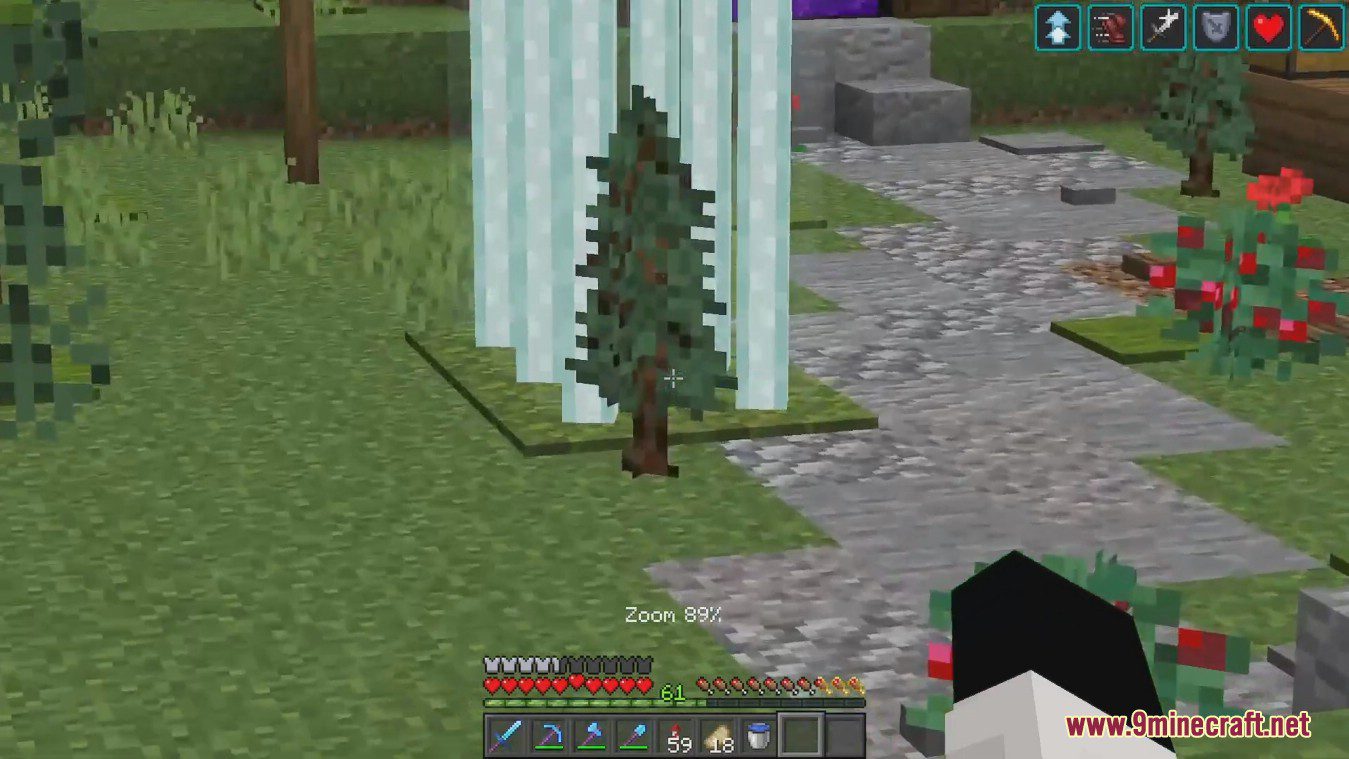
- Dynamic Zoom: Lets you change how far you zoom in by holding the default
Zkey and scrolling. - Camera Detaching: Locks your camera in its current spot while you keep moving and controlling your player from another point of view. Pressing
RIGHT ALTwith the detach camera key moves the camera back to where it was last detached. - Adjustable Third-Person Distance: Lets you pull the camera up to 100 blocks away from your player by holding the third-person distance modifier and scrolling in third-person view.
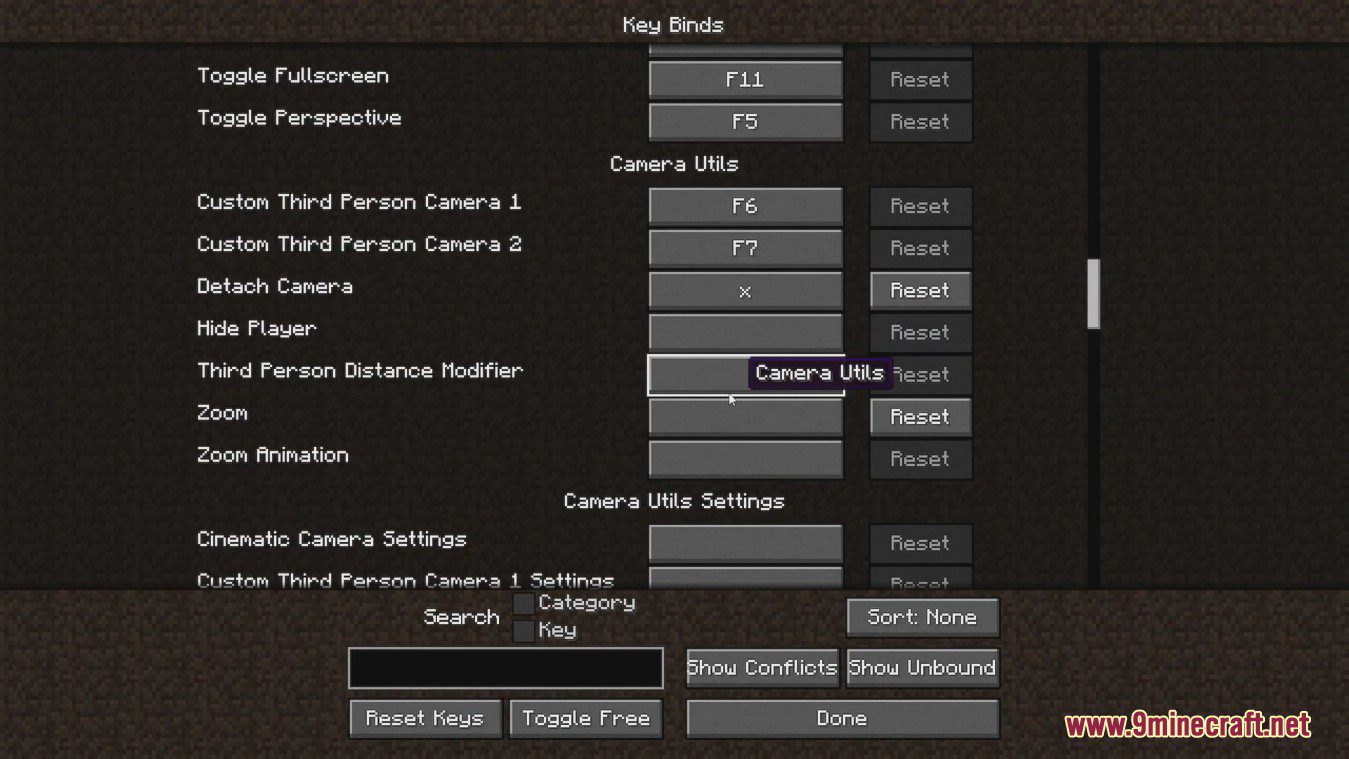
- Customizable Third-Person Perspectives: Adds two custom third-person camera angles bound to
F6andF7by default, and you can edit each angle by pressingRIGHT ALTwithF6orF7. - Lets you tweak cinematic camera properties by pressing
RIGHT ALTtogether with the cinematic camera button. - Includes a movement smoothing option in the accessibility settings to make camera motion smoother and help avoid motion sickness.
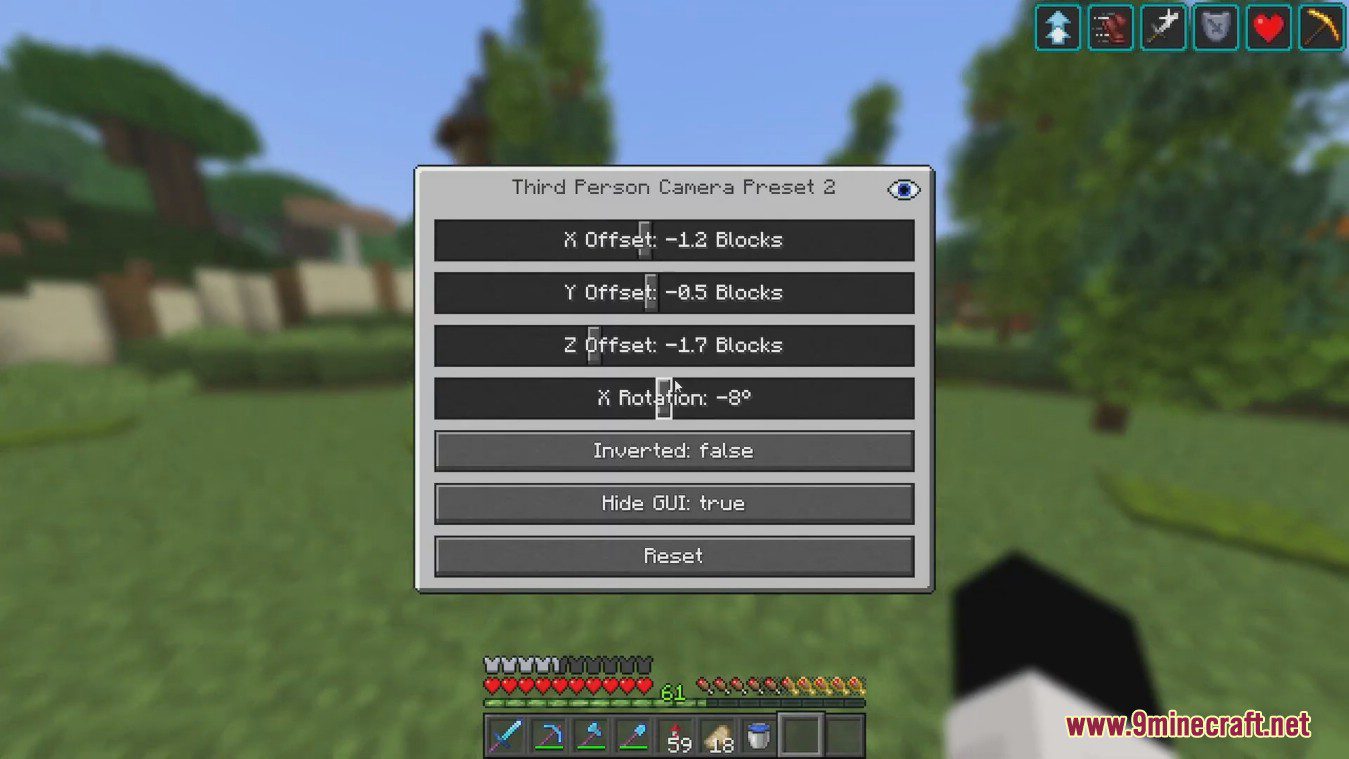
- Opens a settings menu whenever you press
RIGHT ALTwith any key from this mod, so you can change properties or reset them back to default values.
How to Use:
- Hold Z and scroll to adjust your zoom level on the fly.
- Press the detach camera key to lock the camera in place while you still control your player, and press RIGHT ALT with the detach camera key to return the camera to its last detached position.
- Switch to third-person view, hold the third-person distance modifier, and scroll to pull the camera up to 100 blocks away from your player.
- Press F6 or F7 to switch to either custom third-person view, or press RIGHT ALT with F6 or F7 to change that view.
- Press RIGHT ALT together with the cinematic camera button to adjust cinematic camera settings.
- Press RIGHT ALT with any key from this mod to open its settings menu, where you can edit values or reset them to their defaults.
- Open the accessibility settings to turn on movement smoothing for smoother camera motion.
Screenshots:
How to Install:
New to Minecraft? Follow our step-by-step guide to install Mods on your PC.View Guide


Camera Utils Mod Download Links
For Minecraft 26.3
For Minecraft 26.2
For Minecraft 26.1.2, 26.1.1, 26.1
For Minecraft 1.21.11
For Minecraft 1.21.10, 1.21.9
For Minecraft 1.21.8, 1.21.7, 1.21.6
For Minecraft 1.21.5
For Minecraft 1.21.4
For Minecraft 1.21.3, 1.21.2
For Minecraft 1.21.1, 1.21
For Minecraft 1.20.6
For Minecraft 1.20.5
For Minecraft 1.20.4
For Minecraft 1.20.3
For Minecraft 1.20.2
For Minecraft 1.20.1
For Minecraft 1.20
For Minecraft 1.19.4
For Minecraft 1.19.3
For Minecraft 1.19.2
For Minecraft 1.19.1
For Minecraft 1.19
For Minecraft 1.18.2
For Minecraft 1.18.1
For Minecraft 1.17.1
Click to rate this post!
[Total: 0 Average: 0]
QUICK MINECRAFT SURVEY · ONE TAP
Mods & Modpacks
What do you do when a mod you love is abandoned by its creator?
0 responses · See the full results →
You May Also Like
Picked for this page
 AppleSkin Mod (26.3, 1.20.1) – Food-Related HUD
 Better Clouds Mod (26.3, 1.20.1) – Realistic Sky
 Blast Mod (26.3, 1.20.1) – Bombs, Explosion
 Banner Flags Mod (26.3, 1.20.1) – Customize Your World With Banner Flags
 Keep My Soil Tilled Mod (26.3, 1.20.1) – Auto-Tilling Logic
 TslatEntityStatus Mod (26.3, 1.20.1) – HUD-Style Entity Status
 Advanced Shulkerboxes Mod (26.2, 1.20.1) – Improved Function of Shulker Box
 Growmeal Mod (26.3, 1.20.1) – Speed Up Your Farming
 Experience Remover Mod (26.2, 1.20.1) – Removes The Experience Bar & Enchanting
 Superior Smelting Mod (26.3, 1.21.1) – Better Smelting Features
 Crop Critters Mod (26.2, 1.20.1) – Living Crops Farming Automation
 Switcheroo Mod (1.21.11, 1.20.1) – Switch Items Like A Pro
Most viewed in Mods over the last 7 days
 Ala Industrial Mod (26.3) – Run Electric Power Grids and Automated Factories
 PleasureCraft Mod (26.3, 1.21.1) – Jenny Mod Remake for Fabric
 Jennycraft Mod (26.3, 1.20.1) – Virtual Girlfriend in Minecraft
 Fapcraft Mod (26.3, 1.12.2) – Comprehensive and Detailed Content
 Jenny Mod (Fapcraft) Official Complete Guide – How to use, Tutorial
 BangCraft Mod (1.20.1) – Jenny, Ellie and Elliot
 Fabric Loader (26.3, 1.20.1) – Fabric Installer for All Minecraft Versions
 The Shooting Star Demo Mod (26.3, 1.20.1) – Vaporize Terrain From Orbit
 Meteor Client Mod (26.3, 1.20.1) – Xray, HUD, Fly
 OptiFine HD (26.3, 1.20.1) – Run Faster, FPS Boost, Shaders Support
 Aristois Client Mod (1.21.4, 1.20.1) – World Class Minecraft Utility
 Prestige Client Mod (1.21.11, 1.21.4) – Powerful Ghost Features for Crystal & Sword PvP
More from Mods
 Multitools and More Mod (26.3, 1.20.1) – Clear Your Hotbar and Travel
 Luxium Let There Be Light Mod (1.20.1) – Stunning Lighting on Low-End Computers
 Soulscraft Tarnished Legacy Mod (1.21.1) – Hunt Relics to Forge Dark Fantasy
 Fetzi’s Displays Mod (26.1.2, 1.20.1) – Turn Rare Gear and Weapons
 Primal Plushies Paleo Pals Mod (1.21.1, 1.20.1) – Decorate Your Base
 Ipla Mod (26.3, 1.20.1) – Showcase Your Favorite Items
 MesdagPortLib Mod (1.20.1) – Run Modern Minecraft Mechanics on Older Versions
 Hellion’s API Mod (1.21.11, 1.21.1) – Play Hellion Series Addons Without Crashes
 Terrestria Mod (26.3, 1.20.1) – Highly Detailed Biomes
 Tre’s Tack Library Mod (1.20.1) – Outfit Your Horses with Fully Detailed Tack
 YDM’s coreX Library Mod (1.20.1) – Loot RPG Gear with Random Names
 Gunpowder Recipe Mod (26.3, 1.20.1) – Gunpowder is Craftable

This post has no comments yet. Be the first — your comment will appear here.