


Auto Hide HUD Mod (26.2, 1.21.1) – Keep Your Screen Clear Until You Take Damage

 0
0 

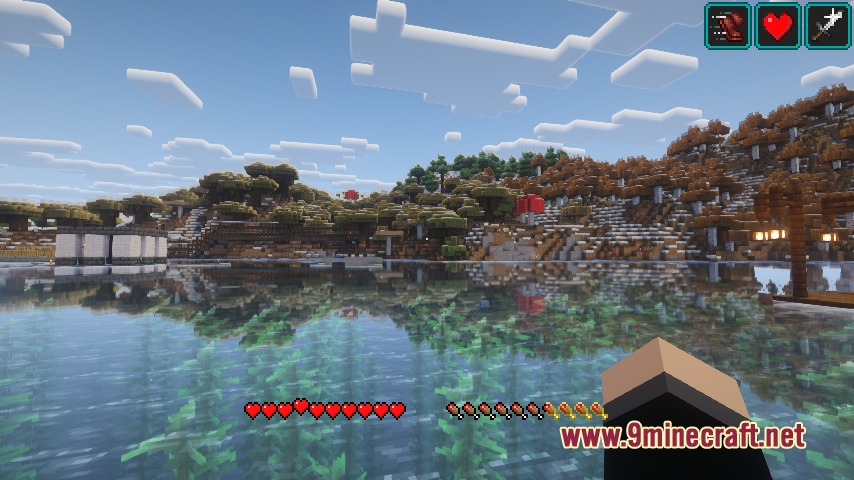
Auto Hide HUD Mod hides your on-screen interface elements after a short period of inactivity. The status bars, hotbar, and crosshair vanish so you get a clear view of your surroundings. When your health drops, hunger decreases, or air runs low, the display pops right back up. You can adjust the delay timer, select specific elements to keep visible, and customize the triggers that reveal your stats.
Features:
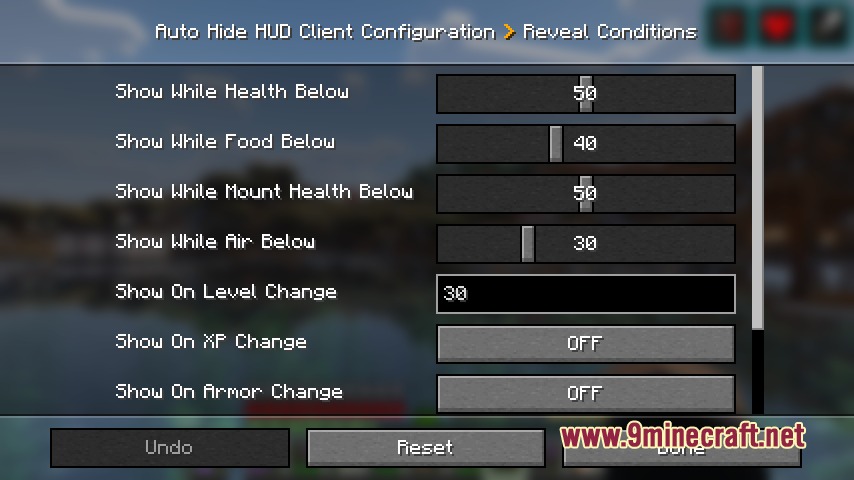
- Automatically hides the on-screen display after a set period without player input.
- Brings back the full interface whenever your health, hunger, or air level changes.
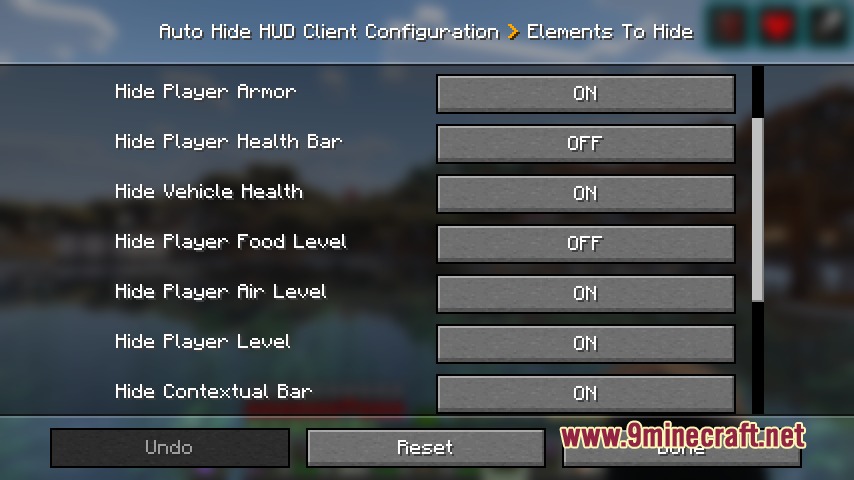
- Lets you choose which specific screen parts vanish and which ones stay locked on screen.
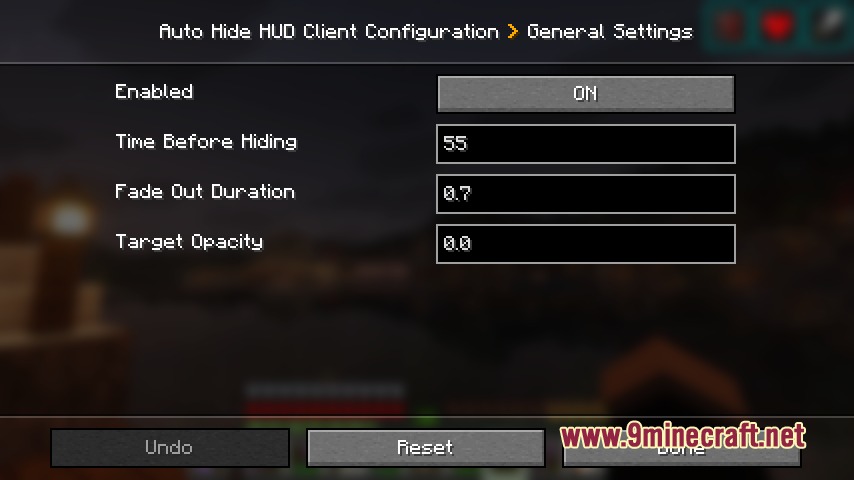
- Includes custom timer settings to control how quickly the interface fades away.
- Provides trigger settings so bars only return during critical moments like low breath or damage.
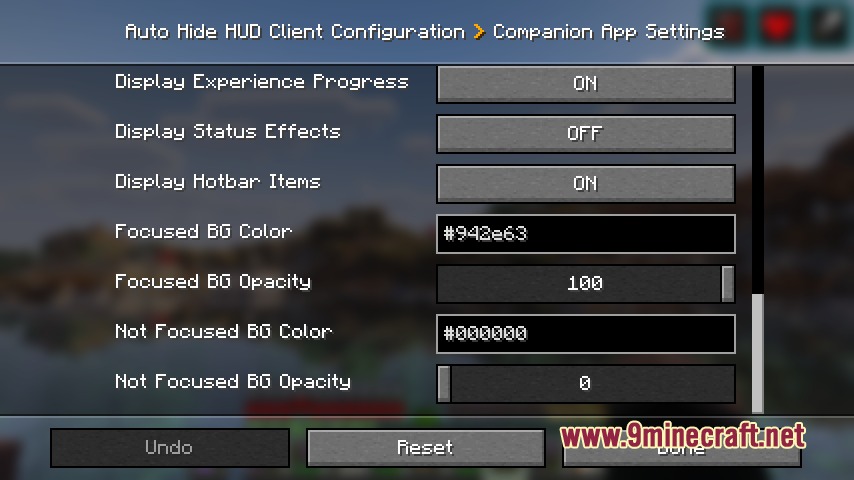
- Features a built-in player data server that broadcasts live stats to a desktop companion app.
- The separate companion window shows position, inventory, and status effects on a secondary monitor.
How to Use:
- Open the in-game mod options menu to adjust how long the interface stays visible before fading.
- Pick which individual status bars and icons should remain on screen.
- Turn on the player info data server option in the config if you want to use the companion window.
- Run the mod jar file directly on your computer to open the external companion display.
Screenshots:

How to Install:
New to Minecraft? Follow our step-by-step guide to install Mods on your PC.View Guide



Auto Hide HUD Mod Download Links
For Minecraft 26.2
For Minecraft 26.1.2, 26.1.1, 26.1
For Minecraft 1.21.11
For Minecraft 1.21.10, 1.21.9
For Minecraft 1.21.8, 1.21.7, 1.21.6
For Minecraft 1.21.5
For Minecraft 1.21.4
For Minecraft 1.21.1, 1.21
Click to rate this post!
[Total: 0 Average: 0]
You May Also Like






This post has no comments yet. Be the first — your comment will appear here.