
Connected Blocks Addon (26.x, 1.21) – Smooth Block Edges for Builds

 0


Connected Blocks Addon changes how blocks visually connect in your world. Instead of the usual grid look where each block shows individual borders, this addon gives many blocks connected textures so their edges align smoothly with adjacent blocks. Structures look cleaner and more seamless, similar to the CTM feature from OptiFine on Java Edition.

Features:
- Connects the borders of various blocks automatically so structures look seamless and clean.
- Allows you to craft a connected block by placing the normal block into the crafting table.
- Includes connected planks, decorative stones, bricks, resin bricks, and colored glass.
- Connects gravel and sand to grass when played in Creative mode.
- Adds connected slabs for cleaner floors, pathways, and detailed builds.
- Provides a conversion wand to automatically turn existing blocks in your world into their connected versions.
- Includes a one block conversion wand that converts only one specific type of block instead of all nearby blocks.
- Features a lock connection wand that locks the connection of adjacent blocks so new placed blocks do not connect.
- Works fully compatible with the Easy Build Mod.
How to Use:
- Place a normal block inside the crafting table to craft its connected block variant.
- Enable the Experimental Settings in your world if the addon does not work.
- Use the conversion wand to change existing blocks in your world into connected versions automatically.
- Use the one block conversion wand to target and convert only a single block type.
- Equip the lock connection wand to prevent adjacent blocks from connecting when placing new ones.
Screenshots:


How to Install:
New to Minecraft PE? Follow our step-by-step guide to install Mods/Addons on your Mobile.View Guide
Connected Blocks Addon Download Links
For MCPE/Bedrock 26.x, 1.21.x
For MCPE/Bedrock 1.21.x
Click to rate this post!
[Total: 3 Average: 4.3]
You May Also Like
Picked for this page
 Raiyon’s Dynamic Lighting Addon (26.x, 1.21) – MCPE/Bedrock Mod
 True Weapons Addon (26.x, 1.21) – Minecraft PE/Bedrock Mod
 Dragon Mounts 2 Addon (26.x, 1.21) – MCPE/Bedrock Mod
 Neo Elementals Addon (26.x, 1.21) – MCPE/Bedrock Mod
 RPG Damage Indicator Addon (26.x, 1.21) – MCPE/Bedrock Mod
 Medieval Structures Addon (26.x, 1.21) – MCPE/Bedrock
 Night Vision Gamma Addon (26.x, 1.21) – Illuminate Dark Caves Without Placing Torches
 DHealth And Damage Bar Addon (26.x, 1.21) – Track Live Mob Health And Damage Numbers
 Rehunter Addon (26.x, 1.21) – MCPE/Bedrock Mod
 Health Indicator 38 Addon (26.x, 1.21) – MCPE/Bedrock
 Teleport Potion Addon (26.x, 1.21) – Teleport To Your Friends
 AST Warfare Armors Addon (26.x, 1.21) – Craft Modern Military Armors And Tactical Gear
Most viewed in Mods & Addons over the last 7 days
 Mob Girls Addon (1.26+, 1.21) – MCPE/Bedrock Mod
 Secrets of Berk Addon (26.33+) – How To Train Your Dragon Mod MCPE/Bedrock
 Jenny Colette Version Addon (26.x, 1.21) – MCPE/Bedrock Mod
 Jujutsu Awakening Addon (1.26+, 1.21+) – Prison Realm Update
 New Jujutsu Awakening Addon (1.26+) – MCPE/Bedrock
 Jenny Add-on (Fapcraft) APK MCPE Full Guide – How to use, Tutorial
 Shadow Company Addon (26.x, 1.21) – MCPE/Bedrock Mod
 Titan Craft Addon (1.26+, 1.21) – MCPE/Bedrock Attack on Titan Mod
 Asa’s One Piece Addon (1.26+, 26.32) – MCPE/Bedrock Mod
 Raxiores of Raxiore Addon (1.26+) – MCPE/Bedrock
 Fapcraft Addon (1.26, 1.21) – MCPE/Bedrock Jenny Mod
 Naruto Jedy Addon V8 (26.30+, 1.18+) for MCPE/Bedrock Edition
More from Mods & Addons
 SERP Aditions (26+) – MCPE/Bedrock Addon
 VietNam Military (26+, 1.21) – MCPE/Bedrock Addon
 The Man from the Shadow (26+, 1.21) – MCPE/Bedrock Addon
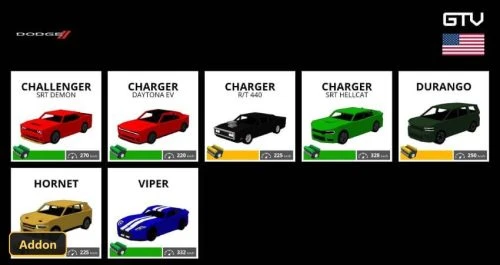 GTV DODGE CARS (26+, 1.21) – MCPE/Bedrock Addon
 Roll and Stamina: Parkour Expansion (26+, 1.21) – MCPE/Bedrock Addon
 NARUTO CRAFT (26+) – MCPE/Bedrock Addon
 Tree Physics (26+) – MCPE/Bedrock Addon
 Nitro (26+, 1.16) – MCPE/Bedrock Addon
 Bob Golems (26+) – MCPE/Bedrock Addon
 The Everything Update Add-on Pack (26+, 1.21) – MCPE/Bedrock Addon
 Dupe Command (26+, 1.21) – MCPE/Bedrock Addon
 Energistics (26+) – MCPE/Bedrock Addon

This post has no comments yet. Be the first — your comment will appear here.