
Crawler Mk3 Phantom Schematic (1.21.x) – Heavy Artillery Crawler for Create Aeronautics
 11
 0


Crawler Mk3 Phantom Schematic brings a heavy artillery machine to your world. This build moves in all directions and features a powerful rotating cannon. It can retract the cannon for stealth or turn it for combat. You can raise or lower the suspension to change how the vehicle moves. The machine fits into small spaces while packing a lot of power. This schematic works with the Create: Aeronautics mod to make movement smooth and fun.

3D Preview & Editor:
Materials
33 types · 226 blocks
| Vanilla 2 | ||||||||
| Light | 8 | Barrel | 2 | |||||
| Copycats 10 | ||||||||
| Copycat Layer | 59 | Copycat Half Layer | 30 | Copycat Stacked Half Layer | 24 | |||
| Copycat Slope Layer | 21 | Copycat Board | 10 | Copycat Sliding Door | 2 | |||
| Copycat Corner Slice | 2 | Copycat Byte Panel | 2 | Copycat Trapdoor | 1 | |||
| Copycat Slice | 1 | |||||||
| Createcasing 4 | ||||||||
| Industrial Iron Configurable Gearbox | 6 | Shadow Steel Configurable Gearbox | 4 | Industrial Iron Encased Chain Drive | 3 | |||
| Shadow Steel Gearbox | 1 | |||||||
| Cbc At 4 | ||||||||
| Bronze Heavy Autocannon Recoil Spring | 3 | Bronze Heavy Autocannon Barrel | 3 | Bronze Heavy Autocannon Breech | 1 | |||
| Bronze Heavy Autocannon Muzzle Brake | 1 | |||||||
| Create Compact Transmission 2 | ||||||||
| Smart Speed Doubler | 4 | Compact Speed Regulator | 4 | |||||
| Create 2 | ||||||||
| Shaft | 2 | Brown Seat | 1 | |||||
| Drivebywire 1 | ||||||||
| Backup Block | 7 | |||||||
| Compactflap 1 | ||||||||
| Analog Swivel Bearing | 5 | |||||||
| Offroad 1 | ||||||||
| Wheel Mount | 4 | |||||||
| Simulated 1 | ||||||||
| Directional Gearshift | 4 | |||||||
| Create Simulated Additions 1 | ||||||||
| Ckbgv 4 Engine | 4 | |||||||
| Create Connected 1 | ||||||||
| Brass Gearbox | 2 | |||||||
| Aeroworks 1 | ||||||||
| Copycat Control Stand | 2 | |||||||
| Aeronautics Utility Objects 1 | ||||||||
| Brass Universal Joint | 2 | |||||||
| Cbcmodernwarfare 1 | ||||||||
| Compact Mount | 1 | |||||||
How to place this schematic
.nbt This is a Create mod schematic. The Schematicannon builds it for you, block by block, from the materials you load into it.
| 1 | Put the .nbt file in .minecraft/schematics. |
| 2 | Open a Schematic Table, drop in an Empty Schematic, pick the file and write it. |
| 3 | Hold the written schematic and position the outline in the world, then confirm. |
| 4 | Place a Schematicannon, load it with the building blocks and gunpowder for fuel, then hit play. |
About this build
| 1 | Double-tap W, A, S, or D to move the crawler in any direction. |
| 2 | Press Up Arrow to activate the suspension system. |
| 3 | Press Q or E to strafe left or right while the suspension is raised. |
| 4 | Use X or Z to rotate the crawler in place. |
| 5 | Press Numpad Enter or use Left/Right Click to fire the cannon. |
| 6 | Press Down Arrow to deactivate the suspension for parking. |
Features:
- Omnidirectional movement: Move the crawler in any direction without turning the whole body.
- Features a rotating cannon that can retract for a stealthy look or extend for battle.
- Includes a suspension system that players can raise or lower depending on the terrain.
- Allows for strafing left and right when the suspension is active.
- Provides a firing system for both the main cannon and secondary controls.
- Fits within a small 10x6x17 block area for easy placement in bases.
Schematic Specs:
 Minecraft1.21.x
 Create Mod6.0.10
 Dimensions10×6×17
 Total Blocks226
 Top Blocks Used
Copycat Layer 59Brown Seat 42Limestone Riveted Locometal 40Copycat Half Layer 30Copycat Stacked Half Layer 24
Screenshots:


Requirements:
 Create Mod Required
 Create Railways Navigator Mod Required
Create Compact Transmission Required
Cbc At Required
aeroworks Required
copycats Required
 Rechiseled Create Mod Required
rha Required
createcasing Required

Aeronautics Utility Objects Required
drivebywire Required
offroad Required
simulated Required
cbcmodernwarfare Required
compactflap Required
Crawler Mk3 Phantom Schematic Download Links
For Minecraft 1.21.x
Click to rate this post!
[Total: 0 Average: 0]
You May Also Like
Picked for this page
 Back Propelled Thruster Plane Schematic (1.21.x) – Large Flying Vehicle Build for Create
 Military Fight Heli Schematic (1.21.x) – Compact War Helicopter Build for Create
 Simple Car Schematic (1.21.x) – Drive a Working Redstone Vehicle
 Simple Airship Schematic (1.21.x) – Small Flying Machine for Create
 DDT Dark Dirigible Titan BloonsTD Schematic (1.21.x) – Fly A Famous Blimp From Bloons Tower
 Ver 5 of the Wall Schematic (1.21.x) – Detailed Wall with Mixer
 Ferme À Mécanisme DE Précision Schematic (1.20.x) – Build Simple Precision Mechanism Farms Easily
 The Juicebox a Refuelling Vehicle Schematic (1.21.x) – Compact Tracked Tanker for Create Mod
 Ice Farm V2 No More Flying Golems Schematic (1.21.x) – Better Snow Collection for Create Mod
 Es64f4 Pkp Intercity Schematic (1.21.x) – Real Life Pkp Intercity Locomotive Build
 23 000 Andesite Alloy per Hour Schematic (1.21.x) – Automatic Andesite Alloy Farm Setup
 Brown 4 6 0 Nord 3.628 Steam Locomotive Schematic (1.21.x) – Build a Realistic French Steam Train
Most viewed in Create Mod Schematics over the last 7 days
 Copper Flying Ship That Can Also Act as a Normal Boat Schematic (1.21.x) – Dual Purpose Copper
 Rail Gun Schematic (1.21.x)
 Agrimotor Schematic (1.21.x) – Build a Functional Create Mod Tractor
 Arasaka Tower Schematic (1.21.x) – Massive Black Industrial Skyscraper Build
 Starter Iron Farm Schematic (1.21.x) – Simple Early Game Iron Production Build
 Large Submarine Schematic (1.21.x) – Build a Large Submarine for Travel
 F16 Falcon Schematic (1.21.x)
 Thrall 40ft 53ft Well Car Nbt Schematic (1.20.x) – Legendary Double Stack Container Train Car
 Diesel Engine Train Schematic (1.21.x) – Heavy Freight Locomotive for Create Mod
 Sd40 2 Blue Nbt Schematic (1.20.x) – Classic Blue American Locomotive
 Compacted Alloy Farm Schematic (1.21.x) – Automatic Andesite Alloy Factory for Create
 Class 86 Schematic (1.21.x) – Classic 1960s Electric Train
More from Create Mod Schematics
 TNT Farm 10 Min Schematic (1.21.x) – Build a Fast Automatic TNT Factory
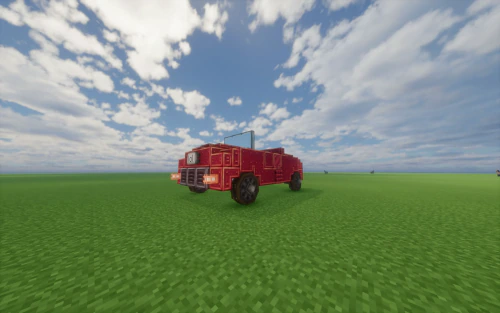 Small Red Convertible Survival Friendly Schematic (1.21.x) – Compact Red Car for Survival Worlds
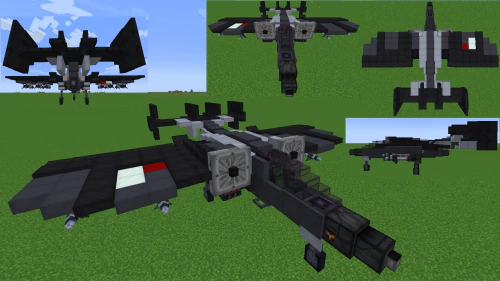 Ats Hussar V1 Schematic (1.20.x) – Build a Combat Jet with Create Mod
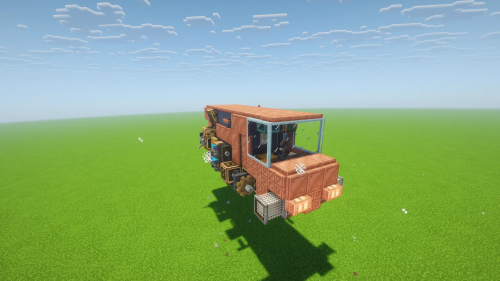 Hovercraft Cargo Mk1 Schematic (1.21.x) – Compact Cargo Vehicle Blueprint for Create
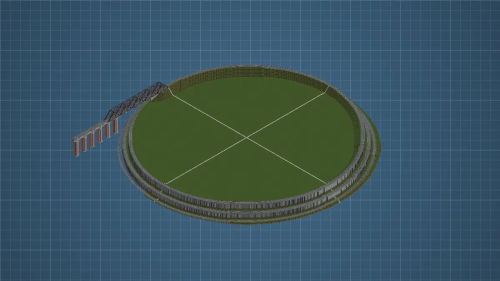 Montaña Con Marcas DE Recorrido Para Trenes Schematic (1.21.x) – Large Mountain Train Track
 Carretera Inclinada DE Cesped Schematic (1.21.x) – Sloped Road Design for Create Mod
 Parada DE Bus Schematic (1.21.x) – Simple Bus Stop Build for Create Mod
 C G Z E I Farm Improved Schematic (1.21.x) – Automatic Resource Farm for Five Metals
 Doretta Drg Schematic (1.21.x) – Compact Mining Machine for Create Mod
 Fire in Water Stage Schematic (1.21.x) – Stunning Fire Performance Stage
 Huⅲ Inedia Main Turret Prototype Schematic (1.21.x) – Powerful Triple Cannon Turret for Create Mod
 Maus Schematic (1.21.x) – Powerful German Super Heavy Tank Build

This post has no comments yet. Be the first — your comment will appear here.