


ماد Storage Drawers (نسخههای 1.21.11، 1.20.1) – با دیوارهای شلوغ و پر از چست خداحافظی کنید

 0
0 

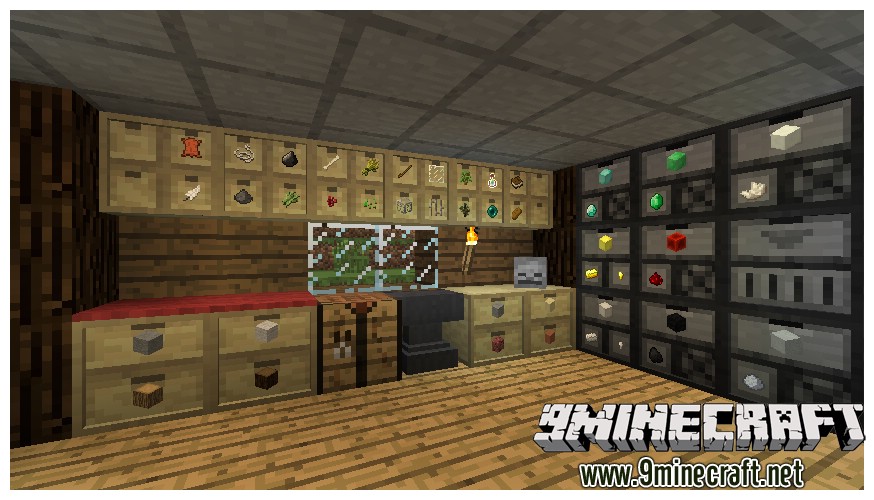
Storage Drawers Mod روشی جدید و راحت برای ذخیرهسازی آیتمهای پرمصرف شما اضافه میکند. به جای چستهای معمولی، شما کشوهای فشردهای خواهید داشت که مستقیماً با کلیک کردن روی آنها قابل دسترسی هستند. این ماد به شما اجازه میدهد آیتمها را خیلی سریع داخل کشو بگذارید یا بردارید. همچنین میتوانید یک منوی مخصوص را باز کنید تا دقیقاً ببینید چه تعداد آیتم ذخیره شده و آپگریدهای قدرتمندی به هر کشو اضافه کنید.
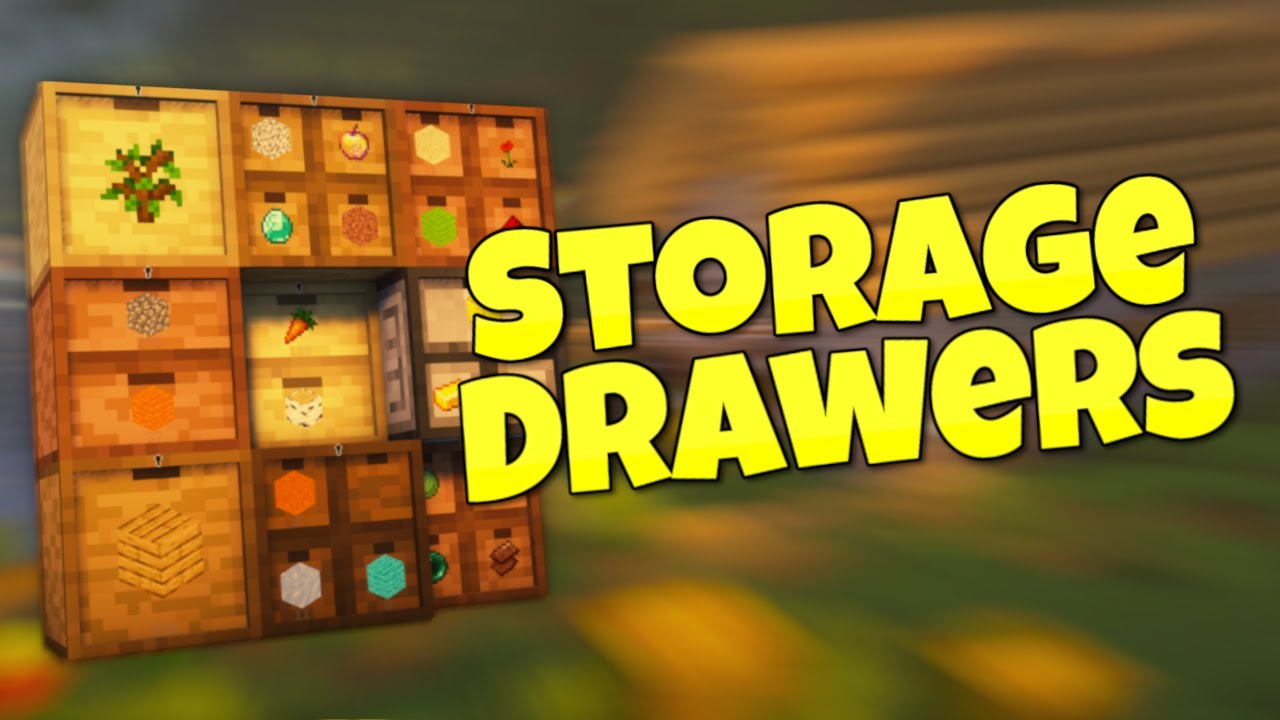
ویژگیها:
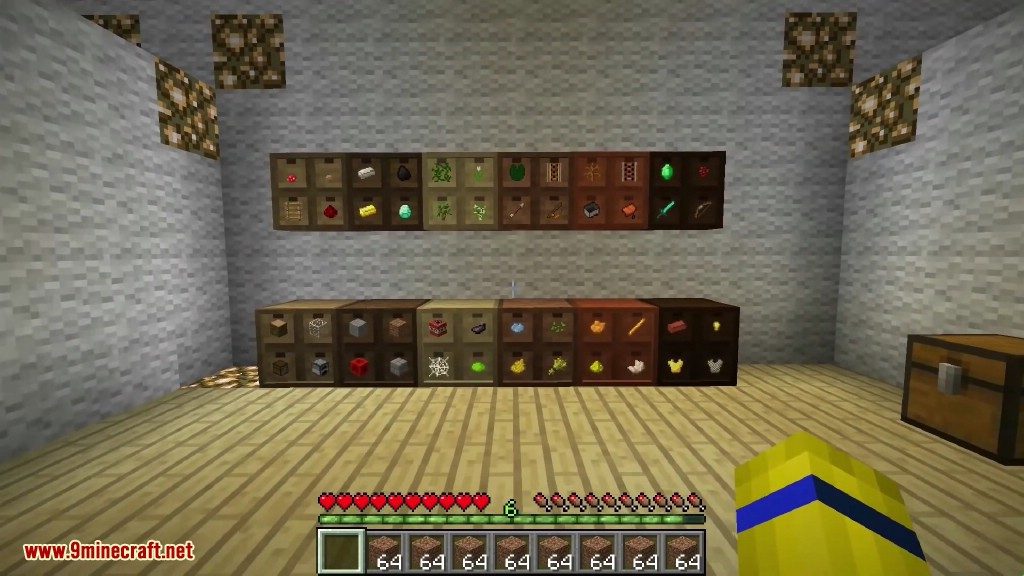
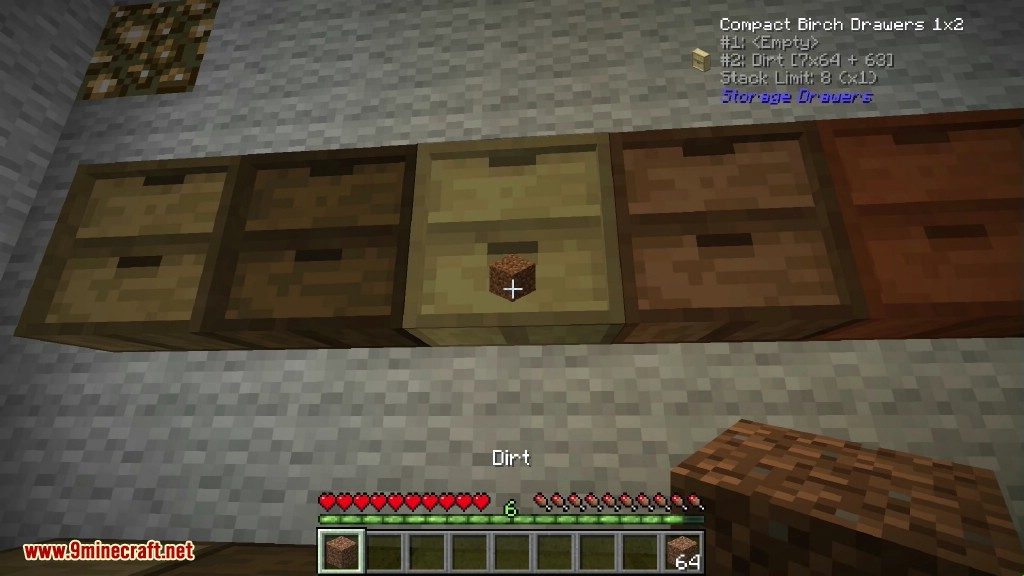
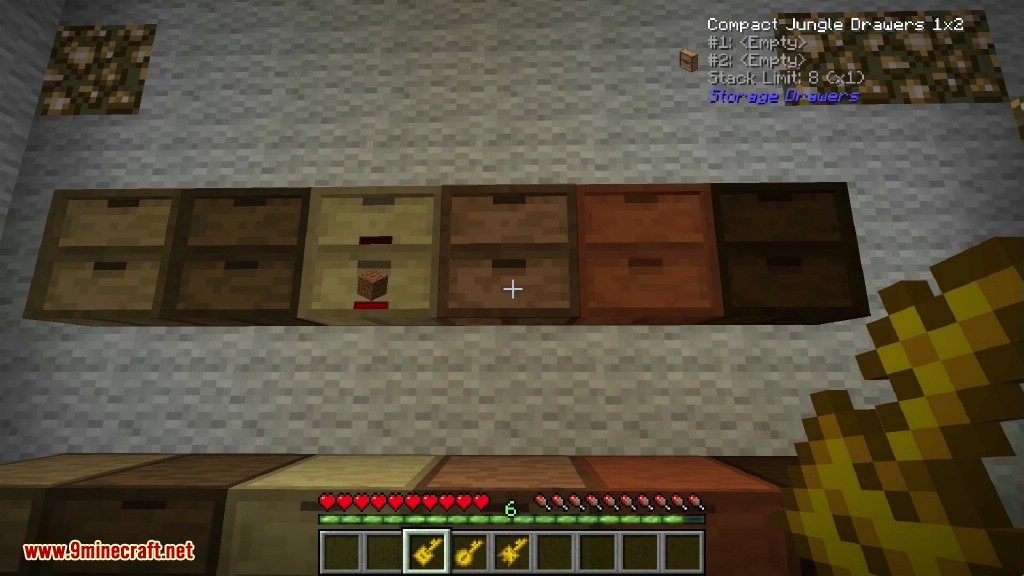
- تنوع کشوها: کشوها را در اندازههای مختلف مثل 1×1، 1×2 و 2×2 بسازید؛ نسخههای نیمسایز و تمامسایز هم موجود است. هر مدل ظرفیت ذخیرهسازی متفاوتی دارد.
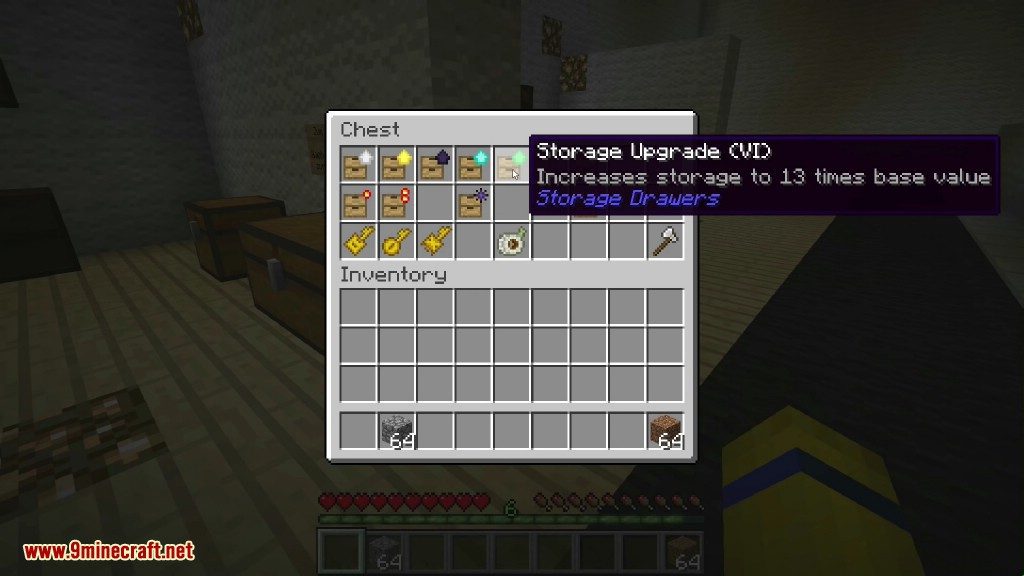
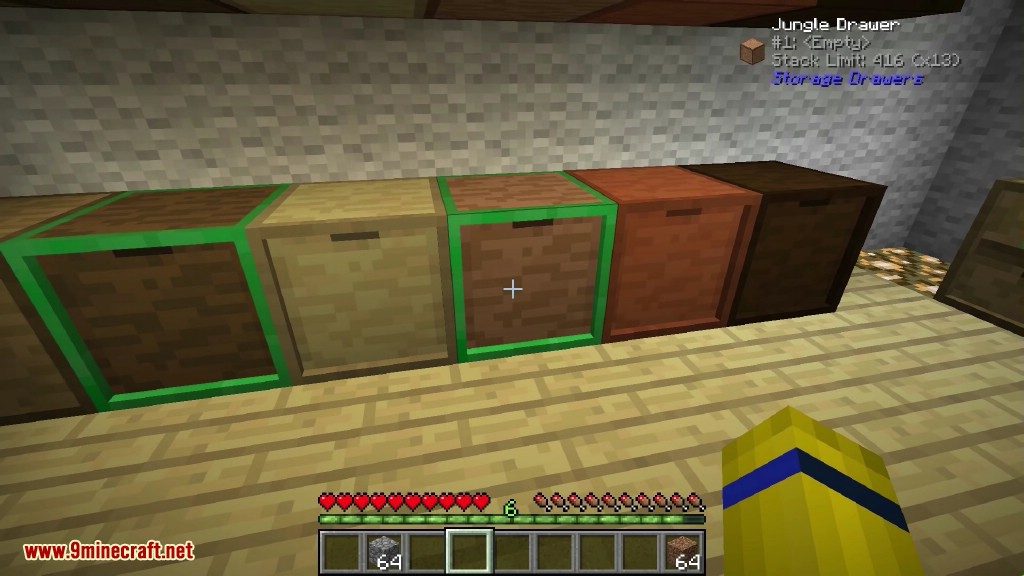
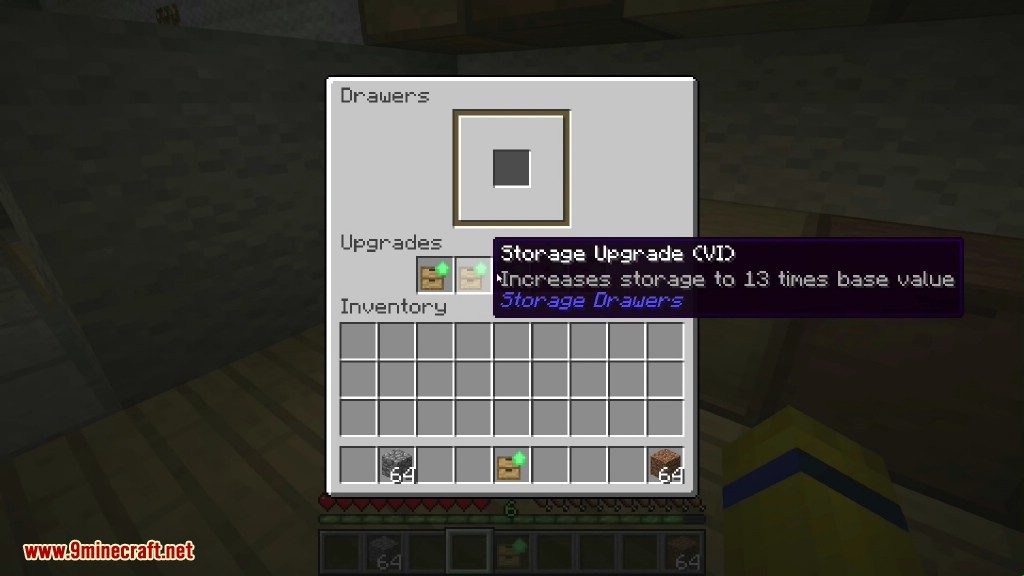
- آپگریدهای ذخیرهسازی: با استفاده از آپگریدهای Storage، تعداد آیتمهایی که یک کشو میتواند نگه دارد را افزایش دهید. میتوانید از همان ابتدا سایز مورد نیازتان را انتخاب کنید.
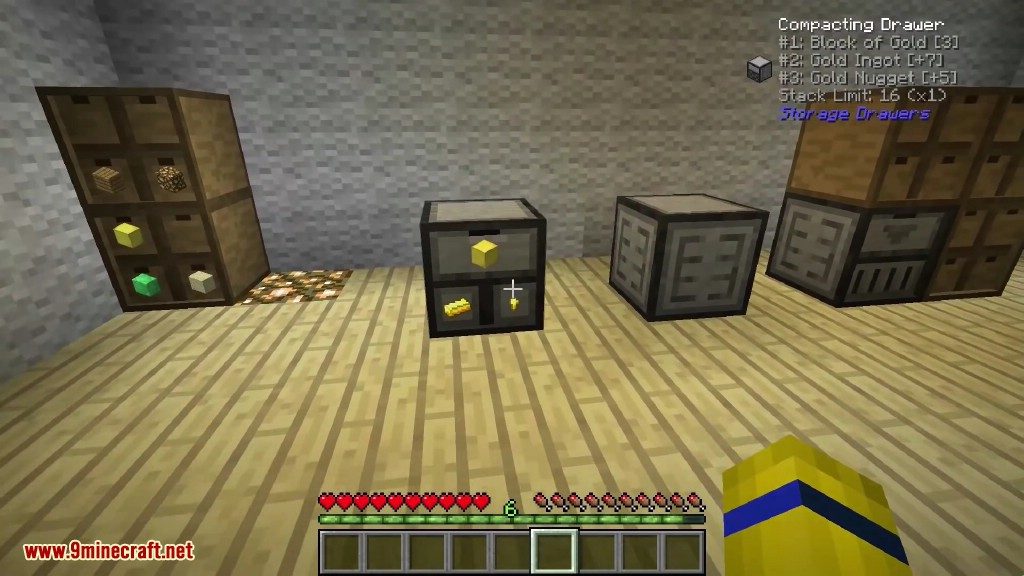
- کشوهای فشردهساز (Compacting): از کشوهای مخصوصی استفاده کنید که آیتمها را بهصورت خودکار تبدیل میکنند. مثلاً میتوانند شمشهای طلا را در صورت نیاز به بلاک طلا یا ناگت تبدیل کنند.
- کنترلر کشو (Drawer Controller): تعداد زیادی کشو را با یک Drawer Controller به هم متصل کنید. این بلاک همه آنها را به یک اینونتوری بزرگ و یکپارچه تبدیل میکند.
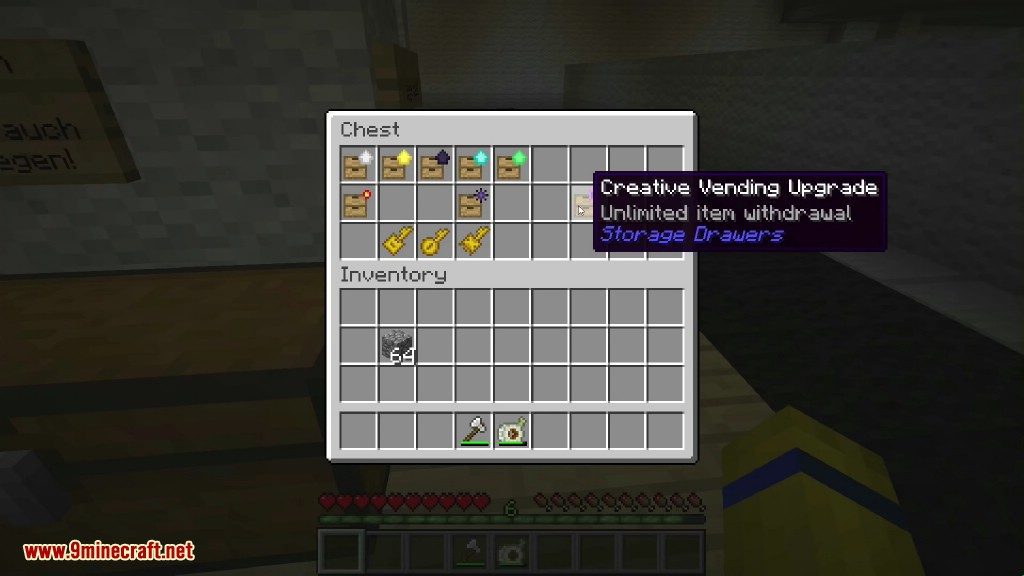
- آپگریدهای کاربردی: انواع مختلفی از آپگریدها را اعمال کنید، مثل آپگرید Void برای نابود کردن آیتمهای اضافی، آپگرید Redstone برای ارسال سیگنال بر اساس پر بودن کشو، یا آپگرید Illumination برای درخشان کردن لیبلها.
- کلیدهای مفید: کلیدهای مختلفی برای مدیریت کشوها بسازید. Drawer Key نوع آیتم را در جای خود قفل میکند، در حالی که Concealment Key میتواند لیبل آیتمها را برای بهبود عملکرد (Performance) مخفی کند.
- واریز آسان آیتم: روی یک Drawer Controller راستکلیک کنید تا آیتم را وارد شبکه کنید. با دو بار راستکلیک، تمام آیتمهای مشابه در اینونتوری شما واریز میشوند.
- بلاکهای تزئینی: از بلاکهای Trim برای اتصال کشوها یا تزئین استفاده کنید تا با استایل کارگاه شما ست شوند.
استایل، انتخابها، آپگریدها:
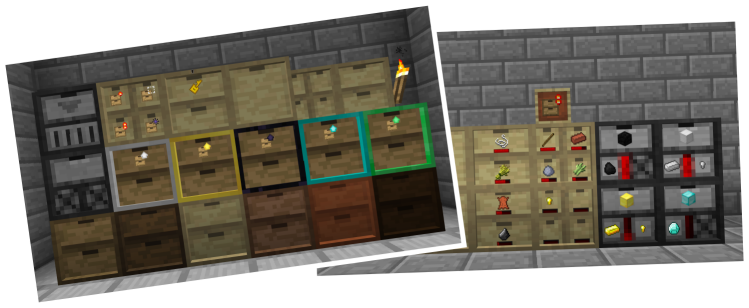
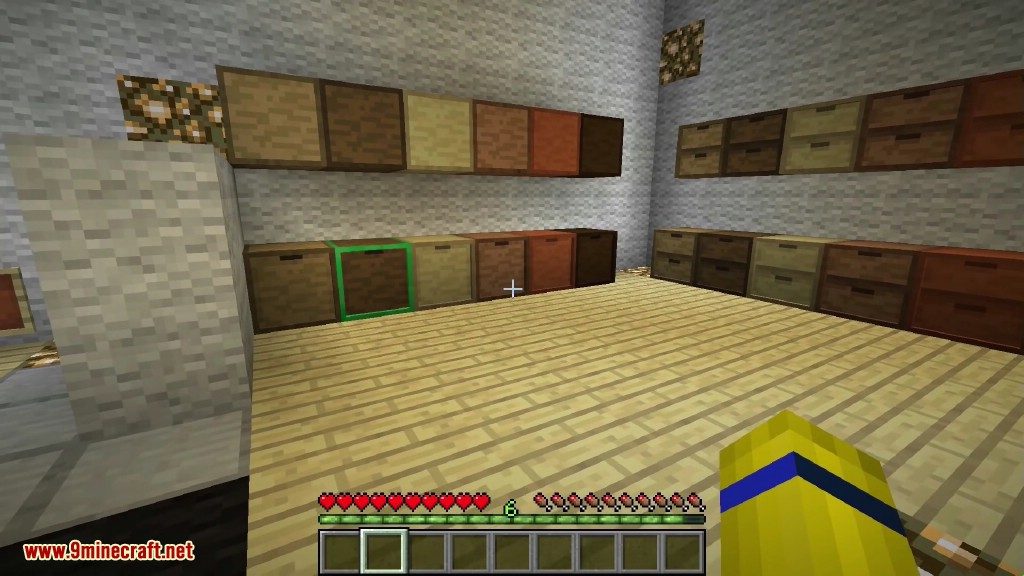
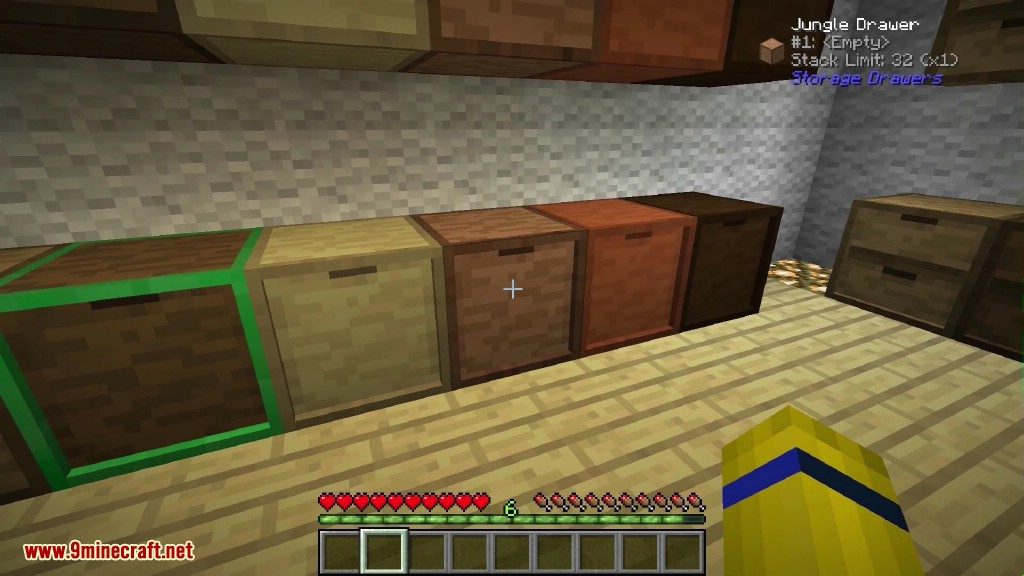
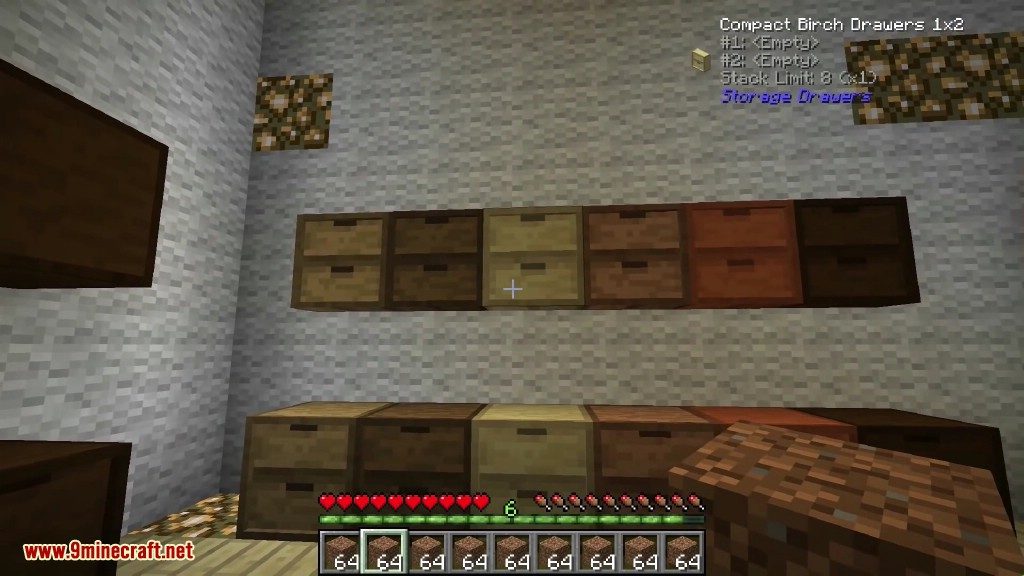
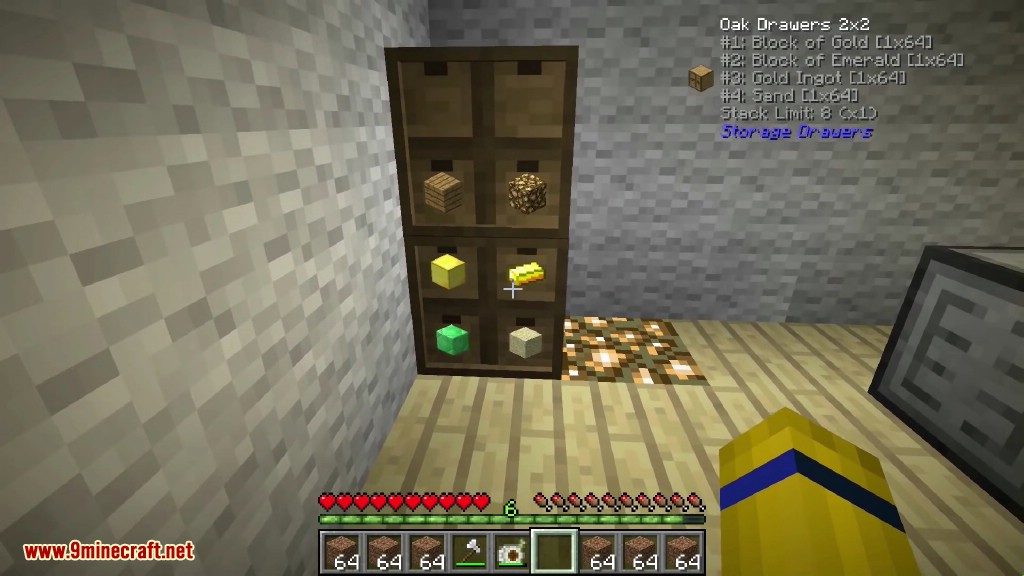
کشوهای چوبی بلاکهای اصلی ذخیرهسازی در Storage Drawers هستند و در انواع مدلها و استایلها عرضه میشوند. هنگام کرفت کردن میتوانید از هر نوع چوب (Plank) وانیلا استفاده کنید تا بلاکتان با همان رنگ ساخته شود.
کشوها در پنج مدل عرضه میشوند که ظرفیت و فشردگی متفاوتی دارند:
- مدل 2×2 نیمسایز: ذخیره 4 استک در هر کشو.
- مدل 1×2 نیمسایز: ذخیره 8 استک در هر کشو.
- مدل 2×2 تمامسایز: ذخیره 8 استک در هر کشو.
- مدل 1×2 تمامسایز: ذخیره 16 استک در هر کشو.
- مدل 1×1 تمامسایز: ذخیره 32 استک در هر کشو.
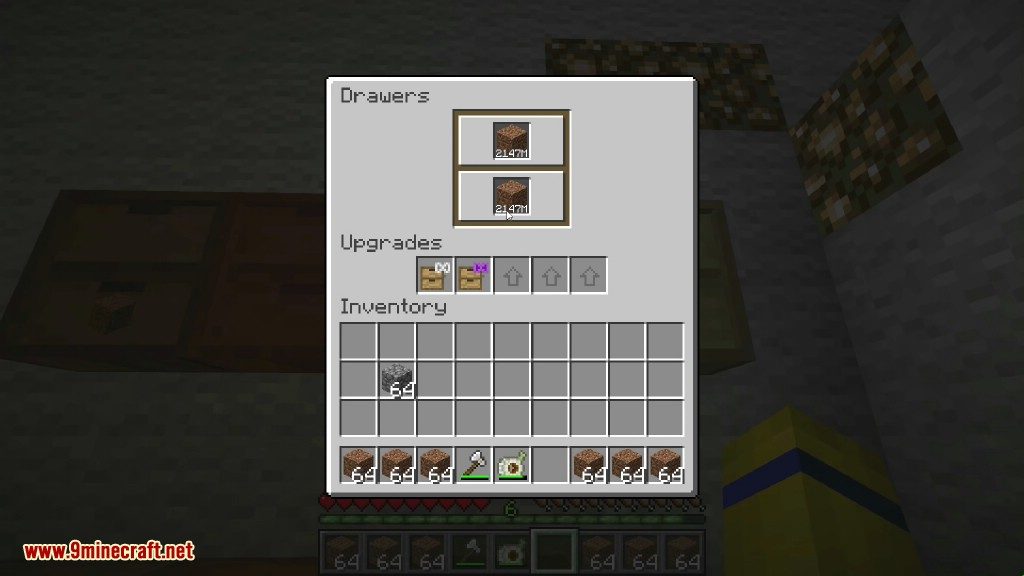
ظرفیت را میتوان با آپگریدهای ذخیرهسازی بیشتر کرد. نیازی نیست آپگریدها را به ترتیب سطح اعمال کنید، پس میتوانید از همان اول بالاترین سایز را بگذارید.
اگر میخواهید بدانید کشوهایتان چقدر پر هستند، آپگریدهای نشانگر (Indicator) موجود است که یک نوار وضعیت روی کشو قرار میدهد.
- سطح 1: نوار نشانگر وقتی کشو پر شود روشن میشود.
- سطح 2: نوار نشانگر متناسب با میزان پر بودن کشو پر میشود.
کشوها را میتوان با Drawer Key قفل یا باز کرد. وقتی کشو قفل باشد، حتی اگر آخرین آیتم را بردارید، نوع آیتم اختصاص یافته به آن حفظ میشود. این کار از پر شدن کشو توسط آیتمهای دیگر از طریق لولهها و سیستمهای انتقال جلوگیری میکند.
کشوهای فشردهساز و کنترلر کشو:
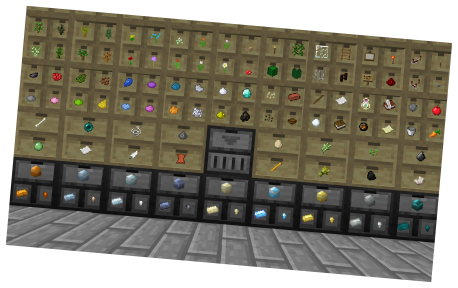
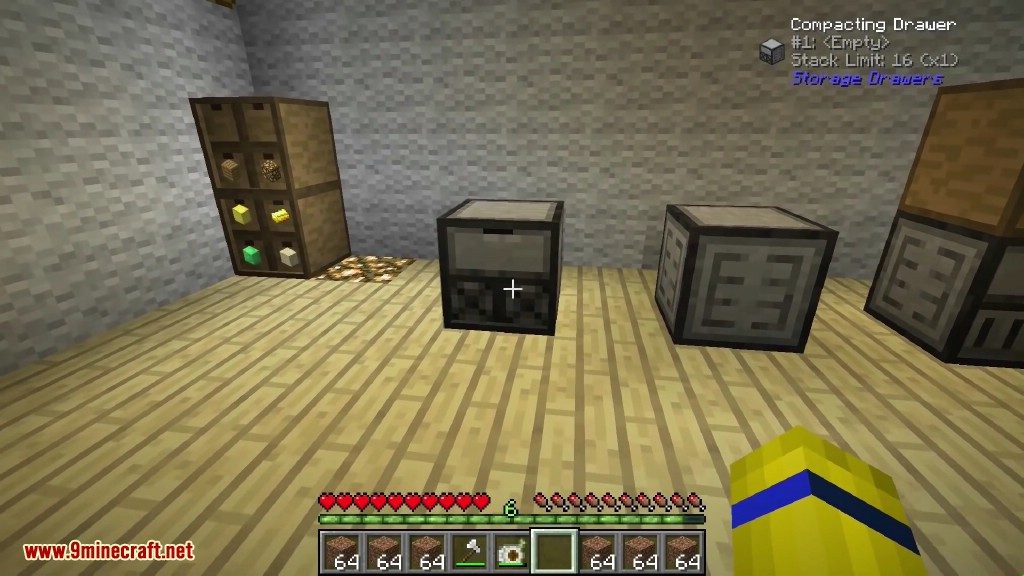
Compacting drawers کشوهای سنگیرنگ مخصوصی هستند که آیتمهای قابل فشردهسازی را خودکار تبدیل میکنند. به جای کرفت کردن دستی بین بلاک طلا، شمش و ناگت، آنها را در یک کشوی فشردهساز بگذارید. کشو بهصورت داخلی مخزنی از متریال را نگه میدارد و به شما اجازه میدهد متریال را به هر کدام از فرمهای نشان داده شده بردارید یا بگذارید.
این قابلیت برای هر آیتمی که رسیپی فشردهسازی دارد (مثل ردستون، گلوستون، گندم و غیره) کار میکند.
Drawer Controllers دومین بلاک ویژه این ماد هستند. آنها تمام کشوهای متصل تا فاصله 12 بلاک را پیدا کرده و همه را به عنوان یک اینونتوری بزرگ یکپارچه نشان میدهند. این به شما اجازه میدهد یک لوله، داکت یا Storage Bus را به آن وصل کنید و با کل مجموعه کشوها تعامل داشته باشید.
عملکرد دوم کنترلر، به عنوان یک بلاک تعاملی برای واریز است. با راستکلیک روی پنل جلویی با یک آیتم، آن آیتم در شبکه ذخیره میشود. با دو بار راستکلیک، سیستم سعی میکند کل اینونتوری شما را خالی کند. آیتمها فقط در صورتی واریز میشوند که از قبل در شبکه وجود داشته باشند؛ این یعنی میتوانید لوت مابها یا محصولات کشاورزی را سریع خالی کنید بدون اینکه آیتمهای شخصی اینونتوریتان جابهجا شوند.
Controller Slaves به عنوان افزونه برای کنترلر عمل میکنند و سطوح بیشتری برای اتصال ماشینها یا لولهها فراهم میکنند. اسلیوها برای پرفورمنس بهتر از استفاده از چندین کنترلر هستند.
بلاکهای Trim بلاکهای تزئینی چوبی هستند که برای اتصال کشوها در یک شبکه کنترلر استفاده میشوند.
سازگاری (Compatibility):
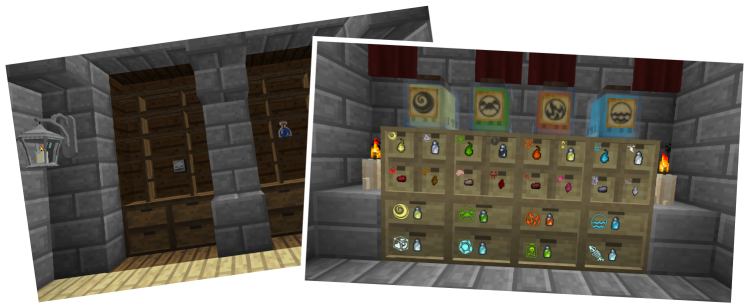
اگرچه برخی بازیکنان از Storage Drawers به عنوان جایگزین سایر مادهای ذخیرهسازی استفاده میکنند، اما این ماد در کنار بقیه بهترین عملکرد را دارد.
- از نظر ظاهری، این کشوها مکمل بلاکهای Bibliocraft هستند.
- کشوها با Dolly ماد Jabba سازگارند و میتوانید آنها را بدون خالی کردن جابهجا کنید.
- سازگاری ویژه با Thaumcraft برای نمایش لیبلهای Essentia اضافه شده است.
- تمام کشوها با Storage Bus ماد Applied Energistics 2 سازگار هستند.
- ماد WAILA موجودی دقیق کشوها را نمایش میدهد.
تنظیمات (Configuration):
- بسیاری از ویژگیها در فایل کانفیگ ماد قابل تغییر هستند.
- میتوانید ظرفیت پایه کشوها و تاثیر آپگریدها را تنظیم کنید.
- هر بلاک یا آیتم را میتوان به صورت جداگانه در کانفیگ غیرفعال کرد.
نحوه استفاده:
- راستکلیک روی کشو با یک استک آیتم: واریز کل استک.
- دو بار راستکلیک: واریز تمام استکهای مشابه از اینونتوری به کشو.
- چپکلیک روی کشو: برداشتن یک عدد آیتم.
- نگه داشتن Shift و چپکلیک: برداشتن یک استک کامل.
- نگه داشتن Shift و راستکلیک با دست خالی: باز کردن منوی مدیریت آپگریدها و مشاهده تعداد دقیق.
دستورالعملهای ساخت (Crafting Recipes):
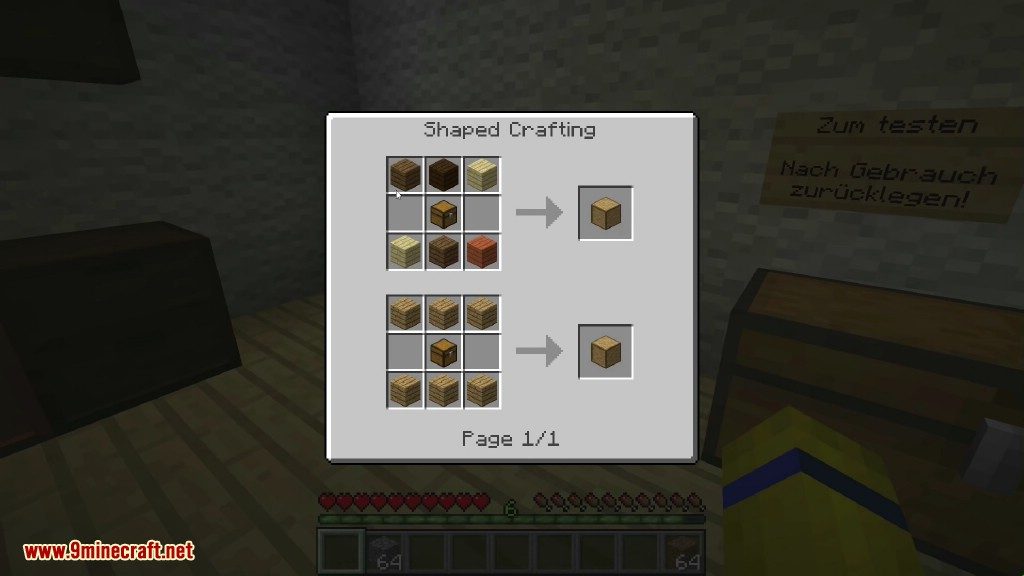
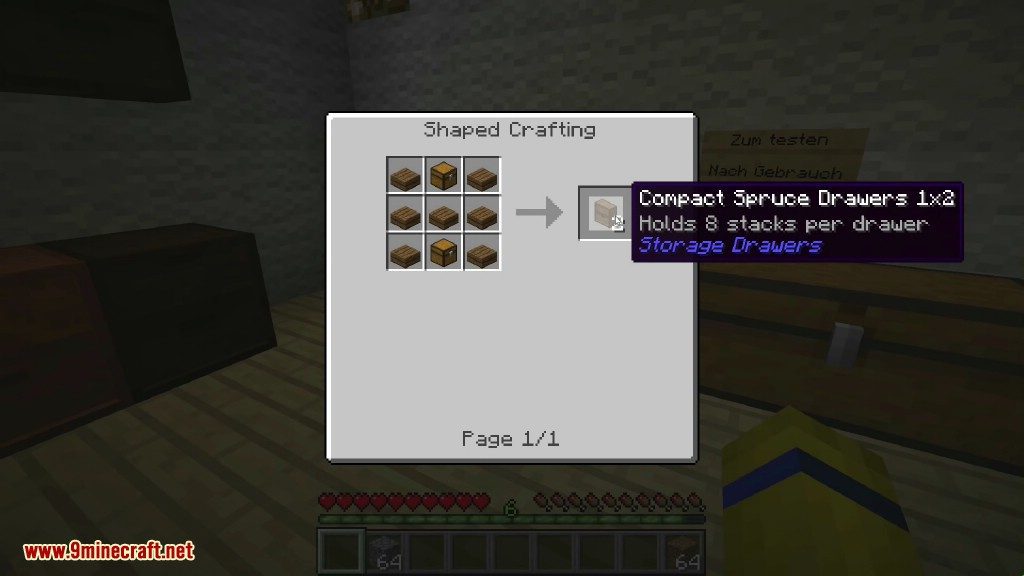
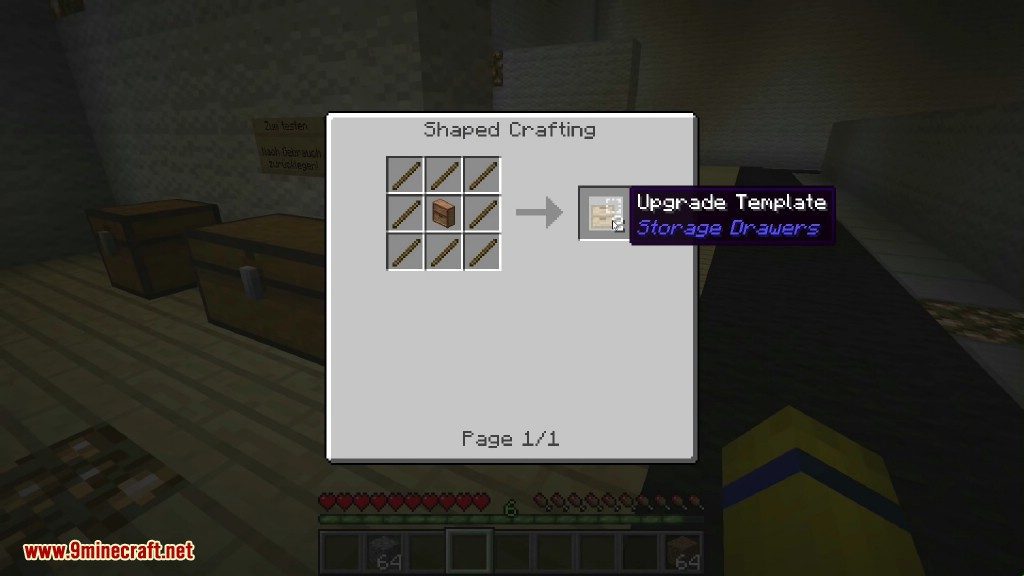
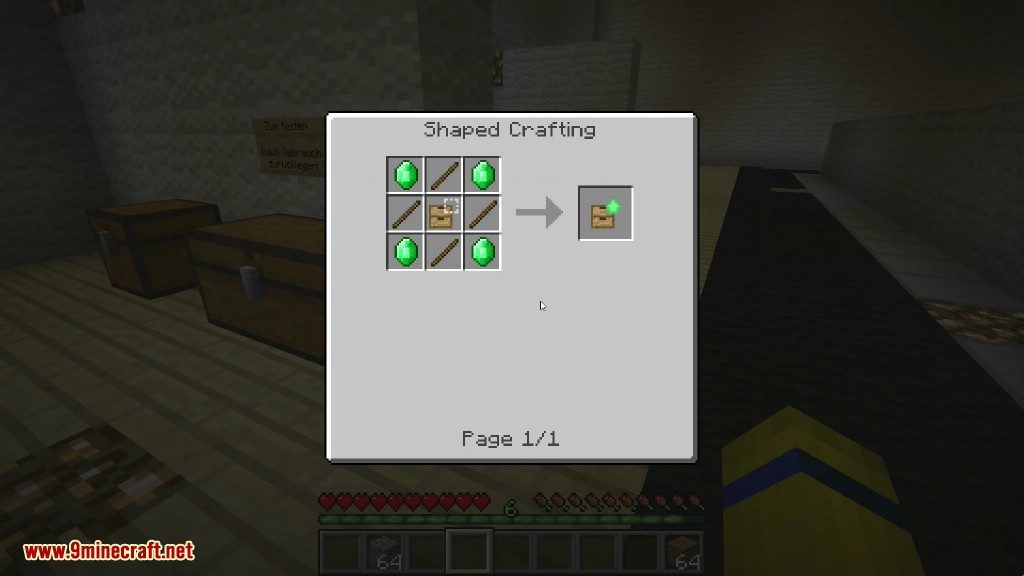
اسکرینشاتها:


لینکهای دانلود ماد Storage Drawers
برای Minecraft 1.7.10
نسخه Forge: دانلود از سرور 1
برای Minecraft 1.8.9
نسخه Forge: دانلود از سرور 1
برای Minecraft 1.12.2, 1.12.1, 1.12
نسخه Forge: دانلود از سرور 1
برای Minecraft 1.16.5
نسخه Forge: دانلود از سرور 1
برای Minecraft 1.17.1
نسخه Forge: دانلود از سرور 1
برای Minecraft 1.18.2
نسخه Forge: دانلود از سرور 1
برای Minecraft 1.19.2
نسخه Forge: دانلود از سرور 1 – دانلود از سرور 2
برای Minecraft 1.19.3
نسخه Forge: دانلود از سرور 1
برای Minecraft 1.19.4
نسخه Forge: دانلود از سرور 1 – دانلود از سرور 2
برای Minecraft 1.20.1, 1.20
نسخه Forge: دانلود از سرور 1 – دانلود از سرور 2
نسخه Fabric: دانلود از سرور 1 – دانلود از سرور 2
برای Minecraft 1.21.1, 1.21
نسخه Forge: دانلود از سرور 1 – دانلود از سرور 2
نسخه Fabric: دانلود از سرور 1 – دانلود از سرور 2
نسخه NeoForge: دانلود از سرور 1 – دانلود از سرور 2
برای Minecraft 1.21.3
نسخه Forge: دانلود از سرور 1 – دانلود از سرور 2
نسخه Fabric: دانلود از سرور 1 – دانلود از سرور 2
نسخه NeoForge: دانلود از سرور 1 – دانلود از سرور 2
برای Minecraft 1.21.4
نسخه Forge: دانلود از سرور 1 – دانلود از سرور 2
نسخه Fabric: دانلود از سرور 1 – دانلود از سرور 2
نسخه NeoForge: دانلود از سرور 1 – دانلود از سرور 2
برای Minecraft 1.21.5
نسخه Forge: دانلود از سرور 1 – دانلود از سرور 2
نسخه Fabric: دانلود از سرور 1 – دانلود از سرور 2
نسخه NeoForge: دانلود از سرور 1 – دانلود از سرور 2
برای Minecraft 1.21.8, 1.21.7
نسخه Forge: دانلود از سرور 1 – دانلود از سرور 2
نسخه Fabric: دانلود از سرور 1 – دانلود از سرور 2
نسخه NeoForge: دانلود از سرور 1 – دانلود از سرور 2
برای Minecraft 1.21.10
نسخه Forge: دانلود از سرور 1 – دانلود از سرور 2
نسخه Fabric: دانلود از سرور 1 – دانلود از سرور 2
نسخه NeoForge: دانلود از سرور 1 – دانلود از سرور 2
برای Minecraft 1.21.11
نسخه Forge: دانلود از سرور 1 – دانلود از سرور 2
نسخه NeoForge: دانلود از سرور 1 – دانلود از سرور 2
For Minecraft 26.1.2+
We’ve developed a brand-new version of Storage Drawers called Storage Drawers 9minecraft Mod. This new build comes with many new features, major improvements, and continuous updates for the latest Minecraft versions as fast as possible. Download the new version here: https://www.9minecraft.net/storage-drawers-9minecraft-mod/
شاید اینها را هم بپسندید







این پست هنوز نظری ندارد. اولین نفر باشید — نظر شما اینجا نمایش داده میشود.