


Wawla Mod (1.16.5, 1.12.2) – همه چیز را درباره آنچه میبینید بدانید
 9,313
9,313
 0
0

Wawla Mod با مدهای Waila یا Hwyla کار میکند تا اطلاعات اضافی درباره دنیای Minecraft به شما نشان دهد. وقتی به یک بلاک یا ماب نگاه میکنید، این افزونه جزئیات مفیدی را نمایش میدهد که شاید از آنها خبر نداشته باشید. این مد با ارائه مستندات درونبازی، به شما کمک میکند محتوای بازی (چه معمولی و چه مادی) را بهتر درک کنید.
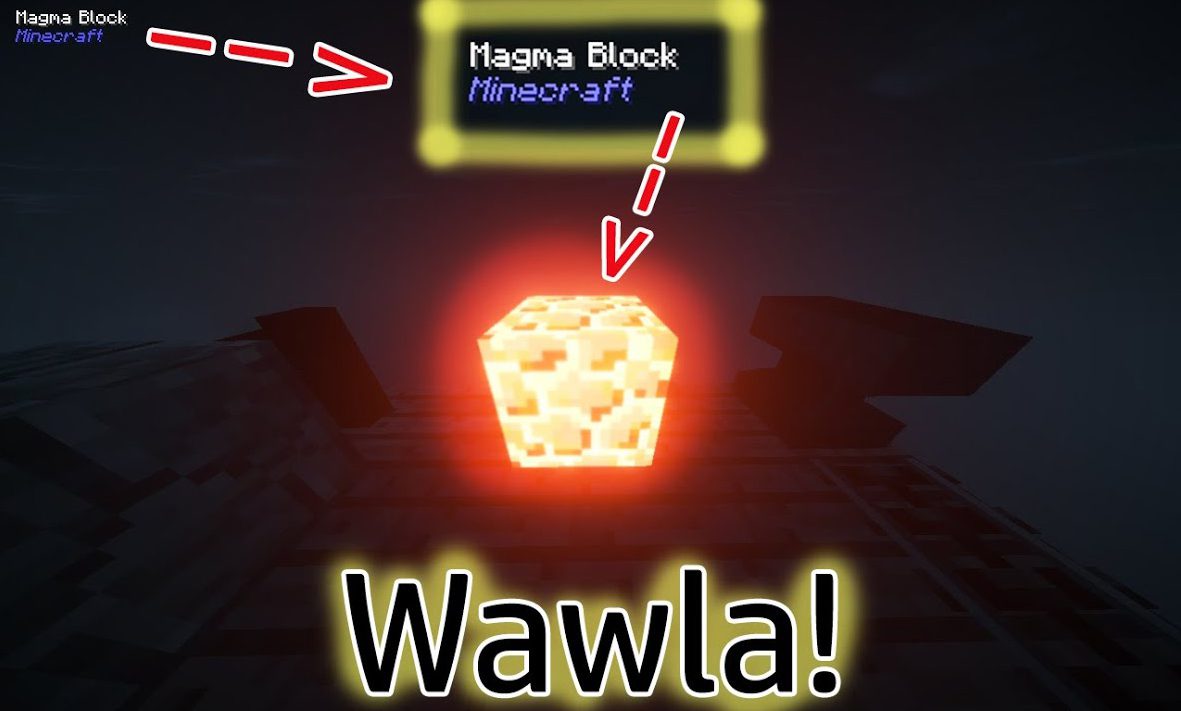
ویژگیها:
اطلاعات مابها و موجودات (Entities)
- مشاهده زمان باقیمانده تا امکان جفتگیری مجدد حیوانات.
- بررسی زمان باقیمانده تا بزرگ شدن نوزاد حیوانات.
- مشاهده مقدار Armor Points هر ماب.
- اطلاع از اهلی بودن حیوان خانگی و مشاهده نام صاحب آن.
- نمایش آمار سرعت و قدرت پرش اسبها.
- مشاهده فوری شغل روستاییان (Villagers).
اطلاعات بلاکها و آیتمها
- نمایش سختی بلاک (Hardness) و مقاومت آن در برابر انفجار.
- اعلام ابزار صحیح مورد نیاز برای کندن یک بلاک.
- نمایش درصد پیشرفت شکستن بلاکی که در حال استخراج آن هستید.
- مشاهده مقدار قدرت جادویی (Enchanting Power) که یک بلاک به میز جادوگری نزدیکش میدهد.
- دریافت جزئیات کامل کوره (Furnace)، شامل محتویات و سوخت باقیمانده.
- پیدا کردن نام بازیکن روی بلاک جمجمه (Player Skull).
- نمایش نام آیتم قرار داده شده داخل Item Frame.
اسکرینشاتها:
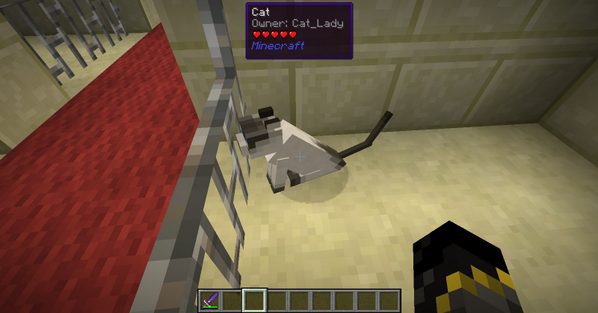
ماژول حیوانات خانگی: هنگام نگاه کردن به مابهای اهلی مثل Ocelot یا Wolf، میتوانید ببینید صاحب آنها کیست.
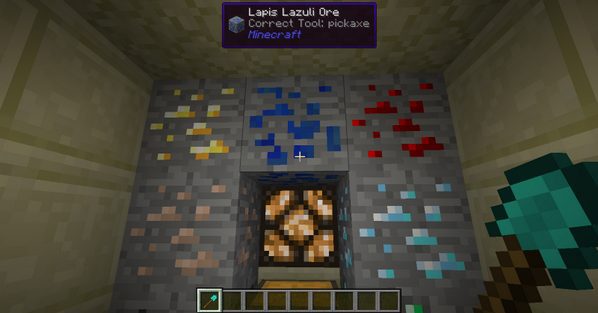
قابلیت استخراج: هنگام نگاه کردن به یک بلاک، Wawla به شما میگوید که آیا ابزارتان میتواند آن بلاک را بشکند یا خیر.
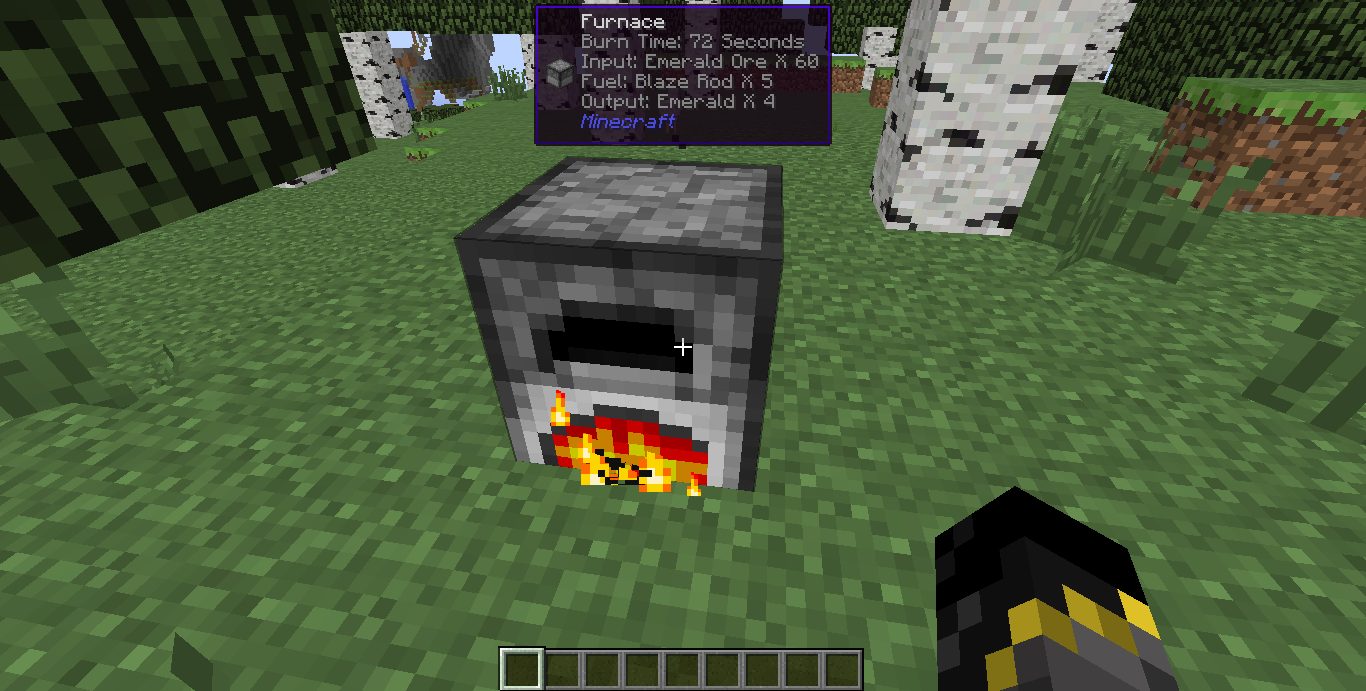
اطلاعات کوره: هنگام نگاه کردن به کوره، میتوانید زمان باقیمانده سوخت را ببینید. همچنین با نگه داشتن دکمه Sneak، محتویات داخل آن را مشاهده کنید.
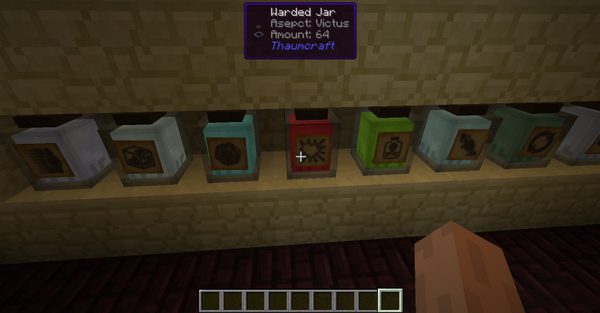
شیشههای Aspect: میتوانید با نگاه کردن به شیشههای warded در مد Thaumcraft، محتویات آنها را ببینید. مقدار و نوع آن در تولتیپ نمایش داده میشود.
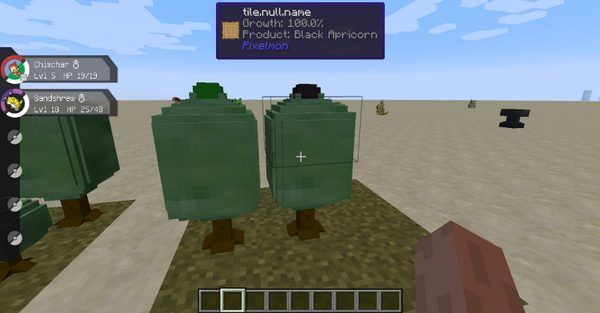
Pixelmon: Apricorns: هنگام نگاه کردن به بوته Apricorn، میتوانید درصد رشد آن را ببینید.
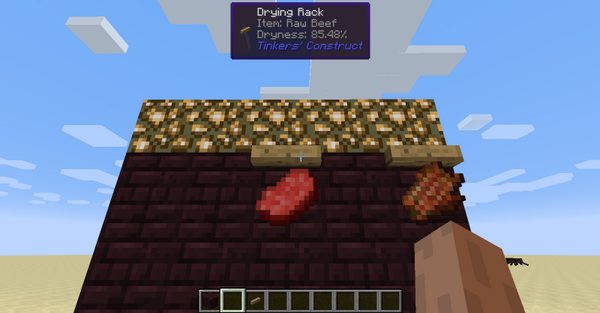
Tinkers: Drying racks: هنگام نگاه کردن به قفسه خشککن، درصد پیشرفت تبدیل را نمایش میدهد.
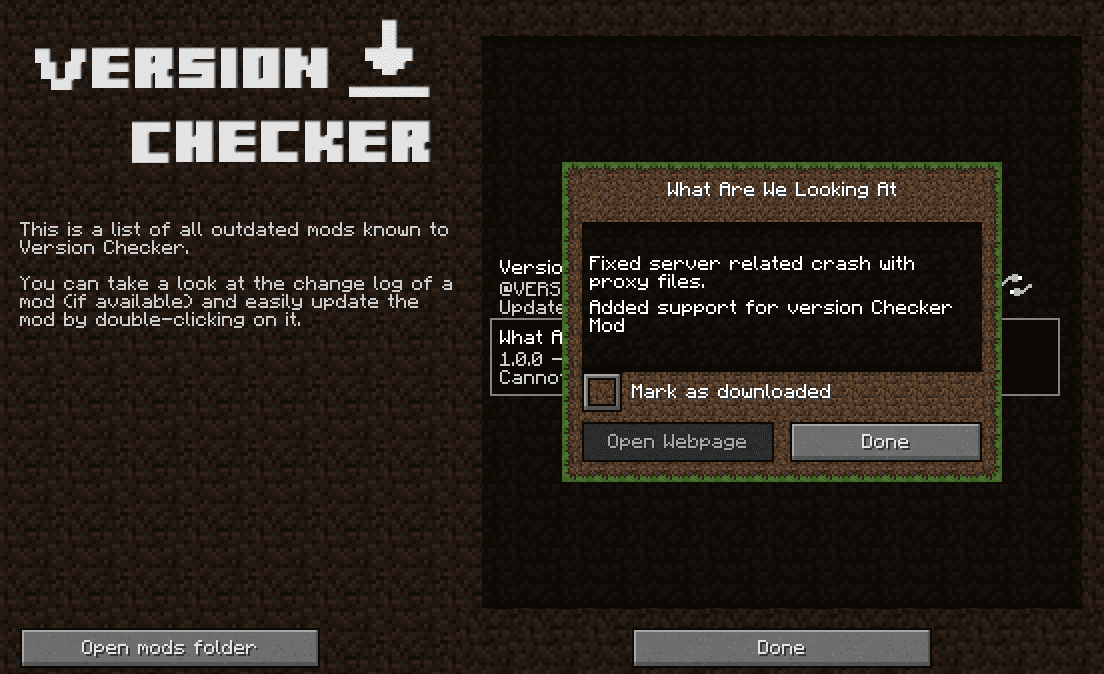
یکپارچگی با Version Checker: این مد از Version Checker کاملاً پشتیبانی میکند. در صورت نصب بودن آن، آپدیتهای جدید به شما اطلاع داده میشود.
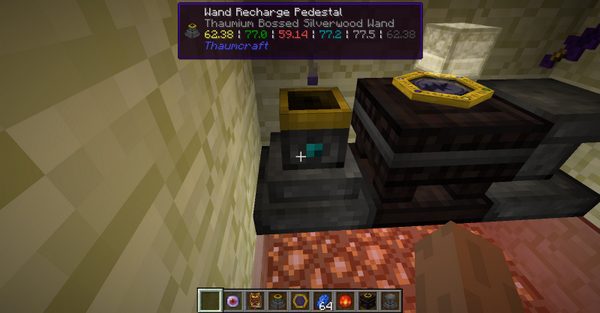
Thaumcraft: Recharge Pedestal: پایههای شارژ Thaumcraft نام عصای داخل خود و مقدار vis موجود در آنها را نشان میدهند.
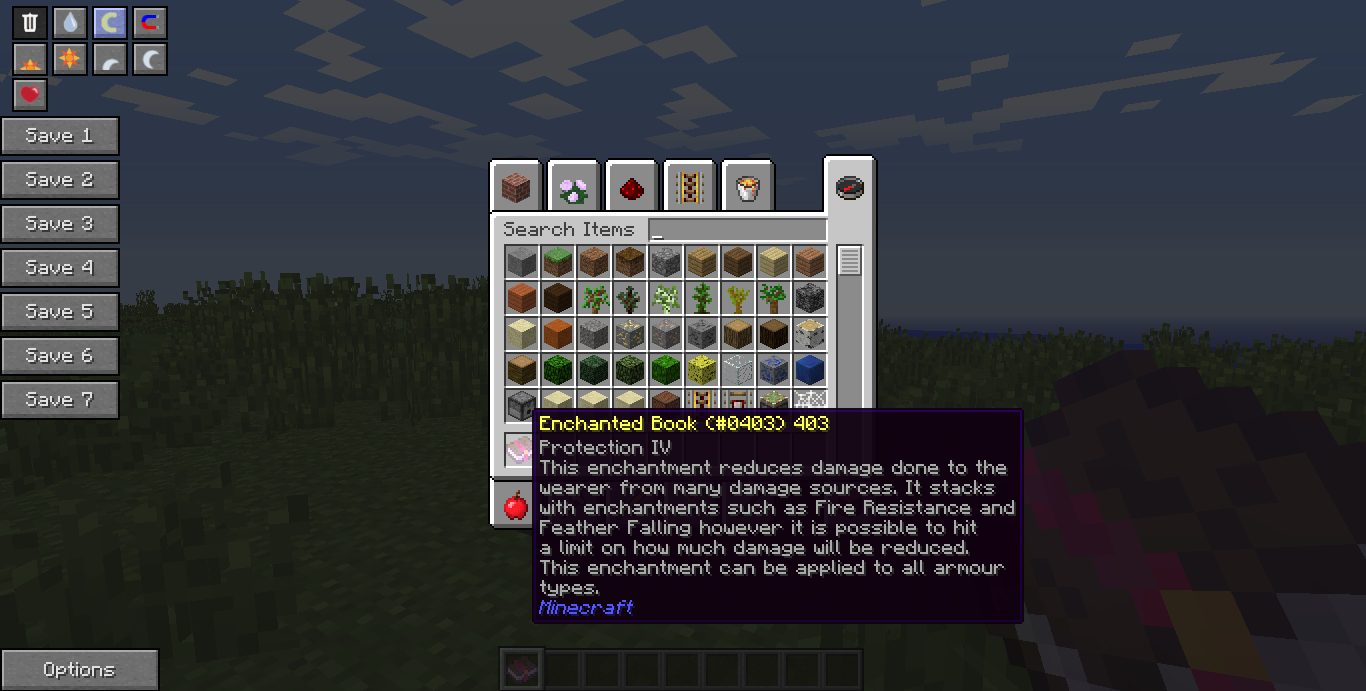
کتابهای جادو (Enchantment Books): تمام کتابهای جادو میتوانند توضیحی از عملکرد خود را نشان دهند، حتی کتابهای مدهای دیگر. اگر کتابی توضیح نداشت، آن را در بخش گزارش مشکلات اطلاع دهید.
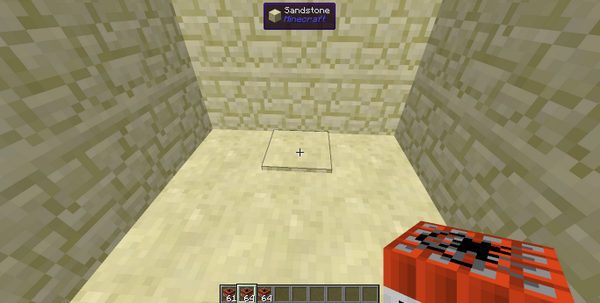
Tinkers: Land Mine مخفی: در مد Tinkers Construct میتوانید مینهای زمینی استتار شده بسازید. این مد از لو رفتن تفاوت بین مین و بلاک استتار توسط Waila جلوگیری میکند.
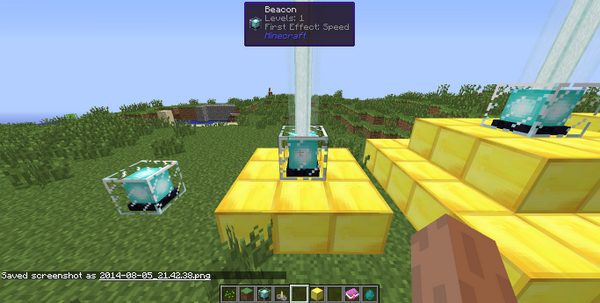
Beacons: هنگام نگاه کردن به Beacon میتوانید سطح (Tier) و افکتهای انتخاب شده برای آن را ببینید. به طور پیشفرض افکت اصلی همیشه Regen است، بنابراین معمولاً فقط افکت ثانویه نمایش داده میشود.
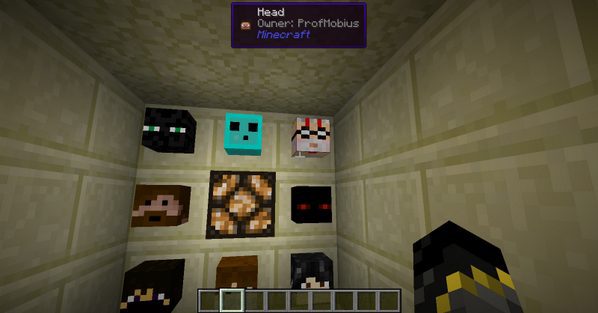
جمجمه بازیکنان: تا به حال شده بخواهید بدانید سر یک بازیکن متعلق به کیست اما نخواهید آن را بشکنید؟ حالا با این مد کاربردی، فقط کافیست به آن نگاه کنید.
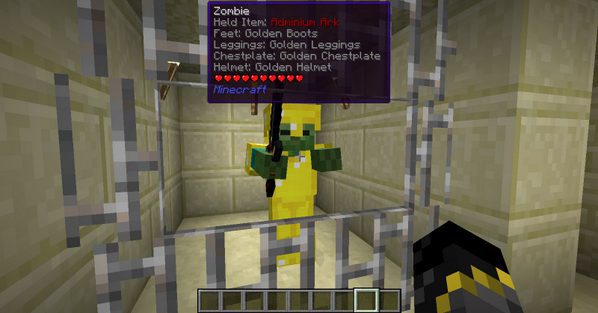
آیتمهای مابها: کنجکاو هستید بدانید یک ماب چه زره یا آیتمهایی همراه دارد؟ این مد این اطلاعات را برای شما فاش میکند.

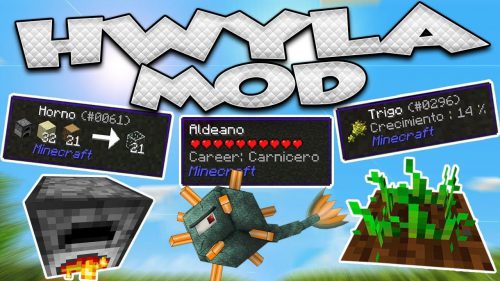
لینکهای دانلود Wawla Mod
برای Minecraft 1.7.10
نسخه Forge: دانلود از سرور 1
برای Minecraft 1.8.9
نسخه Forge: دانلود از سرور 1
برای Minecraft 1.12.2
نسخه Forge: دانلود از سرور 1 – دانلود از سرور 2
برای Minecraft 1.14.4
نسخه Forge: دانلود از سرور 1
برای Minecraft 1.15.2
نسخه Forge: دانلود از سرور 1 – دانلود از سرور 2
برای Minecraft 1.16.5
نسخه Forge: دانلود از سرور 2
شاید اینها را هم بپسندید



این پست هنوز نظری ندارد. اولین نفر باشید — نظر شما اینجا نمایش داده میشود.