
Fancy Fluid Storage Mod (1.21.1, 1.20.1) – Turn Custom Builds

 0


Fancy Fluid Storage Mod lets you build custom fluid tanks in any shape instead of plain boxes. This mod supports tanks with up to 65536 air blocks inside, with a default limit of 8192 blocks for liquids like water and lava. It gives you a tank menu to check liquid capacity and lock a tank to one fluid type. It also blocks certain materials like dirt and sponge from tank builds by default, with a blacklist file you can edit anytime.

Features:
- Lets you build custom fluid tanks in creative shapes like arches, hearts, or furnaces instead of plain cuboid boxes.
- Supports up to 65536 air blocks inside a single tank, with a default size limit of 8192 air blocks.
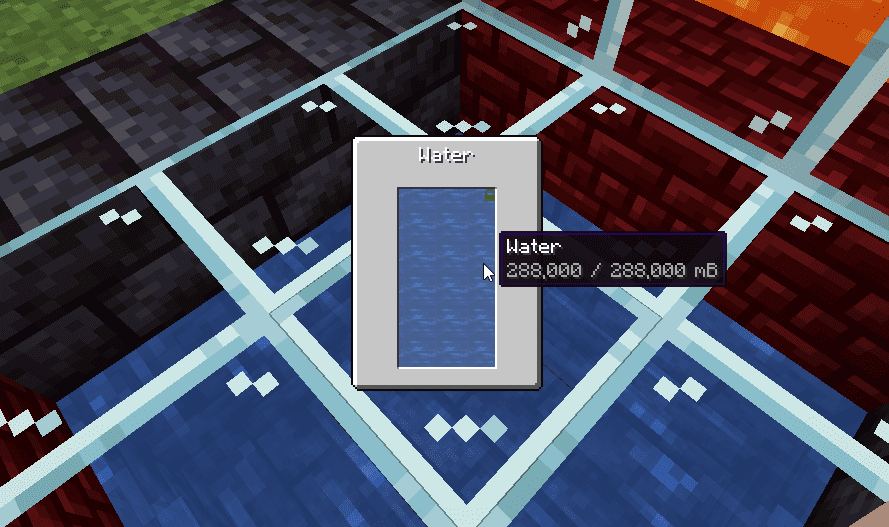
- Opens a simple tank menu when you right-click the valve or any part of the tank frame, such as glass, showing the total fluid capacity in millibuckets.
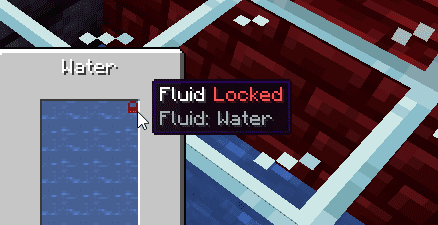
- Allows you to lock a tank to one specific fluid using the lock icon in the menu, so only that liquid enters through buckets, other fluid items, or automation.
- Blocks Dirt, Dirt Path, Grass Block, Sponge, and Wet Sponge from being used in tank structures by default.
- Supports custom block blacklists for servers and resource packs through a JSON tag file.
Configuration:
data/ffs/tags/blocks/blacklist.json: Edit this file on a server or inside a resource pack to add or remove blocks from the tank block blacklist.
How to Use:
- Build a custom tank frame in any shape using allowed blocks like glass along with a valve, keeping the open space inside within the limit (8192 air blocks by default, up to 65536). Avoid blacklisted blocks like Dirt, Dirt Path, Grass Block, Sponge, and Wet Sponge.
- Add a liquid such as water or lava into the tank using a bucket, other fluid-holding items, or automation.
- Right-click the valve or any part of the tank frame to open the tank menu and check how much liquid it holds in millibuckets.
- Click the lock icon in the tank menu to lock the tank to that fluid type; this keeps any other liquid from entering by hand or through automation.
Screenshots:
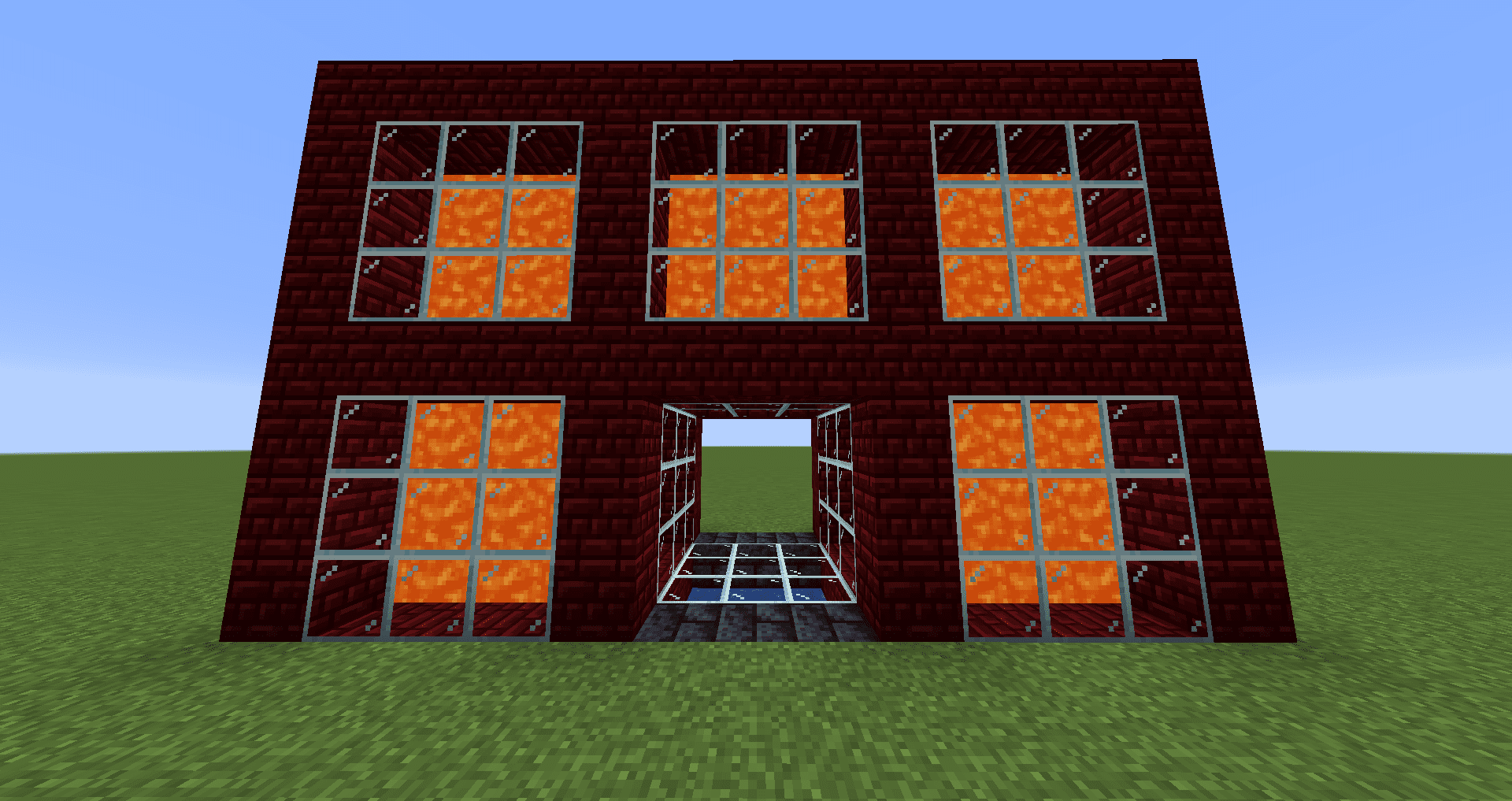
This first tank is the one containing lava – it is one entire tank in the arch, not several ones:
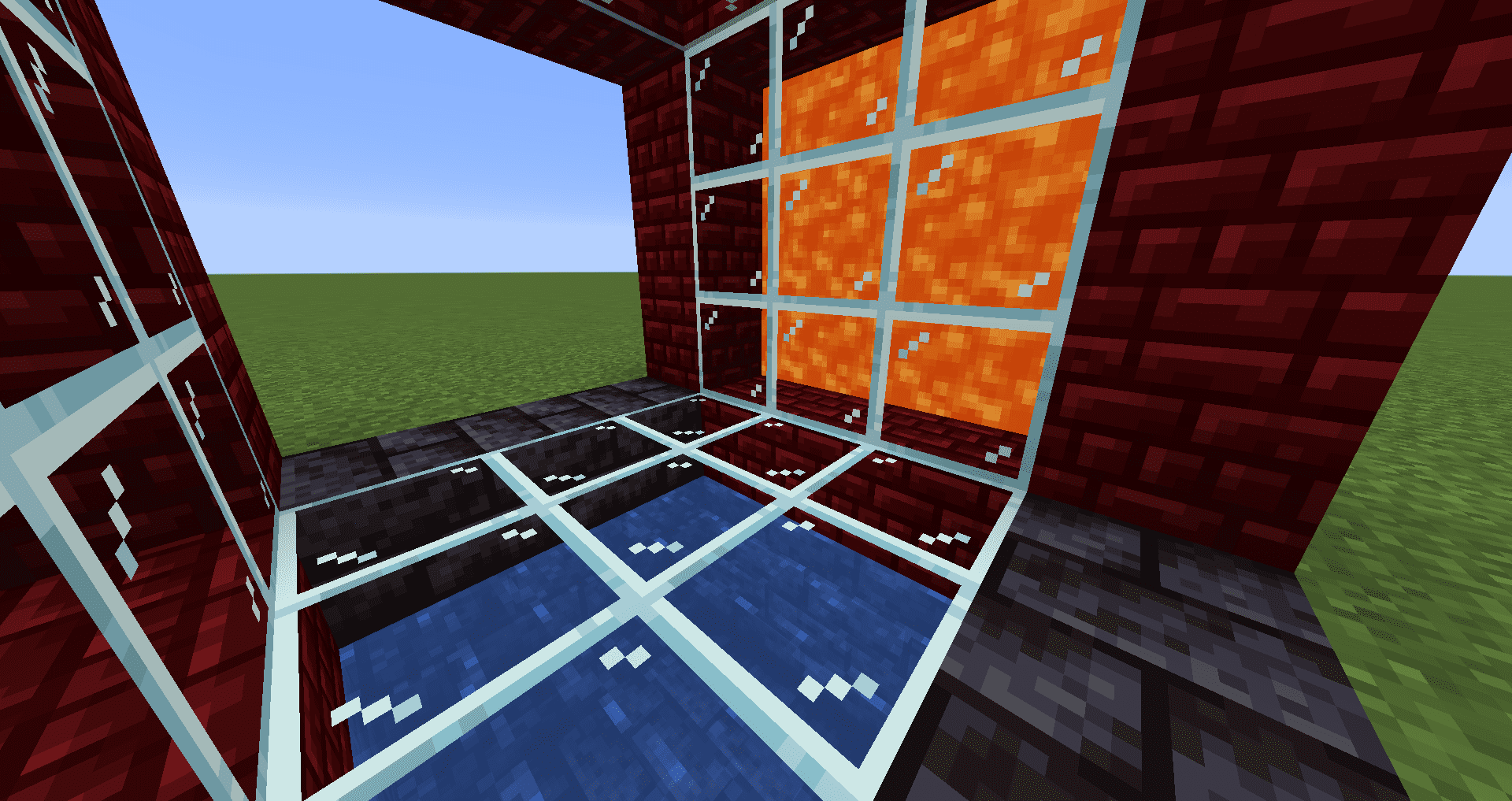
The second tank is in the center filled with water:
Currently this is the only GUI in the mod when rightclicking either any part of the tank frame (in this case, the glass) or the actual valve
The fluid in the tank can be locked so only that particular fluid is allowed via. automation or normal rightclicking with a bucket or other items containing fluids:
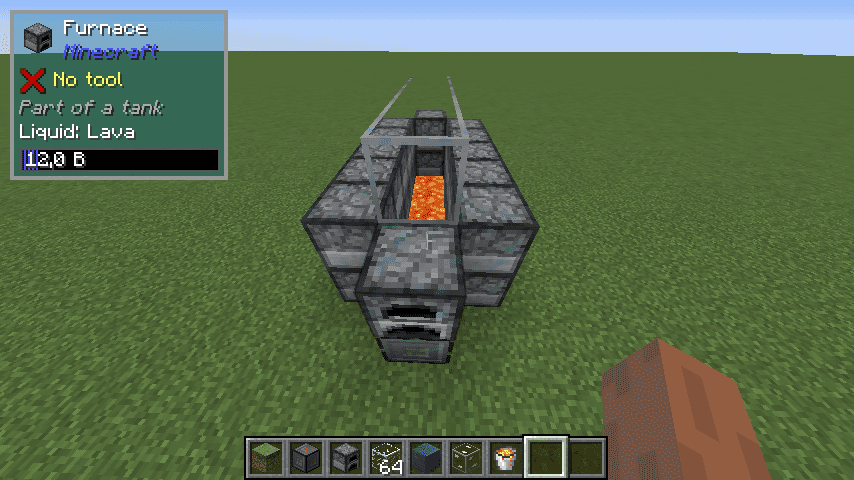
And because this fluid storage solution is crafted with love:

The furnace tank
How to Install:
New to Minecraft? Follow our step-by-step guide to install Mods on your PC.View Guide
Fancy Fluid Storage Mod Download Links
For Minecraft 1.21.1, 1.21
NeoForge version: Download from Server 1 – Download from Server 2
For Minecraft 1.20.1, 1.20
Forge/NeoForge version: Download from Server 1 – Download from Server 2
For Minecraft 1.19.2
Forge version: Download from Server 1 – Download from Server 2
For Minecraft 1.18.2
Forge version: Download from Server 1
For Minecraft 1.16.5
Forge version: Download from Server 1
For Minecraft 1.15.2
Forge version: Download from Server 1
For Minecraft 1.12.2
Forge version: Download from Server 1 – Download from Server 2
For Minecraft 1.10.2
Forge version: Download from Server 1
For Minecraft 1.7.10
Forge version: Download from Server 1
Who do you usually play modded Minecraft with?
59 responses · See the full results →
You May Also Like
Picked for this page
 Inventory HUD+ Mod (26.3, 1.20.1) – Always-On-Screen Information
 Essentials Mod (1.21.11, 1.20.1) – Automate Various Areas of The Game
 Macaw’s Roofs Mod (26.3, 1.20.1) – Make a Sloped Roof Without Using Stairs
 Notes Mod (26.3, 1.20.1) – In-game Notepad
 WorldEdit CUI Mod (26.3, 1.20.1) – A Graphical User Interface for WorldEdit
 Bookshelf Mod (26.3, 1.20.1) – New Utilities, Hooks, Events
 Twigs Mod (1.21.1, 1.20.1) – New Construction Blocks
 Balkon’s WeaponMod: Legacy Mod (26.3, 1.20.1) – The Ultimate Weapon Pack
 Redirectionor Mod (1.21.11, 1.20.1) – Performance-Boosting Features
 Bocchium Mod (1.21.1, 1.20.1) – Performance-Boosting Rendering
 Similsax Transtructors Mod (26.1.2, 1.20.1) – Makes Building More Fun
 Eternal Food Mod (26.2, 1.20.1) – Non-Depleting Food
Most viewed in Mods over the last 7 days
 Ala Industrial Mod (26.3) – Run Electric Power Grids and Automated Factories
 PleasureCraft Mod (26.3, 1.21.1) – Jenny Mod Remake for Fabric
 Jennycraft Mod (26.3, 1.20.1) – Virtual Girlfriend in Minecraft
 Fapcraft Mod (26.3, 1.12.2) – Comprehensive and Detailed Content
 Jenny Mod (Fapcraft) Official Complete Guide – How to use, Tutorial
 BangCraft Mod (1.20.1) – Jenny, Ellie and Elliot
 Fabric Loader (26.3, 1.20.1) – Fabric Installer for All Minecraft Versions
 Meteor Client Mod (26.3, 1.20.1) – Xray, HUD, Fly
 The Shooting Star Demo Mod (26.3, 1.20.1) – Vaporize Terrain From Orbit
 OptiFine HD (26.3, 1.20.1) – Run Faster, FPS Boost, Shaders Support
 Aristois Client Mod (1.21.4, 1.20.1) – World Class Minecraft Utility
 Prestige Client Mod (1.21.11, 1.21.4) – Powerful Ghost Features for Crystal & Sword PvP
More from Mods
 Offgrid Mod (26.3, 1.20.1) – Furnish Compact Interiors Without Strict Grid
 Tempest Almanac Iron’s Spells ‘n Spellbooks Mod (1.21.1, 1.20.1)
 Chat Guides Mod (26.3, 1.21.11) – Never Memorize Complex Server Commands Again
 TRMT Reimagined the Roads More Travelled Mod (26.3, 1.20.1)
 Morrowless Mod (1.21.1) – Defend Your Shelter From Nightmare Creatures
 THE SLOPSTROSITY Mod (1.21.1) – Battle a Ridiculous Slime Boss
 Decoween Mod (1.21.1, 1.20.1) – Transform Ordinary Survival Bases
 Simply Light 9minecraft Mod (26.3) – Decorate Builds Without Torches
 Alex’s Caves Continued Mod (26.3, 1.20.1) – Conquer Six Massive Underground
 Anvil Uses Mod (26.3, 1.20.1) – Track Item Anvil Usage
 Animal Info Mod (26.3, 1.21.11) – Quick Stats For Your Animals
 Timber Tales Dynamic Tree System Mod (26.3, 1.20.1) – Watch Entire Trees Topple

This post has no comments yet. Be the first — your comment will appear here.