


GD656Killicon Mod (1.21.4, 1.20.1) – Dalhin ang Call of Duty Killfeeds sa Minecraft
 695
695
 0
0


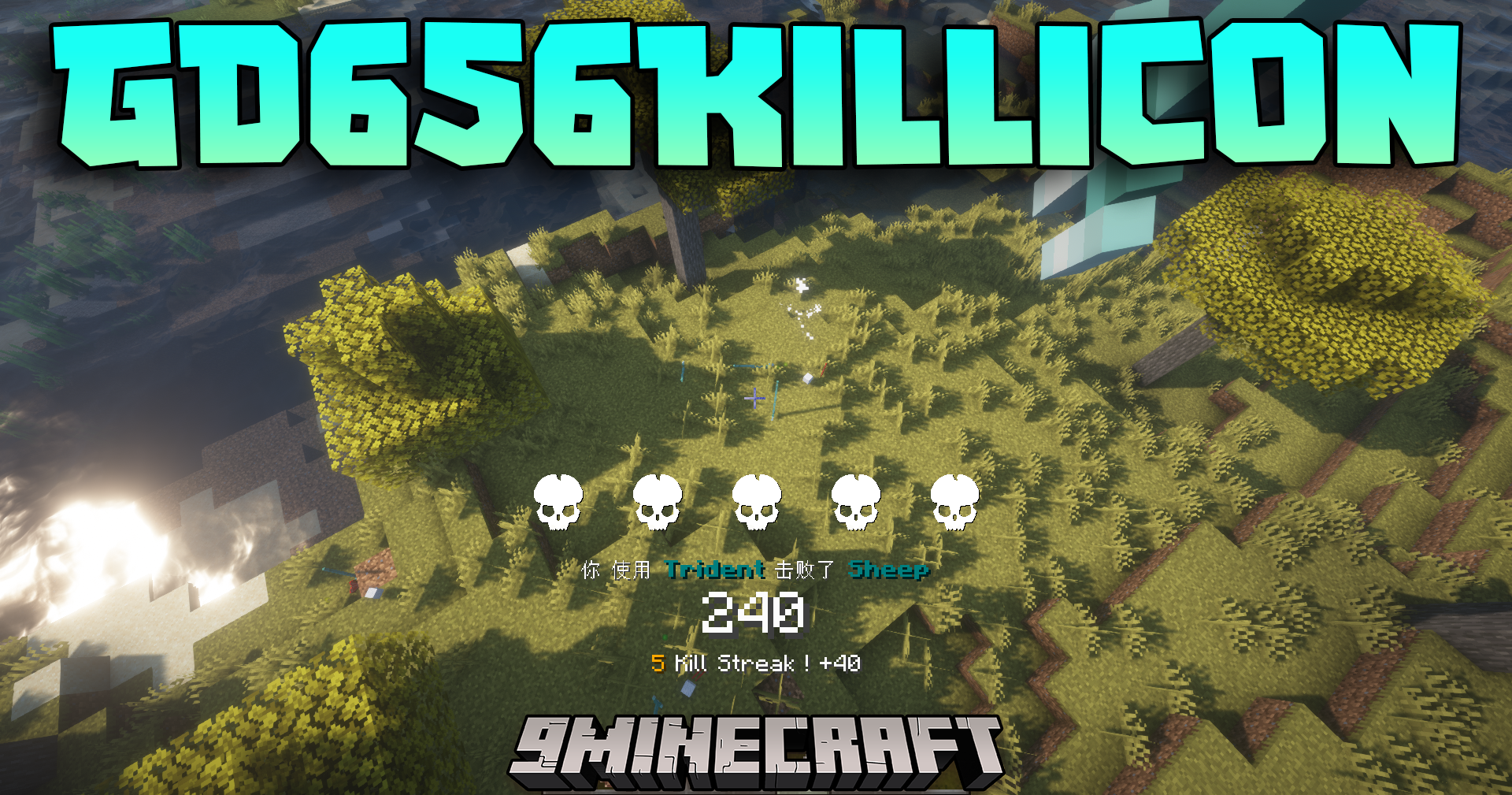
Ang GD656Killicon Mod ay nagdadala ng competitive scoring system at FPS-style kill notifications sa iyong laro. Kapag tinalo mo ang isang kalaban, may lalabas na special icon at mensahe sa iyong screen, katulad ng sa mga sikat na shooter games. Kasama sa mod ang maraming iba’t ibang visual styles para sa mga notification na ito. Sinusubaybayan din nito ang score, kills, at assists ng lahat, kaya swak na swak ito sa pakikipaglaban sa mga monster o pakikipag-bakbakan sa ibang players.
Features:
- Nagdaragdag ng mga kill icon at mensahe sa iyong screen, inspired ng mga sikat na shooter games.
- May scoring system na nagbibigay ng rewards para sa iba’t ibang combat actions, hindi lang sa final blows.
- Nagpapakita ng live display ng scores, kills, deaths, at assists para sa lahat ng players.
- May mga built-in visual styles mula sa mga laro gaya ng Battlefield, CS2, at Valorant.
- Pinapayagan kang gumawa ng sarili mong custom visual styles at i-share ang mga ito sa iba.
- Naka-link ang mga score nito sa regular na Minecraft scoreboard para makita ng lahat ang rankings.
- May full control ang mga server admin para baguhin ang rules kung paano nakakakuha ng points.
Commands:
- I-check ang Iyong Score: Gamitin ang
/gdscorepara makita ang iyong kasalukuyang points sa chat. - I-clear ang Score Cards: Ang command na
/gdscore cardclearay nagre-reset ng mga special reward cards na nakuha mo. - I-link sa Scoreboard: Gamitin ang
/gdscore scoreboard bindingpara gumawa ng vanilla scoreboard na naka-sync sa points ng mod. - I-list ang Bonus Rules: I-type ang
/gdscore bonuspoints listpara makita ang lahat ng kasalukuyang paraan para makakuha ng bonus points. - I-reset ang Bonus Rules: Ang command na
/gdscore bonuspoints resetay ibinabalik ang lahat ng scoring rules sa default settings. - I-edit ang Bonus Rules: Gamitin ang
/gdscore bonuspoints editpara i-customize kung ilang points ang katumbas ng bawat action.
Paano Gamitin:
- Para baguhin ang icon styles at iba pang settings, buksan ang in-game config menu. May built-in tutorial na magtuturo sa iyo kung ano ang gagawin.
- Kung hindi lumabas ang tutorial, i-type ang command na ito sa chat:
/gd656killicon client debug iamanew. Pagkatapos, buksan ulit ang config menu.
Paano I-install:
Mga Kailangan:
 Timeless And Classics Zero Mod Kailangan
 Cloth Config API Kailangan
 Mod Menu Mod Kailangan
 Custom NPCs Unofficial Mod Opsyonal
 Ping Wheel Mod Opsyonal
 Immersive Aircraft Mod Opsyonal
GD656Killicon Mod Download Links
Para sa Minecraft 1.21.4
Forge Version: Download from Server 1 – Download from Server 2
Para sa Minecraft 1.21.3
Forge Version: Download from Server 1 – Download from Server 2
Para sa Minecraft 1.21.1, 1.21
Forge Version: Download from Server 1 – Download from Server 2
Para sa Minecraft 1.20.6
Forge Version: Download from Server 1 – Download from Server 2
Para sa Minecraft 1.20.4
Forge Version: Download from Server 1 – Download from Server 2
Para sa Minecraft 1.20.2
Forge Version: Download from Server 1 – Download from Server 2
Para sa Minecraft 1.20.1, 1.20
Forge Version: Download from Server 1 – Download from Server 2
Fabric Version: Download from Server 1 – Download from Server 2
Para sa Minecraft 1.19.2
Forge Version: Download from Server 1 – Download from Server 2
Para sa Minecraft 1.18.2
Forge Version: Download from Server 1 – Download from Server 2
Baka Magustuhan Mo Rin

Wala pang komento ang post na ito. Maging una — lalabas dito ang iyong komento.