


GD656Killicon Mod (1.21.4, 1.20.1) – Bring Call of Duty Killfeeds to Minecraft
 688
688
 0
0


GD656Killicon Mod brings a competitive scoring system and FPS-style kill notifications to your game. When you defeat an enemy, a special icon and message will pop up on your screen, similar to many popular shooter games. The mod includes many different visual styles for these notifications. It also keeps track of everyone’s score, kills, and assists, making it perfect for both fighting monsters and competing against other players.
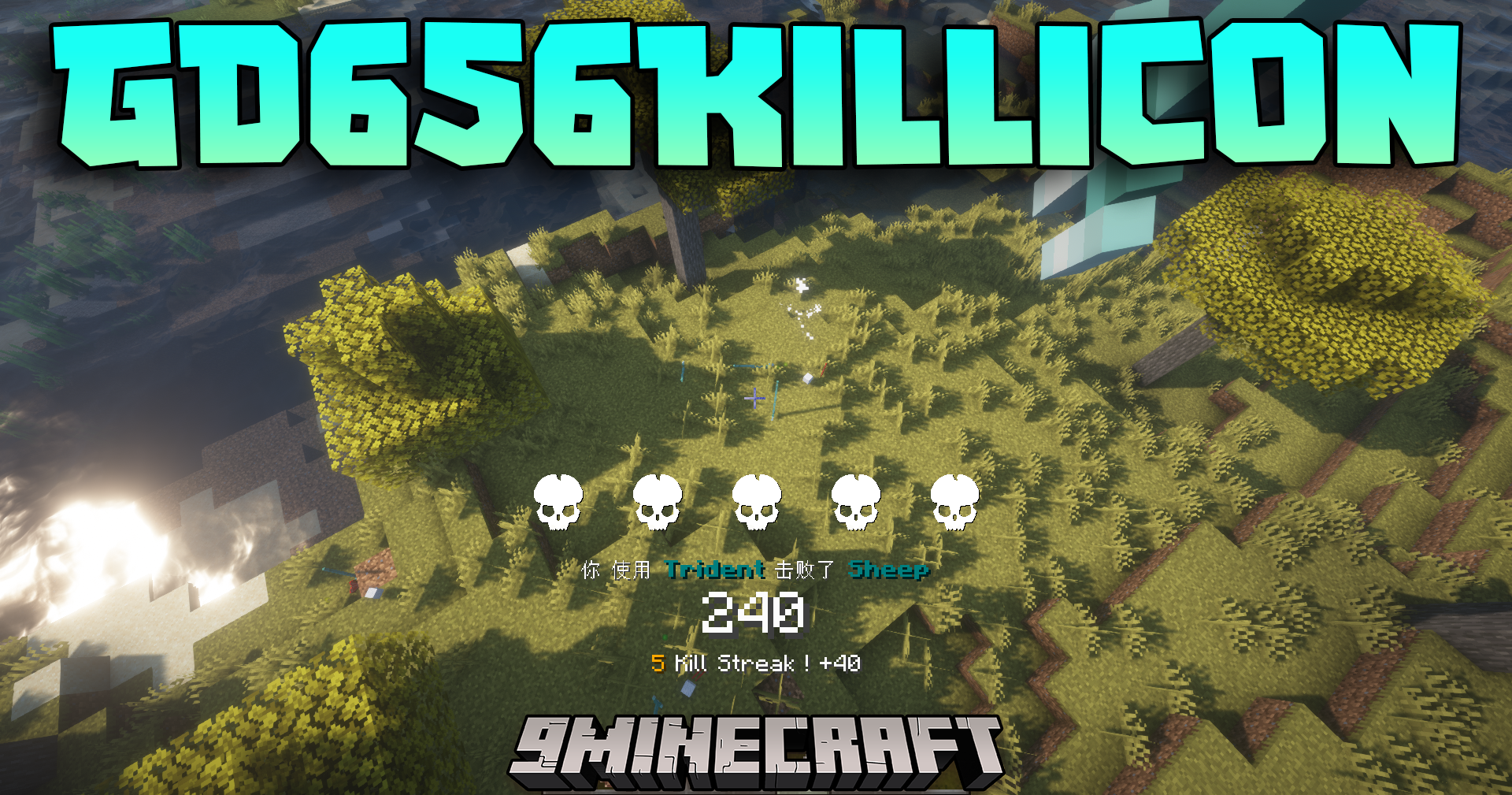
Features:
- Adds kill icons and messages to your screen, inspired by popular shooter games.
- A scoring system rewards you for many different combat actions, not just final blows.
- Shows a live display of scores, kills, deaths, and assists for all players.
- Comes with many built-in visual styles from games like Battlefield, CS2, and Valorant.
- Lets you create your own custom visual styles and share them with others.
- Links its scores to the regular Minecraft scoreboard so everyone can see the rankings.
- Server admins have full control to change the rules for how points are earned.
Commands:
- Check Your Score: Use
/gdscoreto see your current points in the chat. - Clear Score Cards: The
/gdscore cardclearcommand resets special reward cards you’ve earned. - Link to Scoreboard: Use
/gdscore scoreboard bindingto create a vanilla scoreboard that syncs with the mod’s points. - List Bonus Rules: Type
/gdscore bonuspoints listto see all the current ways to earn bonus points. - Reset Bonus Rules: The
/gdscore bonuspoints resetcommand changes all scoring rules back to their default settings. - Edit Bonus Rules: Use
/gdscore bonuspoints editto customize how many points each action is worth.
How to Use:
- To change the icon styles and other settings, open the in-game config menu. A built-in tutorial will show you what to do.
- If the tutorial does not show up, type this command into the chat:
/gd656killicon client debug iamanew. Then, open the config menu again.
How to Install:
New to Minecraft? Follow our step-by-step guide to install Mods on your PC.View Guide
Requirements:
 Timeless And Classics Zero Mod Required
 Cloth Config API Required
 Mod Menu Mod Required
 Custom NPCs Unofficial Mod Optional
 Ping Wheel Mod Optional
 Immersive Aircraft Mod Optional
GD656Killicon Mod Download Links
For Minecraft 1.21.4
Forge Version: Download from Server 1 – Download from Server 2
For Minecraft 1.21.3, 1.21.2
Forge Version: Download from Server 1 – Download from Server 2
For Minecraft 1.21.1, 1.21
Forge Version: Download from Server 1 – Download from Server 2
For Minecraft 1.20.6
Forge Version: Download from Server 1 – Download from Server 2
For Minecraft 1.20.4
Forge Version: Download from Server 1 – Download from Server 2
For Minecraft 1.20.2
Forge Version: Download from Server 1 – Download from Server 2
For Minecraft 1.20.1, 1.20
Forge Version: Download from Server 1 – Download from Server 2
Fabric Version: Download from Server 1 – Download from Server 2
For Minecraft 1.19.2
Forge Version: Download from Server 1 – Download from Server 2
For Minecraft 1.18.2
Forge Version: Download from Server 1 – Download from Server 2
You May Also Like


This post has no comments yet. Be the first — your comment will appear here.