
Fureniku’s Roads Mod (1.20.1, 1.12.2) – Pave Modern Highways Across Your World
 73,529
 0

Fureniku’s Roads Mod brings custom roads, road paint, and city street blocks to Minecraft. This mod gives you 19 road block types with 16 height levels and more than 80 paint patterns in white, yellow, and red. You also get street lights, road barriers, curbs, reflectors, and a Paint Gun that holds all your markings in one handy tool. If you want your own look for a town, highway, or roleplay city, you can draw and load custom paint designs too. Every block, machine, and tool has a crafting recipe, so it works in both Survival and Creative modes.
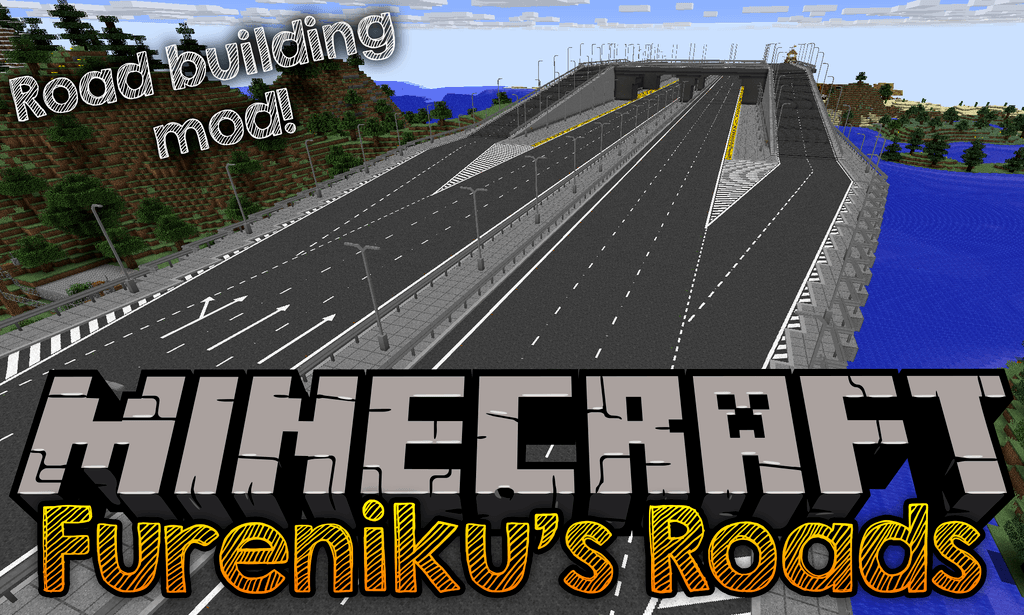
Features:
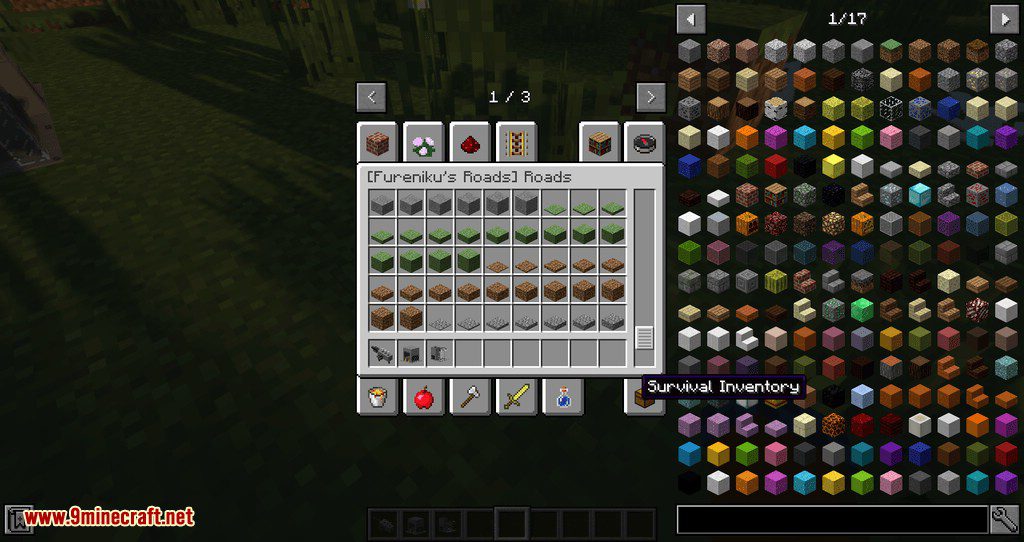
- 19 Road Types: Includes 14 exclusive road blocks and 5 vanilla-style types (stone, grass, gravel, dirt, and sand), each with 16 height levels.
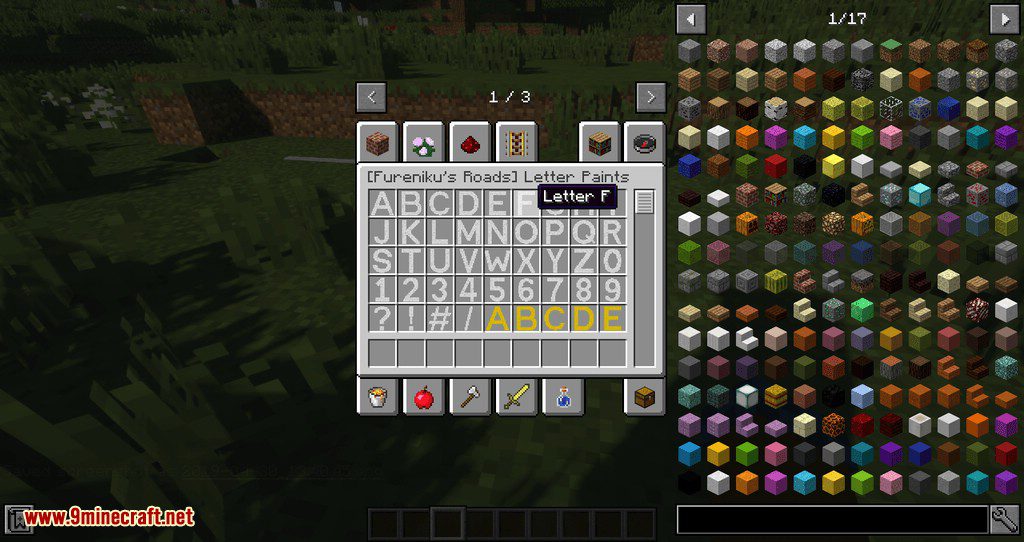
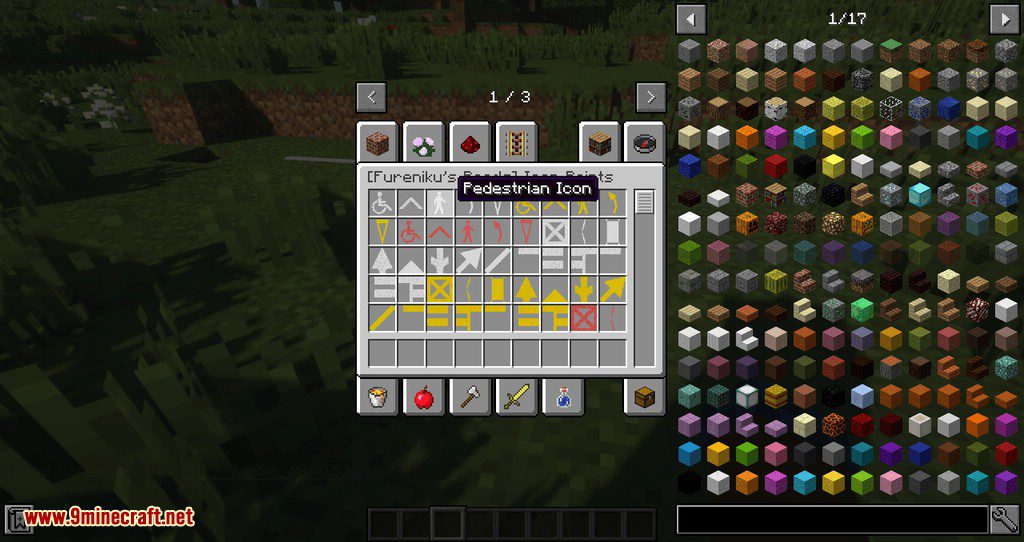
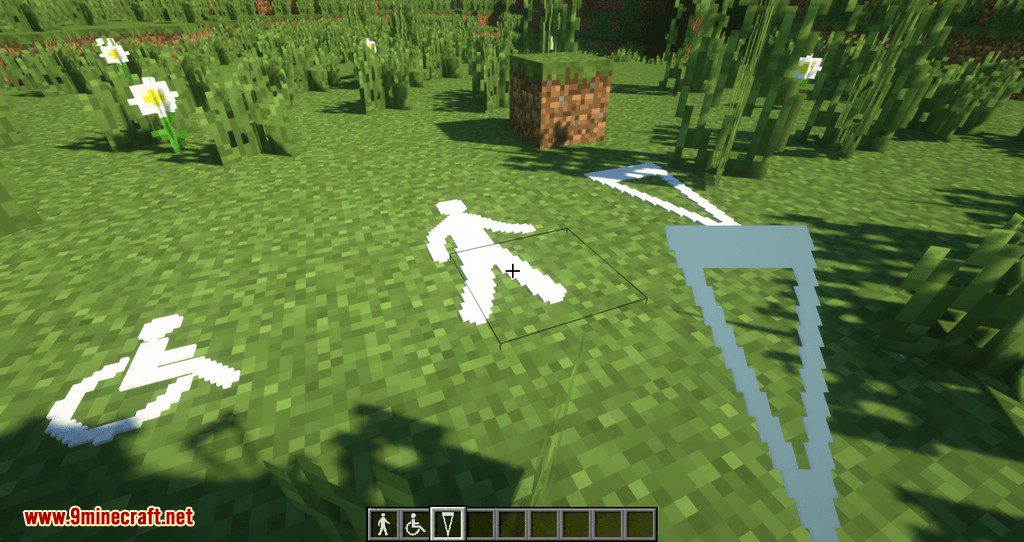
- 80+ Paint Patterns: Adds over 80 road lines, arrows, icons, and letters in white, yellow, and red that fit on any block, while letters also work on walls.
- Paint Gun: Holds all paint patterns and colors in one tool for Survival and Creative modes so your hotbar stays clear, complete with a working screen and tank gauges on the 3D model.
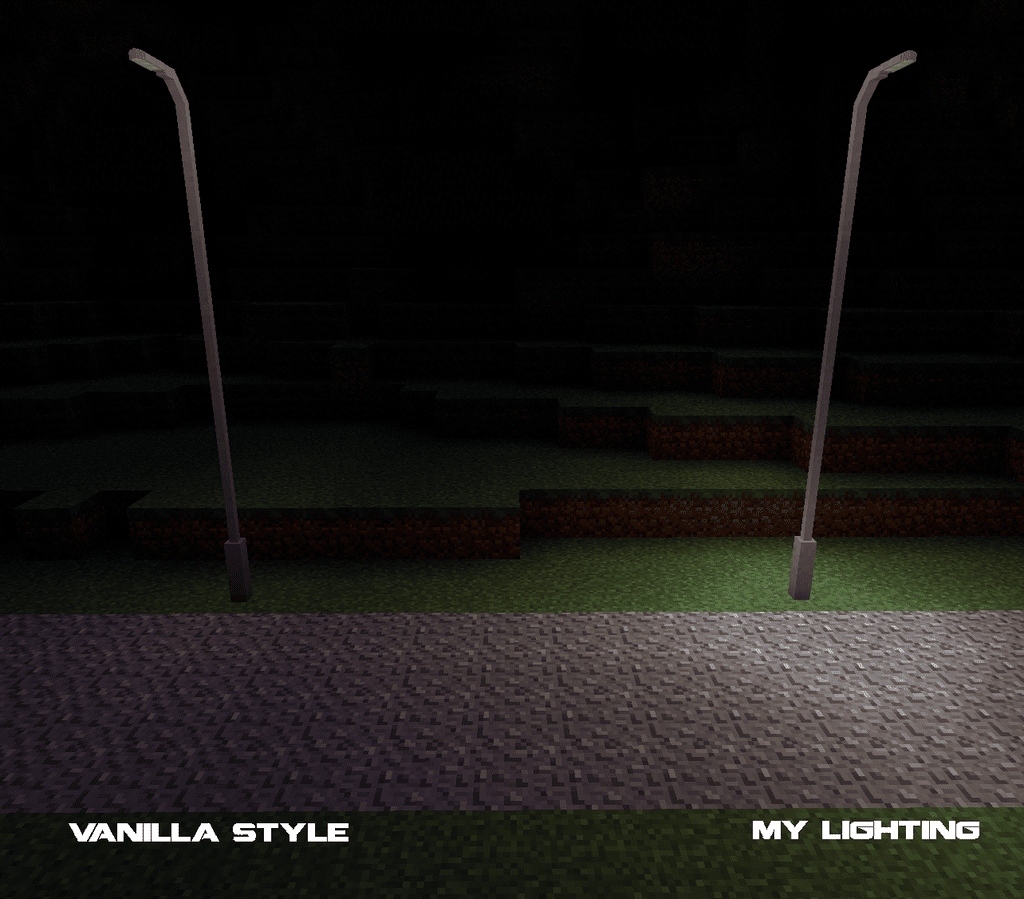
- Custom Street Lights: Places an invisible, walk-through light block on the ground under each lamp to give roads a brighter, more natural glow at night.
- Custom Paint Support: Lets you draw 16×16, 32×32, or 64×64 paint designs in an online editor (most built-in paints use 32×32) with optional grid lines and import them as
.jsonfiles. - Marks multi-block paints with a blue border in the Paint Gun menu so you can easily tell which markings connect to nearby paint blocks.
- Adds street barriers, road curbs, and glowing road reflectors to finish city streets, tunnels, and highways, though reflectors do not light up the same way when Optifine is installed.
- Gives every block and tool a Survival crafting recipe, with recipes shown in machine slot tooltips or through Just Enough Items (JEI).
- Shows your imported custom paints inside your chosen Paint Gun category (one of the five default tabs or a new custom tab) and in a separate Creative tab just for custom paints.
- Displays your custom paint’s Display Name in your inventory and tools like WAILA, though custom display names stay the same in all languages.
- Uses vertical block offsets instead of tile entities for road paint to prevent lag, and runs an internal rendering system that removes around 10,000 blockstates to speed up loading.
- Runs best on 64-bit Java with at least 2 GB of allocated RAM (4 GB recommended) because of the large number of road and paint models.
Machines and Tools:
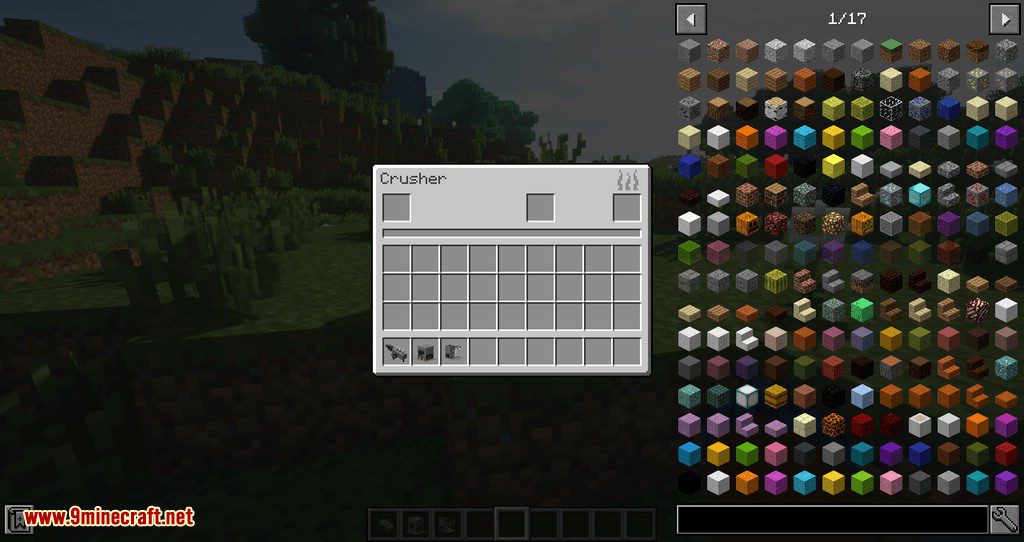
- Tar Distiller, Crusher, and Road Factory: Core Survival crafting machines used to make road blocks and road materials.
- Tarmac Cutter: Changes the height level of road blocks.
- Pneumatic Drill: Changes the height of placed road blocks and breaks placed curbs.
- Wrench: Adds support posts to placed road barriers.
Custom Paint Types:
- 1×1 Icon: Standard single-block road paint placed on flat surfaces.
- 1×1 Wall Icon: Works like text letters and can be placed on both walls and floors.
- 2×1, 3×1, and 4×1 Icons: Placed side by side to form bigger images, placing the right matching piece automatically when possible.
- 3×1 + 1×1 Text: Creates a matching large and small text pair together, just like the built-in text prefabs.
How to Use:
- Craft a Tar Distiller, Crusher, and Road Factory in Survival mode to make road blocks and materials, or grab items straight from the Creative menu; hover over machine slots or use JEI to see the recipes.
- Place your road blocks and change their height with a Tarmac Cutter, or use a Pneumatic Drill to adjust roads that are already placed.
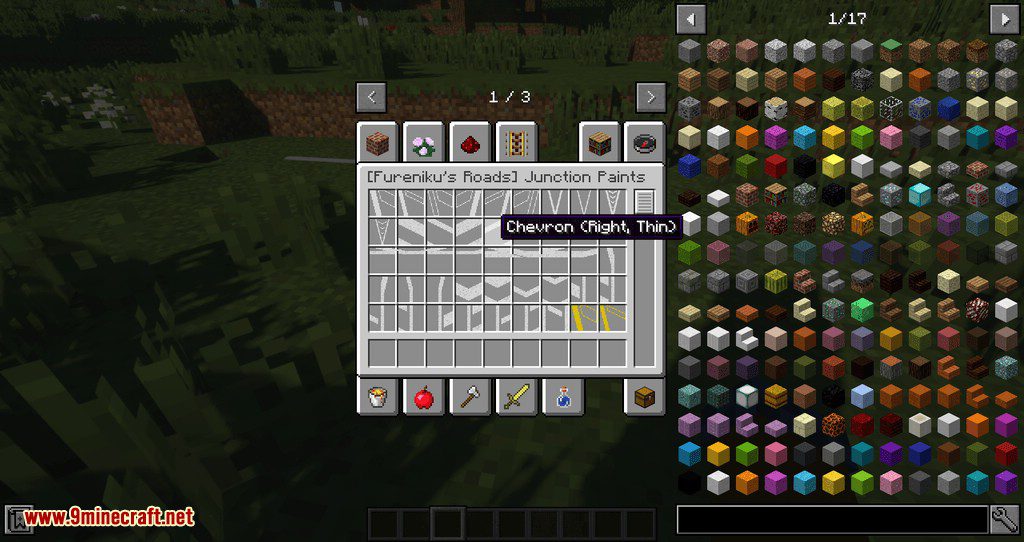
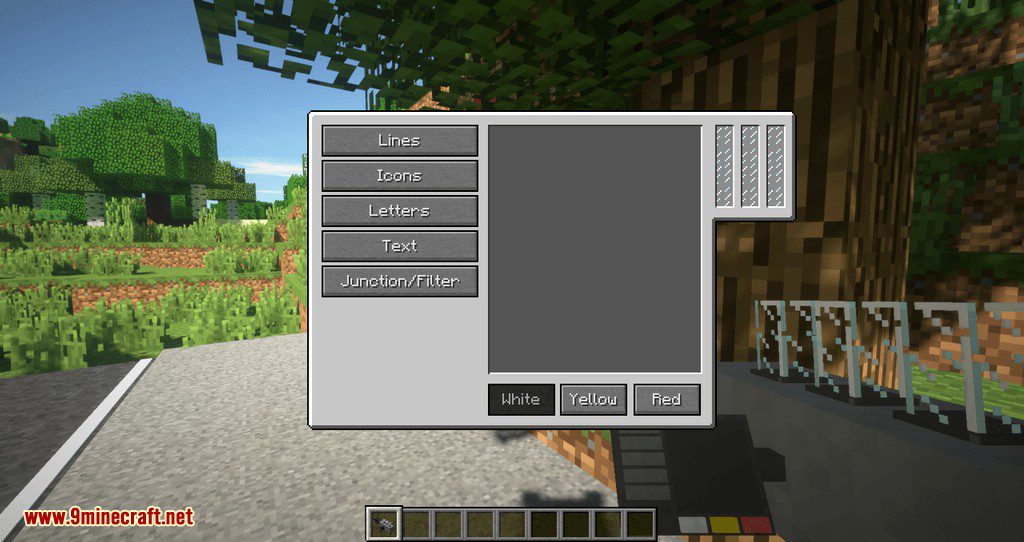
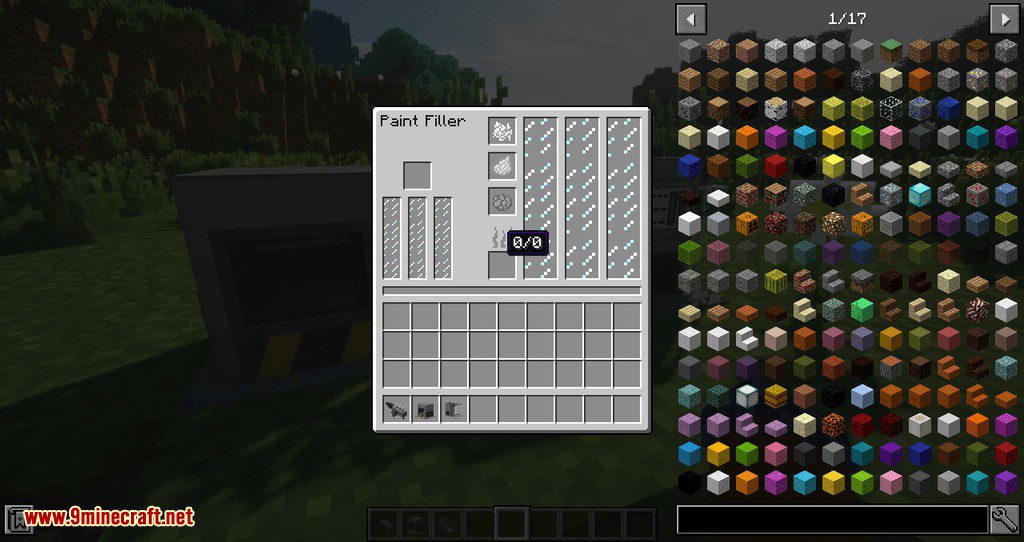
- Fill the Paint Gun with paint in Survival mode, open its menu, and pick a pattern and color to start painting; patterns with a blue border are multi-block paints that connect automatically.
- Aim at any placed road paint and press the Middle Mouse Button (default Pick Block key) to load that exact pattern right into your Paint Gun.
- Place curbs on the road edge facing the sidewalk; if you want paint underneath, place the paint first, then hold Sneak and Right-Click to place the curb on top of it.
- Hold Sneak and Right-Click a placed curb with a Pneumatic Drill to break and remove it.
- Right-Click a placed road barrier with a Wrench to add support posts to it.
- If a street light stops lighting the floor because another block replaced its invisible ground light, break the lamp and place it again to bring the light back.
- To create a custom paint, open the online editor and pick your paint type and resolution (16×16, 32×32, or 64×64) before drawing, because changing the paint type clears your work; you can also turn on grid lines while drawing.
- Fill in a unique one-word Internal Name (only
_and-punctuation is allowed), a Display Name, and a Category tab (one of the five defaults or a new name), then click Export to download the.jsonfile. - Run Minecraft once so the folder is created, drop your
.jsonfile into theRoadPaintsfolder inside yourmodsdirectory, and launch the game to find your paint in the Paint Gun and the custom paints Creative tab.
Screenshots:
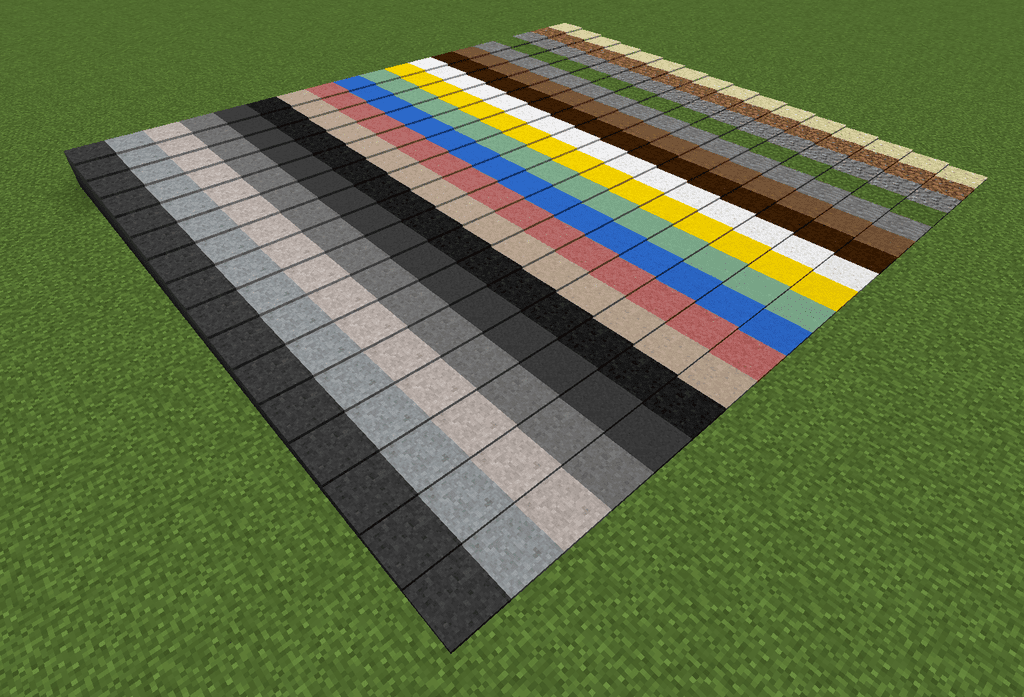
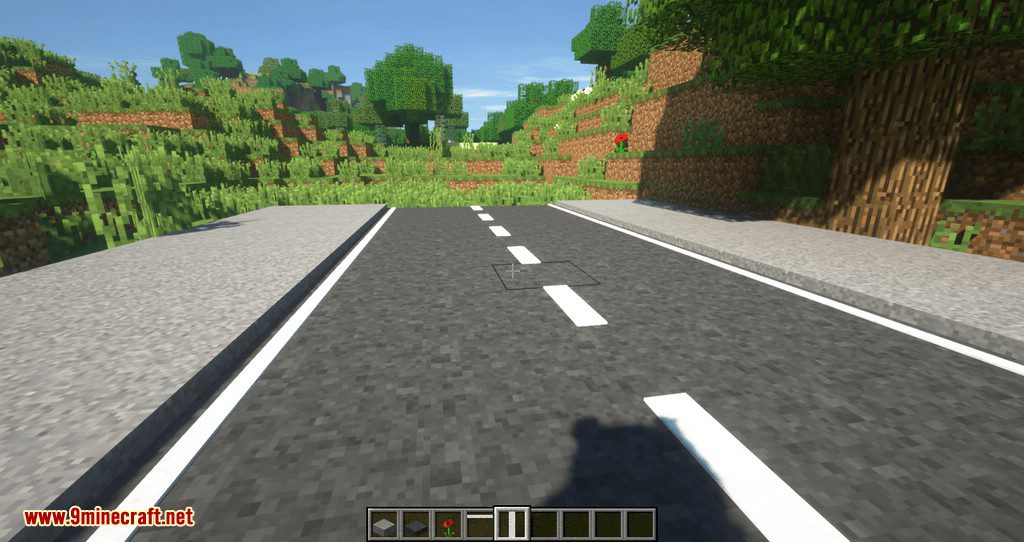
14 exclusive road types, with 5 vanilla (stone, grass, gravel, dirt, sand). 16 height options.
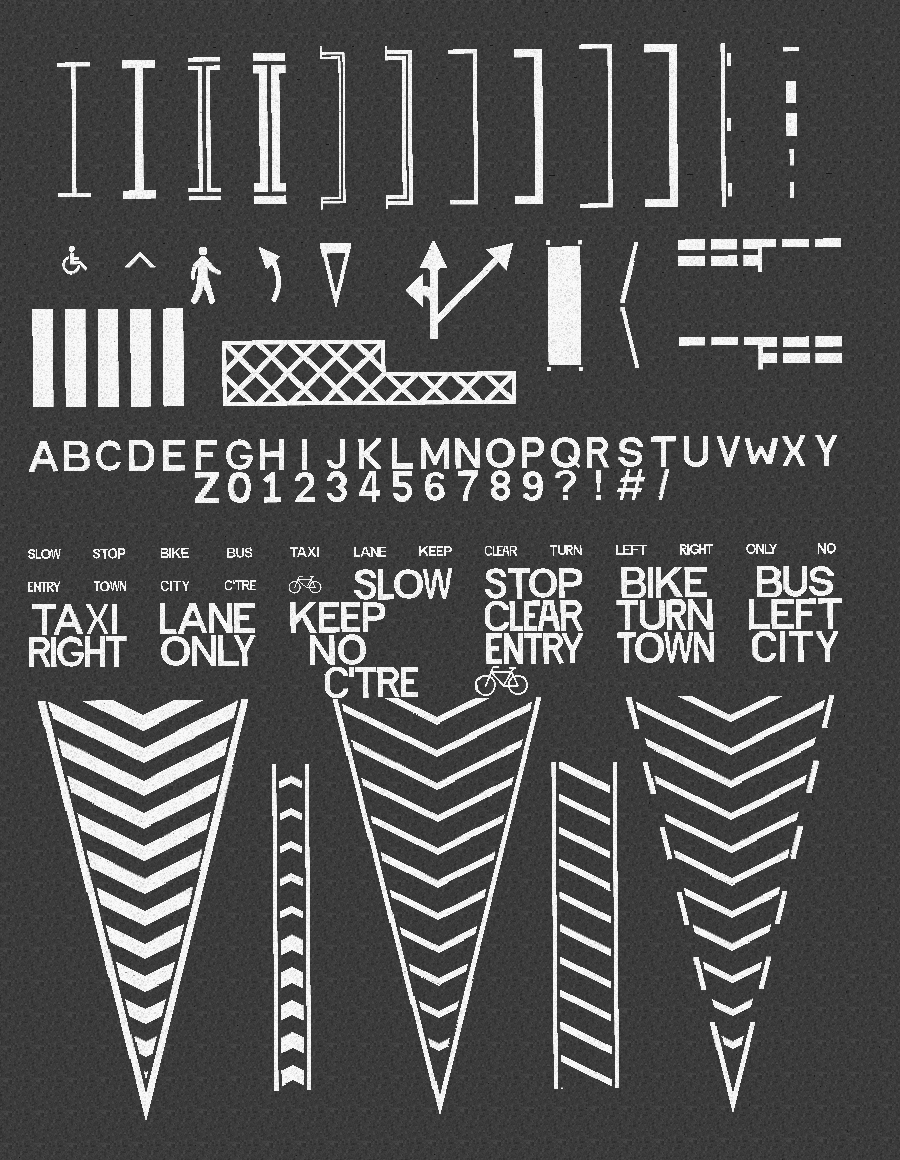
All paints are available in Yellow and Red too. You can place paint on any block, and letters can be placed on walls too!
So, what does it do exactly…?
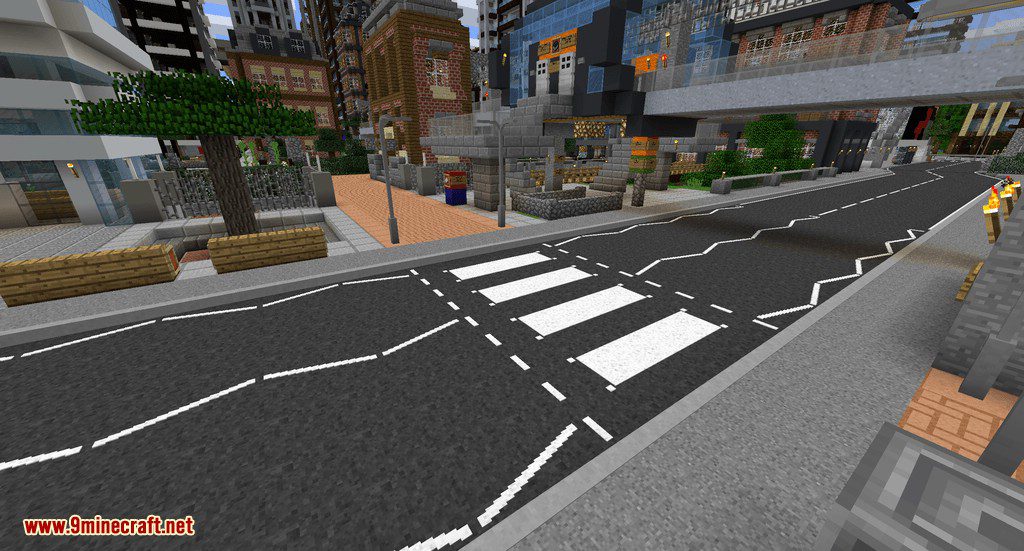
This is mostly a decorative mod, so alone it doesn’t “do” much. It allows you to express your creativity in a new way, and it’s great for city roleplay builds too. I guess the best way to show it off is to show some screenshots! All roads shown here are built in a modified version of City of Newisle by Blip Noir.
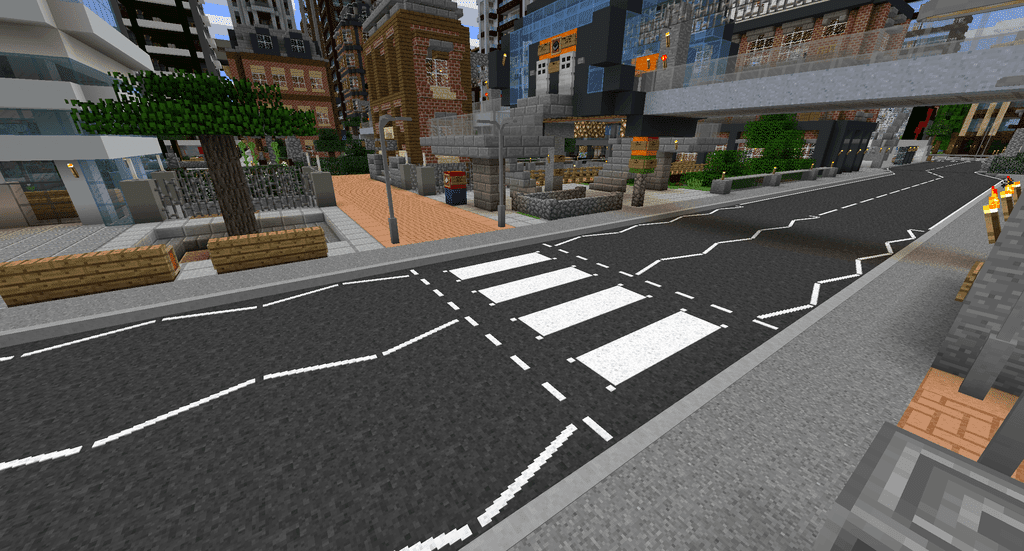
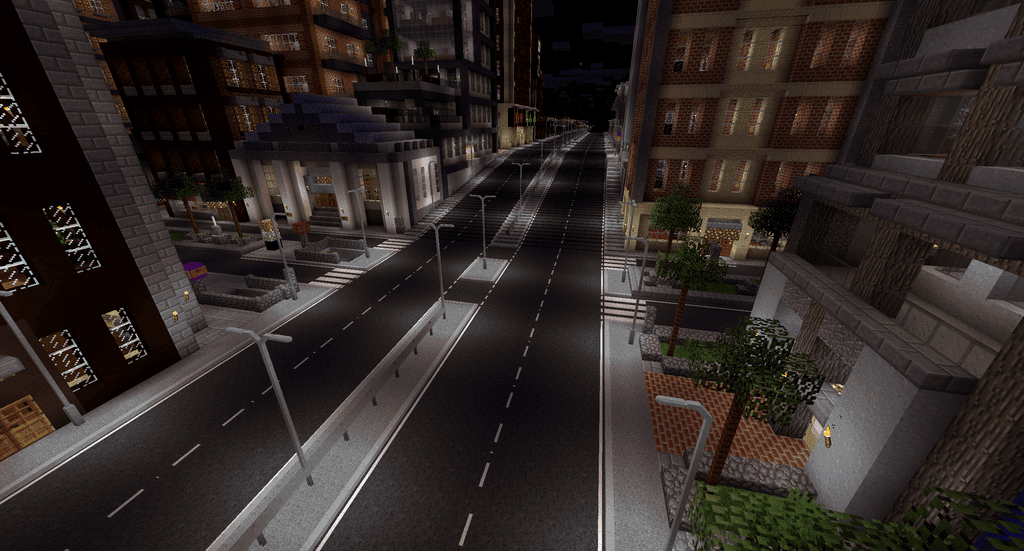
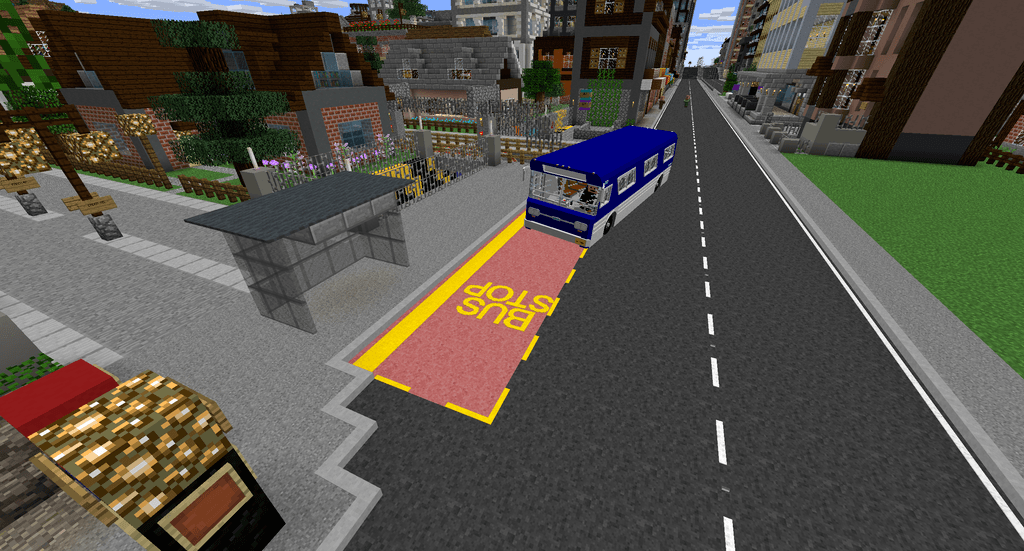
Bus courtesy of Immersive Vehicles
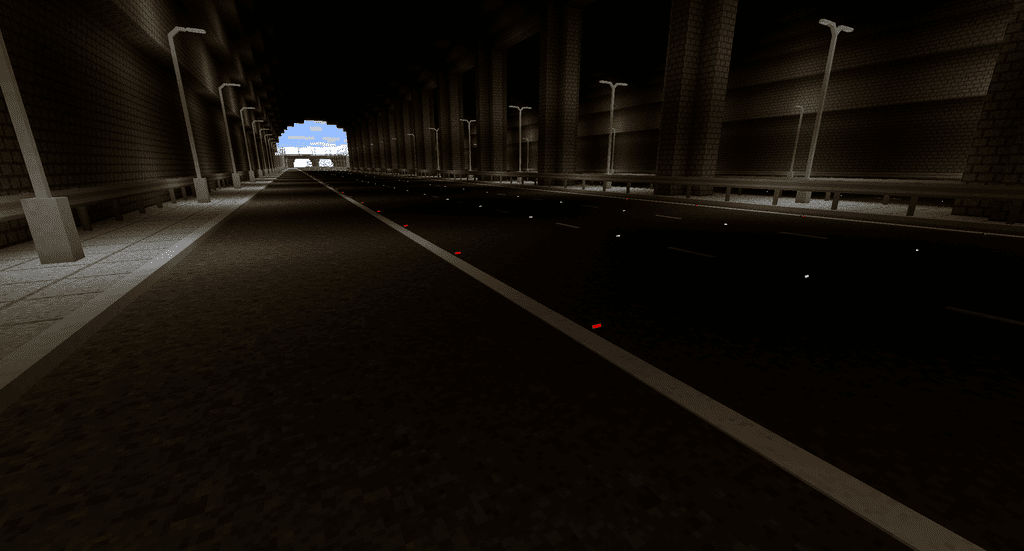
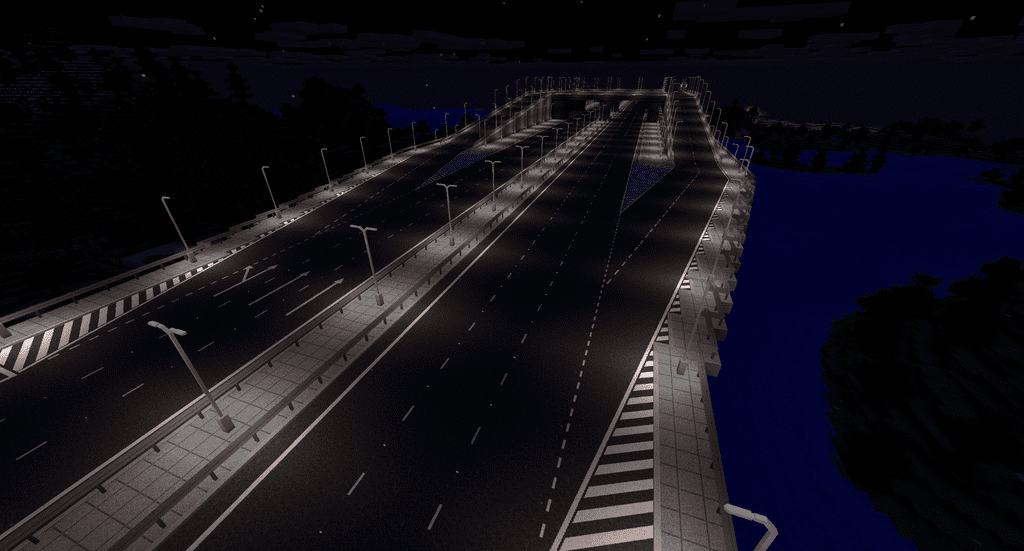
The lighting in Fureniku’s Roads is a bit fancy too. Here’s a day/night comparison of a highway:
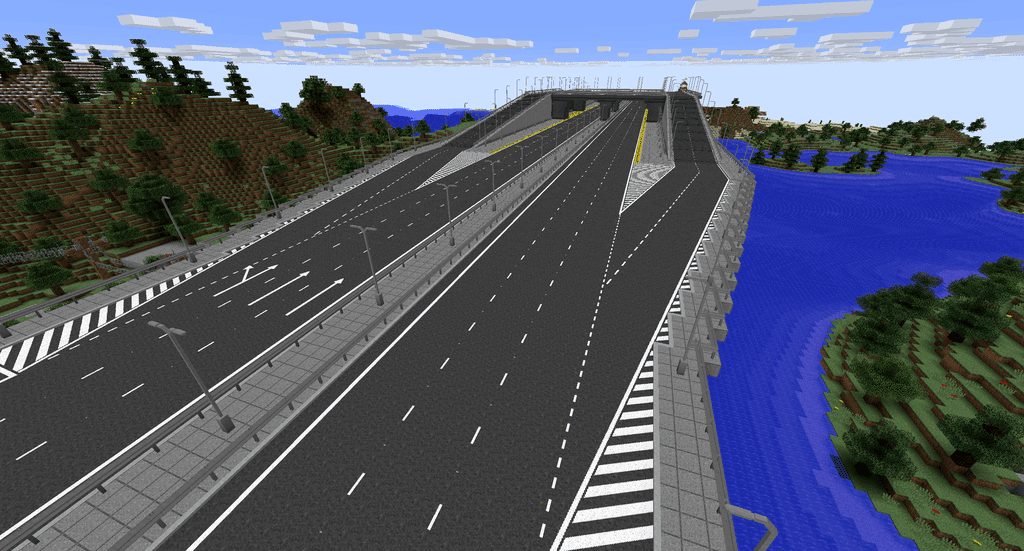
The street lights use a custom system which creates a fake light source at the base, giving them more natural lighting feel than Minecraft would normally offer.
Paint Gun
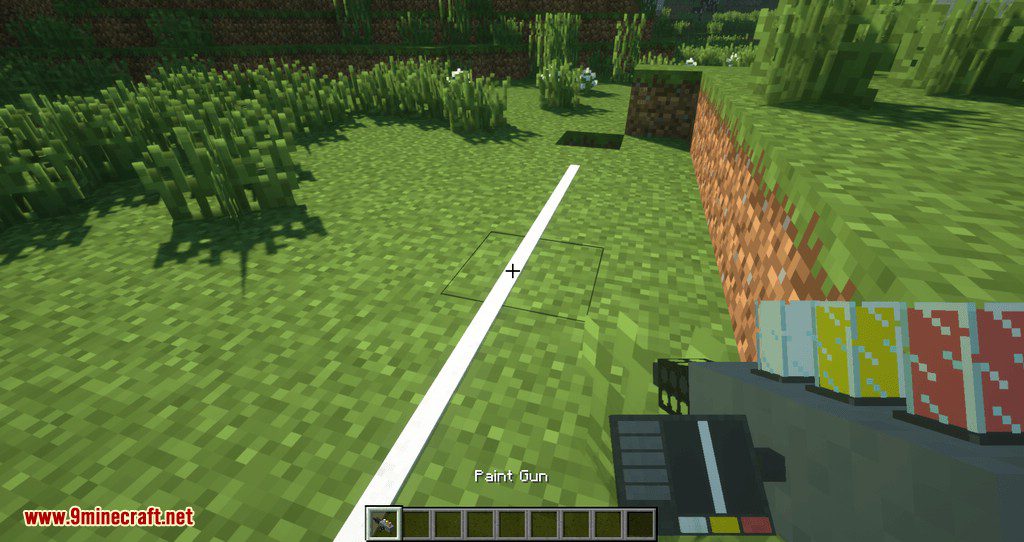
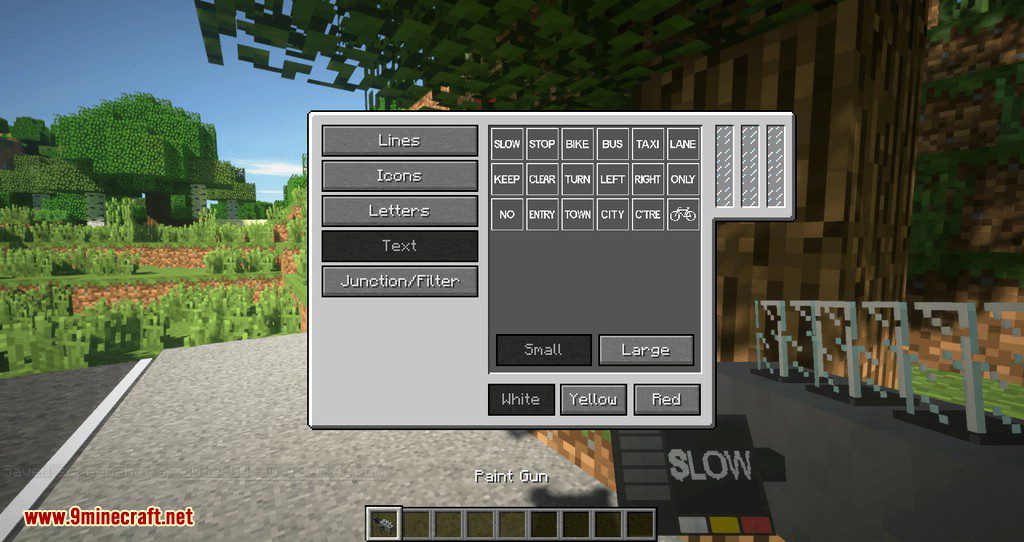
To extend the crafting system is the paint gun! This is what you’ll use to paint your roads and is useful for both survival and creative players. Just fill it up (if you’re in Survival), pick your paint, pick your color and off you go! The Paint Gun is great to manage your different paint types without filling up the hotbar. You can also use the “pick block” function (middle mouse by default) to select the paint you’re currently targeting and load it up on the gun.
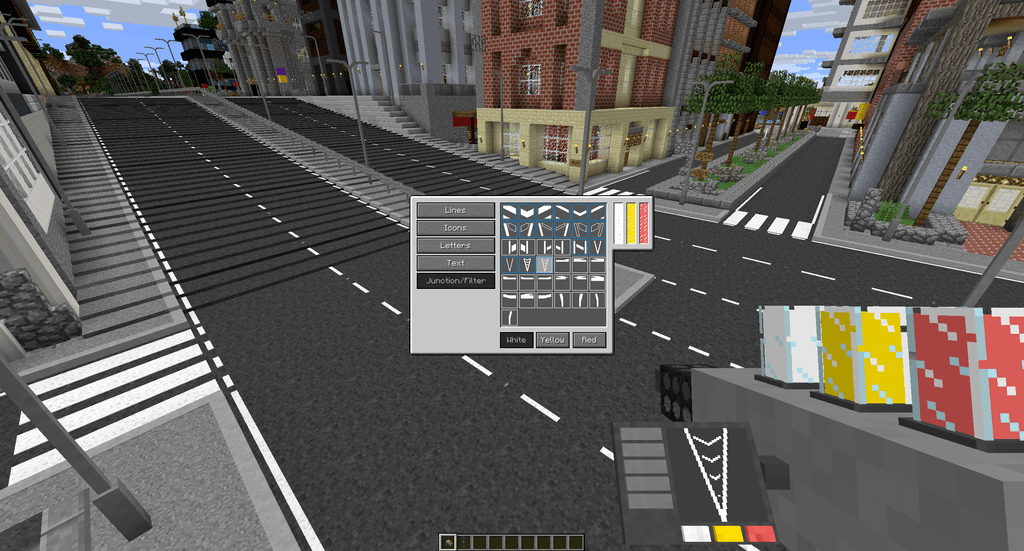
A blue border around an option suggests its a multi-block paint and will connect to others around it.
The display and tanks on the paint gun model are fully functioning!
How to Install:
New to Minecraft? Follow our step-by-step guide to install Mods on your PC.View Guide
Fureniku's Roads Mod Download Links
For Minecraft 1.6.4
Forge version: Download from Server 1
For Minecraft 1.7.10
Forge version: Download from Server 1 – Download from Server 2
For Minecraft 1.12.2
Forge version: Download from Server 1 – Download from Server 2
For Minecraft 1.20.1, 1.20
Forge version: Download from Server 1 – Download from Server 2
What do you prefer for world generation in a modded playthrough?
19 responses · See the full results →
You May Also Like
Picked for this page
 Ruins Mod (26.3, 1.20.1) – Structure Spawning System
 Macaw’s Bridges Mod (26.3, 1.20.1) – A lot Types of Bridges
 Ok Zoomer Mod (26.3, 1.20.1) – Better Zooming
 BackSlot Mod (1.21.11, 1.20.1) – Become a Hero like Dai in Dragon Quest
 TipTheScales Mod (26.3, 1.20.1) – Graphical User Interface Scaling Options
 Bagus Lib Mod (26.3, 1.20.1) – A Valuable Modding Resource
 Cyan Warrior Swords Mod (1.21.1, 1.20.1) – Different Swords, Upgrade and Mix
 DarkSmithing Mod (26.3, 1.20.1) – RPG Smithing Template Recipes
 XyCraft Override Mod (26.1.2, 1.20.1) – Vanilla Modifications in XyCraft Style
 Cat Vision Mod (26.3, 1.20.1) – Toggleable And Automatic Night Vision
 Trims Overhaul Mod (1.21.11, 1.20.1) – Redefines the Trim System
 Dynamic Fire Overlay Mod (26.1, 1.20.1) – From Clutter To Clarity
Most viewed in Mods over the last 7 days
 Ala Industrial Mod (26.3) – Run Electric Power Grids and Automated Factories
 PleasureCraft Mod (26.3, 1.21.1) – Jenny Mod Remake for Fabric
 Jennycraft Mod (26.3, 1.20.1) – Virtual Girlfriend in Minecraft
 Fapcraft Mod (26.3, 1.12.2) – Comprehensive and Detailed Content
 Jenny Mod (Fapcraft) Official Complete Guide – How to use, Tutorial
 BangCraft Mod (1.20.1) – Jenny, Ellie and Elliot
 Fabric Loader (26.3, 1.20.1) – Fabric Installer for All Minecraft Versions
 The Shooting Star Demo Mod (26.3, 1.20.1) – Vaporize Terrain From Orbit
 Meteor Client Mod (26.3, 1.20.1) – Xray, HUD, Fly
 OptiFine HD (26.3, 1.20.1) – Run Faster, FPS Boost, Shaders Support
 Aristois Client Mod (1.21.4, 1.20.1) – World Class Minecraft Utility
 Prestige Client Mod (1.21.11, 1.21.4) – Powerful Ghost Features for Crystal & Sword PvP
More from Mods
 Packing Tape Mod (26.3, 1.20.1) – Move Chests, Machines
 No XP Anvils Mod (26.3, 1.20.1) – Repair And Enchant Without XP
 Naruto Shippuden Mod (26.3, 1.16.5) – Immerse Yourself in The World of Ninja
 Araxer’s Bestiary Mod (26.3, 1.20.1) – Build an In-Game Encyclopedia of Every Mob
 Villagers Plus Mod (26.3, 1.20.1) – Expanded Villager Types and Villages
 Ore Excavation 9minecraft Mod (26.3) – Mine Ores and Chop Trees in a Single Swing
 Dirigo Mod (26.1.2, 1.21.1) – Walk Across Nether Lava Seas and Automate Animal
 HandLib Mod (26.3, 1.21.1) – Keep Your Multiplayer World Stable
 Happy Ghasts Boost Mod (26.1.2, 1.20.1) – Fly Across Vast Distances at Top Speed
 LiquidBounce Client Mod (26.3, 1.20.1) – LiquidLauncher, A Free Client
 Create Hand Made Mod (1.21.1) – Craft Create Recipes By Hand in Your Workshop
 Seed Map for Xaero Mod (26.1) – See Rare Biomes and Dungeons Before You Travel

This post has no comments yet. Be the first — your comment will appear here.