


Golden Knight Model – Unleashes Formidable Golden Boss
 0
0
 0
0

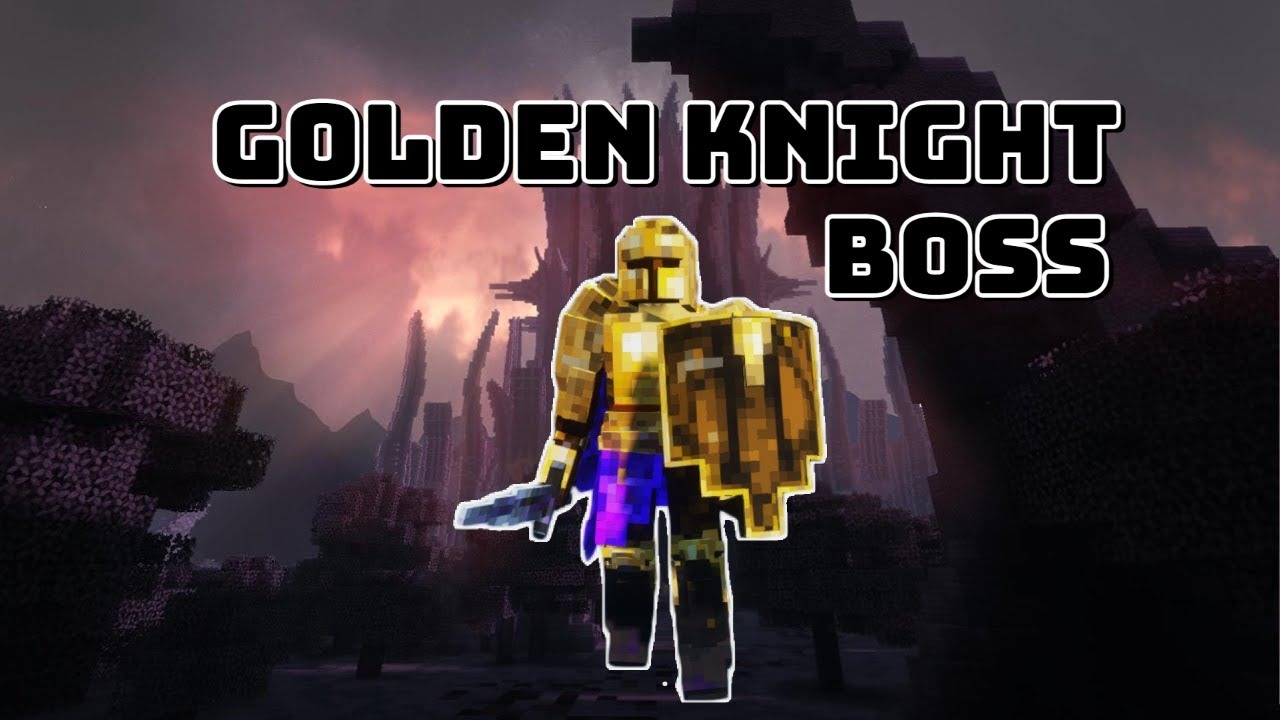
Unleash the power of the Golden Knight Model into your Minecraft world. This formidable custom boss brings unique 3D abilities and sounds to challenge your players. The Golden Knight Model offers an exciting encounter, crafted by an experienced MythicMobs creator.
Features:
- Introduces a powerful custom Golden Knight boss with unique 3D abilities.
- Features one distinct 3D model, ensuring a visually impressive new mob.
- Includes nine custom sound files specifically designed for engaging encounters.
- Requires MythicMobs 5.0.0+ and ModelEngine 2.15+ for full functionality.
- Enhances server gameplay by providing a standout, player-pleasing custom mob.
How to Use:
- Install the necessary plugins: MythicMobs (version 5.0.0 or higher), ModelEngine (version 2.15+), Protocollib, and LibsDisguises on your Minecraft server.
- Integrate the custom 3D model files for the Golden Knight into your existing ModelEngine resource pack and configuration.
- Place the Golden Knight’s MythicMobs configuration files, including its unique abilities and sounds, into the appropriate MythicMobs plugin directories.
- Execute the command
/mm reloadto load the new Golden Knight boss configurations into MythicMobs. - Run the command
/meg reloadto ensure ModelEngine properly registers the Golden Knight’s custom 3D model.
Screenshots:
Golden Knight Model Download Links
Click to rate this post!
[Total: 0 Average: 0]
You May Also Like







This post has no comments yet. Be the first — your comment will appear here.