


Resource Loader Mod (1.16.5, 1.15.2) – Kustomisasi Tampilan Game Kamu
 1,698
1,698
 0
0


🌐 Anda membaca artikel ini dalam Bahasa Indonesia. Ingin beralih?
📖 Baca dalam bahasa Inggris (asli)Atau pilih yang Anda suka:
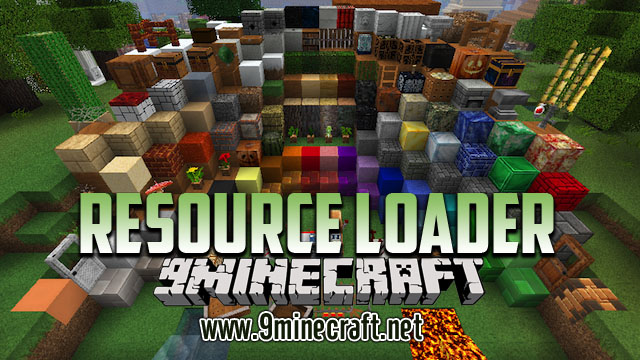
Resource Loader Mod memudahkan kamu buat nambahin resource sendiri ke Minecraft tanpa harus bikin resource pack lengkap. Mod ini dirancang supaya sinkron sama mod lain, kayak Custom Main Menu dan Custom Backgrounds, yang butuh lokasi resource buat pengaturannya. Daripada ribet bungkus ulang resource pack terus-menerus, kamu tinggal masukin file ke folder simpel aja. Resource yang ditambahin ini juga bakal tersembunyi dari menu resource pack di dalam game.
Fitur:
- Tambah resource kustom ke game lewat sistem folder yang simpel.
- Gak perlu repot bikin dan kelola resource pack lengkap cuma buat perubahan kecil.
- Semua resource yang kamu tambah bakal dipisah dan gak bakal muncul di layar pemilihan resource pack.
- Pake folder utama “resources” buat nambah asset baru atau nimpa file vanilla.
- Bikin folder khusus “oresources” buat asset yang butuh prioritas paling tinggi, bakal nimpa semua resource pack lainnya.
Cara Pakai:
- Setelah install mod-nya, jalanin Minecraft sekali. Ini bakal bikin folder baru namanya “resources” di direktori utama game kamu.
- Buat nambahin file kustom, pertama bikin folder baru di dalem folder “resources”. Nama folder baru ini bakal jadi domain resource-nya (contoh: “myassets”).
- Masukin file kamu ke dalemnya, pastiin struktur foldernya bener (contoh: “resources/myassets/textures/gui/button.png”).
- Kamu bisa pake resource ini di mod lain dengan manggil lokasinya, kayak “myassets:textures/gui/button.png”.
- Kalau kamu butuh resource buat nimpa semuanya, termasuk resource pack lain yang terpasang, bikin folder namanya “oresources” dan taruh file kamu di situ.
Cara Instal:
Resource Loader Mod Download Links
For Minecraft 1.7.10
Forge version: Download from Server 1
For Minecraft 1.8.9
Forge version: Download from Server 1 – Download from Server 2
For Minecraft 1.16.5
Fabric version: Download from Server 1
For Minecraft 1.15.2
Fabric version: Download from Server 1
For Minecraft 1.12.2, 1.12.1, 1.12
Forge version: Download from Server 1
Klik untuk menilai postingan ini!
[Total: 0 Average: 0]
Anda Mungkin Juga Suka

Postingan ini belum memiliki komentar. Jadilah yang pertama — komentar Anda akan muncul di sini.