
Krate Mod (1.16.5, 1.16.2) – Smarter Storage That Compacts Your Loot
 11,313
 0

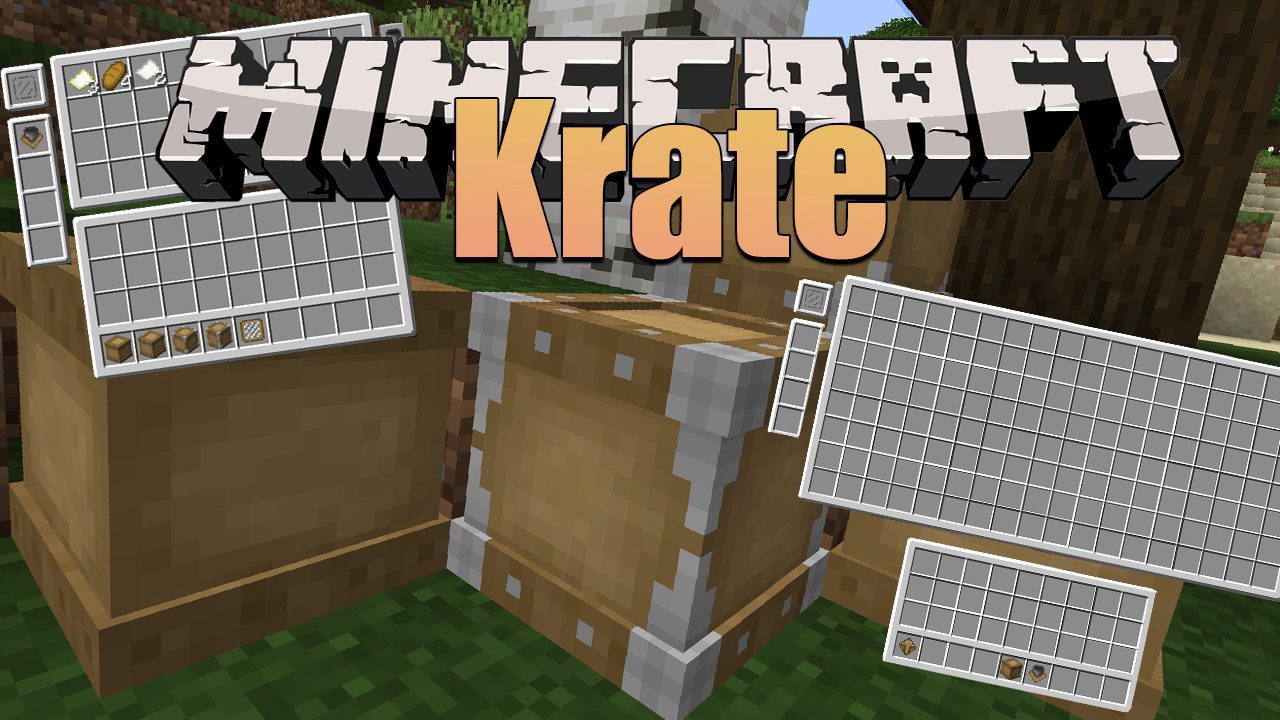
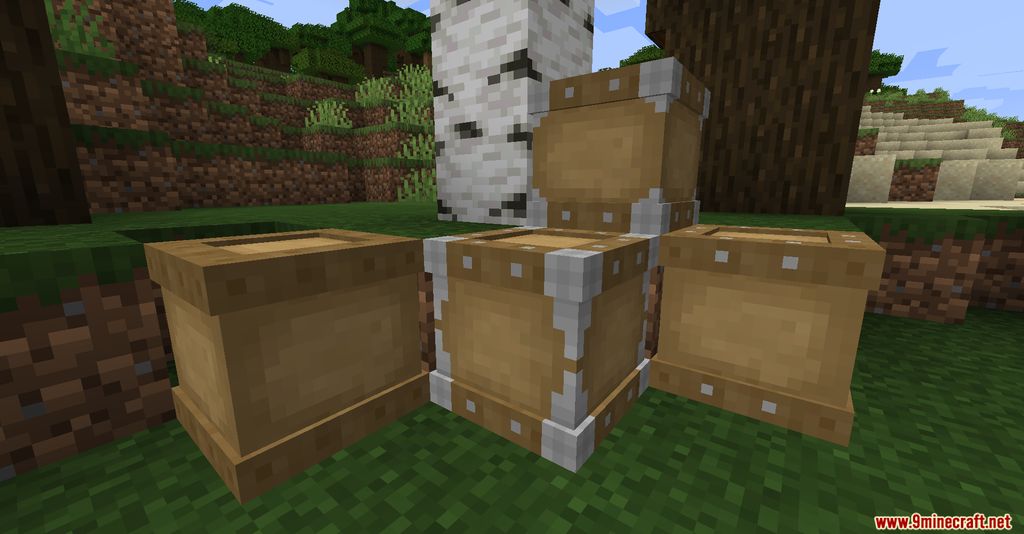
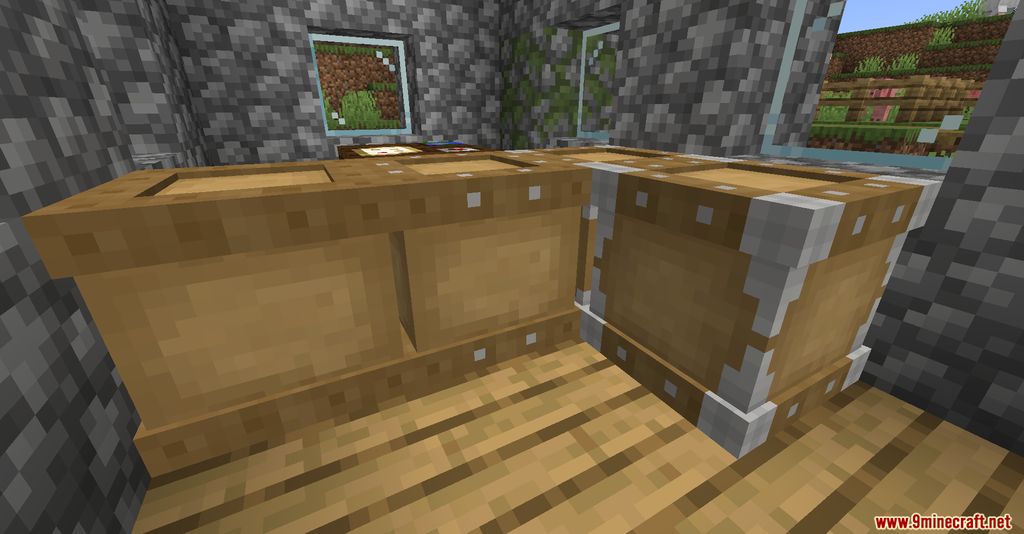
Krate Mod adds storage crates with item filters and useful upgrades to Minecraft. It includes four crate tiers (small, basic, big, and large), and each tier has a different inventory size. You can use five upgrades to filter items, move items with nearby inventories, collect items in a set radius, auto-craft items into blocks, and keep items inside when a crate breaks. Tier upgrade items also let you expand a crate to the next size, and this mod requires the Lollipop library to run.
Requires:
Features:
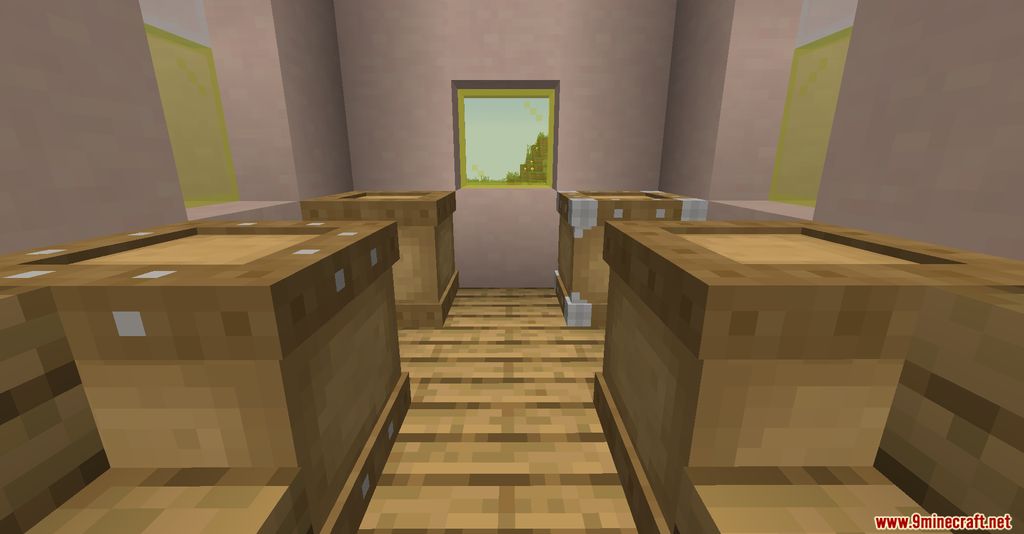
- Adds four storage crate tiers (Small, Basic, Big, and Large), each with a different inventory size to help organize your items.
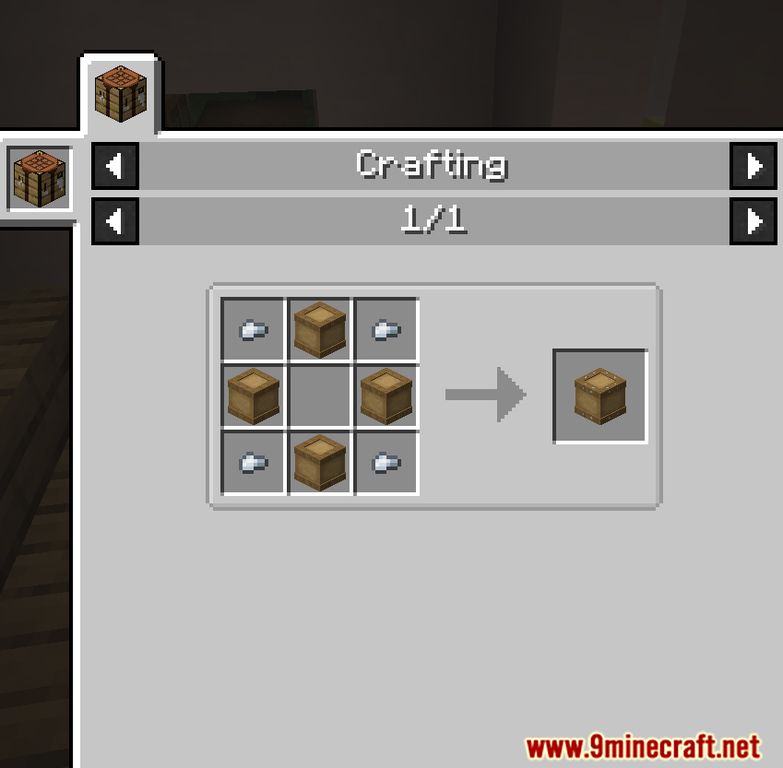
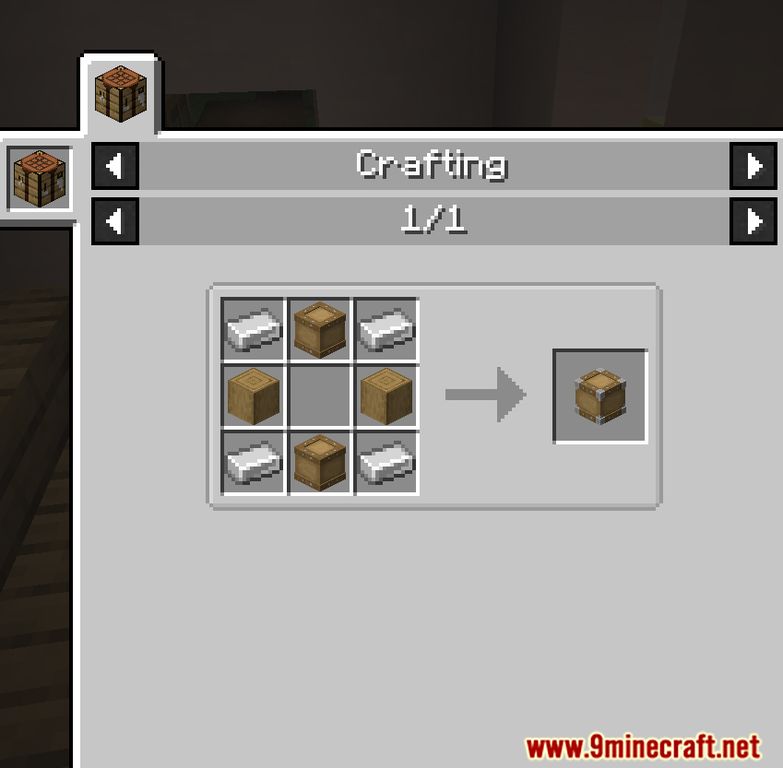
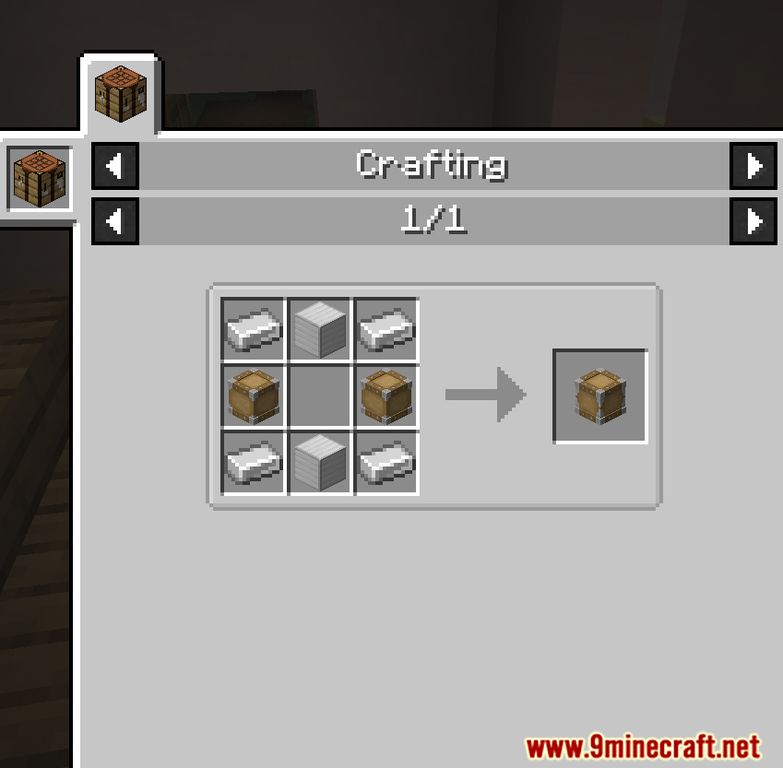
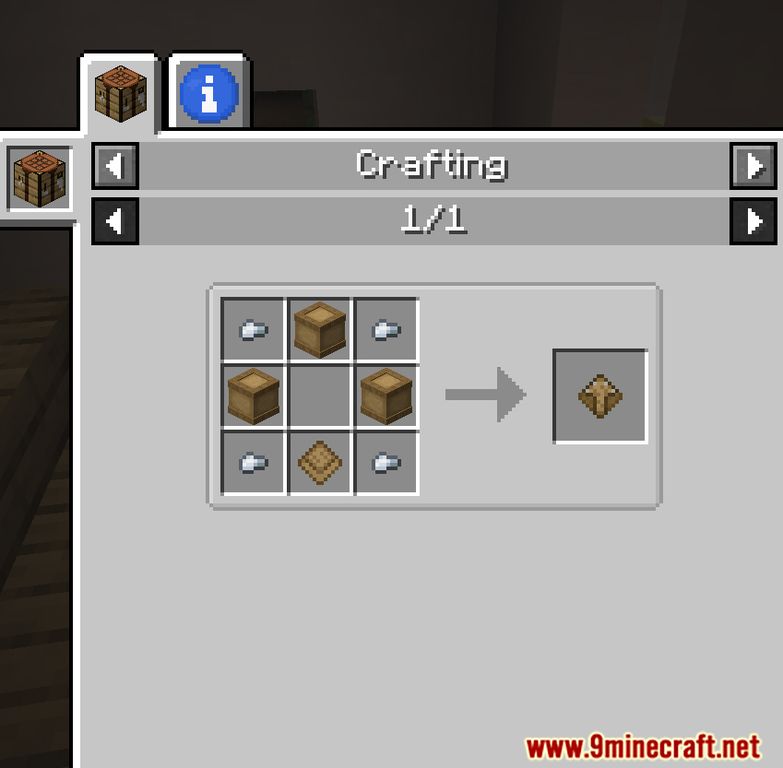
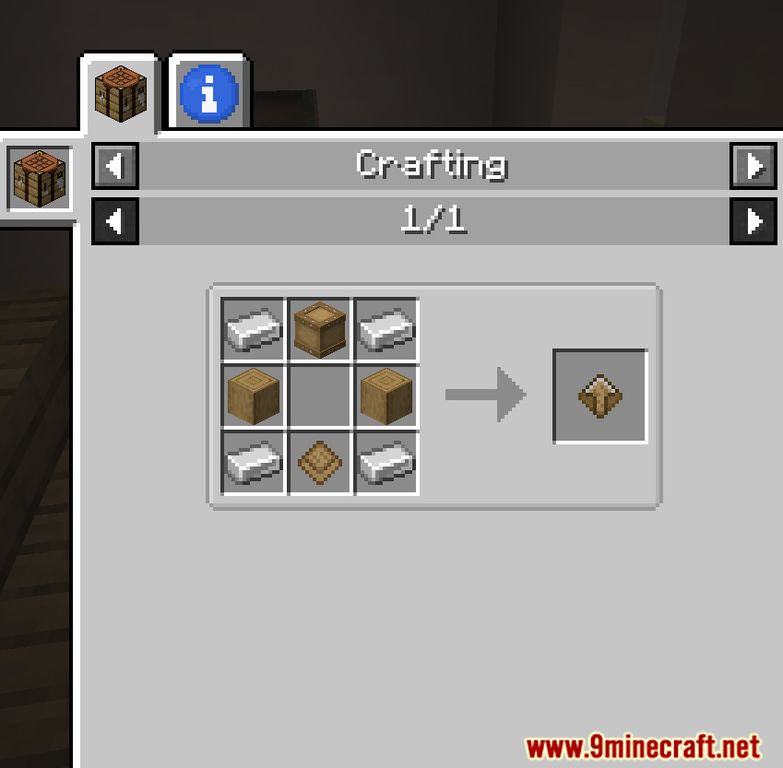
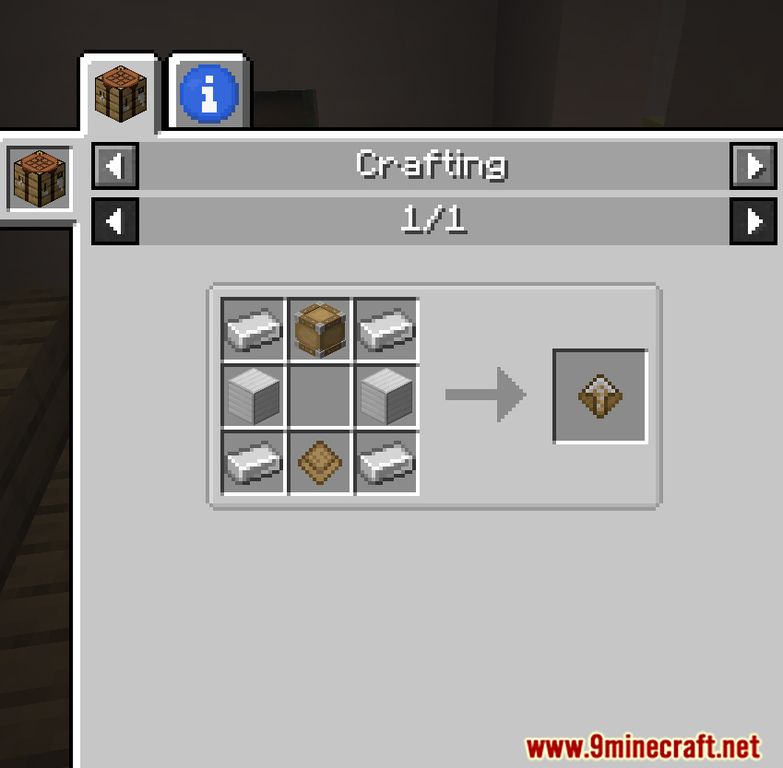
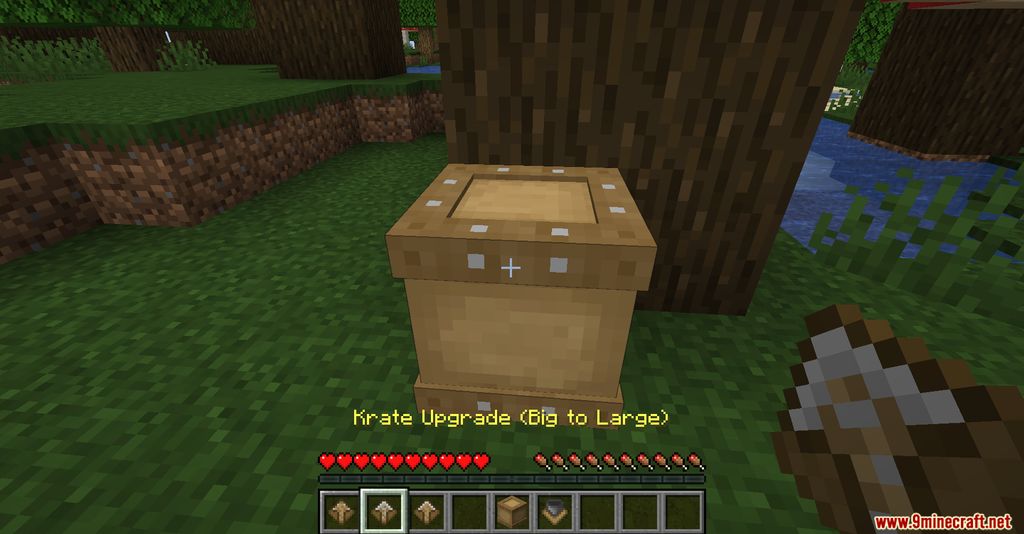
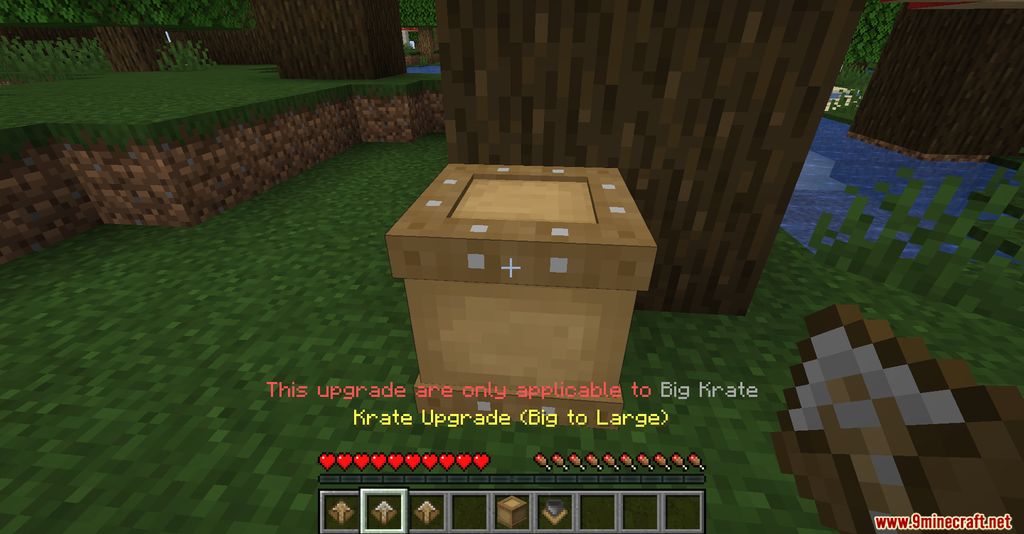
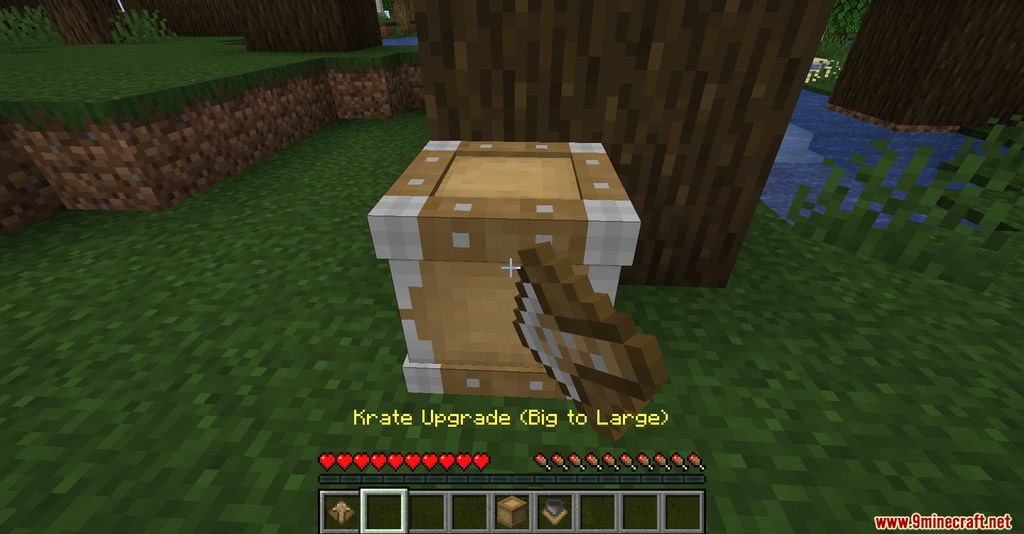
- Includes three tier upgrades (Small to Basic, Basic to Big, and Big to Large) that let you right-click a placed crate to move it up to the next tier.
Crate Upgrades:
- Filter: Controls which items can move into or out of a crate inventory.
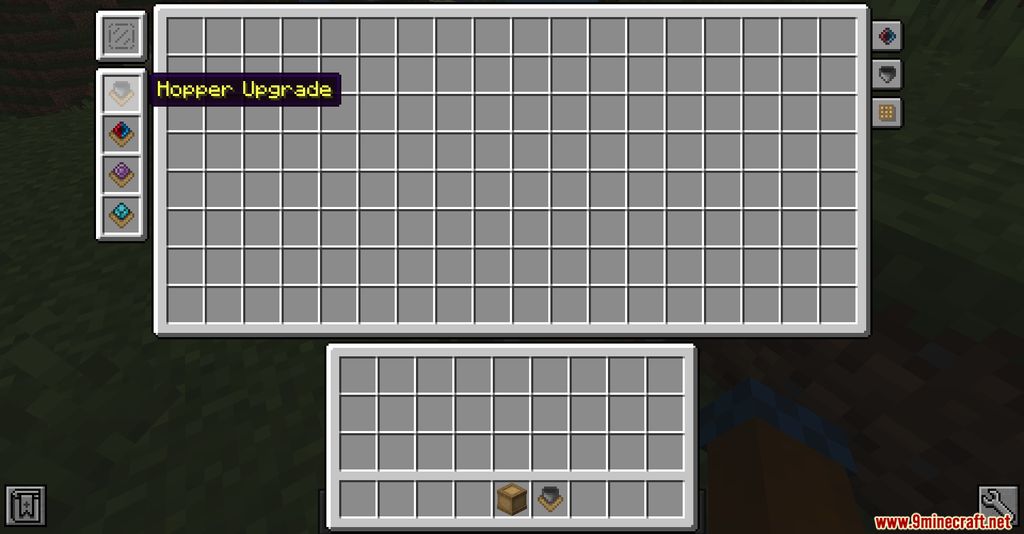
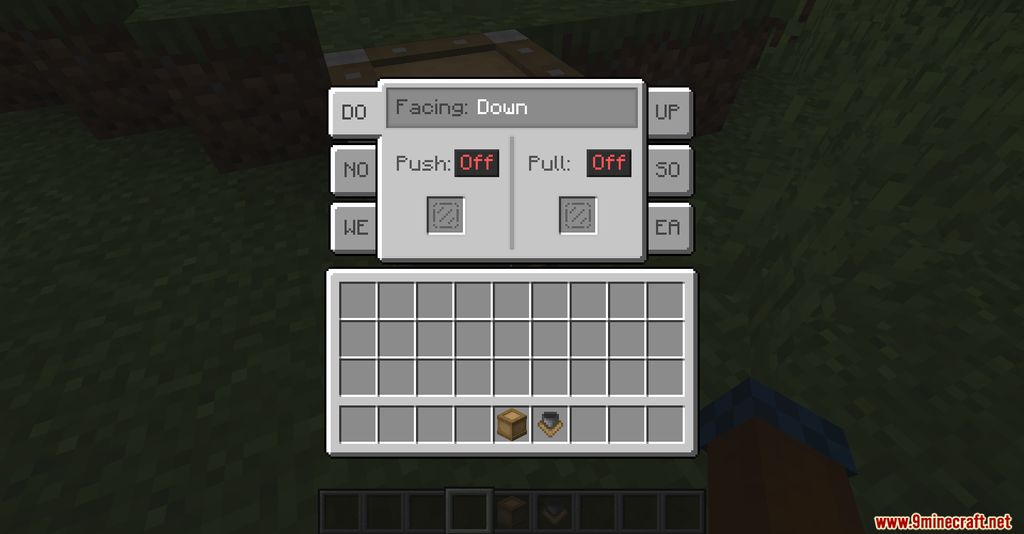
- Hopper Upgrade: Pushes items into or pulls items out of an inventory right next to the crate.
- Collecting Upgrade: Picks up nearby items around the crate within a block radius you can change.
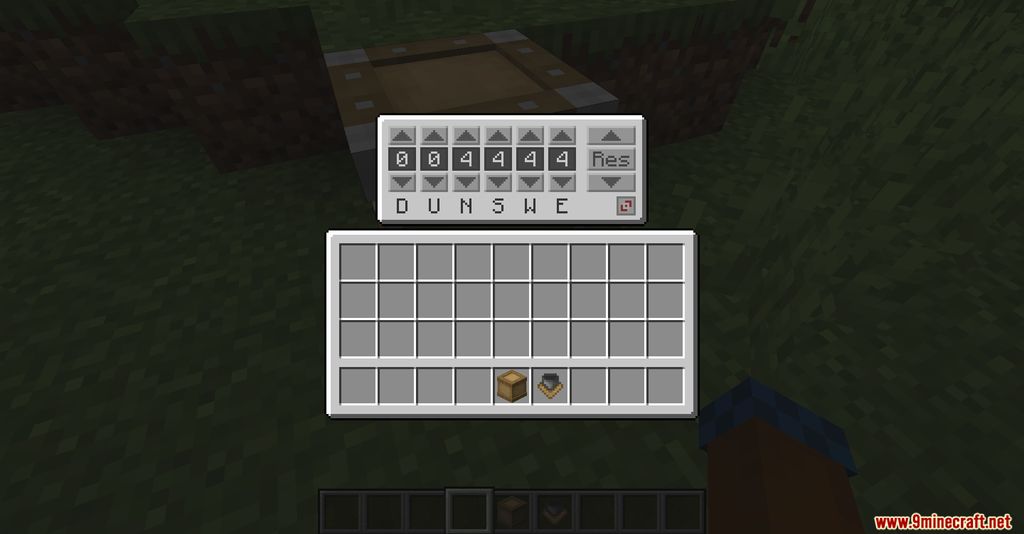
- Compacting Upgrade: Automatically crafts stored items into blocks using your choice of a 2×2 or 3×3 crafting grid.
- Shulker Upgrade: Keeps all stored items inside the crate when you break it.
How to Use:
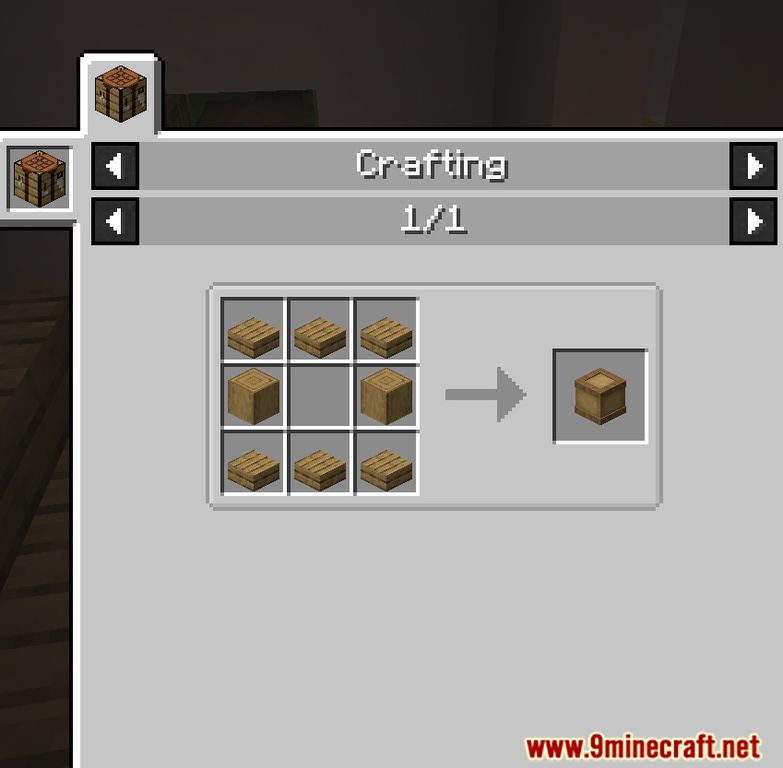
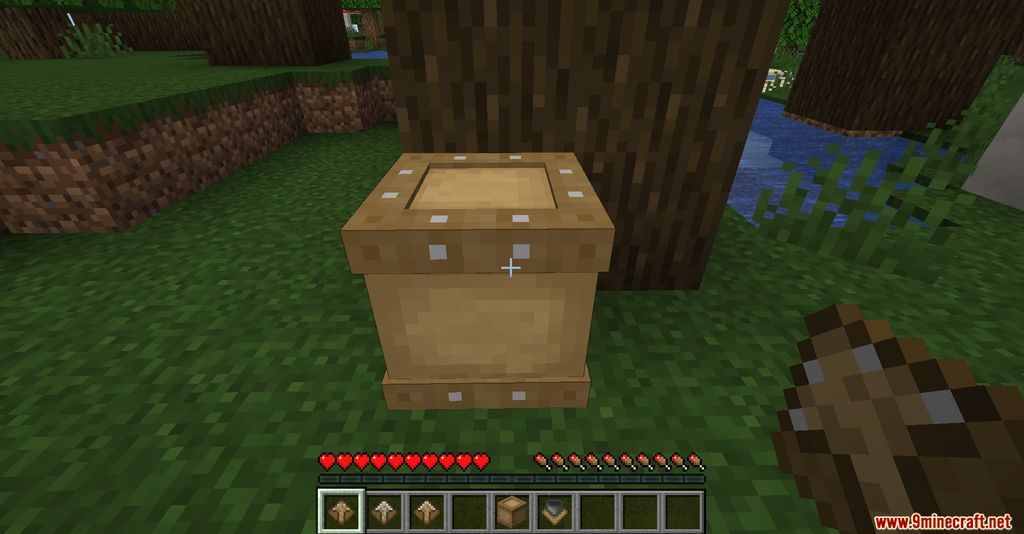
- Craft a Small, Basic, Big, or Large storage crate and place it on the ground to start storing items.
- Right-click the crate to open its storage menu and put your items inside.
- Apply upgrade items to the crate to turn on features like item filtering, nearby inventory transfers, area item pickup, auto-crafting, or keeping items when broken.
- Adjust your upgrade options as needed, such as setting the block radius for the Collecting Upgrade or choosing a 2×2 or 3×3 crafting grid for the Compacting Upgrade.
- Hold a matching tier upgrade item (Small to Basic, Basic to Big, or Big to Large) and Right-click the crate to upgrade it to the next size tier.
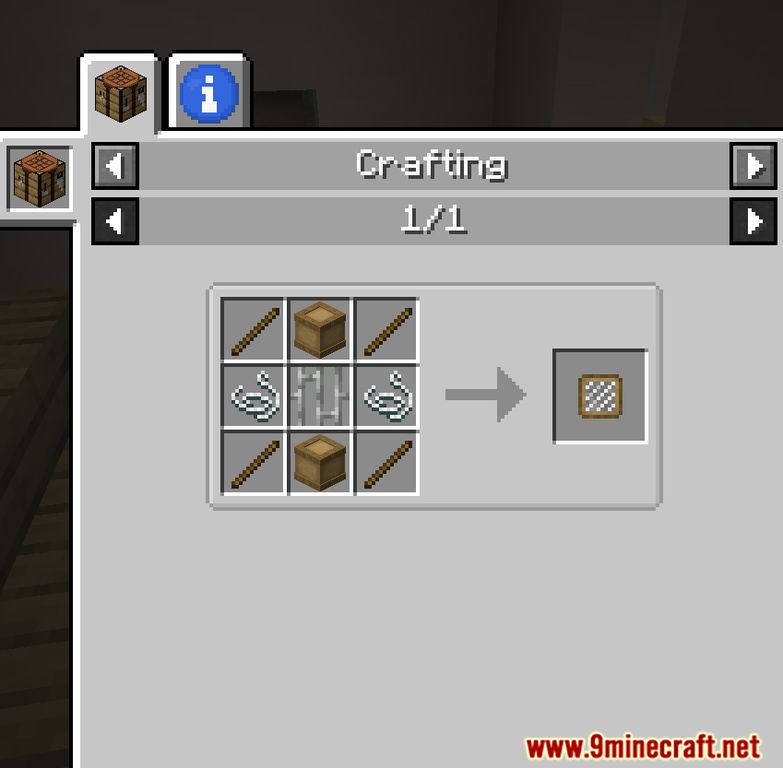
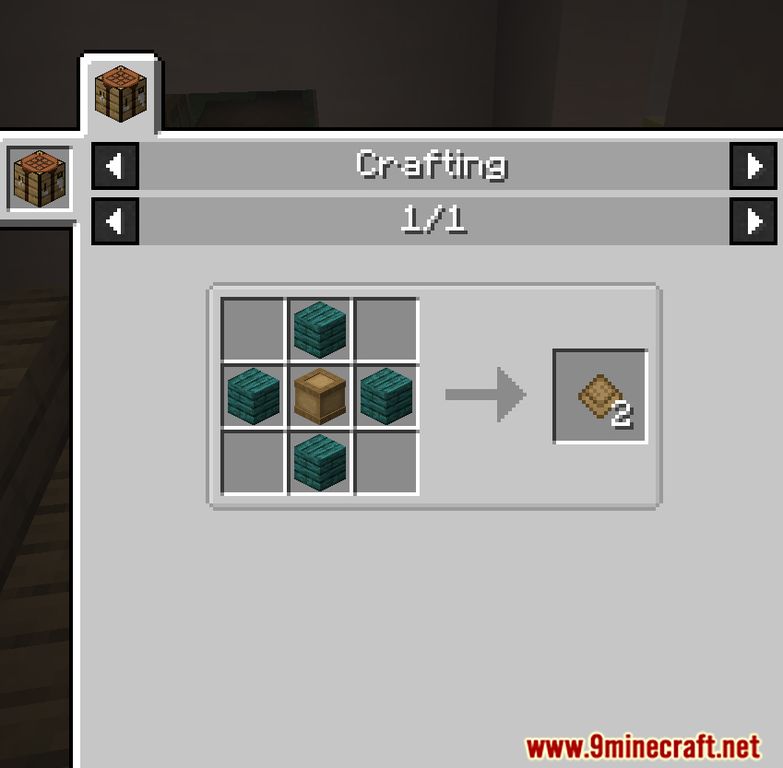
Crafting Recipes:
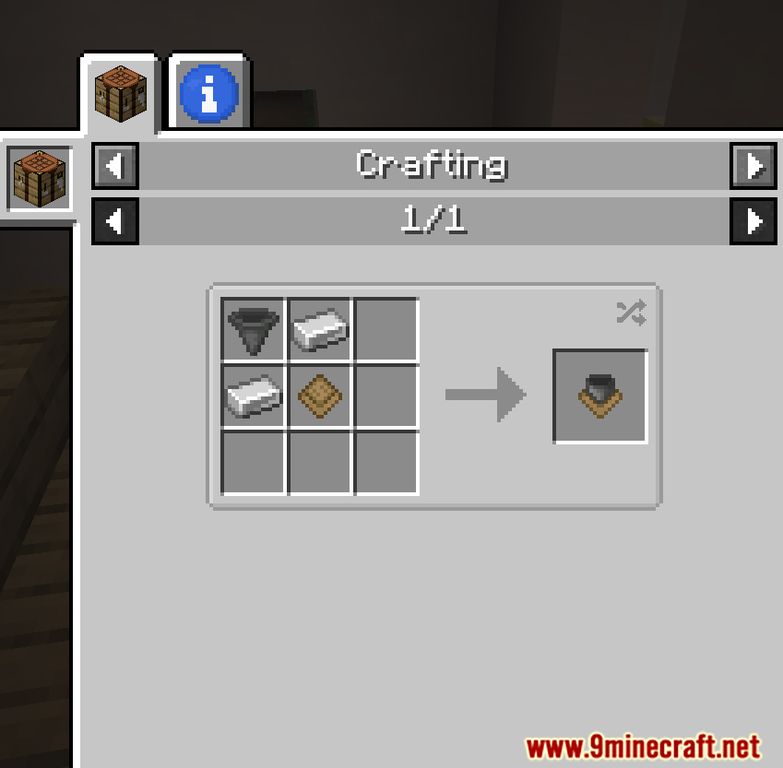
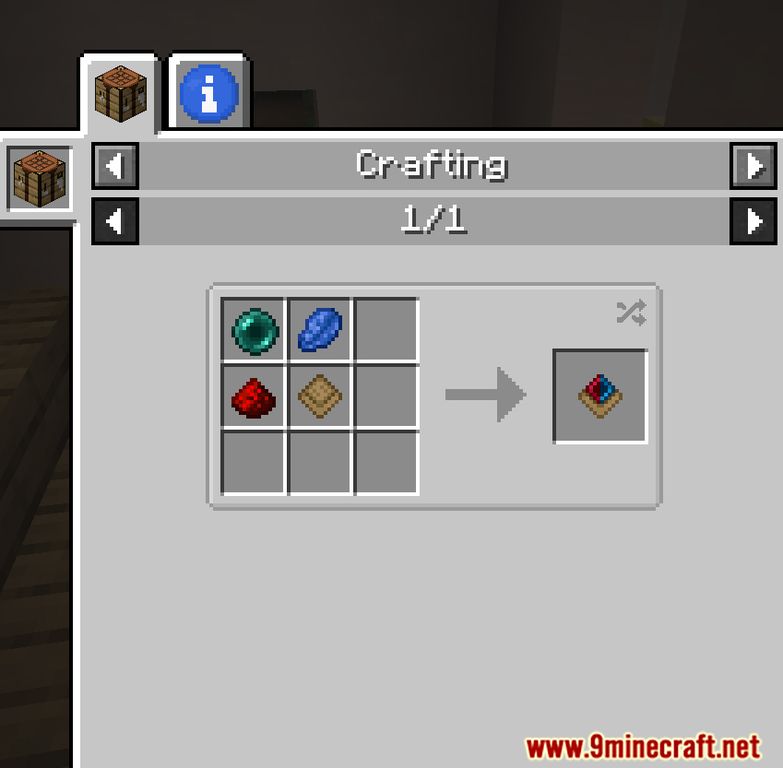
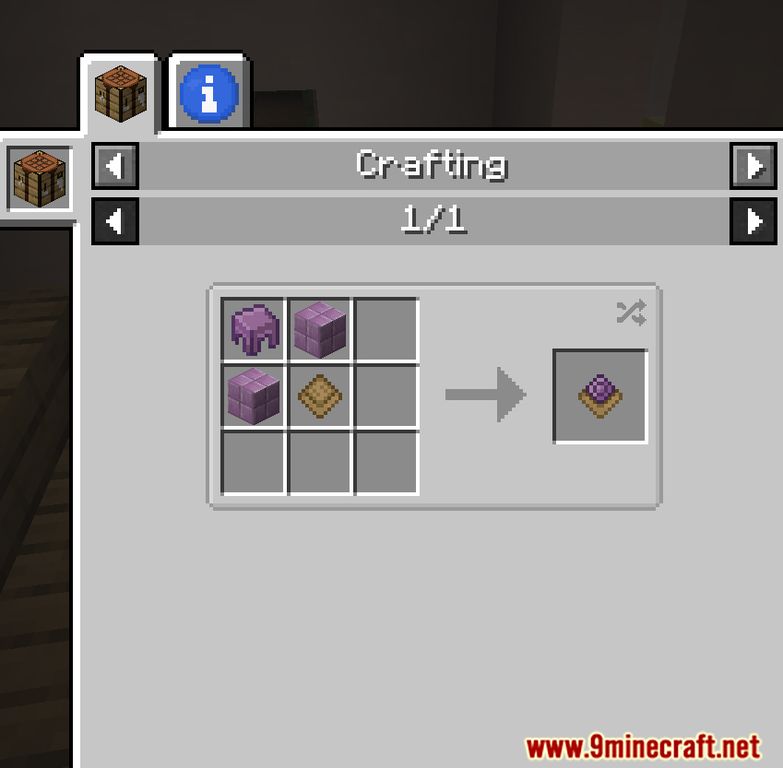
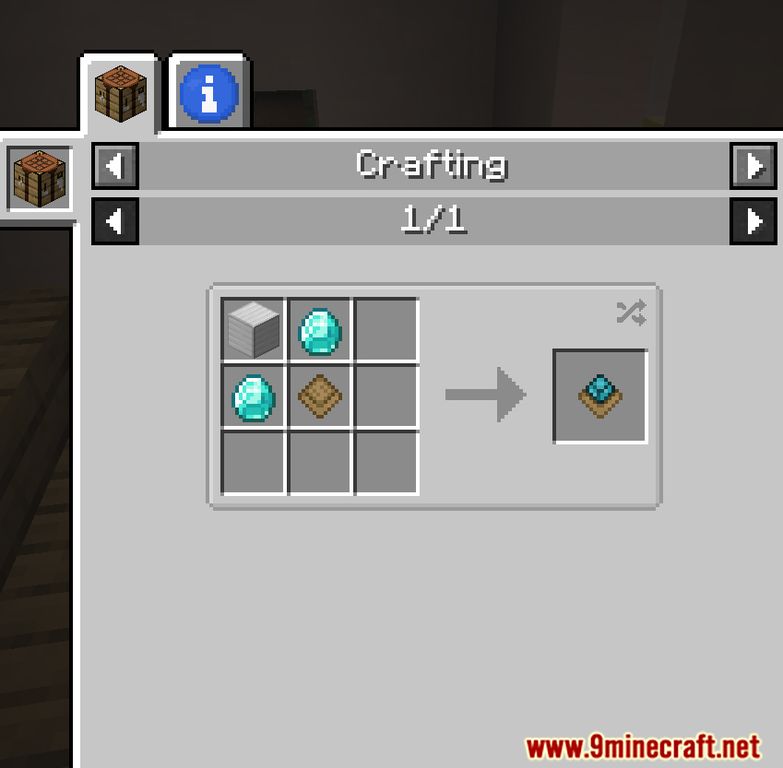
Screenshots:
How to Install:
New to Minecraft? Follow our step-by-step guide to install Mods on your PC.View Guide
Krate Mod Download Links
For Minecraft 1.16.2
For Minecraft 1.16.4
For Minecraft 1.16.5
What do you do when a mod you love is abandoned by its creator?
19 responses · See the full results →
You May Also Like
Picked for this page
 Inventory HUD+ Mod (26.3, 1.20.1) – Always-On-Screen Information
 YUNG’s Better Caves Mod (1.21.1, 1.20.1) – New Generation of Caverns or Caves
 AI Improvements Mod (26.3, 1.20.1) – Performance & Logic Upgrades for Mod AIs
 JAMD Mod (26.1.2, 1.20.1) – Just Another Mining Dimension
 RPG-Hud Mod (26.2, 1.20.1) – Your Screen Becomes an RPG
 Dense Trees Mod (26.1.2, 1.20.1) – Increased Wood Yield
 Endertech Infinity Mod (1.21.1, 1.20.1) – Adventure into a New End
 Saturation Plus Mod (26.3, 1.20.1) – Make Every Bite Count
 Crafting Plus Mod (1.21.11, 1.20.1) – Quick Crafting Recipes
 Freecam Fair Play Mod (26.3, 1.20.1) – Capture Your Builds From Any Angle
 Yeehaw Towns Mod (1.21.10, 1.20.1) – Raid Cowboy Illager Towns for Loot
 Safari Cobblemon Mod (1.21.1) – Catch Cobblemon in a Battle-Free Safari
Most viewed in Mods over the last 7 days
 Ala Industrial Mod (26.3) – Run Electric Power Grids and Automated Factories
 PleasureCraft Mod (26.3, 1.21.1) – Jenny Mod Remake for Fabric
 Jennycraft Mod (26.3, 1.20.1) – Virtual Girlfriend in Minecraft
 Fapcraft Mod (26.3, 1.12.2) – Comprehensive and Detailed Content
 Jenny Mod (Fapcraft) Official Complete Guide – How to use, Tutorial
 BangCraft Mod (1.20.1) – Jenny, Ellie and Elliot
 Fabric Loader (26.3, 1.20.1) – Fabric Installer for All Minecraft Versions
 Meteor Client Mod (26.3, 1.20.1) – Xray, HUD, Fly
 The Shooting Star Demo Mod (26.3, 1.20.1) – Vaporize Terrain From Orbit
 OptiFine HD (26.3, 1.20.1) – Run Faster, FPS Boost, Shaders Support
 Aristois Client Mod (1.21.4, 1.20.1) – World Class Minecraft Utility
 Prestige Client Mod (1.21.11, 1.21.4) – Powerful Ghost Features for Crystal & Sword PvP
More from Mods
 Remnants Roguelite Dungeons Mod (26.3, 1.20.1) – Risk It All in Procedural
 Lib Lib Lib Mod (26.3, 1.20.1) – Keep Your Favorite Modpacks Running Smooth
 Cinematic Interactions Mod (26.3, 1.20.1) – Watch Your Hands Work
 Macro Keybinds Mod (26.3, 1.20.1) – Macro Creation, Keybind Execution
 Better Enchantment Bookshelf Placement Mod (26.3, 1.20.1)
 RFTools Builder Mod (26.3, 1.20.1) – The Builder, Powerful Machine
 Block & Board Mod (26.3, 1.20.1) – Play Classic Tabletop Games with Friends
 Hammers 3×3 Mod (1.21.8, 1.20.1) – Carve Caves with One Swing
 Huge Structure Blocks Mod (26.3, 1.20.1) – Pushing Limits With Huge Structure Blocks Mod
 Rctapi Fix Mod (1.21.1) – Fight Cobblemon Trainers Without Any Server Crashes
 Better Title Screen Mod (26.3, 1.20.1) – Adding Custom Text Messages
 Log Cleaner Mod (26.3, 1.20.1) – Cleans Old and Unused Log Files

This post has no comments yet. Be the first — your comment will appear here.