
Minecraft Outlined Ore (26+, 1.21) – Spot Every Rare Gem in Dark Caves
 11
 0

Minecraft Outlined Ore draws a clear outline around ore blocks so they stand out easily against the surrounding stone. This texture pack updates ancient debris alongside coal, copper, diamond, emerald, gold, iron, lapis, Nether gold, quartz, and redstone ores at 32x resolution. Deepslate variants are also included to make every valuable block simple to spot while mining. Each block keeps a clean look, letting the bright outline separate precious materials from ordinary stone.
Requirements:
- MCPE/Bedrock 1.21.90 – 1.21.101
all 6 versions
1.21.101, 1.21.100, 1.21.94, 1.21.93, 1.21.92, 1.21.90

Features:
- Retextures blocks at 32x resolution
- Ore textures changed: ancient debris, coal ore, copper ore, diamond ore, emerald ore, gold ore, iron ore, lapis ore, Nether gold ore, quartz ore, and redstone ore
- Includes deepslate variants for all supported ores
- Outlines valuable blocks so they stand out clearly against surrounding stone
How to Install:
- Download the .mcpack or .zip file from the source files.
- For .mcpack files, double-click to open Minecraft and import it automatically.
- For .zip files, extract the folder manually into the
games/com.mojang/resource_packsdirectory on your device. - Launch Minecraft, open Settings, go to Global Resources, and apply this texture pack.
Screenshots:

For MCPE/Bedrock 1.21+
Click to rate this post!
[Total: 0 Average: 0]
You May Also Like
Picked for this page
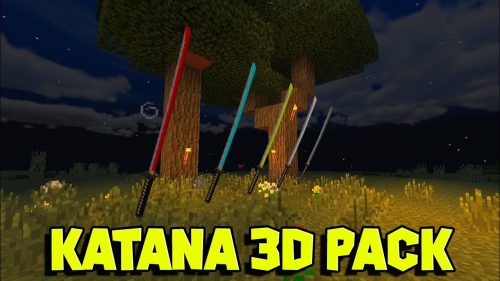 Katana 3D Pack (1.26+, 1.21) – MCPE/Bedrock
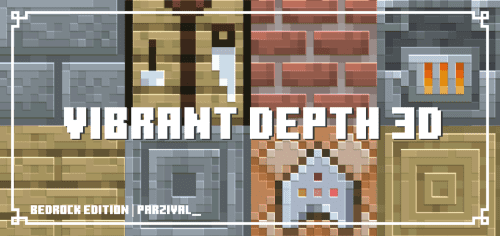 Vibrant Depth 3D Texture Pack (26.x, 1.21) – MCPE/Bedrock
 Duriblity Viewer Addon (1.21, 1.20) – MCPE/Bedrock Mod
 Dragon Elytras Texture Pack (1.21, 1.20) – MCPE/Bedrock
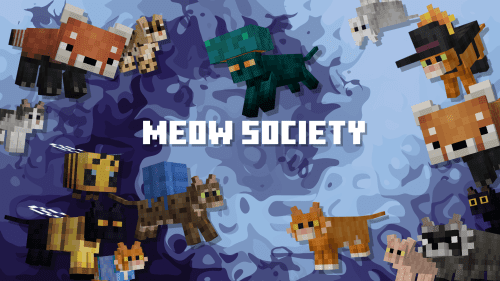 Meow Society Texture Pack (26.x, 1.21) – MCPE/Bedrock
 Cute Mob Models Holiday Packs Texture Pack (26.x, 1.21) – MCPE/Bedrock
 Appa Ghasts Texture Pack (26.x, 1.21) – MCPE/Bedrock
 The Storyteller Addon (1.21) – MCPE/Bedrock
 PvP Crosshair Crosshairs (26+, 1.21) – MCPE/Bedrock Texture Pack
 Small Items (26+) – MCPE/Bedrock Texture Pack
 Mobs Reimagined Texture Pack (26.x) – Detailed 64x Mob Models for Vanilla
 Vibrant Visuals Night Vision Pack (26+, 1.21) – MCPE/Bedrock Texture Pack
Most viewed in Texture Packs over the last 7 days
 Mizuno’s 16 Craft Texture Pack (26.30, 1.21) for MCPE/Bedrock Edition
 Distant Horizons Texture Pack (26.x, 1.21) – MCPE/Bedrock
 Patrix Texture Pack (1.26+) – No Lag, Ultra Realistic for MCPE
 Xnova Model Texture Pack (26.x, 1.21) – Smaller First-person Hands and Custom
 View Model A&S by Justpals Texture Pack (26.x, 1.21) – X
 Anime Girl UI Pack (26.x, 1.21) – MCPE/Bedrock
 ESP Texture Pack (26.x, 1.21) – MCPE/Bedrock
 Night Vision Texture Pack (26.x, 1.21) – MCPE/Bedrock Edition
 Hover Text Fix Pack (1.21, 1.20) – MCPE/Bedrock
 Better Sounds Resource Pack (26.x, 1.21) – MCPE/Bedrock
 Soartex Fanver Texture Pack (26.x, 1.21) – MCPE/Bedrock
 X-Ray Texture Pack (26.x, 1.21) for MCPE/Bedrock with Glow
More from Texture Packs
 3D Mace HD (26+) – MCPE/Bedrock Texture Pack
 Better Zombies (26+) – MCPE/Bedrock Texture Pack
 Better Buttons (26+, 1.21) – MCPE/Bedrock Texture Pack
 Axolotl Villagers (26+) – MCPE/Bedrock Texture Pack
 Become God of PvP Pack (26+, 1.21) – MCPE/Bedrock Texture Pack
 FPS BOOSTER PLUS (26+) – MCPE/Bedrock Texture Pack
 Fused’s Better Falling Leaves (26+, 1.21) – MCPE/Bedrock Texture Pack
 PandaMine’s Glowing Ores (26+) – MCPE/Bedrock Texture Pack
 Tiny Takeback (26+) – MCPE/Bedrock Texture Pack
 Dark Fantasy Visuals (26+, 1.21) – MCPE/Bedrock Shader
 Blood Patch (26+, 1.21) – MCPE/Bedrock Texture Pack
 Tragic Fantasy Visuals (26+, 1.21) – MCPE/Bedrock Shader

This post has no comments yet. Be the first — your comment will appear here.