
Mob Cards Blue Model – Transforms Spawn Eggs Into 3D Trading Cards

 0


Mob Cards Blue Model replaces standard spawn eggs with stylized 3D trading cards. The pack contains 192 custom models alongside 195 texture files with animated visuals. Different mob groups receive their own color schemes, while the back of every card displays a glowing blue portal. Players can inspect unique card variants for specific creatures, from cat breeds to charged creepers. It functions smoothly on game setups that handle animated textures.

Features:
- 3D Card Replacements: Changes vanilla spawn eggs into detailed 3D mob cards that display custom artwork.
- Portal Card Backs: Features an animated blue portal design on the reverse side of every card.
- Group Color Schemes: Uses distinct border colors like blue, cyan, gold, red, and black to organize different mob types.
- Custom Model Collection: Includes 192 custom 3D models and 195 texture files to cover distinct mob breeds and variants.
- Displays specialized held models whenever you hold a card in your main hand or off-hand.
- Adds animated textures that bring movement to card faces and reverse art.
Mob and Variant Cards:
- Cat breed cards include British Shorthair, Calico, Jellie, Persian, Ragdoll, Siamese, Tabby, and White variants.
- Horse coat cards cover Black, Brown, Chestnut, and Dark Brown patterns.
- Special monster cards feature distinct looks for the Charged Creeper and the Giant.
- Rare passive mob cards include the Brown Mooshroom alongside standard farm animals.
- Climate variants feature specialized cards for Cold and Warm mob types.
- Weathering stages provide unique models for Exposed, Weathered, and Oxidized variants.
- Wild cards offer special collector-style visuals for select mob eggs.
How to Use:
- Move the pack file into your Minecraft
resourcepacksfolder and turn it on in the Resource Packs menu using a game setup that supports animated textures. - Switch to Creative mode and open the creative inventory to find the spawn eggs tab where all cards are stored.
- Grab specific cat breed items like
british_shorthair_card_heldorcalico_card_heldto view their unique card faces. - Search for rare monster cards such as
charged_creeper_card_heldorgiant_card_heldto inspect their custom borders. - Place any card into your main hand or off-hand slot to see the 3D model, then turn your player camera to watch the animated blue portal on the back.
- Compare horse cards like
black_card_held,chestnut_card_held, anddarkbrown_card_heldside by side to see how coat colors change between items.
Requirements:
- A Minecraft version that supports animated textures
Screenshots:


Mob Cards Blue Model Download Links
Click to rate this post!
[Total: 0 Average: 0]
You May Also Like
Picked for this page
 Whimscape X Hold My Items Model – Adds Whimscape Styled 3D Models
 Pixel Perfection Fidelity Model – Brings Cozy Medieval 3D Models to Blocks
 Bare Bones X Model – Brings Simple 3D Foliage and Modded Block Visuals
 Kobold Assassin Model – Unleashes Cunning Kobold Assassin
 ALYBH-REconstruction Model – Transforms Blocks with Animated 3D Shapes
 NRBR Model – Transforms Blocks with Realistic 3D Depth and Animated Textures
 Quadral Model – Brings Vivid Colors and 31 Custom 3D Models to Vanilla
 RealNaman 16x Model – Adds 3D Models and Smooth PvP Animations
 The Original Work Programmer Art Model – Brings Classic Retro Visuals and Models
 Slimefun Model – Brings 3D Shields, Solar Panels, and Animated Server Tech
 ZickZack ORI Red Model – Brings 3D Pen Bows, Trackers, and Custom Skies
 Moons Cuter Bedwars Model – Brings Cute 3D Blocks and Clean PvP Visuals
Most viewed in Models over the last 7 days
 Jenny Mod Skin Pack Mega Collection – 310+ Characters
 The Most Complete Collection of Jenny Mod Resources – Models, Animations, Structures,…
 Albedo Rework Jenny Mod Model
 750 Models Addon for Yes Steve Model Mod
 Pomni Jenny Mod Model
 Galath Rework Model – Custom Girl for PleasureCraft Mod
 Power Model – Custom Girl for PleasureCraft Mod
 Ram Model – Custom Girl for PleasureCraft Mod
 Femboy Ellie Rework Jenny Mod Model
 Ellie Rework Jenny Mod Model
 100+ Custom Animations For Jenny Mod
 Ellen Model – Custom Girl for PleasureCraft Mod
More from Models
 Gothiclily’s Flower Model – Transforms Wild Foliage with Custom 3D Flora
 KTX-1 Model – Brings Custom Passenger Trains to Your MTR4 Railway Network
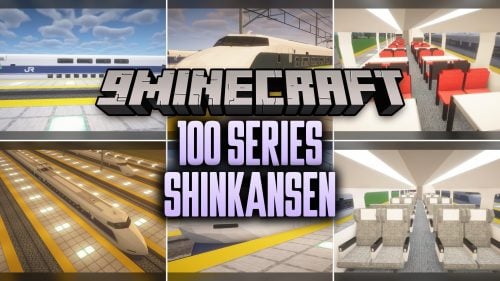 100 Series Shinkansen Model – Brings Japanese Bullet Trains to MTR4 Railways
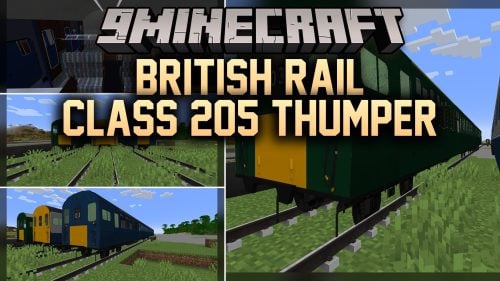 British Rail Class 205 Thumper Model – Brings Classic British Diesel Trains
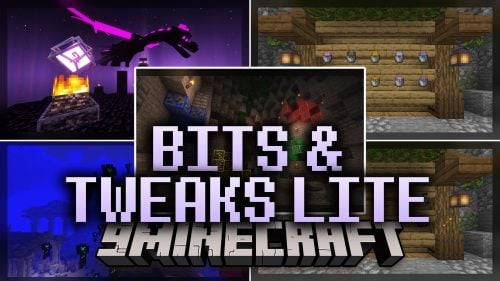 Bits & Tweaks LITE Model – Brings Animated 3D Depth to Vanilla Blocks and Tools
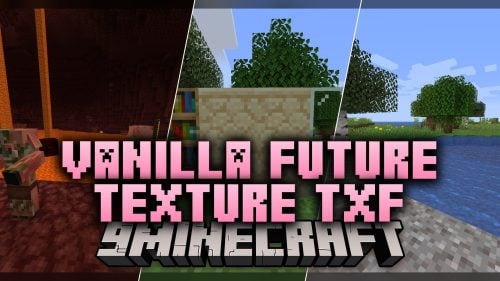 Vanilla Future Texture TXF Model – Brings Futuristic 3D Sci-Fi Gear and Blocks
 Fancy Fences Model – Transforms Default Barriers with Fresh 3D Depth
 A New Perception – Adds Detailed 3D Block Shapes and Animated Textures
 Trams4MC 2 – Brings Scripted Modern Streetcars to Your Transit Railway Lines
 The Amtrak Model – Brings Realistic Passenger Trains to Your Railway Builds
 Better 3d Food Model – Transforms Flat Edibles Into Detailed Blocky Meals
 Better Gear Model – Transforms Flat Tools Into Animated 3D Weapons

This post has no comments yet. Be the first — your comment will appear here.