
NL Deco For MTR Model – Adds Dutch Transport Props to Your Railway Stations

 0


NL Deco For MTR Model adds Dutch transport-related decoration objects for MTR in Minecraft. It ships with 8 Blockbench source models and 13 custom texture files. You can place these transport decorations around stations and railway builds or open the source files in Blockbench to edit the models yourself.

Features:
- Dutch Transport Decorations: Adds Dutch transport-related decoration objects built for MTR railway setups.
- Blockbench Source Models: Includes 8 Blockbench source models that you can open and edit in Blockbench.
- Includes 13 texture files paired with the Dutch decoration models.
How to Use:
- Move the downloaded pack file into your Minecraft resource packs folder.
- Open the Resource Packs menu in Minecraft and activate the pack.
- Load a world with MTR installed to view the Dutch transport decoration objects in your railway builds.
- Check the custom textures across the placed transport decoration objects to see all 13 texture files in action.
- Open any of the 8 included Blockbench source models in Blockbench if you want to view or edit the 3D shapes directly.
Requirements:
- Blockbench, only if you want to edit the included source models
Screenshots:


NL Deco For MTR Model Download Links
Click to rate this post!
[Total: 0 Average: 0]
You May Also Like
Picked for this page
 Chikuincompleto Bia Jenny Mod Model
 F1 2025 Boat 16x Model – Transforms Vanilla Boats Into Formula Racing Cars
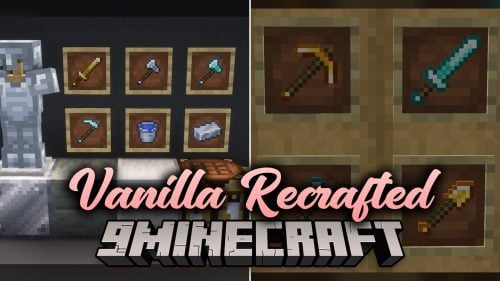 Vanilla Recrafted Model – Brings Crisp 3D Shapes and Smooth Animations
 Sydney Metro & Sydney Trains Model – Brings Australian Rail Transit to MTR4
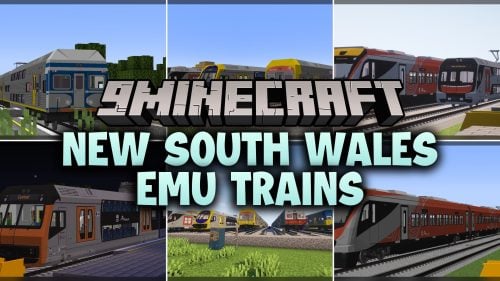 New South Wales EMU Trains Model – Adds Australian Electric Trains to MTR4
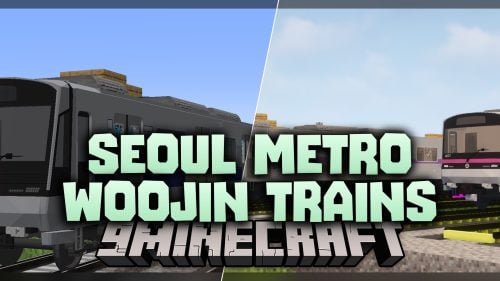 Seoul Metro Woojin Trains Model – Brings Modern Korean Subway Cars
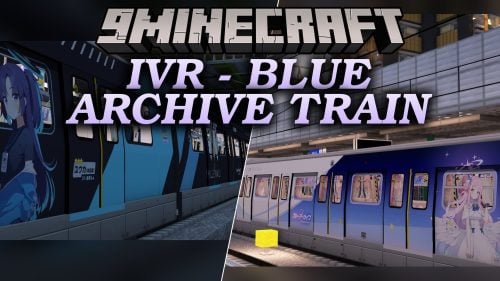 IVR – Brings Anime-Themed KCRC and MTRC Trains to Your Transit Railway
 MTR Austrian Express Collection 1 Model – Brings Detailed Austrian Trains
 S-Bahn Model – Brings German Urban Commuter Trains to MTR4 Railways
 Stepford County Railways British Rail Class 142 Model
 STAR21 Model – Brings the Class 952 Shinkansen Bullet Train to MTR4 Tracks
 South East Asian Trains Model – Brings Regional SRT Trains to MTR4 Rail Networks
Most viewed in Models over the last 7 days
 Jenny Mod Skin Pack Mega Collection – 310+ Characters
 The Most Complete Collection of Jenny Mod Resources – Models, Animations, Structures,…
 Albedo Rework Jenny Mod Model
 750 Models Addon for Yes Steve Model Mod
 Galath Rework Model – Custom Girl for PleasureCraft Mod
 Power Model – Custom Girl for PleasureCraft Mod
 Pomni Jenny Mod Model
 Femboy Ellie Rework Jenny Mod Model
 Ram Model – Custom Girl for PleasureCraft Mod
 100+ Custom Animations For Jenny Mod
 Ellie Rework Jenny Mod Model
 Steve (Jenny & Zoey) Pack Jenny Mod Model
More from Models
 Fancy Foliage Model – Brings Animated 3D Plants and Bushy Leaves to Biomes
 Egregious Model Optimizations Model – Boosts FPS with Lightweight Vanilla Blocks
 Mickey Joe’s CIT Namables Model – Unlocks Custom Spin-Off Gear at Anvils
 Ark’s Flowering Crops Model – Adds 3D Blooming Flowers and Animated Plants
 Alsthom TFS Model – Brings Classic French Tramways to MTR Transit Networks
 Nibble Bits Model – Brings 3D Shapes to Plants, Lanterns, and Utility Blocks
 French Buses Model – Brings Realistic European City Transit Vehicles to Roads
 VN4’s Deep Dark Revamp Model – Brings Animated 3D Sculk Blocks to Caves
 Simplify Block Model – Turns Heavy Vanilla Blocks Into Lightweight FPS Boosters
 Redstone Reloaded Model – Brings Readable 3D Visuals to Redstone Circuits
 TextureRevamp 64x Model – Transforms Vanilla Blocks with Detailed 3D Shapes
 3D Items-Vanillaism Model – Transforms Flat Vanilla Gear Into 3D Shapes

This post has no comments yet. Be the first — your comment will appear here.