
Ark’s Flowering Crops Model – Adds 3D Blooming Flowers and Animated Plants

 0


Ark’s Flowering Crops Model adds blooming flowers to fully grown crops and updates the look of many plants and blocks in Minecraft. This pack includes 328 custom 3D models and 3,518 texture files to make farms and gardens look better. It also replaces standard textures with animated textures across plants like bamboo, cactus, and big dripleaf. Alongside plants, it brings new 3D shapes to utility blocks like brewing stands, bells, buttons, and beacons.

Features:
- Flowering Crops: Fully grown crops display flowers on top so you can tell at a glance when your farm is ready to harvest.
- 328 Custom 3D Models: Replaces flat block visuals with 3D models across crops, wild plants, and utility blocks.
- 3,518 Texture Files: Packs in thousands of custom textures, including animated textures that bring movement to blocks.
- Restyles bamboo growth stages with models for age 0 and age 1 across four variations, plus separate models for small and large bamboo leaves.
- Updates big dripleaf plants with custom models for the stem, full tilt, and partial tilt states when a player steps on them.
- Reskins desert cactus blocks with a refreshed 3D shape.
- Changes the brewing stand with individual 3D models for the base, empty slots 0 to 2, and filled bottle slots 0 to 2.
- Gives bells distinct 3D models depending on how you hang them: on the floor, on a ceiling, on a single wall, or between two walls.
- Adds custom 3D models for beacons and buttons, including the button inventory icon and the pressed button state.
How to Use:
- Place the downloaded pack into your Minecraft resourcepacks folder and move it to the active column in the Options menu.
- Plant standard farm crops and wait for them to reach full growth (or use bone meal) to see the new flowers bloom on the mature plants.
- Visit a jungle or lush cave to find bamboo and big dripleaf; watch the bamboo age 0 and age 1 stages grow small and large leaves, and walk across a big dripleaf to see the partial tilt and full tilt models in action.
- Travel to a desert biome to spot the updated cactus model, or place one in a flower pot at your base.
- Craft a brewing stand and place glass bottles inside one by one to watch the model switch between empty slots and bottle slots 0, 1, and 2.
- Place a bell on the floor, ceiling, single wall, and between two walls to compare all four mounting models, then press a button or set up a beacon to check their animated textures and pressed states.
Requirements:
- A Minecraft version that supports animated textures
Screenshots:


Ark’s Flowering Crops Model Download Links
Click to rate this post!
[Total: 0 Average: 0]
You May Also Like
Picked for this page
 Ancient Relics Pack Model – Adds Ten Animated Ancient Tools And Weapons
 Hidyk’s Realm Model – Brings Animated 3D Depth to Vanilla Blocks
 Quadral Model – Brings Vivid Colors and 31 Custom 3D Models to Vanilla
 Coquet Model – Transforms Vanilla Foliage and Terrain with 3D Shapes
 Pixel-Tree Model – Transforms Everyday Vanilla Blocks with Detailed 3D Shapes
 Gui’s Better Vanilla Model – Brings Animated 3D Torches and Plants
 Vanilla Realism Model – Transforms Flat Blocks Into Animated 3D Shapes
 Dimensionalized 3D Essentials Model – Adds 248 Vanilla-Style 3D Block Models
 Brush & Juice Model – Brings Animated 3D Redstone and Mechanical Blocks
 The Original Work Programmer Art Model – Brings Classic Retro Visuals and Models
 Justzilla’s Classic Model – Brings Retro Aesthetics to Modern Blocks
 Modilla Model – Brings 3D Depth and Animated Textures to Everyday Vanilla Blocks
Most viewed in Models over the last 7 days
 Jenny Mod Skin Pack Mega Collection – 310+ Characters
 The Most Complete Collection of Jenny Mod Resources – Models, Animations, Structures,…
 Albedo Rework Jenny Mod Model
 750 Models Addon for Yes Steve Model Mod
 Galath Rework Model – Custom Girl for PleasureCraft Mod
 Power Model – Custom Girl for PleasureCraft Mod
 Pomni Jenny Mod Model
 Ram Model – Custom Girl for PleasureCraft Mod
 Femboy Ellie Rework Jenny Mod Model
 100+ Custom Animations For Jenny Mod
 Ellie Rework Jenny Mod Model
 Steve (Jenny & Zoey) Pack Jenny Mod Model
More from Models
 Duolingo Cpvp Model – Brings Animated 3D Duo Owl Visuals to Crystal PvP
 HLG Model – Transforms Storage Cells and Metal Gear Into Animated 3D Objects
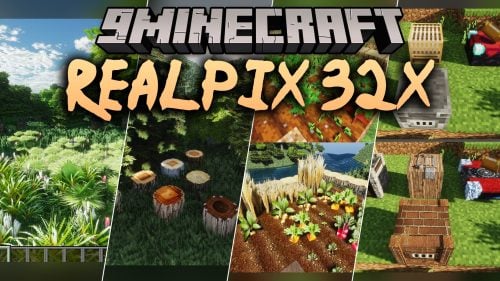 RealPix 32x Model – Brings Lifelike 3D Foliage and Animated Block Details
 Diamond Smp Perfected Model – Brings Clean 3D Visuals to PvP Combat
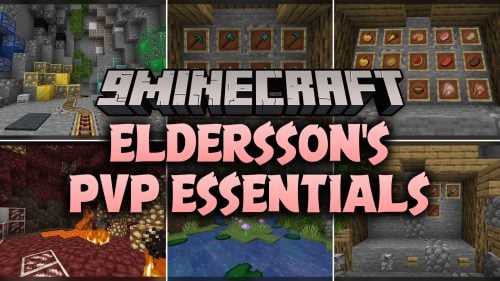 Eldersson’s PvP Essentials Model – Brings Animated 3D Blocks to PvP Combat
 Bubblellaneous Model – Adds Animated 3D Furniture, Tech Gadgets, and Food Props
 Items & Stuff X Enchantment Outline Model – Adds Glowing Outlines to 3D Gear
 Zero Particles Model – Brings Clear PvP Views and Readable Enchanting Spells
 XK Redstone Display Model – Brings Animated 3D Visuals to Redstone Circuits
 MirRP CIT Model – Adds 3D Cafe Drinks, Meals, Plushies, and Wearable Furry Ears
 KTRC Generic Stock Model – Adds Custom MTR Rolling Stock Trains
 DOCTOR YELLOW S1 S2 Model – Brings Bright Yellow Trains to Transit Railways

This post has no comments yet. Be the first — your comment will appear here.