
OneBar Mod (26.3, 1.20.1) – Track Survival Stats Without Clutter

 0


OneBar Mod adds a sleek, single-bar HUD to the game that combines your health, hunger, and status details into one clean rectangular display. It shows values only when you need them, keeping your screen tidy while giving you precise numerical information.
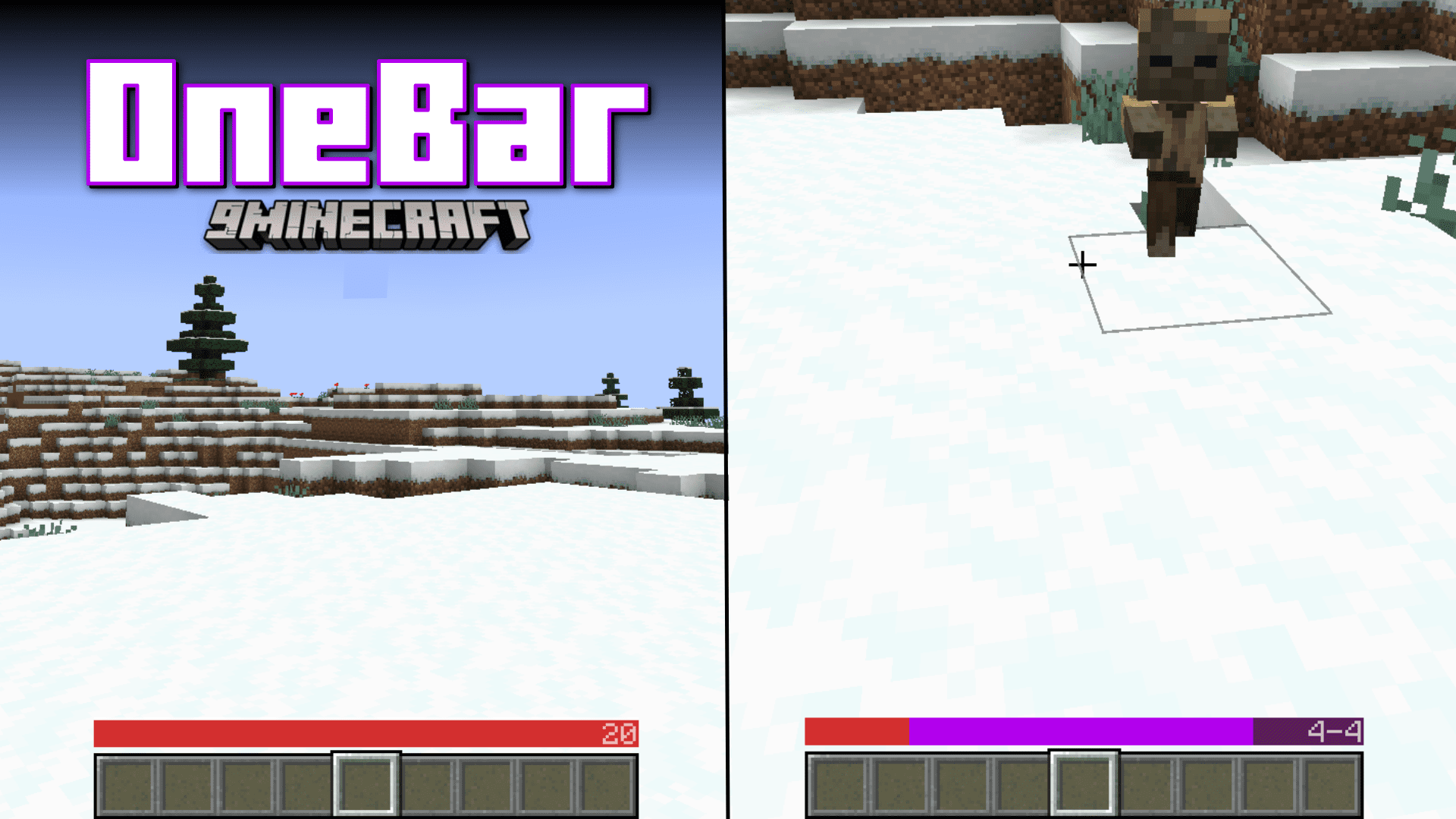
Features:
- Combines health, hunger, and other survival details into a single rectangular HUD bar.
- Displays positive effects and health from left to right, and negative effects from right to right.
- Overlays hunger and water status on top of the health bar when active so you always know your most important stats.
- Keeps health as the first number and hunger as the last number for quick reading.
- Includes deep customization settings for colors and visibility using color codes.
- Works entirely on client-side data without needing to be installed on a server.
How to Use:
- Press Esc during gameplay.
- Click on Mods and select OneBar from the list.
- Click the config button to open the settings menu.
- Customize your bar visibility and enter HEX color codes to change bar colors.
Screenshots:
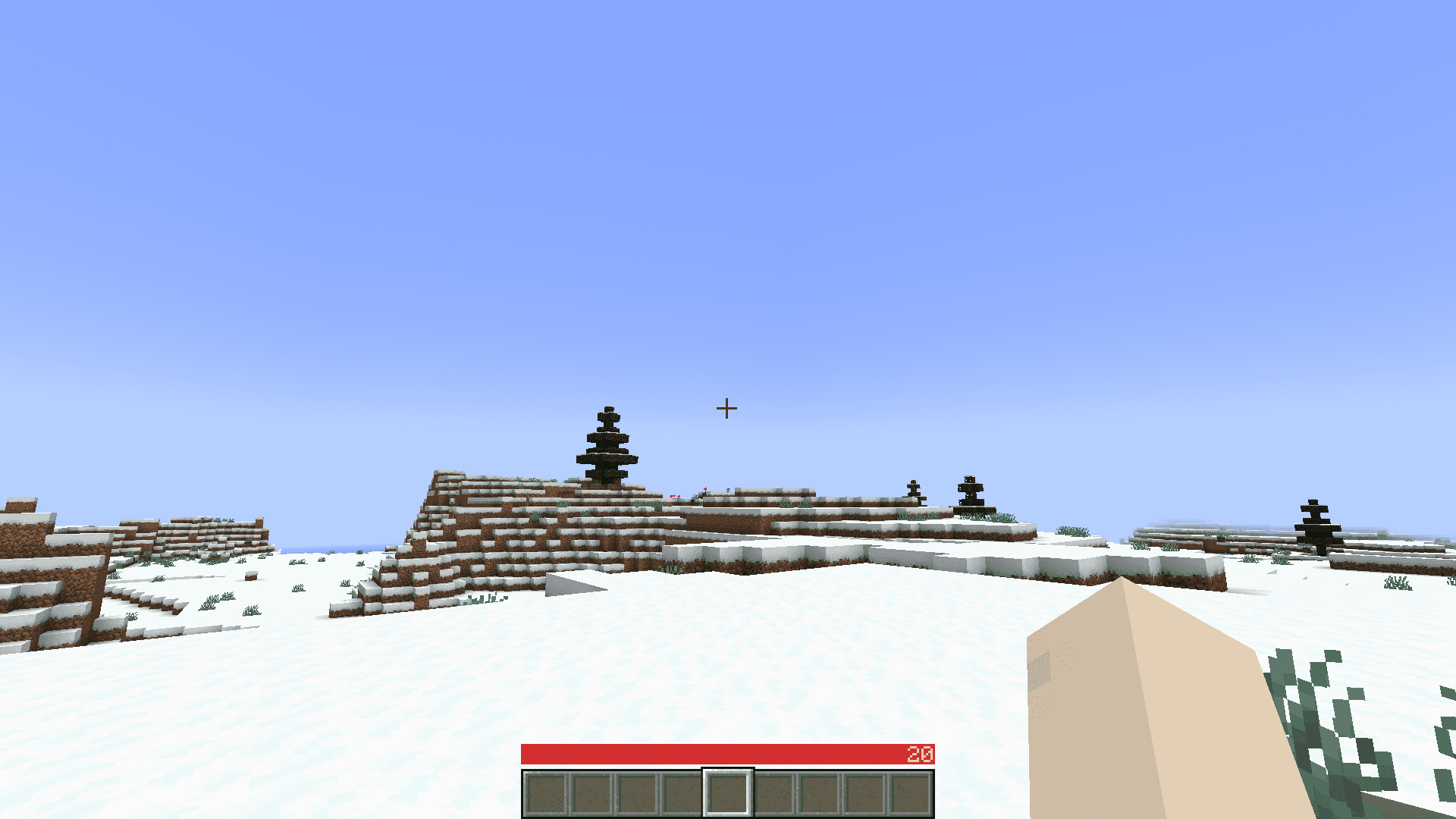
A full health bar. You now have 20 health points, as shown in numerical at the right end of the bar.
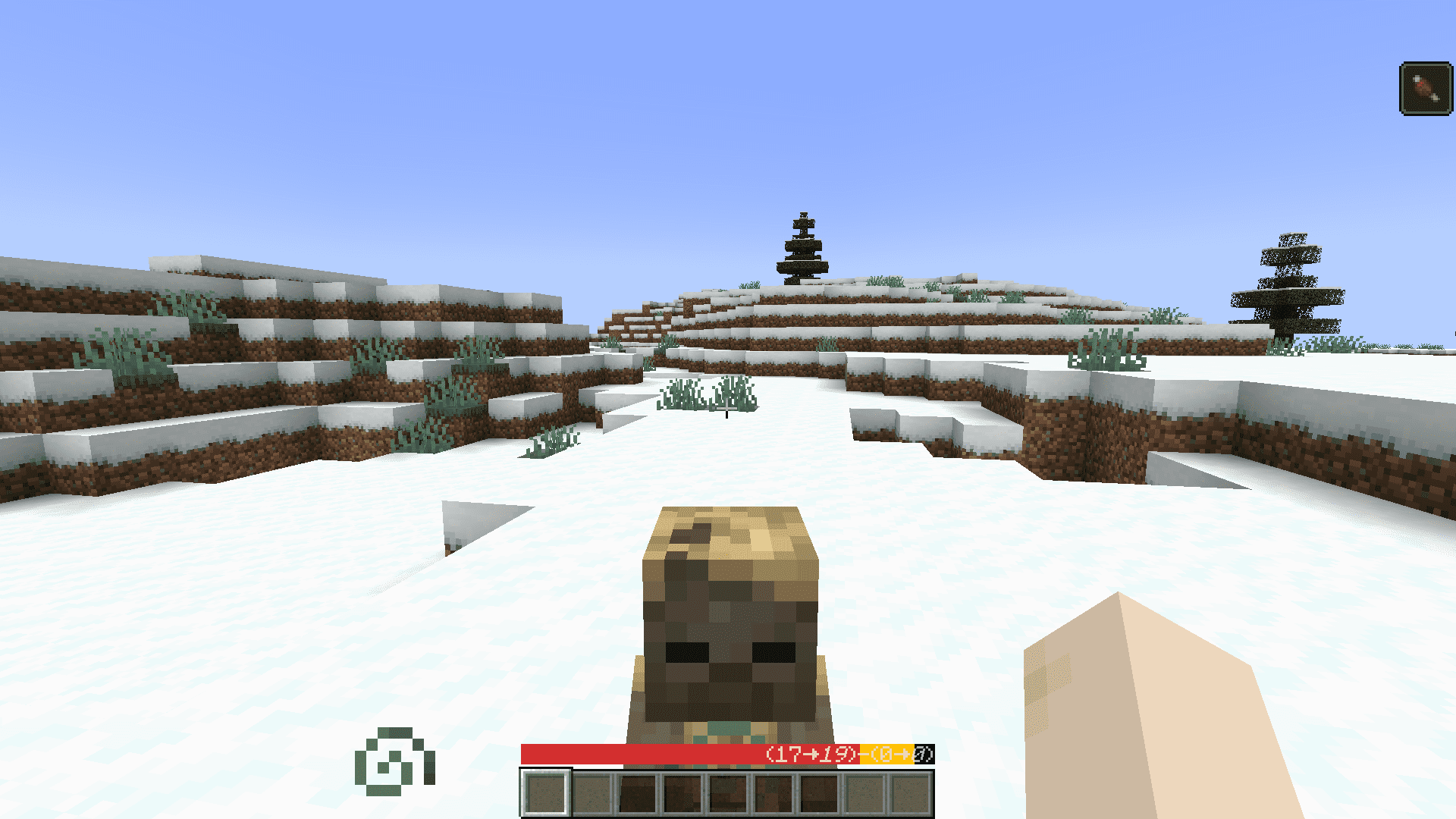
The zombie attack has caused the health to drop. The numerical value at the right shows how your health is going to regenerate.
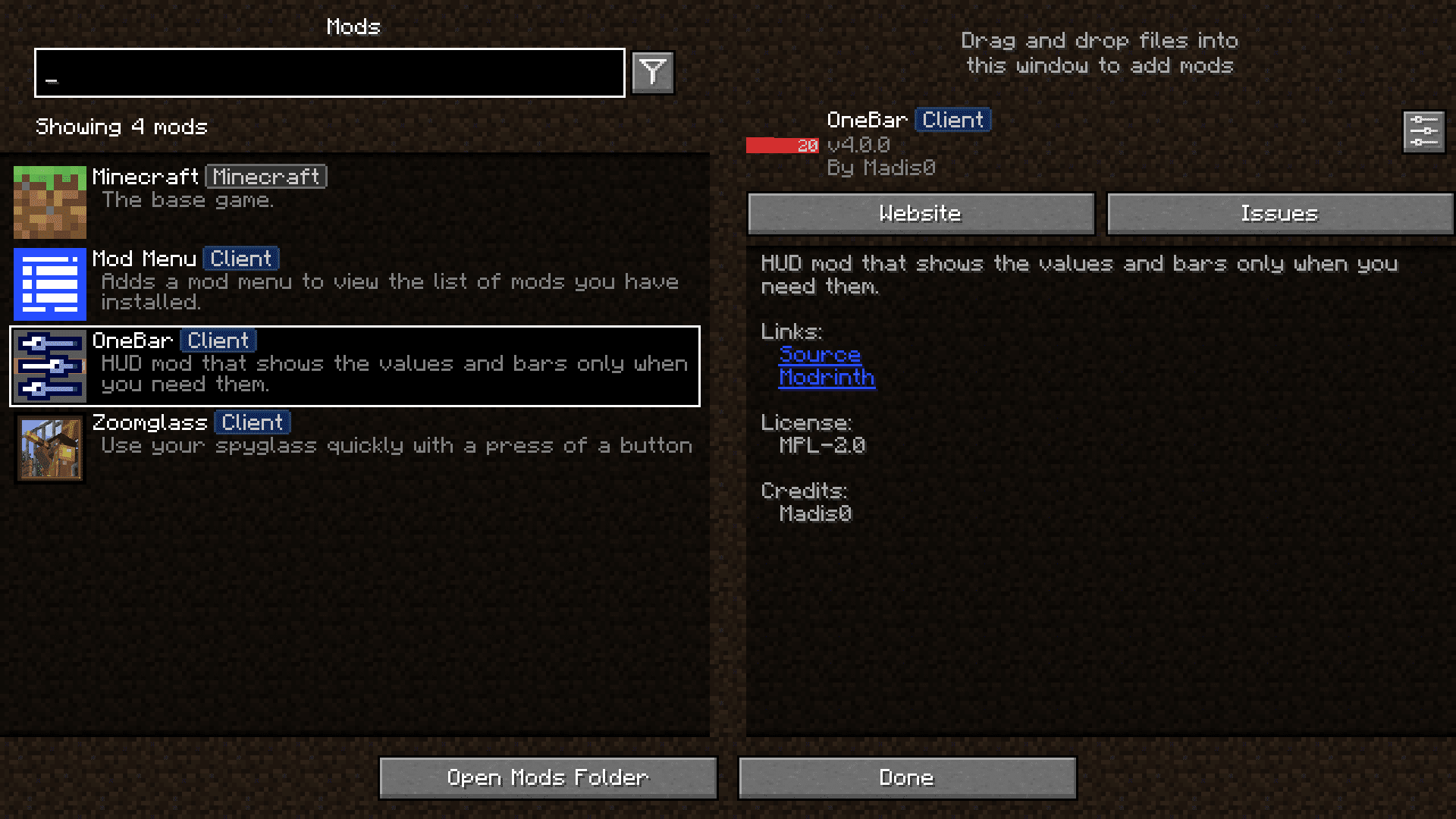
You can access the configuration settings of the OneBar mod in-game by using Mod Menu. Click on the mod’s icon to open the configuration screen.
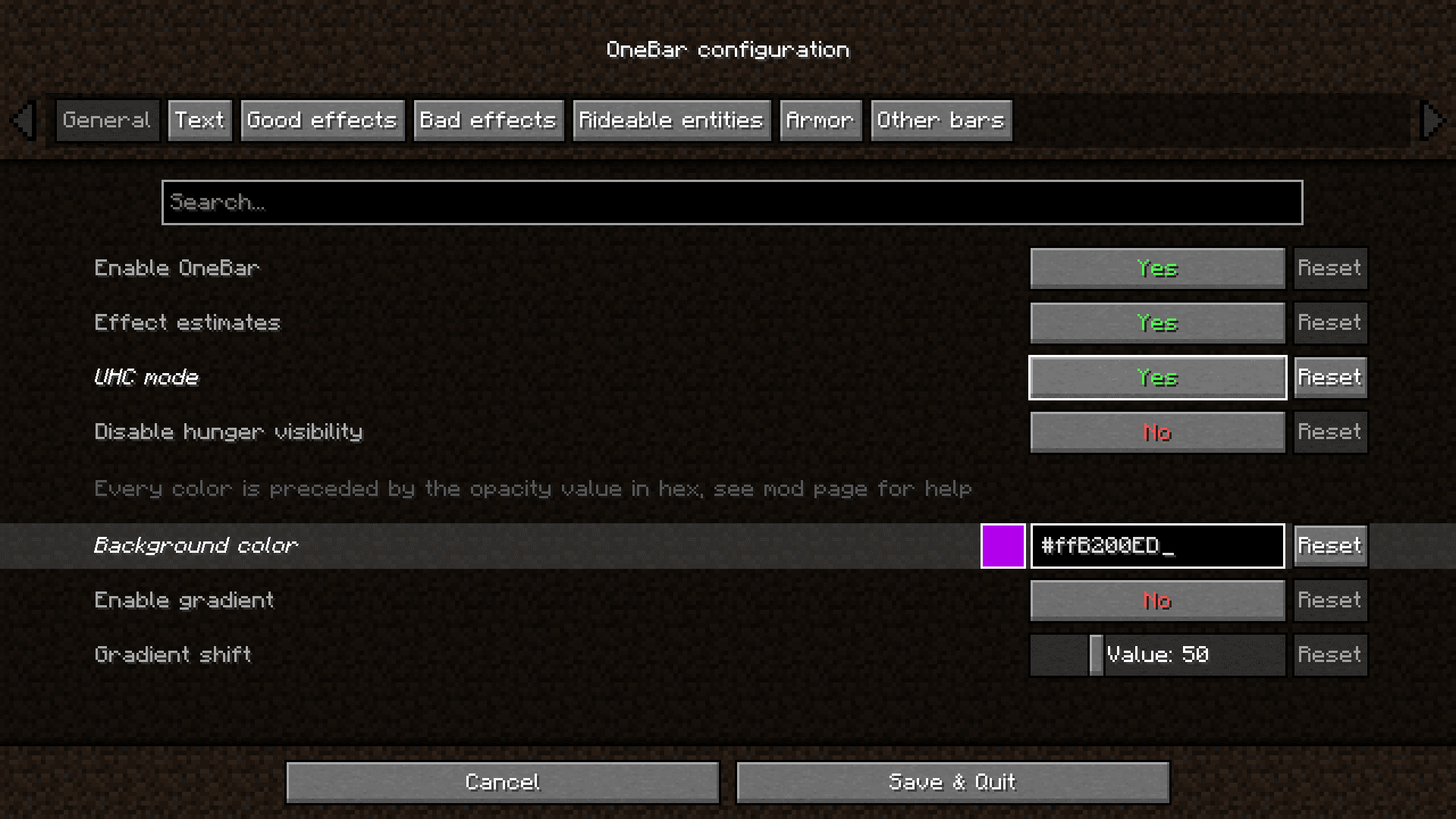
You can access the configuration settings of the OneBar mod in-game by using Mod Menu. Click on the mod’s icon to open the configuration screen.
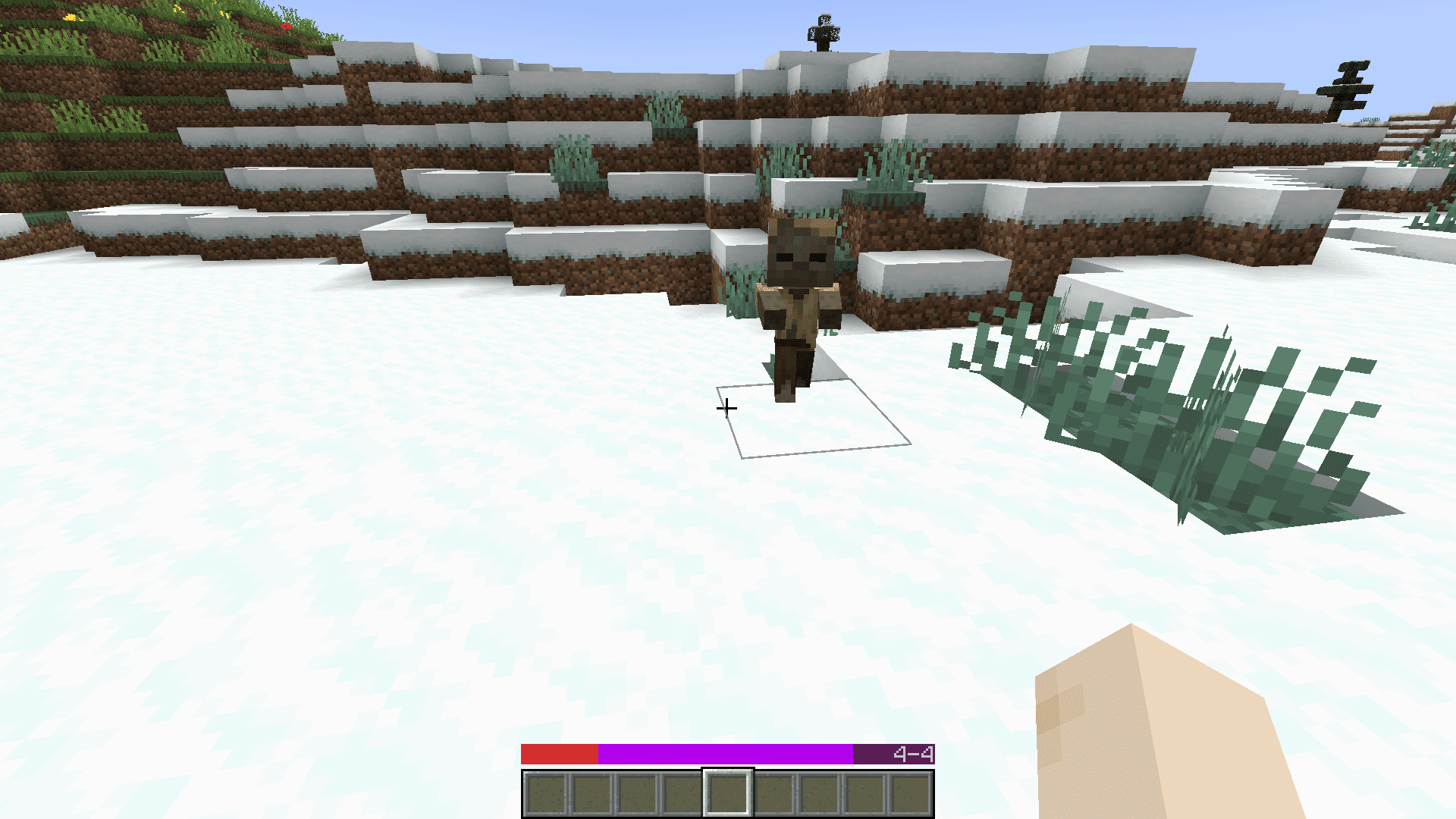
The configuration screen allows you to customize the health bar. You have the option to turn ON/OFF the bar. You can also choose whether to see the information regarding health and hunger. There is also an option to change the bar’s color to color of you choice by typing in color codes.
How to Install:
New to Minecraft? Follow our step-by-step guide to install Mods on your PC.View Guide
Requirements:




OneBar Mod Download Links
For Minecraft 26.3
For Minecraft 26.2
For Minecraft 26.1.2, 26.1.1, 26.1
For Minecraft 1.21.11
For Minecraft 1.21.10, 1.21.9
For Minecraft 1.21.8, 1.21.7, 1.21.6
For Minecraft 1.21.5
For Minecraft 1.21.4
For Minecraft 1.21.3, 1.21.2
For Minecraft 1.21.1, 1.21
For Minecraft 1.20.6
For Minecraft 1.20.4
For Minecraft 1.20.2, 1.20.1, 1.20
For Minecraft 1.19.4
For Minecraft 1.19.2
For Minecraft 1.18.2, 1.18.1, 1.18
For Minecraft 1.17.1
For Minecraft 1.16.5, 1.16
Which performance or optimization mod do you rely on the most?
22 responses · See the full results →
You May Also Like
Picked for this page
 Tree Harvester Mod (26.3, 1.20.1) – Auto-Planting Tree Chopper
 Curios API (26.3, 1.20.1) – Library for TheIllusiveC4’s Mods
 Just Zoom Mod (26.3, 1.20.1) – Enhance Zoom with Advanced Customization
 Hit Range Mod (26.3, 1.20.1) – Reach Visualization
 Very Many Players Mod (26.3, 1.20.1) – Improve Server Performance
 Bactro Mod (26.3, 1.20.1) – QoL Utilities
 Simply No Shading Mod (26.2, 1.20.1) – Uniform Brightness Across All Blocks
 Dungeons And Taverns Stronghold Rework Mod (26.3, 1.20.1) – Transform Your Strongholds
 Random Sheep Colours Mod (26.3, 1.20.1) – Random Wool Colors
 Sodium Shadowy Path Blocks Mod (26.3, 1.20.1) – Give Your Paths More Depth
 ArisuwuMei’s Deer Mod (26.3, 1.20.1) – Deer In Minecraft
 Trident Craft Mod (26.3, 1.20.1) – Craft Tridents With Ease
Most viewed in Mods over the last 7 days
 Ala Industrial Mod (26.3) – Run Electric Power Grids and Automated Factories
 PleasureCraft Mod (26.3, 1.21.1) – Jenny Mod Remake for Fabric
 Jennycraft Mod (26.3, 1.20.1) – Virtual Girlfriend in Minecraft
 Fapcraft Mod (26.3, 1.12.2) – Comprehensive and Detailed Content
 Jenny Mod (Fapcraft) Official Complete Guide – How to use, Tutorial
 BangCraft Mod (1.20.1) – Jenny, Ellie and Elliot
 Fabric Loader (26.3, 1.20.1) – Fabric Installer for All Minecraft Versions
 The Shooting Star Demo Mod (26.3, 1.20.1) – Vaporize Terrain From Orbit
 Meteor Client Mod (26.3, 1.20.1) – Xray, HUD, Fly
 OptiFine HD (26.3, 1.20.1) – Run Faster, FPS Boost, Shaders Support
 Aristois Client Mod (1.21.4, 1.20.1) – World Class Minecraft Utility
 Prestige Client Mod (1.21.11, 1.21.4) – Powerful Ghost Features for Crystal & Sword PvP
More from Mods
 Block Front Survival Patch Mod (1.21.1) – Wage Tactical Warfare in Survival
 Better Enchantment Bookshelf Placement Mod (26.2, 1.20.1)
 SimpleRPGCore Mod (1.21.4, 1.21.1) – Fight with Classic RPG Stats
 Bard RPG Series Plus by Fichte Mod (1.21.1, 1.20.1) – Buff Allies in Combat
 Fabric Gui ImGui Mod (26.3, 1.21.11) – Clean Custom Menus and In-Game Control
 Multi Item Lib Mod (1.20.1) – Wield Custom Gear with Flawless Hand Animations
 Universe3090 Mod (1.20.1) – Survive Corrupted Dimensions Filled
 Wireless Automate Mod (1.21.1) – Automate Base Logistics Without Messy Pipes
 Vaskars Opus Faction War Quests & Bosses Mod (1.21.11, 1.20.1)
 Multitools and More Mod (26.3, 1.20.1) – Clear Your Hotbar and Travel
 Luxium Let There Be Light Mod (1.20.1) – Stunning Lighting on Low-End Computers
 Soulscraft Tarnished Legacy Mod (1.21.1) – Hunt Relics to Forge Dark Fantasy

This post has no comments yet. Be the first — your comment will appear here.