
Protomanly’s Weather Resource Pack Model – Adds 3D Fire, Ice, and Weather Tools

 0


Protomanly’s Weather Resource Pack Model upgrades the visual effects for the PMWEATHER mod. This pack includes 50 custom 3D models and 145 texture files to make weather tools and natural elements look better. Players get new shapes for wind measurement blocks, multi-stage fire models, layered ice heights, and glowing building blocks. It also brings animated textures that add motion to these objects in your world.

Features:
- PMWEATHER Visual Upgrade: Improves the appearance of objects and effects tied to the PMWEATHER mod.
- 50 Custom 3D Models: Replaces standard shapes with detailed three-dimensional models for weather tools, fire, ice, and glowing blocks.
- 145 Texture Files: Packs in updated visual surfaces across all included models.
- Animated Textures: Adds moving visual details to specific models in the pack.
Weather and Element Models:
- Anemometer: A custom 3D model for the wind-measuring weather tool.
- Fire Models: Includes 20 distinct fire stage models ranging from
fire1tofire10along with secondary variants fromfire1_2tofire10_2. - Ice Height Models: Adds layered ice models including
ice_height1andice_height2.
Glow Block Models:
- Glow Cubes: Includes full block models for
glow_cubeandglow_cube_column_horizontal. - Glow Slabs: Adds half-block models for
glow_slabandglow_slab_top. - Glow Stairs: Features 3D stair shapes including
glow_stairs,glow_inner_stairs, andglow_outer_stairs.
How to Use:
- Load the resource pack in your game settings alongside the PMWEATHER mod so the 50 custom models can appear.
- Place an
anemometerblock in an open outdoor area to check out its updated 3D shape and animated textures. - Start a fire on blocks or wait for weather events to trigger flames to see the 20 fire stage models (
fire1throughfire10_2) change shape as the fire burns. - Visit cold biomes or wait for freezing weather to spot the
ice_height1andice_height2models forming at different thickness levels on the ground. - Build structures using the
glow_cube,glow_cube_column_horizontal,glow_slab, andglow_stairsvariants to see how the inner and outer stair corners connect.
Requirements:
- A Minecraft version that supports animated textures
Screenshots:


Protomanly’s Weather Resource Pack Model Download Links
Click to rate this post!
[Total: 0 Average: 0]
You May Also Like
Picked for this page
 Bare Bones X Model – Brings Simple 3D Foliage and Modded Block Visuals
 Deluxe Model – Transforms Flat Blocks Into Animated 3D Shapes with Fullbright
 Kaleidoscope Tavern Vanilla Enhanced Model – Brings 3D PBR Tavern Visuals
 Seamless Glowing Ores Model – Adds Connected Glowing Borders to Ores
 Brush & Juice Model – Brings Animated 3D Redstone and Mechanical Blocks
 The Original Work Programmer Art Model – Brings Classic Retro Visuals and Models
 Slimefun Model – Brings 3D Shields, Solar Panels, and Animated Server Tech
 Fresh Ores And Ingots VR Model – Transforms Flat Minerals Into 3D Gems
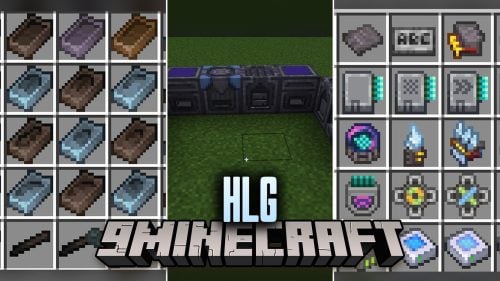 HLG Model – Transforms Storage Cells and Metal Gear Into Animated 3D Objects
 All Industry New Model – Transforms Industrial Mod Blocks Into 3D Factory Gear
 STAR21 Model – Brings the Class 952 Shinkansen Bullet Train to MTR4 Tracks
 AE2 TEXTURE BACKPORT Model – Brings Modern 1.21 Storage Visuals to Older Worlds
Most viewed in Models over the last 7 days
 Jenny Mod Skin Pack Mega Collection – 310+ Characters
 The Most Complete Collection of Jenny Mod Resources – Models, Animations, Structures,…
 Albedo Rework Jenny Mod Model
 750 Models Addon for Yes Steve Model Mod
 Galath Rework Model – Custom Girl for PleasureCraft Mod
 Power Model – Custom Girl for PleasureCraft Mod
 Femboy Ellie Rework Jenny Mod Model
 Ram Model – Custom Girl for PleasureCraft Mod
 Pomni Jenny Mod Model
 100+ Custom Animations For Jenny Mod
 Ellie Rework Jenny Mod Model
 Halloween Pack Jenny Mod Model – Transforms Companions with Spooky Costumes
More from Models
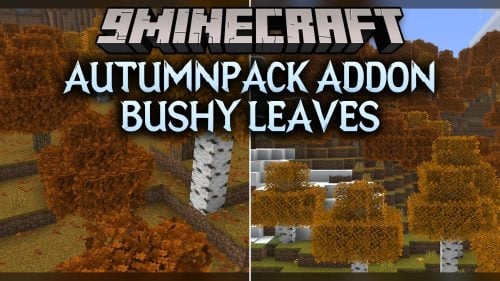 AutumnPack Addon Bushy Leaves Model – Brings Fuller 3D Foliage to Trees
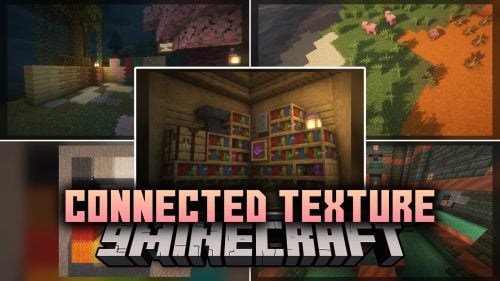 Connected Texture Model – Brings Borderless Glass Panes and Glowing 3D Ores
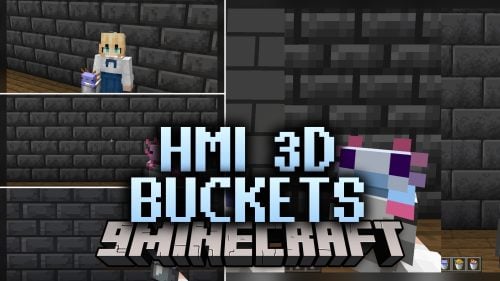 HMI 3D Buckets Model – Turns Flat Vanilla Buckets Into Animated 3D Containers
 Redstone Tweaks For Bare Bones Model – Brings Clear 3D Signal States
 Faithful 64x – Brings Animated 3D Variations to Blocks and Mobs
 Totally Decayed Wither Storm Model – Brings Grim 3D Models and Animated Decay
 Rainbow’s Foliage Vanilla Model – Brings Animated 3D Plants to Worlds
 SobhanA11 Modern Vanilla Cpvp Model – Transforms Blocks for Fast Crystal PvP
 Night UI – Transforms Game Menus and Glass Panes with Sleek Dark Visuals
 Bray’s Enchantment Outlines Model – Adds Glowing Animated Borders to Gear
 Fresh Food VR Model – Brings 3D Food and Bite-By-Bite Eating Animations to VR
 Pekit’s Bows To Guns – Transforms Ranged Gear Into WWII Firearms

This post has no comments yet. Be the first — your comment will appear here.