
Screen Weather & Biome Effects Mod (26.3, 1.20.1) – Watch Raindrops Slide
 9
 0

Screen Weather & Biome Effects Mod adds visual overlays to your screen that change based on the weather, your current biome, and the time of day. It makes your view look like you are watching the world through a glass window. You see raindrops slide down in storms, frost form on the edges in cold areas, and leaves blow past in forests. All effects are purely visual and run on the client side without changing actual gameplay.

Features:
- Weather Overlays: Displays sliding raindrops, falling snowflakes, frost around the screen edges, and dampness after rain stops.
- Biome-Specific Particles: Shows blowing sand in deserts, pink petals in cherry groves, pollen in flower forests, and falling leaves in oak, birch, and dark forests.
- Temperature & Water Reactions: Adds sweat drops during hot days in deserts and jungles, condensation in swamps, and dripping water when you come up from underwater.
- Screen Tints: Applies light color overlays like orange heat tints, yellow desert haze, green swamp fog, pink cherry haze, and dark forest shade.
- Runs entirely on the client side so it does not affect gameplay mechanics.
- Lets you adjust or turn off every single particle and color tint in the config file.
Configuration:
You can edit all settings in the .minecraft/config/rainscreen.json file.
Particles:
Controls things that fly or slide across your screen. Set a value of 1.0 for normal, 2.0 for double, or 0 to turn an effect off.
rainDrops: Controls raindrops on the screen.snowFlakes: Controls large patterned snowflakes.snowFall: Controls small falling snowflakes.sweatDrops: Controls sweat drops in the heat (deserts and jungles during the day).swampDrops: Controls condensation drops in swamps.emergeDrops: Controls water drops after you come up from underwater.sandGrains: Controls blowing sand in deserts.snowDust: Controls blowing snow in cold biomes.autumnLeaves: Controls orange and red leaves in dark forests.cherryPetals: Controls pink petals in cherry groves.flowerPollen: Controls pollen in flower forests.oakLeaves: Controls green leaves in oak forests.birchLeaves: Controls light yellow leaves in birch forests.
Screen Color:
Controls the light tint over the whole screen. Set a value of 1.0 for normal or 0 to remove the effect.
wetnessOverlay: Controls gray-blue dampness and darker edges after rain.frostOverlay: Controls white frost around the edges of the screen during snow.heatTint: Controls the orange tint in the heat.sandHaze: Controls yellow sand haze in deserts.swampHaze: Controls greenish fog in swamps.forestShade: Controls darkened edges in dark forests.cherryHaze: Controls pink haze in cherry groves.coldTint: Controls the bluish tint in cold biomes.iceGlints: Controls shiny ice sparkles in cold biomes.
Limits:
Sets how many particles can appear on the screen at the same time using whole numbers only (for example, 200). If you raise a number in the Particles section and do not see more of them, raise the matching limit value below.
maxDrops: Sets the limit for drops (rain, sweat, condensation, water after surfacing) and large snowflakes.maxFlakes: Sets the limit for large snowflakes.maxFalls: Sets the limit for small snowflakes.maxGrains: Sets the limit for sand grains.maxStuck: Sets the limit for sand grains stuck to the screen.maxSnowDust: Sets the limit for blowing snow.maxLeaves: Sets the limit for all leaves, petals, and pollen combined.
How to Install:
New to Minecraft? Follow our step-by-step guide to install Mods on your PC.View Guide


Screen Weather & Biome Effects Mod Download Links
For Minecraft 26.3
For Minecraft 26.2
For Minecraft 26.1.2, 26.1.1, 26.1
For Minecraft
1.21.11,
1.21.10,
1.21.9
All Versions Covered
1.21.11
1.21.10
1.21.9
1.21.8
1.21.7
1.21.6
1.21.5
1.21.4
1.21.1
1.21
For Minecraft 1.21.10, 1.21.9
For Minecraft 1.21.8, 1.21.7, 1.21.6
For Minecraft 1.21.5
For Minecraft 1.21.4
For Minecraft 1.21.1, 1.21
For Minecraft 1.20.1, 1.20
You May Also Like
Picked for this page
 Cubes Without Borders Mod (26.3, 1.20.1) – Alt-Tab Without Minimizing
 Entity View Distance Mod (26.3, 1.20.1) – Boost FPS By Limiting Mob Render
 Movement In GUI Mod (26.3, 1.20.1) – Walk While Managing Inventory
 Accessorify Mod (1.21.10, 1.20.1) – Carry Extra Gear and Free Up Inventory Slots
 More Kills More Damage Mod (26.3, 1.21.1) – Grow Stronger with Every Mob
 Dynamic RPG Resource Bars Mod (26.1.2, 1.20.1) – Animated Resource Bars
 Throwable Fire Charges Mod (26.2, 1.21.1) – Throw Explosive Fireballs in Combat
 Jukebox Custom Disc Fix Mod (26.3, 1.20.1) – Play Custom Music Without Audio
 Discontinuous Beacon Beams Mod (26.3, 1.20.1) – Customize Your Beacon Beams
 Kafs Valentine Special Mod (26.3, 1.20.1) – Bake Special Cookies for Friends
 Blight Spark Visuals Mod (26.3, 1.20.1) – Track Status Effects with Glowing
 Zhuravel Notes Mod (26.3, 1.20.1) – Jot Down Coordinates and Plans
Most viewed in Mods over the last 7 days
 Ala Industrial Mod (26.3) – Run Electric Power Grids and Automated Factories
 PleasureCraft Mod (26.3, 1.21.1) – Jenny Mod Remake for Fabric
 Jennycraft Mod (26.3, 1.20.1) – Virtual Girlfriend in Minecraft
 Fapcraft Mod (26.3, 1.12.2) – Comprehensive and Detailed Content
 Jenny Mod (Fapcraft) Official Complete Guide – How to use, Tutorial
 Meteor Client Mod (26.3, 1.20.1) – Xray, HUD, Fly
 BangCraft Mod (1.20.1) – Jenny, Ellie and Elliot
 OptiFine HD (26.3, 1.20.1) – Run Faster, FPS Boost, Shaders Support
 CatLean Client Mod (26.2, 1.21.11) – ThunderHack Recode Alternatives
 Let it Walk Mod (1.21.1) – Pilot Spider Tanks and Mechs Built From Your Blocks
 Fabric Loader (26.3, 1.20.1) – Fabric Installer for All Minecraft Versions
 SeedCrackerX Mod (26.3, 1.20.1) – Find Any World Seed
More from Mods
 Cobblemon Shadowed Hearts Mod (1.21.1) – Snag and Purify Shadow Pokemon
 Ignacio.exe Mod (1.20.1) – Gamble for Rare Loot By Day and Survive FPS Horror
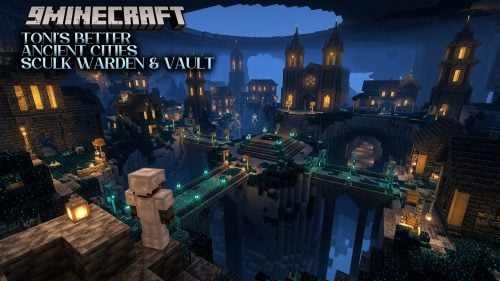 TONI’s Better Ancient Cities Sculk Warden & Vault Mod (26.3, 1.20.1)
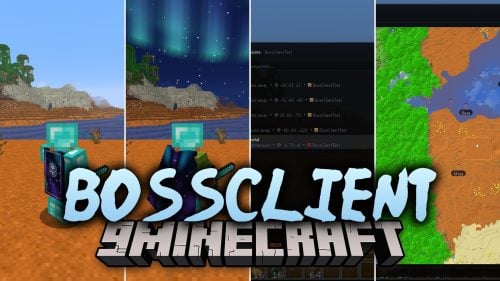 Bossclient Mod (26.3, 1.21.1) – Win PvP Fights with Over 80 HUD, Combat
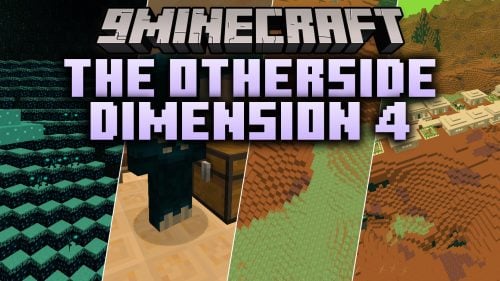 The Otherside Dimension 4 Mod (26.1.2) – Open the Ancient City Portal
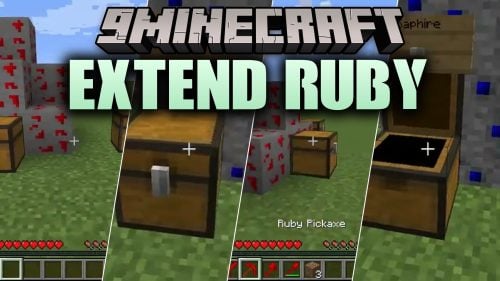 Extend Ruby Mod (26.2) – Mine Rubies to Craft Red Armor, Tools, and Shields
 By Powder and Steel Mod (1.20.1) – Hunt Armed Mobs to Craft Powerful Firearms
 Real Tanks Mod (1.21.1) – Command a Full Abrams Crew in Armored Tank Warfare
 Beyond the Hatch Mod (1.21.1) – Explore Floating Sky Islands
 Sophisticated Backpacks Unofficial Fabric Continuation Mod (26.3)
 Advanced Weather Mod (1.21.1) – Predict Deadly Storms with Custom Weather
 From Just Sticks Mod (1.21.1, 1.20.1) – Knap Flint, Cast Copper

This post has no comments yet. Be the first — your comment will appear here.