
Snowfall’s Mace Essentials Model – Transforms Everyday Blocks for Mace PvP
 12
 0


Snowfall’s Mace Essentials Model transforms the look of everyday blocks and items for Minecraft Mace PvP. This pack includes 282 custom 3D models and 167 texture files, along with animated textures. It updates plants, utility blocks, and redstone parts to give your combat world a fresh visual style.

Features:
- 282 Custom 3D Models: Replaces standard block shapes with detailed three-dimensional designs for Mace PvP.
- 167 Texture Files: Updates block surfaces and includes animated textures.
- Changes the look of bamboo across different growth ages, along with both small and large bamboo leaves.
- Redesigns big dripleaf stems and leaves, showing distinct visual states for partial tilt and full tilt when stepped on.
- Updates the brewing stand model to clearly show empty slots and attached potion bottles in all three positions.
- Restyles bells with custom models for floor placement, ceiling hanging, single wall mounting, and hanging between two walls.
- Gives beacons, cacti, and buttons fresh 3D shapes, including separate models for buttons in your inventory and when pressed.
How to Use:
- Place the pack into your resource packs folder and activate it in the game settings menu.
- Visit a jungle biome or Lush Cave to find bamboo and big dripleaf plants, and step on the dripleaf to watch the model shift from partial tilt to full tilt.
- Head to a desert to spot the updated cactus model, or find a village to see how the bell model changes when hung on a floor, ceiling, or between walls.
- Craft a brewing stand with a blaze rod and cobblestone, then place water bottles inside to see the empty slots fill up with 3D bottle models.
- Craft a button to check its inventory model, place it on a block, and right-click it to see the pressed model state and any animated textures in action.
Requirements:
- A Minecraft version that supports animated textures
Screenshots:


Snowfall’s Mace Essentials Model Download Links
Click to rate this post!
[Total: 0 Average: 0]
You May Also Like
Picked for this page
 Dragon Woman Galath Jenny Mod Model
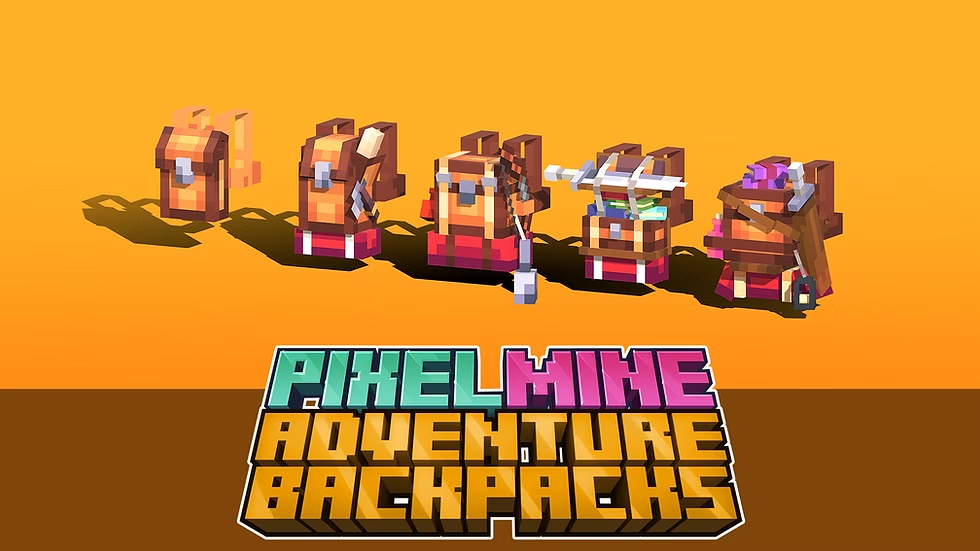 Adventure Backpack Model
 Pixel Perfection Fidelity Model – Brings Cozy Medieval 3D Models to Blocks
 Northern Wonderer Model – Adds 660 Custom 3D Models to Doors and Rails
 Bare Bones X Model – Brings Simple 3D Foliage and Modded Block Visuals
 100Follower Bedwars Pack Model – Transforms Arena Blocks for Clearer Fights
 Quadral Model – Brings Vivid Colors and 31 Custom 3D Models to Vanilla
 Brush & Juice Model – Brings Animated 3D Redstone and Mechanical Blocks
 Simply Alive Model – Brings Animated 3D Blocks and Capybara Totems
 Gui’s Better Vanilla Model – Brings Animated 3D Torches and Plants
 ShadowBlade Model – Equips Animated 3D Fantasy Weapons for PvP Combat
 The Original Work Programmer Art Model – Brings Classic Retro Visuals and Models
Most viewed in Models over the last 7 days
 Jenny Mod Skin Pack Mega Collection – 310+ Characters
 The Most Complete Collection of Jenny Mod Resources – Models, Animations, Structures,…
 Albedo Rework Jenny Mod Model
 Galath Rework Model – Custom Girl for PleasureCraft Mod
 Power Model – Custom Girl for PleasureCraft Mod
 Pomni Jenny Mod Model
 750 Models Addon for Yes Steve Model Mod
 Ram Model – Custom Girl for PleasureCraft Mod
 Femboy Ellie Rework Jenny Mod Model
 Ellie Rework Jenny Mod Model
 100+ Custom Animations For Jenny Mod
 Steve (Jenny & Zoey) Pack Jenny Mod Model
More from Models
 Human Era Villagers & Illagers X Fresh Animations Model
 Faithless Model – Adds 698 Custom 3D Models While Keeping the Vanilla Look
 Moonlit Model – Adds Soft Glowing Gear and Custom 3D Copper Lanterns
 New Default Model – Adds Thousands of 3D Block Models with Animated Fire
 S.O.M Model – Adds 118 Custom 3D Models for Leaves, Redstone and Nether Plants
 Excalibur Model – Adds Medieval 3D Models to Spawn Eggs and Steel Bars
 Ultimate Redstone Model – Brings Animated 3D Parts to Redstone Machines
 Spinky’s Christmas Chests Leaves Model – Brings Layered Leaves and Presents
 Comprogrammer Model – Transforms Modded Worlds with Retro Blocky Models
 Fyoncle’s 3D Trims Model – Transforms Smithing Templates Into Carved Tablets
 3D Vanilla Items Model – Transforms Flat Inventory Items Into 3D Shapes
 Crimson Curse Infection Model – Transforms Blocks Into Living Nether Terrors

This post has no comments yet. Be the first — your comment will appear here.