
Zetter Mod (1.20.1, 1.19.2) – Create In-Game Canvas Art

 0


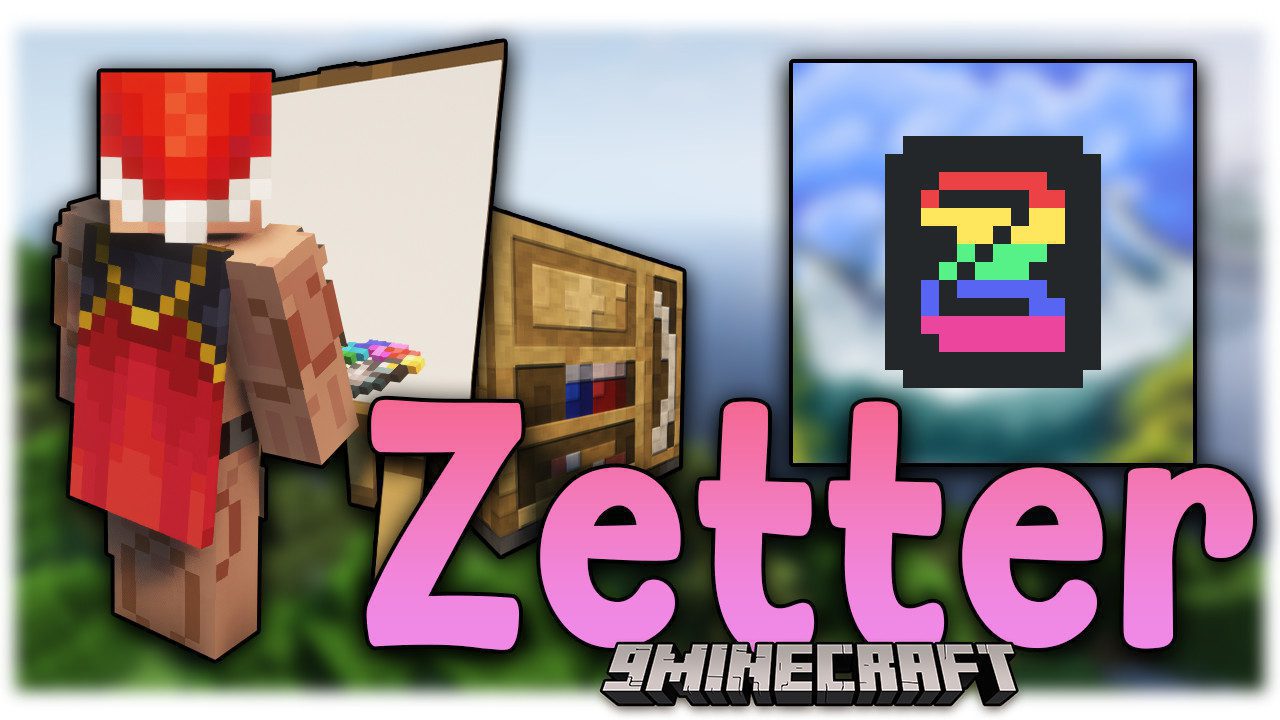
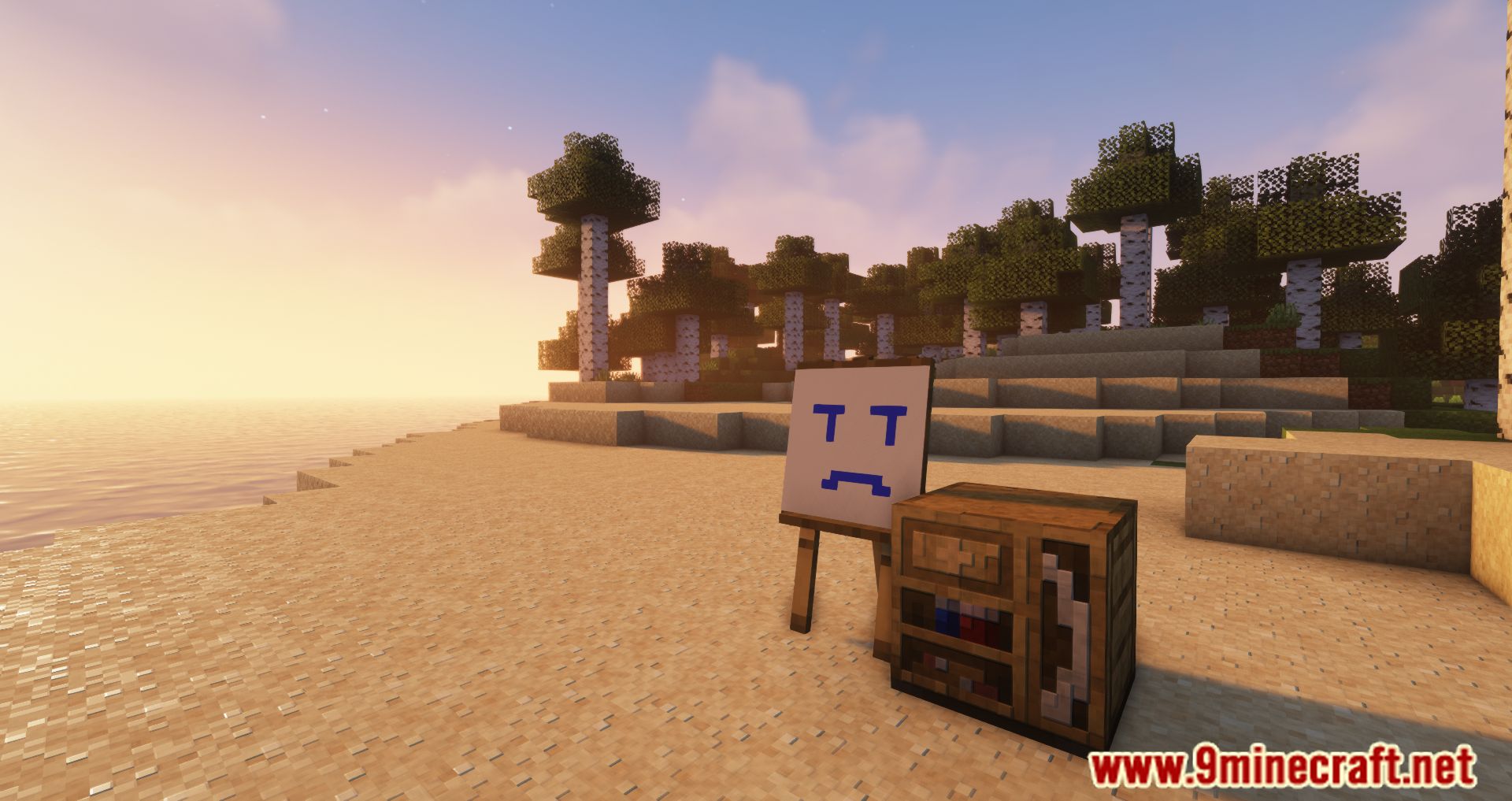
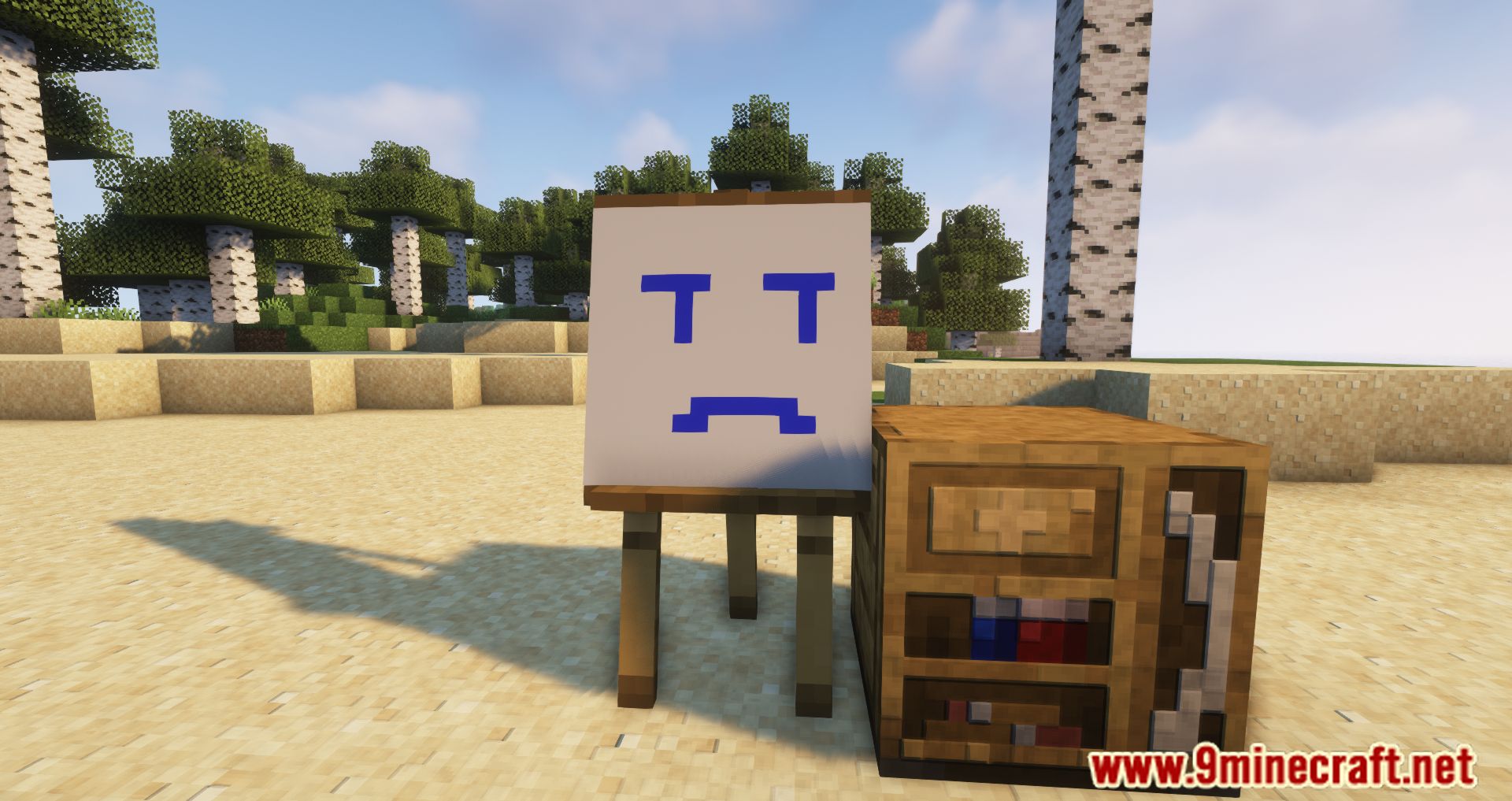
Zetter Mod adds a custom drawing screen to Minecraft so you can paint your own pixel art. Multiple players can edit the same canvas at the same time and see live updates right away. It gives you 18 wooden frame types, decorative golden frames, and iron bezel-less frames for large wall art. You also get tools like a smooth brush, bucket, eyedropper, zoom, and refillable color palettes to help you paint. You can combine small paintings into artwork up to 4×4 blocks big and export finished pieces as PNG files. This mod keeps normal gameplay untouched so custom paintings fit naturally into your world.
Features:
- Multiplayer Painting: Multiple players can edit the same canvas at the same time, and everyone nearby sees live updates as you draw.
- Large Wall Art: Edit up to 2×2 canvases on an easel, or combine 16×16 paintings on a wall to make artwork up to 4×4 blocks big.
- PNG Export: Export your finished paintings as PNG image files with a simple command.
- Uses dynamic loading and unloading to manage canvas textures.
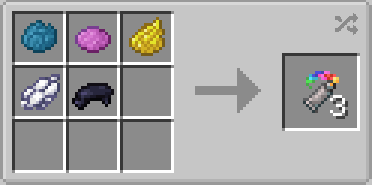
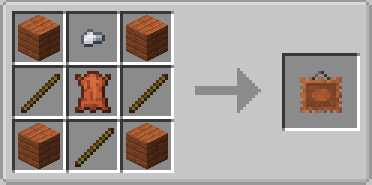
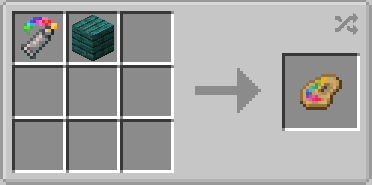
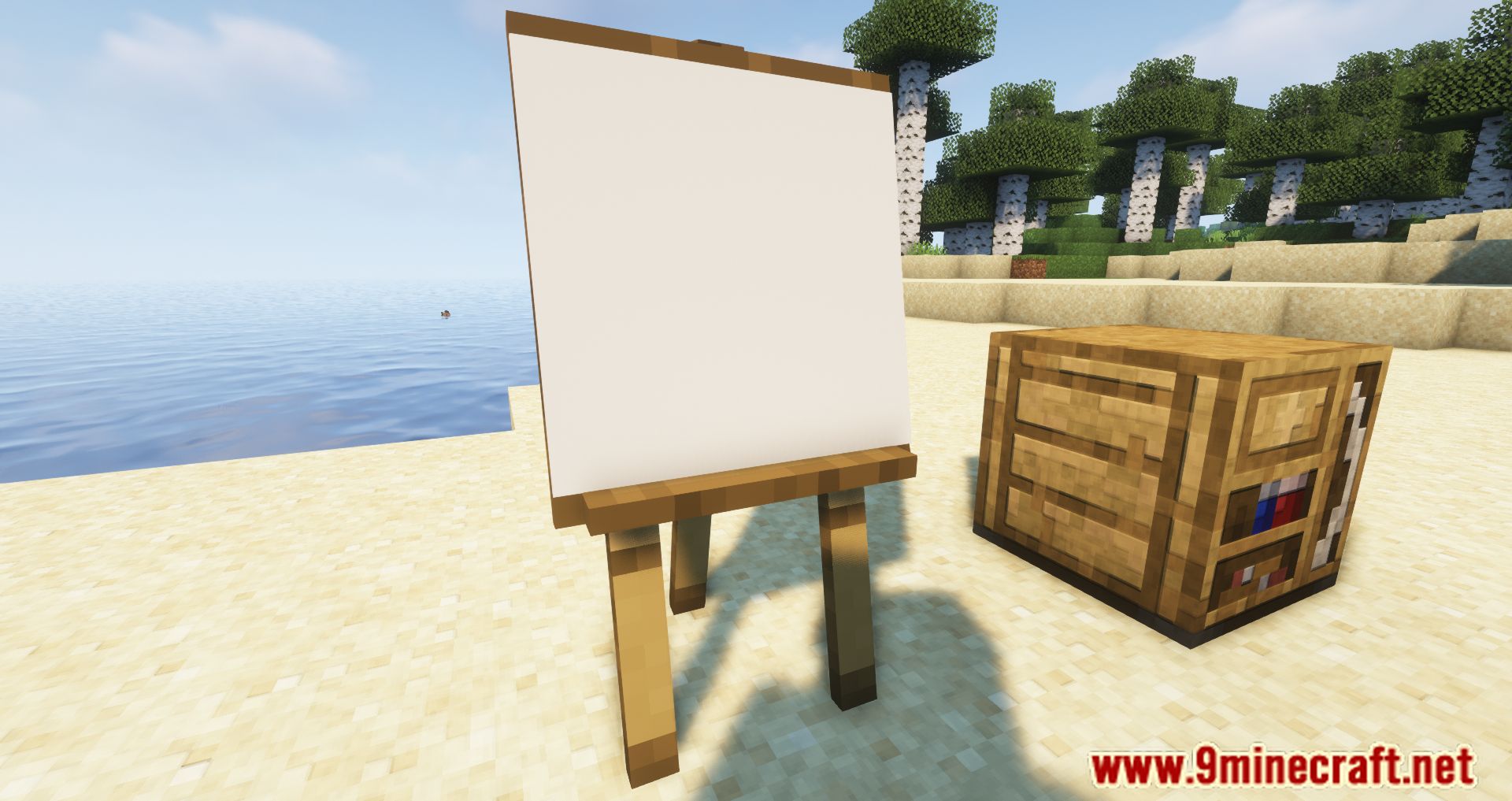
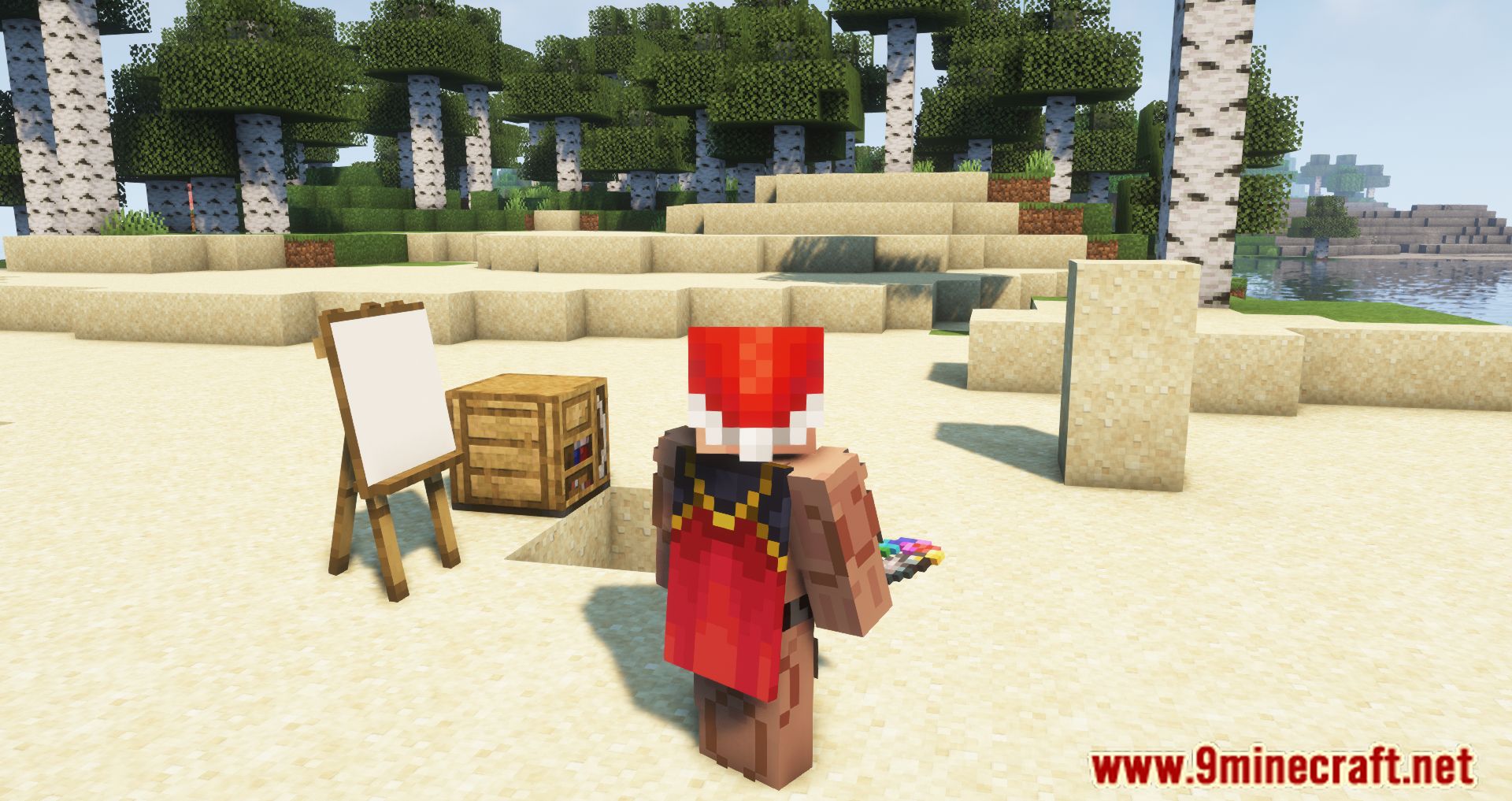
- Adds craftable painting supplies, including easels, blank canvases, paint tubes, palettes, frames, and an artist table.
- Supports 8 languages: American English, Russian, Portuguese, Spanish, German, Chinese, Polish, and Hebrew.
Frames:
- Adds 18 frame types made from all vanilla wood types.
- Lets you add a golden nameplate to any frame so right-clicking it shows the painting’s name.
- Includes golden frames that come with extra decoration.
- Offers iron bezel-less frames that connect side by side with no borders to form huge seamless paintings.
- Makes frames easy to replace, letting you take a painting off one frame and put it into another.
Drawing and Color Tools:
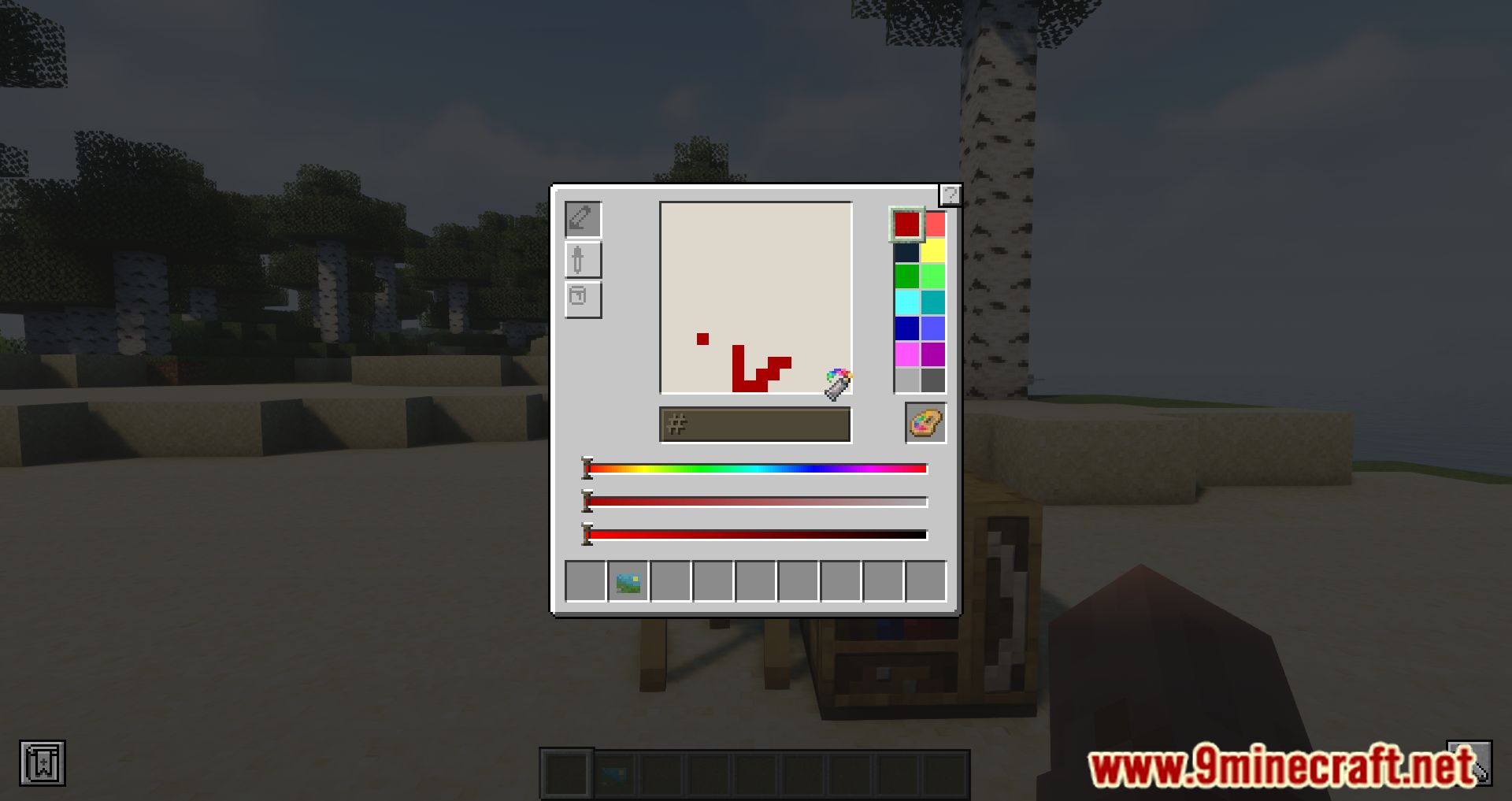
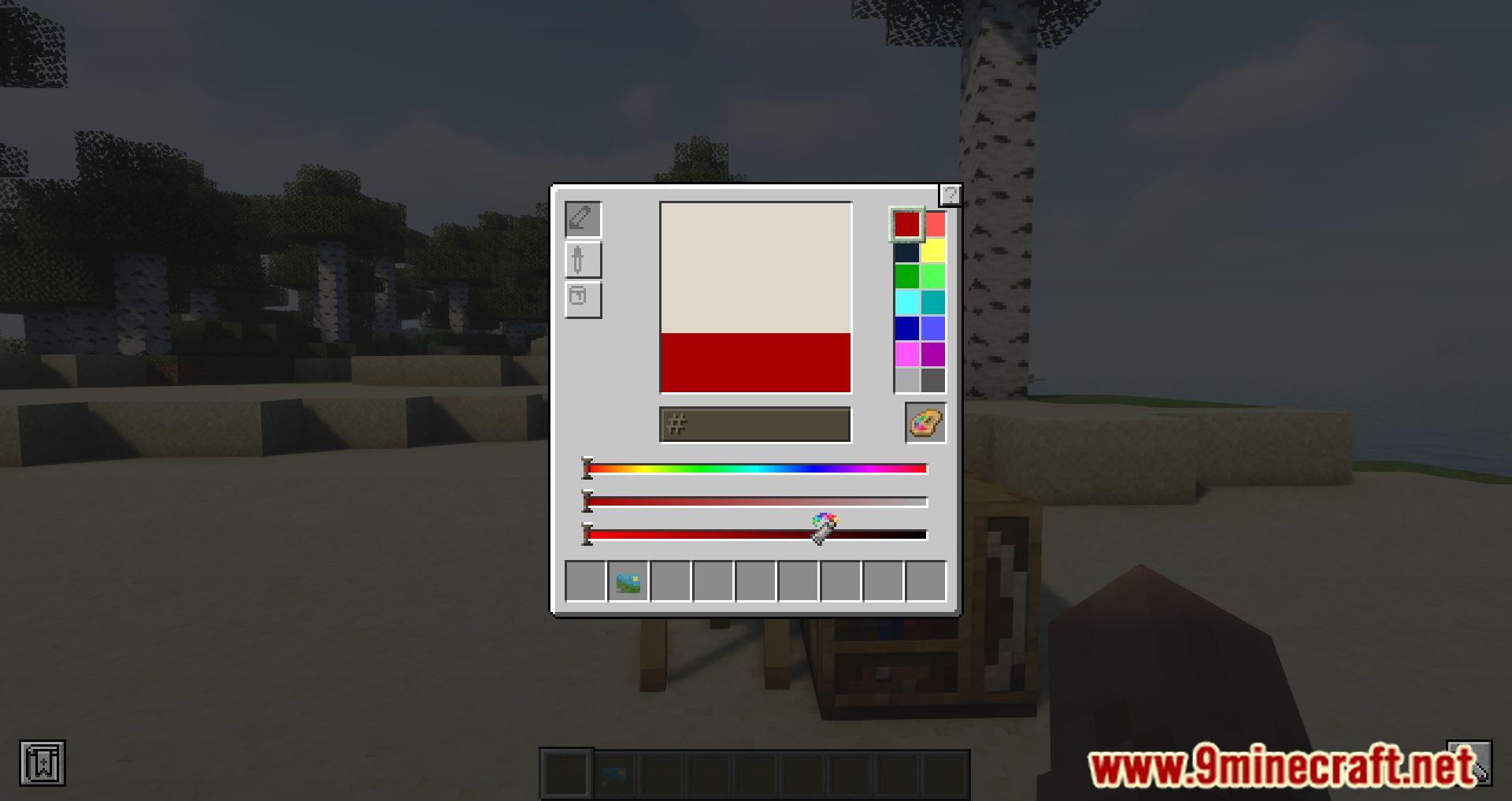
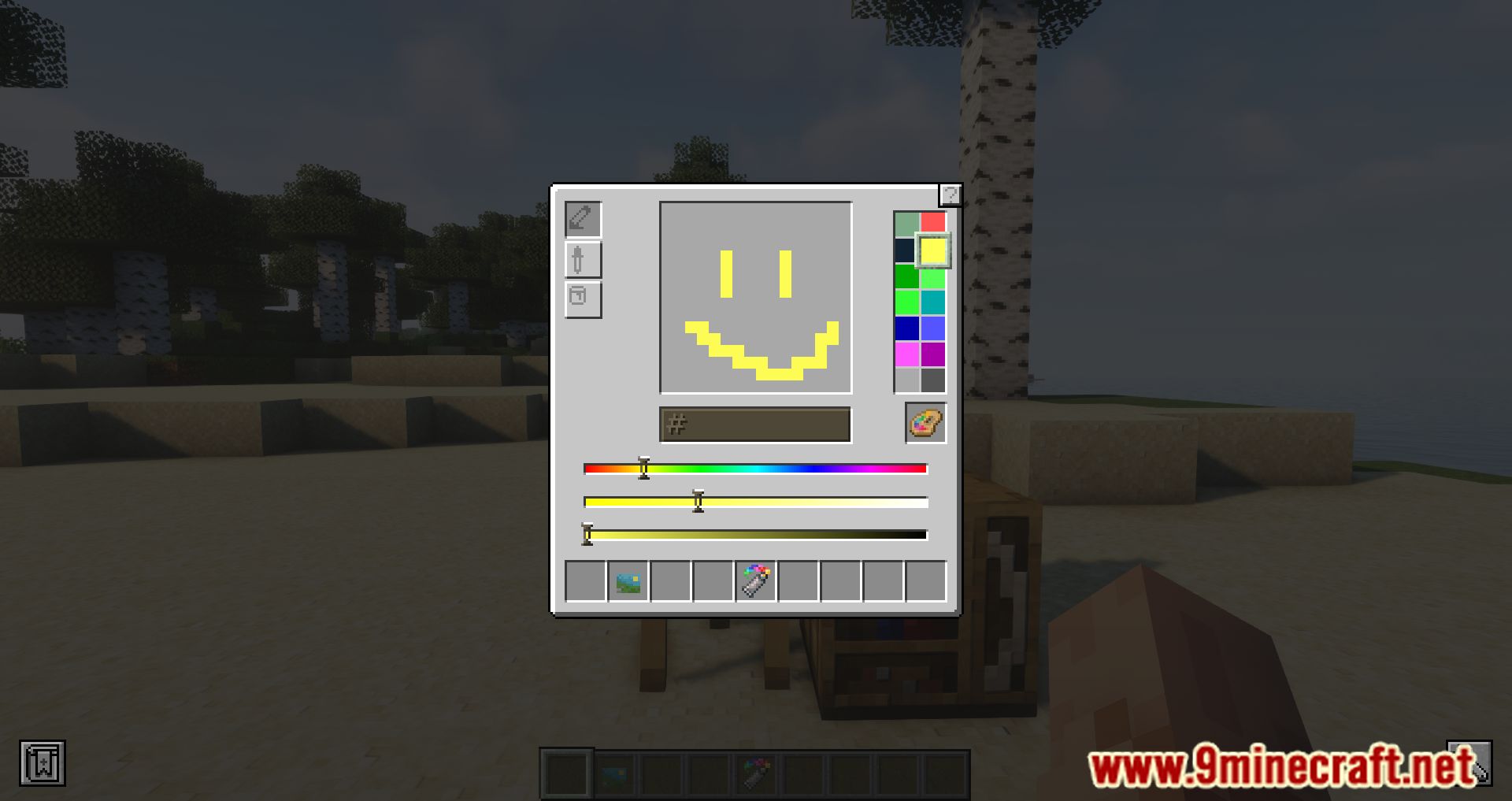
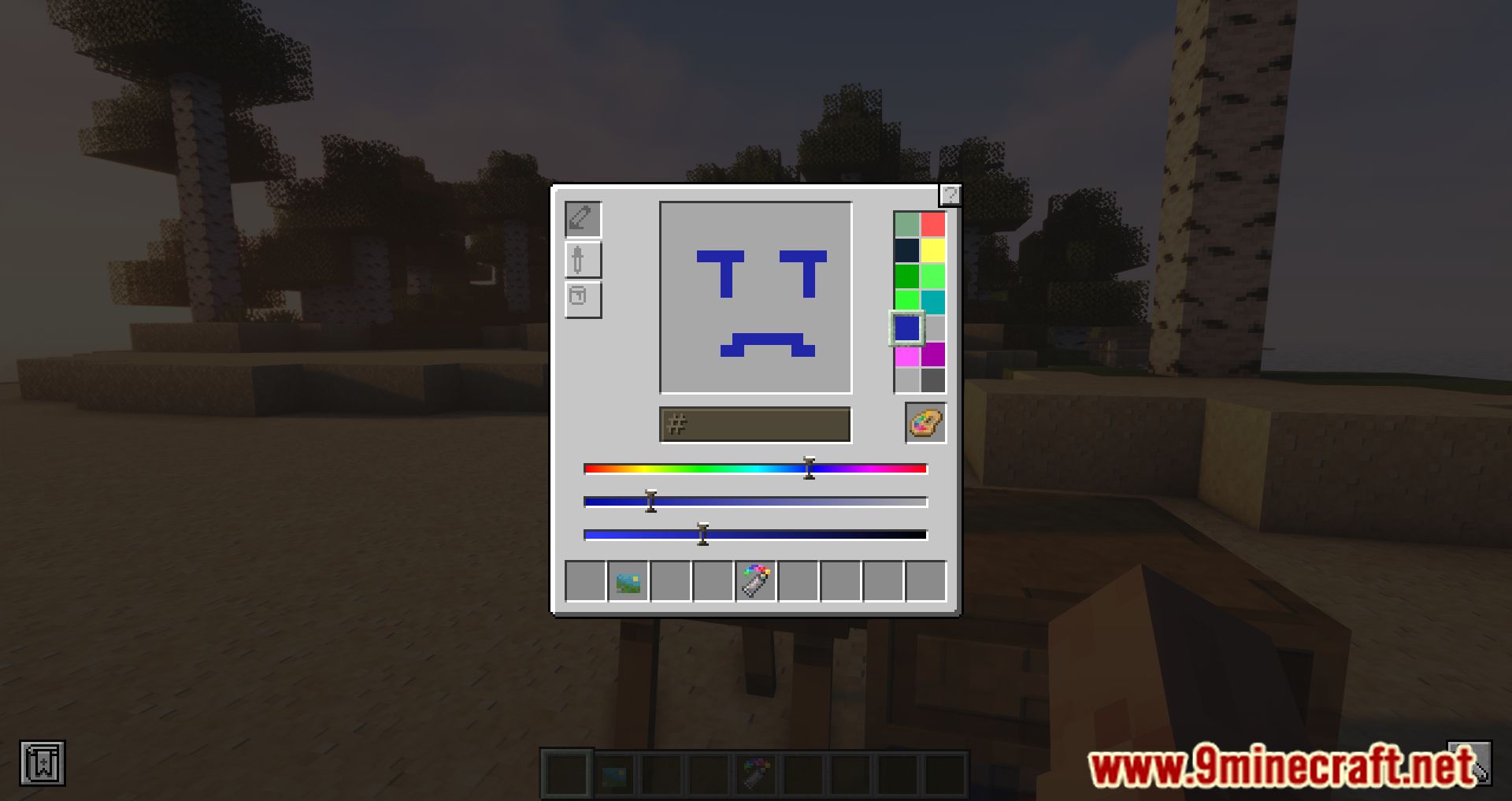
- Provides hex color code input fields and HSV sliders for picking exact colors.
- Gives you three color blending options: classic RGB, subtractive, and realistic.
- Includes a brush tool with smooth edges and a bucket tool for filling areas with color.
- Adds eyedropper, hand, and zoom tools to help you pick colors and move around the canvas.
- Lets you save colors in palettes, recharge them with paint, and use them across multiple canvases.
- Includes hotkeys for quicker actions while painting.
Commands:
/zetter export: Exports your paintings to PNG image files.
How to Use:
- Craft an easel, blank canvas, paint tubes, and a palette, then place the easel down in your world.
- Put a blank canvas on the easel and interact with it to open the custom drawing screen, where you can edit up to 2×2 canvases.
- Pick your colors using the HSV sliders or hex code fields, save them to a palette, and recharge the palette with paint when it runs low.
- Draw your artwork with the smooth brush, bucket, eyedropper, hand, and zoom tools while nearby players can join in on the same canvas.
- Place your finished painting into a wooden, golden, or iron bezel-less frame, or combine multiple 16×16 paintings on a wall to create artwork up to 4×4 blocks big.
- Right-click a frame with a golden nameplate to see the painting’s name, or remove the painting whenever you want to switch frames.
- Type
/zetter exportin chat to save your painting as a PNG file.
Crafting Recipes:
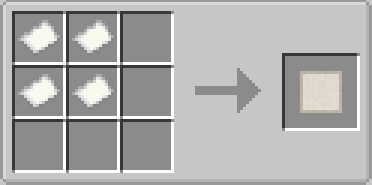
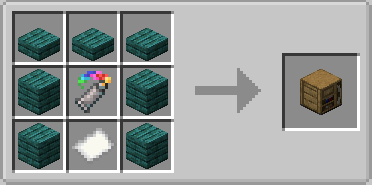
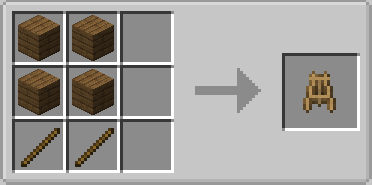
Screenshots:
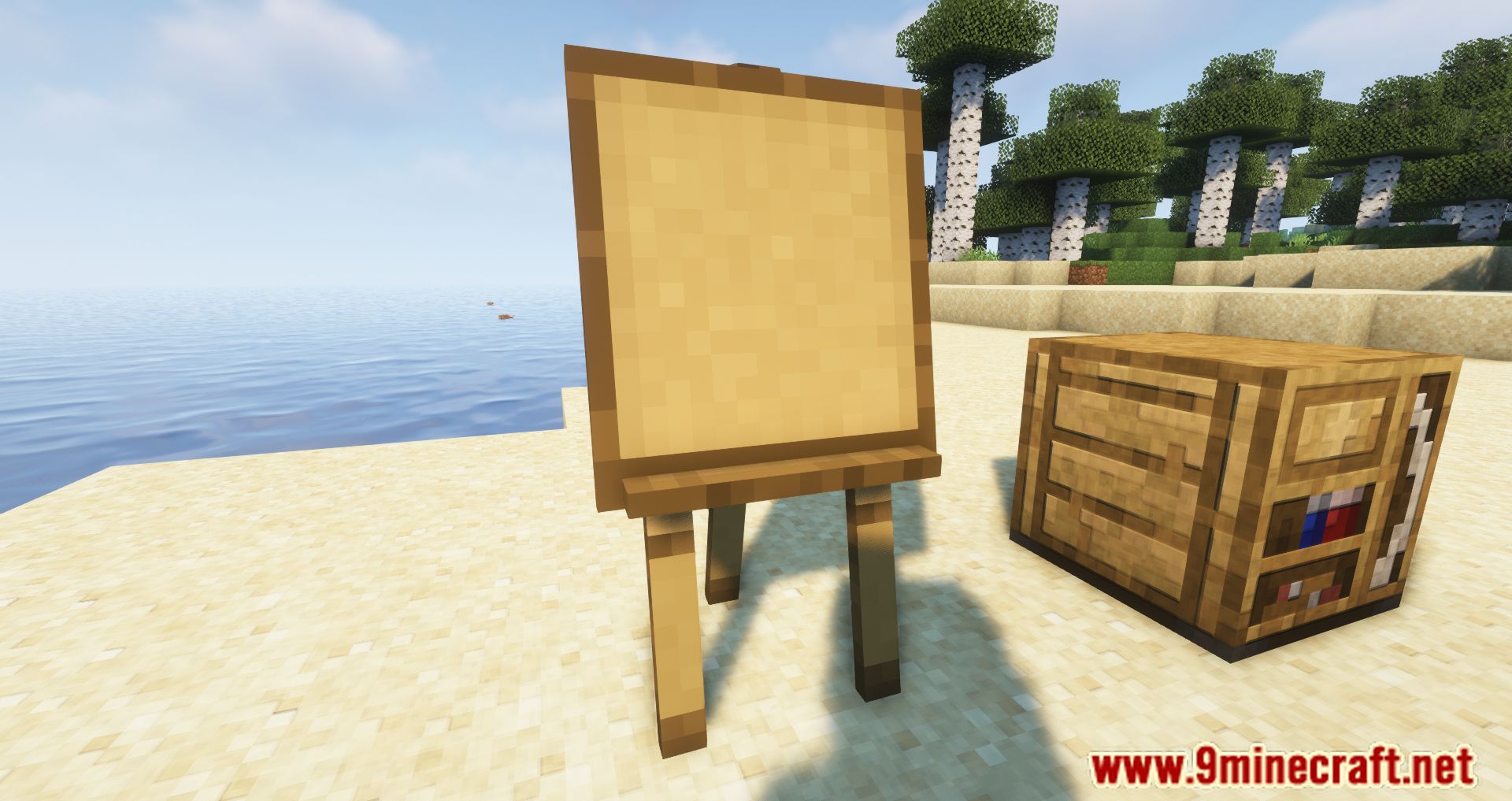
How to Install:
New to Minecraft? Follow our step-by-step guide to install Mods on your PC.View Guide
Zetter Mod Download Links
For Minecraft 1.20.1, 1.20
Forge Version: Download from Server 1 – Download from Server 2
For Minecraft 1.19.4
Forge Version: Download from Server 1 – Download from Server 2
For Minecraft 1.19.3
Forge Version: Download from Server 1 – Download from Server 2
For Minecraft 1.19.2
Forge Version: Download from Server 1
For Minecraft 1.18.2
Forge Version: Download from Server 1
For Minecraft 1.17.1
Forge Version: Download from Server 1
For Minecraft 1.16.5
Forge Version: Download from Server 1
Have you ever created your own Minecraft mod or modpack, even a simple one?
40 responses · See the full results →
You May Also Like
Picked for this page
 Iron Chests Mod (26.3, 1.20.1) – Finally Organize Your Loot
 Camera Mod (26.3, 1.20.1) – In-Game Photography
 Replay Mod (26.3, 1.20.1) – Record, Relive, Share Your Experience
 Chisels & Bits Mod (26.1.2, 1.20.1) – The Ultimate of Building Tool
 Immersive Paintings Mod (26.2, 1.20.1) – Craft a Custom Painting
 Project Red Mod (1.21.1, 1.20.1) – Run Redstone Up Your Walls
 Nomadic Tents Mod (1.21.1, 1.20.1) – Pack Up Your Base and Go
 Ore Detector Mod (26.3, 1.21.1) – Advanced Finders
 Paintings ++ Mod (1.20.11, 1.20.1) – Decorate with Your Own Art
 Overworld Piglins Mod (26.3, 1.20.1) – Piglin Survival in Overworld
 Ding Mod (1.21.5, 1.20.1) – Stop Staring at the Screen
 Ceramics Mod (1.20.1) – Clay Becomes Your First Gear
Most viewed in Mods over the last 7 days
 Ala Industrial Mod (26.3) – Run Electric Power Grids and Automated Factories
 PleasureCraft Mod (26.3, 1.21.1) – Jenny Mod Remake for Fabric
 Jennycraft Mod (26.3, 1.20.1) – Virtual Girlfriend in Minecraft
 Fapcraft Mod (26.3, 1.12.2) – Comprehensive and Detailed Content
 Jenny Mod (Fapcraft) Official Complete Guide – How to use, Tutorial
 BangCraft Mod (1.20.1) – Jenny, Ellie and Elliot
 Fabric Loader (26.3, 1.20.1) – Fabric Installer for All Minecraft Versions
 The Shooting Star Demo Mod (26.3, 1.20.1) – Vaporize Terrain From Orbit
 Meteor Client Mod (26.3, 1.20.1) – Xray, HUD, Fly
 OptiFine HD (26.3, 1.20.1) – Run Faster, FPS Boost, Shaders Support
 Aristois Client Mod (1.21.4, 1.20.1) – World Class Minecraft Utility
 Prestige Client Mod (1.21.11, 1.21.4) – Powerful Ghost Features for Crystal & Sword PvP
More from Mods
 Libvulpes – Fixed Mod (1.12.2) – Launch Rockets with Fewer Bugs
 Freelook Perspective Mod (26.3, 1.21.1) – Watch Your Back While Sprinting
 FAUNA Engine Mod (1.21.1, 1.20.1) – Powering Legendary Dragons
 Avali Nexus Mod (26.3) – Settle Frozen Frontiers with High-Tech Bird Tribes
 Orient’s Hotpot Chronicles Mod (1.20.1) – Boil Fresh Hotpot Meals Over Open Flames
 Far Lands Traveler Mod (26.1.2) – Survive the Long Trek to the Edge of the World
 Beli’s SkyLyrics Mod (1.21.11) – Sing Along to Desktop Tracks Projected in the Night Sky
 Explainstone and Songmelyn Mod (1.21.1) – Broadcast Custom Music Across Your Base
 Rockstar Shaders Mod (26.3) – Cast Ray-Traced Light Across Vast Distant Horizons
 ERYDON Mod (1.20.1) – Design Grand Courtyards with Carved Marble Pillars
 Infinity Bound Mod (1.21.1) – Snap Away Enemies with Legendary Superhero Gear
 Legacy Gecko Lib Fabric Mod (1.16.5) – Power Animated Creatures in Modpacks

This post has no comments yet. Be the first — your comment will appear here.