
Stone Farm Schematic (1.21.x) – Efficient Create Mod Cobblestone Generator Build

 0


Stone Farm Schematic provides a quick way to produce cobblestone using the Create mod. This build uses water wheels for power and works efficiently in your survival world. You only need to follow a few steps to get the machinery running. It fits into a small space and helps you gather building materials without mining by hand.

3D Preview & Editor:
How to place this schematic
.nbt This is a vanilla structure file. It loads through structure blocks with no mod at all, within the 48×48×48 size limit.
| 1 | Put the .nbt file in <your world>/generated/minecraft/structures. |
| 2 | Give yourself a structure block: /give @s structure_block. |
| 3 | Place it, open it and switch the mode to LOAD. |
| 4 | Type the file name without .nbt, press LOAD, then PLACE. |
About this build
| 1 | Place the schematic in your world using the Schematicannon or build it manually following the layout. |
| 2 | Pour water onto the oak leaves as part of the generator setup. |
| 3 | Pour water onto the water wheels to start the power rotation. |
| 4 | Watch the machine start breaking and collecting cobblestone for you. |
Features:
- Fast Cobblestone Production: Generates stone quickly so you always have enough blocks for building.
- Uses water wheels as a simple and reliable power source for the entire machine.
- Requires a small area of only 16 by 13 blocks, making it easy to place near your base.
- Uses oak leaves and water to create the cobblestone blocks automatically.
- Includes a design that uses 1,256 total blocks for a complete factory setup.
Schematic Specs:
 Minecraft1.21.x
 Create Mod6.0.10
 Dimensions16×13×19
 Total Blocks1,256
 Top Blocks Used
Stone 367Smooth Stone 188Cobblestone 136Oak Log 98Water Wheel Structure 80
Screenshots:

Requirements:

Stone Farm Schematic Download Links
For Minecraft 1.21.x
Click to rate this post!
[Total: 0 Average: 0]
QUICK MINECRAFT SURVEY · ONE TAP
Mods & Modpacks
Which performance or optimization mod do you rely on the most?
13 responses · See the full results →
You May Also Like
Picked for this page
 Steampunk Factory Design Empty Schematic (1.21.x) – Large Industrial Building for Create Mod
 Saturn Diesel Powered Hover Bike Schematic (1.21.x) – Fast Mechanical Flying Vehicle Build
 Wip Battleship Schematic (1.21.x) – Floating Warship Base with Steam Power
 Ch 53k King Stallion Schematic (1.21.x) – Heavy Lift Survival Helicopter
 Engine Level9 Schematic (1.21.x) – Compact Steam Engine for Create Airships
 Crazy Tank Schematic (1.21.x) – Compact Military Tank for Create Mod
 Semi Trailer Truck Semi Truck Schematic (1.21.x) – Drive a Working Truck in Your Survival World
 Velocity CAR Schematic (1.21.x) – Fast Industrial Scout Car Blueprint
 Mini Rocket Schematic (1.21.x) – Tiny Gta V Inspired Car Design
 Bus Prototype Schematic (1.21.x) – Simple Vehicle Design for Create Mod
 Half Track Atv Schematic (1.21.x) – Compact Coal Powered All Terrain Vehicle
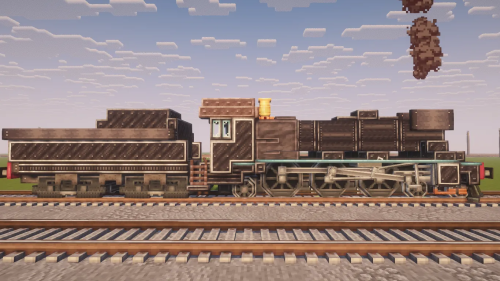 Vulcan Foundry 4 6 2 12e Class Steam Locomotive Schematic (1.21.x) – Detailed Steam Train Blueprint
Most viewed in Create Mod Schematics over the last 7 days
 Copper Flying Ship That Can Also Act as a Normal Boat Schematic (1.21.x) – Dual Purpose Copper
 Rail Gun Schematic (1.21.x)
 Agrimotor Schematic (1.21.x) – Build a Functional Create Mod Tractor
 Large Submarine Schematic (1.21.x) – Build a Large Submarine for Travel
 F16 Falcon Schematic (1.21.x)
 Starter Iron Farm Schematic (1.21.x) – Simple Early Game Iron Production Build
 Arasaka Tower Schematic (1.21.x) – Massive Black Industrial Skyscraper Build
 Diesel Engine Train Schematic (1.21.x) – Heavy Freight Locomotive for Create Mod
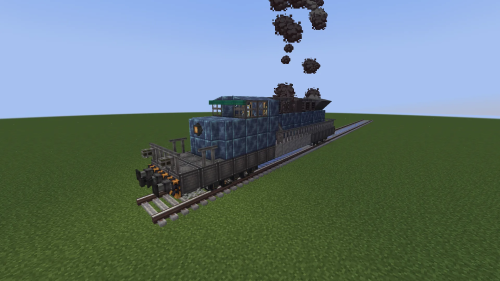 Sd40 2 Blue Nbt Schematic (1.20.x) – Classic Blue American Locomotive
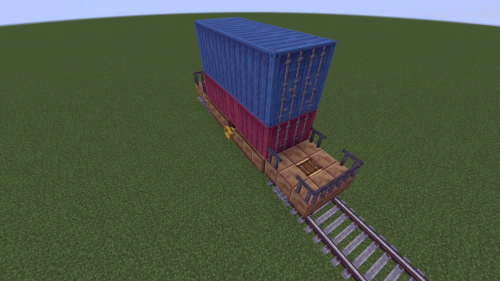 Thrall 40ft 53ft Well Car Nbt Schematic (1.20.x) – Legendary Double Stack Container Train Car
 Class 86 Schematic (1.21.x) – Classic 1960s Electric Train
 Practical Compact Mining Machine Schematic (1.21.x) – Compact Drilling Vehicle for Create
More from Create Mod Schematics
 Ctiv 2 Core Tornado Interceptor Vehicle Schematic (1.21.x) – Powerful Storm Chasing Vehicle
 Powerpole Schematic (1.21.x) – Simple Industrial Power Pole for Create
 Cloud Skipper Schematic (1.21.x)
 Tram Klas Br 32 Nbt Schematic (1.20.x) – Small and Agile City Tram
 Extra Fast Airship Schematic (1.21.x) – Compact High Speed Flying Machine
 NoseDiver Schematic (1.21.x) – Hybrid Stunt Plane and Helicopter Build
 Baureihe 61 002 Schematic (1.21.x) – Historical German Steam Locomotive for Create Mod
 Tank Destroyer Schematic (1.21.x) – Simple Armored Vehicle for Create
 Sd40 2 Red Nbt Schematic (1.20.x) – Build a Detailed Red Diesel Locomotive
 Sd40 2 White Nbt Schematic (1.20.x) – White American Sd40-2 Locomotive
 Transiter 2005 a New Are Car Schematic (1.21.x) – Compact Drivable Car for Create Aeronautics
 Flying Caramel Schematic (1.21.x) – Compact Airplane for Short Runways

This post has no comments yet. Be the first — your comment will appear here.