
Floatory Mod (26.3, 1.21.11) – Open Chests and Inventories As Floating 3D Panels
 6
 0

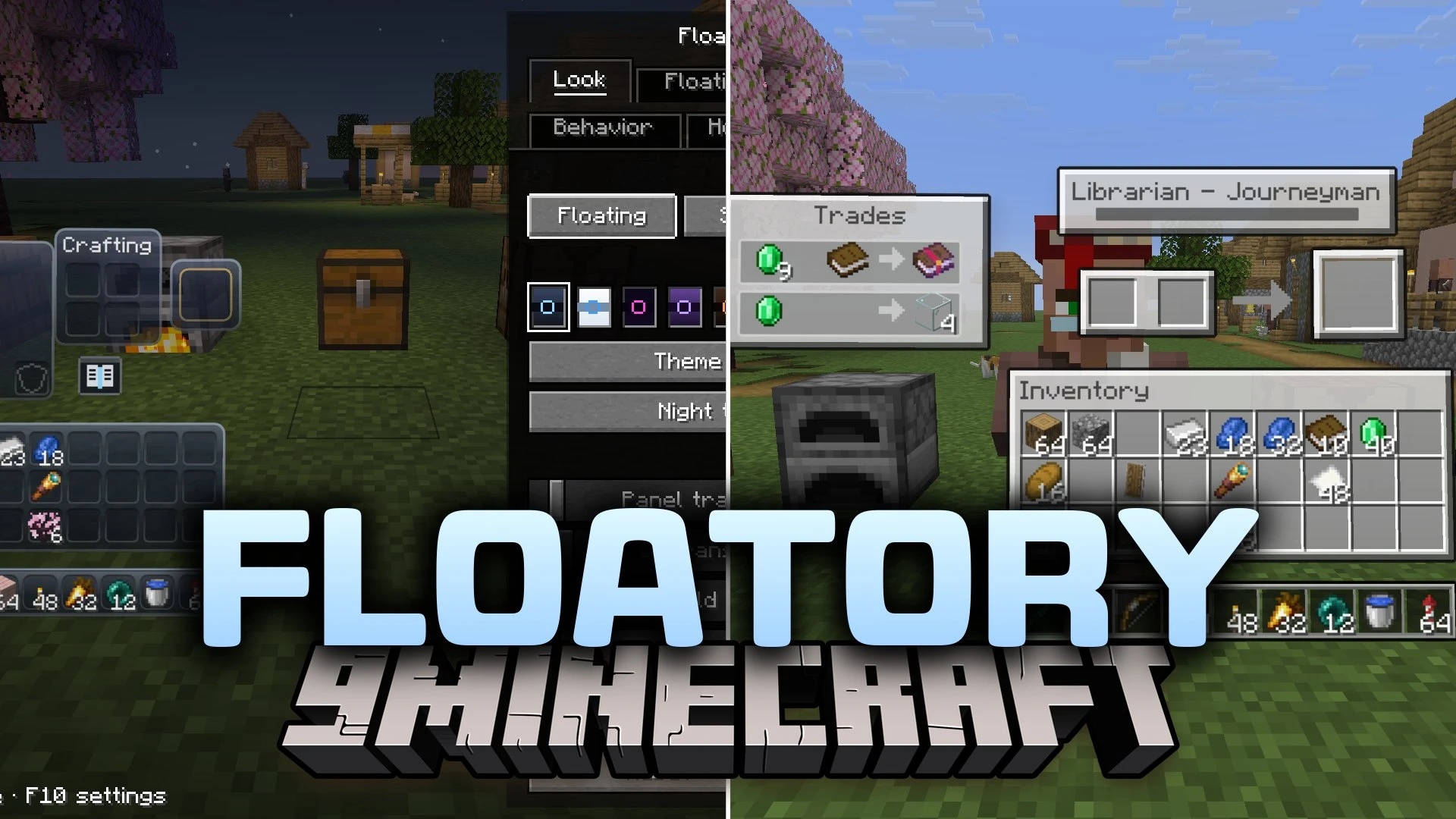
Floatory Mod breaks your inventory, chests, and furnaces into floating 3D panels right in front of the camera. It works only on your client, so you can use it on any server. It needs no resource packs.
Features:
- Three modes: Floating keeps panels hovering in front of you. Spatial hangs windows in the world next to your character with an over-the-shoulder camera. Hybrid mixes the two.
- Nine themes: Pick from Classic, Glass, Frost, Neon, Amethyst, Embers, Sakura, Ocean, or Aurora. Each theme has its own hotbar.
- Automatic layout: The container, result, inventory, hotbar, armour, recipe book, buttons, and labels each get their own card. Modded containers work too.
- Real 3D input: Clicking, dragging, shift-click, and right-click all work directly on the panels.
- Smooth animations: Panels fly out when you open a screen and fly back in when you close it. The hotbar flows from the HUD into the inventory.
- Presets and sharing: Choose Default, Minimal, Max effects, or Low-end PC. Copy your settings as a single line of text and share them.
- Switches on an optional night theme by itself when it gets dark.
- Floats the chest, barrel, or shulker grid above the block you opened.
- Lets you pick a mode for each screen group: inventory, creative, chests, crafting, and furnaces. You can also keep the vanilla screen.
- Offers adjustable anti-aliasing. Effects step down on their own when FPS drops below 25.
- Shows a live settings preview with F10 or through Mod Menu.
How to Use:
- Press F8 to turn the mod on or off.
- Press F7 to switch to the next mode.
- Press F9 to switch to the next theme.
- Press F10 to open the settings.
- Change any of these keys in Options → Controls. They also work while a screen is open.
Screenshots:


How to Install:
New to Minecraft? Follow our step-by-step guide to install Mods on your PC.View Guide
Requirements:

Floatory Mod Download Links
For Minecraft 26.3
For Minecraft 26.2
For Minecraft 26.1.2, 26.1.1, 26.1
For Minecraft 1.21.11
Click to rate this post!
[Total: 0 Average: 0]
You May Also Like
Picked for this page
 RevampedWolf Mod (26.3, 1.20.1) – Lead a Pack of Smart Wolves
 Farmer’s Delight Refabricated Mod (26.3, 1.20.1) – Cook More Than Just Steak
 Loot Journal Mod (26.1.2, 1.20.1) – Track Every Item You Collect
 Vault Patcher Mod (26.3, 1.20.1) – Translate Hard Coded Mod Text
 Actually Harvest Mod (26.3, 1.20.1) – Instantly Gather Crops with a Simple
 Oth3r’s Sit Mod (26.3, 1.20.1) – Rest Anywhere on Stairs
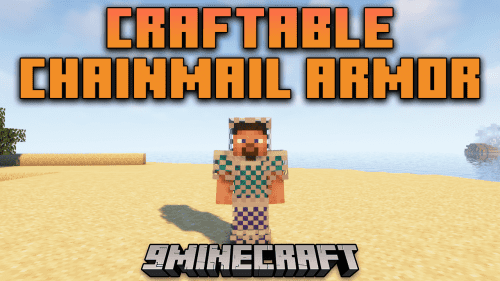 Craftable Chainmail Armor Mod (26.3, 1.20.1) – Craft Chainmail Protection
 Stonevaults, Dungeons & Towers Mod (26.2, 1.20.1) – Conquer Hordes of Monsters
 My Lucky Block Mod (26.3, 1.21.1) – Lucky Block That Triggers Events
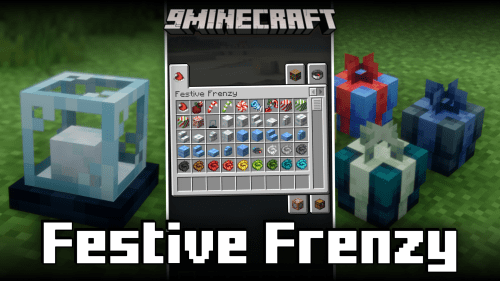 Festive Frenzy Mod (1.21.11, 1.20.1) – Transform Your Base Into a Winter
 Fast Hoppers Mod (26.2, 1.20.1) – Build Massive Item Sorters with Adjustable
 Better Timer Mod (26.3) – Time Every Speedrun and Survival World
Most viewed in Mods over the last 7 days
 Ala Industrial Mod (26.3) – Run Electric Power Grids and Automated Factories
 PleasureCraft Mod (26.3, 1.21.1) – Jenny Mod Remake for Fabric
 Jennycraft Mod (26.3, 1.20.1) – Virtual Girlfriend in Minecraft
 Fapcraft Mod (26.3, 1.12.2) – Comprehensive and Detailed Content
 Jenny Mod (Fapcraft) Official Complete Guide – How to use, Tutorial
 Meteor Client Mod (26.3, 1.20.1) – Xray, HUD, Fly
 Let it Walk Mod (1.21.1) – Pilot Spider Tanks and Mechs Built From Your Blocks
 BangCraft Mod (1.20.1) – Jenny, Ellie and Elliot
 OptiFine HD (26.3, 1.20.1) – Run Faster, FPS Boost, Shaders Support
 CatLean Client Mod (26.2, 1.21.11) – ThunderHack Recode Alternatives
 Fabric Loader (26.3, 1.20.1) – Fabric Installer for All Minecraft Versions
 SeedCrackerX Mod (26.3, 1.20.1) – Find Any World Seed
More from Mods
 Icarus Reborn Mod (26.3, 26.1.2) – Fly Early on Wax Wings, Just Not Too Close
 PvPHQ Tiertagger Addon Mod (26.3, 1.21.11) – Know Your Rival’s PVPHQ Tier
 Satoyama Mod (26.3) – Farm Rice, Cook Ramen, and Forge Katanas in Rural Japan
 ST Graves Mod (26.3, 1.21.1) – Die Anywhere and Follow a Compass Back
 Speed Force Nexus Mod (1.20.1) – Run on Water and Phase Through Walls Like
 Just Sword Mod (26.3, 1.21.11) – Craft Ruby, Obsidian, and Emerald Swords
 Mine Call Mod (26.3) – Voice Call Your Friends Across Any Server or World
 Max FPS Booster Mod (26.3) – Smooth Frames in Crowded Bases and Big Mob Farms
 Syrup Library Mod (26.3, 1.20.1) – The Shared Toolkit That Keeps Your Other
 Block Draft Mod (26.3, 1.21.1) – Preview Any Schematic As a Hologram
 MyCel Mod (26.3, 26.1.2) – One Shared Core Behind Every MyCelium Mod You Install
 Animal Garden Northern Cardinal Mod (26.3, 1.20.1) – Tame a Pet Cardinal

This post has no comments yet. Be the first — your comment will appear here.