
Max FPS Booster Mod (26.3) – Smooth Frames in Crowded Bases and Big Mob Farms
 14
 0

Max FPS Booster Mod cuts lag by skipping mobs, block entities, and particles that are far away. It shows a live FPS counter that changes color when your framerate drops. The mod also reduces lag spikes in singleplayer and LAN worlds. It works well with Sodium.

Features:
- Color FPS Counter: Shows your live FPS on screen. It turns green at 60 or more, yellow from 30 to 59, and red below 30.
- Entity Culling: Skips mobs that are far away or out of view before the game draws them.
- Block Entity Culling: Stops drawing heavy blocks like chests, shulker boxes, beacons, and banners when they are too far away.
- Particle Culling: Removes out-of-range particles from torches, campfires, portals, and weather splashes.
- Smart Mob Ticking: In singleplayer or a LAN world, far away idle mobs with no target skip extra AI checks. This frees up your CPU and lowers MSPT.
- Auto-Save Lag Reducer: Smooths out world saves so you get fewer freezes and stutters.
- Slows down animated texture updates to ease the load on your GPU. Animations still look natural.
- Lets you place the counter in any corner: top-left (default), top-right, bottom-left, or bottom-right.
- Can also show min and max FPS, plus frame time in milliseconds.
- Hides the counter when you open the full vanilla F3 debug screen.
- Works with Sodium, Iris Shaders, and Lithium without conflicts.
- Applies every setting change right away, so you never need to restart the game.
Configuration:
.minecraft/config/max-fps-booster.json: saves all your settings in one file.
How to Use:
- Install ModMenu if you want an in-game settings screen. It is optional.
- Open the mod’s settings screen from the ModMenu list.
- Turn the toggles and move the sliders to fit your computer.
- Pick which screen corner shows the FPS counter.
How to Install:
New to Minecraft? Follow our step-by-step guide to install Mods on your PC.View Guide
Requirements:

Max FPS Booster Mod Download Links
For Minecraft 26.3
Click to rate this post!
[Total: 0 Average: 0]
You May Also Like
Picked for this page
 Structured Crafting Mod (26.3, 1.20.1) – Automatically Craft Stuff
 Auto Plant Crops Mod (1.21.10, 1.20.1) – Automate Farming
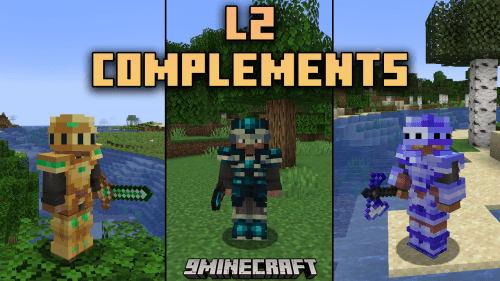 L2 Complements Mod (1.21.1, 1.20.1) – Ultimate Gear And Enchantments
 Care To Share Mod (26.1.2, 1.21.1) – Hand Out Items Directly to Players
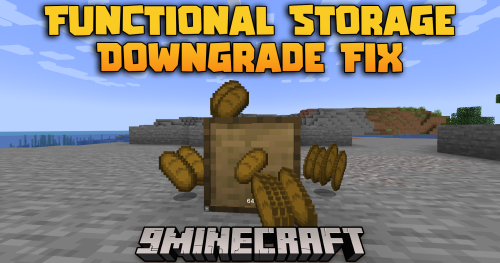 Functional Storage Downgrade Fix Mod (1.20.1) – Stop Storage Drawers
 Classic And Simple Status Bars Mod (1.20.2, 1.20.1) – Read Your Vitals Faster
 Cobblemon Picnic Mod (1.21.1) – Hunt Shiny Pokémon Without Leaving Camp
 Sinew Mod (1.21.1) – Smoother Creature Movement and Smarter Spawning
 World of Silence Mod (26.3, 26.1.2) – Survive a Dark Sculk Realm
 Areed’s CoreLib Mod (26.3) – Run Companion Fabric Mods Across Game Updates
 Linchpin Utility Core Mod (26.3, 1.20.1) – Refine Everyday Survival Gameplay
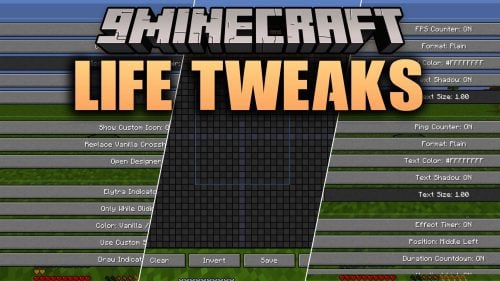 Life Tweaks Mod (1.21.11) – Light Up Caves and Track Every Hit on Any Server
Most viewed in Mods over the last 7 days
 Ala Industrial Mod (26.3) – Run Electric Power Grids and Automated Factories
 PleasureCraft Mod (26.3, 1.21.1) – Jenny Mod Remake for Fabric
 Jennycraft Mod (26.3, 1.20.1) – Virtual Girlfriend in Minecraft
 Fapcraft Mod (26.3, 1.12.2) – Comprehensive and Detailed Content
 Jenny Mod (Fapcraft) Official Complete Guide – How to use, Tutorial
 Meteor Client Mod (26.3, 1.20.1) – Xray, HUD, Fly
 Let it Walk Mod (1.21.1) – Pilot Spider Tanks and Mechs Built From Your Blocks
 BangCraft Mod (1.20.1) – Jenny, Ellie and Elliot
 OptiFine HD (26.3, 1.20.1) – Run Faster, FPS Boost, Shaders Support
 CatLean Client Mod (26.2, 1.21.11) – ThunderHack Recode Alternatives
 Fabric Loader (26.3, 1.20.1) – Fabric Installer for All Minecraft Versions
 SeedCrackerX Mod (26.3, 1.20.1) – Find Any World Seed
More from Mods
 Modern Dynamics Mod (26.3, 1.20.1) – Build Complex Logistics Networks
 BUTTERFINGERS Mod (26.3, 1.20.1) – Defend Your Base and Sort Chests
 Mo’ Bends Mod (26.3, 1.20.1) – Move and Fight Naturally
 Torch Optimizer Mod (26.3, 1.12.2) – Stop Monster Spawns with Perfect Lighting
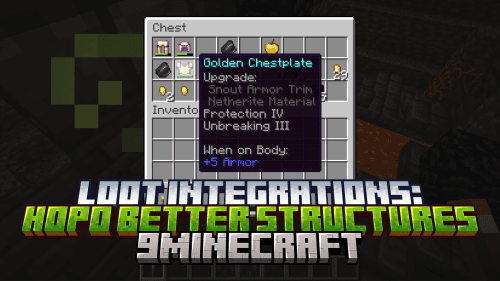 Loot Integrations: Hopo Better Mineshaft, Ruins And Portals Mod (26.3, 1.20.1) – Improved Loot Tables
 Totem Tweaks Mod (26.3, 1.20.1) – Customize Totem Animations During Combat
 Abyssal Core Armory Mod (26.3, 1.20.1) – Forge Lethal Blades From Deadly
 Geo Tectonic Mod (26.3, 1.20.1) – Mine Through Solid Rock to Find
 Neighborly Mod (26.3, 1.20.1) – Build Homes for Animal Friends
 Player Charge Jump Mod (26.3, 1.21.1) – Leap Over Fences Without Needing a Mount
 Snowy Biomes Enhanced Mod (26.3, 1.20.1) – Transform Cold Landscapes
 The God Remake Mod (1.21.1, 1.20.1) – Survive Under a Watchful God Who Judges

This post has no comments yet. Be the first — your comment will appear here.