
Durability Watch HUD Mod (26.3) – Never Let Your Elytra Break Mid-Flight
 12
 0

Durability Watch HUD Mod shows clean durability bars for your armor and elytra directly on your screen. You can drag each display anywhere you want and resize it to fit your view. The mod saves your layout between play sessions so your interface stays right where you left it. It helps you keep an eye on your gear during combat or long flights without opening your inventory.

Features:
- Screen Durability HUD: Shows clear status bars for your worn armor pieces and equipped elytra.
- Drag and Drop Editor: Lets you move every display element anywhere across the screen.
- Corner Resizing: Lets you resize the durability bars by dragging their upper-right corner.
- Layout Memory: Saves your chosen positions and sizes between sessions automatically.
- Monitors your elytra so you never drop out of the sky unexpectedly during flight.
- Keeps the interface minimal so your view stays clean while exploring or fighting.
Commands:
/durabilitywatch: Opens the mod settings and layout editor.
How to Use:
- Type
/durabilitywatchin chat or access the settings screen through Mod Menu. - Click and drag the durability displays to any position on your screen.
- Click and hold the upper-right corner of a display to change its size.
- Exit the menu to save your layout changes.
How to Install:
New to Minecraft? Follow our step-by-step guide to install Mods on your PC.View Guide
Requirements:

Durability Watch HUD Mod Download Links
For Minecraft 26.3
Click to rate this post!
[Total: 0 Average: 0]
You May Also Like
Picked for this page
 Hostile Mobs Improve Over Time Mod (26.3, 1.20.1) – Face Harder Monsters
 Friendly Endermite Mod (26.3, 1.20.1) – Friendermite Mod
 Online Emotes Mod (26.2, 1.20.1) – Perform Custom Animations with Friends
 Ageing Spawners Mod (26.3, 1.20.1) – Spawners Expire After Use
 Potion Counter Mod (26.3, 1.20.1) – Track Potions Mid-Fight
 Accessorify Mod (1.21.10, 1.20.1) – Carry Extra Gear and Free Up Inventory Slots
 Classic Food Mod (1.21.11, 1.20.1) – Brings Back The Old Food For Health System
 Compatible Sword Enchantments Mod (26.3, 1.21.1) – Combine Every Sword Upgrade
 Flux Networks 9minecraft Mod (26.3, 26.2) – Power Machines Without Cables
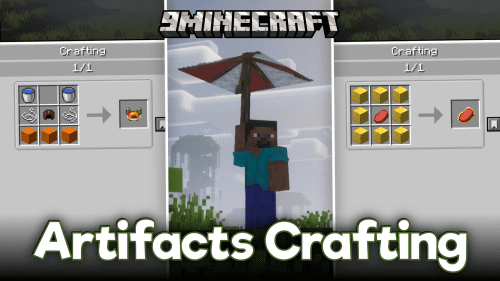 Artifacts Crafting Mod (1.21.11, 1.20.1) – Stop Hunting, Start Crafting!
 Vivid Trinket Core Mod (26.3, 1.20.1) – Wear Rings and Charms in Extra
 Aspen Grove Continue Mod (26.3, 1.21.1) – Build Safely in an Eerie Aspen Forest
Most viewed in Mods over the last 7 days
 Ala Industrial Mod (26.3) – Run Electric Power Grids and Automated Factories
 PleasureCraft Mod (26.3, 1.21.1) – Jenny Mod Remake for Fabric
 Jennycraft Mod (26.3, 1.20.1) – Virtual Girlfriend in Minecraft
 Fapcraft Mod (26.3, 1.12.2) – Comprehensive and Detailed Content
 Jenny Mod (Fapcraft) Official Complete Guide – How to use, Tutorial
 Meteor Client Mod (26.3, 1.20.1) – Xray, HUD, Fly
 BangCraft Mod (1.20.1) – Jenny, Ellie and Elliot
 OptiFine HD (26.3, 1.20.1) – Run Faster, FPS Boost, Shaders Support
 Fabric Loader (26.3, 1.20.1) – Fabric Installer for All Minecraft Versions
 SeedCrackerX Mod (26.3, 1.20.1) – Find Any World Seed
 CatLean Client Mod (26.2, 1.21.11) – ThunderHack Recode Alternatives
 Baritone Client Mod (26.3, 1.20.1) – Autominer, Build with AI, Xray
More from Mods
 ArbiterJEI Integration Mod (26.3) – View Hidden Datapack Recipes Directly in JEI
 Lacmus Mod (26.3, 26.1.2) – Pinpoint Lag Sources with a Real-Time Network
 Shape Shifter Curse Primalstinct Mod (1.20.1) – Evolve Your Feral Animal Forms
 TON 618 Addition Mod (26.3, 1.20.1) – Unleash Quasar Strikes and Rewind Eaten
 MRE Military Rations Mod (26.3, 1.20.1) – Fill Your Entire Hunger Bar
 Forge Works Dragons Mod (26.3, 1.20.1) – Hatch Ender Dragon Eggs
 Bonfie and Girls Mod (1.20.1) – Build Robot Companion Girls to Automate Your Base
 Oppen Craft Mod (1.21.1) – Fly Fighter Jets and Launch Custom Guided Missiles
 Yet Another Loot Beams Mod (26.3, 26.1.2) – Spot Dropped Items Instantly
 Fiw Custom Items Mod (1.21.1) – Create Custom Items with JSON Without Coding
 StaTech Companion Mod (1.22) – Survive the Space Dimension and Locate Giant Ore Veins
 Hungercraft Mod (1.21.1, 1.20.1) – Survive a Starving Horror World

This post has no comments yet. Be the first — your comment will appear here.