
Easy Item Positions Mod (26.3, 1.21.11) – Move and Rotate Held Items Live
 5
 0

Easy Item Positions Mod lets you adjust how held items look in your hand right inside the game. This live editor works for both standard flatscreen displays and Vivecraft VR headsets. It handles custom resource packs and modded items by giving you gizmo arrows, keyboard controls, and number boxes to move or rotate any item model. Players can preview VR hand positions without putting on a headset, save edits automatically to a local config file, or export changes as a resource pack.

Features:
- Live In-Game Editor: Adjust item positions and rotations directly in your hand using visual gizmo arrows, keyboard keys, or manual value inputs.
- Flatscreen and Vivecraft VR Modes: Edit item transforms on a regular monitor or pull items around in 3D space using VR controllers.
- Flatscreen VR Preview: Check how an item looks in a Vivecraft VR hand on a flat monitor without putting on a headset, as long as Vivecraft is installed.
- Automatic Config Saving: Closing the editor automatically saves your modified transforms to a local config file that stays active across game restarts.
- Resource Pack Exporter: Export all your current modified positions into a ready-to-use resource pack folder containing the updated item model files without textures.
- Includes a toggle button in the top left corner of the editor UI to switch between move and rotate modes.
- Provides an Apply to All Variants dropdown option that copies your modified transforms to all conditional or animated model variants at once, such as eating animation resource packs.
- Features a Save to Provider dropdown option that applies the edited transforms directly to the item’s parent model if it has one.
Commands:
/eip edit: Opens the in-game item position editor UI./eip export: Exports your currently saved item transforms as a resource pack in your instance’s resourcepacks folder./eip clear: Clears all currently saved item transforms from the local config file without affecting exported resource packs.
Configuration:
Bounds-centered Gizmos: Leaving this OFF renders the gizmo at the model’s pivot point where transforms apply, while turning it ON centers the gizmo on the model to make off-centered pivot points easier to grab.Auto Apply to Variants: Automatically applies your edited positions to all model variants instead of only the single variant currently in focus.
How to Use:
Editing on Flatscreen:
- Hold the item you want to adjust in your hand and press P (or type
/eip edit) to open the editor. - Click the toggle in the top left corner to choose between move and rotate modes.
- Reposition the item by pressing W, A, S, D, Q, and E, clicking and dragging the gizmo arrows, or typing numbers directly into the value boxes.
- If Vivecraft is installed, click the big context button in the middle of the editor UI options to preview the Vivecraft arm on your monitor; hold Spacebar and press W, A, S, D, Q, and E to rotate the preview arm, or double-tap Spacebar to reset the hand position.
Editing in Vivecraft VR:
- Hold an item and open the editor using a connected keyboard, typing
/eip edit, or binding the key to your VR radial menu. - Use your offhand trigger (the default teleport button) to grab the gizmo arrows and pull the item around in 3D space, or grab the box at the center of the item to drag it freely on any axis.
- Use the toggle in the upper left corner to switch between move and rotate modes.
Saving and Exporting Edits:
- Close the editor to automatically save your changes to the local config file for personal or modpack use.
- To apply changes to animated items or parent models, open the save dropdown menu and click Apply to All Variants or Save to Provider.
- To export your edits as a resource pack, use the export option or type
/eip export; this creates the pack in your resourcepacks folder, overwrites any previous exports for those same items, and clears your local config. - Open your Minecraft resource pack menu, activate the exported pack, and place it at the top of the list so other packs do not override your models.
How to Install:
New to Minecraft? Follow our step-by-step guide to install Mods on your PC.View Guide
Requirements:



Easy Item Positions Mod Download Links
For Minecraft 26.3
For Minecraft 26.2
For Minecraft 26.1.2, 26.1.1, 26.1
For Minecraft 1.21.11
Click to rate this post!
[Total: 0 Average: 0]
You May Also Like
Picked for this page
 Forge Config API Port Mod (26.3, 1.20.1) – Bring Forge Mods to Fabric
 ViaVersion Mod (1.21.11, 1.20.1) – Let Any Version Join Your Minecraft Server
 Waddles Mod (26.3, 1.20.1) – Make Icy Biomes Feel Alive
 Arcane Lanterns Mod (26.3, 1.20.1) – Cast Spells with Magical Lanterns
 Item Dupe 9minecraft Mod (26.3, 26.1.2) – Clone Any Item Without Grinding
 Reg’s More Foods Mod (26.3, 1.21.1) – Cook Every Meal Imaginable
 Brick Hopper Mod (26.3, 1.20.1) – Build Custom Storage Systems Without Vanilla
 Chat Tools Mod (26.3, 1.20.1) – Never Lose Track of Server Chat
 Create Storage Mod (1.20.1, 1.20) – Carry More Loot and Fly with a Jetpack
 Realistic Cruelty Mod (1.21.1, 1.20.1) – Cover Battlefields in Realistic Blood
 HandyBell Mod (26.3) – Run Your Favorite Commands From a Bell in Your Base
 Infinity Nexus Core Mod (26.3, 1.20.1) – Automate Advanced Factories
Most viewed in Mods over the last 7 days
 Ala Industrial Mod (26.3) – Run Electric Power Grids and Automated Factories
 PleasureCraft Mod (26.3, 1.21.1) – Jenny Mod Remake for Fabric
 Jennycraft Mod (26.3, 1.20.1) – Virtual Girlfriend in Minecraft
 Fapcraft Mod (26.3, 1.12.2) – Comprehensive and Detailed Content
 Jenny Mod (Fapcraft) Official Complete Guide – How to use, Tutorial
 Meteor Client Mod (26.3, 1.20.1) – Xray, HUD, Fly
 BangCraft Mod (1.20.1) – Jenny, Ellie and Elliot
 OptiFine HD (26.3, 1.20.1) – Run Faster, FPS Boost, Shaders Support
 Fabric Loader (26.3, 1.20.1) – Fabric Installer for All Minecraft Versions
 SeedCrackerX Mod (26.3, 1.20.1) – Find Any World Seed
 CatLean Client Mod (26.2, 1.21.11) – ThunderHack Recode Alternatives
 Baritone Client Mod (26.3, 1.20.1) – Autominer, Build with AI, Xray
More from Mods
 DungeonZ Mod (26.3, 1.20.1) – Conquer Custom Dungeons with Friends
 Vtil Mod (1.20.1) – Pilot Custom Physics Airships Across Dimensions
 EarlyStage Mod (26.3, 1.20.1) – Survive Without Punching Trees First
 PartyAddon Mod (26.3, 1.20.1) – Form Parties and Level Up Together
 Stardew Fishing Mod (26.3, 1.20.1) – Test Your Timing on Every Fish Bite
 Player Quest Board Mod (26.3) – Hire Other Players for Custom Server Bounties
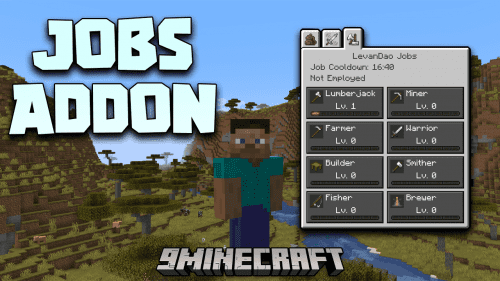 Jobs Addon Mod (26.3, 1.20.1) – Earn Money and XP with Custom In-Game
 LuckyBlock Lib Mod (1.20.1) – Unleash Wild Traps and Random Rewards
 Ulib Mod (1.19.2, 1.18.2) – Power Custom Server Networks and Menus
 Fabric Plugin Messaging Mod (1.21.4, 1.21.1) – Connect Multi-Server Networks
 Required Core Mod (1.20.1) – Unify Early Survival Mechanics Without Game Crashes
 Windswept Integration Mod (1.21.1) – Unify Your Snowy Biomes Across Popular Mods

This post has no comments yet. Be the first — your comment will appear here.