
Exact Health Indicator Mod (1.21.11) – See Exact Player and Enemy Health
 15
 0

Exact Health Indicator Mod adds two screen overlays that show the exact current health with decimal places for both you and your enemies. It works on the client side for Fabric and lets you customize the position, size, color, and absorption display for each indicator separately. You can change every setting through the ModMenu screen or toggle each overlay on and off with dedicated keybinds. This mod requires Cloth Config to run.

Features:
- Dual Health Overlays: Displays two separate indicators directly on your screen, one for your own current health and another for the last mob or player you attacked.
- Decimal Precision: Shows exact health numbers with decimal places, and lets you adjust the level of decimal precision in the settings.
- Lets you change the position, size, color, text shadow, and absorption display of the indicators to match your HUD.
- Allows you to set up the player health overlay and the enemy health overlay independently of each other.
- Includes dedicated keybinds so you can toggle each health indicator on or off separately at any time.
- Provides a built-in settings menu that you can open through ModMenu to adjust every option.
- Runs as a lightweight client-side mod for Fabric.
How to Use:
- Attack any mob or player in the world to make the enemy health indicator show their exact current health on your screen.
- Press the dedicated keybinds to toggle your own health overlay or the enemy health overlay on and off individually.
- Open the settings screen through ModMenu to adjust the position, color, size, decimal precision, text shadow, and absorption display for each indicator.
How to Install:
New to Minecraft? Follow our step-by-step guide to install Mods on your PC.View Guide


Exact Health Indicator Mod Download Links
For Minecraft 1.21.11
Click to rate this post!
[Total: 0 Average: 0]
You May Also Like
Picked for this page
 Moving Elevators Mod (26.3, 1.20.1) – Ride Fast Lifts Across Giant Bases
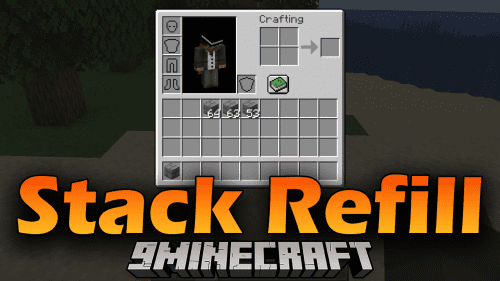 Stack Refill Mod (26.3, 1.20.1) – Keep Building Without Opening Inventory
 Dungeons And Taverns Stronghold Rework Mod (26.3, 1.20.1)
 Regenerative Sleep Mod (26.1, 1.21.1) – Recover Health Safely Every Night
 Macaw’s Quark Mod (1.21.1, 1.20.1) – Compability for Quark with Macaw’s Mods
 Time Controller Mod (1.21.11, 1.20.1) – Speed Up, Slow Down, or Freeze
 Didigetrobbed Mod (26.3, 1.20.1) – Catch Thieves and Protect Your Multiplayer
 Blockstream Sculptor Mod (26.2, 1.20.1) – Export Minecraft Builds Directly
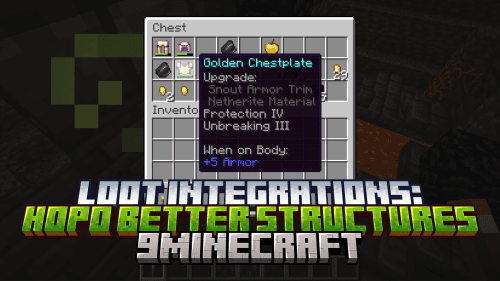 Loot Integrations: Hopo Better Mineshaft, Ruins And Portals Mod (26.3, 1.20.1)
 Legume Delight Mod (1.20.1, 1.20) – Adds Beans and Peanut Crops
 Version Tooltips Mod (26.3, 1.20.1) – See Which Update Added Every Item
 Visual Inputs Mod (26.3, 1.21.1) – Perfect Your PvP Timing with Tick-Based
Most viewed in Mods over the last 7 days
 Ala Industrial Mod (26.3) – Run Electric Power Grids and Automated Factories
 PleasureCraft Mod (26.3, 1.21.1) – Jenny Mod Remake for Fabric
 Jennycraft Mod (26.3, 1.20.1) – Virtual Girlfriend in Minecraft
 Fapcraft Mod (26.3, 1.12.2) – Comprehensive and Detailed Content
 Jenny Mod (Fapcraft) Official Complete Guide – How to use, Tutorial
 Meteor Client Mod (26.3, 1.20.1) – Xray, HUD, Fly
 OptiFine HD (26.3, 1.20.1) – Run Faster, FPS Boost, Shaders Support
 BangCraft Mod (1.20.1) – Jenny, Ellie and Elliot
 Fabric Loader (26.3, 1.20.1) – Fabric Installer for All Minecraft Versions
 SeedCrackerX Mod (26.3, 1.20.1) – Find Any World Seed
 CatLean Client Mod (26.2, 1.21.11) – ThunderHack Recode Alternatives
 Patched Mod (26.3, 1.20.1) – Edit Game Files Without Breaking Packs
More from Mods
 Amberbound Dinosaurs & Fossils Mod (1.21.11, 1.21.1) – Clone Dinosaurs
 Confee Mod (26.3, 1.20.1) – Edit Any Mod Settings Directly Inside the Game Menu
 Pochitas Chainaw Man Mod (1.20.1) – Sign Devil Contracts and Hunt Anime Bosses
 FPS Overlay Mod (26.3, 1.20.1) – Track Frame Rates and Ping Instantly
 Croptopia Delight Mod (26.3, 1.20.1) – Slice and Cook Fresh Crops
 SmitherZ Mod (26.3, 1.20.1) – Forge Custom RPG Weapons
 Creeper Patch Mod (26.3, 1.21.1) – Repair Creeper Explosion Craters Instantly
 CobbleFurnies Mod (26.3, 1.21.1) – Build Custom Pokémon Gyms
 MX Gaming’s Scythes Mod (26.3, 26.1.2) – Clear Mob Hordes From a Safe Distance
 RNG Remover Mod (26.3) – Disable Randomness and Play with Fixed World Generation
 Pyrotechnic Elytra Mod (26.3, 1.20.1) – Light Up the Skies with Every Boost
 Endchants Mod (1.21.11) – Unleash Minecraft Dungeons Combat Perks

This post has no comments yet. Be the first — your comment will appear here.