
Birch Mushrooms Model – Adds 3D Mushroom Growths to Birch Tree Bark

 0


Birch Mushrooms Model adds 3D mushrooms growing directly on the sides of birch logs and birch wood blocks. This pack includes 8 custom 3D models and 1 texture file that make normal birch forests look more natural. It covers four visual variations for standard birch logs and four variations for full-bark birch wood.

Features:
- 8 Custom 3D Models: Includes 8 block models that attach 3D mushroom growths to the sides of birch blocks.
- Birch Log Variants: Adds four distinct models for birch logs named
birch_log2,birch_log3,birch_log4, andbirch_log5. - Birch Wood Variants: Adds four distinct models for full-bark birch wood named
birch_wood2,birch_wood3,birch_wood4, andbirch_wood5. - Uses 1 custom texture file to color the mushroom growths on the tree bark.
How to Use:
- Move the downloaded pack into your Minecraft resourcepacks folder and activate it in the Resource Packs menu.
- Enter a world and travel to a birch forest biome to see naturally generated birch trees with 3D mushrooms growing on their trunks.
- Chop down birch trees to collect Birch Logs, or grab Birch Logs and Birch Wood directly from the Creative inventory.
- Craft Birch Wood by placing four Birch Logs in a 2×2 grid in your crafting table if you are playing in Survival mode.
- Place Birch Logs and Birch Wood in different spots around your build to see the 8 different mushroom placement variations (
birch_log2throughbirch_log5andbirch_wood2throughbirch_wood5) sticking out from the bark.
Screenshots:


Birch Mushrooms Model Download Links
Click to rate this post!
[Total: 0 Average: 0]
You May Also Like
Picked for this page
 Hidyk’s Realm Model – Brings Animated 3D Depth to Vanilla Blocks
 New Faithful Overlays Model – Brings Smooth Grass and Path Transitions
 Quadral Model – Brings Vivid Colors and 31 Custom 3D Models to Vanilla
 Coquet Model – Transforms Vanilla Foliage and Terrain with 3D Shapes
 Goose’s Leaves Model – Transforms Flat Leaves Into Bushy 3D Foliage
 Pixel-Tree Model – Transforms Everyday Vanilla Blocks with Detailed 3D Shapes
 Gui’s Better Vanilla Model – Brings Animated 3D Torches and Plants
 Vanilla Realism Model – Transforms Flat Blocks Into Animated 3D Shapes
 Weskerson’s Torches Model – Brings Animated 3D Flames to Torches and Redstone
 Brush & Juice Model – Brings Animated 3D Redstone and Mechanical Blocks
 The Original Work Programmer Art Model – Brings Classic Retro Visuals and Models
 Justzilla’s Classic Model – Brings Retro Aesthetics to Modern Blocks
Most viewed in Models over the last 7 days
 Jenny Mod Skin Pack Mega Collection – 310+ Characters
 The Most Complete Collection of Jenny Mod Resources – Models, Animations, Structures,…
 Albedo Rework Jenny Mod Model
 750 Models Addon for Yes Steve Model Mod
 Galath Rework Model – Custom Girl for PleasureCraft Mod
 Power Model – Custom Girl for PleasureCraft Mod
 Pomni Jenny Mod Model
 Ram Model – Custom Girl for PleasureCraft Mod
 Femboy Ellie Rework Jenny Mod Model
 100+ Custom Animations For Jenny Mod
 Ellie Rework Jenny Mod Model
 Steve (Jenny & Zoey) Pack Jenny Mod Model
More from Models
 Saturized Model – Brings Cleaner Pixel Colors and Custom 3D Block Shapes
 Night Model – Brings Custom 3D Blocks and Clean Textures for Competitive PvP
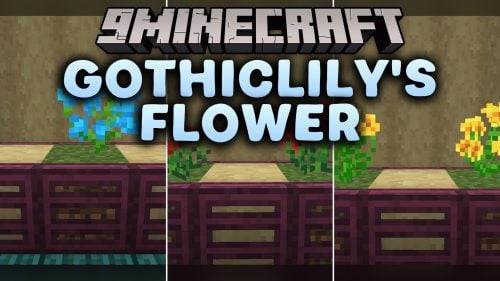 Gothiclily’s Flower Model – Transforms Wild Foliage with Custom 3D Flora
 KTX-1 Model – Brings Custom Passenger Trains to Your MTR4 Railway Network
 100 Series Shinkansen Model – Brings Japanese Bullet Trains to MTR4 Railways
 British Rail Class 205 Thumper Model – Brings Classic British Diesel Trains
 Bits & Tweaks LITE Model – Brings Animated 3D Depth to Vanilla Blocks and Tools
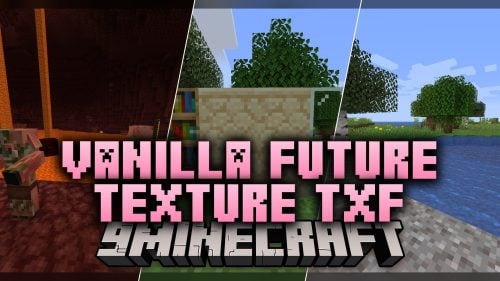 Vanilla Future Texture TXF Model – Brings Futuristic 3D Sci-Fi Gear and Blocks
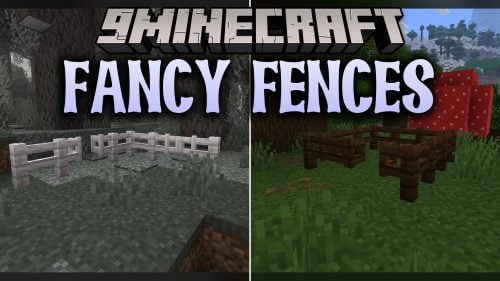 Fancy Fences Model – Transforms Default Barriers with Fresh 3D Depth
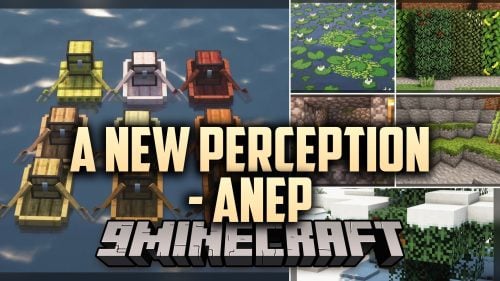 A New Perception – Adds Detailed 3D Block Shapes and Animated Textures
 Caelesti Fenestra Model – Adds Smooth Connected 3D Glass Windows
 London Underground 2009 Tube Stock Model – Brings Modern Subway Trains to Rails

This post has no comments yet. Be the first — your comment will appear here.