
Swiftmine Mod (26.3, 1.21.1) – Mine Whole Ore Veins and Custom Tunnels
 5
 0

Swiftmine Mod lets you break whole ore veins and custom block shapes in a single swing. It includes ready-made presets like 3×3 tunnels and staircases, plus a grid editor where you can draw your own 5x5x5 patterns and save up to 16 profiles. An outline shows every block that will break before you swing, while normal survival rules like tool durability, hunger, and longer mining times for bigger selections still apply. The mod must be installed on both the client and the server to work in multiplayer.

Features:
- Vein Mining: Breaks connected blocks of the same type, including diagonals, up to 64 blocks at once.
- Preset Mining Shapes: Includes ready-made patterns for 2×2, 3×3, 3x3x3, Tunnel 1×2, Stairs down, and Stairs up.
- Custom Shape Editor: Lets you draw your own patterns up to 5x5x5 (125 blocks) using two 5×5 grids for the front view and side view, complete with a rotatable 3D holographic preview.
- Cross-World Profiles: Saves up to 16 named custom shapes in
config/swiftmine.jsonthat stay available across all your singleplayer worlds and multiplayer servers. - World Outlines: Highlights every block in your current selection before you break anything, with 6 color options chosen to help color-blind players tell the target block and selection apart.
- Allows you to switch between mining modes by holding the mine key and scrolling the mouse wheel without moving your current hotbar slot.
- Uses vanilla Minecraft buttons, fonts, and click sounds in its menus, with full text translations in English and German.
Shape Menu Options:
- Modes list on the left splits into two tabs: “Default” for vein mining and preset shapes, and “Custom” for creating or deleting your saved profiles.
- Front view and Side view grids let you left-click to toggle a single cell or drag to paint multiple cells; a block becomes part of the final shape when marked in both views.
- Target block appears as a gold dot on the grid to represent the exact block you are looking at, and right-clicking moves it to a different cell.
- Same blocks only toggle restricts your custom shape to only break blocks that match the target block you are looking at, or mines everything your tool can handle when turned off.
- Upright toggle keeps the shape pointing the way you face with up staying up (used for stairs), while turning it off lays the shape flat against the block face you look at so a 3×3 wall becomes a 3×3 floor hole.
- “Options…” sub-menu lets you pick the two outline colors, toggle the mode display on the left edge of the screen, and rebind the control keys.
Mining Rules and Speed Scaling:
- Counts tool durability, enchantments, drops, and hunger for every single block broken in the selection.
- Stops mining automatically when your tool has 1 durability point left so it never breaks by accident.
- Leaves behind any blocks that your current tool cannot harvest drops from.
- Skips chests, furnaces, and other blocks with contents inside a shape unless you break that container block directly.
- Gathers all item drops and places them at the position of the very first block you broke.
- Adds 10% of the normal mining time for each extra block in the selection in Survival mode (no slowdown in Creative mode), factoring in tool material, Efficiency, Haste, and block hardness.
| Selection Size | Mining Time Multiplier | Unenchanted Diamond Pickaxe (Stone) | Efficiency V Diamond Pickaxe (Stone) |
|---|---|---|---|
| 1 block | 1x | 0.30 s | 0.10 s |
| 3×3 (9 blocks) | 1.8x | 0.55 s | 0.15 s |
| 3x3x3 (27 blocks) | 3.6x | 1.05 s | 0.25 s |
| Vein (64 blocks) | 7.3x | 2.10 s | 0.50 s |
| Full cube (125 blocks) | 13.4x | 3.80 s | 0.90 s |
Configuration:
config/swiftmine-server.json: Server and singleplayer configuration file read on game startup to control the mining speed penalty.timePenaltyPerBlock: Sets how much extra mining time each additional block adds (default is0.1for 10%,0turns the slowdown off, and0.25adds a quarter of normal mining time per block).
{
  "timePenaltyPerBlock": 0.1
}
How to Use:
- Hold the Grave Accent key (left of 1, or ^ on German keyboards) to outline your current block selection in the world and see the active mode and block count on the left edge of the screen.
- Keep holding the Grave Accent key and scroll the Mouse Wheel to cycle through vein mining, preset shapes, and your custom profiles without opening a menu.
- Break the target block while holding the Grave Accent key to mine the entire outlined selection at once.
- Press V to open the shape menu where you can draw custom 5x5x5 patterns on the front and side grids, right-click to move the gold target block dot, and drag the 3D hologram to rotate the preview.
- Click “Options…” inside the shape menu or open standard Minecraft controls to change your outline colors, toggle the left-edge HUD text, or rebind the two keys.
Screenshots:


How to Install:
New to Minecraft? Follow our step-by-step guide to install Mods on your PC.View Guide
Requirements:

Swiftmine Mod Download Links
For Minecraft 26.3
For Minecraft 26.2
For Minecraft 26.1.2, 26.1.1, 26.1
For Minecraft
1.21.11,
1.21.10,
1.21.9
All Versions Covered
1.21.11
1.21.10
1.21.9
1.21.8
1.21.7
1.21.6
1.21.5
1.21.4
1.21.1
1.21
All Versions Covered
1.21.11
1.21.10
1.21.9
1.21.8
1.21.7
1.21.6
1.21.5
1.21.4
1.21.1
1.21
Click to rate this post!
[Total: 0 Average: 0]
You May Also Like
Picked for this page
 Falling Tree Mod (26.3, 1.20.1) – Clear Forests in Seconds
 ShayBox’s Durability101 Mod (26.1, 1.20.1) – Never Surprise Broken Armor Mid
 WorldEdit CUI Mod (26.3, 1.20.1) – Visualize WorldEdit Boundaries Instantly
 Animal Pens Mod (26.3, 1.20.1) – Lag-Free Livestock Farming
 Abridged Mod (26.2, 1.20.1) – Ride Rails Across Ravines
 More Delight Mod (26.3, 1.20.1) – Serve Fresh Sandwiches and Hot Meals
 Good Recipes Mod (26.2, 1.20.1) – Craft Missing Items and Save Inventory Space
 Respawn Delay Mod (26.3, 1.20.1) – Watch Death Scenes Before Respawning
 Player Locator Plus Mod (26.2, 1.20.1) – Track Down Friends or Foes
 Leon’s Secret Paintings Mod (26.2, 1.20.1) – Decorate Walls with Four Elemental
 Turtle Armor Mod (26.3, 1.20.1) – Rule the Seas Like a Turtle
 Hydraulic Kinetic Links Mod (1.21.1) – Lift Heavy Contraptions with Hydraulic
Most viewed in Mods over the last 7 days
 Ala Industrial Mod (26.3) – Run Electric Power Grids and Automated Factories
 PleasureCraft Mod (26.3, 1.21.1) – Jenny Mod Remake for Fabric
 Jennycraft Mod (26.3, 1.20.1) – Virtual Girlfriend in Minecraft
 Fapcraft Mod (26.3, 1.12.2) – Comprehensive and Detailed Content
 Jenny Mod (Fapcraft) Official Complete Guide – How to use, Tutorial
 Meteor Client Mod (26.3, 1.20.1) – Xray, HUD, Fly
 OptiFine HD (26.3, 1.20.1) – Run Faster, FPS Boost, Shaders Support
 BangCraft Mod (1.20.1) – Jenny, Ellie and Elliot
 Fabric Loader (26.3, 1.20.1) – Fabric Installer for All Minecraft Versions
 CatLean Client Mod (26.2, 1.21.11) – ThunderHack Recode Alternatives
 Patched Mod (26.3, 1.20.1) – Edit Game Files Without Breaking Packs
 SeedCrackerX Mod (26.3, 1.20.1) – Find Any World Seed
More from Mods
 No Redstone Lag Mod (26.3, 1.20.1) – Run Giant Redstone Farms Without Frame Rate
 Phasing Mod (1.20.1) – Separate Players and Mobs Into Private MMO Server Phases
 Xaeros UI Tweaks Mod (1.20.1) – Decorate Your Minimap with Custom Resource Pack
 CRLib Mod (26.3, 1.20.1) – Run Custom Mods
 Roost Ultimate Mod (26.3, 1.20.1) – Turn Coops Into Ore Mines
 Server Sided Portals Mod (26.3, 1.20.1) – Build Custom Gateways
 Tier Tagger Mod (26.3, 1.21.1) – See Opponent PvP Skill Ranks Before You Fight
 VoidZ Mod (26.3, 1.20.1) – Slay the Dark Void Shadow
 Soul Fire’d Mod (26.3, 1.20.1) – Burn Foes with Soul Fire
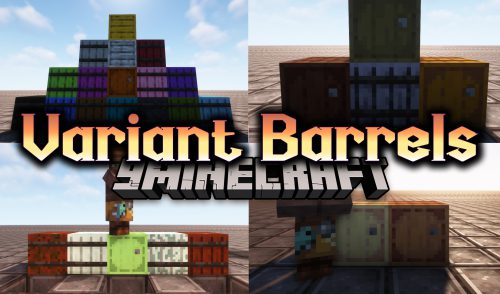 Variant Barrels Mod (26.3, 1.20.1) – Fit Storage to Every Wood
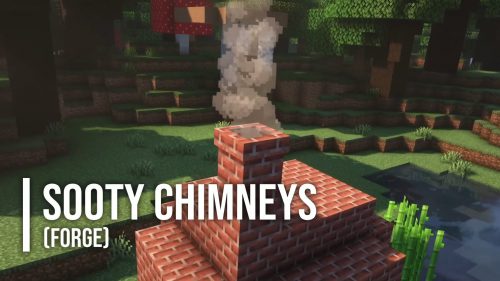 Sooty Chimneys Mod (26.3, 1.20.1) – Bring Working Chimneys to Village Roofs
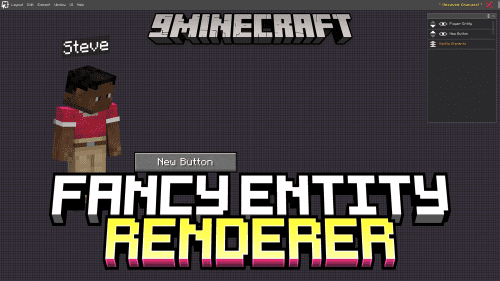 Fancy Entity Renderer Mod (26.3, 1.20.1) – Render Custom 3D Models Inside Any

This post has no comments yet. Be the first — your comment will appear here.