
Gravity Armor Mod (1.20.1) – Walk on Walls and Freeze Mobs in Place
 1
 0

Gravity Armor Mod adds two complete armor sets to Minecraft that let you control gravity and freeze time. Wearing a full set unlocks special powers controlled by dedicated keybinds. You can shift the pull of gravity in six different directions or stop nearby mobs in their tracks. The mod also includes an on-screen display to track ability cooldowns and a command to trigger visual screen effects.

Features:
- Gravity Manipulation: Wearing the full gravity set lets you change the direction of gravity to up, down, north, south, east, or west.
- Time Stop: Wearing the full time set lets you activate a power that freezes all mobs and other entities within a set radius.
- Lets you switch between two gravity modes using a dedicated keybind.
- User Mode changes gravity only for your player character.
- AOE Mode changes gravity for your player and all nearby mobs and entities at the same time.
- Includes a Reset / Down keybind that restores normal downward gravity instantly with no cooldown.
- Shows an on-screen display so you can see the current status and cooldown timers of your armor powers.
Visual Shader Effects:
shockwave: Triggers an expanding wave effect from a chosen coordinate position.supernova: Creates a bright burst effect centered on a chosen coordinate position.art: Applies a stylized artistic filter to the player’s screen.bits: Lowers the color detail to create a retro pixelated look.blur: Softens and blurs the player’s view.bumpy: Adds a textured, raised surface look to the screen.creeper: Changes the screen view to match green creeper vision.deconverge: Splits and shifts the color channels on the screen.desaturate: Removes color saturation for a faded or grayscale look.green: Tints the entire screen in shades of green.invert: Flips all colors on the screen to their opposite shades.ntsc: Adds an old television broadcast filter to the display.pencil: Makes the game world look like a hand-drawn pencil sketch.phosphor: Gives the screen a glowing retro monitor effect.sobel: Highlights the edges and outlines of blocks and mobs.
Commands:
/shader <name> [players] [position] [duration] [intensity]: Triggers a visual post-processing effect for one or more target players, with optional coordinates (used byshockwaveandsupernova), time length, and strength.
Configuration:
config/gravityarmor-common.toml: Adjusts ability cooldowns, durations, effect radius, and visual settings.config/gravityarmor-gravity.toml: Controls gravity physics settings.world/serverconfig/gravityarmor-armor.toml: Changes armor protection stats.
How to Use:
- Craft and equip a full four-piece set of either the gravity armor or the time armor to unlock its abilities.
- Open Options, go to Controls, and select the Gravity Armor category to view or change your ability keybinds.
- While wearing the gravity set, press the mode switch keybind to toggle between User mode (affects only you) and AOE mode (affects nearby entities).
- Press the directional keybinds (up, down, north, south, east, or west) to shift gravity in that direction.
- Press the Reset / Down keybind at any time to return to normal gravity without waiting for a cooldown.
- While wearing the time set, press its ability keybind to activate Time Stop and freeze nearby entities in place.
How to Install:
New to Minecraft? Follow our step-by-step guide to install Mods on your PC.View Guide
Requirements:

Gravity Armor Mod Download Links
For Minecraft 1.20.1, 1.20
Click to rate this post!
[Total: 0 Average: 0]
You May Also Like
Picked for this page
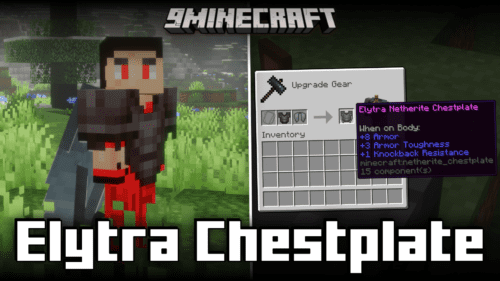 Elytra Chestplate Mod (1.21.11, 1.21.3) – Combine Elytras And Chestplates
 Extreme Sound Muffler Mod (26.3, 1.20.1) – Quiet Down Your Loud Base
 Better Fog Mod (26.2, 1.20.1) – Travel Under Moody Skies
 Compact Machines 9minecraft Mod (26.3, 26.2) – Build Factories Inside One Block
 Cult of Azazel Mod (1.21.1, 1.20.1) – Battle New Bosses in a Massive Nether
 Bastion Turret Mod (1.20.1) – Build Turret Defenses That Hold Off Every Mob Wave
 Phantomia Mod (26.1.2) – Battle Ancient Monsters in a Dark Subterranean Realm
 Visor Mod (26.3, 1.20.1)
 Relentless Nexus Survival Mod (26.3, 1.20.1) – Defend Your Base Against Smart
 Explosion Wands Mod (26.3, 1.20.1) – Blast Mobs and Clear Terrain
 Coins N’ Shop Mod (26.1.2) – Sell Apotheosis Gear in a Live Stock Market Economy
 Memory Leak Fix Modern Port Mod (1.20.1) – Stop RAM Spikes During Long Play
Most viewed in Mods over the last 7 days
 Ala Industrial Mod (26.3) – Run Electric Power Grids and Automated Factories
 PleasureCraft Mod (26.3, 1.21.1) – Jenny Mod Remake for Fabric
 Jennycraft Mod (26.3, 1.20.1) – Virtual Girlfriend in Minecraft
 Fapcraft Mod (26.3, 1.12.2) – Comprehensive and Detailed Content
 Meteor Client Mod (26.3, 1.20.1) – Xray, HUD, Fly
 Jenny Mod (Fapcraft) Official Complete Guide – How to use, Tutorial
 OptiFine HD (26.3, 1.20.1) – Run Faster, FPS Boost, Shaders Support
 BangCraft Mod (1.20.1) – Jenny, Ellie and Elliot
 Fabric Loader (26.3, 1.20.1) – Fabric Installer for All Minecraft Versions
 CatLean Client Mod (26.2, 1.21.11) – ThunderHack Recode Alternatives
 Patched Mod (26.3, 1.20.1) – Edit Game Files Without Breaking Packs
 Baritone Client Mod (26.3, 1.20.1) – Autominer, Build with AI, Xray
More from Mods
 Strike Stream Gauge Mod (26.3, 1.20.1) – Track Combat DPS and Earn Boss Fight
 Mouse Wheelie Mod (26.3, 1.20.1) – Great Replacement for Inventory Tweaks
 RFTools Storage Mod (26.3, 1.20.1) – Reach Your Items Anywhere
 Rain Shield Mod (26.3, 1.20.1) – Enjoy Clear Skies Above Your Home
 Mindworks Core Mod (1.21.1, 1.20.1) – Powering Perception Effects
 AzureFrameLib Mod (26.3, 1.20.1) – Share Custom Assets Across Mods Without Any
 Anti Portals Mod (26.3, 1.20.1) – Lock Out the Nether and End Dimensions
 T88 Mod (26.3, 1.20.1) – Run Essential Companion Mods Cleanly in the Background
 Profet’s Veinminer Mod (26.3, 1.20.1) – Mine Entire Ore Veins in a Fast Chain
 Cinderscapes Mod (26.3, 1.20.1) – Breathe New Life Into the Nether
 Revelationary Mod (26.3, 1.20.1) – Watch Plain Stone Turn Into Riches
 Enchantment Core Mod (26.3, 1.21.1) – Cast Magic Spells with Shield Blocks

This post has no comments yet. Be the first — your comment will appear here.